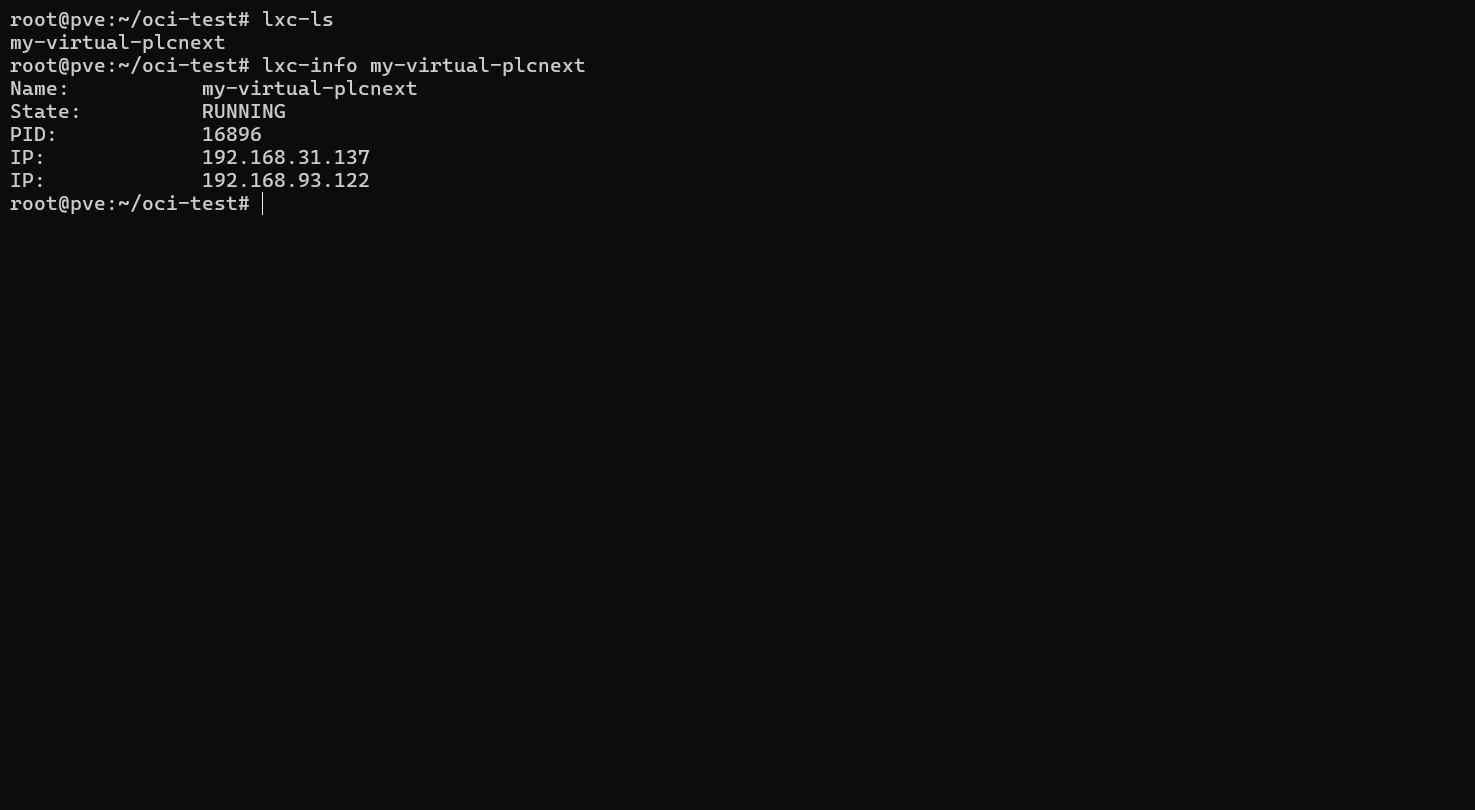
Virtual PLCnext 容器镜像是一个标准的OCI镜像,例如vplcnextcontrol1000-x86-64-2026.0.2_LTS-26.0.2.69_beta.tar,这个OCI镜像没有办法直接用于LXC容器,所以需要用umoci 工具把他的rootfs提取出来。
其实这里的概念不像podman docker那样,LXC 默认就是整个 rootfs 对应一个容器。
如果要实现podman或者docker那样的LowerDir+ UpperDir + MergeDir的这种OverlayFS需要额外工作,这里开放探讨,但是本文不涉及。本文只针对最简单的一个rootfs对应一个vplc容器的情况来进行讨论。
首先需要下载vplcnext的OCI镜像,拷贝到pve上,我这里的pve版本如下
pve-manager/9.1.1/42db4a6cf33dac83 (running kernel: 6.17.2-1-pve)
root@pve:~/oci-test# cat /etc/os-release
PRETTY_NAME="Debian GNU/Linux 13 (trixie)"
NAME="Debian GNU/Linux"
VERSION_ID="13"
VERSION="13 (trixie)"
VERSION_CODENAME=trixie
DEBIAN_VERSION_FULL=13.2
ID=debian
HOME_URL="https://www.debian.org/"
SUPPORT_URL="https://www.debian.org/support"
BUG_REPORT_URL="https://bugs.debian.org/"
可以使用apt打preempt-rt的实时补丁,内核会变成6.12-rt
apt install linux-image-rt-amd64安装后,重启PVE,在grub里选择第二项,选择Linux 6.12.88+deb13-rt-amd64选项进入系统
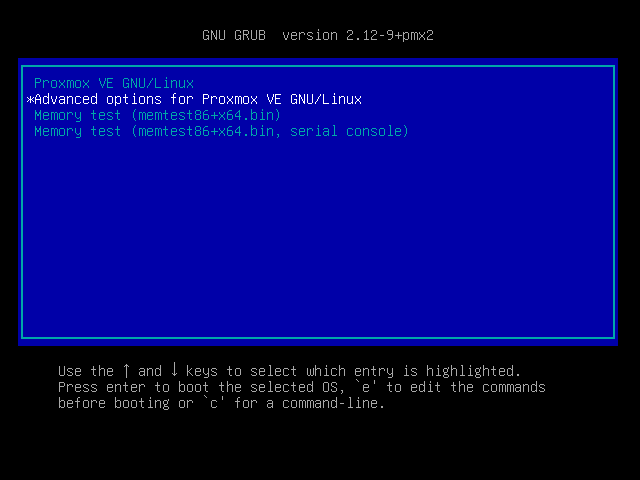
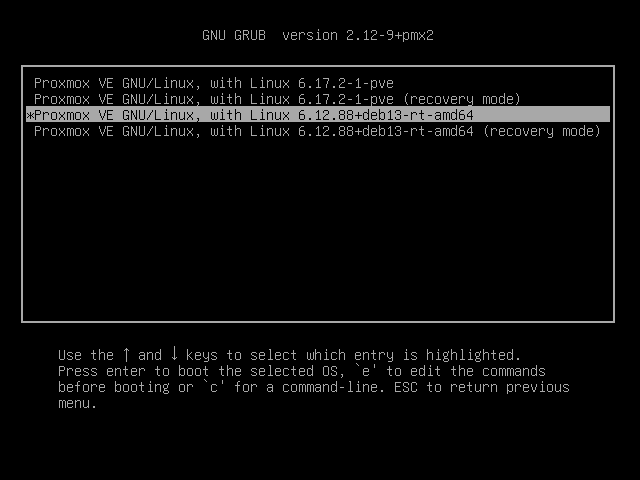
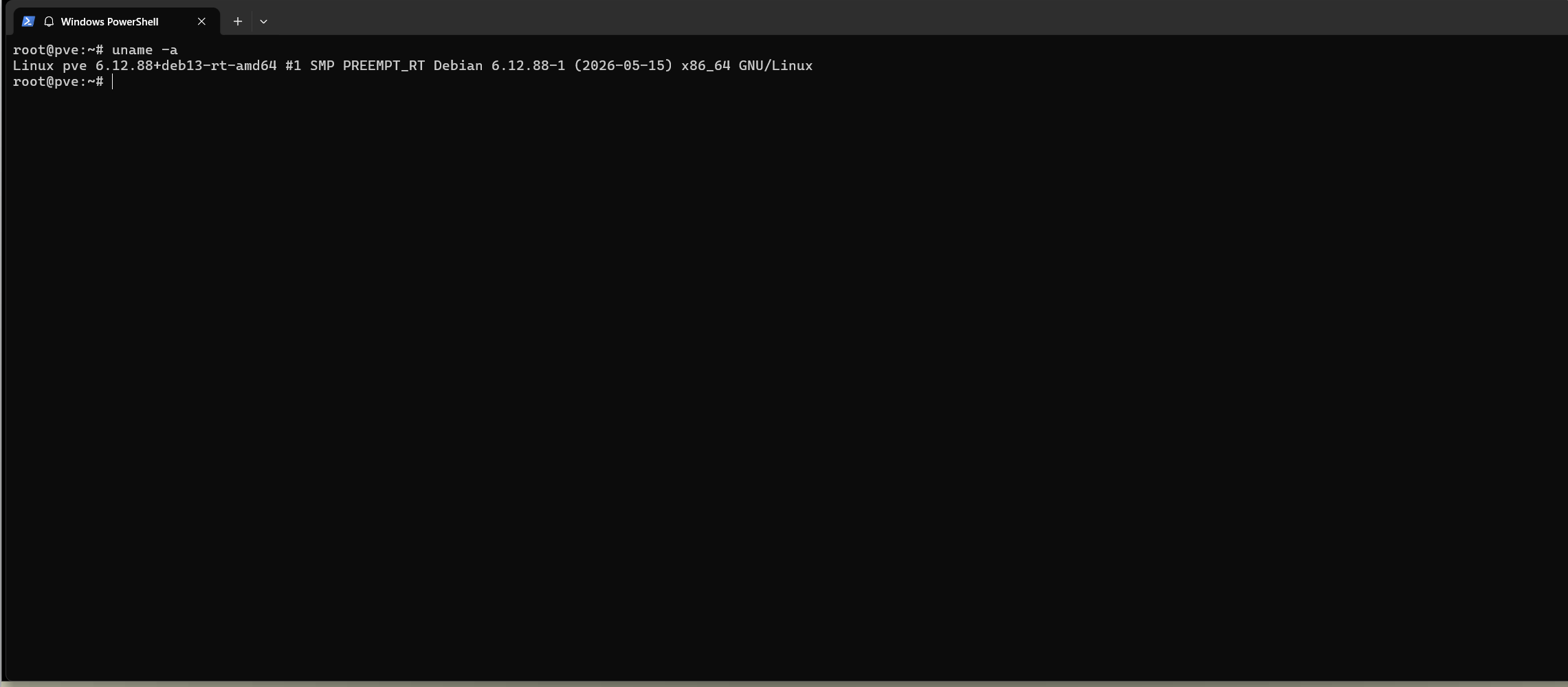
后续有需要可以修改/etc/default/grub里的启动顺序,将6.12-rt作为默认启动即可。
在root的主目录下创建文件夹,并解压OCI的tar镜像,通过index.json查看OCI-TAG
root@pve:~/# mkdir oci-test
root@pve:~/# cd oci-test
root@pve:~/oci-test# mkdir oci-tar-dir
root@pve:~/oci-test# tar -xf ../vplcnextcontrol1000-x86-64-2026.0.2_LTS-26.0.2.69_beta.tar -C oci-tar-dir
root@pve:~/oci-test# cat oci-tar-dir/index.json
{
  "schemaVersion": 2,
  "manifests": [
    {
      "mediaType": "application/vnd.oci.image.manifest.v1+json",
      "size": 422,
      "digest": "sha256:32a8f5e81f51f84fc0a5ec686ae9accb2cab75137402a3b42cc69518cbd7b778",
      "platform": {
        "architecture": "amd64",

        "os": "linux"
      },
      "annotations": {
        "org.opencontainers.image.ref.name": "vplcnextcontrol1000-x86-64"
      }
    }
  ]
}
这里的OCI TAG就是vplcnextcontrol1000-x86-64,我们可以用umoci解压它
root@pve:~/oci-test# apt install umoci
root@pve:~/oci-test# umoci unpack --image oci-tar-dir:vplcnextcontrol1000-x86-64 oci-rootfs
root@pve:~/oci-test# ls
oci-rootfs  oci-tar-dir
这时候要创建一个lxc的config文件,这里的lxc.net.0.link = ens37和lxc.net.0.hwaddr = 00:16:3e:aa:bb:d3需要进行修改。按照自己对应的网络接口即可,第一个网络接口必须要是macvlan模式。第二个接口可以是默认桥接模式,和宿主机相通,这样方便后期的codemeter进行license查找。
我的宿主机网络接口如下所示
root@pve:~/oci-work/my-lxc-container# ip addr
1: lo: <LOOPBACK,UP,LOWER_UP> mtu 65536 qdisc noqueue state UNKNOWN group default qlen 1000
    link/loopback 00:00:00:00:00:00 brd 00:00:00:00:00:00
    inet 127.0.0.1/8 scope host lo
       valid_lft forever preferred_lft forever
    inet6 ::1/128 scope host noprefixroute
       valid_lft forever preferred_lft forever
2: nic0: <BROADCAST,MULTICAST,UP,LOWER_UP> mtu 1500 qdisc fq_codel master vmbr0 state UP group default qlen 1000
    link/ether 00:0c:29:79:4b:ff brd ff:ff:ff:ff:ff:ff
    altname enp2s1
    altname enx000c29794bff
3: ens37: <BROADCAST,MULTICAST,UP,LOWER_UP> mtu 1500 qdisc fq_codel state UP group default qlen 1000
    link/ether 00:0c:29:79:4b:09 brd ff:ff:ff:ff:ff:ff
    altname enp2s5
    altname enx000c29794b09
    inet 192.168.31.133/24 scope global ens37
       valid_lft forever preferred_lft forever
    inet6 fe80::20c:29ff:fe79:4b09/64 scope link proto kernel_ll
       valid_lft forever preferred_lft forever
4: vmbr0: <BROADCAST,MULTICAST,UP,LOWER_UP> mtu 1500 qdisc noqueue state UP group default qlen 1000
    link/ether 00:0c:29:79:4b:ff brd ff:ff:ff:ff:ff:ff
    inet 192.168.93.132/24 scope global vmbr0
       valid_lft forever preferred_lft forever
    inet6 fe80::20c:29ff:fe79:4bff/64 scope link proto kernel_ll
       valid_lft forever preferred_lft forever
22: vethdvjC4H@if2: <BROADCAST,MULTICAST,UP,LOWER_UP> mtu 1500 qdisc noqueue master vmbr0 state UP group default qlen 1000
    link/ether fe:b3:80:e3:86:05 brd ff:ff:ff:ff:ff:ff link-netnsid 0
这里的ens37用于macvlan,vmbr0用于和宿主机的桥接,也就是第二个网口
lxc.apparmor.profile = unconfined
lxc.cgroup2.devices.allow = a
lxc.cap.drop =
lxc.mount.entry = /sys/fs/cgroup /sys/fs/cgroup none bind,create=dir,ro 0 0
lxc.rootfs.path = /root/oci-test/oci-rootfs/rootfs
lxc.uts.name = my-virtual-plcnext
lxc.arch = amd64

lxc.init.cmd = /sbin/init
lxc.init.uid = 0
lxc.init.gid = 0

lxc.mount.entry = proc /proc proc nodev,noexec,nosuid 0 0
lxc.mount.entry = sysfs /sys sysfs nodev,noexec,nosuid 0 0
lxc.mount.entry = tmpfs /run tmpfs nodev,nosuid,size=10% 0 0

lxc.net.0.type = macvlan
lxc.net.0.macvlan.mode = bridge
lxc.net.0.link = ens37
lxc.net.0.flags = up
lxc.net.0.hwaddr = 00:16:3e:aa:bb:d3

lxc.net.1.type = veth
lxc.net.1.link = vmbr0
lxc.net.1.flags = up
lxc.net.1.hwaddr = 00:16:3e:aa:bb:d4

lxc.console.path = none

root@pve:~/oci-test# pwd
/root/oci-test
root@pve:~/oci-test# ls
config  oci-rootfs  oci-tar-dir
启动lxc容器
root@pve:~/oci-test# lxc-start -n my-virtual-plcnext -f config进入创建好的plcnext容器内部
root@pve:~/oci-test# lxc-attach -n my-virtual-plcnext -f config -- /bin/bash -c "cd /opt/plcnext && exec /bin/bash"

bash-5.2# cat /opt/plcnext/logs/Arp.log
这时候会看到Arp.log里的日志报错,这是因为lxc没有办法在config里配置macvlan的静态ip地址,所以我们要去设置一下
20.05.26 12:55:30.496 Arp.Base.Rsc.Commons.Internal.RscServiceStubInvoker          ERROR - Exception occurs while invoking service method 'Arp.System.Acf.Services.Internal.IProcessManagerService:11': Exception of type 'Arp::Base::Commons::Exceptions::InvalidOperationException' was thrown:
PN_Init failed (0x805)
    at Arp::Io::ProfinetStack::System::Internal::System::SetupConfig()
    at Arp::Io::Commons::IoComponentBase::Impl::SetupConfig()
    at Arp::System::Acf::Internal::Pm::ProcessManager::SetupComponentConfig(Arp::Base::Acf::Commons::IComponent&) const
    at Arp::System::Acf::Internal::Pm::ProcessManager::SetupComponentConfig(Arp::Base::Core::String const&) const
    at Arp::System::Acf::Services::Internal::ProcessManagerServiceImpl::SetupComponentConfig(Arp::Base::Rsc::Commons::RscString<512> const&)
    at Arp::System::Acf::Services::Internal::ProcessManagerServiceSecurityStub::SetupComponentConfig(Arp::Base::Rsc::Commons::RscString<512> const&)
    at Arp::System::Acf::Services::Internal::ProcessManagerServiceStub::SetupComponentConfig(Arp::Base::Rsc::Commons::Services::RscServerContext&)
    at Arp::Base::Rsc::Commons::Internal::RscServiceStubInvoker::Invoke(std::shared_ptr<Arp::Base::Rsc::Commons::Services::IRscServiceStub>, CommonRemoting::RemotingServerContext&, Arp::Base::Rsc::Commons::Internal::RscServerSession&)
    at Arp::Base::Rsc::Internal::Remoting::RscServiceStubAdapter::InvokeInternal(CommonRemoting::RemotingServerContext&)
    at CommonRemoting::RemotingServiceBase::Invoke(CommonRemoting::RemotingServerContext&)
    at CommonRemoting::ServiceInvocationSink::ProcessRequest(CommonRemoting::RemotingServerSession&, CommonRemoting::RemotingServerContext&)
    at CommonRemoting::RemotingServiceBrokerSink::ProcessInvokeServiceCommand(CommonRemoting::RemotingServerSession&, CommonRemoting::RemotingServerContext&)
    at CommonRemoting::RemotingServiceBrokerSink::ProcessRequest(CommonRemoting::RemotingServerSession&, CommonRemoting::RemotingServerContext&)
    at CommonRemoting::RemotingServerSession::ProcessInternal()
    at CommonRemoting::RemotingServerSession::Process()
    at CommonRemoting::RemotingConnection::Run(void*)
    at CommonRemoting::RemotingWorkerThread::RunInternal(void*)
    at CommonRemoting::RemotingThreadBase::RunInternal(void*)
    at /usr/lib/libArp.System.Commons.so(+0x282217) [0x7208f4482217]
    at Arp::System::Commons::Threading::Thread::Impl::RunInternal(void*)
    at Arp::System::Ve::Internal::Linux::ThreadService::RunInternal(void*)
    at /usr/lib/libc.so.6(+0x8647c) [0x7208f38a847c]
    at /usr/lib/libc.so.6(+0xfeafc) [0x7208f3920afc]
20.05.26 12:55:30.496 CommonRemoting                                               ERROR - RemotingContext::AbortInvocation(): connectionID=7208D71F0F7F, errorCode=2000000A, message: PN_Init failed (0x805)
20.05.26 12:55:30.496 CommonRemoting                                               INFO  - Accepted connection #1: connectionId=7208D71F520F, ipc://<unknown>
20.05.26 12:55:30.497 Arp.System.Acf.Internal.Sm.ComponentsController              ERROR - Exception occurs while setting up config of component 'Arp.Io.PnS': Exception of type 'Arp::Base::Rsc::Commons::RscException' was thrown:
PN_Init failed (0x805)
    at /usr/lib/libArp.Base.Rsc.Commons.so(+0x265f5) [0x79f439f8c5f5]
    at Arp::Base::Rsc::Commons::Services::RscClientContext::ReceiveResponse(Arp::Base::Core::delegate<void (Arp::Base::Rsc::Commons::Services::RscReader&)>)
    at Arp::System::Acf::Services::Internal::ProcessManagerServiceProxy::SetupComponentConfig(Arp::Base::Rsc::Commons::RscString<512> const&)
    at Arp::System::Acf::Internal::Sm::ComponentsController::SetupComponentConfig(Arp::System::Acf::Internal::Sm::Data::ComponentExecutionData&)
    at Arp::System::Acf::Internal::Sm::ComponentsController::SetupComponentsConfig()
    at Arp::System::Acf::Internal::Sm::SystemManager::SetupSystem()
    at Arp::System::Acf::Internal::ApplicationBase::Main(int, char**, Arp::Base::Commons::Logging::LogLevel)
    at /usr/bin/Arp.System.Application(+0x4078a) [0x6240f161478a]
    at /usr/bin/Arp.System.Application(+0x40db0) [0x6240f1614db0]
    at /usr/bin/Arp.System.Application(+0x3f546) [0x6240f1613546]
    at /usr/bin/Arp.System.Application(+0x3cf65) [0x6240f1610f65]
    at /usr/lib/libc.so.6(+0x25f3b) [0x79f439047f3b]
    at /usr/lib/libc.so.6(__libc_start_main+0x89) [0x79f439047ff9]
    at /usr/bin/Arp.System.Application(+0x3d815) [0x6240f1611815]
20.05.26 12:55:30.497 Arp.System.Acf.Internal.Sm.ComponentsController              ERROR - Exception occurs while setting up config of component 'Arp.Io.PnS': Exception of type 'Arp::Base::Rsc::Commons::RscException' was thrown:
PN_Init failed (0x805)
    at /usr/lib/libArp.Base.Rsc.Commons.so(+0x265f5) [0x79f439f8c5f5]
    at Arp::Base::Rsc::Commons::Services::RscClientContext::ReceiveResponse(Arp::Base::Core::delegate<void (Arp::Base::Rsc::Commons::Services::RscReader&)>)
    at Arp::System::Acf::Services::Internal::ProcessManagerServiceProxy::SetupComponentConfig(Arp::Base::Rsc::Commons::RscString<512> const&)
    at Arp::System::Acf::Internal::Sm::ComponentsController::SetupComponentConfig(Arp::System::Acf::Internal::Sm::Data::ComponentExecutionData&)
    at Arp::System::Acf::Internal::Sm::ComponentsController::SetupComponentsConfig()
    at Arp::System::Acf::Internal::Sm::SystemManager::SetupSystem()
    at Arp::System::Acf::Internal::ApplicationBase::Main(int, char**, Arp::Base::Commons::Logging::LogLevel)
    at /usr/bin/Arp.System.Application(+0x4078a) [0x6240f161478a]
    at /usr/bin/Arp.System.Application(+0x40db0) [0x6240f1614db0]
    at /usr/bin/Arp.System.Application(+0x3f546) [0x6240f1613546]
    at /usr/bin/Arp.System.Application(+0x3cf65) [0x6240f1610f65]
    at /usr/lib/libc.so.6(+0x25f3b) [0x79f439047f3b]
    at /usr/lib/libc.so.6(__libc_start_main+0x89) [0x79f439047ff9]
    at /usr/bin/Arp.System.Application(+0x3d815) [0x6240f1611815]
20.05.26 12:55:30.502 Arp.Plc.Domain.Internal.PlcManager                           INFO  - Plc state transition from 'None' to 'SystemError'
20.05.26 12:55:30.503 Arp.System.Nm.Internal.NotificationBroker.NotificationBroker INFO  - A subscriber subscribed to not registered notification name: Arp.Io.PnC.PnStationStateChanged
20.05.26 12:55:30.505 Arp.Plc.Domain.Internal.State.StateManager                   ERROR - Plc operation isn't possible because a system error occurred! A system restart is required!
20.05.26 12:55:30.505 Arp.Device.Interface.DeviceInterface                         INFO  - Thread DI.UpdateSystemVariables is running
20.05.26 12:55:30.505 Arp.Device.Interface.Internal.MonitorThreads                 INFO  - Thread DI.LowPrioMonitor is running
20.05.26 12:55:30.506 Arp.Services.Grpc.GrpcServerComponent                        INFO  - gRPC Server listening on unix:/run/plcnext/grpc.sock
20.05.26 12:55:30.508 CommonRemoting                                               INFO  - Starting remoting server (version=4)
20.05.26 12:55:30.508 CommonRemoting                                               INFO  - Start listening on TCP port 41100
20.05.26 12:55:30.509 Arp.System.Acf.Internal.ApplicationBase                      INFO  - Application 'MainProcess' was setup successfully.
同时,因为LXC沿用Linux内核,所以使用LXC的vPLCnext容器也会处于带有preempt-rt的内核
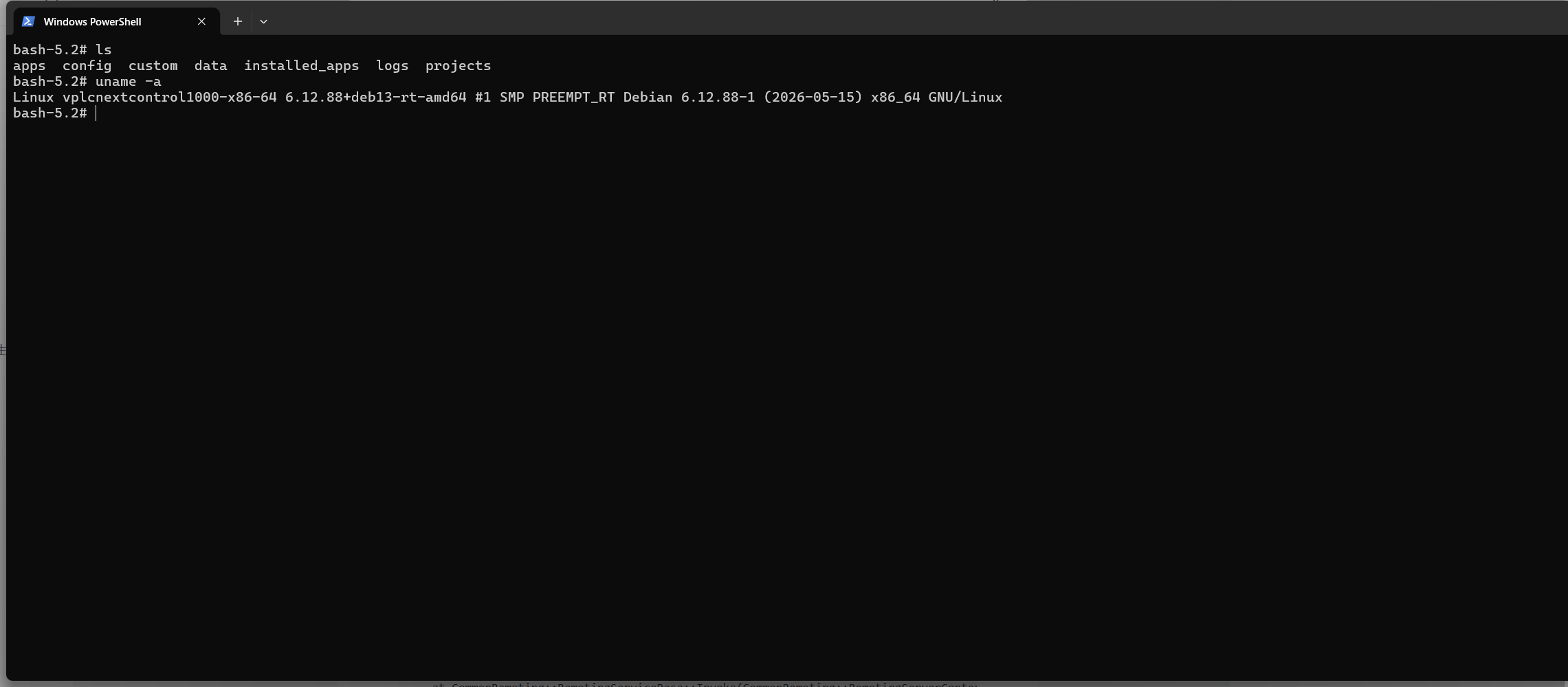
在容器内的/etc/systemd/network目录下进行编辑,填写上【网关】和【ip地址/24】
bash-5.2# nano /etc/systemd/network/79-if-1.network

[Match]
Type=ether
Name=eth0

[Network]
ConfigureWithoutCarrier=true
DHCP=no
DNS=8.8.8.8 8.8.4.4
Gateway=192.168.31.1
Address=192.168.31.137/24


bash-5.2# nano /etc/systemd/network/79-if-2.network

[Match]
Type=ether
Name=eth1

[Network]
ConfigureWithoutCarrier=true
DHCP=no
DNS=8.8.8.8 8.8.4.4
Gateway=192.168.93.1
Address=192.168.93.122/24
重启systemd-networkd 和 plcnext服务
bash-5.2# systemctl restart systemd-networkd

bash-5.2# ifconfig
eth0: flags=4163<UP,BROADCAST,RUNNING,MULTICAST>  mtu 1500
        inet 192.168.31.137  netmask 255.255.255.0  broadcast 192.168.31.255
        inet6 fe80::216:3eff:feaa:bbd3  prefixlen 64  scopeid 0x20<link>
        ether 00:16:3e:aa:bb:d3  txqueuelen 1000  (Ethernet)
        RX packets 41  bytes 12810 (12.5 KiB)
        RX errors 0  dropped 0  overruns 0  frame 0
        TX packets 32  bytes 8990 (8.7 KiB)
        TX errors 0  dropped 0 overruns 0  carrier 0  collisions 0

eth1: flags=4163<UP,BROADCAST,RUNNING,MULTICAST>  mtu 1500
        inet 192.168.93.122  netmask 255.255.255.0  broadcast 192.168.93.255
        inet6 fe80::216:3eff:feaa:bbd4  prefixlen 64  scopeid 0x20<link>
        ether 00:16:3e:aa:bb:d4  txqueuelen 1000  (Ethernet)
        RX packets 1  bytes 60 (60.0 B)
        RX errors 0  dropped 0  overruns 0  frame 0
        TX packets 45  bytes 3078 (3.0 KiB)
        TX errors 0  dropped 0 overruns 0  carrier 0  collisions 0

lo: flags=73<UP,LOOPBACK,RUNNING>  mtu 65536
        inet 127.0.0.1  netmask 255.0.0.0
        inet6 ::1  prefixlen 128  scopeid 0x10<host>
        loop  txqueuelen 1000  (Local Loopback)
        RX packets 187  bytes 32287 (31.5 KiB)
        RX errors 0  dropped 0  overruns 0  frame 0
        TX packets 187  bytes 32287 (31.5 KiB)
        TX errors 0  dropped 0 overruns 0  carrier 0  collisions 0


bash-5.2# systemctl restart plcnext
重新观察Arp.log日志
bash
sh-5.2# cat /opt/plcnext/logs/Arp.log


....


20.05.26 13:00:57.165 Arp.Services.Wbm.Internal.Fcgi.FcgiDispatcher                INFO  - Handler with API ID _auth_api registered
20.05.26 13:00:57.165 Arp.Services.Wbm.Internal.Fcgi.FcgiDispatcher                INFO  - Handler with API ID arp_custom_api registered
20.05.26 13:00:57.165 Arp.Services.Wbm.Internal.Fcgi.FcgiDispatcher                INFO  - Handler with API ID arp_api registered
20.05.26 13:00:57.171 Arp.System.Um.UserManager                                    INFO  - UM ldap configuration not found, disable ldap support completely
20.05.26 13:01:57.409 Arp.System.Lm.Internal.LicenseManager                        INFO  - License runtime version: 8.40.7109
20.05.26 13:01:57.945 Arp.Plc.Domain.Internal.Project.IntegrityCheck               INFO  - PLC Manager: Project integrity check configured with mode 'Error' and kind 'None'
20.05.26 13:01:57.946 Arp.Plc.Domain.Internal.Condition.SystemWatchdogConditionProvider INFO  - PlcAutoRestart after system watchdog is disabled
20.05.26 13:01:57.947 Arp.Plc.Domain.Internal.PlcManager                           INFO  - Plc state transition from 'None' to 'Ready'
20.05.26 13:01:57.948 Arp.Plc.Domain.Internal.Project.IntegrityCheck               WARN  - The integrity check is performed without signature verification!
20.05.26 13:01:57.948 Arp.Plc.Domain.Internal.PlcManager                           INFO  - Plc state transition from 'Ready' to 'Ready|Loading'
20.05.26 13:01:57.949 Arp.Plc.Esm.Internal.EsmDomain                               INFO  - ESM configuration successfully loaded.
20.05.26 13:01:57.949 Arp.Plc.Gds.Internal.GdsDomain                               INFO  - GDS configuration successfully loaded.
20.05.26 13:01:57.950 Arp.Plc.Domain.Internal.Config.PlcProjectConfigManager       INFO  - Loading project ''
20.05.26 13:01:57.955 Arp.Plc.Gds.Internal.GdsDomain                               INFO  - GDS data connections successfully created.
20.05.26 13:01:57.956 Arp.Plc.Domain.Internal.PlcManager                           INFO  - Plc state transition from 'Ready|Loading' to 'Stop|Warm'
20.05.26 13:01:58.355 Arp.Services.Wcm.WebConfigurationManager                     INFO  - Identity Store HTTPS-self-signed was created/loaded successfully
20.05.26 13:01:58.356 Arp.System.Commons.Security.IdentityStore                    WARN  - Missing certificate in identity store /opt/plcnext/config/System/Security/IdentityStores/HTTPS-self-signed/certificate.pem
20.05.26 13:01:58.356 Arp.Services.Wcm.WebConfigurationManager                     INFO  - Regenerating self-signed certificate...
20.05.26 13:01:58.358 Arp.Services.Wcm.Internal.IdentityStoreConfigurator          INFO  - Self-signed HTTPS certificate generated. Saving the certificate to file /opt/plcnext/config/System/Security/IdentityStores/HTTPS-self-signed/certificate.pem
20.05.26 13:01:58.359 Arp.Services.Wcm.Internal.IdentityStoreConfigurator          INFO  - Successfully saved self-signed certificate
20.05.26 13:01:58.359 Arp.Services.Wcm.WebConfigurationManager                     INFO  - Generated self-signed certificate for Identity Store HTTPS-self-signed
20.05.26 13:01:58.359 Arp.Services.Wcm.WebConfigurationManager                     INFO  - Setuped self-signed Identity Store
20.05.26 13:01:58.360 Arp.Services.Wcm.WebConfigurationManager                     WARN  - Identity Store HTTPS-self-signed used for HTTPS Certificate has invalid config. Self-Signed Identity Store will be used!
20.05.26 13:01:58.383 Arp.Services.Wcm.Internal.NginxConfigurator                  INFO  - NGINX server has been stopped. Calling blocking delayed server start
20.05.26 13:01:58.937 Arp.Services.Wcm.Internal.NginxConfigurator                  INFO  - NGINX server has been started
20.05.26 13:01:58.943 Arp.Services.Wbm.Internal.Fcgi.FcgiDispatcher                INFO  - Handler with API ID arp_rsc registered
20.05.26 13:01:58.943 Arp.Services.Wbm.Internal.Fcgi.FcgiDispatcher                INFO  - Handler with API ID arp_internal_rsc registered
20.05.26 13:01:58.944 Arp.System.Nm.Internal.NotificationBroker.NotificationBroker INFO  - A subscriber subscribed to not registered notification name: App
20.05.26 13:01:58.944 Arp.System.Nm.Internal.NotificationBroker.NotificationBroker INFO  - A subscriber subscribed to not registered notification name: Arp.Services.Alarms.Log
20.05.26 13:01:58.946 Arp.Plc.Domain.Internal.Condition.PlcConditionManager        INFO  - Starting Plc is delayed by 'Arp.Services.SystemEvents' because of 'Complete system start'. Timeout is set to 0 milliseconds.
20.05.26 13:01:58.946 Arp.Plc.Domain.Internal.PlcManager                           INFO  - Plc state transition from 'Stop|Warm' to 'Stop|Warm|StartingDelayed'
20.05.26 13:01:58.947 Arp.Device.Interface.DeviceInterface                         INFO  - Thread DI.UpdateSystemVariables is running
20.05.26 13:01:58.947 Arp.Device.Interface.Internal.MonitorThreads                 INFO  - Thread DI.LowPrioMonitor is running
20.05.26 13:01:58.948 Arp.Services.Grpc.GrpcServerComponent                        INFO  - gRPC Server listening on unix:/run/plcnext/grpc.sock
20.05.26 13:01:58.958 Arp.Plc.Domain.Internal.Condition.PlcConditionManager        INFO  - Plc start delay condition 'Complete system start' expired after 11 ms
20.05.26 13:01:58.958 Arp.Plc.Domain.Internal.PlcManager                           INFO  - Plc state transition from 'Stop|Warm|StartingDelayed' to 'Stop|Starting|Warm'
20.05.26 13:01:59.064 Arp.Plc.Domain.Internal.PlcManager                           INFO  - Plc state transition from 'Stop|Starting|Warm' to 'Running'
20.05.26 13:01:59.065 Arp.System.Nm.Internal.NotificationBroker.NotificationBroker INFO  - A subscriber subscribed to not registered notification name: App
20.05.26 13:01:59.065 Arp.System.Nm.Internal.NotificationBroker.NotificationBroker INFO  - A subscriber subscribed to not registered notification name: Arp.Services.Alarms.Log
20.05.26 13:01:59.065 CommonRemoting                                               INFO  - Starting remoting server (version=4)
20.05.26 13:01:59.065 CommonRemoting                                               INFO  - Start listening on TCP port 41100
20.05.26 13:01:59.066 Arp.System.Acf.Internal.ApplicationBase                      INFO  - Application 'MainProcess' was setup successfully.
发现不报错了,能够正常运行。
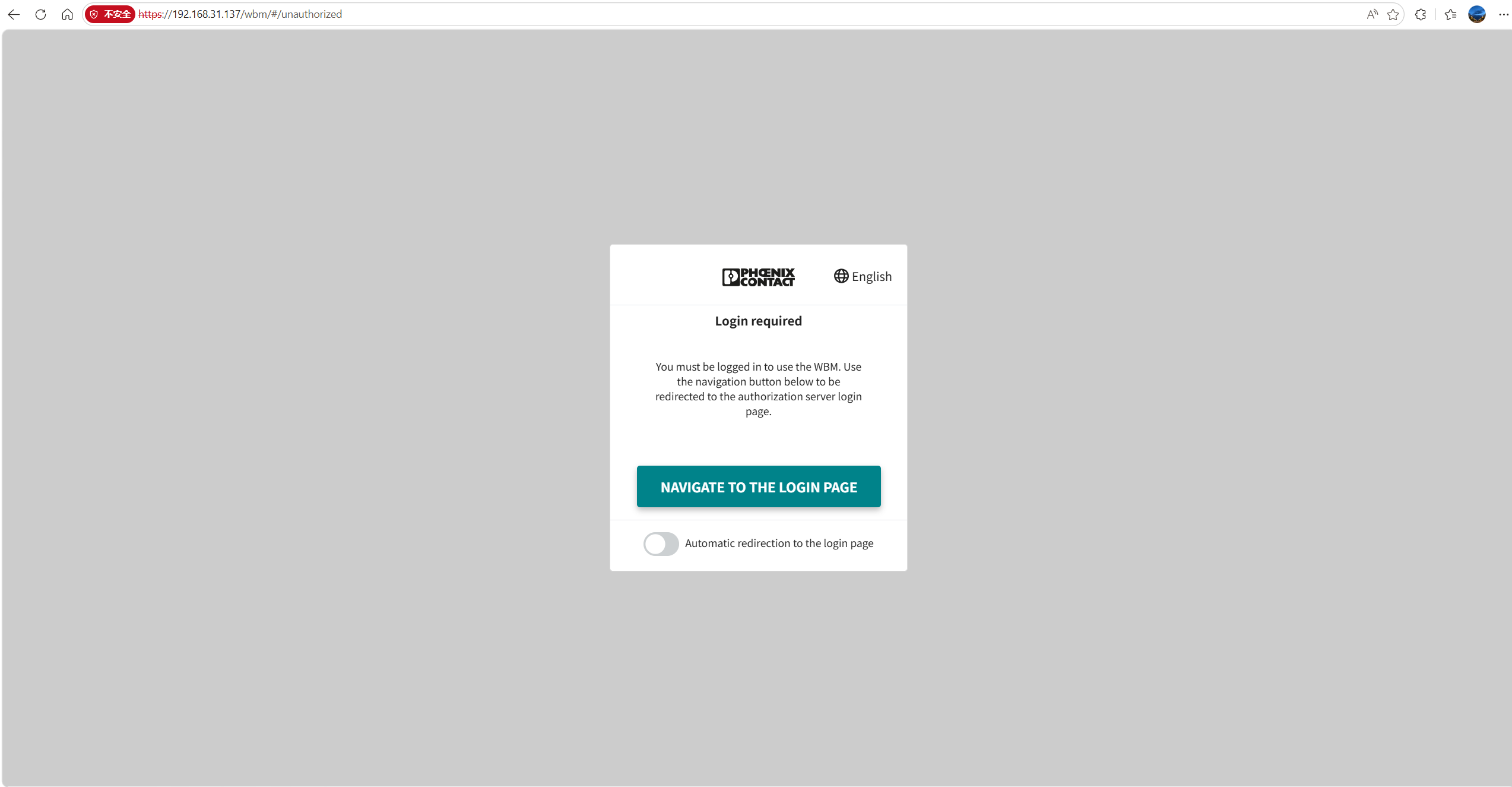
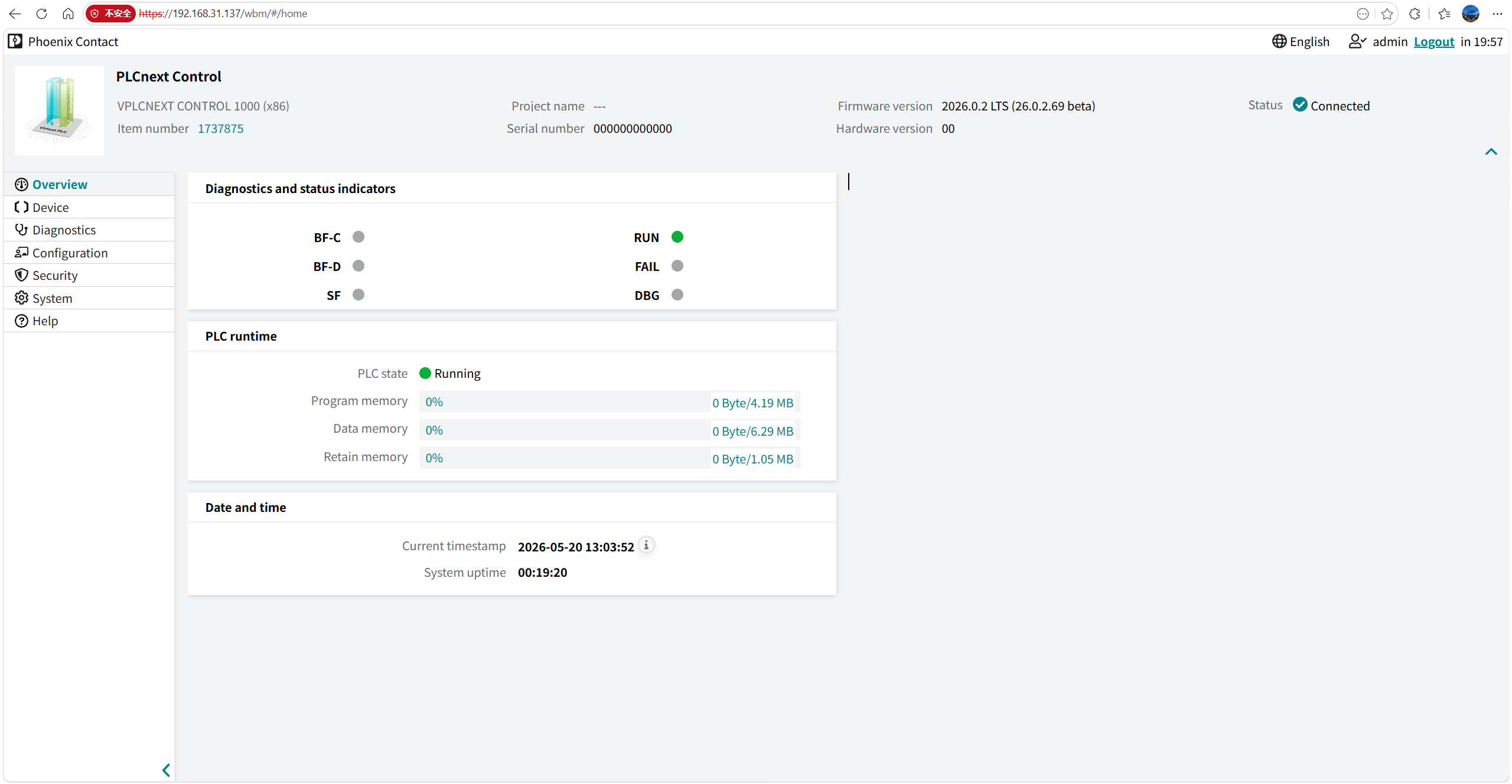
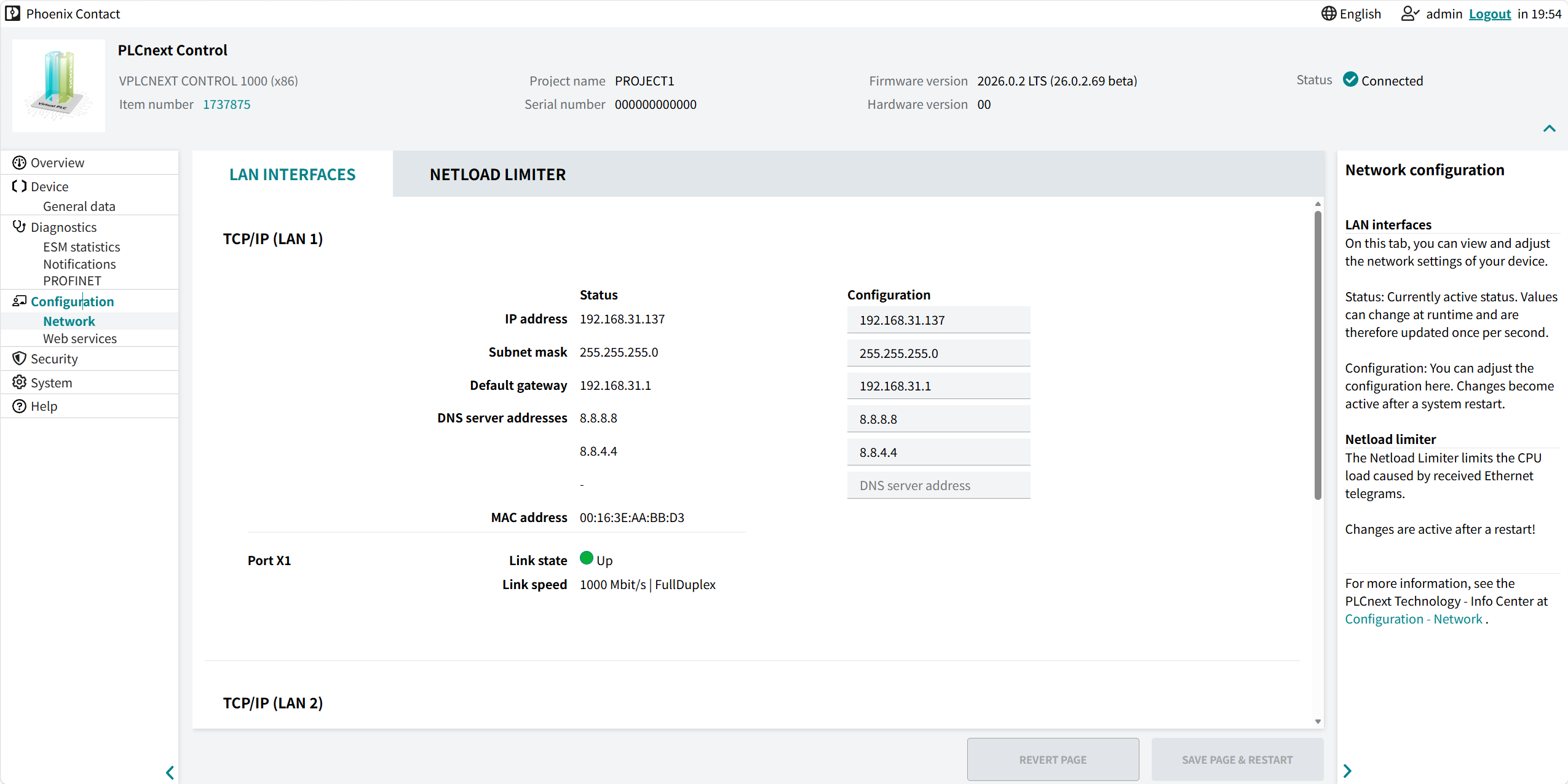
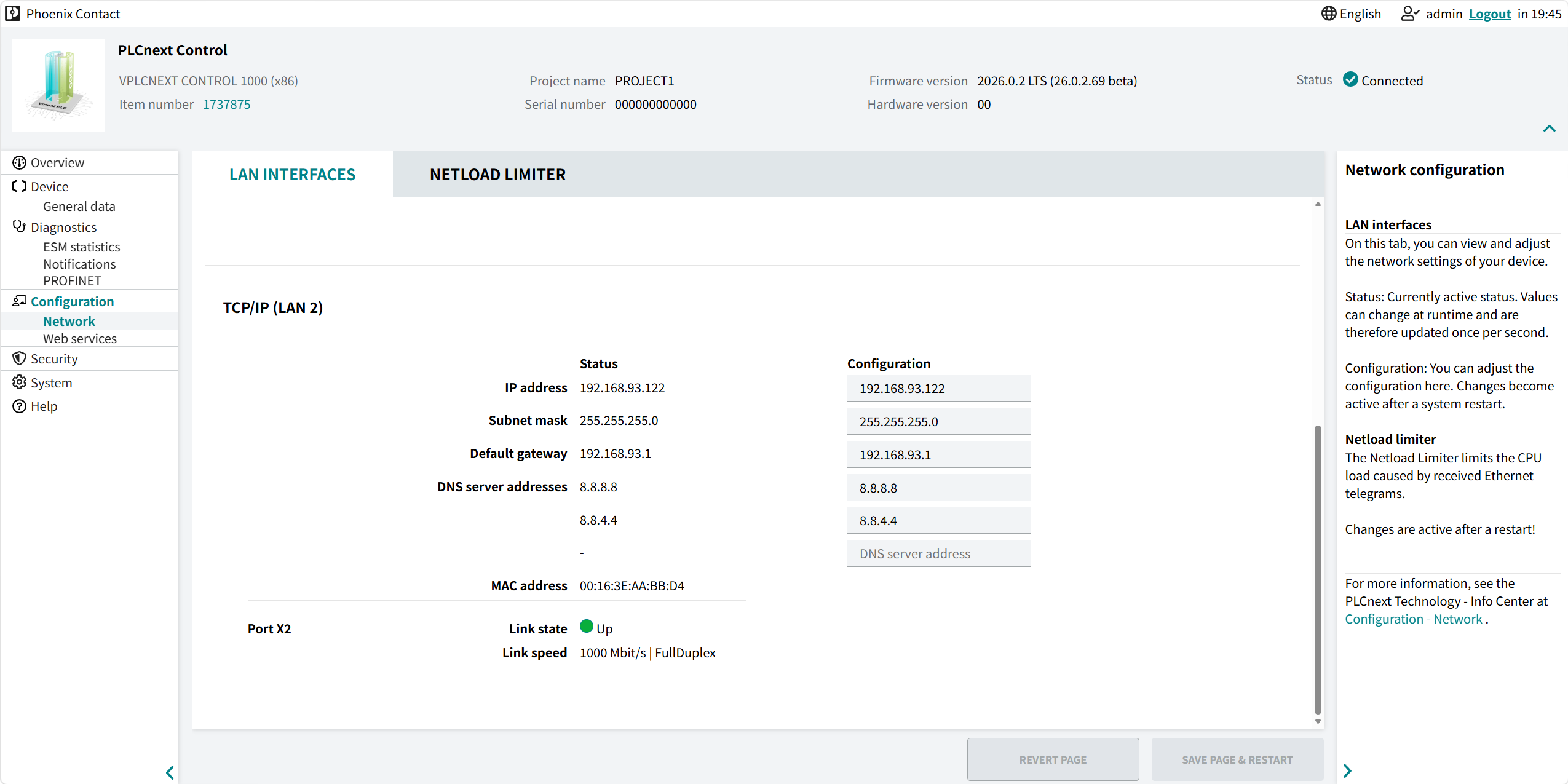
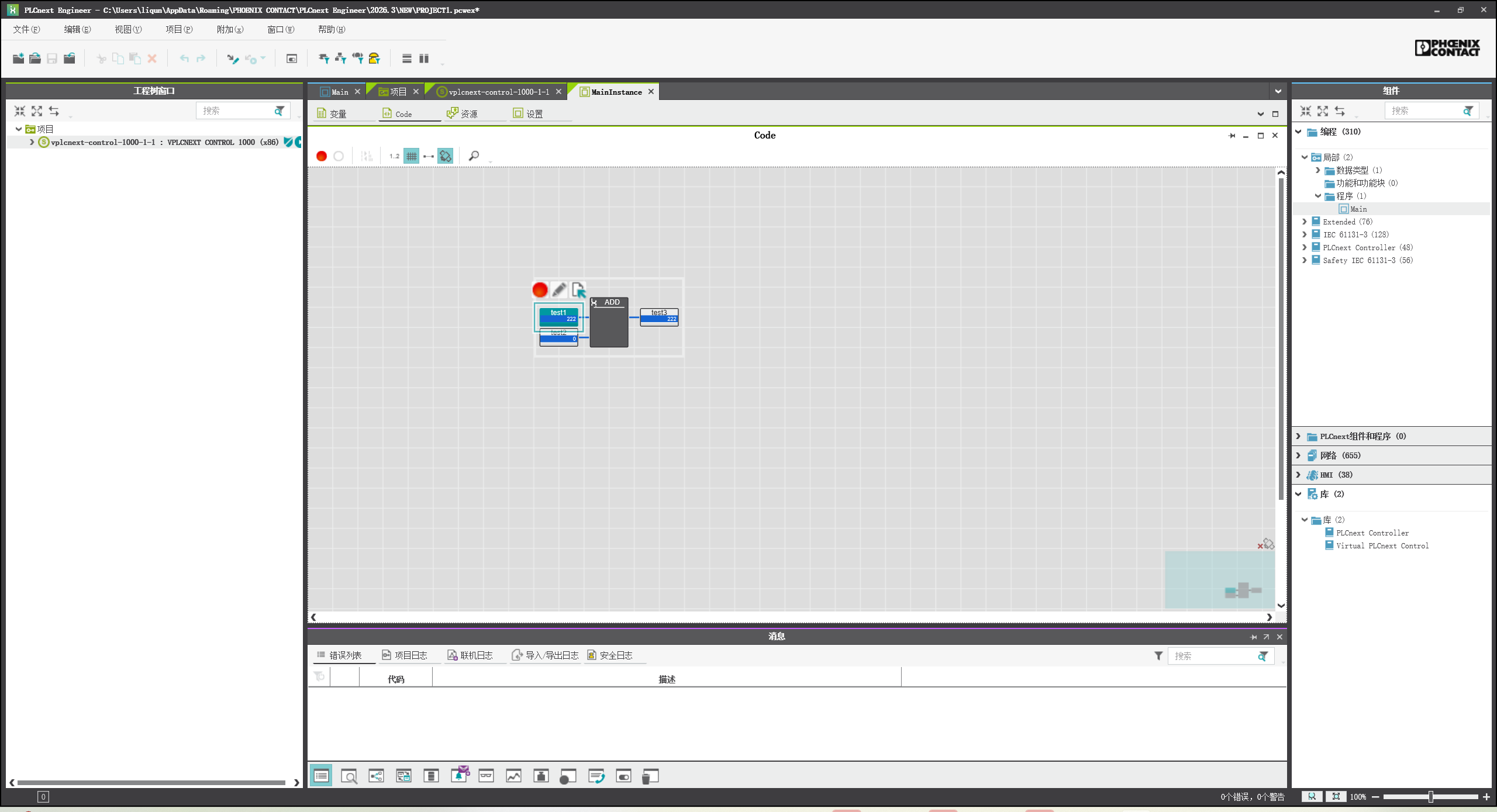
使用PLCnext Engineer连接,编写PLC代码,下装程序!能够正常运行