第七章 大模型学习(六)
7.8Evaluating the fine-tuned LLM
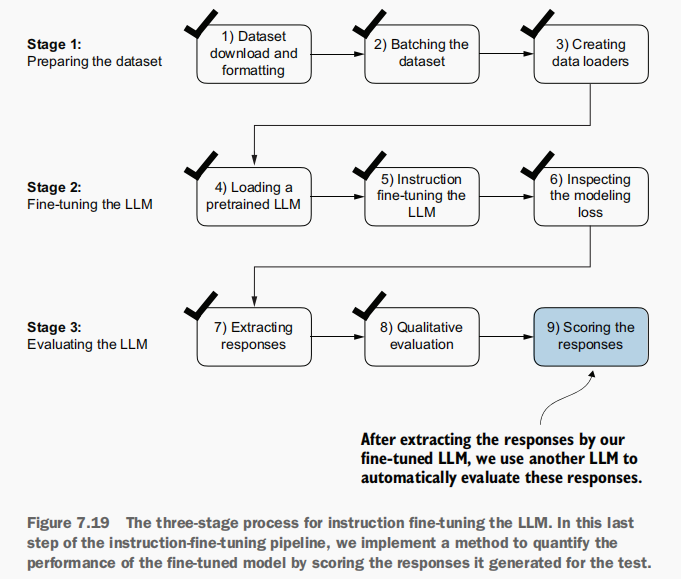
评估模型 :利用另一个规模更大的大语言模型(LLM)来自动化评估 经过微调的LLM的响应效果,具体如图7.19所示。
为自动化评估测试集的响应结果,采用了由Meta AI开发的、经过指令微调的、拥有80亿参数的Llama 3模型。该模型可通过开源Ollama应用程序(https://ollama.com)在本地运行。
1.安装Llama 3模型
安装Ollama:
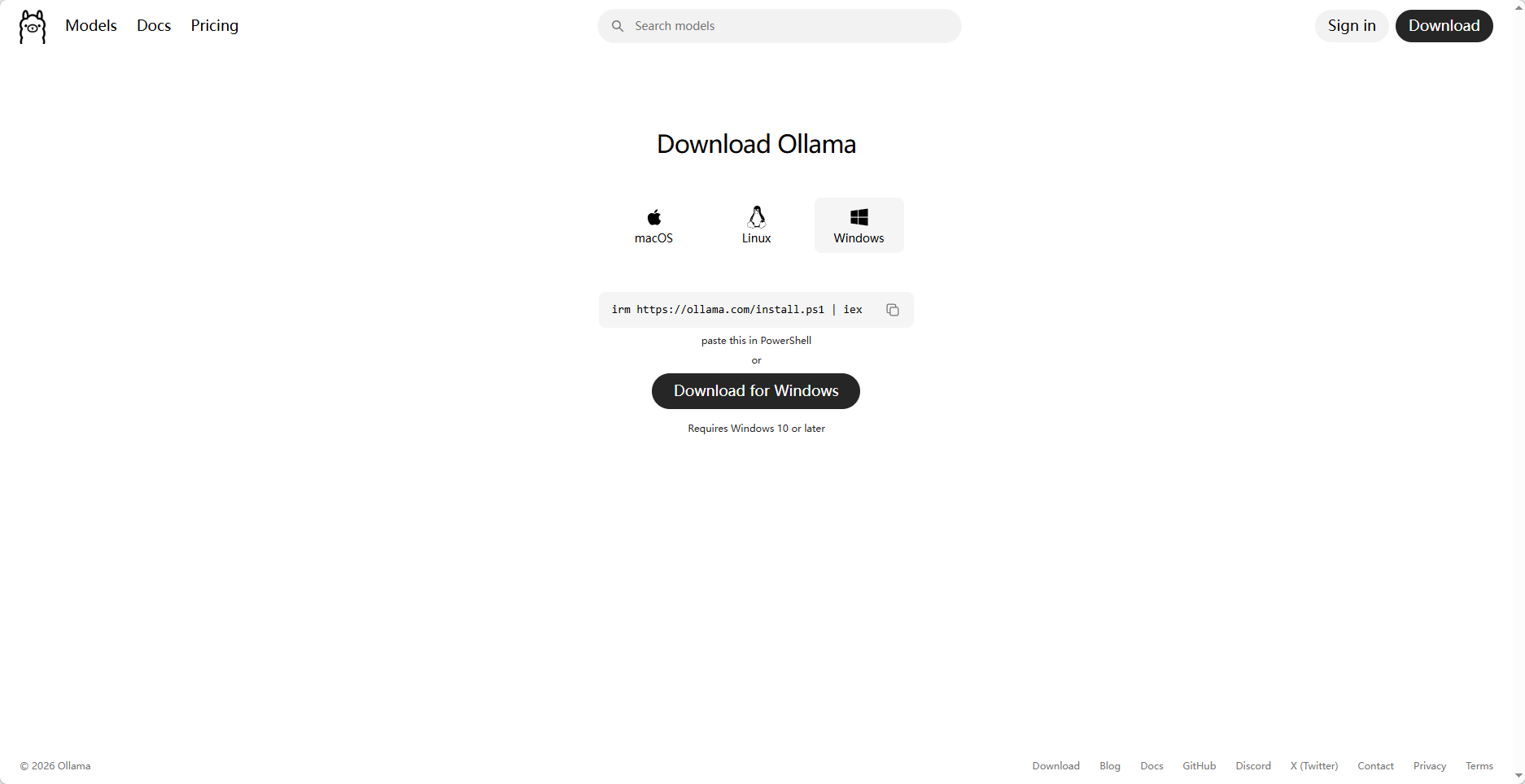
访问 https://ollama.com 安装 Ollama,并按照自己的操作系统的说明进行操作:
(1)对于macOS和Windows用户:打开下载的Ollama应用程序。若系统提示安装命令行功能,请选择"是"。 irm https://ollama.com/install.ps1 | iex
(2)对于Linux用户:使用Ollama官网提供的安装命令。
下载 Llama 3 模型 :进入官网,点击Download for Windows开始下载。
下载完成点击exe文件进行安装:
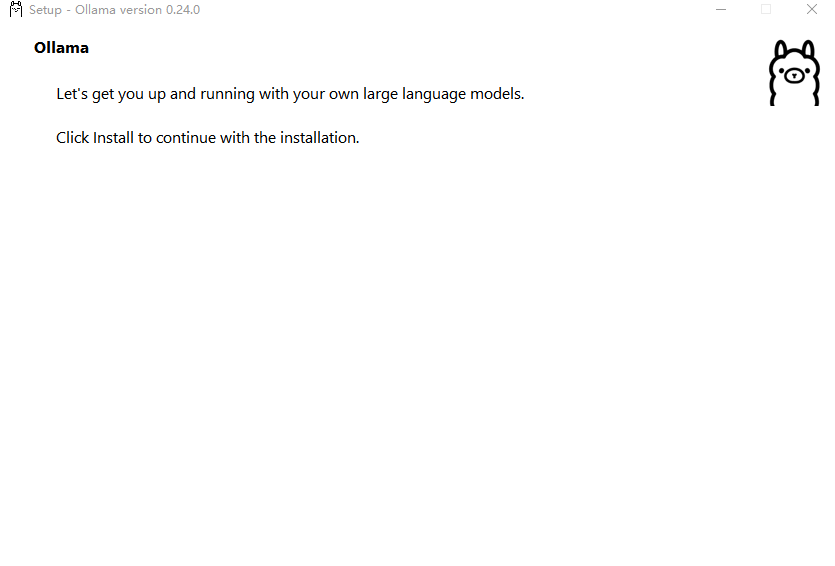
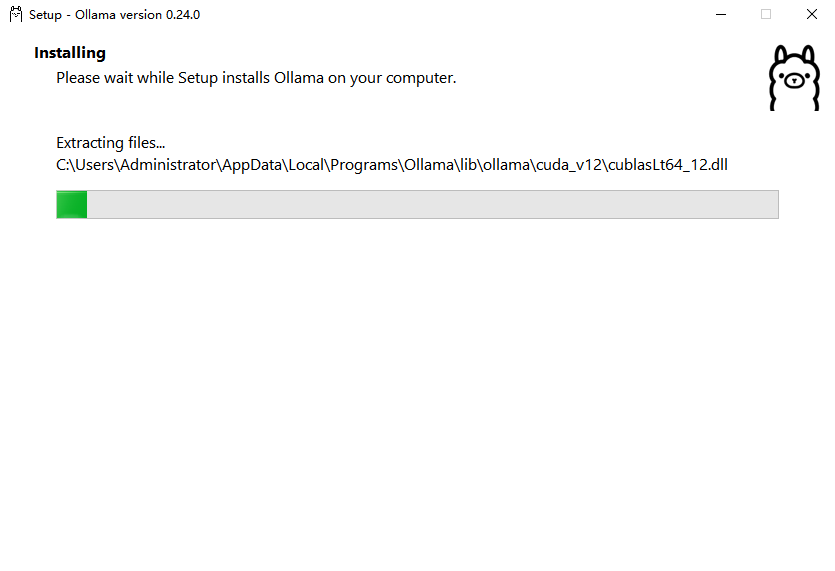
安装完成:
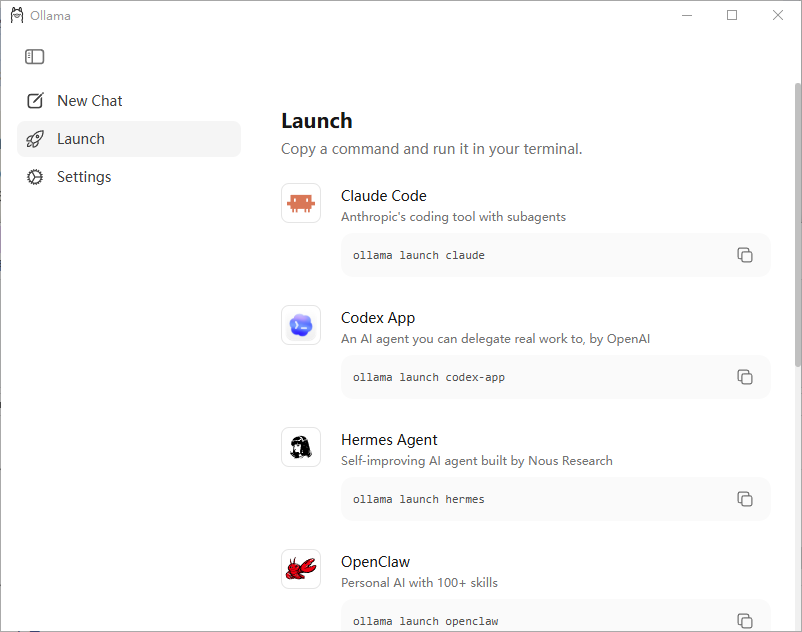
2.测试并使用Llama 3模型
验证 :通过命令行终端验证 Ollama 是否正常运行。要从命令行使用 Ollama,需启动 Ollama 应用程序或在独立终端中运行 ollama serve 命令(如图 7.20 所示)。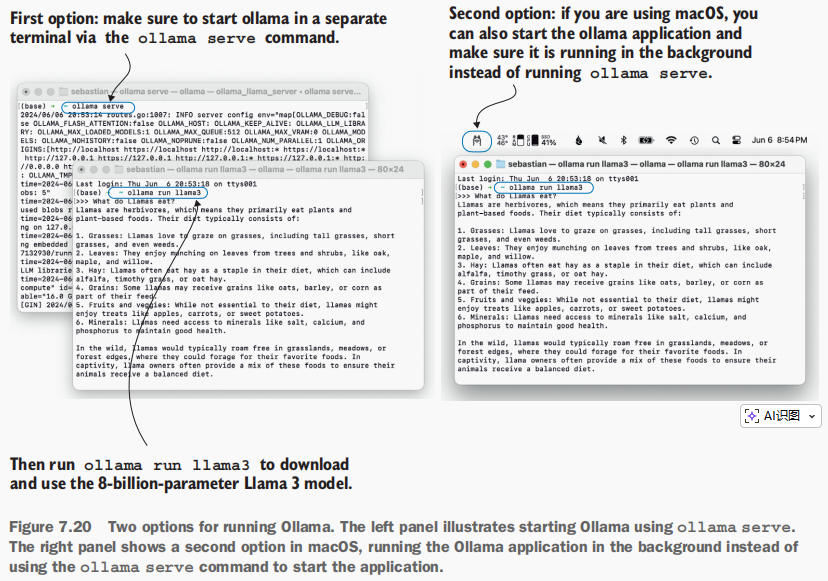
测试模型:在另一个终端中运行 Ollama 应用程序或 ollama serve 后,在命令行(而非 Python 会话中)执行以下命令,以测试拥有 80 亿参数的 Llama 3 模型:
bash
ollama run llama3首次执行此命令时,占用 4.7 GB 存储空间的该模型将自动下载。输出结果如下所示:
打开命令行输入命令:ollama run llama3
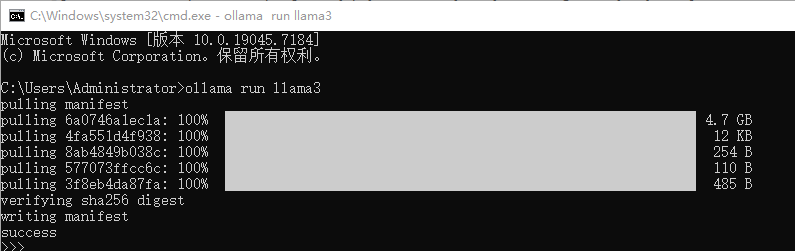
模型下载完成后,系统会提供一个命令行界面,供我们与模型进行交互。例如,可以向模型询问:"What do llamas eat?"
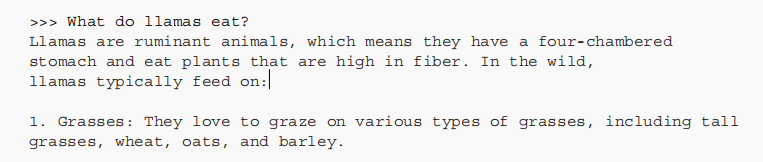
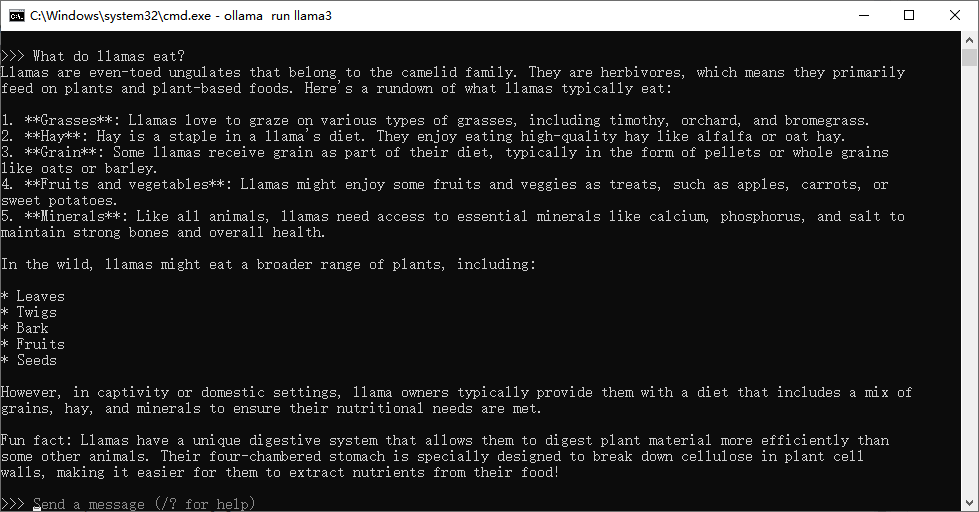
请注意,您看到的响应结果可能有所不同,因为截至本文撰写时,Ollama 并非确定性工具。您可以使用输入参数 /bye 来终止当前 Ollama 和 llama3 会话,但请确保在本章剩余部分持续运行 Ollama 的 serve 命令或 Ollama 应用程序。
在使用 Ollama 评估测试集响应之前,以下代码将验证 Ollama 会话是否正常运行:
python
#5.25
import psutil
def check_if_running(process_name):
    running = False
    for proc in psutil.process_iter(["name"]):
        if process_name in proc.info["name"]:
            running = True
            break
    return running
ollama_running = check_if_running("ollama")
if not ollama_running:
    raise RuntimeError(
    "Ollama not running. Launch ollama before proceeding."
    )
print("Ollama running:", check_if_running("ollama"))
输出显示"Ollama 正在运行:True"。如果显示"False",则需确认 ollama serve 命令或 Ollama 应用程序正在运行中。

如果您已经关闭了 Python 会话,或者希望在另一个 Python 会话中执行剩余代码,请使用以下代码:该代码会加载我们先前创建的指令与响应数据文件,并重新定义之前使用的 format_input 函数(后续将使用 tqdm 进度条工具)。
python
import json
from tqdm import tqdm
file_path = "instruction-data-with-response.json"
with open(file_path, "r") as file:
    test_data = json.load(file)
def format_input(entry):
    instruction_text = (
        f"Below is an instruction that describes a task. "
        f"Write a response that appropriately completes the request."
        f"\n\n### Instruction:\n{entry['instruction']}"
    )
    input_text = (
        f"\n\n### Input:\n{entry['input']}" if entry["input"] else ""
    )
    return instruction_text + input_text
除了使用 ollama run 命令与模型交互外,还可以通过 Python 调用其 REST API 来实现交互 。以下代码示例中的 query_model 函数展示了如何使用该 API:
python
import urllib.request
def query_model(
        prompt,
        model = "llama3",
        url="http://localhost:11434/api/chat"
):
    data = {
        "model":model,
        "messages":[
            {"role":"user","content":prompt}
        ],
        "options":{
            "seed":123,
            "temperature":0,
            "num_ctx":2048
        }
    }
    payload = json.dumps(data).encode("utf-8")   #将字典转换为JSON格式的字符串,并将其编码为字节。
    request = urllib.request.Request(
        url,
        data=payload,
        method="POST"
    )
    request.add_header("Content-Type", "application/json")  #创建一个请求对象,将方法设置为POST并添加必要的头部信息
    response_data = ""
    with urllib.request.urlopen(request) as response:  #发送请求并捕获响应
        while True:
            line = response.readline().decode("utf-8")
            if not line:
                break
            response_json = json.loads(line)
            response_data += response_json["message"]["content"]
    return response_data

#使用
model = "llama3"
result = query_model("What do Llamas eat?", model)
print(result)
结果:
bash
Llamas are herbivores, which means they primarily feed on plant-based foods. Their diet typically consists of:

1. Grasses: Llamas love to graze on various types of grasses, including tall grasses, short grasses, and even weeds.
2. Hay: High-quality hay, such as alfalfa or timothy hay, is a staple in a llama's diet. They enjoy the sweet taste and texture of fresh hay.
3. Grains: Llamas may receive grains like oats, barley, or corn as part of their daily ration. However, it's essential to provide these grains in moderation, as they can be high in calories.
4. Fruits and vegetables: Llamas enjoy a variety of fruits and veggies, such as apples, carrots, sweet potatoes, and leafy greens like kale or spinach.
5. Minerals: Llamas need access to mineral supplements, which provide essential nutrients like calcium, phosphorus, and salt.

In the wild, llamas might also eat:

1. Leaves: They'll munch on leaves from trees and shrubs, like willow, alder, or cedar.
2. Bark: In some cases, llamas may eat the bark of certain trees, like aspen or birch.
3. Mosses: Llamas have been known to graze on mosses and lichens that grow on rocks and tree trunks.

In captivity, llama owners typically provide a balanced diet that includes a mix of hay, grains, and fruits/vegetables. It's essential to consult with a veterinarian or experienced llama breeder to determine the best feeding plan for your llama.

Process finished with exit code 0使用该query_model函数,可评估经过微调的模型所产生的响应;该模型会提示Llama 3模型根据给定测试集的响应作为参考,在0到100的评分范围内对我们的微调模型响应进行评分。
3.使用Llama 3评估模型
(1)首先,将query_model方法应用于先前已分析的测试集中的前三个示例:
python
for entry in test_data[:3]:
    prompt = (
    f"Given the input `{format_input(entry)}` "
    f"and correct output `{entry['output']}`, "
    f"score the model response `{entry['model_response']}`"
    f" on a scale from 0 to 100, where 100 is the best score. "
    )
    print("\nDataset response:")
    print(">>", entry['output'])
    print("\nModel response:")
    print(">>", entry["model_response"])
    print("\nScore:")
    print(">>", query_model(prompt))
print("\n-------------------------")结果:具有不确定性
bash
Dataset response:
>> The car is as fast as lightning.

Model response:
>> The car is as fast as a cheetah.

Score:
>> I'd score this response an 80.

Here's why:

* The model correctly uses a simile ("as fast as") to compare the speed of the car.
* It chooses a relevant and meaningful comparison (a cheetah) that conveys a sense of speed and agility.
* However, while a cheetah is indeed very fast, it may not be as universally recognized or evocative as lightning, which is often used as a metaphor for incredible speed.

Overall, the response is good, but could be improved by using an even more iconic or widely understood comparison (like lightning) to make the simile even more effective.

-------------------------

Dataset response:
>> The type of cloud typically associated with thunderstorms is cumulonimbus.

Model response:
>> The type of cloud associated with thunderstorms is a cumulus cloud.

Score:
>> I'd score this model response as 60 out of 100.

Here's why:

* The model correctly identifies that cumulus clouds are associated with thunderstorms (correct answer: cumulonimbus).
* However, it incorrectly specifies the type of cloud as "cumulus" instead of "cumulonimbus".

The correct answer is cumulonimbus, which is a specific type of cloud characterized by its tall, dense vertical growth and association with severe weather. Cumulus clouds are generally smaller and more puffy, and while they can sometimes produce light rain showers or thunderstorms, they are not typically associated with the intense thunderstorms that cumulonimbus clouds are.

Overall, the model response is partially correct but lacks precision in identifying the specific type of cloud associated with thunderstorms.

-------------------------

Dataset response:
>> Jane Austen.

Model response:
>> The author of 'Pride and Prejudice' is Jane Austen.

Score:
>> I'd score my own response as 95 out of 100. Here's why:

* The response accurately answers the question by naming the author of 'Pride and Prejudice' as Jane Austen.
* The response is clear and concise, making it easy to understand.
* There are no grammatical errors or ambiguities that could lead to confusion.

The only reason I wouldn't score it a perfect 100 is that the response is very straightforward and doesn't add any additional value or insights. It simply answers the question in a simple and factual manner.
生成的评估结果表明,Llama 3模型能够提供合理的评价,并在模型回答不完全正确时给出部分评分。例如,在评估第二个示例"积云"这一答案时,模型认可了该回答的部分正确性。
之前的提示语除了给出分数 外,还提供了非常详细的评估说明 。我们可以修改提示语,仅生成0到100之间的整数分数 (其中100代表最佳得分)。这种调整使我们能够计算模型的平均得分,从而更简洁、定量地评估其性能。
(2)generate_model_score函数采用了修改后的提示语,要求模型"仅输出整数数值"。
python
def generate_model_scores(json_data, json_key, model="llama3"):
    scores = []
    for entry in tqdm(json_data, desc="Scoring entries"):
        prompt = (
            f"Given the input `{format_input(entry)}` "
            f"and correct output `{entry['output']}`, "
            f"score the model response `{entry[json_key]}`"
            f" on a scale from 0 to 100, where 100 is the best score. "
            f"Respond with the integer number only."    # 修改后的指令行,仅返回分数
        )
        score = query_model(prompt, model)
        try:
            scores.append(int(score))
        except ValueError:
            print(f"Could not convert score: {score}")
        continue
    return scores
#现在让我们将 generate_model_scores 函数应用于整个 test_data 集,该操作在 M3 MacBook Air 上大约需要 1 分钟。
scores = generate_model_scores(test_data, "model_response")
print(f"Number of scores: {len(scores)} of {len(test_data)}")
print(f"Average score: {sum(scores)/len(scores):.2f}\n")
输出 :
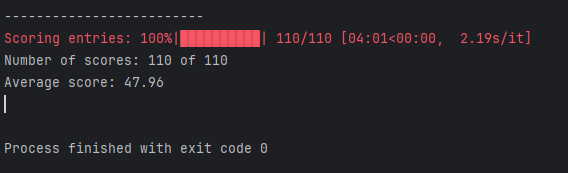
评估结果显示,我们经过微调的模型平均得分达到47.96分,这为与其他模型进行比较或通过尝试不同的训练配置来提升模型性能提供了有用的基准。
为了进一步提升模型性能,可以探索多种策略:
- 在微调过程中调整超参数(如学习率、批量大小或训练轮数)
- 扩大训练数据集规模或多样化样本以涵盖更广泛的主题和风格
- 尝试不同的提示或指令格式,以更有效地引导模型响应
- 使用更大的预训练模型,这类模型通常具备更强的复杂模式捕捉能力,能生成更准确的响应。
完整代码如下:
python
#5.25ollama_model_5_25.py
import psutil
def check_if_running(process_name):
    running = False
    for proc in psutil.process_iter(["name"]):
        if process_name in proc.info["name"]:
            running = True
            break
    return running
ollama_running = check_if_running("ollama")
if not ollama_running:
    raise RuntimeError(
    "Ollama not running. Launch ollama before proceeding."
    )
print("Ollama running:", check_if_running("ollama"))

import json
from tqdm import tqdm
file_path = "instruction-data-with-response.json"
with open(file_path, "r") as file:
    test_data = json.load(file)
def format_input(entry):
    instruction_text = (
        f"Below is an instruction that describes a task. "
        f"Write a response that appropriately completes the request."
        f"\n\n### Instruction:\n{entry['instruction']}"
    )
    input_text = (
        f"\n\n### Input:\n{entry['input']}" if entry["input"] else ""
    )
    return instruction_text + input_text


import urllib.request
def query_model(
        prompt,
        model = "llama3",
        url="http://localhost:11434/api/chat"
):
    data = {
        "model":model,
        "messages":[
            {"role":"user","content":prompt}
        ],
        "options":{
            "seed":123,
            "temperature":0,
            "num_ctx":2048
        }
    }
    payload = json.dumps(data).encode("utf-8")   #将字典转换为JSON格式的字符串,并将其编码为字节。
    request = urllib.request.Request(
        url,
        data=payload,
        method="POST"
    )
    request.add_header("Content-Type", "application/json")  #创建一个请求对象,将方法设置为POST并添加必要的头部信息
    response_data = ""
    with urllib.request.urlopen(request) as response:  #发送请求并捕获响应
        while True:
            line = response.readline().decode("utf-8")
            if not line:
                break
            response_json = json.loads(line)
            response_data += response_json["message"]["content"]
    return response_data

#使用
model = "llama3"
result = query_model("What do Llamas eat?", model)
print(result)
#评估,首先我们将此方法应用于先前已分析的测试集中的前三个示例。
for entry in test_data[:3]:
    prompt = (
    f"Given the input `{format_input(entry)}` "
    f"and correct output `{entry['output']}`, "
    f"score the model response `{entry['model_response']}`"
    f" on a scale from 0 to 100, where 100 is the best score. "
    )
    print("\nDataset response:")
    print(">>", entry['output'])
    print("\nModel response:")
    print(">>", entry["model_response"])
    print("\nScore:")
    print(">>", query_model(prompt))
    print("\n-------------------------")

def generate_model_scores(json_data, json_key, model="llama3"):
    scores = []
    for entry in tqdm(json_data, desc="Scoring entries"):
        prompt = (
            f"Given the input `{format_input(entry)}` "
            f"and correct output `{entry['output']}`, "
            f"score the model response `{entry[json_key]}`"
            f" on a scale from 0 to 100, where 100 is the best score. "
            f"Respond with the integer number only."    # 修改后的指令行,仅返回分数
        )
        score = query_model(prompt, model)
        try:
            scores.append(int(score))
        except ValueError:
            print(f"Could not convert score: {score}")
        continue
    return scores
#现在让我们将 generate_model_scores 函数应用于整个 test_data 集,该操作在 M3 MacBook Air 上大约需要 1 分钟。
scores = generate_model_scores(test_data, "model_response")
print(f"Number of scores: {len(scores)} of {len(test_data)}")
print(f"Average score: {sum(scores)/len(scores):.2f}\n")
7.9总结
本章标志着我们完成对LLM开发周期的全面探索。已经涵盖了所有关键步骤,包括构建LLM架构 、进行预训练 以及针对特定任务对其进行微调 ------具体内容如图7.21所示。接下来,让我们讨论一下下一步应重点关注的方向。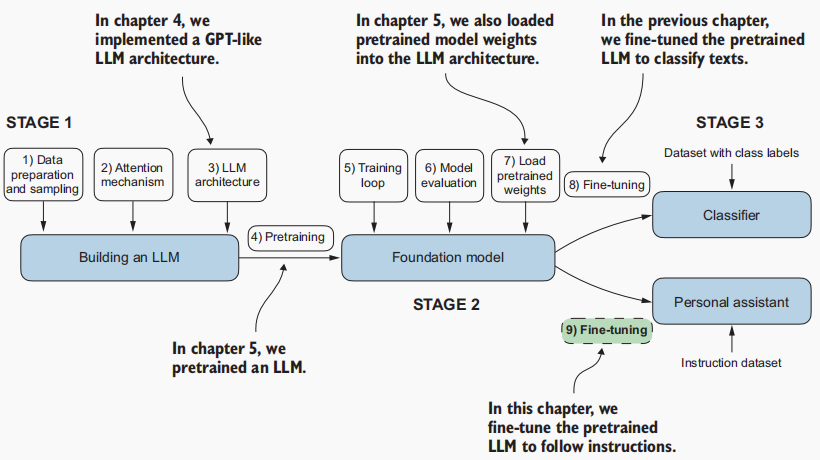
虽然我们已涵盖了最核心的步骤,但在完成指令微调后还可执行一个可选步骤:偏好度微调 。
偏好度微调特别适用于根据特定用户偏好对模型进行定制优化。如需深入了解,请参阅本书补充GitHub仓库中的 04_preference -tuningwith-dpo文件夹(链接:https://mng.bz/dZwD.)。
除了本书涵盖的主要内容外,GitHub仓库还提供了大量额外资源,这些资源可能会对您有所帮助。如需了解更多相关信息,请访问仓库 readme页面上的"额外资源"部分:https://mng.bz/r12g
总结:
- 指令微调过程旨在使预训练的大语言模型(LLM)能够遵循人类指令并生成预期响应。
- 数据集准备包括下载指令-响应数据集、格式化条目,并将其划分为训练集、验证集和测试集。
- 训练批次通过自定义排序函数构建,该函数会对序列进行填充处理、生成目标令牌ID并对填充令牌进行掩码处理。
- 我们采用参数量达3.55亿的预训练GPT-2中型模型作为指令微调的起点。 预训练模型在指令数据集上通过与预训练类似的训练循环进行微调。
- 评估环节包括从测试集中提取模型响应并进行评分(例如使用其他大语言模型)。
- 可利用配备80亿参数Llama模型的Ollama应用程序自动对微调后模型在测试集上的响应进行评分,从而获得量化性能表现的平均分数。