验证码案例
1.明确需求
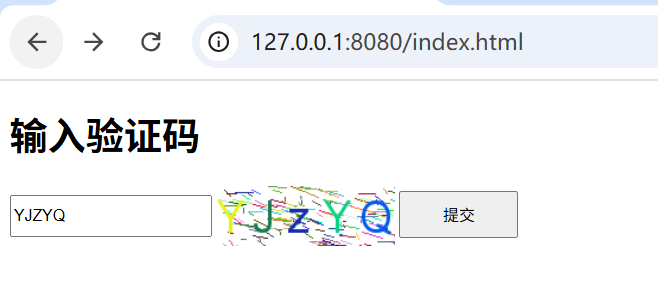
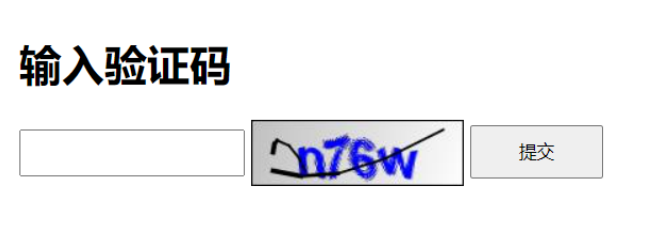
界面如下图所示:
1.页面生成验证码
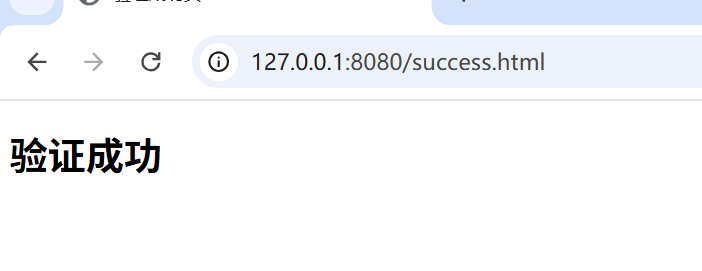
2.输入验证码,点击提交,验证用户输入验证码是否正确,正确则进行页面跳转
2.准备工作
创建项目,引入SpringMVC的依赖包,把前端页面放在项目中
html
<!DOCTYPE html>
<html lang="en">

<head>
  <meta charset="utf-8">

  <title>验证码</title>
  <style>
    #inputCaptcha {
      height: 30px;
      vertical-align: middle;
    }
    #verificationCodeImg{
      vertical-align: middle;
    }
    #checkCaptcha{
      height: 40px;
      width: 100px;
    }
  </style>
</head>

<body>
  <h1>输入验证码</h1>
  <div id="confirm">
    <input type="text" name="inputCaptcha" id="inputCaptcha">
    <img id="verificationCodeImg" src="/captcha/getCaptcha" style="cursor: pointer;" title="看不清?换一张" />
    <input type="button" value="提交" id="checkCaptcha">
  </div>
  <script src="jquery.min.js"></script>
  <script>

    $("#verificationCodeImg").click(function(){
      $(this).hide().attr('src', '/captcha/getCaptcha?dt=' + new Date().getTime()).fadeIn();
    });

    $("#checkCaptcha").click(function () {
      $.ajax({

      });
    });

  </script>
</body>

</html>
html
<!DOCTYPE html>
<html lang="en">
<head>
    <meta charset="UTF-8">
    <meta name="viewport" content="width=device-width, initial-scale=1.0">
    <title>验证成功页</title>
</head>
<body>
    <h1>验证成功</h1>
</body>
</html>
3.约定前后端交互接口
需求分析 后端需要提供两个服务:1.生成验证码,并返回验证码 2.校验验证码是否正确,校验验证码是否正确
接口定义:
1.生成验证码:
请求:/captcha/getCaptcha
响应:验证码图片内容
2.校验验证码是否正确:
请求:/captcha/check
请求参数 captcha=xn8d
响应:true/false(验证码正确,返回true,验证码输入错误,返回false)
4.Hutool工具介绍
这里我们使用Hutool提供的小工具来实现验证码的实现
Hutool是一个Java工具包类库,对文件,流,加密解密,转码,正则,线程,XML等JDK方法进行封装,组成各种Util工具类
Hutool是一个小而全的Java工具类库,通过静态方法封装,降低相关API的学习成本,提高工作效率,使JAVA拥有函数式语言般的优雅
ps:hutool官网https://hutool.cn/
验证码功能位于cn.hutool.captcha包中,核心接口为ICaptcha 这个接口定义了一下方法:
1.createCode:创建验证码,实现类需同时生成随机验证码字符串和验证码图片
2.getCode 获取验证码文字内容
3.verify:验证验证码是否正确,建议忽略大小写
4.write 将验证码图片写出到目标流中
其中write方法只有一个OutputStream,ICaptcha实现类可以根据这个方法封装写出到文件等方法
AbstractCaptcha为一个ICaptcha抽象实现类,此类实现了验证码文本生成,非大小写敏感的验证,写出到流和文件等的方法,通过继承此抽象类只需实现createImage方法定义图像生成规则即可
5.实现服务器端代码
1.引入依赖
html
		<dependency>
			<groupId>cn.hutool</groupId>
			<artifactId>hutool-captcha</artifactId>
			<version>5.8.36</version>
		</dependency>
2.实现验证码
根据API生成验证码,并进行测试
java
@RequestMapping("/getCaptcha")
    public void getCaptcha(HttpServletResponse response){
        //定义图形验证码的长和宽
        LineCaptcha lineCaptcha = CaptchaUtil.createLineCaptcha(200,100,4,150);
        //图形验证码写出,可以写出到文件,也可以写出到流
        try{
            lineCaptcha.write(response.getOutputStream());
        }catch(IOException e){
            throw new RuntimeException(e);
        }
    }
对程序进行调整
1)把配置项挪到配置文件中
2)把生成的验证码存到session中,方便校验时使用
配置项
java
captcha:
  width: 150
  height: 50
  session:
    key: CAPTCHA_SESSION_KEY
    date: CAPTCHA_SESSION_DATE
验证码配置项对应的JAVA对象
java
@Data
@Component
@ConfigurationProperties(prefix = "captcha")
public class CaptchaProperties {
    private Integer width;
    private Integer height;
    private Session session;

    @Data
    public static class Session{
        private String key;
        private String date;
    }
}
调整Controller代码
java
    @RequestMapping("/getCaptcha")
    public void getCaptcha(HttpSession session,HttpServletResponse response){
        //定义图形验证码的长和宽
        LineCaptcha lineCaptcha = CaptchaUtil.createLineCaptcha(captchaProperties.getWidth(),
                captchaProperties.getHeight());
        response.setContentType("image/jpeg");
        response.setHeader("Pragma","No-cache");
        //图形验证码写出,可以写出到文件,也可以写出到流
        try{
            lineCaptcha.write(response.getOutputStream());
            //存到session中
            session.setAttribute(captchaProperties.getSession().getKey(),lineCaptcha.getCode());
            session.setAttribute(captchaProperties.getSession().getDate(),new Date());
            response.getOutputStream().close();
        }catch(IOException e){
            throw new RuntimeException(e);
        }
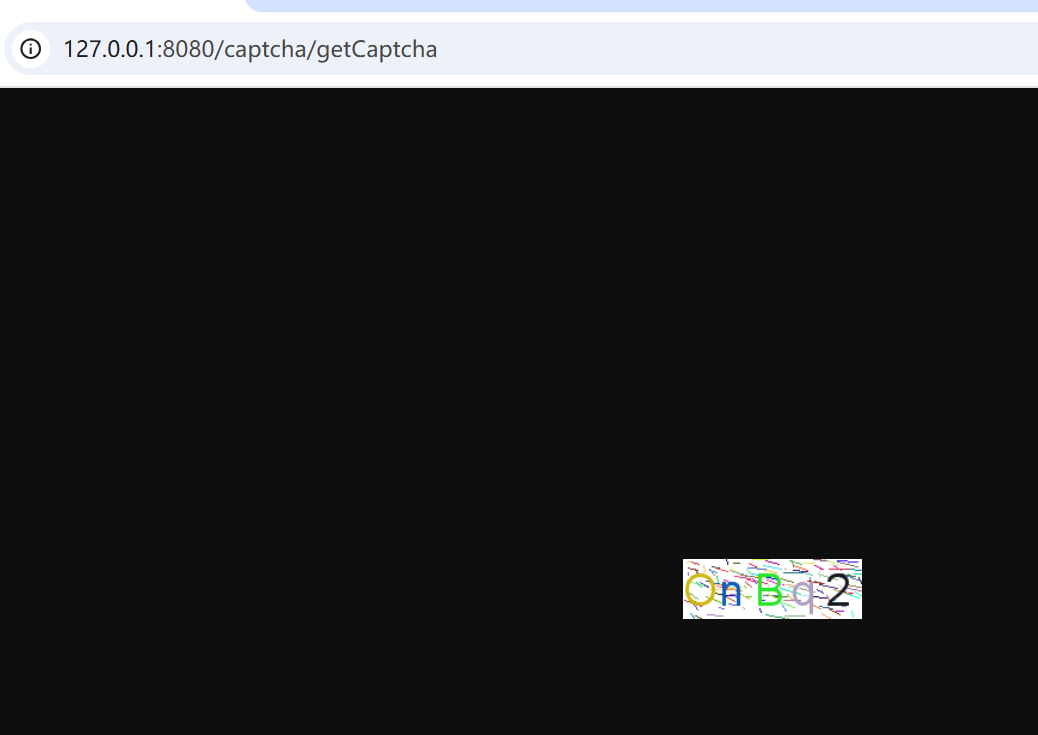
}启动项目,访问http://127.0.0.1:8080/captcha/getCaptcha
3.校验验证码
思路:我们在生成验证码的时候,存入了验证码的字符和时间
我们要拿输入的字符和会话中的字符比较看验证码是否输入正确,同时还要校验时间,避免超时
java
 @RequestMapping("/check")
    public boolean checkHomeCaptcha(String captcha,HttpSession session){
        if(!StringUtils.hasLength(captcha)){
            return false;
        }
        //从会话中获取生成验证码的时候存入的字符与时间
        String savaCaptcha = (String)session.getAttribute(captchaProperties.getSession().getKey());
        Date sessionDate= (Date)session.getAttribute(captchaProperties.getSession().getDate());
        if(captcha.equalsIgnoreCase(savaCaptcha)){
            if(sessionDate == null
            || System.currentTimeMillis()-sessionDate.getTime()<VALID_MILLS_TIME){
                return true;
            }
        }
        return false;
    }
6.调整前端页面代码
补充ajax代码,点击提交按钮,发送请求去服务端进行校验
java
    $("#checkCaptcha").click(function () {
      $.ajax({
        type:"post",
        url:"/captcha/check",
        data:{
          captcha:$("#inputCaptcha").val()
        },
        success:function(result){
          if(result){
            location.href="success.html";
          }else{
            alert("验证码错误,请重新输入");
          }
        }
      });
    });
7.运行测试