一、引言
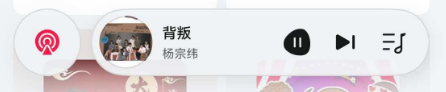
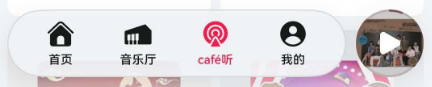
在移动端 UI 设计中,"过渡"是一个容易被忽视但至关重要的细节。当你把一个漂亮的底部导航栏做好之后,有没有发现它和上方内容区的交界处总是显得有些生硬?或者页签栏背景透过内容区的颜色显得有些"脏"?
这些问题在传统开发方式中往往需要手动绘制渐变图层或叠加模糊滤镜来解决,但在 HarmonyOS NEXT 的 HdsTabs 组件中,系统已经内置了两套强大的视觉特效------gradientMask (渐变遮罩)和 systemMaterialEffect(系统材质效果)。只需在 barFloatingStyle 中简单配置,就能实现专业级的视觉过渡。
本文将逐一拆解这两个特性的原理、参数和最佳组合方式,让你的悬浮页签栏质感跃升一个层次。
二、gradientMask 渐变遮罩
2.1 渐变遮罩解决了什么问题?
在悬浮页签栏的布局中,页签栏悬浮在内容区之上。当用户滚动页面时,底部内容会滑动到页签栏的下方。如果没有渐变遮罩,页签栏边缘和内容区之间是一条硬边,显得非常突兀。
gradientMask 在页签栏与内容区的交界处添加一个渐变色带------从透明渐变到指定颜色。这个色带柔和地弥合了两者之间的视觉断层,让页签栏看起来自然地"融入"了界面。
2.2 maskColor:遮罩颜色
maskColor 是渐变遮罩的核心参数,它定义了渐变的目标颜色。颜色格式为 8 位十六进制(AARRGGBB),前两位表示 Alpha 通道(透明度)。
理解颜色格式
typescript
// #66 = 102/255 ≈ 40% 不透明度
'#66F1F3F5'  // 40% 透明度的浅灰色 → 常用浅色背景推荐值

// #66 = 40% 不透明度的白色
'#66FFFFFF'  // 适合纯白背景

// #66 = 40% 不透明度的深色
'#66000000'  // 40% 透明度的黑色 → 深色模式推荐值
五种预设颜色对比
为了直观理解不同 maskColor 的效果,我们准备了五种预设:
typescript
private colorPresets: MaskPreset[] = [
  { label: '浅灰', color: '#66F1F3F5', height: 92 },  // 推荐:与浅色背景融合
  { label: '白色', color: '#66FFFFFF', height: 92 },  // 轻量:更透明的过渡
  { label: '深灰', color: '#66182431', height: 92 },  // 中性:中等可见度
  { label: '蓝色', color: '#66007AFF', height: 92 },  // 品牌:融入品牌色
  { label: '黑色', color: '#66000000', height: 92 }   // 深色模式:强对比
];
选色原则
maskColor 的核心选色原则是:让它与页面背景色保持一致。
- 如果页面背景是浅灰色(如
#F2F2F7),选择#66F1F3F5最为自然 - 如果页面背景是纯白色(如
#FFFFFF),选择#66FFFFFF过渡最平滑 - 深色模式下的页面用
#66000000,与暗色背景无缝衔接 - 品牌色背景(如音乐 App 的深色主题)用
#66007AFF会有独特的品牌调性
2.3 maskHeight:遮罩高度
maskHeight 控制渐变区域的垂直范围,单位是 vp。它决定渐变过渡从"完全透明"到"目标颜色"所跨越的距离。
五档高度预设
typescript
private heightPresets: number[] = [48, 72, 92, 120, 160];
private heightLabels: string[] = ['48vp', '72vp', '92vp', '120vp', '160vp'];
各档高度效果分析
| maskHeight | 视觉效果 | 适用场景 |
|---|---|---|
| 48vp | 过渡较急促,渐变区域短 | 内容紧凑型页面 |
| 72vp | 中等速度过渡 | 常规信息流页面 |
| 92vp | 标准过渡(推荐) | 大多数场景的默认选择 |
| 120vp | 平缓过渡,渐变区域较宽 | 视觉优先型页面 |
| 160vp | 非常平缓的过渡 | 沉浸式体验页面 |
选值建议:过小(<48vp)会让渐变显得"戛然而止",过大(>160vp)会占用太多内容可视区域。在 72vp 到 120vp 之间选择通常是最理想的。
2.4 遮罩的开启与关闭
通过一个布尔状态变量控制遮罩的显隐,可以实时对比效果:
typescript
@State maskEnabled: boolean = true;

// 在 barFloatingStyle 中
gradientMask: this.maskEnabled ? {
  maskColor: '#66F1F3F5',
  maskHeight: 92
} : undefined
当 gradientMask 设置为 undefined 时,遮罩被完全禁用------页签栏与内容区之间恢复为硬边。这是排查视觉问题时很有用的调试手段。
三、systemMaterialEffect 系统材质
3.1 什么是系统材质?
系统材质(Material)是 HarmonyOS 提供的原生毛玻璃效果。它不像 gradientMask 那样只是叠加一个渐变色,而是真正地对页签栏"后方"的内容进行实时模糊处理,产生磨砂玻璃般的质感。
在 HdsTabs 中,systemMaterialEffect 通过 hdsMaterial 对象配置,包含两个维度:MaterialType (材质类型)和 MaterialLevel(材质层级)。
3.2 MaterialType:五种材质类型
MaterialType 决定了模糊的程度和风格,共有五种:
typescript
import { hdsMaterial } from '@kit.UIDesignKit';

// 五种材质类型
hdsMaterial.MaterialType.NONE      // 无材质效果
hdsMaterial.MaterialType.THIN      // 薄材质
hdsMaterial.MaterialType.REGULAR   // 常规材质
hdsMaterial.MaterialType.THICK     // 厚材质
hdsMaterial.MaterialType.IMMERSIVE // 沉浸材质
NONE --- 无材质
页签栏不施加任何系统材质效果,背景完全由 barFloatingStyle 的其他参数决定。适用于需要完全自定义背景的场景,比如页签栏本身已经有纯色或渐变背景。
typescript
systemMaterialEffect: {
  materialType: hdsMaterial.MaterialType.NONE,
  materialLevel: hdsMaterial.MaterialLevel.ADAPTIVE
}
THIN --- 薄材质
系统对页签栏区域施加轻微的模糊和颜色调整。薄材质的效果非常克制,页签栏几乎透明,下方的颜色仅被微微柔化。适合内容密集、希望页签栏低调融入界面的场景------比如新闻阅读类 App。
REGULAR --- 常规材质
标准材质强度,提供适中的毛玻璃效果。这是最常用的配置,在视觉层次(页签栏可被清晰感知)和内容可见性(下方内容不过度模糊)之间取得良好平衡。绝大多数应用的默认选择。
THICK --- 厚材质
增强的材质效果。页签栏有更明显的模糊和颜色分离,即使下方是非常复杂的图文内容,页签栏也能保持清晰的视觉识别度。适合需要突出页签栏层次的设计,比如电商应用的底部导航。
IMMERSIVE --- 沉浸材质
最强的材质效果。页签栏明显变暗并产生强烈模糊,适合全屏图片/视频等沉浸式内容浏览场景。在这种模式下,页签栏几乎不"透视"下方内容,自身成为视觉焦点。
3.3 MaterialLevel:四种材质层级
MaterialLevel 控制材质在颜色调整维度上的强度,共有四种:
typescript
hdsMaterial.MaterialLevel.ADAPTIVE  // 自适应
hdsMaterial.MaterialLevel.LOW       // 低层级
hdsMaterial.MaterialLevel.MEDIUM    // 中层级
hdsMaterial.MaterialLevel.HIGH      // 高层级
ADAPTIVE --- 自适应
由系统根据当前上下文自动选择最合适的层级。这是推荐的首选配置,除非有明确的视觉需求,否则不需要手动指定层级。
LOW --- 低层级
颜色调整强度最低。页签栏的最终颜色更接近原始背景色,透过的内容色彩保留度最高。
MEDIUM --- 中层级
标准的颜色调整力度。页签栏颜色在保留透光感的同时,有一定的色相偏移。
HIGH --- 高层级
最强的颜色调整。页签栏的颜色明显变亮(在浅色背景上)或变暗(在深色背景上),色相偏移更显著。
3.4 MaterialType × MaterialLevel 组合矩阵
通过代码生成不同的组合,可以直观对比效果:
typescript
@State materialTypeIndex: number = 2;   // 0:NONE, 1:THIN, 2:REGULAR, 3:THICK, 4:IMMERSIVE
@State materialLevelIndex: number = 0;  // 0:ADAPTIVE, 1:LOW, 2:MEDIUM, 3:HIGH

private typeLabels: string[] = ['NONE', 'THIN', 'REGULAR', 'THICK', 'IMMERSIVE'];
private levelLabels: string[] = ['ADAPTIVE', 'LOW', 'MEDIUM', 'HIGH'];

// 在 barFloatingStyle 中
systemMaterialEffect: {
  materialType: this.materialTypeIndex as hdsMaterial.MaterialType,
  materialLevel: this.materialLevelIndex as hdsMaterial.MaterialLevel
}
不同组合的选择建议:
| 场景 | MaterialType | MaterialLevel | 效果描述 |
|---|---|---|---|
| 新闻阅读 | THIN | ADAPTIVE | 低调融入,不干扰阅读 |
| 社交应用 | REGULAR | ADAPTIVE | 标准均衡之选 |
| 电商购物 | REGULAR | MEDIUM | 清晰层次 + 适当色彩 |
| 图片浏览 | THICK | LOW | 明显分层 + 保留内容色 |
| 视频播放 | IMMERSIVE | HIGH | 强沉浸感,最小干扰 |
| 深色模式 | REGULAR | ADAPTIVE | 系统自动适配深色 |
四、遮罩与材质的协同工作
gradientMask 和 systemMaterialEffect 是互补关系,而非替代关系。它们的分工非常清晰:
- gradientMask:处理页签栏边缘与内容区之间的颜色过渡,消除生硬的边界
- systemMaterialEffect:处理页签栏背景的毛玻璃模糊,提升质感和层次
当两者同时启用时,实际渲染顺序为:系统先对页签栏区域做材质模糊处理,再在页签栏边缘叠加渐变遮罩。最终呈现的效果兼具了模糊的深度感和渐变过渡的柔和感。
关闭和开启的效果对比示例:
typescript
// 方案 A:仅遮罩(无材质)
.barFloatingStyle({
  barWidth: { smallWidth: 200, mediumWidth: 300, largeWidth: 400 },
  barBottomMargin: 28,
  gradientMask: { maskColor: '#66F1F3F5', maskHeight: 92 }
  // systemMaterialEffect 设为 undefined
})

// 方案 B:仅材质(无遮罩)
.barFloatingStyle({
  barWidth: { smallWidth: 200, mediumWidth: 300, largeWidth: 400 },
  barBottomMargin: 28,
  systemMaterialEffect: {
    materialType: hdsMaterial.MaterialType.REGULAR,
    materialLevel: hdsMaterial.MaterialLevel.ADAPTIVE
  }
  // gradientMask 设为 undefined
})

// 方案 C:遮罩 + 材质(推荐)
.barFloatingStyle({
  barWidth: { smallWidth: 200, mediumWidth: 300, largeWidth: 400 },
  barBottomMargin: 28,
  gradientMask: { maskColor: '#66F1F3F5', maskHeight: 92 },
  systemMaterialEffect: {
    materialType: hdsMaterial.MaterialType.IMMERSIVE,
    materialLevel: hdsMaterial.MaterialLevel.ADAPTIVE
  }
})
在实际体验中,方案 C 的综合视觉效果最好。遮罩让页签栏边缘柔和融入背景,材质让页签栏有真实的毛玻璃质感,两者叠加的效果远大于单独使用的效果之和。
五、完整 Demo:视觉特效交互式展示
下面是一个完整的交互 Demo,你可以通过控制面板切换遮罩颜色、高度和材质类型,实时观察每种配置的实际效果:
typescript
import { HdsTabs, HdsTabsController, hdsMaterial } from '@kit.UIDesignKit';

interface MaskPreset {
  label: string;
  color: string;
  height: number;
}

@Entry
@Component
struct VisualEffectsDemo {
  private controller: HdsTabsController = new HdsTabsController();
  @State maskEnabled: boolean = true;
  @State currentColorIndex: number = 0;
  @State currentHeightIndex: number = 2;
  @State currentMaterialIndex: number = 2;

  private colorPresets: MaskPreset[] = [
    { label: '浅灰', color: '#66F1F3F5', height: 92 },
    { label: '白色', color: '#66FFFFFF', height: 92 },
    { label: '深灰', color: '#66182431', height: 92 },
    { label: '蓝色', color: '#66007AFF', height: 92 },
    { label: '黑色', color: '#66000000', height: 92 }
  ];

  private heightPresets: number[] = [48, 72, 92, 120, 160];
  private heightLabels: string[] = ['48vp', '72vp', '92vp', '120vp', '160vp'];
  private materialLabels: string[] = ['NONE', 'THIN', 'REGULAR', 'THICK', 'IMMERSIVE'];

  build() {
    Column() {
      // 标题栏
      Row() {
        Text('视觉特效配置')
          .fontSize(18).fontWeight(FontWeight.Medium)
          .layoutWeight(1).textAlign(TextAlign.Center)
      }
      .width('100%')
      .padding({ left: 16, right: 16, top: 40, bottom: 8 })
      .backgroundColor('#FFFFFF')

      // 控制面板
      Column() {
        // 遮罩开关
        Row() {
          Text('gradientMask')
            .fontSize(13).fontWeight(FontWeight.Medium).fontColor('#182431')
            .width(100)
          Row({ space: 8 }) {
            Text('OFF')
              .fontSize(11)
              .fontColor(this.maskEnabled ? '#99182431' : '#FF3B30')
              .fontWeight(this.maskEnabled ? FontWeight.Normal : FontWeight.Bold)
            Text('|').fontSize(11).fontColor('#E5E5EA')
            Text('ON')
              .fontSize(11)
              .fontColor(this.maskEnabled ? '#34C759' : '#99182431')
              .fontWeight(this.maskEnabled ? FontWeight.Bold : FontWeight.Normal)
          }
          .padding({ left: 12, right: 12, top: 6, bottom: 6 })
          .backgroundColor('#F2F2F7').borderRadius(16)
          .onClick(() => { this.maskEnabled = !this.maskEnabled })
        }
        .width('100%').justifyContent(FlexAlign.SpaceBetween)
        .padding({ left: 16, right: 16, top: 4, bottom: 4 })

        // maskColor 颜色选择
        Row() {
          Text('maskColor')
            .fontSize(13).fontWeight(FontWeight.Medium).fontColor('#182431')
            .width(100)
          Scroll() {
            Row({ space: 8 }) {
              ForEach(this.colorPresets, (preset: MaskPreset, idx: number) => {
                Row() {
                  Row()
                    .width(14).height(14)
                    .borderRadius(7)
                    .backgroundColor(preset.color)
                    .margin({ right: 4 })
                  Text(preset.label)
                    .fontSize(11)
                    .fontColor(idx === this.currentColorIndex ? '#FFFFFF' : '#182431')
                }
                .padding({ left: 10, right: 10, top: 6, bottom: 6 })
                .backgroundColor(idx === this.currentColorIndex ? '#007AFF' : '#F2F2F7')
                .borderRadius(14)
                .onClick(() => { this.currentColorIndex = idx })
              })
            }
          }
          .scrollable(ScrollDirection.Horizontal).scrollBar(BarState.Off)
          .layoutWeight(1)
        }
        .width('100%').justifyContent(FlexAlign.SpaceBetween)
        .padding({ left: 16, right: 16, top: 4, bottom: 4 })

        // maskHeight 高度选择
        Row() {
          Text('maskHeight')
            .fontSize(13).fontWeight(FontWeight.Medium).fontColor('#182431')
            .width(100)
          Scroll() {
            Row({ space: 6 }) {
              ForEach(this.heightLabels, (label: string, idx: number) => {
                Text(label)
                  .fontSize(11)
                  .fontColor(idx === this.currentHeightIndex ? '#FFFFFF' : '#007AFF')
                  .fontWeight(idx === this.currentHeightIndex ? FontWeight.Bold : FontWeight.Normal)
                  .padding({ left: 12, right: 12, top: 6, bottom: 6 })
                  .backgroundColor(idx === this.currentHeightIndex ? '#007AFF' : '#007AFF1A')
                  .borderRadius(14)
                  .onClick(() => { this.currentHeightIndex = idx })
              })
            }
          }
          .scrollable(ScrollDirection.Horizontal).scrollBar(BarState.Off)
          .layoutWeight(1)
        }
        .width('100%').justifyContent(FlexAlign.SpaceBetween)
        .padding({ left: 16, right: 16, top: 4, bottom: 4 })

        // MaterialType 材质类型
        Row() {
          Text('MaterialType')
            .fontSize(13).fontWeight(FontWeight.Medium).fontColor('#182431')
            .width(100)
          Scroll() {
            Row({ space: 6 }) {
              ForEach(this.materialLabels, (label: string, idx: number) => {
                Text(label)
                  .fontSize(10)
                  .fontColor(idx === this.currentMaterialIndex ? '#FFFFFF' : '#AF52DE')
                  .fontWeight(idx === this.currentMaterialIndex ? FontWeight.Bold : FontWeight.Normal)
                  .padding({ left: 8, right: 8, top: 6, bottom: 6 })
                  .backgroundColor(idx === this.currentMaterialIndex ? '#AF52DE' : '#AF52DE14')
                  .borderRadius(14)
                  .onClick(() => { this.currentMaterialIndex = idx })
              })
            }
          }
          .scrollable(ScrollDirection.Horizontal).scrollBar(BarState.Off)
          .layoutWeight(1)
        }
        .width('100%').justifyContent(FlexAlign.SpaceBetween)
        .padding({ left: 16, right: 16, top: 4, bottom: 4 })
      }
      .padding({ top: 8, bottom: 8 }).backgroundColor('#FAFAFA')

      Divider().color('#E5E5EA').height(0.5)

      // 当前配置状态
      Text('maskColor=' + this.colorPresets[this.currentColorIndex].color
        + ' | maskHeight=' + this.heightPresets[this.currentHeightIndex] + 'vp'
        + ' | materialType=' + this.materialLabels[this.currentMaterialIndex])
        .fontSize(9).fontColor('#99182431')
        .padding({ left: 16, right: 16, top: 6, bottom: 6 })

      // HdsTabs --- 应用视觉特效配置
      HdsTabs({ controller: this.controller }) {
        TabContent() {
          Scroll() {
            Column() {
              // Hero 卡片
              Column() {
                Text('渐变遮罩效果演示')
                  .fontSize(18).fontWeight(FontWeight.Bold).fontColor('#FFFFFF')
                Text('向下滚动观察页签栏遮罩过渡')
                  .fontSize(11).fontColor('#99FFFFFF').margin({ top: 6 })

                if (this.maskEnabled) {
                  Text('遮罩已开启 · 材质 ' + this.materialLabels[this.currentMaterialIndex])
                    .fontSize(10).fontColor('#34C759')
                    .padding({ left: 10, right: 10, top: 3, bottom: 3 })
                    .backgroundColor('#34C75920').borderRadius(10).margin({ top: 8 })
                } else {
                  Text('遮罩已关闭')
                    .fontSize(10).fontColor('#FF3B30')
                    .padding({ left: 10, right: 10, top: 3, bottom: 3 })
                    .backgroundColor('#FF3B3020').borderRadius(10).margin({ top: 8 })
                }
              }
              .width('100%').height(200).justifyContent(FlexAlign.Center).borderRadius(16)
              .linearGradient({
                direction: GradientDirection.Top,
                colors: [['#FF6B35', 0.0], ['#FF9500', 0.5], ['#FF3B30', 1.0]]
              })
              .margin({ top: 16, left: 16, right: 16 })

              // 当前配置信息
              Column({ space: 8 }) {
                this.ConfigRow('maskColor', this.colorPresets[this.currentColorIndex].color)
                this.ConfigRow('maskHeight', this.heightPresets[this.currentHeightIndex] + 'vp')
                this.ConfigRow('MaterialType', this.materialLabels[this.currentMaterialIndex])
                this.ConfigRow('遮罩状态', this.maskEnabled ? '开启' : '关闭')
              }
              .width('100%').padding(16)
              .backgroundColor('#FFFFFF').borderRadius(14)
              .margin({ left: 16, right: 16, top: 16 })

              // 模拟列表滚动
              Column({ space: 8 }) {
                ForEach(Array.from({ length: 10 }, (_: undefined, i: number) =>
                  '列表项 ' + (i + 1) + ' --- 向下滚动观察页签栏渐变过渡效果'), (text: string) => {
                  Row() {
                    Text(text).fontSize(13).fontColor('#182431')
                  }
                  .width('100%').padding(16)
                  .backgroundColor('#FFFFFF').borderRadius(10)
                })
              }
              .width('100%')
              .padding({ left: 16, right: 16, top: 16, bottom: 100 })
            }
          }
          .scrollBar(BarState.Off)
        }
        .tabBar(new BottomTabBarStyle($r('sys.media.ohos_ic_public_video'), '效果'))

        TabContent() {
          Scroll() {
            Column({ space: 12 }) {
              Text('视觉特效详解')
                .fontSize(18).fontWeight(FontWeight.Bold)
                .padding({ top: 16, left: 16 })

              this.ExplainCard('渐变遮罩原理',
                'gradientMask 在页签栏与内容区的交界处添加渐变色带,从透明渐变到 maskColor。高度由 maskHeight 控制。遮罩让页签栏与内容的过渡更加柔和自然。')

              this.ExplainCard('maskColor 选色指南',
                'maskColor 通常选择与页面背景色一致的颜色。前两位十六进制表示透明度(#66 ≈ 40%)。浅色背景用 #66F1F3F5,深色背景用 #66000000。')

              this.ExplainCard('maskHeight 选值建议',
                'maskHeight 控制渐变区域的垂直范围。建议在 72-120vp 之间选择。过小则过渡生硬,过大则占用过多内容空间。')

              this.ExplainCard('MaterialType 五种材质',
                'NONE 无效果,THIN 轻微模糊,REGULAR 标准模糊,THICK 明显磨砂,IMMERSIVE 强模糊+变暗。推荐 REGULAR 作为默认选择。')

              this.ExplainCard('MaterialLevel 层级说明',
                'ADAPTIVE 系统自适应(推荐),LOW 低强度,MEDIUM 中强度,HIGH 高强度。高级别在深色内容上叠加更多亮色。')

              Column().height(100)
            }
            .padding({ left: 16, right: 16 })
          }
        }
        .tabBar(new BottomTabBarStyle($r('sys.media.ohos_ic_public_phone'), '详解'))
      }
      .barOverlap(true)
      .barPosition(BarPosition.End)
      .vertical(false)
      .barFloatingStyle({
        barWidth: { smallWidth: 200, mediumWidth: 300, largeWidth: 400 },
        barBottomMargin: 28,
        gradientMask: this.maskEnabled ? {
          maskColor: this.colorPresets[this.currentColorIndex].color,
          maskHeight: this.heightPresets[this.currentHeightIndex]
        } : undefined,
        systemMaterialEffect: this.maskEnabled ? {
          materialType: this.currentMaterialIndex as hdsMaterial.MaterialType,
          materialLevel: hdsMaterial.MaterialLevel.ADAPTIVE
        } : undefined
      })
    }
    .width('100%').height('100%')
    .backgroundColor('#F2F2F7')
  }

  @Builder
  ConfigRow(label: string, value: string) {
    Row() {
      Text(label).fontSize(11).fontColor('#99182431').width(100)
      Text(value).fontSize(13).fontColor('#182431').fontWeight(FontWeight.Medium)
    }
    .width('100%')
  }

  @Builder
  ExplainCard(title: string, content: string) {
    Column() {
      Text(title).fontSize(14).fontWeight(FontWeight.Medium).fontColor('#182431')
      Text(content).fontSize(12).fontColor('#99182431').margin({ top: 6 }).lineHeight(20)
    }
    .width('100%').padding(16)
    .backgroundColor('#FFFFFF').borderRadius(12)
    .alignItems(HorizontalAlign.Start)
    .margin({ top: 8 })
  }
}
六、配置决策速查表
根据页面风格选择合适的视觉特效组合:
| 页面风格 | gradientMask | systemMaterialEffect | 说明 |
|---|---|---|---|
| 浅色信息流 | maskColor: #66F1F3F5 maskHeight: 92 | REGULAR + ADAPTIVE | 标准推荐配置 |
| 白色极简 | maskColor: #66FFFFFF maskHeight: 72 | THIN + ADAPTIVE | 轻量透明 |
| 深色沉浸 | maskColor: #66000000 maskHeight: 120 | IMMERSIVE + HIGH | 强沉浸感 |
| 品牌色主题 | maskColor: 品牌色+透明度 maskHeight: 92 | REGULAR + MEDIUM | 融入品牌调性 |
| 内容优先 | maskColor: #66F1F3F5 maskHeight: 48 | NONE | 最小视觉干扰 |
| 视觉展示 | maskColor: #66FFFFFF maskHeight: 160 | THICK + LOW | 突出质感层次 |
七、小结
本文深入解析了 HdsTabs barFloatingStyle 的两大视觉特效系统:
-
gradientMask 由 maskColor(遮罩颜色)和 maskHeight(遮罩高度)两个参数构成,负责处理页签栏边缘的颜色渐变过渡。maskColor 应与页面背景色一致,maskHeight 推荐在 72-120vp 之间。
-
systemMaterialEffect 由 MaterialType(5 种材质类型)和 MaterialLevel(4 种层级)两个维度组成,负责处理页签栏背景的毛玻璃模糊效果。推荐组合为 REGULAR + ADAPTIVE。
-
两者协同工作时,先进行材质模糊处理,再叠加渐变遮罩,最终实现专业级的视觉质感。
合理运用这两个特性,你的应用底部导航栏不再是一条生硬的系统控件,而会成为提升整体 UI 品质感的点睛之笔。