前言
书接前文:
当项目中使用了 OpenFeign 后,可以很方便的进行远程服务调用,现在有个问题,假如远程服务出现故障了,调不了远程的接口,这边又着急等着返回结果,怎么办呢?
当然是使用 服务降级 ,本篇就使用 OpenFeign 进行远程调用,并结合 Sentinel 对出现的异常、故障等问题进行服务降级。
准备
本章代码仓库:https://github.com/iweidujiang/spring-cloud-alibaba-lab
示例模块:
08-feign-sentinel,在feign-sentinel-service中整合 OpenFeign 与 Sentinel。
仍以前面第 7 章 open-feign-service 的思路为调用方、nacos-provider 为提供方来进行操练(本章代码位于 08-feign-sentinel 目录)。
Jar 包依赖
feign-sentinel-service 除引入 spring-cloud-starter-openfeign 外,再引入 spring-cloud-starter-alibaba-sentinel 组件;使用 Nacos 配置中心做 Sentinel 限流规则持久化,还需引入 spring-cloud-alibaba-sentinel-datasource 和 sentinel-datasource-nacos:
xml
<dependency>
    <groupId>io.github.iweidujiang</groupId>
    <artifactId>feign-sentinel-common</artifactId>
    <version>1.0.0</version>
</dependency>
<dependency>
    <groupId>org.springframework.cloud</groupId>
    <artifactId>spring-cloud-starter-openfeign</artifactId>
</dependency>
<dependency>
    <groupId>com.alibaba.cloud</groupId>
    <artifactId>spring-cloud-starter-alibaba-sentinel</artifactId>
</dependency>
<dependency>
    <groupId>com.alibaba.cloud</groupId>
    <artifactId>spring-cloud-alibaba-sentinel-datasource</artifactId>
</dependency>
<dependency>
    <groupId>com.alibaba.csp</groupId>
    <artifactId>sentinel-datasource-nacos</artifactId>
</dependency>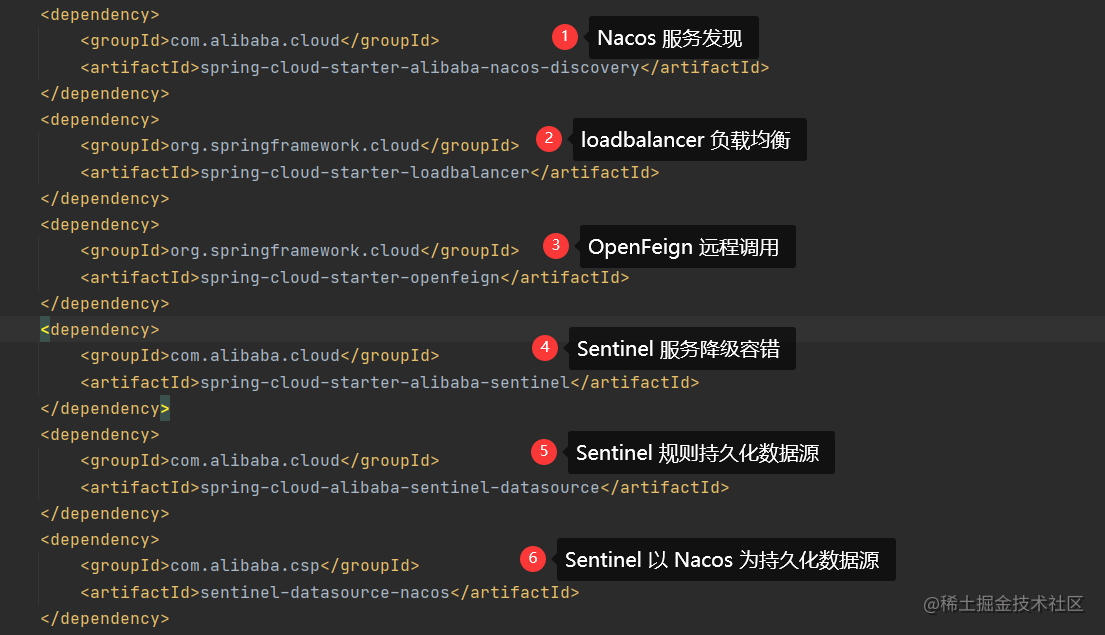
配置文件
配置文件 application.yml :
yaml
spring:
  application:
    name: open-feign-service

  cloud:
    nacos:
      discovery:
        server-addr: ${NACOS_SERVER:127.0.0.1:8848}
    sentinel:
      transport:
        dashboard: ${SENTINEL_DASHBOARD:localhost:8080}
        port: 8723
      web-context-unify: false
      datasource:
        flow:
          nacos:
            server-addr: ${NACOS_SERVER:127.0.0.1:8848}
            groupId: DEFAULT_GROUP
            dataId: sentinelFlowRule.json
            rule-type: flow

feign:
  client:
    config:
      default:
        connectTimeout: 5000
        readTimeout: 5000
      nacos-provider:
        connectTimeout: 1000
        readTimeout: 1000
        loggerLevel: full
  sentinel:
    enabled: true
限流规则 JSON 示例见仓库 08-feign-sentinel/config/sentinelFlowRule.json。
这里增加了 Sentinel 的数据持久化内容,以及激活 OpenFeign 与 Sentinel 联合使用的 feign.sentinel.enabled=true 配置。
全局统一异常处理
不管是 Sentinel 限流后返回,还是 OpenFeign 的 fallback 返回,本质上他们都是出现异常了,这里配置一下全局的统一异常处理。
首先,增加一个业务异常类(io.github.iweidujiang.lab08.common.exception.BusinessException):
java
/**
 * 业务异常。
 *
 * @author 苏渡苇
 */
public class BusinessException extends RuntimeException {

    private final String code;
    private final String message;

    public BusinessException(String code, String message) {
        super(message);
        this.code = code;
        this.message = message;
    }

    public String getCode() {
        return code;
    }

    @Override
    public String getMessage() {
        return message;
    }
}
然后使用 @RestControllerAdvice 进行全局异常处理:
java
@ExceptionHandler(BusinessException.class)
public ResponseResult<String> businessException(BusinessException e) {
    LOGGER.info("code={}, message={}", e.getCode(), e.getMessage());
    return ResponseResult.fail(e.getCode(), e.getMessage());
}
这样,只要指定了抛出的异常类型,就会返回统一的响应格式。
操练
@FeignClient 的 fallback
在上一篇文章中,我们通过 FeignClient 接口调用远程的服务:
java
@FeignClient(name = "nacos-provider", fallback = ProductServiceImpl.class)
public interface ProductService {

    @GetMapping("/product/{id}")
    String getProductById(@PathVariable("id") Long id);
}
定义 fallback 实现类:
java
@Component
public class ProductServiceImpl implements ProductService {

    @Override
    public String getProductById(Long id) {
        log.error("调用接口 getProduct 失败,id={}", id);
        throw new BusinessException(ResponseCode.RPC_ERROR.getCode(), ResponseCode.RPC_ERROR.getMessage());
    }
}
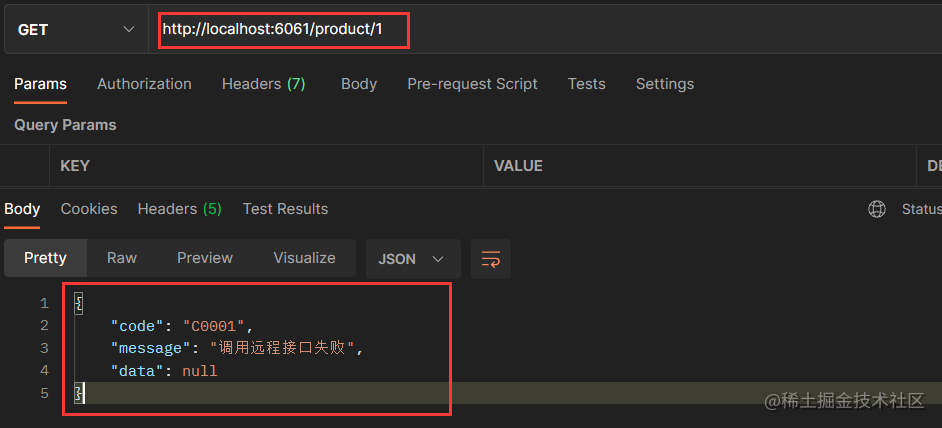
Tips :ResponseCode.RPC_ERROR 在 feign-sentinel-common 模块中定义(C0001 / 远程调用失败)。
OK,不启动服务提供方 nacos-provider,直接调用接口测试。
接口返回:
控制台打印信息:

这样就实现了 fallback 的容错处理,即时远程服务不可用,也能进行降级处理。
@SentinelResource 限流
在 Controller 层使用 FeignClient 定义的接口进行远程调用服务时,还可以定义 Sentinel 资源,并设置规则对资源进行限流。
@SentinelResource 的一些使用方法在前几篇文章中已有提及,这里再结合 OpenFeign 使用,本例中有如下定义:
java
@GetMapping("/product/{id}")
@SentinelResource(value = "getProduct",
                  blockHandler = "getProductBlock",
                  fallback = "getProductFallback")
public String getProduct(@PathVariable("id") Long id) {
    return productService.getProductById(id);
}

public String getProductBlock(Long id, BlockException e) {
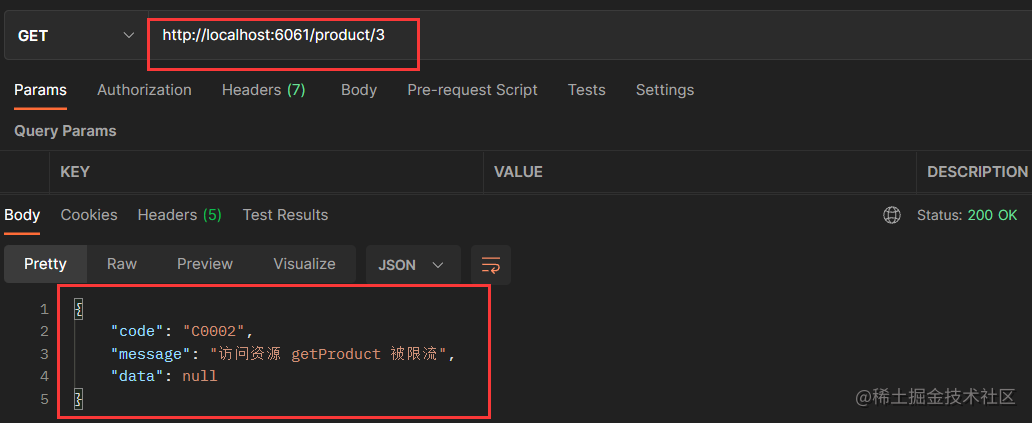
    log.error("访问资源 getProduct 被限流,id={}", id);
    throw new BusinessException("C0002", "访问资源 getProduct 被限流");
}

public String getProductFallback(Long id) {
    log.error("访问资源 getProduct fallback");
    return "请稍后重试";
}
在前面的准备工作中,我们已经配置了 Sentinel 资源限流规则持久化到 Nacos,现在 Nacos 中配置一下资源 getProduct 的限流规则:
json
[
  {
    "resource": "getProduct",
    "limitApp": "default",
    "grade": 1,
    "count": 1,
    "strategy": 0,
    "controlBehavior": 0,
    "clusterMode": false
  }
]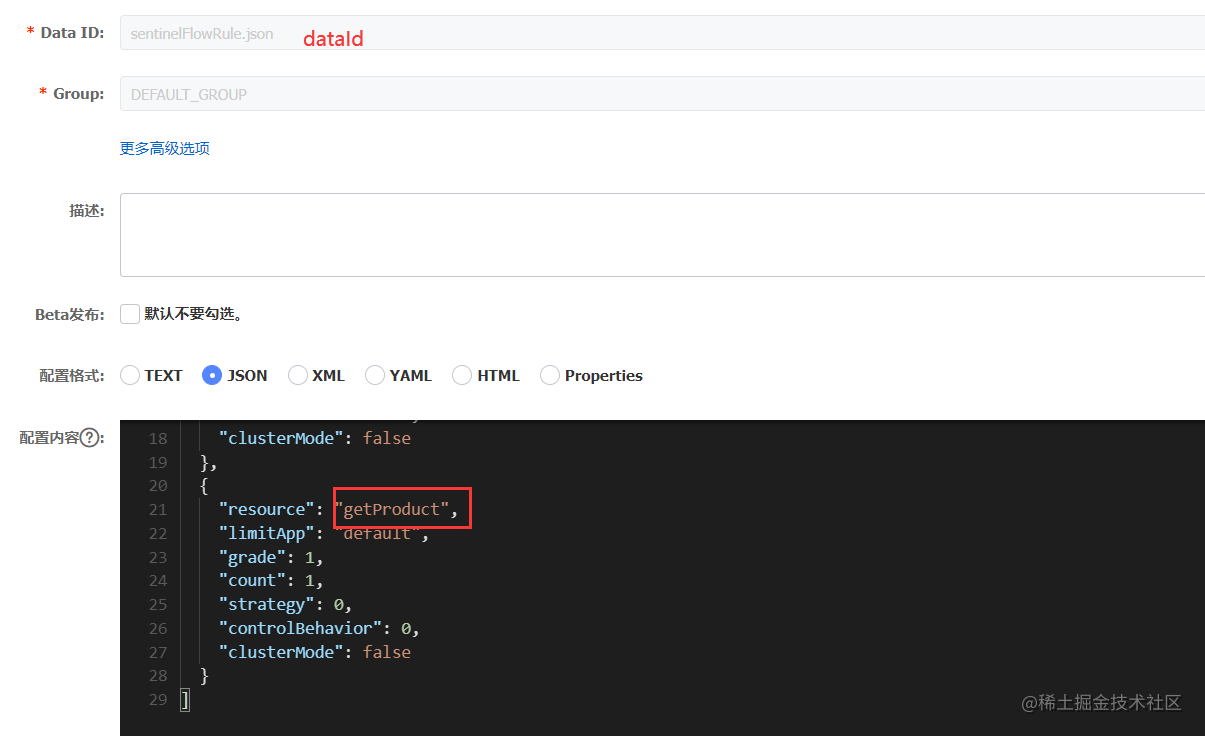
限流规则是 QPS 阈值为1,只要我1秒大于1次请求就会被限流。
启动远程服务 nacos-provider ,下面来验证一下。
1秒只发一个请求的结果:
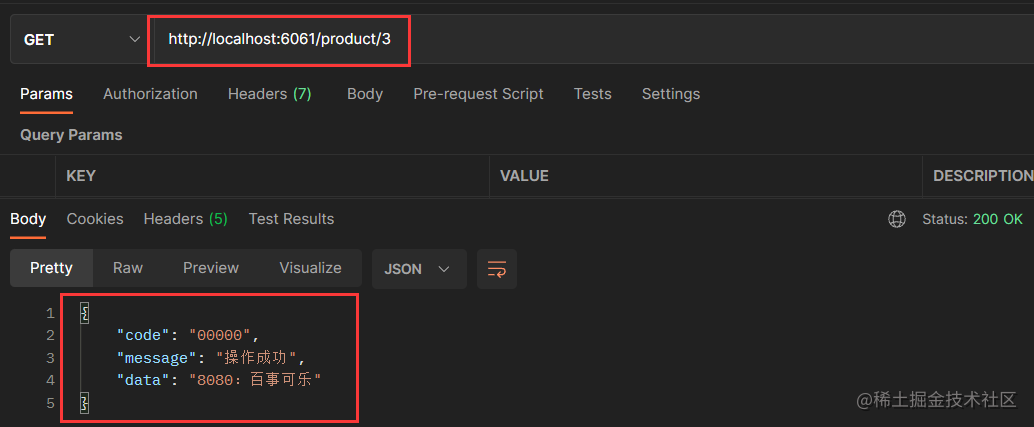
1秒内快速刷新几次,造成QPS大于1,将会被限流:
小结
OpenFeign整合Sentinel需要引入Sentinel相关依赖包;- 在配置文件通过
feign.sentinel.enabled=true来开启 Feign 与 Sentinel的结合使用; - 在 @FeignClient 注解中增加
fallback属性,该属性定义远程接口访问有问题时的容错处理逻辑的类; fallback定义的类需实现 @FeignClient 定义的接口。

点个赞再走吧~
先赞后看,养成习惯。
举手之劳,赞有余香。
本文创作于 2022-08-19 。
代码仓库已更新:https://github.com/iweidujiang/spring-cloud-alibaba-lab