PlantUML活动图新语法
-
- 1、简单活动图
- 2、开始/停止/结束
- 3、条件
- [4、Switch 判断 switch, case, endswitch](#4、Switch 判断 [switch, case, endswitch])
- [5、条件判断和终止 kill, detach](#5、条件判断和终止 [kill, detach])
- 6、重复循环
- [7、打断循环 break](#7、打断循环 [break])
- [8、Goto 和标签处理 label, goto](#8、Goto 和标签处理 [label, goto])
- 9、while循环
- [10、并行处理 fork, fork again, end fork, end merge](#10、并行处理 [fork, fork again, end fork, end merge])
-
- 10.1、fork示例
- [10.2、fork 和合并示例](#10.2、fork 和合并示例)
- [10.3、end fork 标注 (或 UML 连接规范):](#10.3、end fork 标注 (或 UML 连接规范):)
- 10.4、其他示例
- 11、分割处理
- 12、注释
- 13、改变颜色
- 15、箭头
- 16、连接器 (Connector)
- 17、连接器颜色
- 18、组合 (grouping)
-
- 18.1、分区
- [18.2、分组, 分区, 包, 矩形或卡片式](#18.2、分组, 分区, 包, 矩形或卡片式)
- 19、泳道 (Swimlanes)
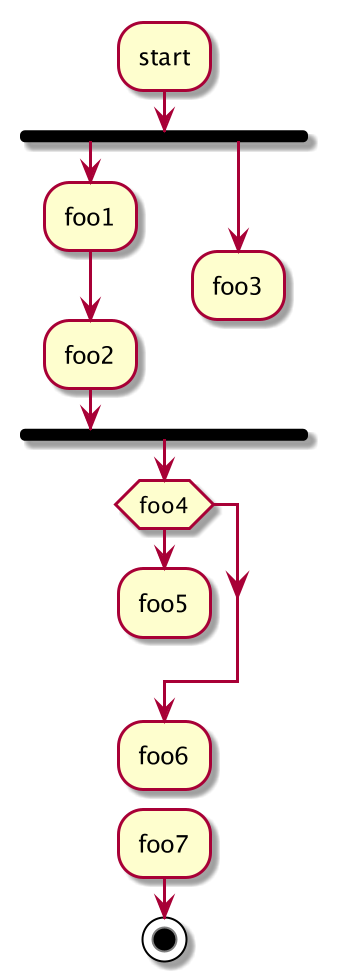
- 20、分离 (detach)
1、简单活动图
- 活动标签 (activity label) 以
冒号开始,以分号结束。 - 文本格式支持 creole wiki 语法。
- 活动默认按照它们定义的顺序进行自动连接。
js
@startuml
:Hello world;
:This is defined on
several **lines**;
@enduml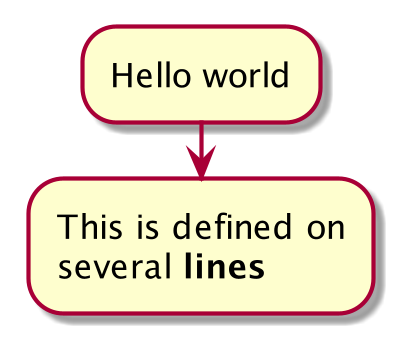
2、开始/停止/结束
可以使用 start 和 stop 关键字来表示一个图的开始和结束。
js
@startuml
start
:Hello world;
:This is defined on
several **lines**;
stop
@enduml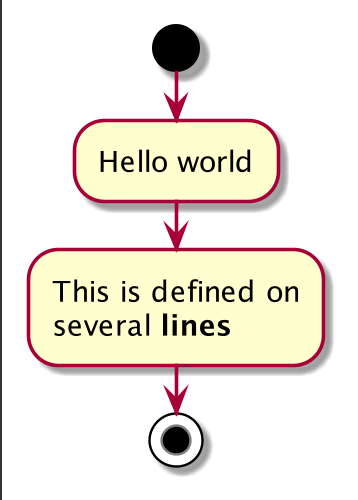
也可以使用 end 关键字。
js
@startuml
start
:Hello world;
:This is defined on
several **lines**;
end
@enduml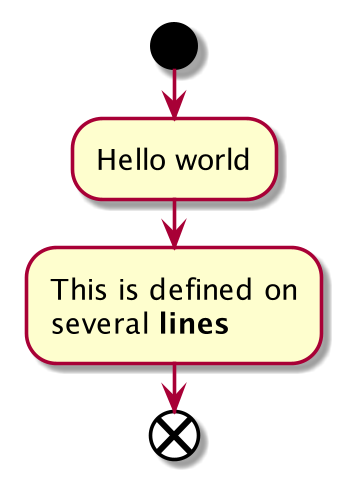
3、条件
可以使用 if,then, break 和 else 关键词来在你的图表中放入测试。标签可以用圆括号提供。
有 3 种语法可供选择。
if (...) then (...)
js
@startuml
start
if (Graphviz installed?) then (yes)
    :process all\ndiagrams;
else (no)
    :process only
    __sequence__ and __activity__ diagrams;
endif
stop
@enduml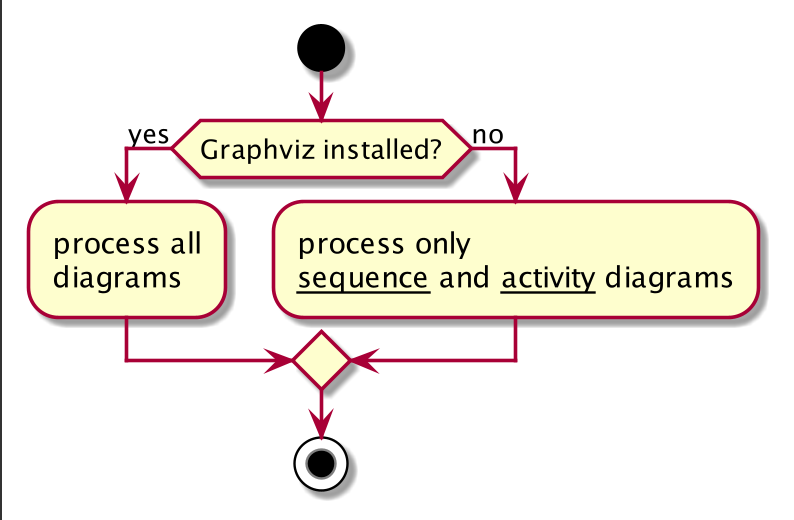
if (...) is (...) then
js
@startuml
if (color?) is (<color:red>red) then
    :print red;
else
    :print not red;
endif
@enduml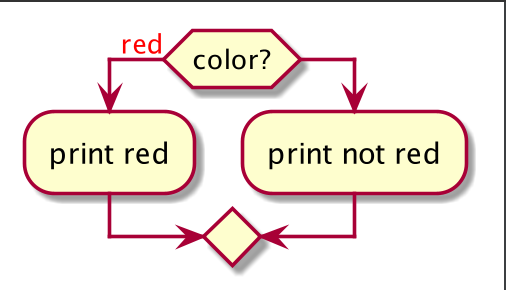
if (...) equals (...) then
js
@startuml
if (counter?) equals (5) then
    :print 5;
else
    :print not 5;
@enduml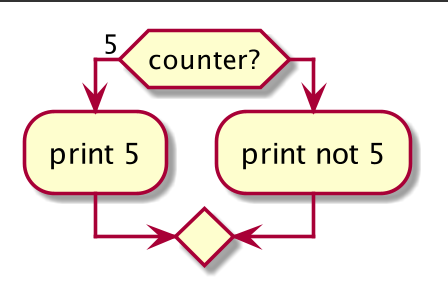
3.1、多分支(水平模式)
可以使用 elseif 关键字来拥有几个测试(默认是水平模式)。
js
@startuml
start
if (condition A) then (yes)
    :Text 1;
elseif (condition B) then (yes)
    :Text 2;
    stop
(no) elseif (condition C) then (yes)
    :Text 3;
(no) elseif (condition D) then (yes)
    :Text 4;
else (nothing)
    :Text else;
endif
stop
@enduml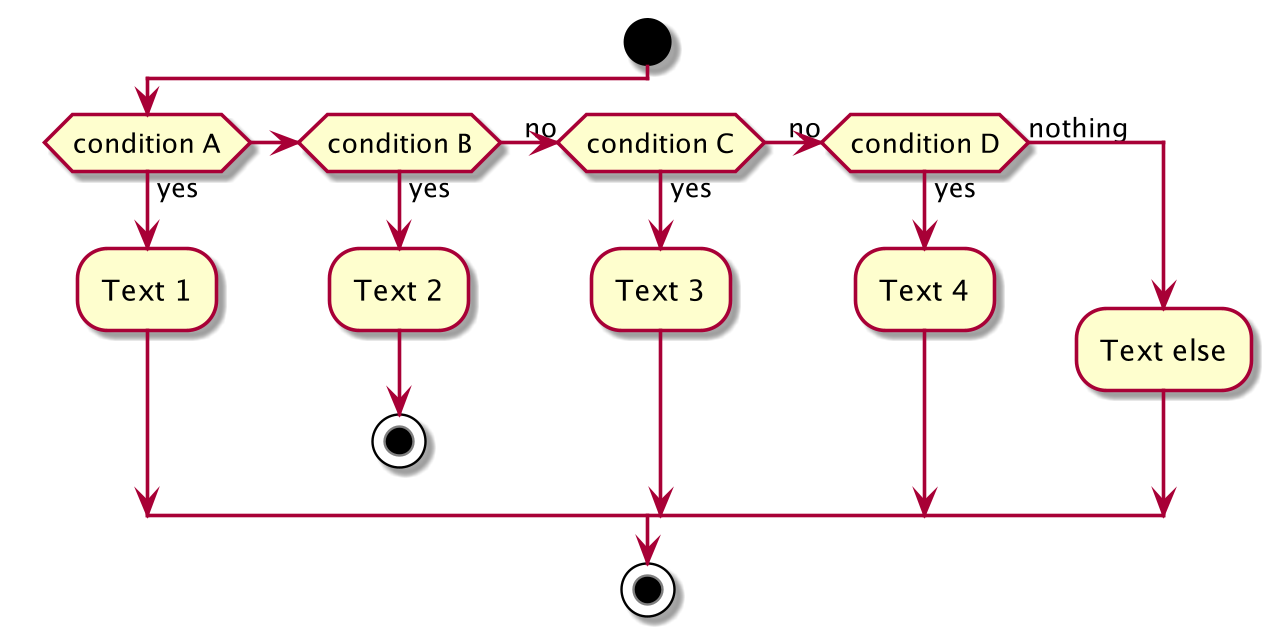
3.2、多个条件(垂直模式)
可以使用!pragma useVerticalIf on 命令,让测试处于垂直模式
js
@startuml
!pragma useVerticalIf on
start
if (condition A) then (yes)
    :Text 1;
elseif (condition B) then (yes)
    :Text 2;
    stop
elseif (condition C) then (yes)
    :Text 3;
elseif (condition D) then (yes)
    :Text 4;
else (nothing)
    :Text else;
endif
stop
@enduml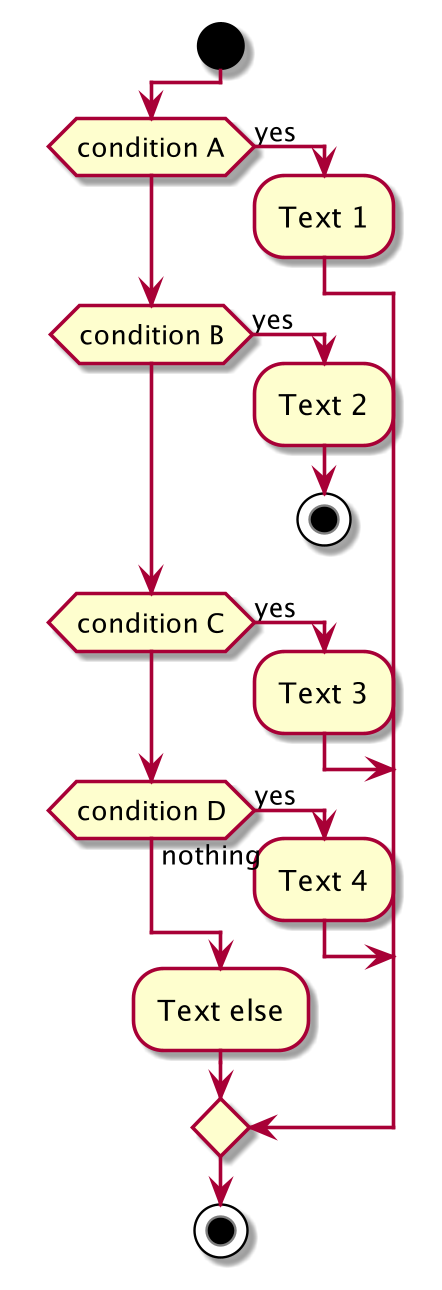
4、Switch 判断 switch, case, endswitch
- 可以使用
switch,case和endswitch关键词在图表中绘制 Switch 判断. - 使用括号表示标注.
js
@startuml
start
switch (测试?)
case ( 条件 A )
    :Text 1;
case ( 条件 B )
    :Text 2;
case ( 条件 C )
    :Text 3;
case ( 条件 D )
    :Text 4;
case ( 条件 E )
    :Text 5;
endswitch
stop
@enduml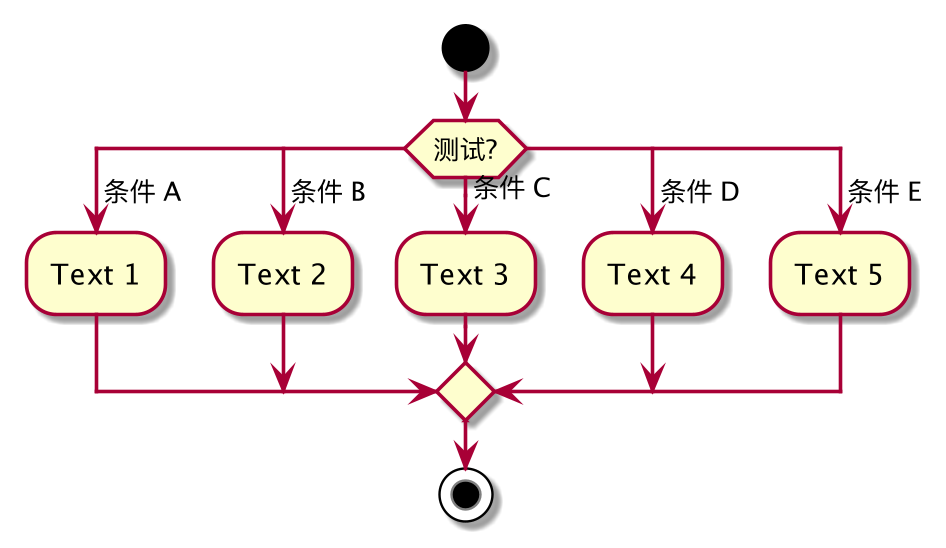
5、条件判断和终止 kill, detach
可以在 if 判断中终止一个行为.
js
@startuml
if (条件?) then
    :错误;
    stop
endif
#palegreen:行为;
@enduml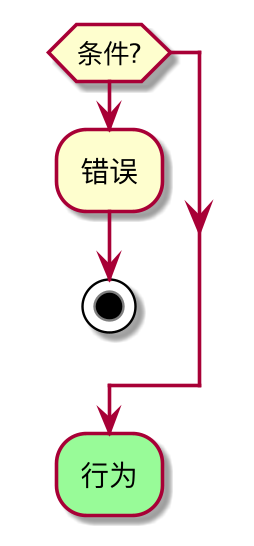
但如果你想在特定行为上停止,你可以使用 kill 或 detach 关键字:
js
@startuml
if (条件?) then
    #pink:错误;
    kill
endif
#palegreen:行为;
@enduml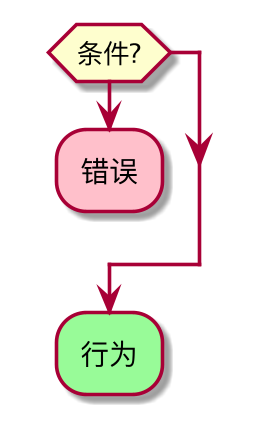
detach
js
@startuml
if (条件?) then
    #pink:错误;
    detach
endif
#palegreen:行为;
@enduml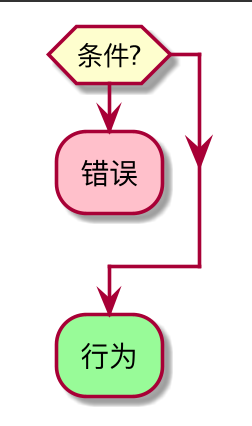
6、重复循环
可以使用关键字 repeat 和 repeatwhile 进行重复循环。
js
@startuml
start
repeat
    :读取数据;
    :生成图片;
repeat while (更多数据?)
stop
@enduml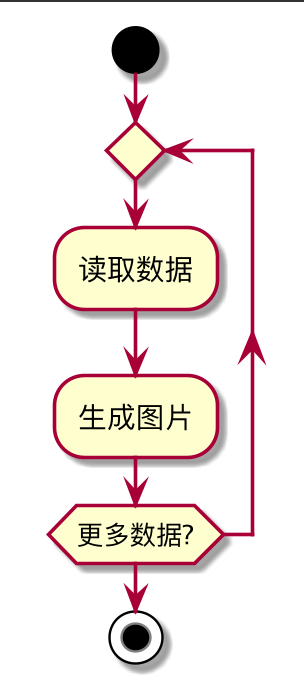
同样可以使用一个全局行为作为 repeat 目标,在返回循环开始时使用 backward 关键字插入一个全
局行为。
js
@startuml
start
repeat :foo作为开始标注;
    :读取数据;
    :生成图片;
backward:这是一个后撤行为;
repeat while (更多数据?)
stop
@enduml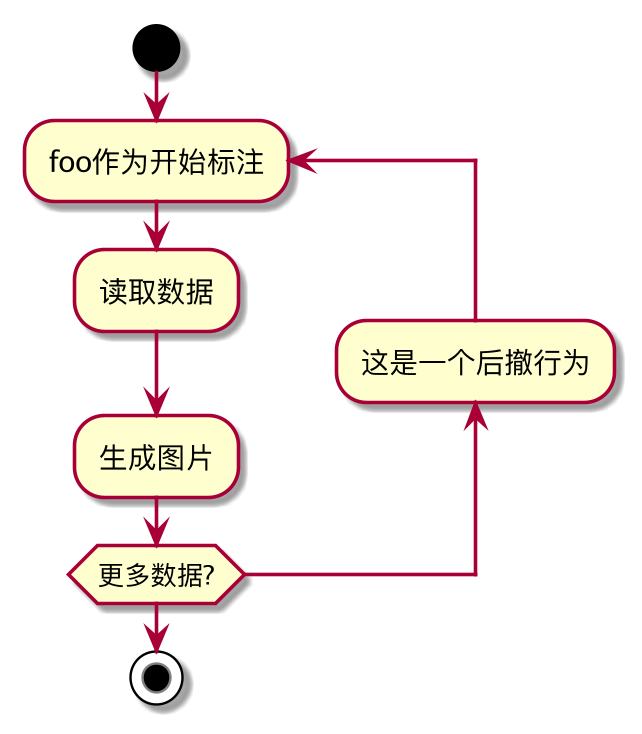
7、打断循环 break
可以使用 break 关键字跟在循环中的某个行为后面打断循环.
js
@startuml
start
repeat
    :测试某事;
    if (发生错误?) then (没有)
        #palegreen:好的;
        break
    endif
    ->not ok;
    :弹窗 "文本过长错误";
repeat while (某事发生文本过长错误?) is (是的) not (不是)
->//合并步骤//;
:弹窗 "成功!";
stop
@enduml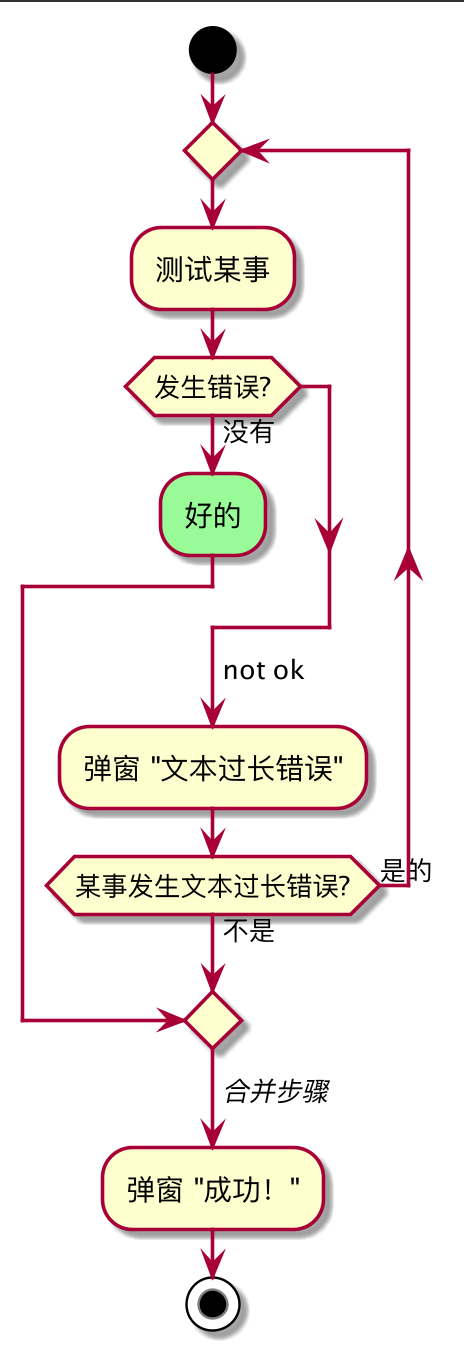
8、Goto 和标签处理 label, goto
可以使用 label 和 goto 关键词来表示 Goto 处理,其中:
label <label_name>goto <label_name>
js
@startuml
title Point two queries to same activity\nwith `goto`
start
if (Test Question?) then (yes)
    'space label only for alignment
    label sp_lab0
    label sp_lab1
    'real label
    label lab
    :shared;
else (no)
    if (Second Test Question?) then (yes)
        label sp_lab2
        goto sp_lab1
    else
        :nonShared;
    endif
endif
:merge;
@enduml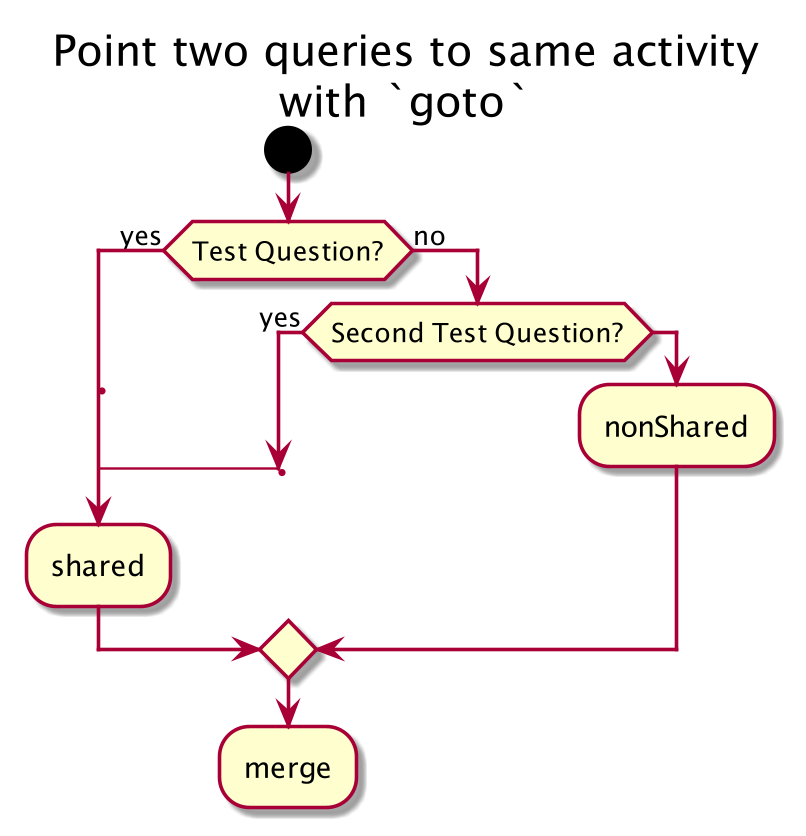
9、while循环
可以使用关键字 while 和 end while 进行 while 循环。
js
@startuml
start
while (data available?)
    :read data;
    :generate diagrams;
endwhile
stop
@enduml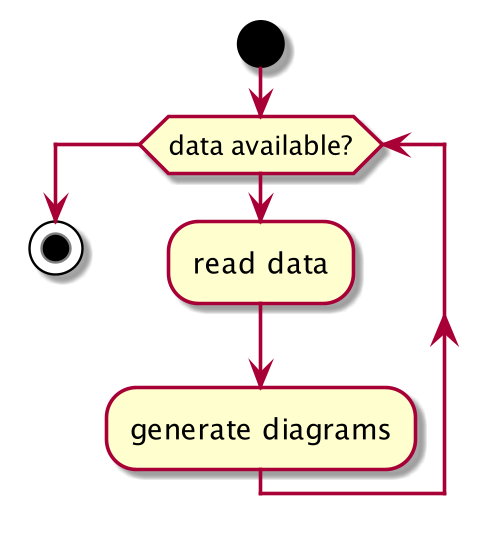
可以在关键字 endwhile 后添加标注,还有一种方式是使用关键字 is。
js
@startuml
while (check filesize ?) is (not empty)
    :read file;
endwhile (empty)
:close file;
@enduml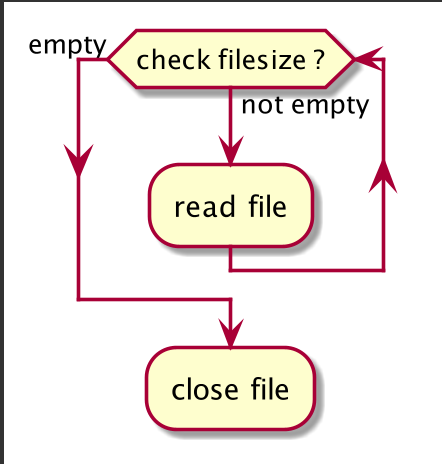
如果你使用 +detach+ 来形成一个无限循环, 那么你可能需要使用 +-[hidden]->+ 来隐藏一些不完整的
箭头。
js
@startuml
:Step 1;
if (condition1) then
    while (loop forever)
        :Step 2;
    endwhile
    -[hidden]->
    detach
else
    :end normally;
stop
endif
@enduml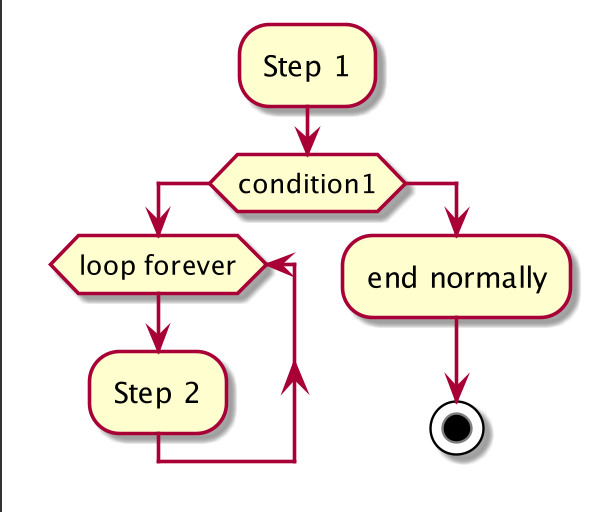
10、并行处理 fork, fork again, end fork, end merge
可以使用 fork,fork again 和 end fork 或者 end merge 等关键字表示并行处理。
10.1、fork示例
js
@startuml
start
fork
    :行为 1;
fork again
    :行为 2;
end fork
stop
@enduml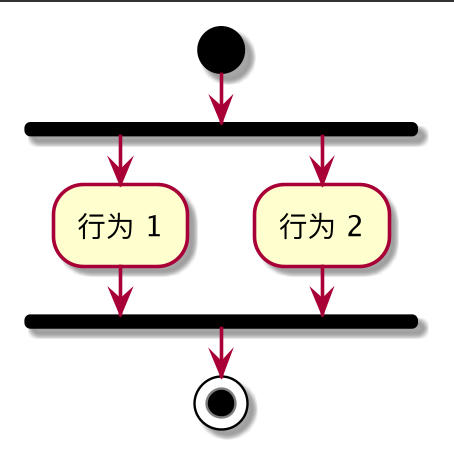
10.2、fork 和合并示例
js
@startuml
start
fork
    :行为 1;
fork again
    :行为 2;
end merge
stop
@enduml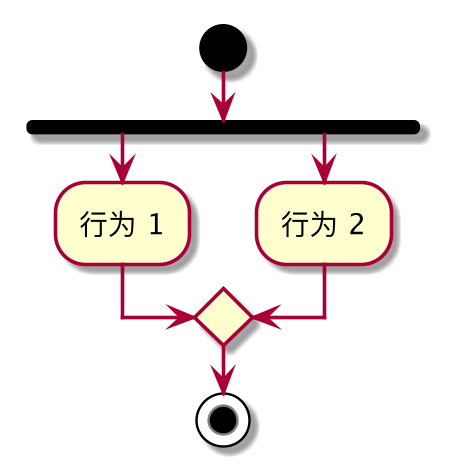
js
@startuml
start
fork
:行为 1;
fork again
:行为 2;
fork again
:行为 3;
fork again
:行为 4;
end merge
stop
@enduml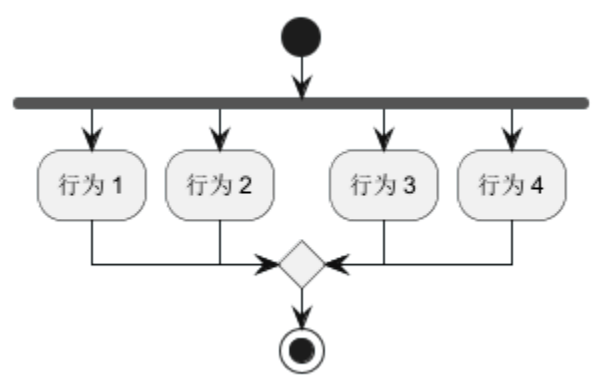
js
@startuml
start
fork
:行为 1;
fork again
:行为 2;
end
end merge
stop
@enduml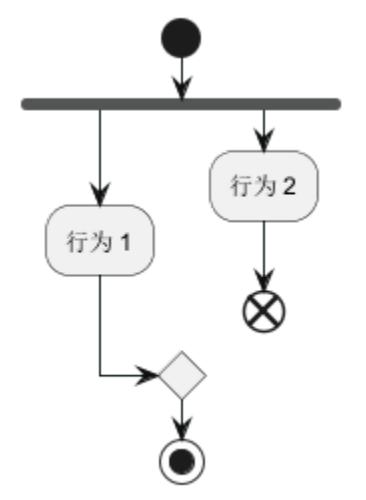
10.3、end fork 标注 (或 UML 连接规范):
js
@startuml
start
fork
:行为 A;
fork again
:行为 B;
end fork {或}
stop
@enduml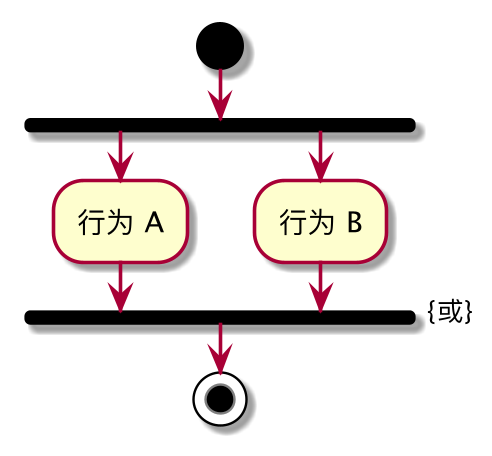
js
@startuml
start
fork
:行为 A;
fork again
:行为 B;
end fork {和}
stop
@enduml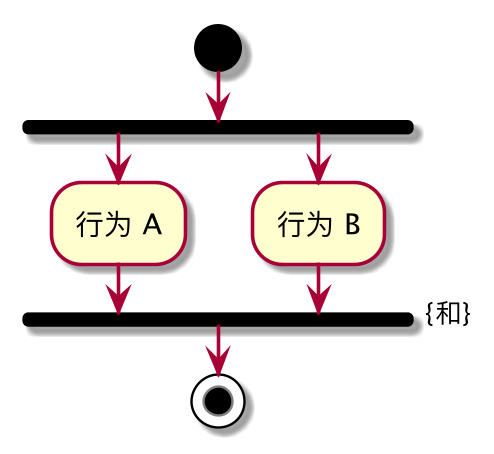
10.4、其他示例
js
@startuml
start
if (多进程处理?) then (是)
fork
:进程 1;
fork again
:进程 2;
end fork
else (否)
:逻辑 1;
:逻辑 2;
endif
@enduml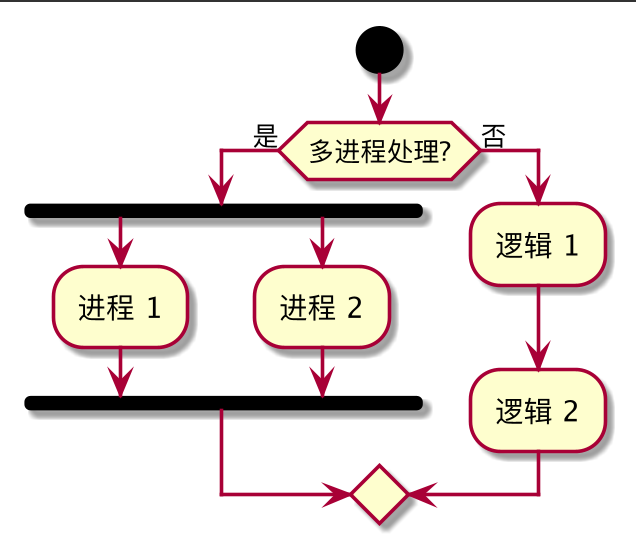
11、分割处理
11.1、分割
可以使用 split, split again 和 end split 关键字去表达分割处理
js
@startuml
start
split
:A;
split again
:B;
split again
:C;
split again
:a;
:b;
end split
:D;
end
@enduml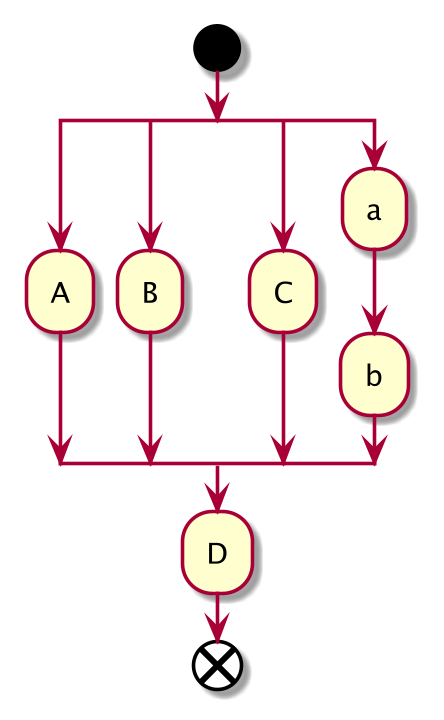
11.2、输入分割 (多个入口)
可以使用包含 hidden 指令的箭头去制造一个输入分割 (多入口):
js
@startuml
split
-[hidden]->
:A;
split again
-[hidden]->
:B;
split again
-[hidden]->
:C;
end split
:D;
@enduml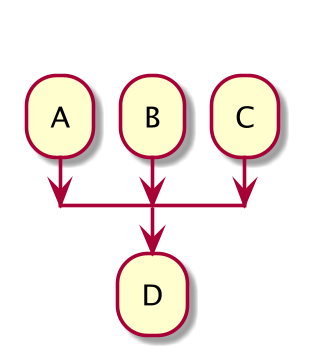
js
@startuml
split
-[hidden]->
:A;
split again
-[hidden]->
:a;
:b;
split again
-[hidden]->
(Z)
end split
:D;
@enduml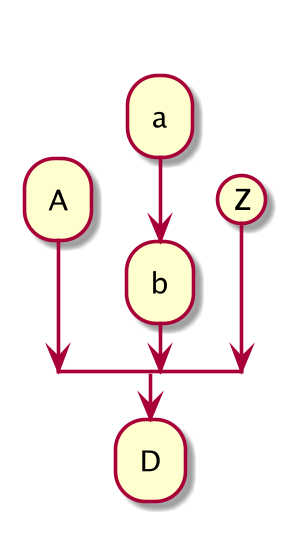
11.3、输出分割 (多个结束点)
可以使用 kill 或 detach 去制造一个输出分割 (多个结束点):
js
@startuml
start
split
:A;
kill
split again
:B;
detach
split again
:C;
kill
end split
@enduml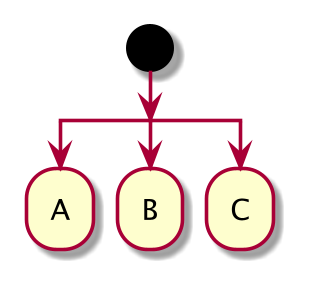
js
@startuml
start
split
:A;
kill
split again
:b;
:c;
detach
split again
(Z)
detach
split again
end
split again
stop
end split
@enduml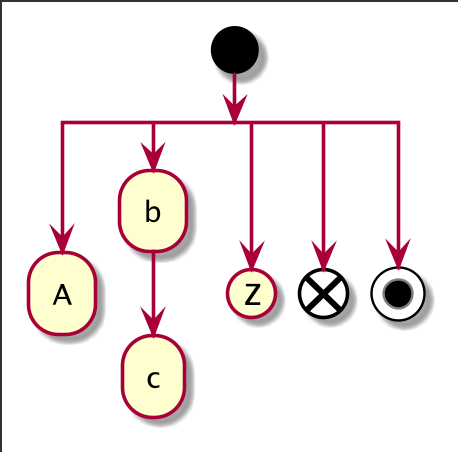
12、注释
js
@startuml
start
:foo1;
floating note left: This is a note
:foo2;
note right
This note is on several
//lines// and can
contain <b>HTML</b>
====
* Calling the method ""foo()"" is prohibited
end note
stop
@enduml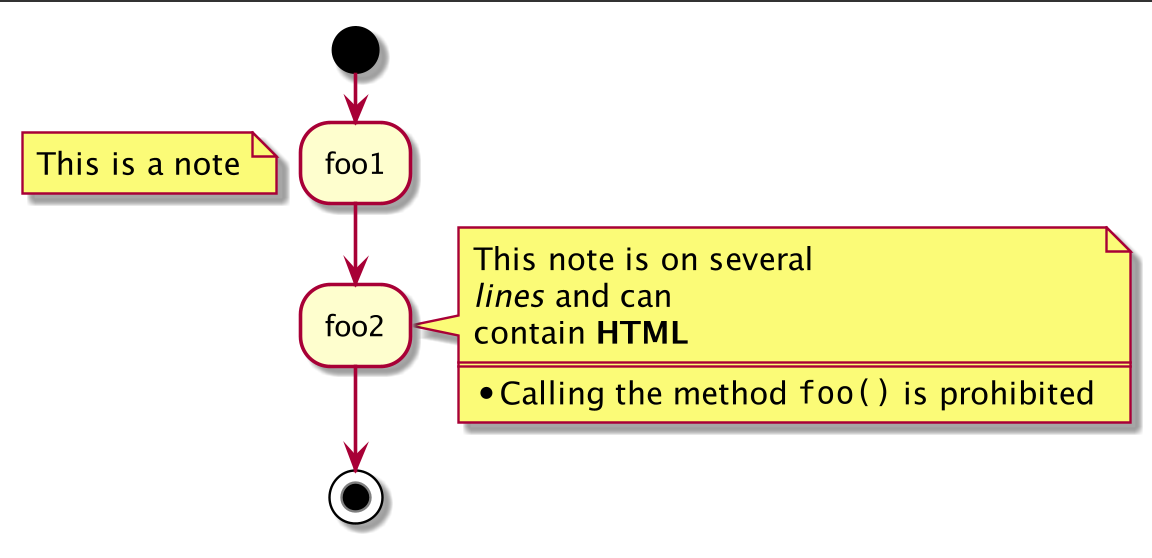
可以为后向活动添加注释:
js
@startuml
start
repeat :Enter data;
:Submit;
backward :Warning;
note right: Note
repeat while (Valid?) is (No) not (Yes)
stop
@enduml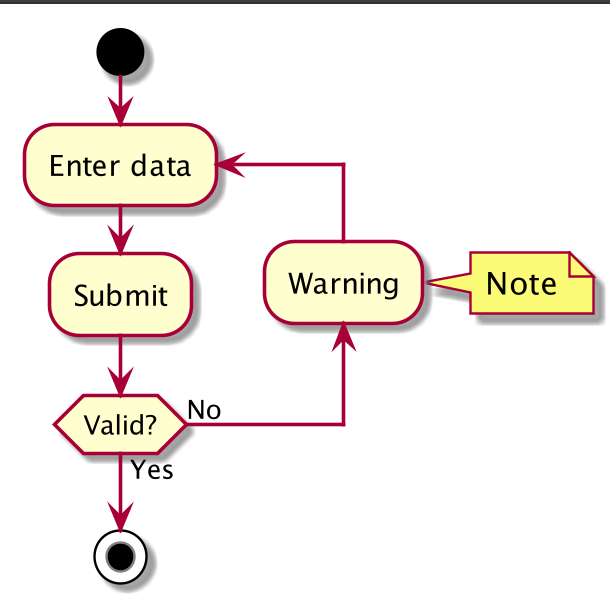
可以添加分区活动注释:
js
@startuml
start
partition "**process** HelloWorld" {
note
This is my note
----
//Creole test//
end note
:Ready;
:HelloWorld(i)>
:Hello-Sent;
}
@enduml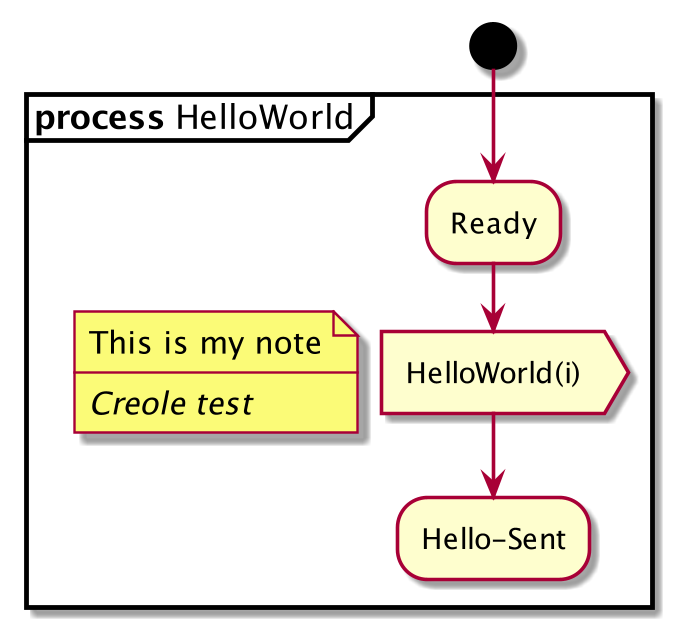
13、改变颜色
可以为一些活动指定颜色
js
@startuml
start
:开始处理;
#HotPink:读取配置文件
这些文件应该在此处编辑;
#AAAAAA:结束处理;
@enduml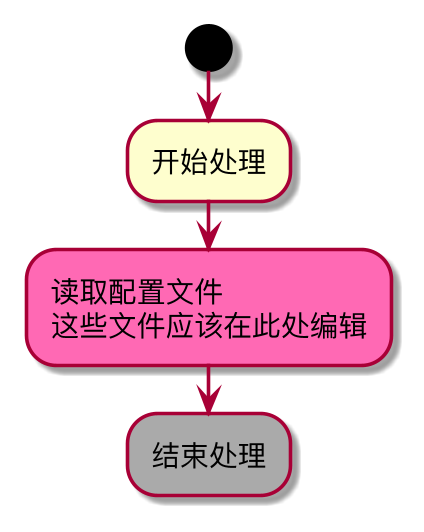
通用可以使用渐变色.
js
@startuml
start
partition #red/white test分片 {
#blue\green:test活动;
}
@enduml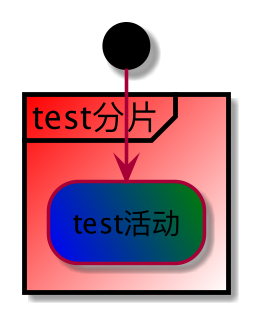
14、无箭头连接线
可以使用 skinparam ArrowHeadColor none 参数来表示仅使用线条连接活动,而不带箭头。
js
@startuml
skinparam ArrowHeadColor none
start
:Hello world;
:This is on defined on
several **lines**;
stop
@enduml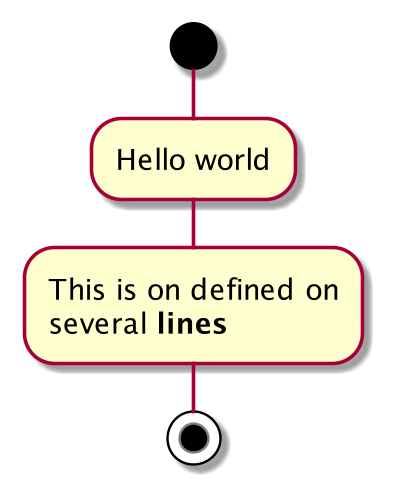
js
@startuml
skinparam ArrowHeadColor none
start
repeat :Enter data;
:Submit;
backward :Warning;
repeat while (Valid?) is (No) not (Yes)
stop
@enduml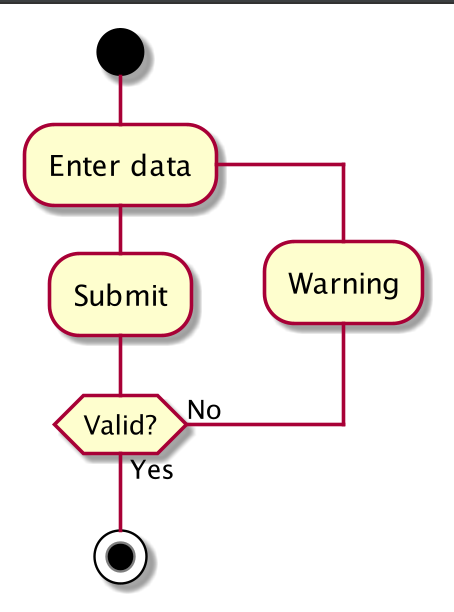
15、箭头
- 使用
->标记,你可以给箭头添加文字或者修改箭头颜色。 - 同时,你也可以选择点状 (
dotted),条状 (dashed),加粗或者是隐式箭头
js
@startuml
:foo1;
-> You can put text on arrows;
if (test) then
-[#blue]->
:foo2;
-[#green,dashed]-> The text can
also be on several lines
and **very** long...;
:foo3;
else
-[#black,dotted]->
:foo4;
endif
-[#gray,bold]->
:foo5;
@enduml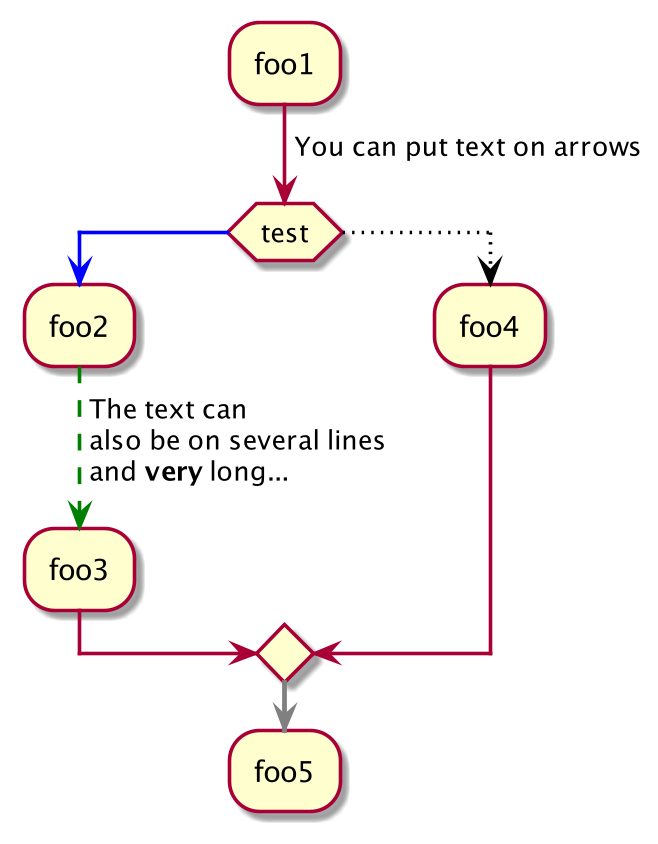
16、连接器 (Connector)
可以使用括号定义连接器。
js
@startuml
start
:Some activity;
(A)
detach
(A)
:Other activity;
@enduml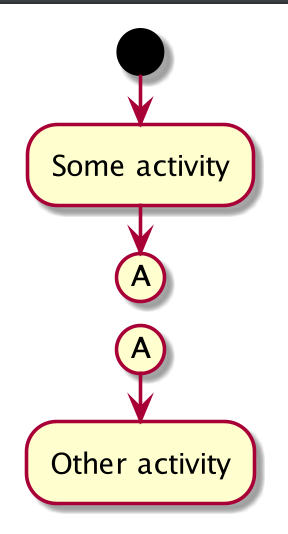
17、连接器颜色
js
@startuml
start
:下面的连接器
应该是蓝色;
#blue:(B)
:下一个连接器应该
看起来应该是
深绿色;
#green:(G)
stop
@enduml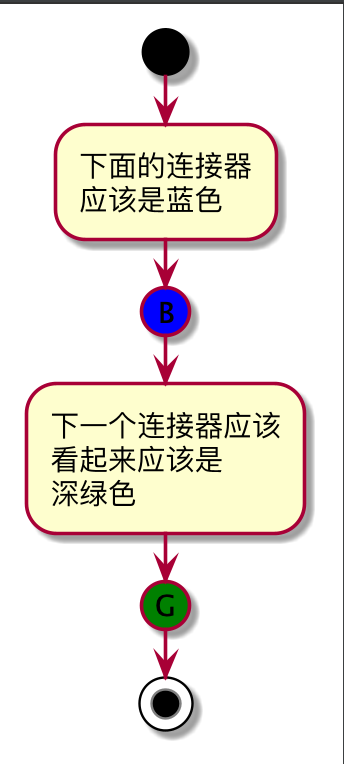
18、组合 (grouping)
通过定义分组 (group),你可以把多个活动分组。
js
@startuml
start
group 初始化分组
:read config file;
:init internal variable;
end group
group 运行分组
:wait for user interaction;
:print information;
end group
stop
@enduml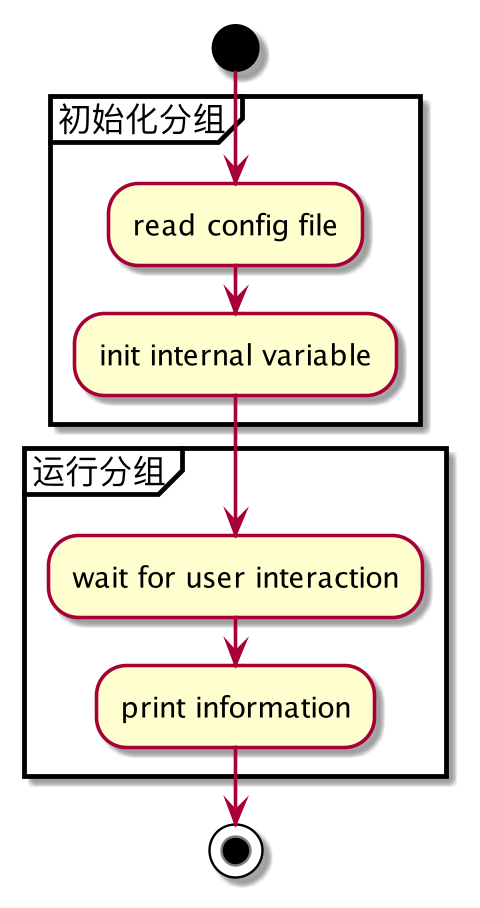
18.1、分区
通过定义分区 (partition),你可以把多个活动组合 (group) 在一起:
js
@startuml
start
partition 初始化分区 {
:read config file;
:init internal variable;
}
partition 运行分区 {
:wait for user interaction;
:print information;
}
stop
@enduml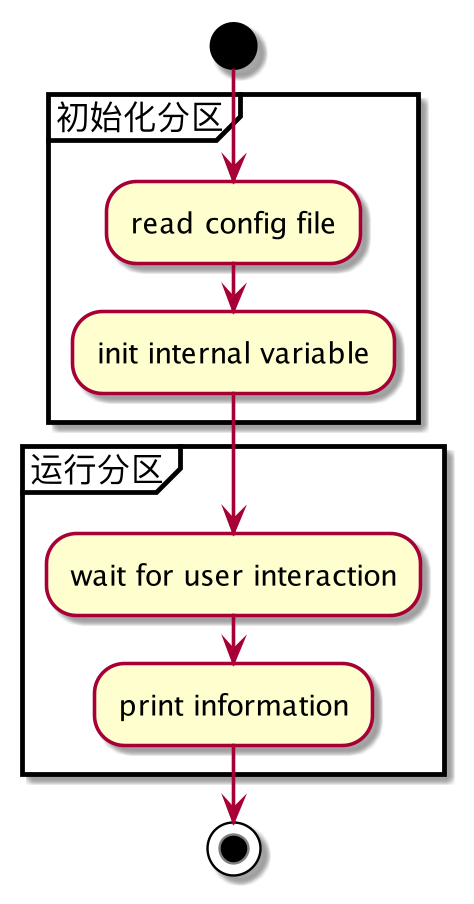
这里同样可以改变分区颜色 color:
js
@startuml
start
partition #lightGreen "Input Interface" {
:read config file;
:init internal variable;
}
partition Running {
:wait for user interaction;
:print information;
}
stop
@enduml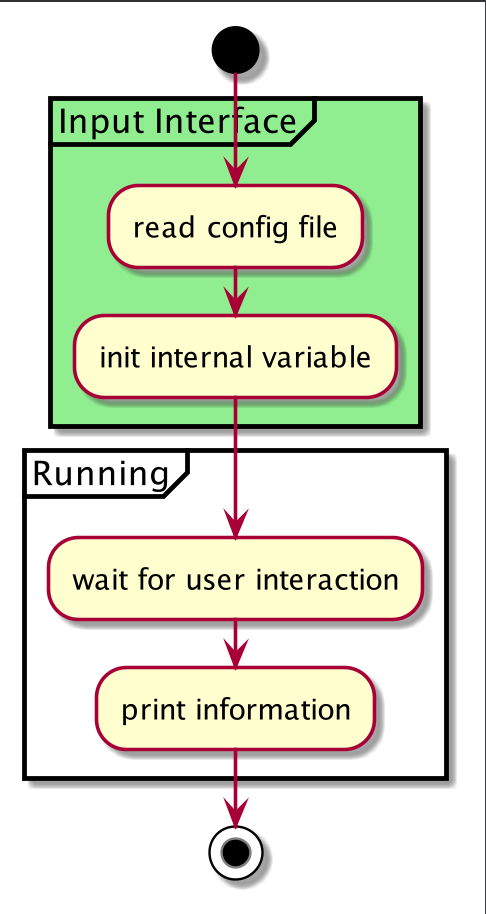
同样可以添加一个链接到分区:
js
@startuml
start
partition "[[http://plantuml.com partition_name]]" {
:read doc. on [[http://plantuml.com plantuml_website]];
:test diagram;
}
end
@enduml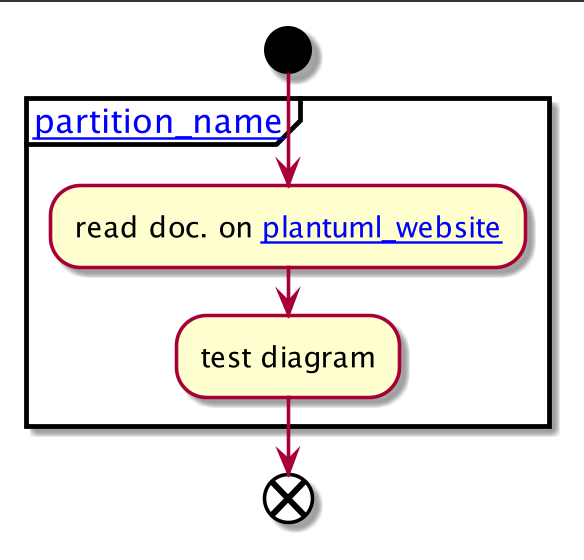
18.2、分组, 分区, 包, 矩形或卡片式
可以分组活动通过定义:
- group;
- partition;
- package;
- rectangle;
- card.
js
@startuml
start
group 分组
:Activity;
end group
floating note: 分组备注
partition 分区 {
:Activity;
}
floating note: 分区备注
package 包 {
:Activity;
}
floating note: 包备注
rectangle 矩形 {
:Activity;
}
floating note: 矩形备注
card 卡片式 {
:Activity;
}
floating note: 卡片式备注
end
@enduml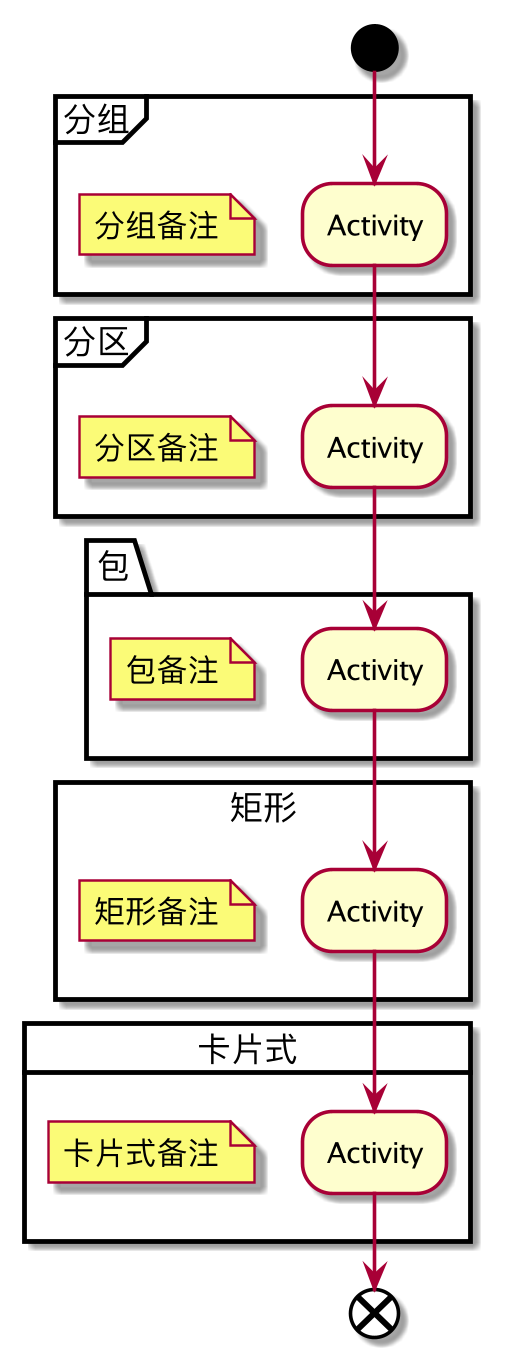
19、泳道 (Swimlanes)
- 可以使用管道符
|来定义泳道。 - 还可以改变泳道的颜色。
js
@startuml
|Swimlane1|
start
:foo1;
|#AntiqueWhite|Swimlane2|
:foo2;
:foo3;
|Swimlane1|
:foo4;
|Swimlane2|
:foo5;
stop
@enduml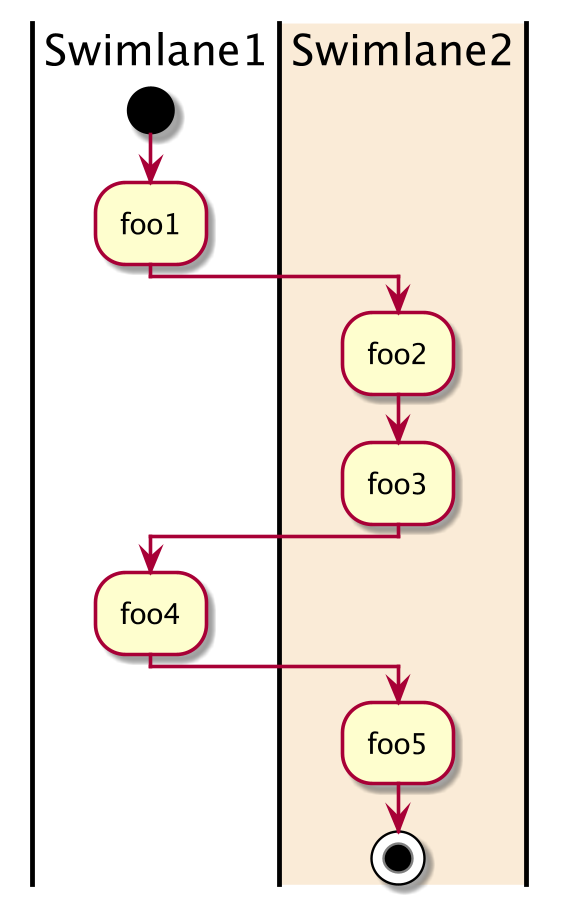
可以在泳道中增加 if 判断或 repeat 或 while 循环.
js
@startuml
|#pink|Actor_For_red|
start
if (color?) is (red) then
#pink:**action red**;
:foo1;
else (not red)
|#lightgray|Actor_For_no_red|
#lightgray:**action not red**;
:foo2;
endif
|Next_Actor|
#lightblue:foo3;
:foo4;
|Final_Actor|
#palegreen:foo5;
stop
@enduml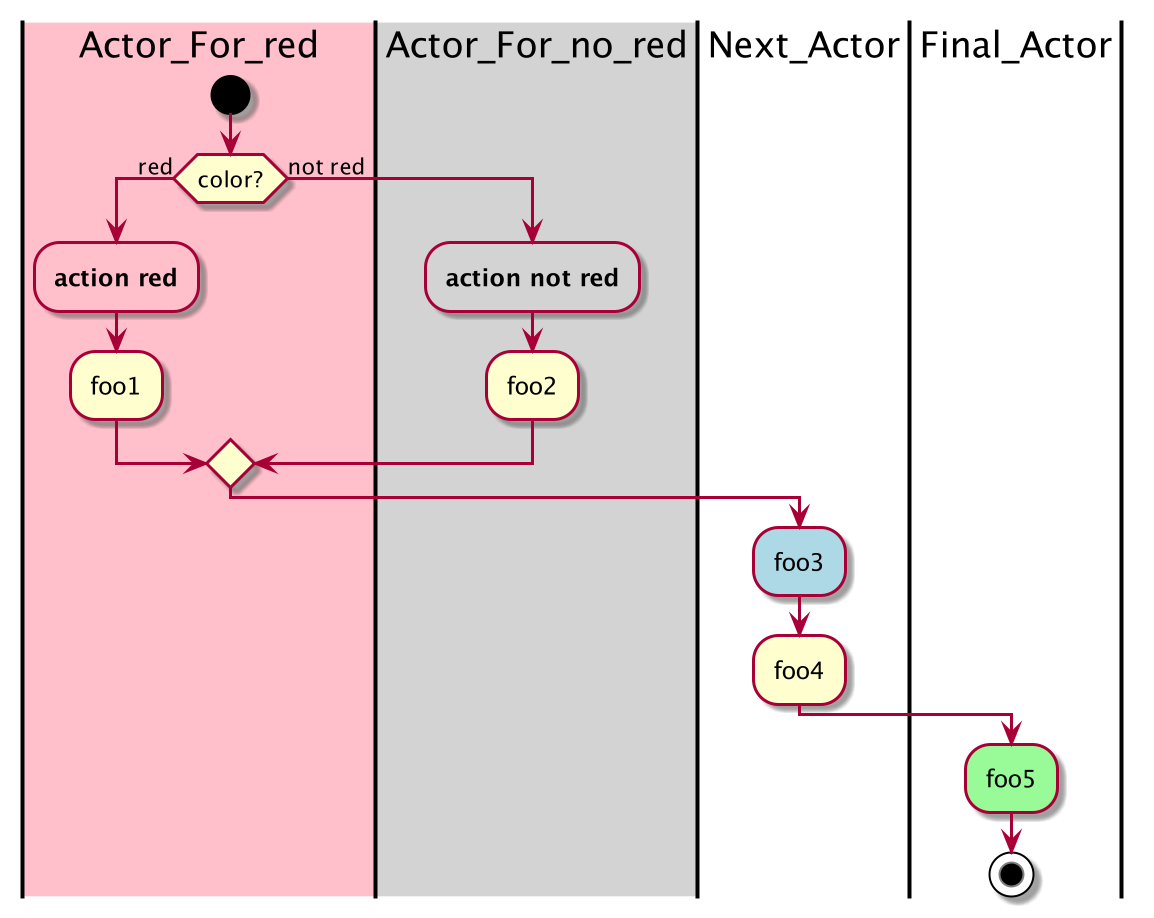
同样可以在泳道中增加别名,使用 alias 语法:
js
@startuml
|#palegreen|f| fisherman
|c| cook
|#gold|e| eater
|f|
start
:go fish;
|c|
:fry fish;
|e|
:eat fish;
stop
@enduml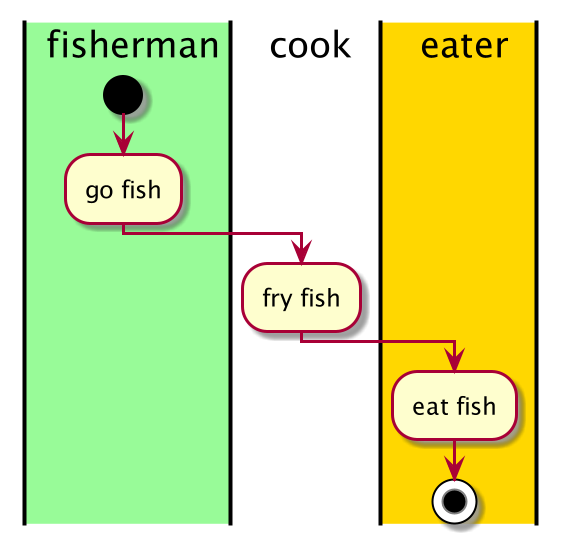
20、分离 (detach)
可以使用关键字 detach 或 kill 移除箭头。
js
@startuml
:start;
fork
:foo1;
:foo2;
fork again
:foo3;
detach
endfork
if (foo4) then
:foo5;
detach
endif
:foo6;
detach
:foo7;
stop
@enduml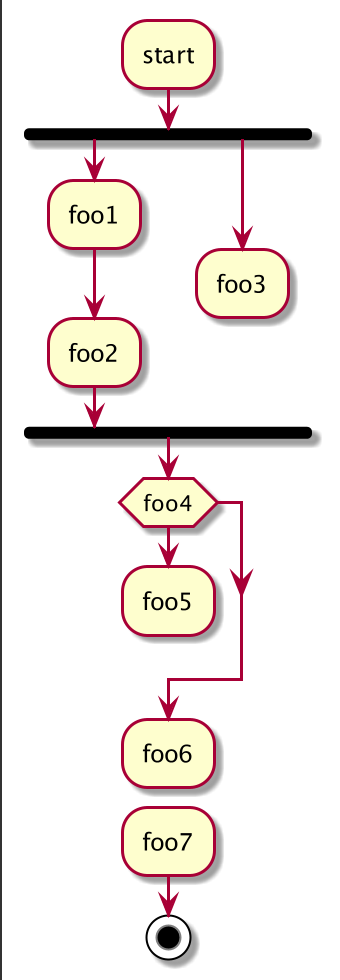
js
@startuml
:start;
fork
:foo1;
:foo2;
fork again
:foo3;
kill
endfork
if (foo4) then
:foo5;
kill
endif
:foo6;
kill
:foo7;
stop
@enduml