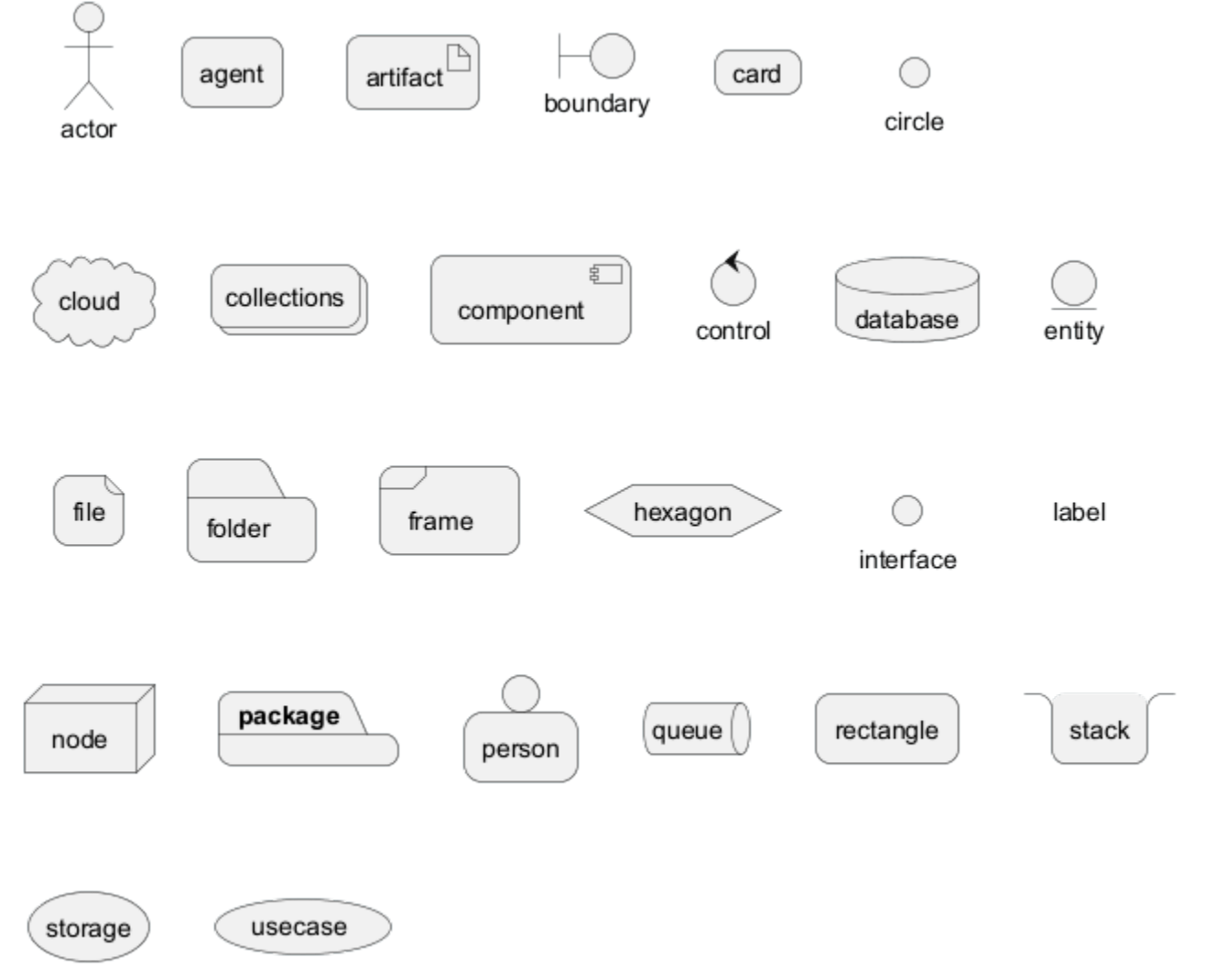
PlantUML部署图
1、声明元素
js
@startuml
actor actor
agent agent
artifact artifact
boundary boundary
card card
cloud cloud
component component
control control
database database
entity entity
file file
folder folder
frame frame
interface interface
node node
package package
queue queue
stack stack
rectangle rectangle
storage storage
usecase usecase
@enduml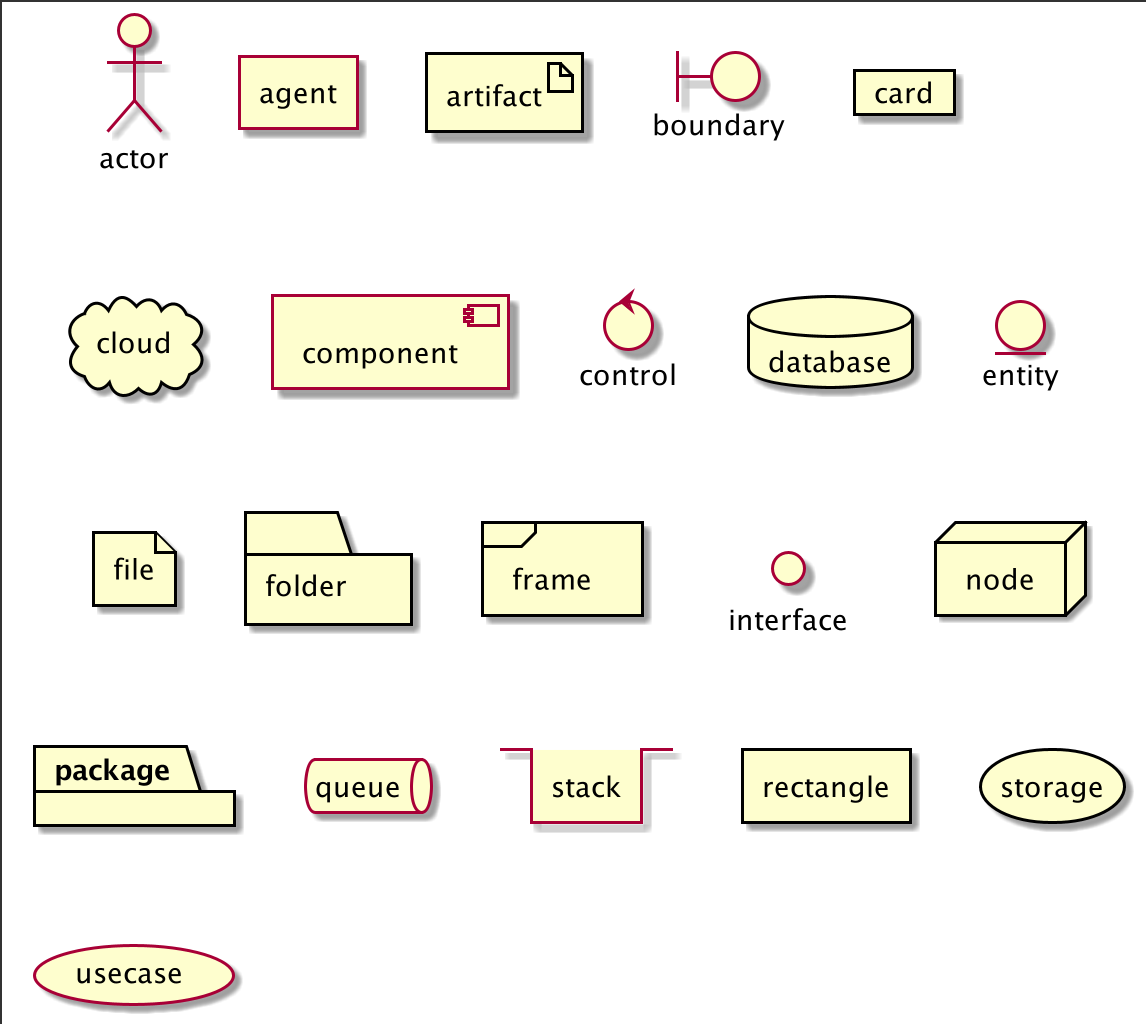
- 可选的,您可以使用方括号
[]放置长描述文本。
js
@startuml
folder folder [
这是个 <b>文件夹
----
您可以使用
====
不同类型
....
的分隔符
]
node node [
这是个 <b>结点
----
您可以使用
====
不同类型
....
的分隔符
]
database database [
这是个 <b>数据库
----
您可以使用
====
不同类型
....
的分隔符
]
usecase usecase [
这是个 <b>用例
----
您可以使用
====
不同类型
....
的分隔符
]
@enduml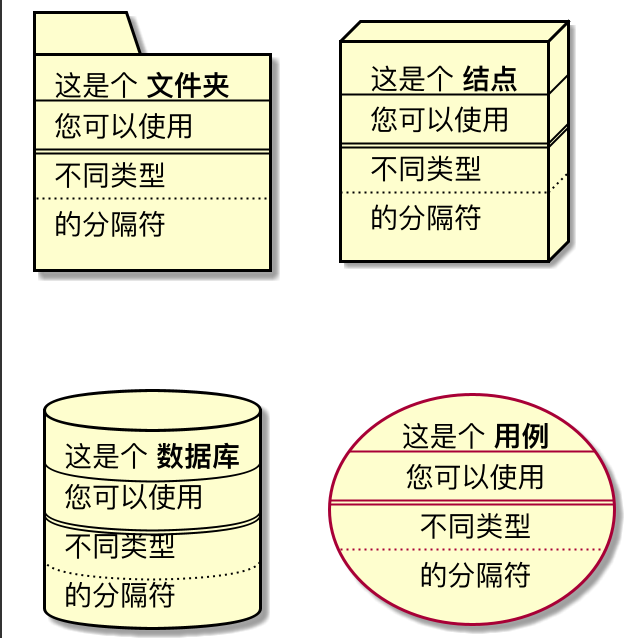
2、声明元素(使用简短的形式)
可以使用一些简短的形式声明元素。

2.1、Actor
js
@startuml
actor actor1
:actor2:
@enduml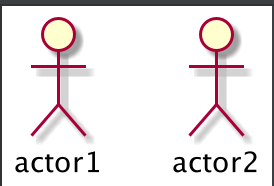
2.2、组件
js
@startuml
component 组件1
[组件2]
@enduml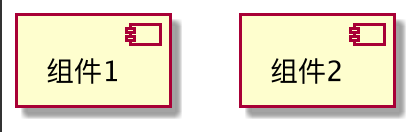
2.3、接口
js
@startuml
interface 接口1
() "接口2"
label "//接口示例//"
@enduml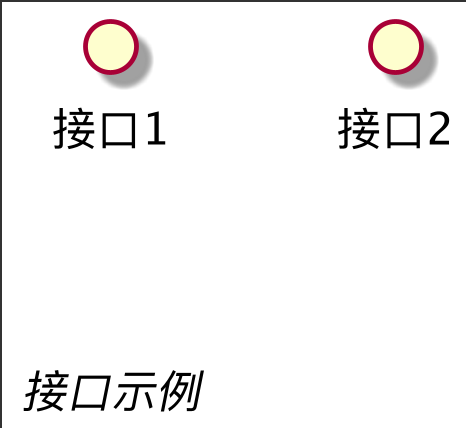
2.4、用例
js
@startuml
usecase usecase1
(usecase2)
@enduml
3、链接或箭头
可以在有或没有标签的元素之间创建简单的链接。
js
@startuml
node node1
node node2
node node3
node node4
node node5
node1 -- node2 : label1
node1 .. node3 : label2
node1 ~~ node4 : label3
node1 == node5
@enduml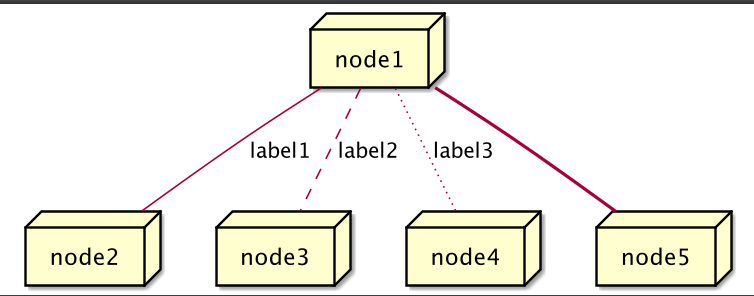
可以使用几种类型的链接。
js
@startuml
artifact artifact1
artifact artifact2
artifact artifact3
artifact artifact4
artifact artifact5
artifact artifact6
artifact artifact7
artifact artifact8
artifact artifact9
artifact artifact10
artifact1 --> artifact2
artifact1 --* artifact3
artifact1 --o artifact4
artifact1 --+ artifact5
artifact1 --# artifact6
artifact1 -->> artifact7
artifact1 --0 artifact8
artifact1 --^ artifact9
artifact1 --(0 artifact10
@enduml
js
@startuml
cloud cloud1
cloud cloud2
cloud cloud3
cloud cloud4
cloud cloud5
cloud1 -0- cloud2
cloud1 -0)- cloud3
cloud1 -(0- cloud4
cloud1 -(0)- cloud5
@enduml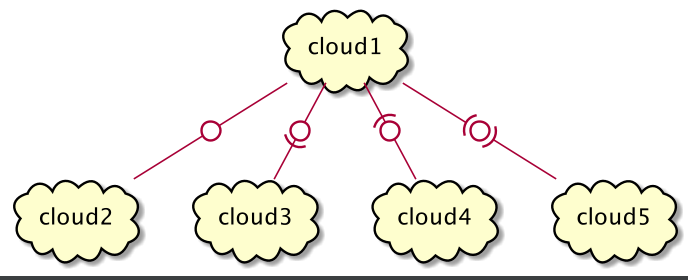
js
@startuml
actor foo1
actor foo2
foo1 <-0-> foo2
foo1 <-(0)-> foo2
(ac1) -le(0)-> left1
ac1 -ri(0)-> right1
ac1 .up(0).> up1
ac1 ~up(0)~> up2
ac1 -do(0)-> down1
ac1 -do(0)-> down2
actor1 -0)- actor2
component comp1
component comp2
comp1 *-0)-+ comp2
[comp3] <-->> [comp4]
boundary b1
control c1
b1 -(0)- c1
component comp1
interface interf1
comp1 #~~( interf1
:mode1actor: -0)- fooa1
:mode1actorl: -ri0)- foo1l
[component1] 0)-(0-(0 [componentC]
() component3 )-0-(0 "foo" [componentC]
[aze1] #-->> [aze2]
@enduml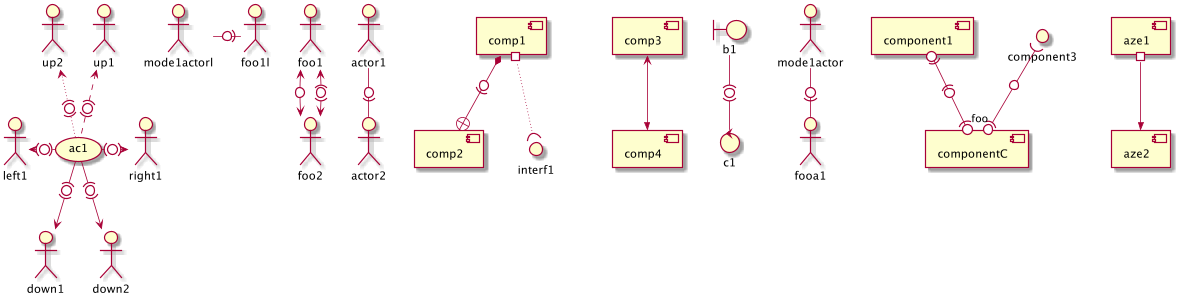
4、箭头样式
4.1、线条样式
可以明确有 bold,dashed,dotted,hidden 或 plain 箭头:
无标签:
js
@startuml
node foo
title Bracketed line style without label
foo --> bar
foo -[bold]-> bar1
foo -[dashed]-> bar2
foo -[dotted]-> bar3
foo -[hidden]-> bar4
foo -[plain]-> bar5
@enduml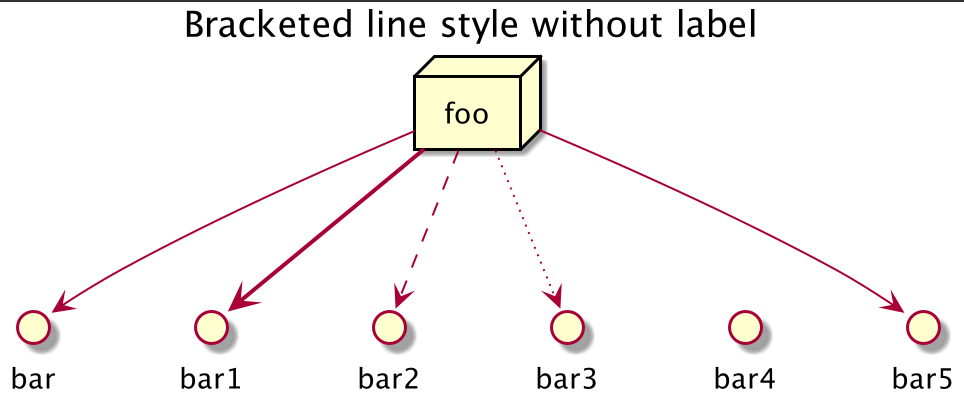
带标签:
js
@startuml
title Bracketed line style with label
node foo
foo --> bar
foo -[bold]-> bar1 : [bold]
foo -[dashed]-> bar2 : [dashed]
foo -[dotted]-> bar3 : [dotted]
foo -[hidden]-> bar4 : [hidden]
foo -[plain]-> bar5 : [plain]
@enduml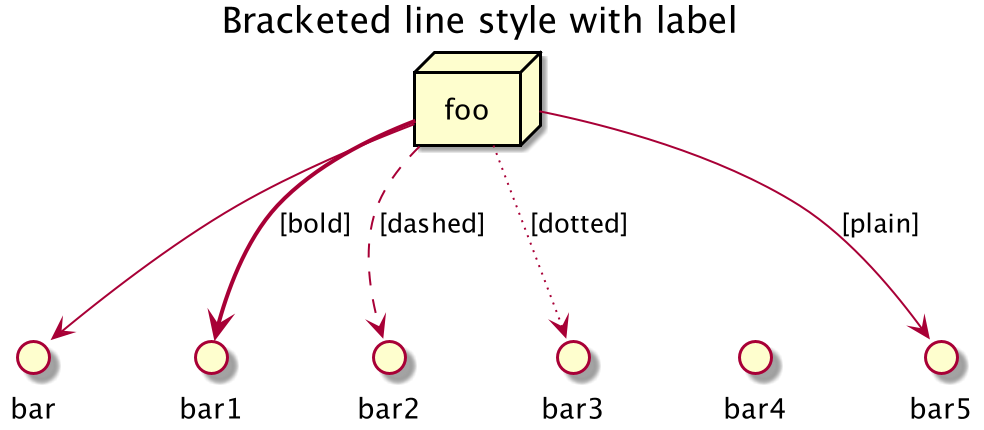
4.2、线条颜色
js
@startuml
title Bracketed line color
node foo
foo --> bar
foo -[#red]-> bar1 : [#red]
foo -[#green]-> bar2 : [#green]
foo -[#blue]-> bar3 : [#blue]
foo -[#blue;#yellow;#green]-> bar4
@enduml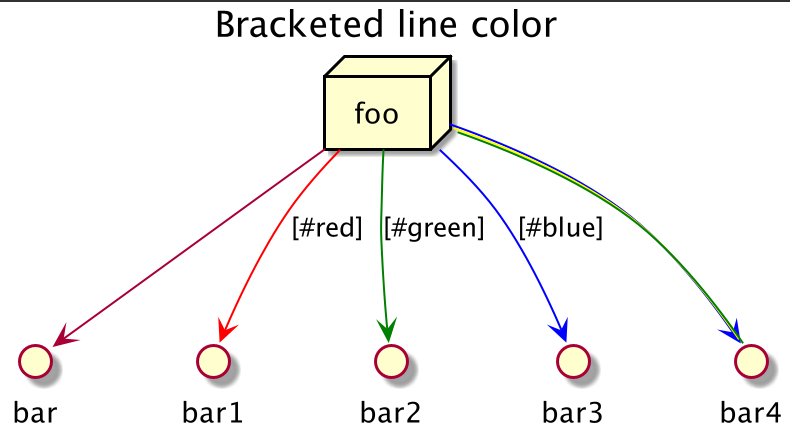
4.3、线条粗细
js
@startuml
title Bracketed line thickness
node foo
foo --> bar
foo -[thickness=1]-> bar1 : [1]
foo -[thickness=2]-> bar2 : [2]
foo -[thickness=4]-> bar3 : [4]
foo -[thickness=8]-> bar4 : [8]
foo -[thickness=16]-> bar5 : [16]
@endumll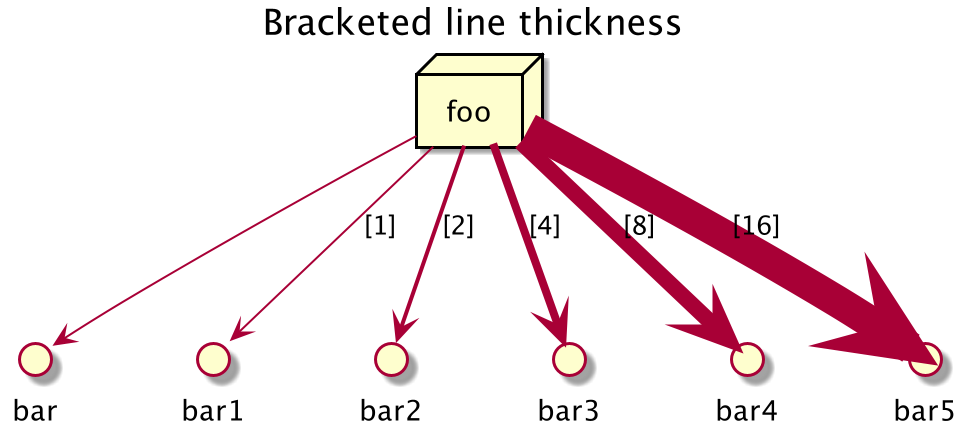
4.4、混合
js
@startuml
title Bracketed line style mix
node foo
foo --> bar
foo -[#red,thickness=1]-> bar1 : [#red,1]
foo -[#red,dashed,thickness=2]-> bar2 : [#red,dashed,2]
foo -[#green,dashed,thickness=4]-> bar3 : [#green,dashed,4]
foo -[#blue,dotted,thickness=8]-> bar4 : [blue,dotted,8]
foo -[#blue,plain,thickness=16]-> bar5 : [blue,plain,16]
foo -[#blue;#green,dashed,thickness=4]-> bar6 : [blue;green,dashed,4]
@enduml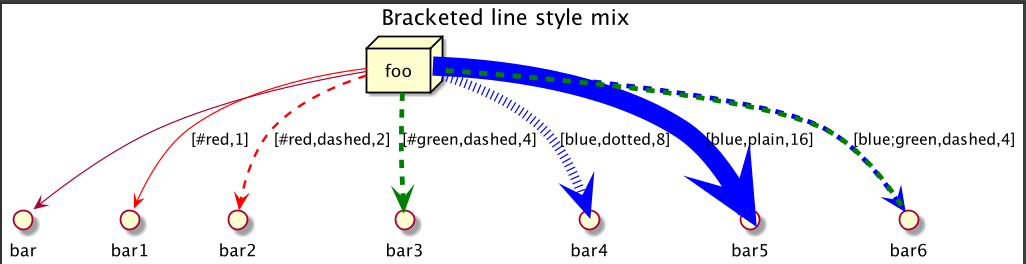
5、改变箭头的颜色和样式(内联式)
可以使用内联式以下符号改变单个箭头的颜色或样式。
#color;line.[bold|dashed|dotted];text:color
js
@startuml
node foo
foo --> bar : normal
foo --> bar1 #line:red;line.bold;text:red : red bold
foo --> bar2 #green;line.dashed;text:green : green dashed
foo --> bar3 #blue;line.dotted;text:blue : blue dotted
@enduml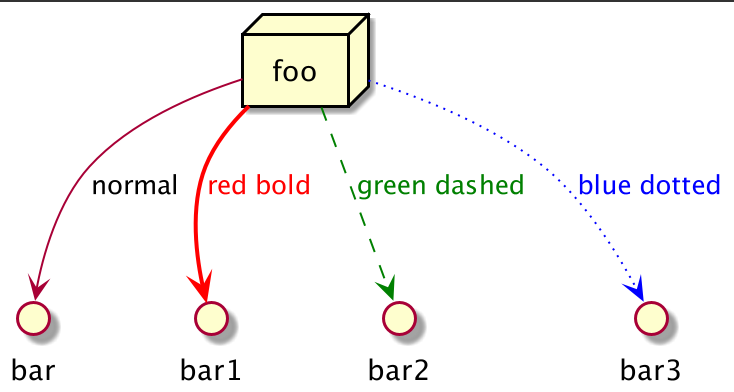
6、改变元素的颜色和样式(内联样式)
可以用以下符号改变单个元素的颜色或样式。
#[color|back:color];line:color;line.[bold|dashed|dotted];text:color
js
@startuml
agent a
cloud c #pink;line:red;line.bold;text:red
file f #palegreen;line:green;line.dashed;text:green
node n #aliceblue;line:blue;line.dotted;text:blue
@enduml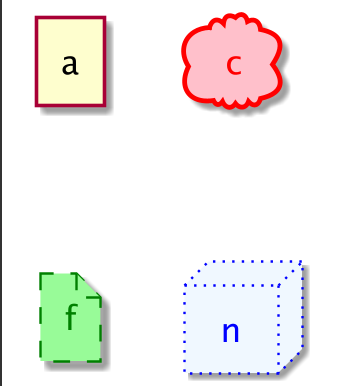
js
@startuml
agent a
cloud c #pink;line:red;line.bold;text:red [
c
cloud description
]
file f #palegreen;line:green;line.dashed;text:green {
[c1]
[c2]
}
frame frame {
node n #aliceblue;line:blue;line.dotted;text:blue
}
@enduml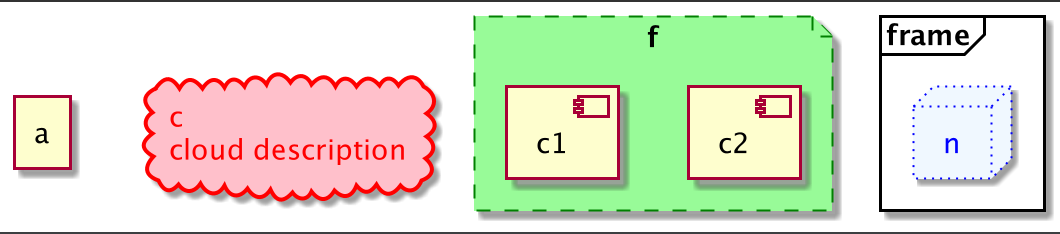
7、可嵌套的元素
js
@startuml
artifact artifact {
}
card card {
}
cloud cloud {
}
component component {
}
database database {
}
file file {
}
folder folder {
}
frame frame {
}
hexagon hexagon {
}
node node {
}
package package {
}
queue queue {
}
rectangle rectangle {
}
stack stack {
}
storage storage {
}
@enduml
8、包和嵌套元素
8.1、一层的例子
js
@startuml
artifact artifactVeryLOOOOOOOOOOOOOOOOOOOg as "artifact" {
file f1
}
card cardVeryLOOOOOOOOOOOOOOOOOOOg as "card" {
file f2
}
cloud cloudVeryLOOOOOOOOOOOOOOOOOOOg as "cloud" {
file f3
}
component componentVeryLOOOOOOOOOOOOOOOOOOOg as "component" {
file f4
}
database databaseVeryLOOOOOOOOOOOOOOOOOOOg as "database" {
file f5
}
file fileVeryLOOOOOOOOOOOOOOOOOOOg as "file" {
file f6
}
folder folderVeryLOOOOOOOOOOOOOOOOOOOg as "folder" {
file f7
}
frame frameVeryLOOOOOOOOOOOOOOOOOOOg as "frame" {
file f8
}
hexagon hexagonVeryLOOOOOOOOOOOOOOOOOOOg as "hexagon" {
file f9
}
node nodeVeryLOOOOOOOOOOOOOOOOOOOg as "node" {
file f10
}
package packageVeryLOOOOOOOOOOOOOOOOOOOg as "package" {
file f11
}
queue queueVeryLOOOOOOOOOOOOOOOOOOOg as "queue" {
file f12
}
rectangle rectangleVeryLOOOOOOOOOOOOOOOOOOOg as "rectangle" {
file f13
}
stack stackVeryLOOOOOOOOOOOOOOOOOOOg as "stack" {
file f14
}
storage storageVeryLOOOOOOOOOOOOOOOOOOOg as "storage" {
file f15
}
@enduml
8.2、其他例子
js
@startuml
artifact Foo1 {
folder Foo2
}
folder Foo3 {
artifact Foo4
}
frame Foo5 {
database Foo6
}
cloud vpc {
node ec2 {
stack stack
}
}
@enduml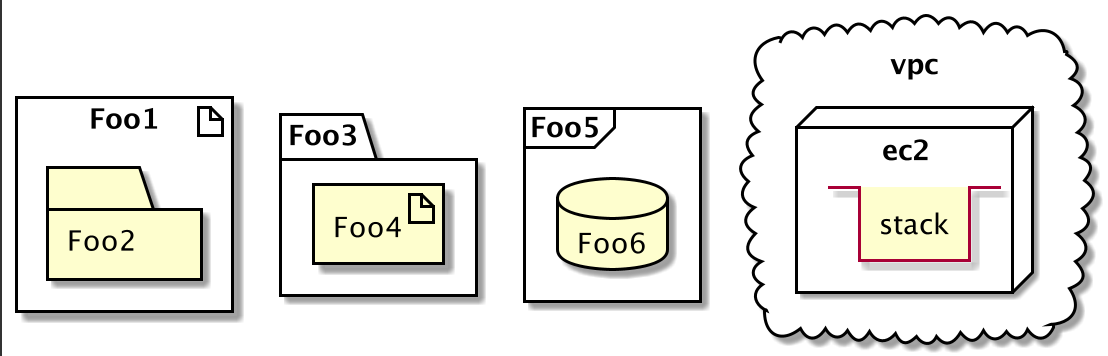
8.3、完全嵌套
- 字母顺序
js
@startuml
artifact artifact {
card card {
cloud cloud {
component component {
database database {
file file {
folder folder {
frame frame {
hexagon hexagon {
node node {
package package {
queue queue {
rectangle rectangle {
stack stack {
storage storage {
}
}
}
}
}
}
}
}
}
}
}
}
}
}
}
@enduml
9、别名
9.1、简单的别名有 as
js
@startuml
node Node1 as n1
node "Node 2" as n2
file f1 as "File 1"
cloud c1 as "this
is
a
cloud"
cloud c2 [this
is
another
cloud]
n1 -> n2
n1 --> f1
f1 -> c1
c1 -> c2
@enduml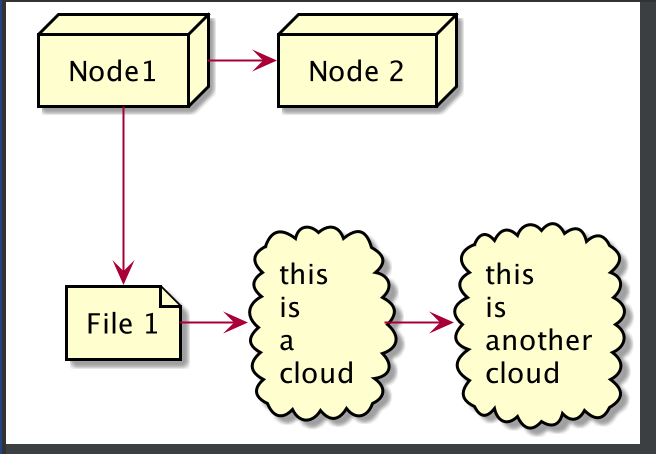
9.2、长别名的例子
js
@startuml
actor "actor" as actorVeryLOOOOOOOOOOOOOOOOOOOg
agent "agent" as agentVeryLOOOOOOOOOOOOOOOOOOOg
artifact "artifact" as artifactVeryLOOOOOOOOOOOOOOOOOOOg
boundary "boundary" as boundaryVeryLOOOOOOOOOOOOOOOOOOOg
card "card" as cardVeryLOOOOOOOOOOOOOOOOOOOg
cloud "cloud" as cloudVeryLOOOOOOOOOOOOOOOOOOOg
collections "collections" as collectionsVeryLOOOOOOOOOOOOOOOOOOOg
component "component" as componentVeryLOOOOOOOOOOOOOOOOOOOg
control "control" as controlVeryLOOOOOOOOOOOOOOOOOOOg
database "database" as databaseVeryLOOOOOOOOOOOOOOOOOOOg
entity "entity" as entityVeryLOOOOOOOOOOOOOOOOOOOg
file "file" as fileVeryLOOOOOOOOOOOOOOOOOOOg
folder "folder" as folderVeryLOOOOOOOOOOOOOOOOOOOg
frame "frame" as frameVeryLOOOOOOOOOOOOOOOOOOOg
hexagon "hexagon" as hexagonVeryLOOOOOOOOOOOOOOOOOOOg
interface "interface" as interfaceVeryLOOOOOOOOOOOOOOOOOOOg
label "label" as labelVeryLOOOOOOOOOOOOOOOOOOOg
node "node" as nodeVeryLOOOOOOOOOOOOOOOOOOOg
package "package" as packageVeryLOOOOOOOOOOOOOOOOOOOg
person "person" as personVeryLOOOOOOOOOOOOOOOOOOOg
queue "queue" as queueVeryLOOOOOOOOOOOOOOOOOOOg
stack "stack" as stackVeryLOOOOOOOOOOOOOOOOOOOg
rectangle "rectangle" as rectangleVeryLOOOOOOOOOOOOOOOOOOOg
storage "storage" as storageVeryLOOOOOOOOOOOOOOOOOOOg
usecase "usecase" as usecaseVeryLOOOOOOOOOOOOOOOOOOOg
@enduml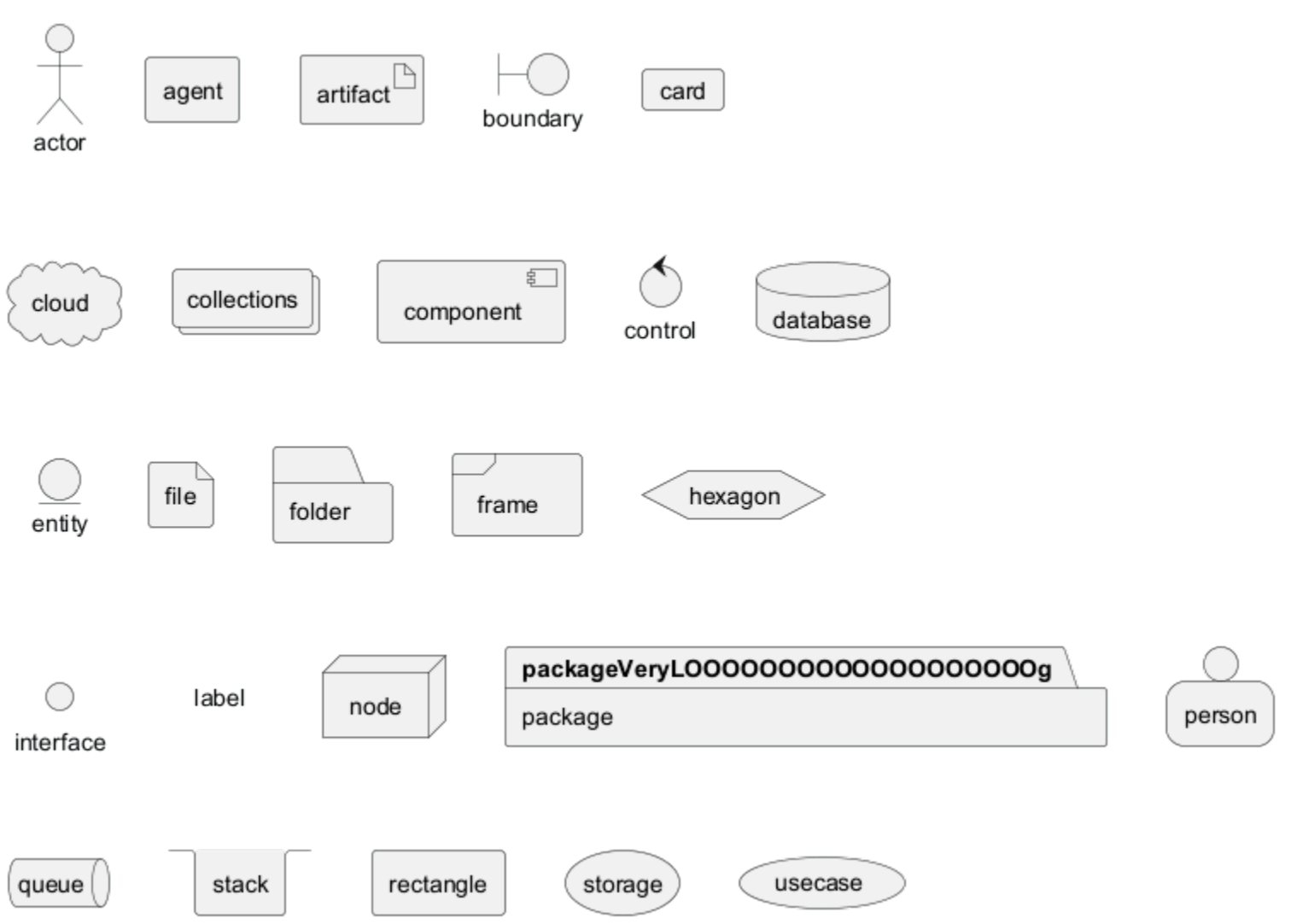
11、特定的 SkinParameter
11.1、圆角
js
@startuml
skinparam roundCorner 15
actor actor
agent agent
artifact artifact
boundary boundary
card card
circle circle
cloud cloud
collections collections
component component
control control
database database
entity entity
file file
folder folder
frame frame
hexagon hexagon
interface interface
label label
node node
package package
person person
queue queue
rectangle rectangle
stack stack
storage storage
usecase usecase
@enduml