Flink Sink负责将通过Transformation转换的数据流进行输出,Flink官方提供了内置的Sink连接器,例如:FileSink Connector、JDBCSink Connector 、KafkaSink Connector等,同时也支持自定义Sink输出,简而言之,Flink的Sink模块让用户能够轻松地将计算结果输出到各种目标位置,满足不同的业务需求。
Flink提供了容错机制,可以在各种故障情况下恢复程序执行,并通过快照机制和检查点机制实现了一致性状态更新和记录传递的保证,Flink 官方提供的Sink Connector连接器至少支持at-least-once写出语义保证,具体的保证语义取决于所使用的Sink Connector连接器,例如FileSink、KafkaSink都支持exactly-once写出语义。
关于Flink状态和容错内容参考后续状态和容错章节。
FileSink
Flink1.12版本之前将数据流实时写入到文件中可以通过StreamFileSink对象来完成,Flink1.12版本之后官方建议使用FileSink对象批或者流数据写出到文件,该对象实现了两阶段提交,可以保证数据以exactly-once语义写出到外部文件。
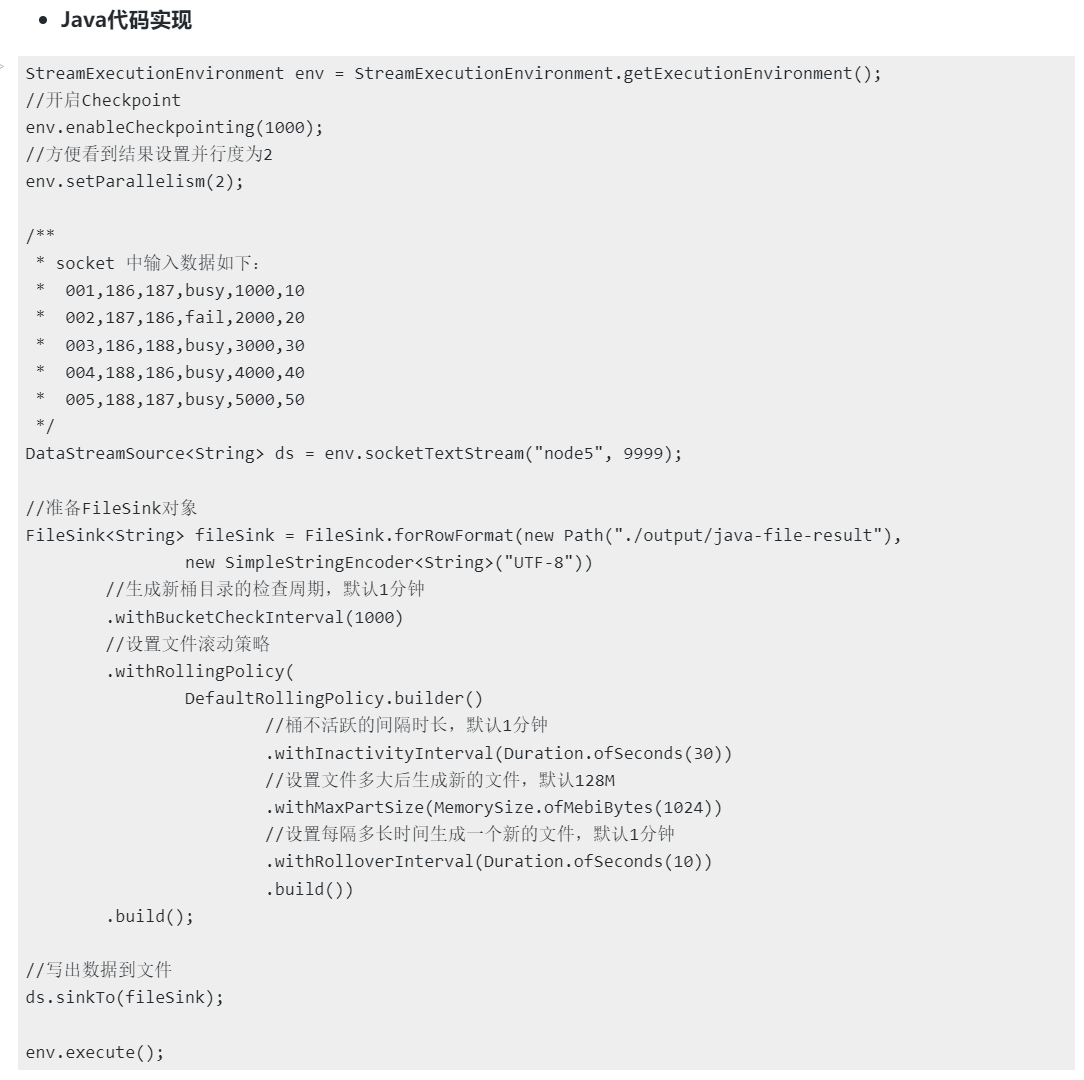
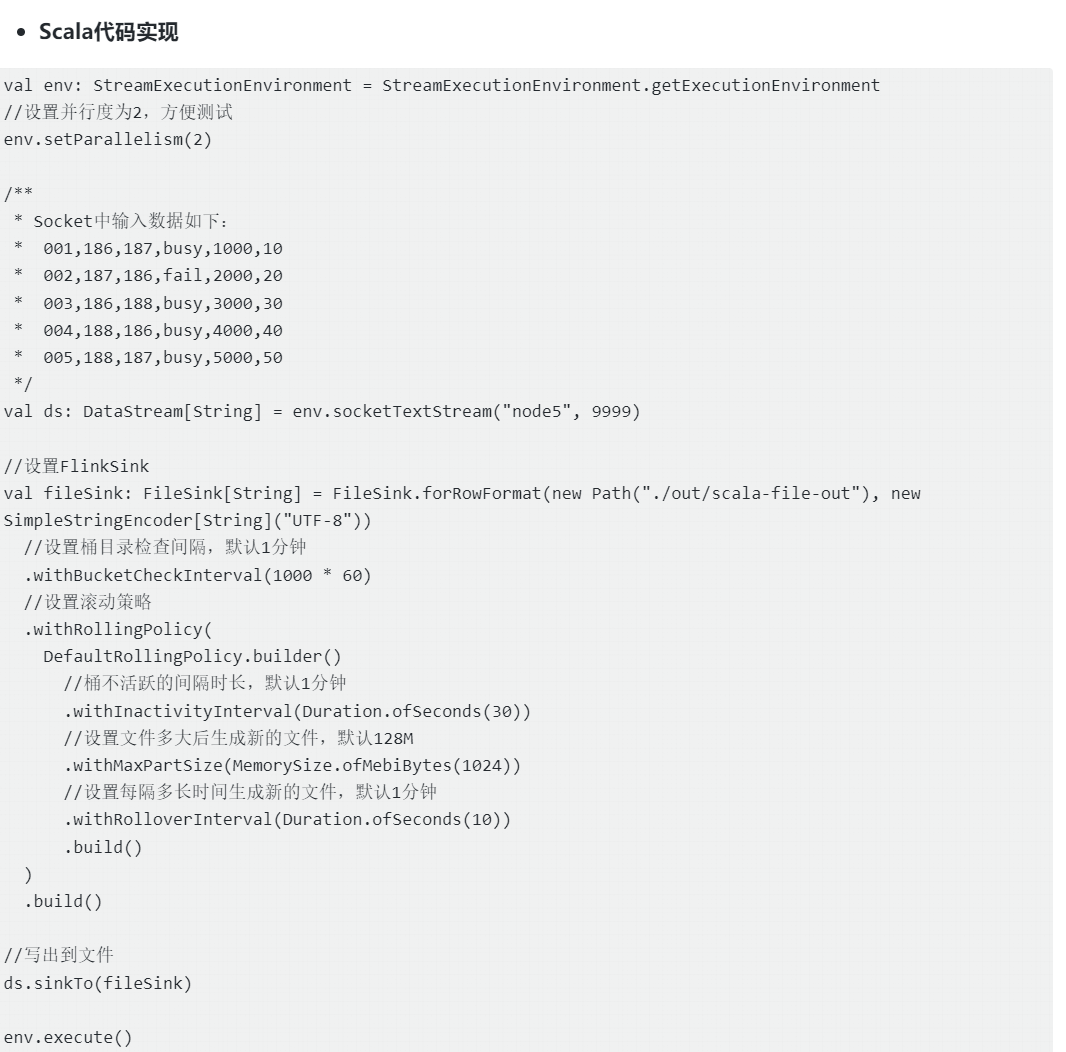
将Flink 处理后的数据写入文件目录中,需注意:
* Flink数据写入HDFS中会以 "yyyy-MM-dd--HH" 的时间格式给每个目录命名,每个目录也叫一个桶。默认每小时产生一个桶,目录下包含了一些文件, 每个 sink 的并发实例都会创建一个属于自己的部分文件,当这些文件太大的时候,sink 会根据设置产生新的部分文件。当一个桶不再活跃时,打开的部分文件会刷盘并且关闭(即:将sink数据写入磁盘,并关闭文件),当再次写入数据会创建新的文件。
* 生成新的桶目录及桶内文件检查周期是 withBucketCheckInterval(1000) 默认是一分钟。
* 在桶内生成新的文件规则,以下条件满足一个就会生成新的文件
* withInactivityInterval :桶不活跃的间隔时长,如果一个桶最近一段时间都没有写入,那么这个桶被认为是不活跃的,sink 默认会每分钟检查不活跃的桶、关闭那些超过一分钟没有数据写入的桶。【即:桶内的当下文件如果一分钟没有写入数据就会自动关闭,再次写入数据时,生成新的文件】
* withMaxPartSize : 设置文件多大后生成新的文件,默认128M。
* withRolloverInterval :每隔多长时间生成一个新的文件,默认1分钟。
* 在Flink流数据写出到文件时需要开启checkpoint,否则不能保证数据exactly-once写出语义。Flink checkpoint主要用于状态存储和容错,关于checkpoint更多细节参考状态章节。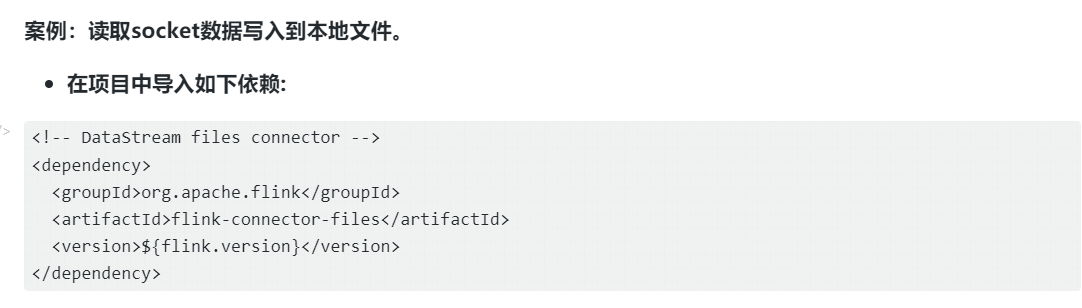
JdbcSink
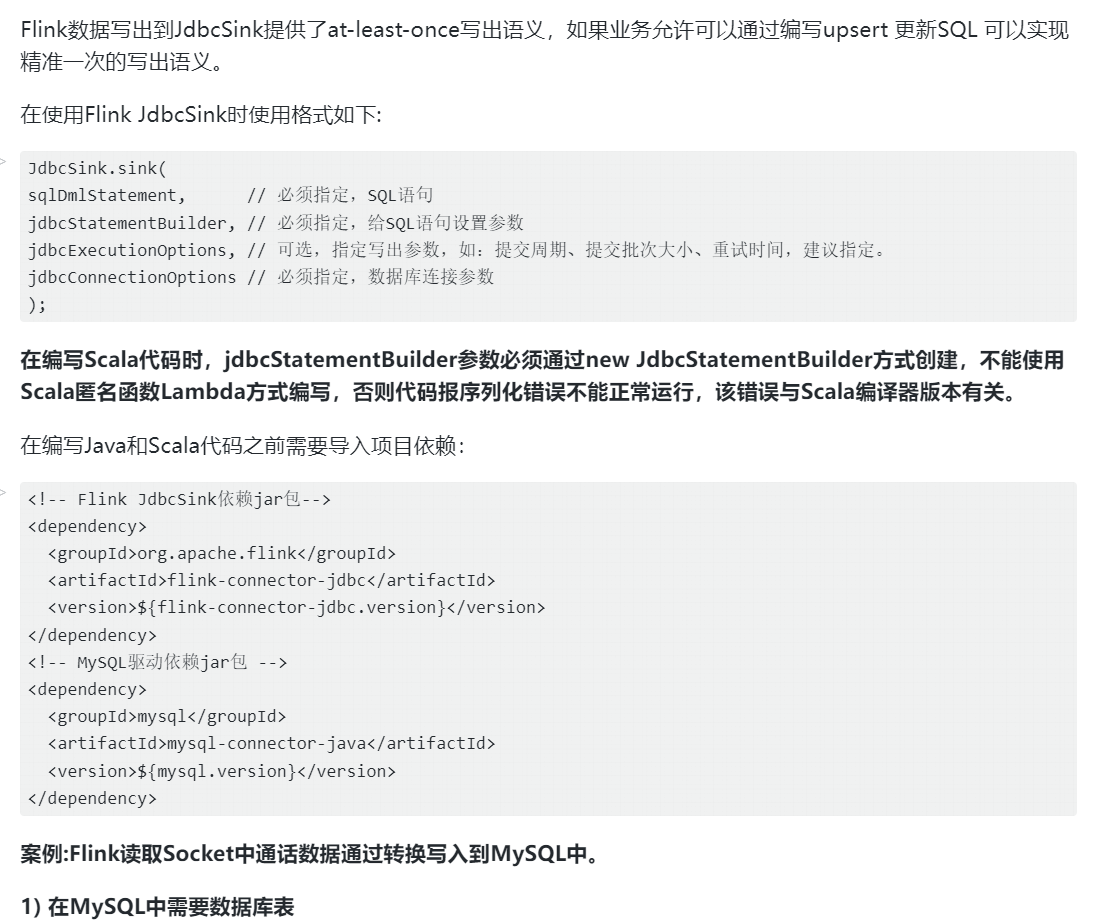
Flink的JdbcSink是用于将数据写入关系型数据库的输出组件,它支持灵活的配置和可靠的事务处理,包括批量写入和并行写入功能。用户可以自定义数据转换逻辑,并通过提供数据库连接信息和SQL语句来指定目标表和插入操作。
JdbcSink提供了高性能和可靠的方式,将流处理作业的结果或数据持久化到数据库中,它支持at-least-once和exactly-once语义,确保数据被准确写入数据库一次,避免重复写入或数据丢失的问题。
at-least-once语义
- 编写代码
Java代码实现
java
StreamExecutionEnvironment env = StreamExecutionEnvironment.getExecutionEnvironment();

        /**
         * socket 中输入数据如下:
         * 001,186,187,busy,1000,10
         * 002,187,186,fail,2000,20
         * 003,186,188,busy,3000,30
         * 004,188,186,busy,4000,40
         * 005,188,187,busy,5000,50
         */
        SingleOutputStreamOperator<StationLog> ds = env.socketTextStream("node5", 9999)
                .map(one -> {
                    String[] arr = one.split(",");
                    return new StationLog(arr[0], arr[1], arr[2], arr[3], Long.valueOf(arr[4]), Long.valueOf(arr[5]));
                });

        /**
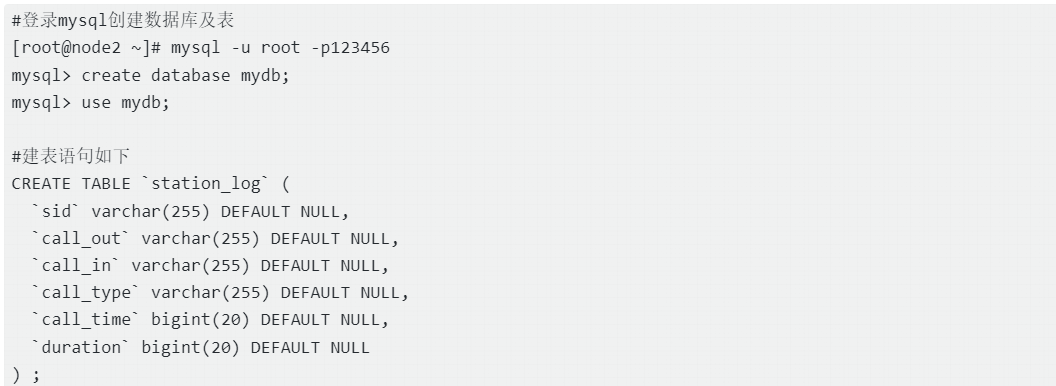
         * mysql中创建的station_log 表结构如下;
         *
         * CREATE TABLE `station_log` (
         *   `sid` varchar(255) DEFAULT NULL,
         *   `call_out` varchar(255) DEFAULT NULL,
         *   `call_in` varchar(255) DEFAULT NULL,
         *   `call_type` varchar(255) DEFAULT NULL,
         *   `call_time` bigint(20) DEFAULT NULL,
         *   `duration` bigint(20) DEFAULT NULL
         * ) ;
         */

        //准备JDBC Sink对象
//        SinkFunction<StationLog> jdbcSink = JdbcSink.sink(
//                "insert into station_log(sid,call_out,call_in,call_type,call_time,duration) values(?,?,?,?,?,?)",
//                new JdbcStatementBuilder<StationLog>() {
//                    @Override
//                    public void accept(PreparedStatement pst, StationLog stationLog) throws SQLException {
//                        pst.setString(1, stationLog.getSid());
//                        pst.setString(2, stationLog.getCallOut());
//                        pst.setString(3, stationLog.getCallIn());
//                        pst.setString(4, stationLog.getCallType());
//                        pst.setLong(5, stationLog.getCallTime());
//                        pst.setLong(6, stationLog.getDuration());
//                    }
//                },
//                JdbcExecutionOptions.builder()
//                        //批次提交大小,默认500
//                        .withBatchSize(1000)
//                        //批次提交间隔间隔时间,默认0,即批次大小满足后提交
//                        .withBatchIntervalMs(1000)
//                        //最大重试次数,默认3
//                        .withMaxRetries(5)
//                        .build()
//                ,
//                new JdbcConnectionOptions.JdbcConnectionOptionsBuilder()
//                        //mysql8.0版本使用com.mysql.cj.jdbc.Driver
//                        .withUrl("jdbc:mysql://node2:3306/mydb?useSSL=false")
//                        .withDriverName("com.mysql.jdbc.Driver")
//                        .withUsername("root")
//                        .withPassword("123456")
//                        .build()
//        );

        SinkFunction<StationLog> jdbcSink = JdbcSink.sink(
                "insert into station_log(sid,call_out,call_in,call_type,call_time,duration) values(?,?,?,?,?,?)",
                (PreparedStatement pst, StationLog stationLog) -> {
                    pst.setString(1, stationLog.getSid());
                    pst.setString(2, stationLog.getCallOut());
                    pst.setString(3, stationLog.getCallIn());
                    pst.setString(4, stationLog.getCallType());
                    pst.setLong(5, stationLog.getCallTime());
                    pst.setLong(6, stationLog.getDuration());
                },

                JdbcExecutionOptions.builder()
                        //批次提交大小,默认500
                        .withBatchSize(1000)
                        //批次提交间隔间隔时间,默认0,即批次大小满足后提交
                        .withBatchIntervalMs(0)
                        //最大重试次数,默认3
                        .withMaxRetries(5)
                        .build(),
                new JdbcConnectionOptions.JdbcConnectionOptionsBuilder()
                        //mysql8.0版本使用com.mysql.cj.jdbc.Driver
                        .withUrl("jdbc:mysql://node2:3306/mydb?useSSL=false")
                        .withDriverName("com.mysql.jdbc.Driver")
                        .withUsername("root")
                        .withPassword("123456")
                        .build()
        );

        //将数据写入到mysql中
        ds.addSink(jdbcSink);

        env.execute();
注意:以上Java代码StationLog对象需要对各属性实现getter、setter方法。
Scala代码实现
java
val env: StreamExecutionEnvironment = StreamExecutionEnvironment.getExecutionEnvironment
//导入隐式转换
import org.apache.flink.streaming.api.scala._

/**
 * Socket中输入数据如下:
 * 001,186,187,busy,1000,10
 * 002,187,186,fail,2000,20
 * 003,186,188,busy,3000,30
 * 004,188,186,busy,4000,40
 * 005,188,187,busy,5000,50
 */
val ds: DataStream[StationLog] = env.socketTextStream("node5", 9999)
  .map(line => {
    val arr: Array[String] = line.split(",")
    StationLog(arr(0).trim, arr(1).trim, arr(2).trim, arr(3).trim, arr(4).trim.toLong, arr(5).trim.toLong)
  })

//准备Flink JdbcSink
val jdbcSink: SinkFunction[StationLog] = JdbcSink.sink(
  "insert into station_log(sid,call_out,call_in,call_type,call_time,duration) values(?,?,?,?,?,?)",
  //这里不能使用箭头函数,否则会报:The implementation of the RichOutputFormat is not serializable. The object probably contains or references non serializable fields.
  new JdbcStatementBuilder[StationLog] {
    override def accept(pst: PreparedStatement, stationLog: StationLog): Unit = {
      pst.setString(1, stationLog.sid)
      pst.setString(2, stationLog.callOut)
      pst.setString(3, stationLog.callIn)
      pst.setString(4, stationLog.callType)
      pst.setLong(5, stationLog.callTime)
      pst.setLong(6, stationLog.duration)
    }
  },
  JdbcExecutionOptions.builder()
    //设置批次大小,默认5000
    .withBatchSize(1000)
    //批次提交间隔间隔时间,默认0,即批次大小满足后提交
    .withBatchIntervalMs(200)
    //设置最大重试次数,默认3
    .withMaxRetries(5)
    .build(),
  new JdbcConnectionOptions.JdbcConnectionOptionsBuilder()
    .withUrl("jdbc:mysql://node2:3306/mydb?useSSL=false")
    .withDriverName("com.mysql.jdbc.Driver")
    .withUsername("root")
    .withPassword("123456")
    .build()
)

//数据写出到MySQL
ds.addSink(jdbcSink)

env.execute()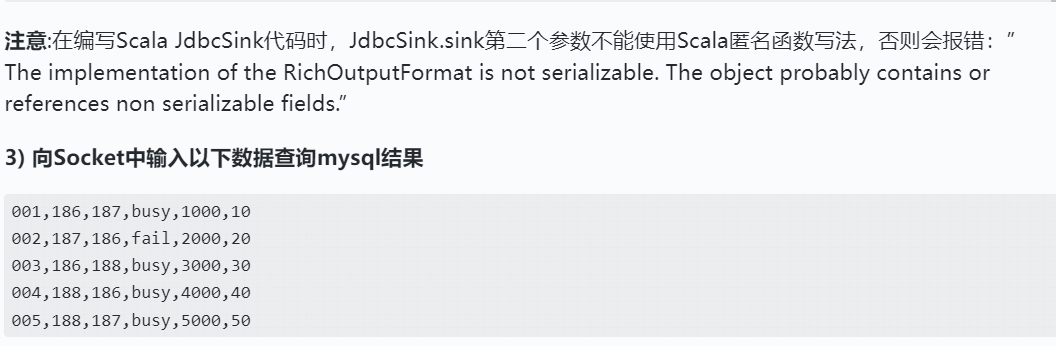
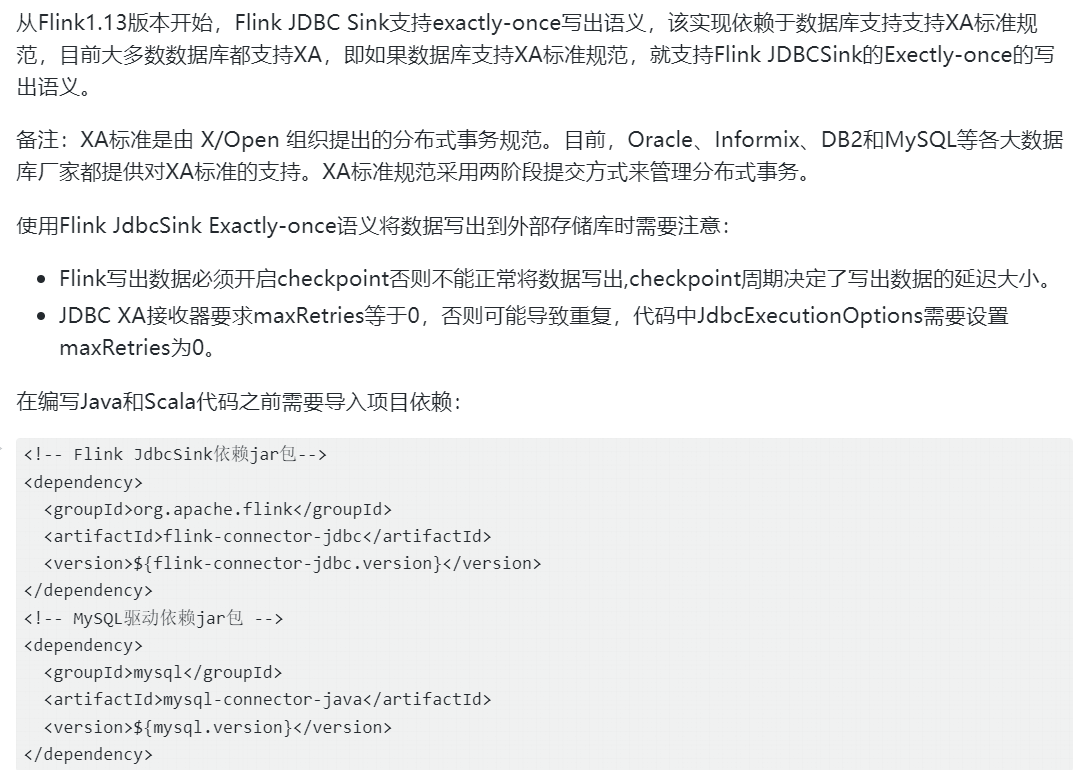
exactly-once语义
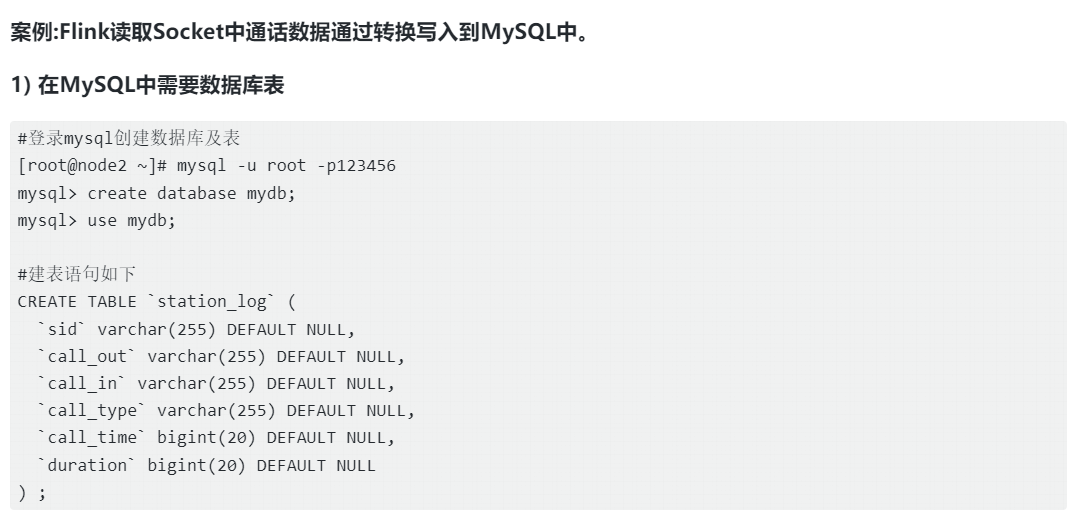 2) 编写代码
Java代码实现
java
StreamExecutionEnvironment env = StreamExecutionEnvironment.getExecutionEnvironment();
        //必须设置checkpoint,否则数据不能正常写出到mysql
        env.enableCheckpointing(5000);
        /**
         * socket 中输入数据如下:
         * 001,186,187,busy,1000,10
         * 002,187,186,fail,2000,20
         * 003,186,188,busy,3000,30
         * 004,188,186,busy,4000,40
         * 005,188,187,busy,5000,50
         */
        SingleOutputStreamOperator<StationLog> ds = env.socketTextStream("node5", 9999)
                .map(one -> {
                    String[] arr = one.split(",");
                    return new StationLog(arr[0], arr[1], arr[2], arr[3], Long.valueOf(arr[4]), Long.valueOf(arr[5]));
                });

        //设置JdbcSink ExactlyOnce 对象
        SinkFunction<StationLog> jdbcExactlyOnceSink = JdbcSink.exactlyOnceSink(
                "insert into station_log(sid,call_out,call_in,call_type,call_time,duration) values(?,?,?,?,?,?)",
                (PreparedStatement pst, StationLog stationLog) -> {
                    pst.setString(1, stationLog.getSid());
                    pst.setString(2, stationLog.getCallOut());
                    pst.setString(3, stationLog.getCallIn());
                    pst.setString(4, stationLog.getCallType());
                    pst.setLong(5, stationLog.getCallTime());
                    pst.setLong(6, stationLog.getDuration());
                },
                JdbcExecutionOptions.builder()
                        //批次提交大小,默认500
                        .withBatchSize(1000)
                        //批次提交间隔间隔时间,默认0,即批次大小满足后提交
                        .withBatchIntervalMs(1000)
                        //最大重试次数,默认3,JDBC XA接收器要求maxRetries等于0,否则可能导致重复。
                        .withMaxRetries(0)
                        .build(),
                JdbcExactlyOnceOptions.builder()
                        //只允许每个连接有一个 XA 事务
                        .withTransactionPerConnection(true)
                        .build(),
//                //创建XA DataSource对象
//                new SerializableSupplier<XADataSource>() {
//                    @Override
//                    public XADataSource get() {
//                        MysqlXADataSource xaDataSource = new com.mysql.jdbc.jdbc2.optional.MysqlXADataSource();
//                        xaDataSource.setUrl("jdbc:mysql://node2:3306/mydb?useSSL=false");
//                        xaDataSource.setUser("root");
//                        xaDataSource.setPassword("123456");
//                        return xaDataSource;
//                    }
//                }
                //创建XA DataSource对象也可以使用lambda表达式
                () -> {
                    MysqlXADataSource xaDataSource = new MysqlXADataSource();
                    xaDataSource.setUrl("jdbc:mysql://node2:3306/mydb?useSSL=false");
                    xaDataSource.setUser("root");
                    xaDataSource.setPassword("123456");
                    return xaDataSource;
                }

        );

        //数据写出到mysql
        ds.addSink(jdbcExactlyOnceSink);

        env.execute();
Scala代码实现
java
val env: StreamExecutionEnvironment = StreamExecutionEnvironment.getExecutionEnvironment
//导入隐式转换
import org.apache.flink.streaming.api.scala._
//必须设置checkpoint,否则数据不能写入mysql
env.enableCheckpointing(5000)

/**
 * Socket中输入数据如下:
 * 001,186,187,busy,1000,10
 * 002,187,186,fail,2000,20
 * 003,186,188,busy,3000,30
 * 004,188,186,busy,4000,40
 * 005,188,187,busy,5000,50
 */
val ds: DataStream[StationLog] = env.socketTextStream("node5", 9999)
  .map(line => {
    val arr: Array[String] = line.split(",")
    StationLog(arr(0).trim, arr(1).trim, arr(2).trim, arr(3).trim, arr(4).trim.toLong, arr(5).trim.toLong)
  })

//准备Flink JdbcSink ExactlyOnce方式
// 注意:这里的JdbcSink不能使用JdbcSink.sink,而是使用JdbcSink.exactlyOnceSink
val JdbcExactlyOnceSink: SinkFunction[StationLog] = JdbcSink.exactlyOnceSink(
  "insert into station_log(sid,call_out,call_in,call_type,call_time,duration) values(?,?,?,?,?,?)",
  //这里不能使用箭头函数,否则会报:The implementation of the RichOutputFormat is not serializable. The object probably contains or references non serializable fields.
  new JdbcStatementBuilder[StationLog] {
    override def accept(pst: PreparedStatement, stationLog: StationLog): Unit = {
      pst.setString(1, stationLog.sid)
      pst.setString(2, stationLog.callOut)
      pst.setString(3, stationLog.callIn)
      pst.setString(4, stationLog.callType)
      pst.setLong(5, stationLog.callTime)
      pst.setLong(6, stationLog.duration)
    }
  },
  JdbcExecutionOptions.builder
    //批次提交大小,默认500
    .withBatchSize(1000)
    //批次提交间隔间隔时间,默认0,即批次大小满足后提交
    .withBatchIntervalMs(1000)
    //最大重试次数,默认3,JDBC XA接收器要求maxRetries等于0,否则可能导致重复。
    .withMaxRetries(0)
    .build(),
  JdbcExactlyOnceOptions.builder
    //只允许每个连接有一个 XA 事务
    .withTransactionPerConnection(true)
    .build(),
  //该方法必须new 方式,否则会报错The implementation of the XaFacade is not serializable. The object probably contains or references non serializable fields.
  new SerializableSupplier[XADataSource] {
    override def get(): XADataSource = {
      val xaDataSource = new MysqlXADataSource
      xaDataSource.setUrl("jdbc:mysql://node2:3306/mydb?useSSL=false")
      xaDataSource.setUser("root")
      xaDataSource.setPassword("123456")
      xaDataSource
    }
  }
)

//将数据写入到JdbcSink
ds.addSink(JdbcExactlyOnceSink)
env.execute()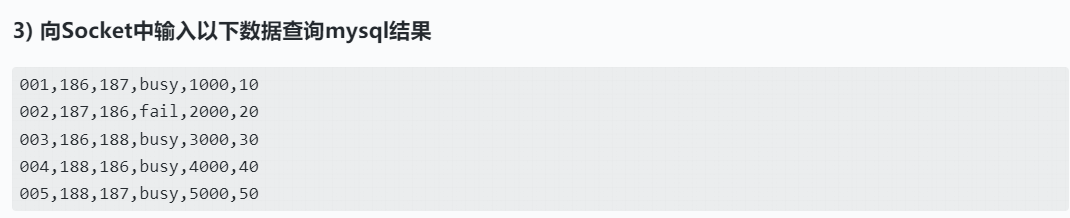
KafkaSink
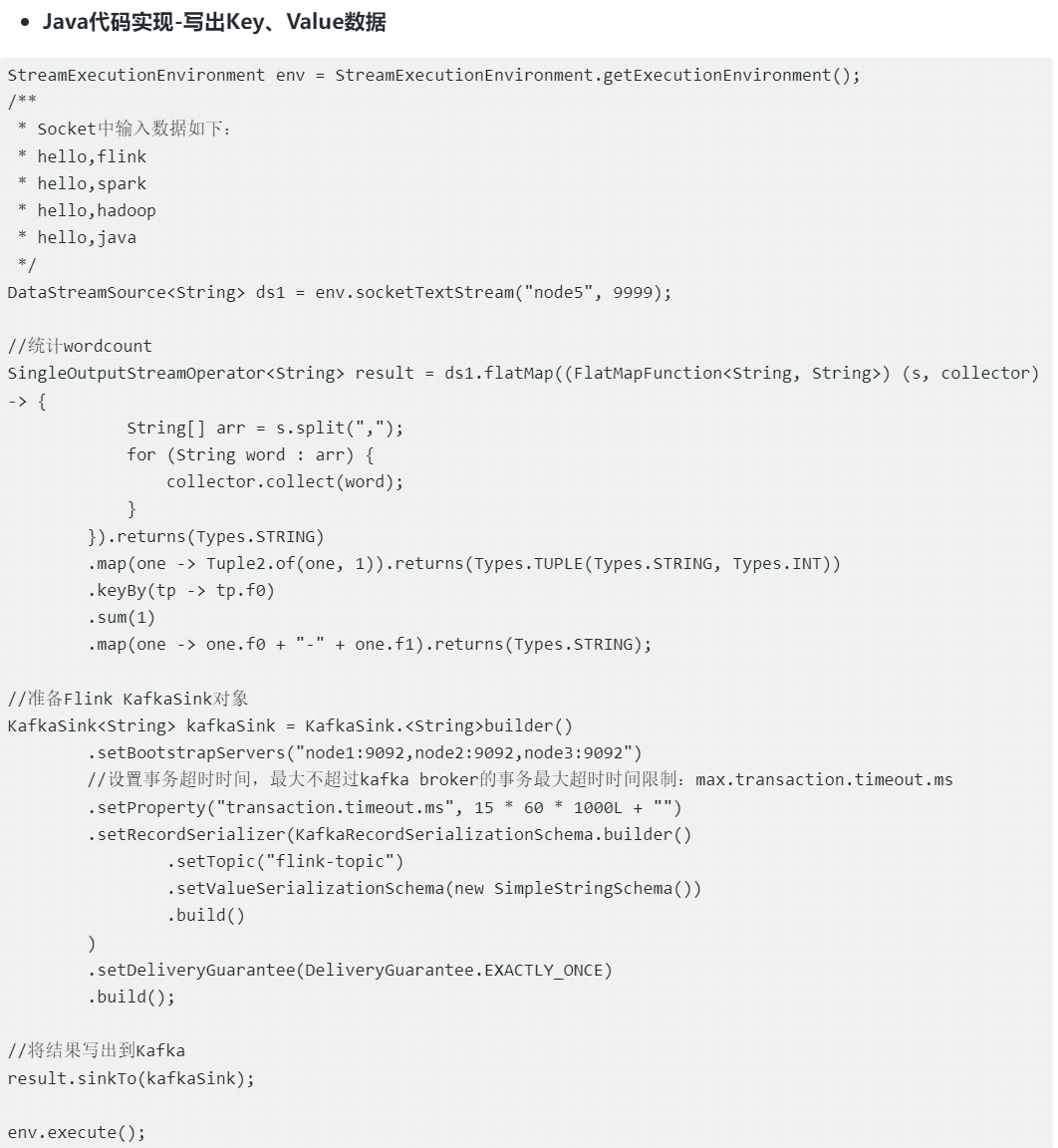
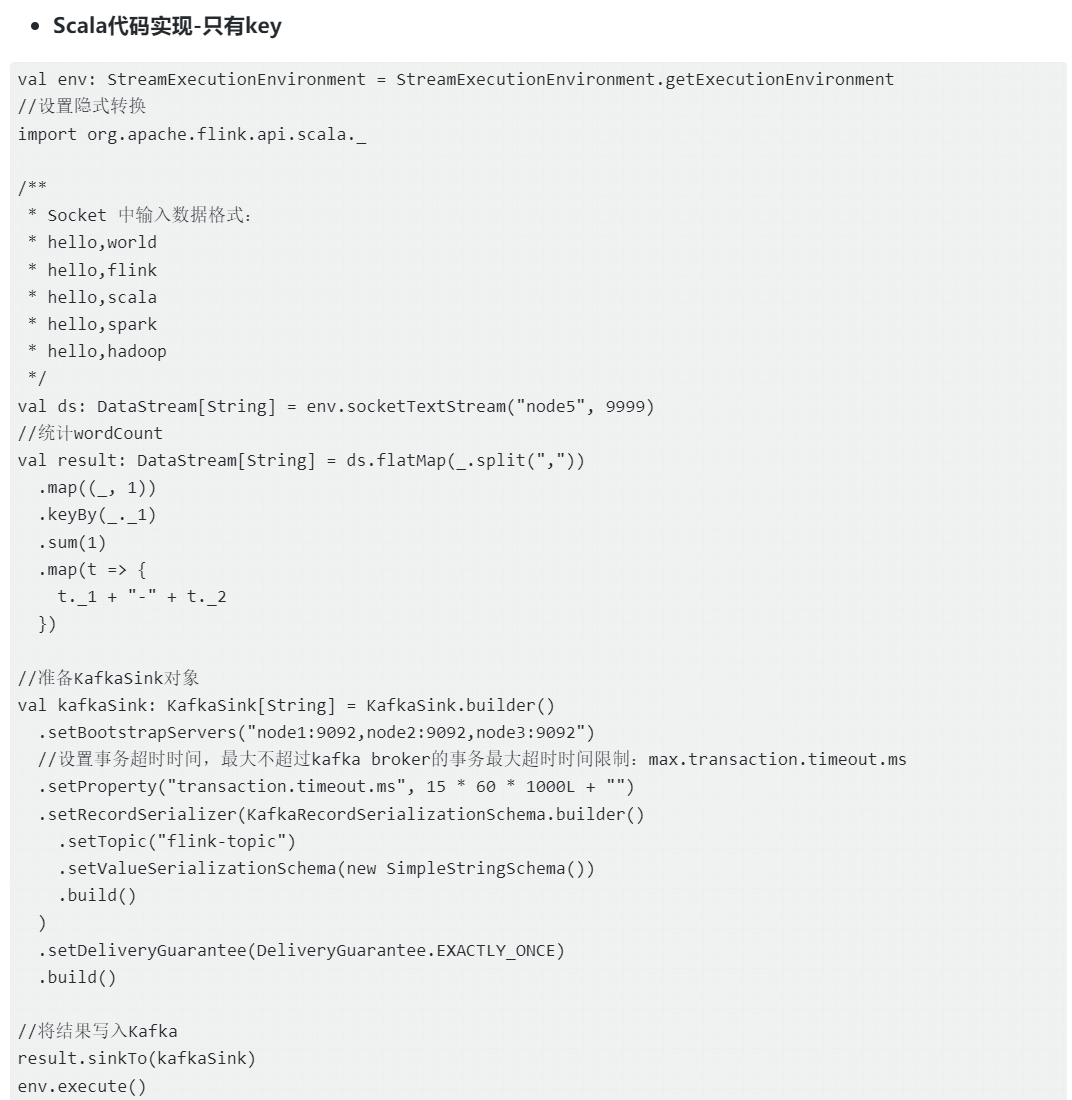
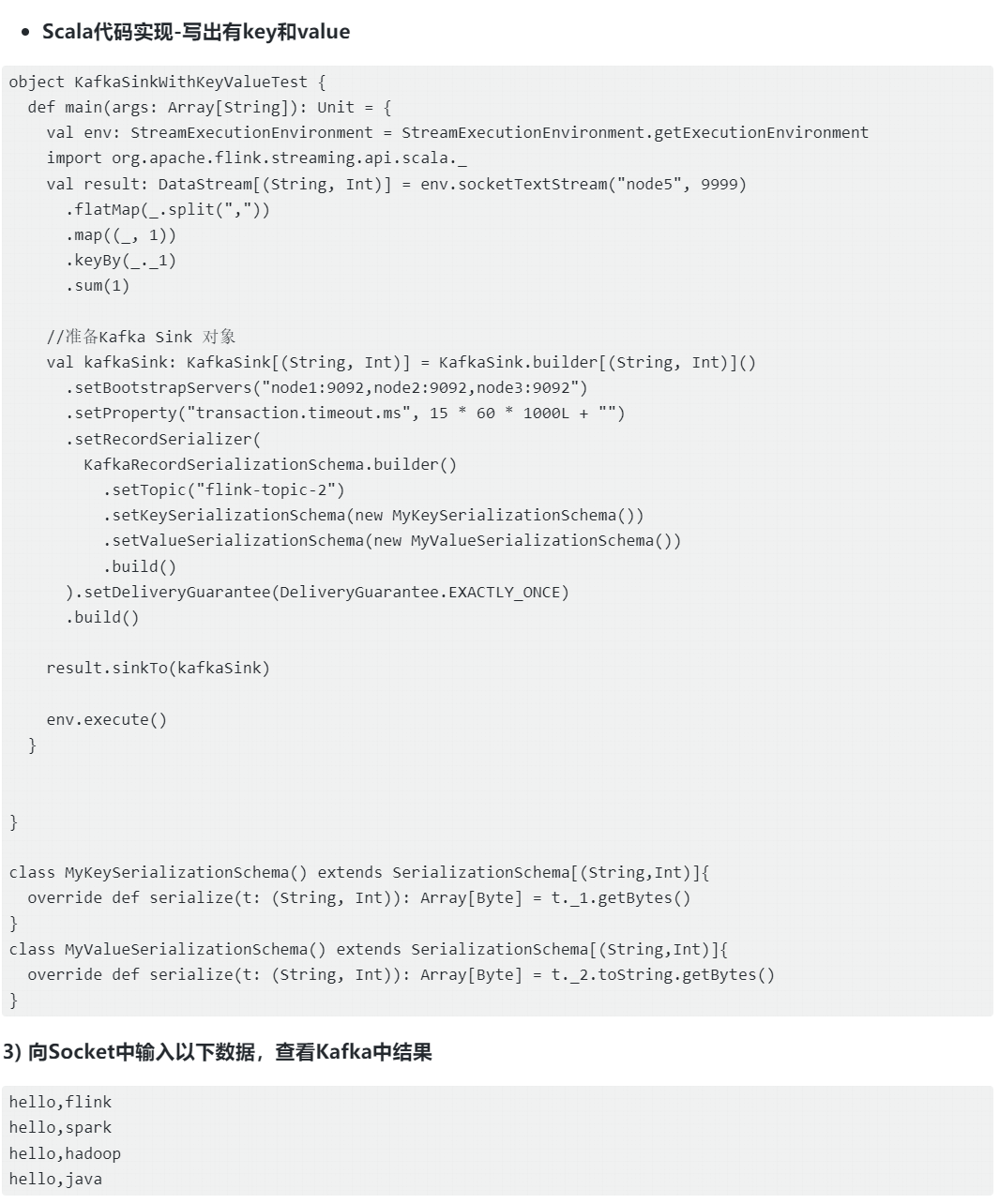
Flink的KafkaSink是将数据写入Kafka消息队列的可靠且高性能的输出组件,在大数据实时处理场景中,经过Flink处理分析后的数据写入到Kafka也是常见的场景,KafkaSink保证写出到Kafka数据的至少一次(at-least-once)和精确一次(exactly-once)语义,确保数据被准确地写入Kafka,避免重复写入或数据丢失。
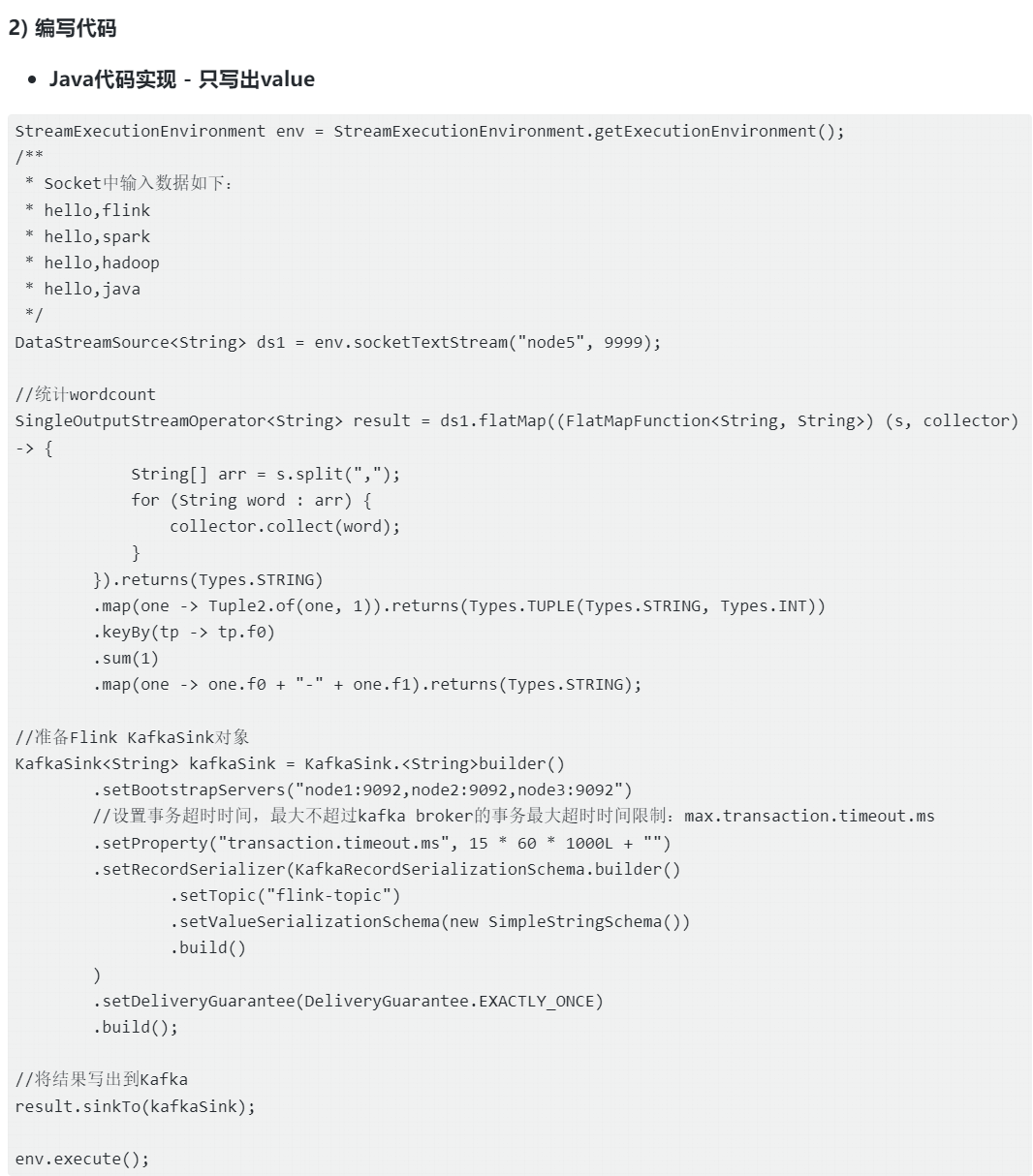
当然,在实际工作中我们希望Flink程序重启恢复后以exactly-once的方式继续将数据写出到Kafka中,下面我们以exactly-once方式写出到Kafka为例来演示KafkaSink的使用方式,关于Flink写入Kafka at-least-once和exactly-once的原理,可以参考后续状态章节介绍。
在使用exactly-once语义向Kafka中写入数据时,需要调整transaction.timeout.ms参数值,该参数值表示生产者向Kafka写入数据时的事务超时时间,该值在Flink写入Kafka时默认为3600000ms=1小时。但在Kafka broker中producer生产者事务超时最大时间(transaction.max.timeout.ms)不允许超过15分钟,所以需要在代码中设置transaction.timeout.ms值在15分钟以下,需要否则会报错:Unexpected error in InitProducerIdResponse; The transaction timeout is larger than the maximum value allowed by the broker (as configured by transaction.max.timeout.ms)
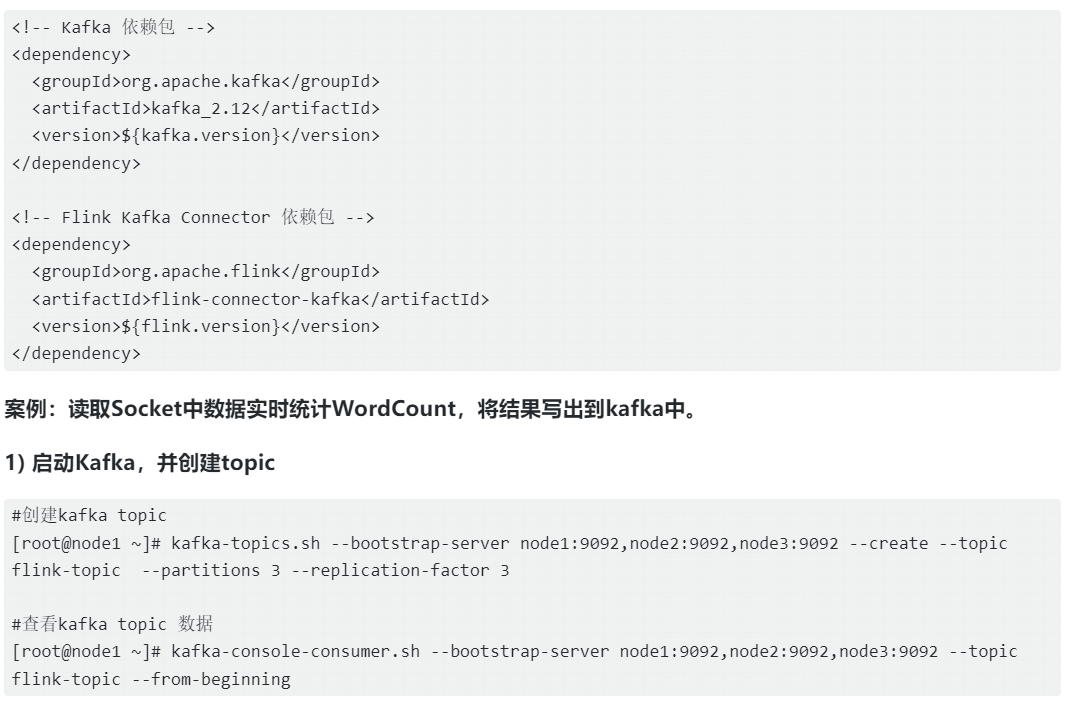
在编写Java或者Scala代码时,需要在项目中引入如下依赖:
RedisSink
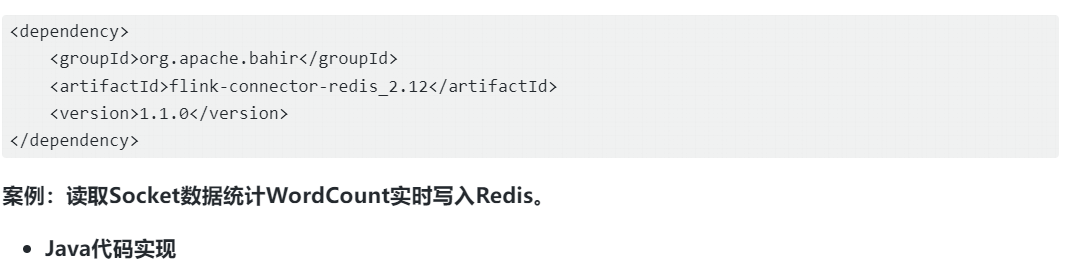
Flink官方没有直接提供RedisSink连接器而是通过Apache Bahir项目提供的一个附加的流式连接器:Redis Connector,该连接器用于Apache Flink和Redis之间的数据交互。
注:Apache Bahir是一个扩展项目,旨在为Apache Flink提供额外的流式连接器。这些连接器可以扩展Flink的功能,使其能够与不同的数据源和数据接收器进行无缝集成,其中之一就是Flink RedisConnector。
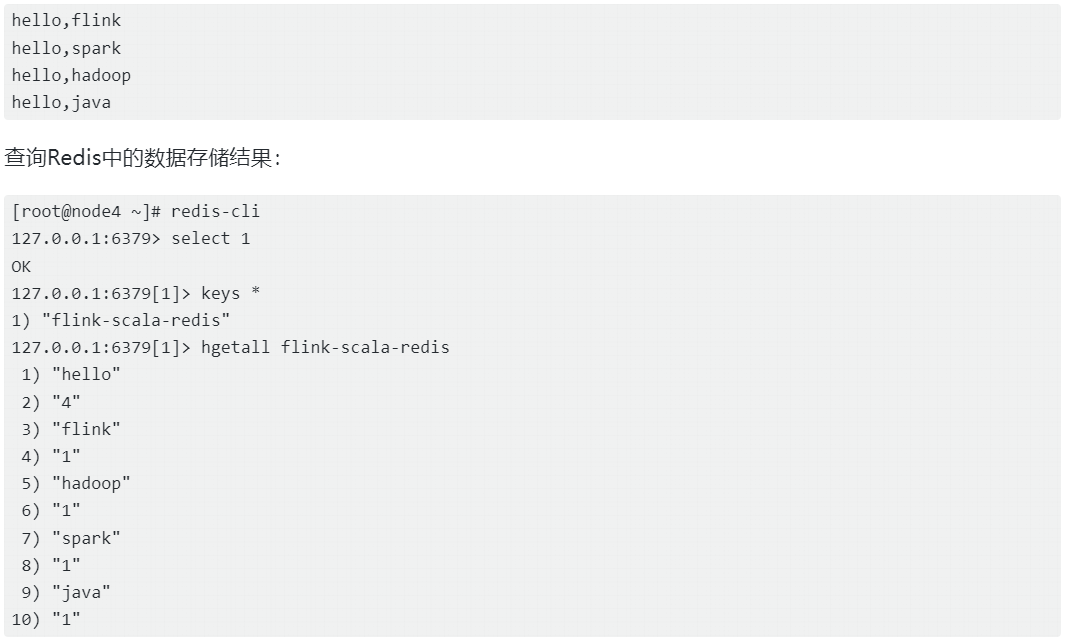
目前Flink RedisConnector仅支持at-least-once语义,我们可以借助Redis数据存储特性可以实现exactly-once语义,例如:利用Redis的Hash结构key不能重复的特性来实现exactly-once语义,将Flink处理的数据流写入到Redis中,在编写代码之前需要在项目中导入如下依赖:
java
StreamExecutionEnvironment env = StreamExecutionEnvironment.getExecutionEnvironment();
/**
 * Socket中输入数据如下:
 * hello,flink
 * hello,spark
 * hello,hadoop
 * hello,java
 */
DataStreamSource<String> ds1 = env.socketTextStream("node5", 9999);

//统计wordcount
SingleOutputStreamOperator<Tuple2<String, Integer>> result = ds1.flatMap((FlatMapFunction<String, String>) (s, collector) -> {
            String[] arr = s.split(",");
            for (String word : arr) {
                collector.collect(word);
            }
        }).returns(Types.STRING)
        .map(one -> Tuple2.of(one, 1)).returns(Types.TUPLE(Types.STRING, Types.INT))
        .keyBy(tp -> tp.f0)
        .sum(1);

//准备RedisSink对象
FlinkJedisPoolConfig conf = new FlinkJedisPoolConfig.Builder()
        .setHost("node4")
        .setPort(6379)
        .setDatabase(1)
        .build();

RedisSink<Tuple2<String, Integer>> redisSink = new RedisSink<>(conf, new RedisMapper<Tuple2<String, Integer>>() {
    @Override
    public RedisCommandDescription getCommandDescription() {
        //指定Redis命令描述,不需预先创建Redis表
        return new RedisCommandDescription(RedisCommand.HSET, "flink-java-redis");
    }

    @Override
    public String getKeyFromData(Tuple2<String, Integer> tp) {
        //指定Redis Key
        return tp.f0;
    }

    @Override
    public String getValueFromData(Tuple2<String, Integer> tp) {
        //指定Redis Value
        return tp.f1 + "";
    }
});

//将结果写入Redis
result.addSink(redisSink);
env.execute();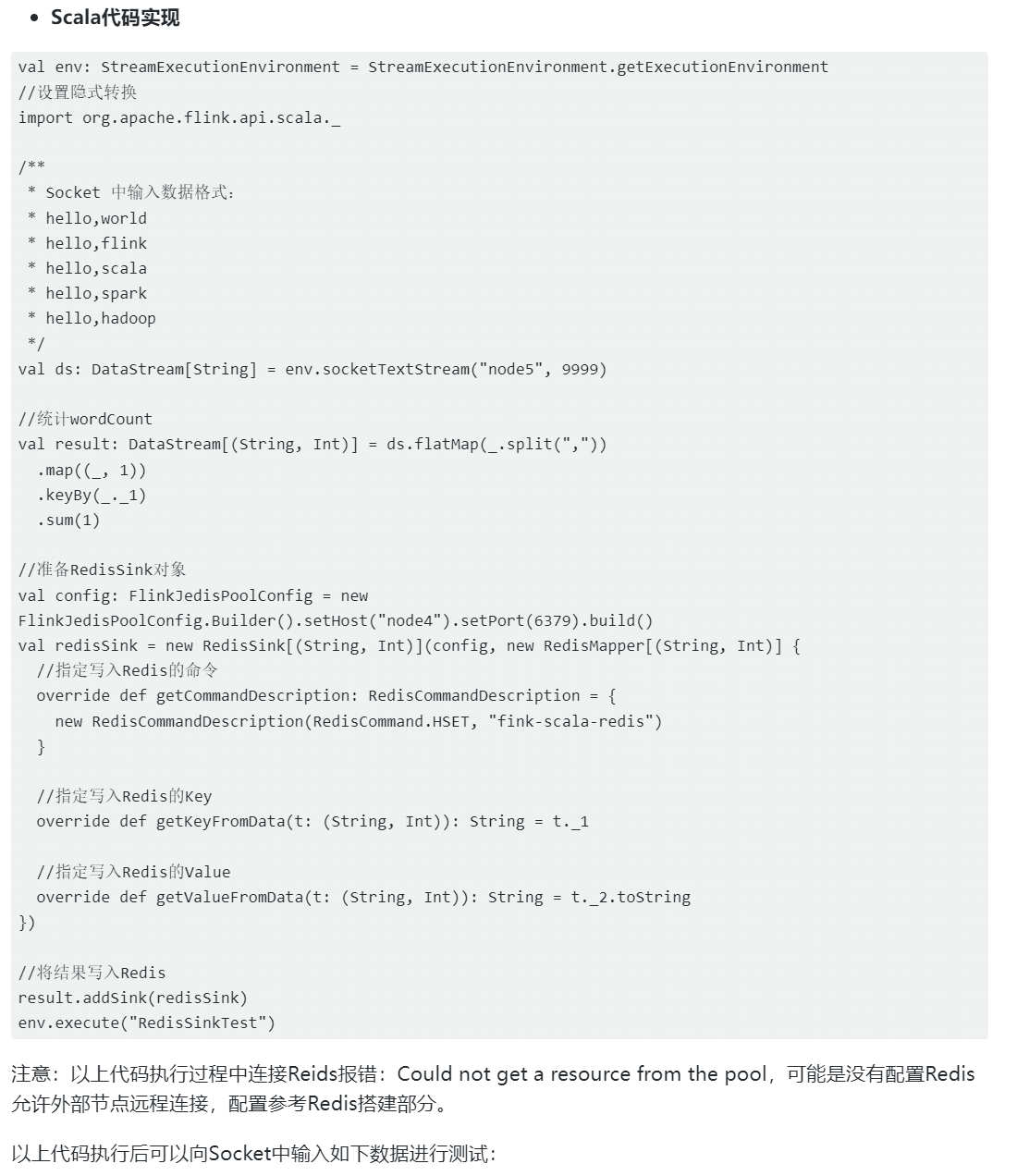
 自定义Sink输出
如果我们想将Flink处理后的数据输出到外部系统或者其他数据库,但是Flink官方没有提供对应的Sink输出,这时我们可以使用自定义Sink输出,可以实现SinkFunction接口或者继承RichSinkFunction类并在其中编写处理数据的逻辑即可完成自定义Sink输出,两者区别是后者增加了生命周期的管理功能。通过自定义Sink函数可以将数据发送到任意选择的目标,非常灵活。
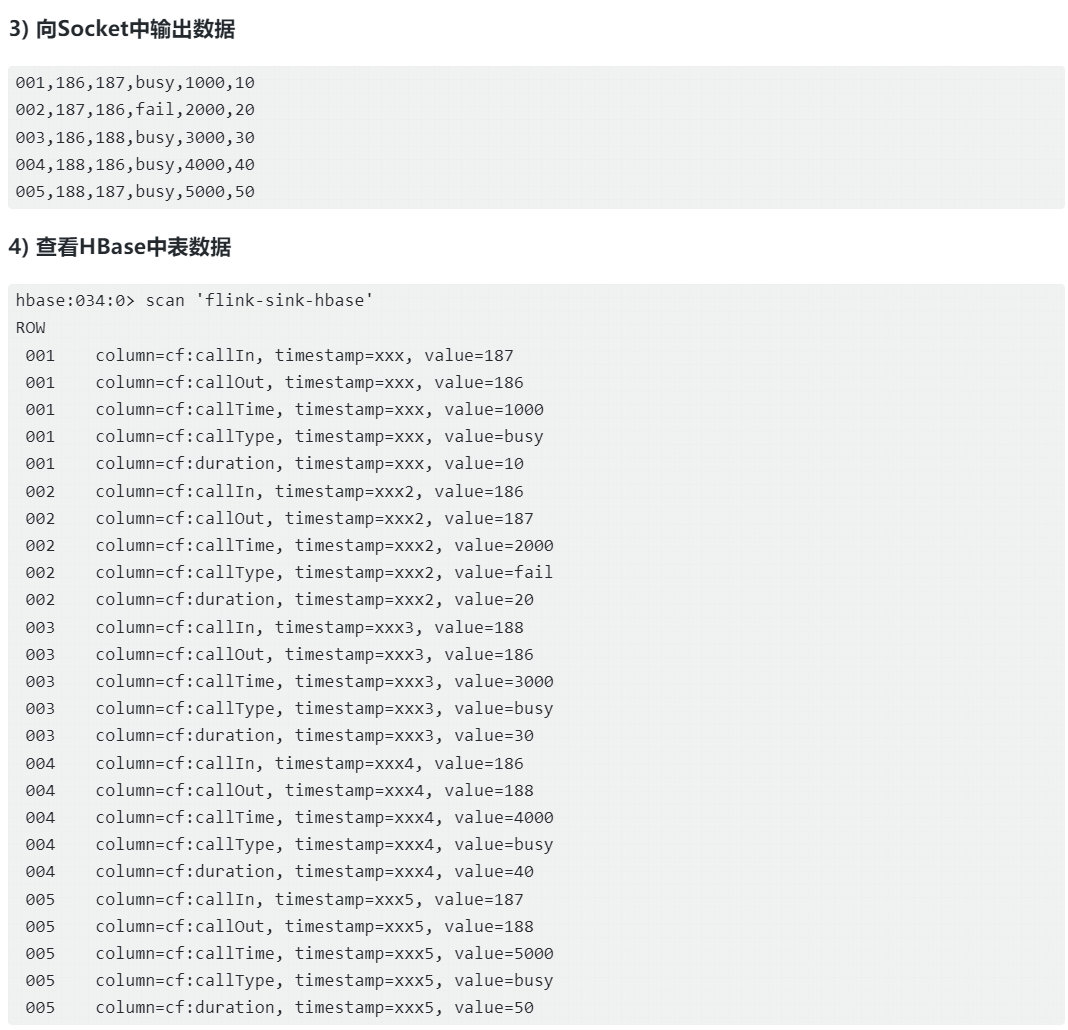
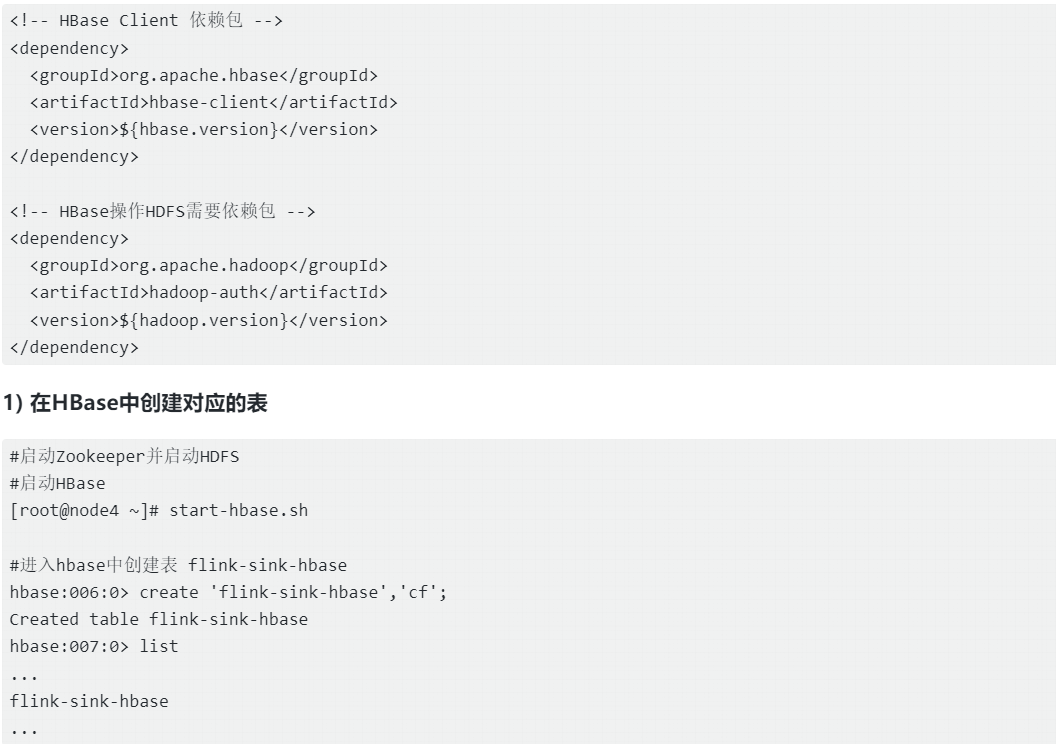
目前在Flink DataStream API中没有提供HBaseSink,下面以读取Socket数据写入HBase为例来介绍自定义Sink输出,实现数据输出到HBase中。在编写代码之前需要在项目中引入如下Maven依赖。
- 编写代码
Java代码实现
java
StreamExecutionEnvironment env = StreamExecutionEnvironment.getExecutionEnvironment();
/**
 * socket 中输入数据如下:
 * 001,186,187,busy,1000,10
 * 002,187,186,fail,2000,20
 * 003,186,188,busy,3000,30
 * 004,188,186,busy,4000,40
 * 005,188,187,busy,5000,50
 */
DataStreamSource<String> ds = env.socketTextStream("node5", 9999);

ds.addSink(new RichSinkFunction<String>() {

    org.apache.hadoop.hbase.client.Connection conn = null;

    //在Sink 初始化时调用一次,这里创建 HBase连接
    @Override
    public void open(Configuration parameters) throws Exception {
        org.apache.hadoop.conf.Configuration conf = HBaseConfiguration.create();
        conf.set("hbase.zookeeper.quorum","node3,node4,node5");
        conf.set("hbase.zookeeper.property.clientPort","2181");
        //创建连接
        conn = ConnectionFactory.createConnection(conf);
    }

    //Sink数据时,每条数据插入时调用一次
    @Override
    public void invoke(String currentOne, Context context) throws Exception {
        //解析 currentOne 数据 ,001,186,187,busy,1000,10
        String[] split = currentOne.split(",");

        //准备rowkey
        String rowKey = split[0];

        //获取列
        String callOut = split[1];
        String callIn = split[2];
        String callType = split[3];
        String callTime = split[4];
        String duration = split[5];

        //获取表对象
        Table table = conn.getTable(TableName.valueOf("flink-sink-hbase"));

        //创建Put对象
        Put p = new Put(Bytes.toBytes(rowKey));
        //添加列
        p.addColumn(Bytes.toBytes("cf"),Bytes.toBytes("callOut"),Bytes.toBytes(callOut));
        p.addColumn(Bytes.toBytes("cf"),Bytes.toBytes("callIn"),Bytes.toBytes(callIn));
        p.addColumn(Bytes.toBytes("cf"),Bytes.toBytes("callType"),Bytes.toBytes(callType));
        p.addColumn(Bytes.toBytes("cf"),Bytes.toBytes("callTime"),Bytes.toBytes(callTime));
        p.addColumn(Bytes.toBytes("cf"),Bytes.toBytes("duration"),Bytes.toBytes(duration));

        //插入数据
        table.put(p);

        //关闭表对象
        table.close();
    }

    //在Sink 关闭时调用一次,这里关闭HBase连接
    @Override
    public void close() throws Exception {
        //关闭连接
        conn.close();
    }


});


env.execute();
Scala代码实现
java
val env: StreamExecutionEnvironment = StreamExecutionEnvironment.getExecutionEnvironment

/**
 * socket 中输入数据如下:
 * 001,186,187,busy,1000,10
 * 002,187,186,fail,2000,20
 * 003,186,188,busy,3000,30
 * 004,188,186,busy,4000,40
 * 005,188,187,busy,5000,50
 */
val ds: DataStream[String] = env.socketTextStream("node5", 9999)

ds.addSink(new RichSinkFunction[String] {
  var conn: Connection = _

  // open方法在sink的生命周期内只会执行一次
  override def open(parameters: Configuration): Unit = {
    val conf: org.apache.hadoop.conf.Configuration = HBaseConfiguration.create()
    conf.set("hbase.zookeeper.quorum", "node3,node4,node5")
    conf.set("hbase.zookeeper.property.clientPort", "2181")
    //创建连接
    conn = ConnectionFactory.createConnection(conf)
  }

  // invoke方法在sink的生命周期内会执行多次,每条数据都会执行一次
  override def invoke(currentOne: String, context: SinkFunction.Context): Unit = {
    //解析数据:001,186,187,busy,1000,10
    val split: Array[String] = currentOne.split(",")
    //准备rowkey
    val rowkey = split(0)
    //获取列
    val callOut  = split(1)
    val callIn  = split(2)
    val callType  = split(3)
    val callTime  = split(4)
    val duration  = split(5)

    //获取表对象
    val table = conn.getTable(org.apache.hadoop.hbase.TableName.valueOf("flink-sink-hbase"))
    //准备put对象
    val put = new Put(rowkey.getBytes())
    //添加列
    put.addColumn("cf".getBytes(), "callOut".getBytes(), callOut.getBytes())
    put.addColumn("cf".getBytes(), "callIn".getBytes(), callIn.getBytes())
    put.addColumn("cf".getBytes(), "callType".getBytes(), callType.getBytes())
    put.addColumn("cf".getBytes(), "callTime".getBytes(), callTime.getBytes())
    put.addColumn("cf".getBytes(), "duration".getBytes(), duration.getBytes())
    //插入数据
    table.put(put)
    //关闭表
    table.close()
  }

  // close方法在sink的生命周期内只会执行一次
  override def close(): Unit = super.close()
})

env.execute()