1.代码
cs
using System;
using System.IO;
using System.Linq;

class HexDump
{
    static void Main(string[] args)
    {
        // 解析命令行参数
        if (args.Length == 0 || args[0] == "/?" || args[0] == "-h" || args[0] == "--help")
        {
            ShowHelp();
            return;
        }

        string filePath = args[0];
        long offset = 0;

        // 处理偏移量参数(-o 或 --offset)
        for (int i = 1; i < args.Length; i++)
        {
            if (args[i] == "-o" || args[i] == "--offset")
            {
                if (i + 1 < args.Length && long.TryParse(args[i + 1], System.Globalization.NumberStyles.HexNumber, null, out offset))
                {
                    i++;
                }
                else if (i + 1 < args.Length && long.TryParse(args[i + 1], out offset))
                {
                    i++;
                }
                else
                {
                    Console.WriteLine("错误:无效的偏移量。");
                    ShowHelp();
                    return;
                }
            }
        }

        // 检查文件是否存在
        if (!File.Exists(filePath))
        {
            Console.WriteLine($"错误:文件 '{filePath}' 不存在。");
            return;
        }

        try
        {
            using (FileStream fs = new FileStream(filePath, FileMode.Open, FileAccess.Read))
            using (BinaryReader reader = new BinaryReader(fs))
            {
                long fileSize = fs.Length;

                // 验证偏移量
                if (offset < 0) offset = 0;
                if (offset > fileSize) offset = fileSize;

                // 定位到偏移量
                fs.Seek(offset, SeekOrigin.Begin);

                int bytesPerLine = 16;
                int linesPerPage = 20;
                long currentOffset = offset;

                bool continueReading = true;

                while (continueReading && currentOffset < fileSize)
                {
                    int linesDisplayed = 0;

                    // 显示一页内容(20行)
                    while (linesDisplayed < linesPerPage && currentOffset < fileSize)
                    {
                        byte[] buffer = new byte[bytesPerLine];
                        int bytesRead = reader.Read(buffer, 0, bytesPerLine);

                        if (bytesRead == 0) break;

                        // 显示偏移量
                        Console.Write($"{currentOffset:X8}  ");

                        // 显示十六进制字节
                        for (int i = 0; i < bytesPerLine; i++)
                        {
                            if (i < bytesRead)
                                Console.Write($"{buffer[i]:X2} ");
                            else
                                Console.Write("   ");

                            if (i == 7) Console.Write(" ");
                        }

                        // 显示ASCII表示
                        Console.Write(" |");
                        for (int i = 0; i < bytesRead; i++)
                        {
                            char c = (char)buffer[i];
                            Console.Write(char.IsControl(c) ? '.' : c);
                        }
                        Console.WriteLine("|");

                        currentOffset += bytesRead;
                        linesDisplayed++;
                    }

                    // 判断是否还有更多内容
                    if (currentOffset < fileSize)
                    {
                        Console.WriteLine($"\n-- 显示第 {currentOffset / bytesPerLine - (currentOffset % bytesPerLine == 0 ? linesPerPage : currentOffset % bytesPerLine / bytesPerLine)} 页,按 Enter 键继续,按 Q 键退出 --");
                        var key = Console.ReadKey(true);
                        if (key.Key == ConsoleKey.Q)
                        {
                            continueReading = false;
                        }
                        Console.WriteLine(); // 换行准备下一页
                    }
                    else
                    {
                        Console.WriteLine("\n文件已显示完毕。");
                        continueReading = false;
                    }
                }
            }
        }
        catch (Exception ex)
        {
            Console.WriteLine($"错误:{ex.Message}");
        }
    }

    static void ShowHelp()
    {
        Console.WriteLine("HexDump - 二进制文件十六进制查看器");
        Console.WriteLine("用法:");
        Console.WriteLine("  HexDump <文件路径> [-o <偏移量>]");
        Console.WriteLine("");
        Console.WriteLine("参数:");
        Console.WriteLine("  <文件路径>     要查看的二进制文件路径");
        Console.WriteLine("  -o, --offset   起始偏移量(支持十进制或十六进制,十六进制请加0x前缀)");
        Console.WriteLine("  /?, -h, --help 显示帮助信息");
        Console.WriteLine("");
        Console.WriteLine("示例:");
        Console.WriteLine("  HexDump test.bin");
        Console.WriteLine("  HexDump test.bin -o 256");
        Console.WriteLine("  HexDump test.bin -o 0x100");
        Console.WriteLine("");
        Console.WriteLine("操作说明:");
        Console.WriteLine("  Enter 键 - 继续显示下一页");
        Console.WriteLine("  Q 键     - 退出程序");
    }
}
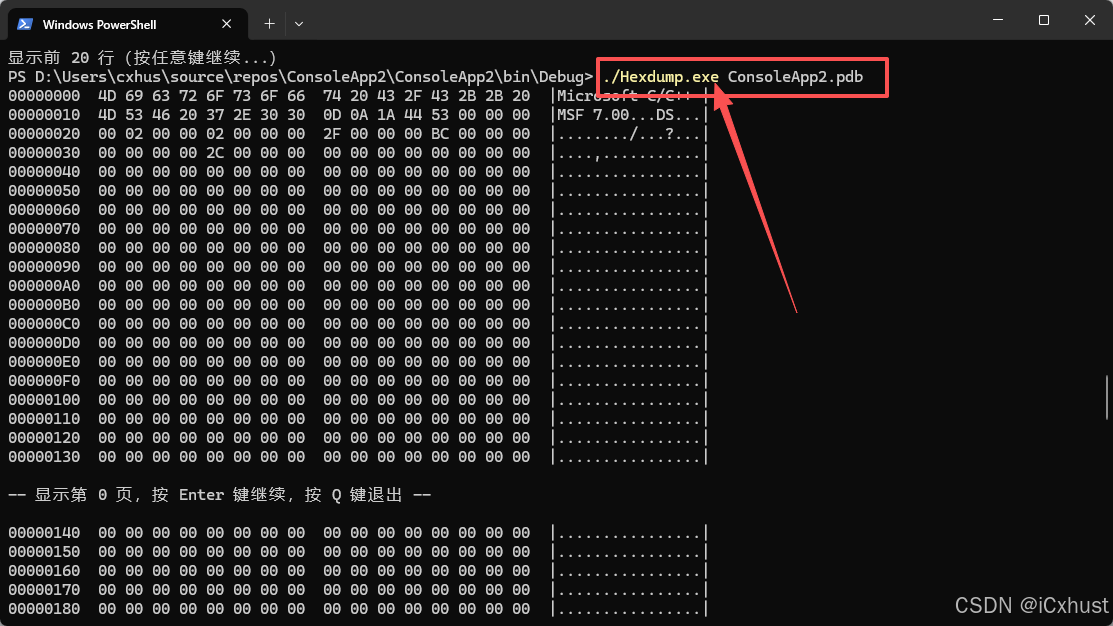
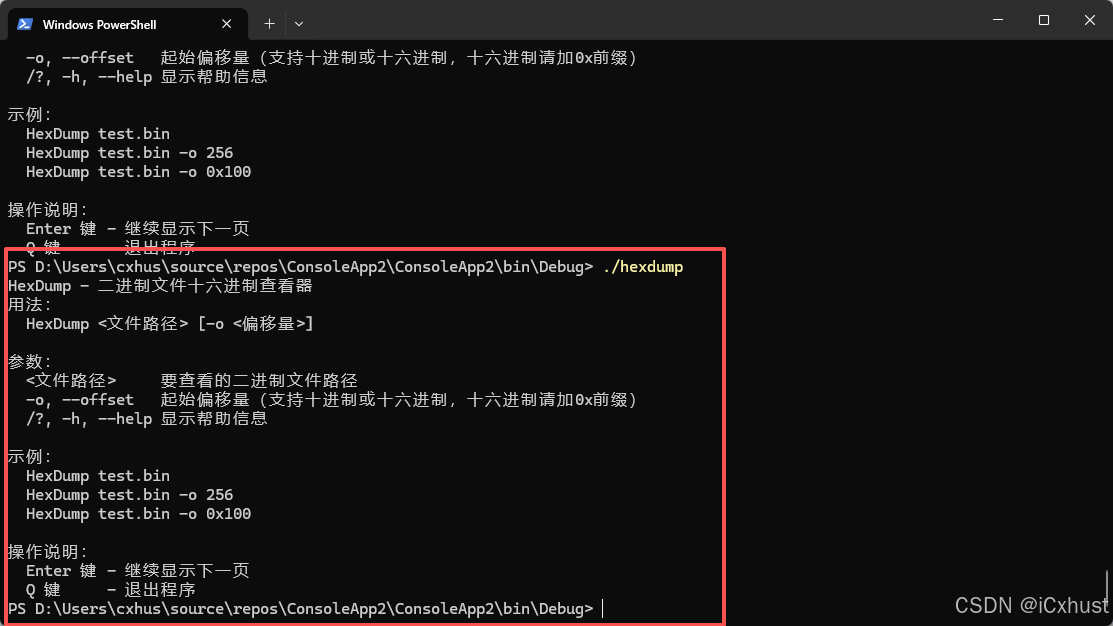
2.运行测试
保存图片
编辑图片
移除物体
提取文字
图片翻译