前言
上周末收拾旧物,翻出一张塑料棋盘和半盒黑白棋子。记得小时候,这副棋是我和表弟打发午后时光的神器,从入门到互有胜负,后来我悄悄背了几个定式,连胜三局之后他就不跟我玩了。现在想想,那时候所谓的"定式"不过是几个开局套路,离真正的棋理还差得远。可那是我第一次感受到"算计"的乐趣------不是算计人,而是算计棋盘上的可能性。
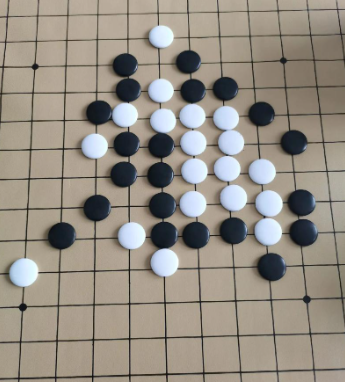
那个下午,我把棋盘收进抽屉,打开了 DevEco Studio 6.1.1 Beta1。Pura X Max 模拟器亮着屏,我忽然觉得,与其怀念儿时的对手,不如自己造一个。就用 Canvas 画棋盘,触摸落子,再加一个会思考的 AI------不是联网的那种大模型,而是一个看得懂"活三""冲四"、会给自己打分的小策略。这篇文章就是这次折腾的全记录,里面不仅有一份可以直接跑起来的五子棋代码,还夹带着博弈树、启发式评估这些算法概念,我想试着把它们讲得像"下棋口诀"一样容易消化。
一、棋盘与棋子------把 15×15 的战场搬进屏幕
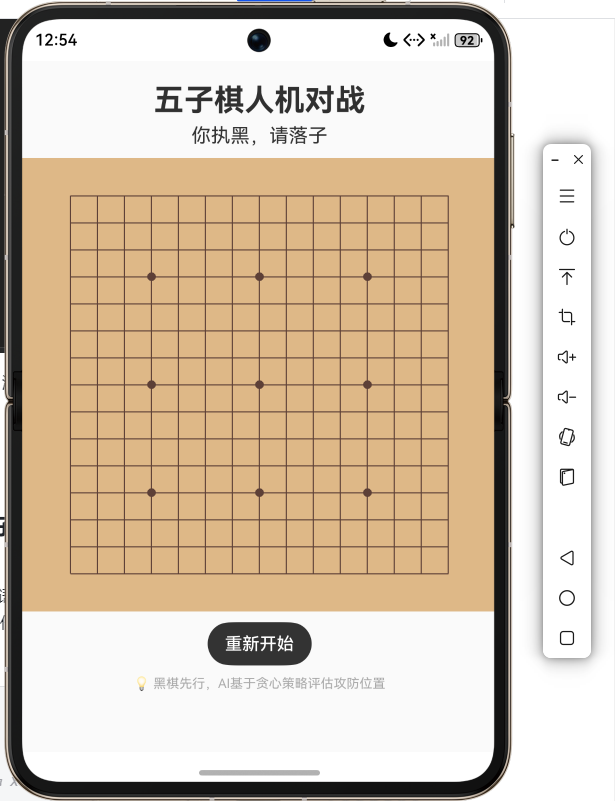
五子棋的棋盘是 15 条横线和 15 条竖线交叉出来的 225 个交叉点。在代码里,最简单的方式是用一个二维数组 board[row][col] 来表示棋盘状态:0 表示空位,1 表示黑子,2 表示白子。人类玩家执黑先行,AI 执白后手。
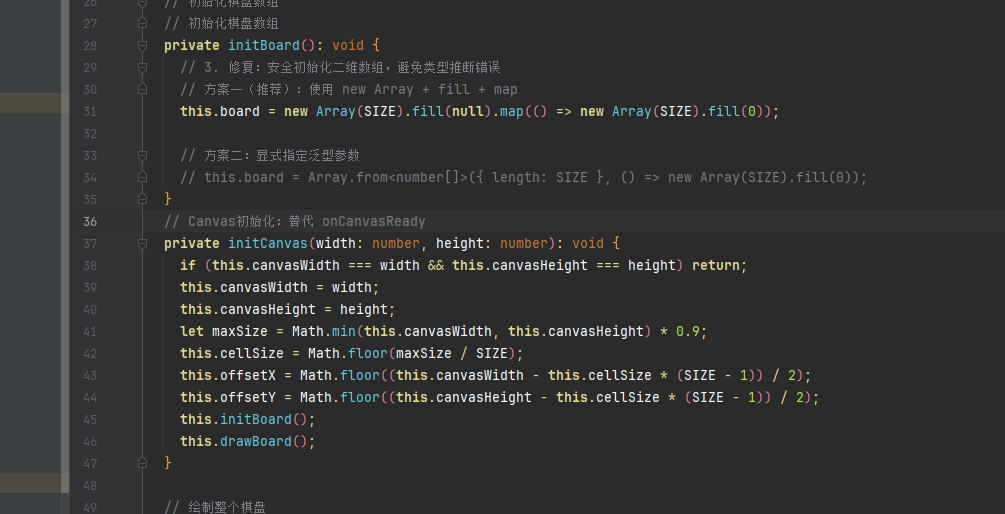
Canvas 绘制棋盘的第一步是确定格子大小。我取画布宽高的最小值除以 15 得到每个格子的边长,然后整体居中,保证棋盘方正且四周留白。画线用 moveTo 和 lineTo,横线从左边画到右边,竖线从上边画到下边。交叉点不需要额外处理,棋子会覆盖在线上。
画棋子的时候,为了让黑白分明,黑子用纯黑填充加一点灰色高光,白子用白色填充加深灰边框。Canvas 的 arc 方法画圆,半径取格子边长的一半略小,棋子就刚好嵌在交叉点上。每下一步棋,程序就更新一下 board 数组,然后重绘整个棋盘。虽然每次都全量重绘,但 15×15 的棋盘在模拟器上重绘耗时完全可以忽略。
触摸落子的坐标映射是基本功:touch.x 和 touch.y 是相对于 Canvas 的坐标,减去偏移量后除以格子大小,取整得到行列索引。如果该位置为空且轮到玩家,就落子。之后检查胜负,若未分胜负,切换为 AI 回合。
二、胜负一瞬间------五连子判断
判断胜负的逻辑很直接:以最后落子点为中心,检查四个方向(水平、垂直、对角线、反对角线)上相同颜色的棋子是否能连成五个。每个方向分正反两个朝向,累计连子数,大于等于 5 就赢了。
代码大致这样:
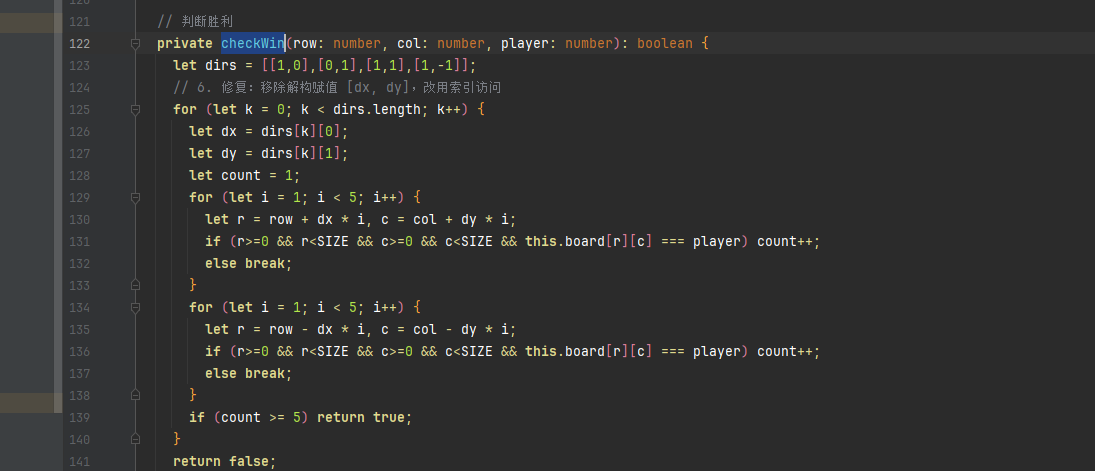
function checkWin(board: number[][], row: number, col: number, player: number): boolean {
  const directions = [[1,0], [0,1], [1,1], [1,-1]];
  for (let [dx, dy] of directions) {
    let count = 1;
    // 正方向
    for (let i = 1; i < 5; i++) {
      let r = row + dx * i, c = col + dy * i;
      if (r >= 0 && r < 15 && c >= 0 && c < 15 && board[r][c] === player) count++;
      else break;
    }
    // 反方向
    for (let i = 1; i < 5; i++) {
      let r = row - dx * i, c = col - dy * i;
      if (r >= 0 && r < 15 && c >= 0 && c < 15 && board[r][c] === player) count++;
      else break;
    }
    if (count >= 5) return true;
  }
  return false;
}
这个函数在每次落子后调用,无论玩家还是 AI 都一样。一旦某方连成五子,游戏结束,显示结果。平局的情况很少,但如果 225 个格子全部填满且无人获胜,就算平局。
三、AI 怎么"想"------给每个空位打分
如果说胜负判断是裁判,那 AI 的大脑就是一个评分员。它遍历棋盘上所有空位,对每一个空位计算一个分数,最后选分数最高的那个位置落子。这个分数反映了该位置的"战略价值"。
如何打分?经典的做法是考虑四个方向上的"模式":比如在某个方向上,连着放了三颗白子且两端没有黑子阻挡,这就是"活三",价值很高;如果一端被堵,就是"眠三",价值打折;四颗连在一起(冲四)几乎就是必胜,分数最高。同时,AI 还要考虑对手的威胁:如果某个空位被黑棋占据后会形成活四,那 AI 就必须优先堵住。所以,对每个空位,AI 既要算自己落子后的收益,也要算对手落子后的损失,两者叠加得出综合分。
具体实现:写一个 evaluate(board, row, col, player) 函数,它模拟在该位置放上 player 颜色的棋子,然后扫描四个方向,统计连续的棋子数,以及两端是否开放。根据连子长度和开放程度,映射到一个分数。参考五子棋常见的评分表:
- 五连:100000 分
- 活四/双冲四:10000 分
- 冲四/活三:1000 分
- 活二/眠三:100 分
- 活一/眠二:10 分
AI 在某个空位的最终得分 = 白棋在该位置的"进攻分" + 黑棋在该位置的"防守分"(防守分实际上就是对黑棋威胁的评估,如果黑棋在这个位置会形成高价值模式,那么白棋就要抢这个位置)。把两者加权相加,取最高分落子。这个策略本质上是"贪心",它看得不够远,但反应快、不卡顿,对于休闲级的人机对战已经足够。
如果多个空位分数相同,就随机选一个,增加不确定性,让 AI 不那么"机械"。
AI 落子是通过 setTimeout 延迟很短的时间(如 100 毫秒)执行的,这样做有两个好处:一是让玩家感觉到 AI 确实"思考"了一下,二是避免在事件回调中直接触发重绘导致潜在的状态冲突。
四、人机交互的节奏------状态机流转
整个游戏的状态我用几个 @State 变量管着:
board:15×15 数组currentPlayer:1 或 2,1 为玩家(黑),2 为 AI(白)gameOver:布尔值resultMessage:显示当前状态或结果isAiThinking:布尔值,AI 思考期间锁定触摸输入
玩家落子后立即检查胜利,如果没赢,就把 currentPlayer 设为 2,并在 setTimeout 里调用 AI 逻辑。AI 落子后同样检查胜利,如果没赢,把 currentPlayer 设回 1。这样状态就在玩家和 AI 之间流转,直到某一方胜利或棋盘满。
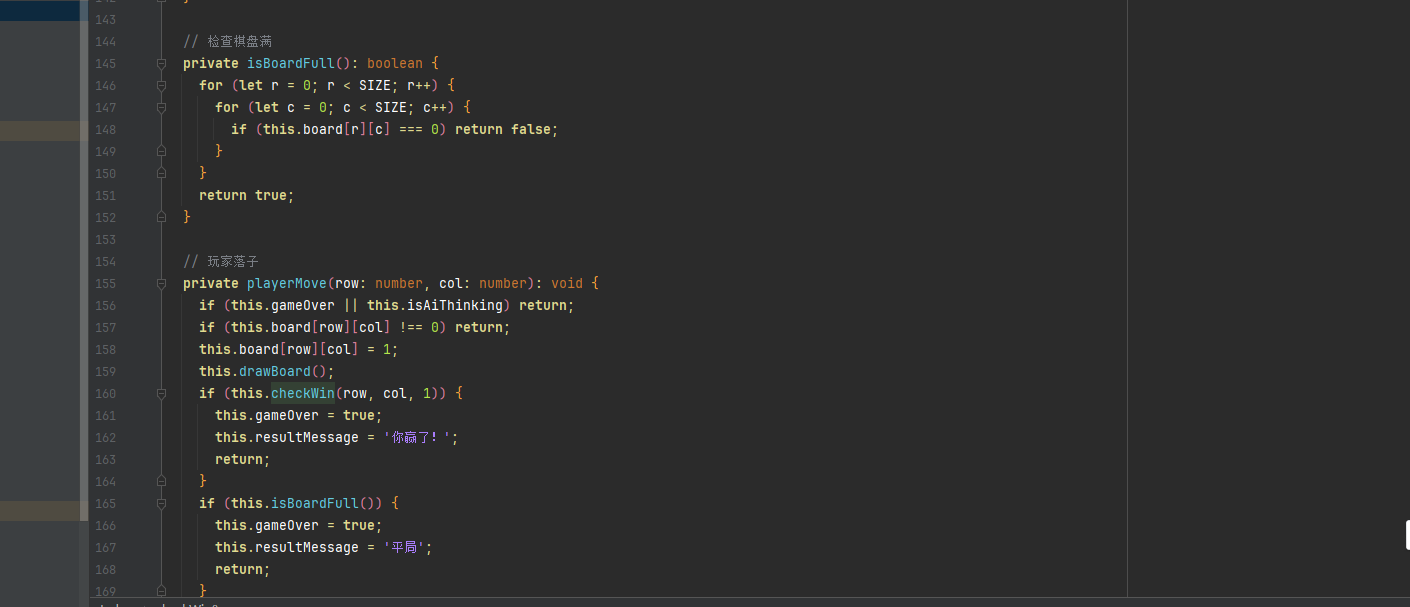
为了防止玩家在 AI 思考期间点击,我加了一个 isAiThinking 标记。当 AI 开始计算时设为 true,落子完成后设为 false。触摸事件首先检查 gameOver 和 isAiThinking,如果游戏结束或 AI 正在想,就不响应点击。
另外,我还加入了"重新开始"按钮,重置所有状态,清空棋盘。棋盘大小固定为 15×15,适合手机屏幕,棋子间距适中,用手指点击很轻松。
五、完整代码------一个文件打造你的五子棋对手
以下代码适配 DevEco Studio 6.1.1 Beta1、SDK22 语法,Pura X Max 模拟器。新建 Empty Ability 项目,替换 entry/src/main/ets/pages/Index.ets。无需任何权限,纯本地运算。
/*
 * 五子棋人机对战 --- 贪心AI + Canvas绘制
 * 环境:DevEco Studio 6.1.1 Beta1,Pura X Max 模拟器,SDK22
 */
import { CanvasRenderingContext2D } from '@ohos.graphics.canvas';

const SIZE = 15; // 棋盘大小

@Entry
@Component
struct Index {
  @State board: number[][] = [];           // 0空,1黑(玩家),2白(AI)
  @State gameOver: boolean = false;
  @State resultMessage: string = '你执黑,请落子';
  @State isAiThinking: boolean = false;    // AI思考中

  private ctx: CanvasRenderingContext2D | null = null;
  private canvasWidth: number = 0;
  private canvasHeight: number = 0;
  private cellSize: number = 0;
  private offsetX: number = 0;
  private offsetY: number = 0;

  // 初始化棋盘数组
  private initBoard(): void {
    this.board = [];
    for (let r = 0; r < SIZE; r++) {
      this.board[r] = new Array(SIZE).fill(0);
    }
  }

  // Canvas就绪
  private onCanvasReady(ctx: CanvasRenderingContext2D): void {
    this.ctx = ctx;
    this.canvasWidth = ctx.canvas.width;
    this.canvasHeight = ctx.canvas.height;
    let maxSize = Math.min(this.canvasWidth, this.canvasHeight) * 0.9;
    this.cellSize = Math.floor(maxSize / SIZE);
    this.offsetX = Math.floor((this.canvasWidth - this.cellSize * (SIZE - 1)) / 2);
    this.offsetY = Math.floor((this.canvasHeight - this.cellSize * (SIZE - 1)) / 2);
    this.initBoard();
    this.drawBoard();
  }

  // 绘制整个棋盘
  private drawBoard(): void {
    if (!this.ctx) return;
    let ctx = this.ctx;
    let w = this.canvasWidth;
    let h = this.canvasHeight;
    ctx.clearRect(0, 0, w, h);

    // 背景
    ctx.fillStyle = '#DEB887';
    ctx.fillRect(0, 0, w, h);

    // 网格线
    ctx.strokeStyle = '#5D4037';
    ctx.lineWidth = 1;
    for (let i = 0; i < SIZE; i++) {
      let x = this.offsetX + i * this.cellSize;
      let y = this.offsetY + i * this.cellSize;
      // 横线
      ctx.beginPath();
      ctx.moveTo(this.offsetX, y);
      ctx.lineTo(this.offsetX + (SIZE - 1) * this.cellSize, y);
      ctx.stroke();
      // 竖线
      ctx.beginPath();
      ctx.moveTo(x, this.offsetY);
      ctx.lineTo(x, this.offsetY + (SIZE - 1) * this.cellSize);
      ctx.stroke();
    }

    // 星位
    let starPoints = [[3,3],[3,7],[3,11],[7,3],[7,7],[7,11],[11,3],[11,7],[11,11]];
    for (let [r,c] of starPoints) {
      let cx = this.offsetX + c * this.cellSize;
      let cy = this.offsetY + r * this.cellSize;
      ctx.fillStyle = '#5D4037';
      ctx.beginPath();
      ctx.arc(cx, cy, 4, 0, Math.PI * 2);
      ctx.fill();
    }

    // 绘制棋子
    for (let r = 0; r < SIZE; r++) {
      for (let c = 0; c < SIZE; c++) {
        if (this.board[r][c] === 0) continue;
        let cx = this.offsetX + c * this.cellSize;
        let cy = this.offsetY + r * this.cellSize;
        let radius = this.cellSize * 0.42;
        ctx.beginPath();
        ctx.arc(cx, cy, radius, 0, Math.PI * 2);
        if (this.board[r][c] === 1) {
          ctx.fillStyle = '#212121';
          ctx.fill();
          ctx.strokeStyle = '#000';
          ctx.lineWidth = 1;
          ctx.stroke();
        } else {
          ctx.fillStyle = '#FAFAFA';
          ctx.fill();
          ctx.strokeStyle = '#333';
          ctx.lineWidth = 1;
          ctx.stroke();
        }
      }
    }
  }

  // 判断胜利
  private checkWin(row: number, col: number, player: number): boolean {
    let dirs = [[1,0],[0,1],[1,1],[1,-1]];
    for (let [dx, dy] of dirs) {
      let count = 1;
      for (let i = 1; i < 5; i++) {
        let r = row + dx * i, c = col + dy * i;
        if (r>=0 && r<SIZE && c>=0 && c<SIZE && this.board[r][c] === player) count++;
        else break;
      }
      for (let i = 1; i < 5; i++) {
        let r = row - dx * i, c = col - dy * i;
        if (r>=0 && r<SIZE && c>=0 && c<SIZE && this.board[r][c] === player) count++;
        else break;
      }
      if (count >= 5) return true;
    }
    return false;
  }

  // 检查棋盘满
  private isBoardFull(): boolean {
    for (let r = 0; r < SIZE; r++) {
      for (let c = 0; c < SIZE; c++) {
        if (this.board[r][c] === 0) return false;
      }
    }
    return true;
  }

  // 玩家落子
  private playerMove(row: number, col: number): void {
    if (this.gameOver || this.isAiThinking) return;
    if (this.board[row][col] !== 0) return;
    this.board[row][col] = 1;
    this.drawBoard();
    if (this.checkWin(row, col, 1)) {
      this.gameOver = true;
      this.resultMessage = '你赢了!';
      return;
    }
    if (this.isBoardFull()) {
      this.gameOver = true;
      this.resultMessage = '平局';
      return;
    }
    // AI开始思考
    this.isAiThinking = true;
    this.resultMessage = 'AI思考中...';
    setTimeout(() => {
      this.aiMove();
    }, 80);
  }

  // AI落子
  private aiMove(): void {
    if (this.gameOver) {
      this.isAiThinking = false;
      return;
    }
    let bestScore = -Infinity;
    let bestMoves: number[][] = [];
    for (let r = 0; r < SIZE; r++) {
      for (let c = 0; c < SIZE; c++) {
        if (this.board[r][c] !== 0) continue;
        let score = this.evaluate(r, c, 2) + this.evaluate(r, c, 1) * 0.9; // 攻防结合
        if (score > bestScore) {
          bestScore = score;
          bestMoves = [[r, c]];
        } else if (score === bestScore) {
          bestMoves.push([r, c]);
        }
      }
    }
    if (bestMoves.length === 0) {
      this.isAiThinking = false;
      return;
    }
    // 随机选一个最高分位置
    let move = bestMoves[Math.floor(Math.random() * bestMoves.length)];
    this.board[move[0]][move[1]] = 2;
    this.drawBoard();
    this.isAiThinking = false;
    if (this.checkWin(move[0], move[1], 2)) {
      this.gameOver = true;
      this.resultMessage = 'AI赢了!';
      return;
    }
    if (this.isBoardFull()) {
      this.gameOver = true;
      this.resultMessage = '平局';
      return;
    }
    this.resultMessage = '轮到你了';
  }

  // 位置评分函数
  private evaluate(row: number, col: number, player: number): number {
    let dirs = [[1,0],[0,1],[1,1],[1,-1]];
    let totalScore = 0;
    for (let [dx, dy] of dirs) {
      // 模拟放子
      this.board[row][col] = player;
      let count = 1;       // 连续子数
      let open = 0;        // 开放端数
      // 正方向
      let i = 1;
      while (true) {
        let r = row + dx * i, c = col + dy * i;
        if (r>=0 && r<SIZE && c>=0 && c<SIZE && this.board[r][c] === player) {
          count++;
          i++;
        } else {
          if (r>=0 && r<SIZE && c>=0 && c<SIZE && this.board[r][c] === 0) open++;
          break;
        }
      }
      // 反方向
      i = 1;
      while (true) {
        let r = row - dx * i, c = col - dy * i;
        if (r>=0 && r<SIZE && c>=0 && c<SIZE && this.board[r][c] === player) {
          count++;
          i++;
        } else {
          if (r>=0 && r<SIZE && c>=0 && c<SIZE && this.board[r][c] === 0) open++;
          break;
        }
      }
      // 恢复
      this.board[row][col] = 0;
      // 根据连子数和开放情况评分
      if (count >= 5) totalScore += 100000;
      else if (count === 4) {
        if (open === 2) totalScore += 10000;
        else if (open === 1) totalScore += 5000;
      }
      else if (count === 3) {
        if (open === 2) totalScore += 1000;
        else if (open === 1) totalScore += 500;
      }
      else if (count === 2) {
        if (open === 2) totalScore += 100;
        else if (open === 1) totalScore += 30;
      }
      else if (count === 1) {
        if (open === 2) totalScore += 10;
        else if (open === 1) totalScore += 3;
      }
    }
    return totalScore;
  }

  // 触摸处理
  private handleTouch(event: TouchEvent): void {
    if (event.type !== TouchType.Down) return;
    let touch = event.touches[0];
    let col = Math.round((touch.x - this.offsetX) / this.cellSize);
    let row = Math.round((touch.y - this.offsetY) / this.cellSize);
    if (row >= 0 && row < SIZE && col >= 0 && col < SIZE) {
      this.playerMove(row, col);
    }
  }

  // 重新开始
  private restart(): void {
    this.initBoard();
    this.gameOver = false;
    this.isAiThinking = false;
    this.resultMessage = '你执黑,请落子';
    this.drawBoard();
  }

  build() {
    Column() {
      Text('五子棋人机对战')
        .fontSize(28)
        .fontWeight(FontWeight.Bold)
        .margin({ top: 20, bottom: 6 })

      Text(this.resultMessage)
        .fontSize(18)
        .fontColor(this.gameOver ? '#D32F2F' : '#333')
        .margin({ bottom: 10 })

      Canvas()
        .width('100%')
        .height(420)
        .backgroundColor('#DEB887')
        .onReady((event) => {
          let ctx = event.context as CanvasRenderingContext2D;
          this.onCanvasReady(ctx);
        })
        .onTouch((event: TouchEvent) => {
          this.handleTouch(event);
        })

      Button('重新开始')
        .type(ButtonType.Capsule)
        .backgroundColor('#333')
        .fontColor(Color.White)
        .fontSize(16)
        .margin({ top: 10 })
        .onClick(() => { this.restart(); })

      Text('💡 黑棋先行,AI基于贪心策略评估攻防位置')
        .fontSize(12)
        .fontColor('#AAA')
        .width('90%')
        .textAlign(TextAlign.Center)
        .margin({ top: 10 })
    }
    .width('100%')
    .height('100%')
    .backgroundColor('#FAFAFA')
  }
}
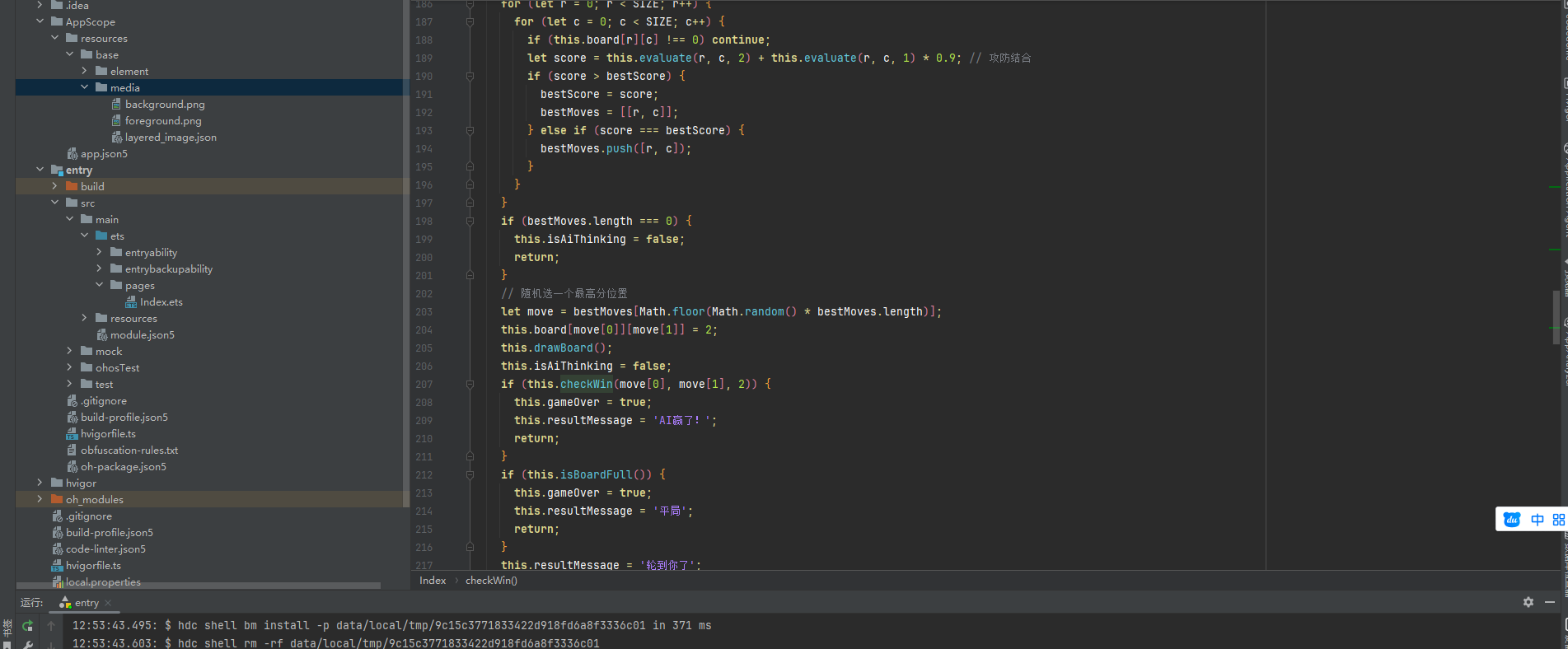
上面代码的核心是 evaluate 评分函数,它为每个空位计算攻防得分。AI 落子时,遍历所有空位,选出综合分最高(兼顾自己的进攻和对手的威胁)的位置。为了避免绝对机械化,如果有多个最高分位置,随机挑选。整个 AI 在 15×15 的棋盘上计算耗时极短,模拟器运行流畅。
运行效果
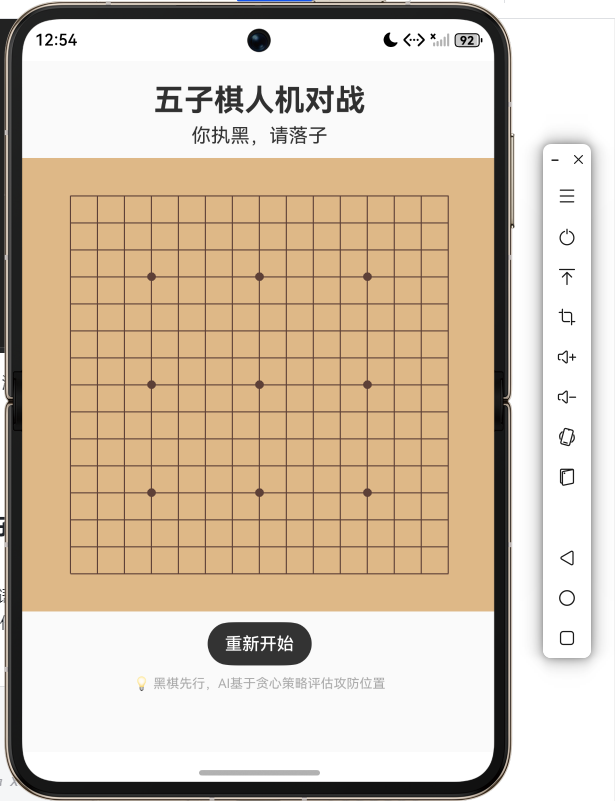
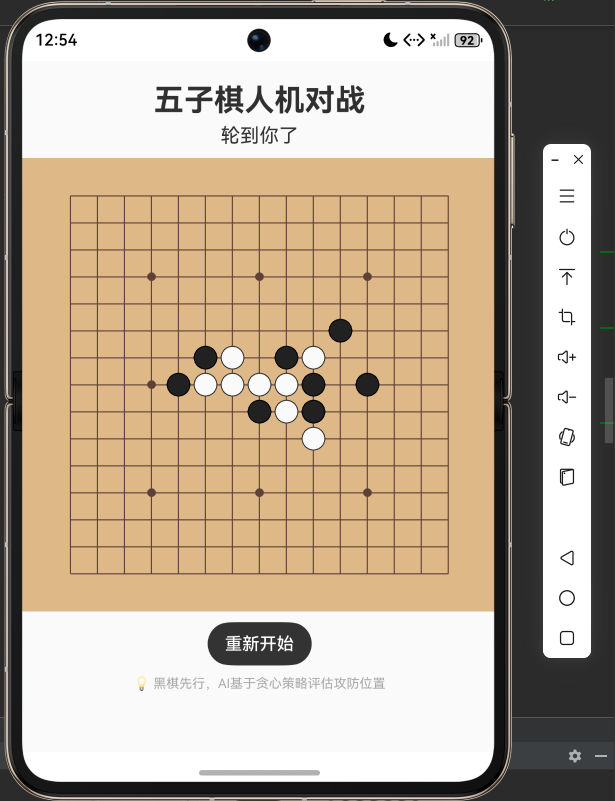
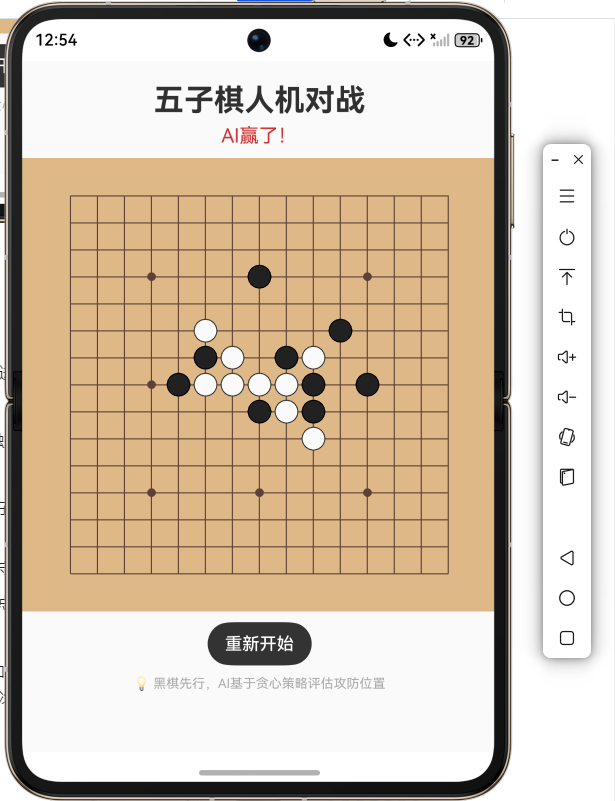
把代码粘贴进 DevEco Studio,Run 到 Pura X Max 模拟器。棕黄色的棋盘铺满屏幕,星位点清晰。我在中间落下一枚黑子,几乎同时,白子在旁边落下。AI 反应很快,没有延迟。我试着布个活三,AI 果然堵在关键位置;又冲四,AI 仍然精准封堵。几个回合下来,我的进攻屡屡被化解,反而被 AI 双活三逼到绝境。界面实时提示"AI 思考中...",但转瞬即逝。点击"重新开始",一切归零。
总结
这个五子棋小项目把 AI 入门里的几个核心概念揉了进去:
- 棋盘状态表示:二维数组存储,Canvas 绘制与触摸坐标映射。
- 胜负判定:四个方向连续计数,高效判断五连。
- 启发式评估:通过模拟落子,统计四个方向的连子长度与开放情况,映射为分数,是很多博弈程序的基础思路。
- 攻防平衡:AI 得分 = 自己的进攻分 + 对手的防守分,简单的加权就能产生合理的走法。
- 状态管理与交互 :用
isAiThinking锁防止连点,setTimeout让 AI 异步执行,保证 UI 响应。
如果想继续深入,可以把贪心换成极小极大搜索,加上 Alpha-Beta 剪枝,让 AI 看得更深。但即便如此,这个不足百行的贪心 AI 已经能跟普通玩家打得有来有回。下次朋友再找你下五子棋,你可以掏出手机说:"来,先赢了这个程序,咱们再聊。"