Vue的生命周期
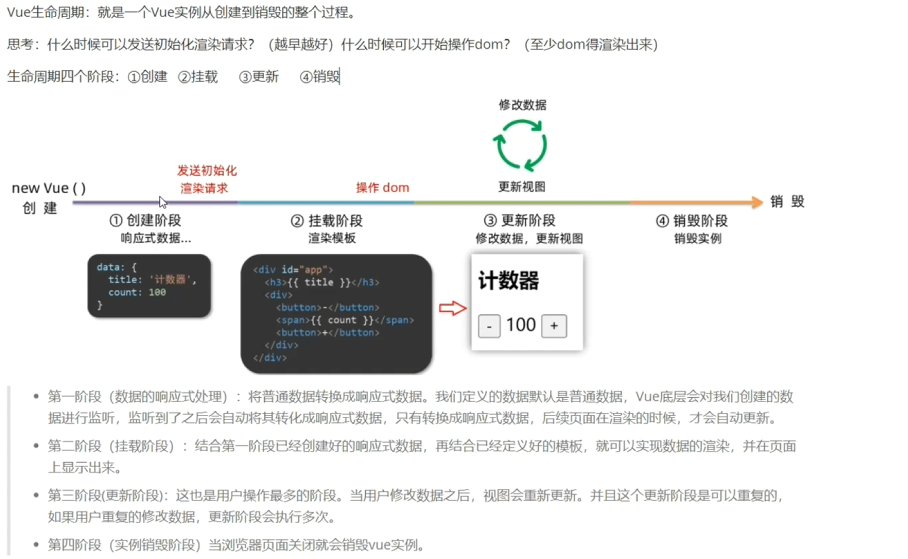
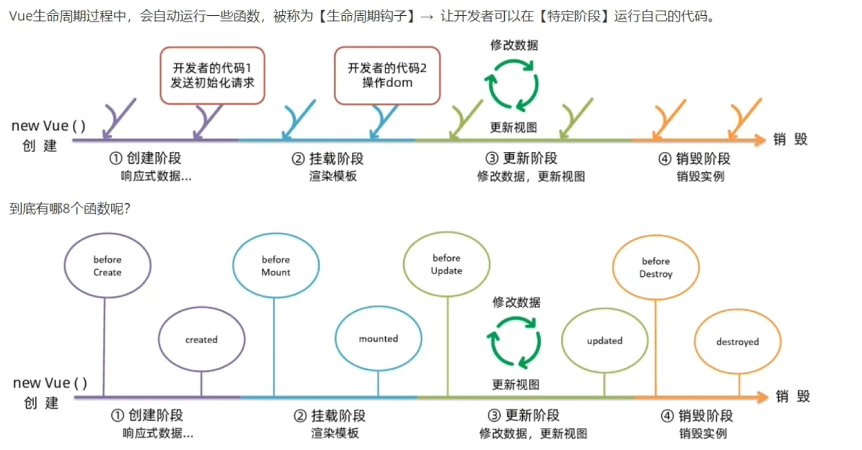
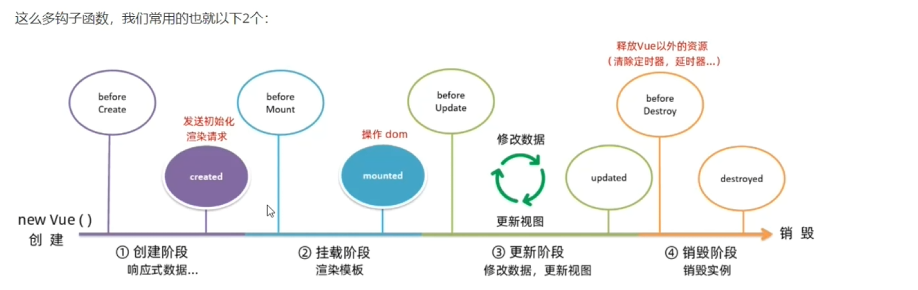
生命周期的钩子函数
<!DOCTYPE html>
<html lang="en">
<head>
    <meta charset="UTF-8">
    <meta name="viewport" content="width=device-width, initial-scale=1.0">
    <title>Document</title>
</head>
<body>
    <div id="app">
        <h3>jjjj</h3>
        <button @click="dec()">-</button>
        <span>{{count}}</span>
        <button @click="add()">+</button>
    </div>
</body>
<script src="https://cdn.jsdelivr.net/npm/vue@2"></script>
<script>
    const v = new Vue({
        el:'#app',
        data:{
            count:0,
        },
        methods:{
            dec(){
                this.count--;
            },
            add(){
                this.count++;
            }
        },
        //创建阶段之前触发的钩子函数
        beforeCreate(){
            console.log("beforeCreate函数执行了",this.count)
            //获取不了,因为还没有创建
        },
        //创建阶段完成之后的钩子函数
        created(){
            console.log("created函数执行了",this.count)
            //可以获取,因为此时数据在创建阶段已经准备好了
        },
        //挂载阶段前触发的钩子函数
        beforeMount(){
            console.log("beforeMount函数执行了",document.querySelector('h3').innerHTML)
            //不能获取,此时模板还没有渲染
        },
        mounted(){
            console.log("mount函数执行了",document.querySelector('h3').innerHTML)
            //可以获取,此时模板渲染好了
        },
        //更新阶段前触发的钩子函数
        beforeUpdate(){
            console.log("beforeUpdata函数执行了",document.querySelector('span').innerHTML)
            //获取修改前的值
        },
        //更新阶段之后触发的钩子函数
        updated(){
            console.log("updated函数执行了",document.querySelector('span').innerHTML)
            //获取修改后的值
        },
        //销毁前执行的钩子函数
        beforeDestroy(){
            console.log("beforeDestory函数执行了",document.querySelector('span').innerHTML)

        },
        //销毁后执行的钩子函数
        destroyed(){
            console.log("destoryed函数执行了",document.querySelector('span').innerHTML)

        }
    })
</script>
</html>
<!DOCTYPE html>
<html lang="en">
<head>
  <meta charset="UTF-8">
  <meta http-equiv="X-UA-Compatible" content="IE=edge">
  <meta name="viewport" content="width=device-width, initial-scale=1.0">
  <title>Document</title>
  <style>
    * {
      margin: 0;
      padding: 0;
      list-style: none;
    }
    .news {
      display: flex;
      height: 120px;
      width: 600px;
      margin: 0 auto;
      padding: 20px 0;
      cursor: pointer;
    }
    .news .left {
      flex: 1;
      display: flex;
      flex-direction: column;
      justify-content: space-between;
      padding-right: 10px;
    }
    .news .left .title {
      font-size: 20px;
    }
    .news .left .info {
      color: #999999;
    }
    .news .left .info span {
      margin-right: 20px;
    }
    .news .right {
      width: 160px;
      height: 120px;
    }
    .news .right img {
      width: 100%;
      height: 100%;
      object-fit: cover;
    }
  </style>
</head>
<body>

  <div id="app">
    <ul>
      <li v-for="(item,index) in list" :key="item.id" class="news">
        <div class="left">
          <div class="title">{{item.title}}</div>
          <div class="info">
            <span>{{item.source}}</span>
            <span>{{item.time}}</span>
          </div>
        </div>
        <div class="right">
          <img :src="item.img" alt="">
        </div>
      </li>
    </ul>
  </div>
  <script src="https://cdn.jsdelivr.net/npm/vue@2/dist/vue.js"></script>
  <script src="https://cdn.jsdelivr.net/npm/axios/dist/axios.min.js"></script>
  <script>
    const app = new Vue({
      el: '#app',
      // 请求方式:get
      data:{
        list:[],

      },
      async created(){
        //发送后端请求,获取数据
        const res = await axios.get("http://localhost:3000/news");
        //解析后端数据,将数据赋予给list
        this.list = res.data;
      }
    })
  </script>
</body>
</html>
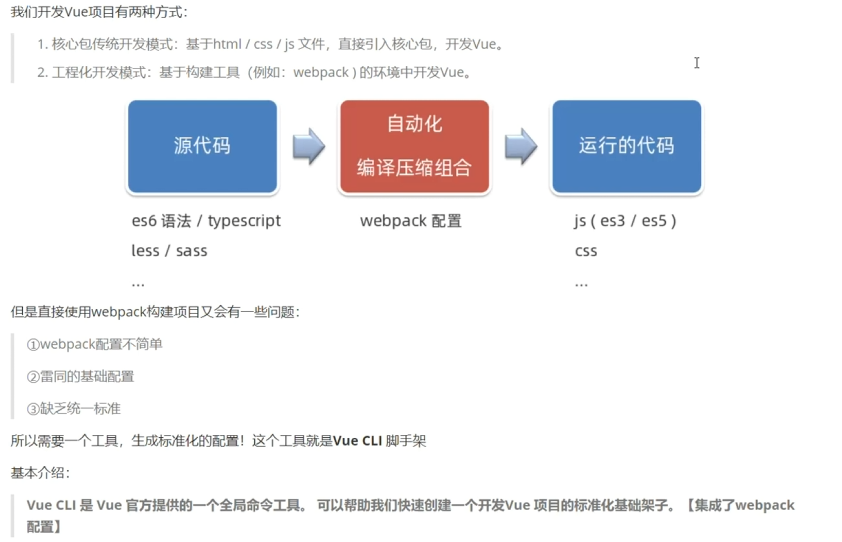
Vue工程化开发
<template>
  <div class="my-footer">尾部盒子<MyButton></MyButton></div>
</template>

<script>
export default {

}
</script>

<style>
.my-footer{
width:400px;
height: 100px;
background-color: purple;
}
</style>

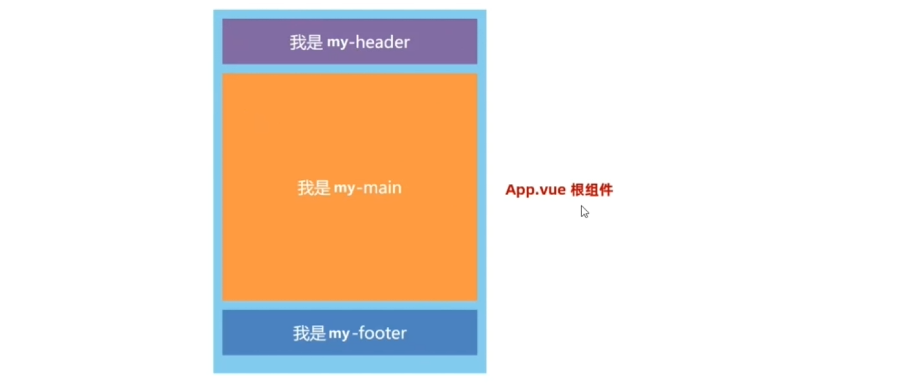
<template>
  <div class="app">
    <MyHeader></MyHeader>
    <MyBody></MyBody>
    <MyFooter></MyFooter>
  </div>
</template>

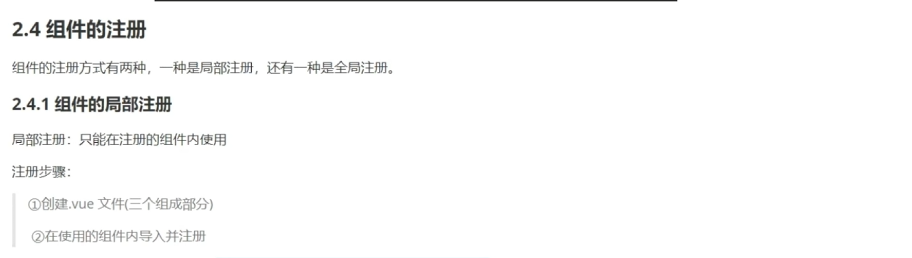
<script>
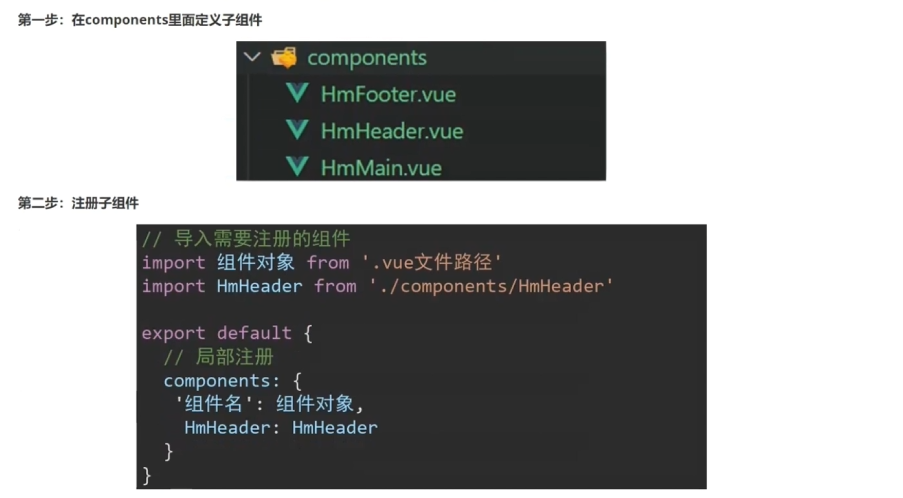
//导入子组件:import 组件对象 from 子组件的路径
import MyHeader from './components/MyHeader.vue'
import MyBody from './components/MyBody.vue'
import MyFooter from './components/MyFooter.vue'
export default {
//组件的局部注册
components:{
  //组件名称:组件对象
  MyHeader:MyHeader,
  MyBody:MyBody,
  //如果组件名称和组件对象的名字一样,就可以简写
  MyFooter:MyFooter
}
}
</script>

<style>
.app{
  widows: 400px;
  height: 700px;
  background-color: brown;
}
</style>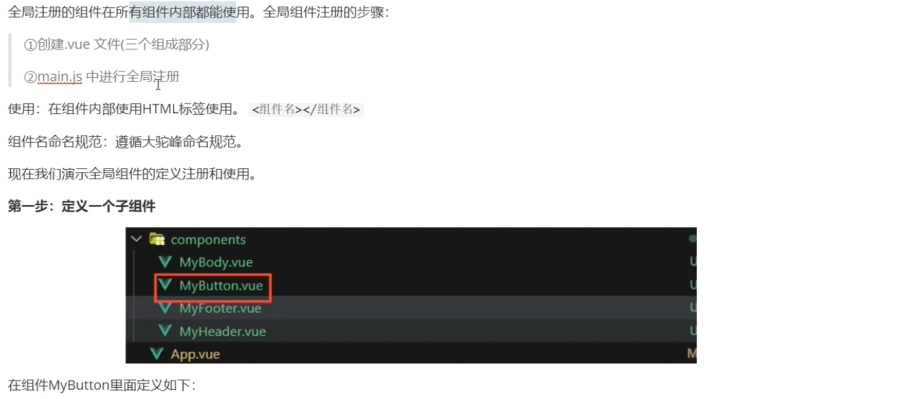
【
<template>
  <button class="my-button">按钮</button>
</template>

<script>
export default {

}
</script>

<style>
.my-button{
    height: 50px;
    line-height: 50px;
    padding:0 20px;
    color:white;
    border: none;
    vertical-align: middle;
    cursor:pointer;
    background-color: aqua;
}
</style>

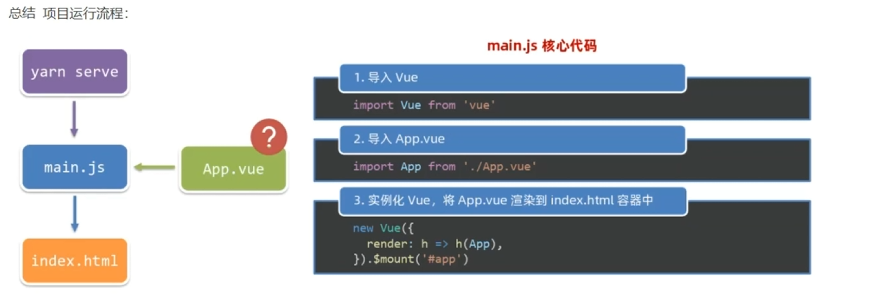
import Vue from 'vue'// 导入vue的核心包
import App from './App.vue'// 导入根组件App.vue
//定义导入组件的代码
import MyButton from "./components/MyButton.vue";
//描述当前项目所处的环境是否是生产环境
Vue.config.productionTip = false
//进行组件注册,Vue.component(组件名,组件对象)
Vue.component("MyButton",MyButton)

//创建Vue实例对象
new Vue({
  render: h => h(App),// render方法 基于App.vue组件,将其渲染到index.html中
}).$mount('#app')// 将要渲染的结构,挂载到index.html的<div id="app"></div>中,类似于我们自己写的el:'#app'