项目简介
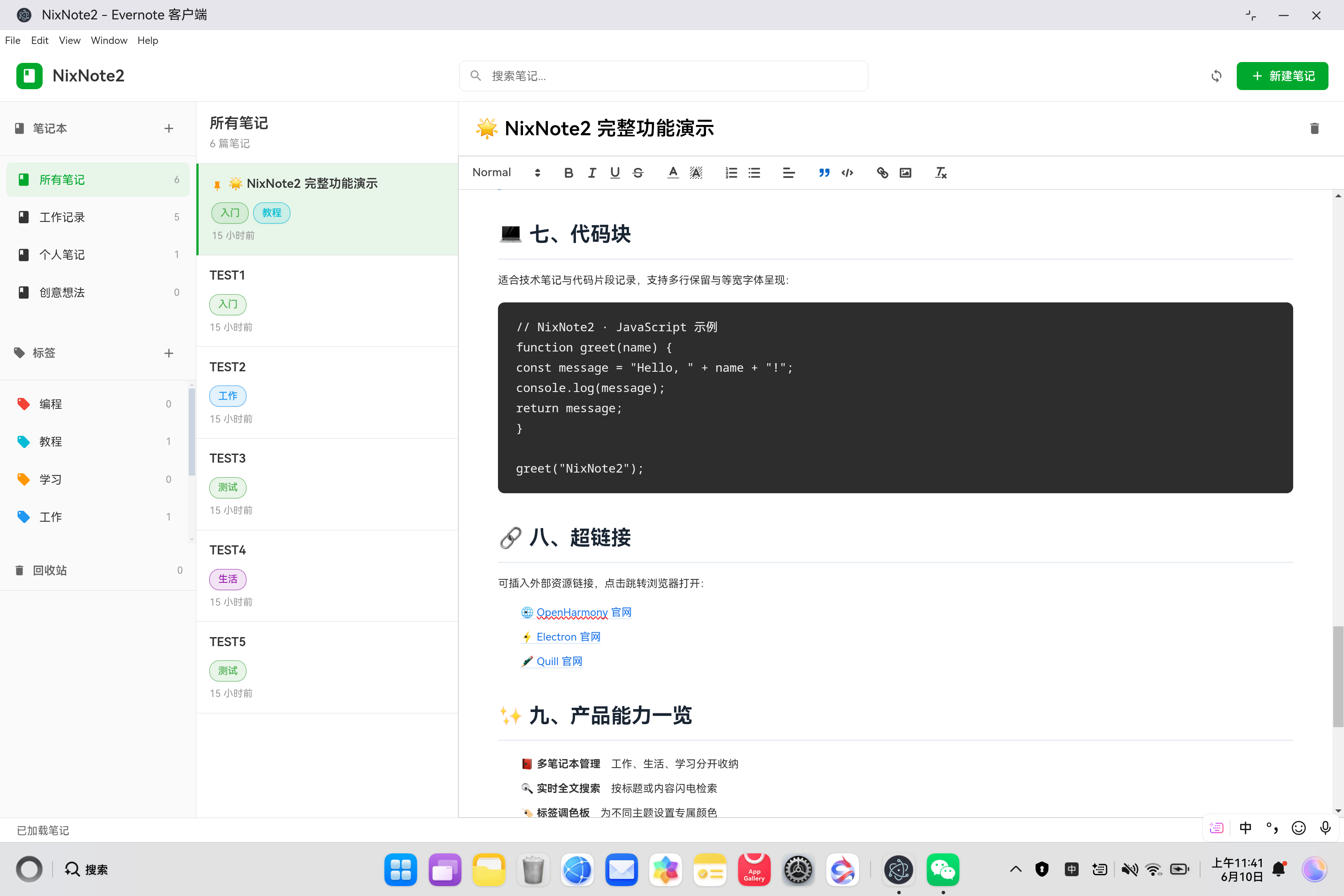
NixNote2 是 Linux 平台的开源富文本笔记应用,支持多笔记本管理、标签分类、全文搜索、笔记置顶等功能,是 Evernote 的优秀开源替代方案。本项目将其从 Linux Qt 应用迁移到鸿蒙平台,采用 Electron 核心功能 + 鸿蒙壳工程 的架构模式。
欢迎加入开源鸿蒙PC社区:https://harmonypc.csdn.net/
欢迎在PC社区平台申请新建项目:https://atomgit.com/OpenHarmonyPCDeveloper
AtomGit 仓库地址:https://atomgit.com/OpenHarmonyPCDeveloper/ohos_nixnote2_electron
核心功能
- 📝 富文本编辑(Quill 编辑器,支持标题/粗体/列表/图片等)
- 📚 多笔记本管理(新建/删除/归类)
- 🏷️ 标签分类系统(彩色标签、筛选)
- 📌 笔记置顶功能
- ♻️ 回收站与笔记恢复
- 🔍 全文搜索与过滤
- 💾 IndexedDB 本地持久化
- 📤 笔记导出功能
- ⌨️ 完整快捷键支持(Ctrl+S/Ctrl+N/Ctrl+F)
- 🎨 现代化三栏 UI 设计
一、技术架构
1.1 原始架构(Linux Qt)
bash
NixNote2 (C++/Qt Linux Desktop)
├── UI 渲染:Qt Widgets
├── 数据存储:SQLite
├── 富文本:QTextEdit
└── 同步协议:Evernote EDAM API
1.2 目标架构(鸿蒙 Electron)
bash
鸿蒙壳工程 (ArkTS)
└── web_engine 模块 (XComponent WebView)
    └── Electron 应用 (HTML/CSS/JavaScript)
        ├── main.js - Electron 主进程
        ├── renderer.js - 渲染进程(核心逻辑)
        ├── index.html - UI 界面
        ├── package.json - 项目配置
        ├── src/
        │   └── database.js - IndexedDB 数据库
        ├── styles/
        │   └── main.css - 样式文件
        └── vendor/
            ├── quill.js - Quill 富文本编辑器
            └── quill.snow.css - Quill 主题样式
1.3 架构优势
- 跨平台:Electron 代码可在 Windows/macOS/Linux 复用
- 快速开发:Web 技术栈,开发效率高
- 易于维护:UI 和业务逻辑分离
- 鸿蒙兼容:通过 WebView 桥接,避开 Native 兼容问题
二、环境准备
2.1 开发环境要求
- 操作系统:Windows 10
- 开发工具:DevEco Studio(鸿蒙官方 IDE)
- HarmonyOS SDK:API 15+
- Node.js:v24+(Electron 依赖)
2.2 项目结构
bash
ohos_hap/
└── web_engine/                   # 鸿蒙 web_engine 模块
    └── src/main/resources/
        └── resfile/resources/app/  # 部署目录
            ├── main.js           # Electron 主进程
            ├── renderer.js       # 渲染进程(核心逻辑)
            ├── index.html        # UI 界面
            ├── package.json      # 项目配置
            ├── src/
            │   └── database.js   # IndexedDB 数据库管理
            ├── styles/
            │   └── main.css      # 样式文件
            └── vendor/
                ├── quill.js      # Quill 富文本编辑器
                └── quill.snow.css # Quill 主题样式
└── build-profile.json5           # 鸿蒙构建配置
三、核心适配流程
3.1 第一步:创建 Electron 主进程
文件:web_engine/src/main/resources/resfile/resources/app/main.js
js
// NixNote2 - Electron 主进程
const { app, BrowserWindow, ipcMain, dialog } = require('electron');
const path = require('path');
const fs = require('fs');

let mainWindow = null;

function createWindow() {
  console.log('NixNote2: Creating window...');

  mainWindow = new BrowserWindow({
    width: 1400,
    height: 900,
    minWidth: 1000,
    minHeight: 700,
    frame: true,
    resizable: true,
    webPreferences: {
      nodeIntegration: true,
      contextIsolation: false,
      backgroundThrottling: false
    }
  });

  // 加载 NixNote2 主界面
  const indexPath = path.join(__dirname, 'index.html');
  console.log('NixNote2: Loading', indexPath);
  mainWindow.loadFile(indexPath);

  // 开发模式打开 DevTools
  if (process.argv.includes('--dev')) {
    mainWindow.webContents.openDevTools();
  }

  mainWindow.on('closed', () => {
    mainWindow = null;
  });

  console.log('NixNote2: Window created successfully');
}

// 应用就绪时创建窗口
app.whenReady().then(() => {
  createWindow();

  app.on('activate', () => {
    if (BrowserWindow.getAllWindows().length === 0) {
      createWindow();
    }
  });
});

// 所有窗口关闭时退出应用
app.on('window-all-closed', () => {
  if (process.platform !== 'darwin') {
    app.quit();
  }
});

// IPC 处理 - 文件选择
ipcMain.handle('dialog:openFile', async () => {
  const result = await dialog.showOpenDialog(mainWindow, {
    properties: ['openFile'],
    filters: [
      { name: 'ENEX Files', extensions: ['enex'] },
      { name: 'All Files', extensions: ['*'] }
    ]
  });

  if (!result.canceled && result.filePaths.length > 0) {
    return result.filePaths[0];
  }
  return null;
});

// IPC 处理 - 文件保存
ipcMain.handle('dialog:saveFile', async () => {
  const result = await dialog.showSaveDialog(mainWindow, {
    filters: [
      { name: 'ENEX Files', extensions: ['enex'] }
    ]
  });

  if (!result.canceled && result.filePath) {
    return result.filePath;
  }
  return null;
});

// IPC 处理 - 读取文件
ipcMain.handle('fs:readFile', async (event, filePath) => {
  try {
    const data = fs.readFileSync(filePath);
    return data;
  } catch (error) {
    console.error('Failed to read file:', error);
    throw error;
  }
});

// IPC 处理 - 写入文件
ipcMain.handle('fs:writeFile', async (event, filePath, data) => {
  try {
    fs.writeFileSync(filePath, Buffer.from(data));
    return true;
  } catch (error) {
    console.error('Failed to write file:', error);
    throw error;
  }
});

// IPC 处理 - 剪贴板复制
ipcMain.handle('clipboard:writeText', async (event, text) => {
  const { clipboard } = require('electron');
  clipboard.writeText(text);
  return true;
});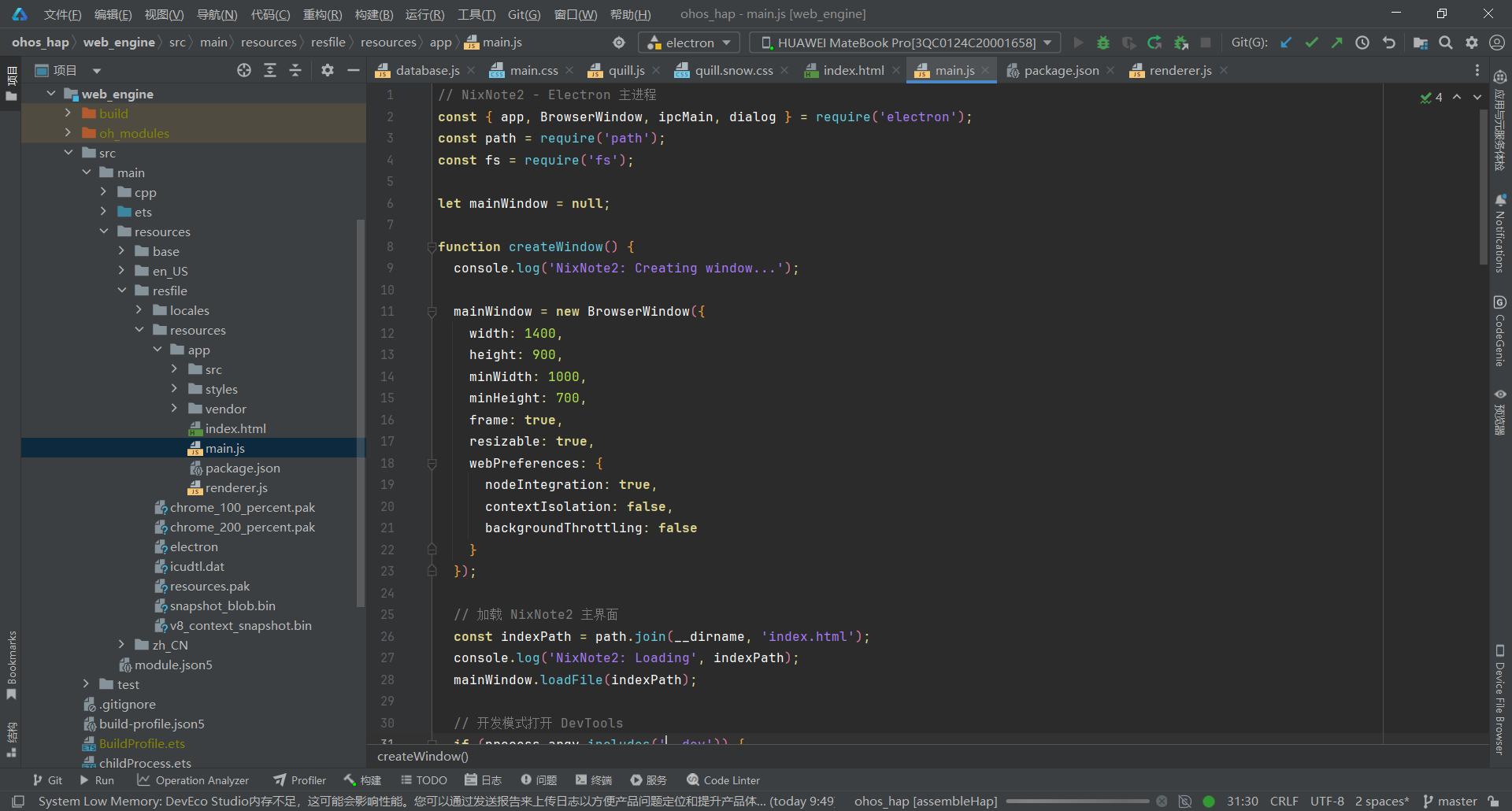
关键要点:
- 窗口尺寸 1400x900,最小 1000x700
- 设置 backgroundThrottling: false 保证后台正常运行
- 支持 --dev 参数打开 DevTools 调试
- 提供完整的 IPC 接口:文件选择/保存、读写文件、剪贴板
3.2 第二步:实现 IndexedDB 数据库管理
文件:web_engine/src/main/resources/resfile/resources/app/src/database.js
js
/**
 * IndexedDB 本地持久化存储
 * 用于保存笔记、笔记本、标签等数据
 */

class NoteDatabase {
  constructor() {
    this.dbName = 'NixNote2DB';
    this.dbVersion = 2;  // 升级到 v2 以支持回收站
    this.db = null;
  }

  /**
   * 初始化数据库
   */
  async init() {
    return new Promise((resolve, reject) => {
      const request = indexedDB.open(this.dbName, this.dbVersion);

      request.onerror = (event) => {
        console.error('数据库打开失败:', event.target.error);
        reject(event.target.error);
      };

      request.onsuccess = (event) => {
        this.db = event.target.result;
        console.log('数据库打开成功');
        resolve(this.db);
      };

      request.onupgradeneeded = (event) => {
        const db = event.target.result;

        // 创建笔记本存储
        if (!db.objectStoreNames.contains('notebooks')) {
          const notebookStore = db.createObjectStore('notebooks', { keyPath: 'id' });
          notebookStore.createIndex('name', 'name', { unique: false });
          notebookStore.createIndex('created', 'created', { unique: false });
        }

        // 创建笔记存储
        if (!db.objectStoreNames.contains('notes')) {
          const noteStore = db.createObjectStore('notes', { keyPath: 'id' });
          noteStore.createIndex('notebookId', 'notebookId', { unique: false });
          noteStore.createIndex('title', 'title', { unique: false });
          noteStore.createIndex('updated', 'updated', { unique: false });
          noteStore.createIndex('tags', 'tags', { unique: false, multiEntry: true });
        }

        // 创建标签存储
        if (!db.objectStoreNames.contains('tags')) {
          const tagStore = db.createObjectStore('tags', { keyPath: 'id' });
          tagStore.createIndex('name', 'name', { unique: true });
        }

        // 创建回收站存储
        if (!db.objectStoreNames.contains('trash')) {
          const trashStore = db.createObjectStore('trash', { keyPath: 'id' });
          trashStore.createIndex('deletedAt', 'deletedAt', { unique: false });
        }

        console.log('数据库结构升级完成');
      };
    });
  }

  /**
   * 保存所有笔记本
   */
  async saveNotebooks(notebooks) {
    return new Promise((resolve, reject) => {
      const transaction = this.db.transaction(['notebooks'], 'readwrite');
      const store = transaction.objectStore('notebooks');

      // 清空旧数据
      store.clear();

      // 插入新数据
      notebooks.forEach(notebook => {
        store.add(notebook);
      });

      transaction.oncomplete = () => {
        console.log(`保存了 ${notebooks.length} 个笔记本`);
        resolve();
      };

      transaction.onerror = (event) => {
        console.error('保存笔记本失败:', event.target.error);
        reject(event.target.error);
      };
    });
  }

  /**
   * 加载所有笔记本
   */
  async loadNotebooks() {
    return new Promise((resolve, reject) => {
      const transaction = this.db.transaction(['notebooks'], 'readonly');
      const store = transaction.objectStore('notebooks');
      const request = store.getAll();

      request.onsuccess = () => {
        console.log(`加载了 ${request.result.length} 个笔记本`);
        resolve(request.result);
      };

      request.onerror = (event) => {
        console.error('加载笔记本失败:', event.target.error);
        reject(event.target.error);
      };
    });
  }

  /**
   * 保存所有笔记
   */
  async saveNotes(notes) {
    return new Promise((resolve, reject) => {
      const transaction = this.db.transaction(['notes'], 'readwrite');
      const store = transaction.objectStore('notes');

      // 清空旧数据
      store.clear();

      // 插入新数据
      notes.forEach(note => {
        store.add(note);
      });

      transaction.oncomplete = () => {
        console.log(`保存了 ${notes.length} 篇笔记`);
        resolve();
      };

      transaction.onerror = (event) => {
        console.error('保存笔记失败:', event.target.error);
        reject(event.target.error);
      };
    });
  }

  /**
   * 加载所有笔记
   */
  async loadNotes() {
    return new Promise((resolve, reject) => {
      const transaction = this.db.transaction(['notes'], 'readonly');
      const store = transaction.objectStore('notes');
      const request = store.getAll();

      request.onsuccess = () => {
        console.log(`加载了 ${request.result.length} 篇笔记`);
        resolve(request.result);
      };

      request.onerror = (event) => {
        console.error('加载笔记失败:', event.target.error);
        reject(event.target.error);
      };
    });
  }

  /**
   * 保存单个笔记(用于实时更新)
   */
  async saveNote(note) {
    return new Promise((resolve, reject) => {
      const transaction = this.db.transaction(['notes'], 'readwrite');
      const store = transaction.objectStore('notes');
      store.put(note);

      transaction.oncomplete = () => resolve();
      transaction.onerror = (event) => reject(event.target.error);
    });
  }

  /**
   * 保存所有标签
   */
  async saveTags(tagList) {
    return new Promise((resolve, reject) => {
      const transaction = this.db.transaction(['tags'], 'readwrite');
      const store = transaction.objectStore('tags');
      store.clear();
      tagList.forEach(tag => store.add(tag));
      transaction.oncomplete = () => {
        console.log(`保存了 ${tagList.length} 个标签`);
        resolve();
      };
      transaction.onerror = (event) => {
        console.error('保存标签失败:', event.target.error);
        reject(event.target.error);
      };
    });
  }

  /**
   * 加载所有标签
   */
  async loadTags() {
    return new Promise((resolve, reject) => {
      const transaction = this.db.transaction(['tags'], 'readonly');
      const store = transaction.objectStore('tags');
      const request = store.getAll();
      request.onsuccess = () => {
        console.log(`加载了 ${request.result.length} 个标签`);
        resolve(request.result);
      };
      request.onerror = (event) => {
        console.error('加载标签失败:', event.target.error);
        reject(event.target.error);
      };
    });
  }

  /**
   * 保存回收站
   */
  async saveTrash(trashList) {
    return new Promise((resolve, reject) => {
      const transaction = this.db.transaction(['trash'], 'readwrite');
      const store = transaction.objectStore('trash');
      store.clear();
      trashList.forEach(note => store.add(note));
      transaction.oncomplete = () => {
        console.log(`保存了 ${trashList.length} 篇回收站笔记`);
        resolve();
      };
      transaction.onerror = (event) => {
        console.error('保存回收站失败:', event.target.error);
        reject(event.target.error);
      };
    });
  }

  /**
   * 加载回收站
   */
  async loadTrash() {
    return new Promise((resolve, reject) => {
      const transaction = this.db.transaction(['trash'], 'readonly');
      const store = transaction.objectStore('trash');
      const request = store.getAll();
      request.onsuccess = () => {
        console.log(`加载了 ${request.result.length} 篇回收站笔记`);
        resolve(request.result);
      };
      request.onerror = (event) => {
        console.error('加载回收站失败:', event.target.error);
        reject(event.target.error);
      };
    });
  }

  /**
   * 删除笔记
   */
  async deleteNote(noteId) {
    return new Promise((resolve, reject) => {
      const transaction = this.db.transaction(['notes'], 'readwrite');
      const store = transaction.objectStore('notes');
      store.delete(noteId);

      transaction.oncomplete = () => resolve();
      transaction.onerror = (event) => reject(event.target.error);
    });
  }

  /**
   * 清空所有数据
   */
  async clearAll() {
    return new Promise((resolve, reject) => {
      const transaction = this.db.transaction(['notebooks', 'notes', 'tags', 'trash'], 'readwrite');

      transaction.objectStore('notebooks').clear();
      transaction.objectStore('notes').clear();
      transaction.objectStore('tags').clear();
      transaction.objectStore('trash').clear();

      transaction.oncomplete = () => {
        console.log('清空所有数据');
        resolve();
      };

      transaction.onerror = (event) => reject(event.target.error);
    });
  }
}

// 创建全局数据库实例
const noteDB = new NoteDatabase();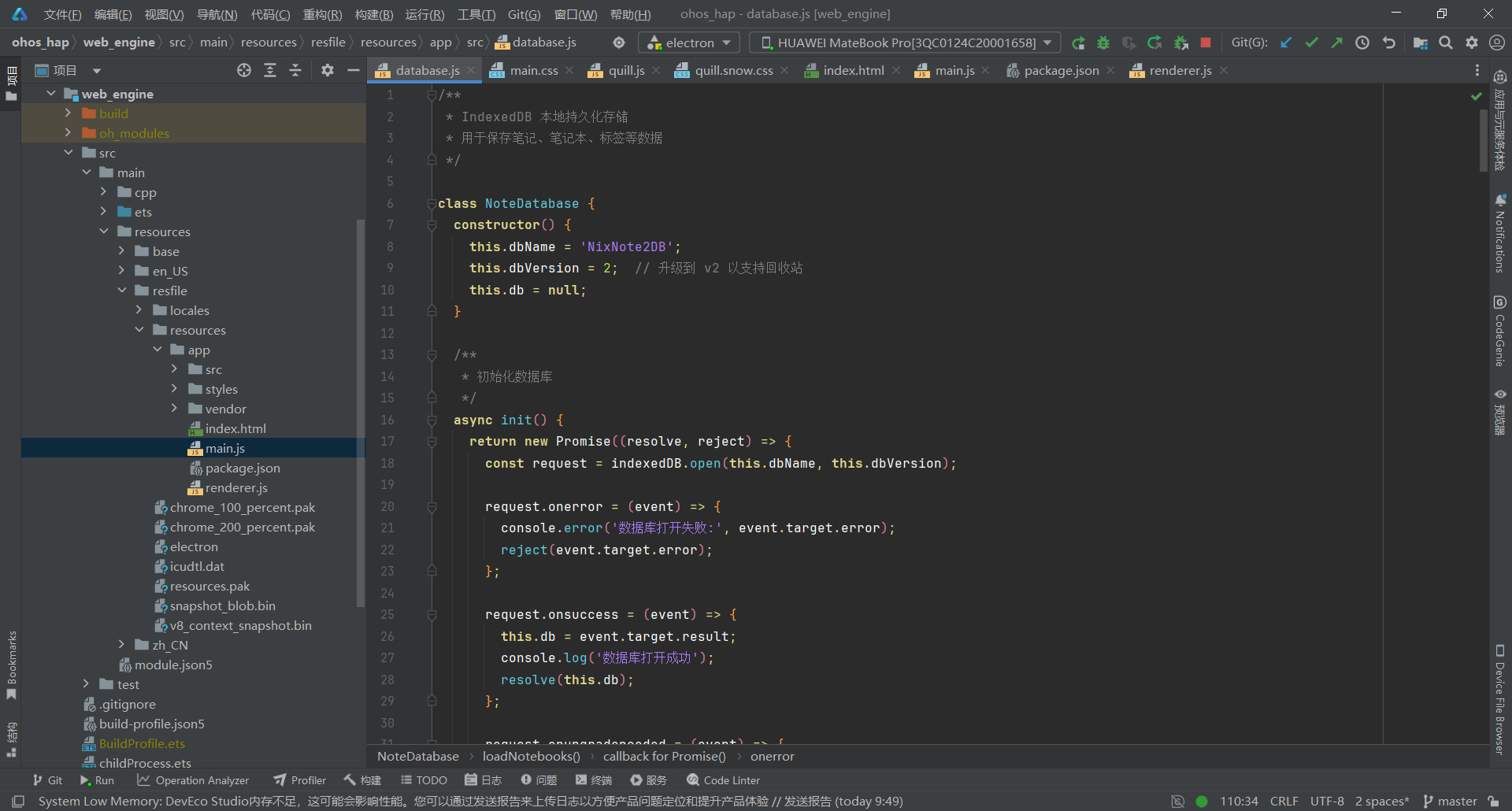
关键要点:
- 数据库名称 NixNote2DB,版本号 2(支持回收站)
- 四个存储对象:notebooks、notes、tags、trash
- 笔记存储包含多个索引:notebookId、title、updated、tags(支持多值)
- 提供批量保存/加载和单条保存操作
- 回收站支持笔记恢复和清空
3.3 第三步:设计三栏式专业 UI
文件:web_engine/src/main/resources/resfile/resources/app/index.html
js
<!DOCTYPE html>
<html lang="zh-CN">
<head>
  <meta charset="UTF-8">
  <meta name="viewport" content="width=device-width, initial-scale=1.0">
  <title>NixNote2 - Evernote 客户端</title>
  <!-- Quill.js 富文本编辑器(本地) -->
  <link href="vendor/quill.snow.css" rel="stylesheet">
  <script src="vendor/quill.js"></script>
  <link rel="stylesheet" href="styles/main.css">
</head>
<body>
  <!-- SVG 图标定义 -->
  <svg xmlns="http://www.w3.org/2000/svg" style="display: none;">
    <symbol id="icon-notebook" viewBox="0 0 24 24">
      <path d="M18 2H6c-1.1 0-2 .9-2 2v16c0 1.1.9 2 2 2h12c1.1 0 2-.9 2-2V4c0-1.1-.9-2-2-2zM6 4h5v8l-2.5-1.5L6 12V4z"/>
    </symbol>
    <symbol id="icon-note" viewBox="0 0 24 24">
      <path d="M14 2H6c-1.1 0-1.99.9-1.99 2L4 20c0 1.1.89 2 1.99 2H18c1.1 0 2-.9 2-2V8l-6-6zm2 16H8v-2h8v2zm0-4H8v-2h8v2zm-3-5V3.5L18.5 9H13z"/>
    </symbol>
    <symbol id="icon-search" viewBox="0 0 24 24">
      <path d="M15.5 14h-.79l-.28-.27C15.41 12.59 16 11.11 16 9.5 16 5.91 13.09 3 9.5 3S3 5.91 3 9.5 5.91 16 9.5 16c1.61 0 3.09-.59 4.23-1.57l.27.28v.79l5 4.99L20.49 19l-4.99-5zm-6 0C7.01 14 5 11.99 5 9.5S7.01 5 9.5 5 14 7.01 14 9.5 11.99 14 9.5 14z"/>
    </symbol>
    <symbol id="icon-add" viewBox="0 0 24 24">
      <path d="M19 13h-6v6h-2v-6H5v-2h6V5h2v6h6v2z"/>
    </symbol>
    <symbol id="icon-sync" viewBox="0 0 24 24">
      <path d="M12 4V1L8 5l4 4V6c3.31 0 6 2.69 6 6 0 1.01-.25 1.97-.7 2.8l1.46 1.46C19.54 15.03 20 13.57 20 12c0-4.42-3.58-8-8-8zm0 14c-3.31 0-6-2.69-6-6 0-1.01.25-1.97.7-2.8L5.24 7.74C4.46 8.97 4 10.43 4 12c0 4.42 3.58 8 8 8v3l4-4-4-4v3z"/>
    </symbol>
    <symbol id="icon-tag" viewBox="0 0 24 24">
      <path d="M21.41 11.58l-9-9C12.05 2.22 11.55 2 11 2H4c-1.1 0-2 .9-2 2v7c0 .55.22 1.05.59 1.42l9 9c.36.36.86.58 1.41.58.55 0 1.05-.22 1.41-.59l7-7c.37-.36.59-.86.59-1.41 0-.55-.23-1.06-.59-1.42zM5.5 7C4.67 7 4 6.33 4 5.5S4.67 4 5.5 4 7 4.67 7 5.5 6.33 7 5.5 7z"/>
    </symbol>
    <symbol id="icon-delete" viewBox="0 0 24 24">
      <path d="M6 19c0 1.1.9 2 2 2h8c1.1 0 2-.9 2-2V7H6v12zM19 4h-3.5l-1-1h-5l-1 1H5v2h14V4z"/>
    </symbol>
    <symbol id="icon-star" viewBox="0 0 24 24">
      <path d="M12 17.27L18.18 21l-1.64-7.03L22 9.24l-7.19-.61L12 2 9.19 8.63 2 9.24l5.46 4.73L5.82 21z"/>
    </symbol>
    <symbol id="icon-trash" viewBox="0 0 24 24">
      <path d="M6 19c0 1.1.9 2 2 2h8c1.1 0 2-.9 2-2V7H6v12zM19 4h-3.5l-1-1h-5l-1 1H5v2h14V4z"/>
    </symbol>
    <symbol id="icon-check" viewBox="0 0 24 24">
      <path d="M9 16.17L4.83 12l-1.42 1.41L9 19 21 7l-1.41-1.41z"/>
    </symbol>
    <symbol id="icon-edit" viewBox="0 0 24 24">
      <path d="M3 17.25V21h3.75L17.81 9.94l-3.75-3.75L3 17.25zM20.71 7.04c.39-.39.39-1.02 0-1.41l-2.34-2.34c-.39-.39-1.02-.39-1.41 0l-1.83 1.83 3.75 3.75 1.83-1.83z"/>
    </symbol>
    <symbol id="icon-restore" viewBox="0 0 24 24">
      <path d="M12 5V1L7 6l5 5V7c3.31 0 6 2.69 6 6s-2.69 6-6 6-6-2.69-6-6H4c0 4.42 3.58 8 8 8s8-3.58 8-8-3.58-8-8-8z"/>
    </symbol>
    <symbol id="icon-pin" viewBox="0 0 24 24">
      <path d="M16 12V4h1V2H7v2h1v8l-2 2v2h5.2v6h1.6v-6H18v-2l-2-2z"/>
    </symbol>
  </svg>

  <!-- 主应用容器 -->
  <div id="app" class="app-container">
    <!-- 右键菜单 -->
    <div id="context-menu" class="context-menu">
      <!-- 动态生成菜单项 -->
    </div>

    <!-- 顶部工具栏 -->
    <header class="toolbar">
      <div class="toolbar-left">
        <div class="app-logo">
          <svg><use href="#icon-notebook"/></svg>
        </div>
        <h1 class="app-title">NixNote2</h1>
      </div>
      <div class="toolbar-center">
        <div class="search-wrapper">
          <svg class="search-icon"><use href="#icon-search"/></svg>
          <input type="text" id="search-input" class="search-input" placeholder="搜索笔记...">
        </div>
      </div>
      <div class="toolbar-right">
        <button id="btn-sync" class="btn btn-icon" title="同步">
          <svg><use href="#icon-sync"/></svg>
        </button>
        <button id="btn-new-note" class="btn btn-primary">
          <svg><use href="#icon-add"/></svg>
          <span>新建笔记</span>
        </button>
      </div>
    </header>

    <!-- 主内容区 -->
    <main class="main-content">
      <!-- 左侧边栏 -->
      <aside class="sidebar">
        <div class="sidebar-header">
          <h3>
            <svg class="header-icon"><use href="#icon-notebook"/></svg>
            笔记本
          </h3>
          <button id="btn-add-notebook" class="btn btn-icon" title="添加笔记本">
            <svg><use href="#icon-add"/></svg>
          </button>
        </div>
        <div id="notebook-list" class="notebook-list">
          <!-- 笔记本列表动态生成 -->
        </div>

        <!-- 标签区域 -->
        <div class="sidebar-header" style="margin-top: 8px;">
          <h3>
            <svg class="header-icon"><use href="#icon-tag"/></svg>
            标签
          </h3>
          <button id="btn-add-tag" class="btn btn-icon" title="添加标签">
            <svg><use href="#icon-add"/></svg>
          </button>
        </div>
        <div id="tag-list" class="notebook-list" style="max-height: 200px;">
          <!-- 标签列表动态生成 -->
        </div>

        <!-- 回收站 -->
        <div class="sidebar-header trash-header" style="margin-top: 8px; cursor: pointer;" onclick="toggleTrash()">
          <h3>
            <svg class="header-icon"><use href="#icon-trash"/></svg>
            回收站
          </h3>
          <span id="trash-count" class="notebook-count">0</span>
        </div>
        <div id="trash-list" class="notebook-list" style="max-height: 150px; display: none;">
          <!-- 回收站列表动态生成 -->
        </div>
      </aside>

      <!-- 中间笔记列表 -->
      <section class="note-list-panel">
        <div class="note-list-header">
          <h2 id="current-notebook-name">所有笔记</h2>
          <span id="note-count" class="note-count">0 篇笔记</span>
        </div>
        <div id="note-list" class="note-list">
          <!-- 笔记列表动态生成 -->
        </div>
      </section>

      <!-- 右侧编辑器 -->
      <section class="editor-panel" id="editor-panel">
        <div class="empty-state" id="empty-state">
          <svg class="empty-state-icon"><use href="#icon-note"/></svg>
          <div class="empty-state-text">选择一篇笔记或创建新笔记</div>
          <div class="empty-state-subtext">开始记录您的想法</div>
        </div>
        <div id="editor-content" style="display: none; flex-direction: column; flex: 1;">
          <div class="editor-header">
            <input type="text" id="note-title-input" class="editor-title-input" placeholder="笔记标题">
            <div class="editor-toolbar">
              <button id="btn-delete-note" class="btn btn-icon" title="删除笔记">
                <svg><use href="#icon-delete"/></svg>
              </button>
            </div>
          </div>
          <!-- Quill 编辑器容器 -->
          <div id="quill-editor"></div>
        </div>
      </section>
    </main>

    <!-- 底部状态栏 -->
    <footer class="status-bar">
      <span id="status-text">就绪</span>
      <span id="sync-status">未同步</span>
    </footer>
  </div>

  <!-- 引入脚本 -->
  <script src="src/database.js"></script>
  <script src="renderer.js"></script>
</body>
</html>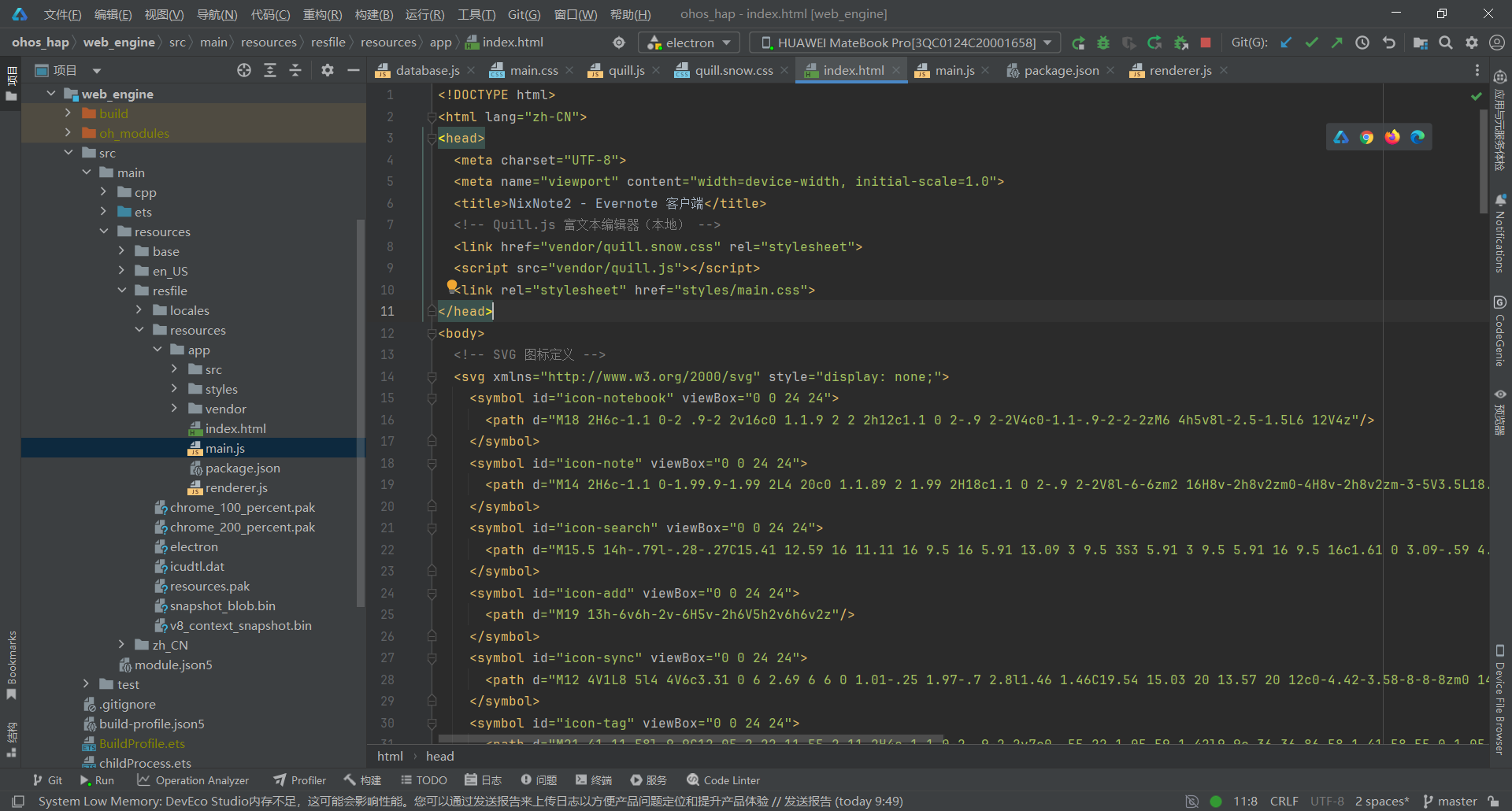
关键要点:
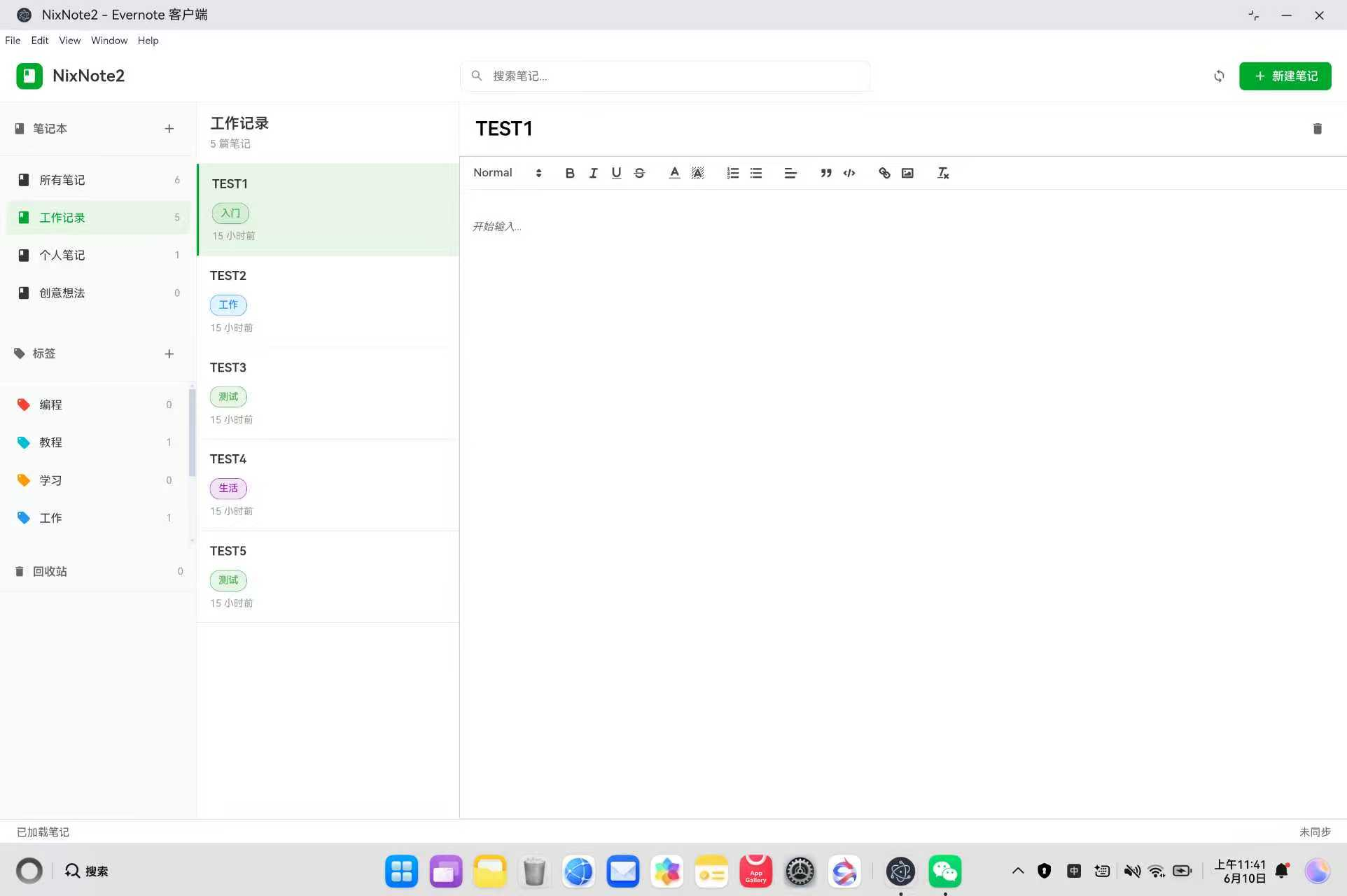
- 采用三栏式专业布局(左侧笔记本/标签/回收站 + 中间笔记列表 + 右侧编辑器)
- 使用 SVG 图标替代 emoji,提升专业感
- 引入 Quill 富文本编辑器(vendor 本地文件)
- 空状态提示引导用户创建笔记
3.4 第四步:实现事件监听与数据加载
文件:web_engine/src/main/resources/resfile/resources/app/renderer.js
js
/**
 * NixNote2 主渲染逻辑
 * 处理用户交互、界面渲染、笔记管理
 */

// 演示笔记版本控制:每次修改演示笔记内容请提升此版本号,启动时会自动重建
const DEMO_NOTE_ID = 'demo-welcome-note';
const DEMO_VERSION = 'v4';

// 全局状态
let notebooks = [];
let notes = [];
let tags = [];  // 标签列表
let trash = [];  // 回收站
let currentNotebook = null;
let currentTag = null;  // 当前选中的标签
let currentNote = null;
let quill = null;  // Quill 编辑器实例
let saveTimer = null;  // 自动保存防抖定时器
let trashExpanded = false;  // 回收站展开状态

// 初始化
document.addEventListener('DOMContentLoaded', async () => {
  // 初始化 Quill 编辑器(必须在最开始)
  initQuillEditor();

  // 绑定所有 UI 事件
  bindEvents();

  // 初始化数据库
  try {
    await noteDB.init();
    console.log('数据库初始化成功');

    // 尝试加载已保存的数据
    const savedNotebooks = await noteDB.loadNotebooks();
    const savedNotes = await noteDB.loadNotes();
    let savedTags = [];
    try { savedTags = await noteDB.loadTags(); } catch (e) { savedTags = []; }
    let savedTrash = [];
    try { savedTrash = await noteDB.loadTrash(); } catch (e) { savedTrash = []; }

    if (savedNotebooks.length > 0 && savedNotes.length > 0) {
      // 有已保存的数据,直接加载
      notebooks = savedNotebooks;
      notes = savedNotes;
      // tags 可能以前没保存过,为空时补上默认标签集
      tags = (savedTags && savedTags.length > 0) ? savedTags : buildDefaultTags();
      // 回收站数据
      trash = savedTrash;
      currentNotebook = notebooks[0];

      // 检测演示笔记版本,不匹配或已被污染则重建
      const demoNote = notes.find(n => n.id === DEMO_NOTE_ID);
      if (!demoNote || demoNote.version !== DEMO_VERSION) {
        await rebuildDemoNote();
      }

      renderAll();
      showStatus('已加载本地数据');
    } else {
      // 没有数据,创建示例数据
      createDemoData();
    }
  } catch (error) {
    console.error('数据库初始化失败,使用内存模式:', error);
    createDemoData();
  }
});

/**
 * 绑定所有 UI 事件
 */
function bindEvents() {
  // 工具栏按钮
  document.getElementById('btn-new-note').addEventListener('click', createNewNote);
  document.getElementById('btn-sync').addEventListener('click', syncNotes);

  // 搜索
  document.getElementById('search-input').addEventListener('input', handleSearch);

  // 添加笔记本
  document.getElementById('btn-add-notebook').addEventListener('click', addNotebook);

  // 添加标签
  document.getElementById('btn-add-tag').addEventListener('click', addTag);

  // 删除笔记
  document.getElementById('btn-delete-note').addEventListener('click', deleteCurrentNote);

  // 笔记标题变化
  document.getElementById('note-title-input').addEventListener('input', updateNoteTitle);

  // 快捷键支持
  document.addEventListener('keydown', (e) => {
    // ESC 重置选择
    if (e.key === 'Escape') {
      currentNotebook = null;
      currentTag = null;
      currentNote = null;
      renderAll();
    }

    // Ctrl+S 保存
    if ((e.ctrlKey || e.metaKey) && e.key === 's') {
      e.preventDefault();
      if (currentNote) {
        // 从 Quill 获取最新内容
        if (quill) {
          currentNote.content = quill.root.innerHTML;
        }
        currentNote.updated = new Date();

        // 同步更新 notes 数组
        const originalNote = notes.find(n => n.id === currentNote.id);
        if (originalNote) {
          originalNote.content = currentNote.content;
          originalNote.updated = currentNote.updated;
        }

        // 保存到数据库
        noteDB.saveNote(currentNote).then(() => {
          showStatus('已保存');
        }).catch(err => {
          console.error('保存失败:', err);
          showStatus('保存失败');
        });
      } else {
        showStatus('没有可保存的笔记');
      }
    }

    // Ctrl+N 新建笔记
    if ((e.ctrlKey || e.metaKey) && e.key === 'n') {
      e.preventDefault();
      createNewNote();
    }

    // Ctrl+F 聚焦搜索
    if ((e.ctrlKey || e.metaKey) && e.key === 'f') {
      e.preventDefault();
      document.getElementById('search-input').focus();
    }

    // Delete 删除当前笔记
    if (e.key === 'Delete' && currentNote) {
      deleteCurrentNote();
    }
  });
}

/**
 * 初始化 Quill 富文本编辑器
 */
function initQuillEditor() {
  quill = new Quill('#quill-editor', {
    theme: 'snow',
    placeholder: '开始输入...',
    modules: {
      toolbar: {
        container: [
          [{ 'header': [1, 2, 3, 4, false] }],
          ['bold', 'italic', 'underline', 'strike'],
          [{ 'color': [] }, { 'background': [] }],
          [{ 'list': 'ordered'}, { 'list': 'bullet' }],
          [{ 'align': [] }],
          ['blockquote', 'code-block'],
          ['link', { 'image': true }],
          ['clean']
        ],
        handlers: {
          'image': imageHandler
        }
      }
    }
  });

  // 为 Quill 工具栏按钮补充 tooltip(鼠标悬停显示功能名)
  applyToolbarTooltips();

  // 绑定 Quill 内容变化事件(必须在 quill 对象创建后)
  quill.on('text-change', (delta, oldDelta, source) => {
    if (source !== 'user') return;
    if (currentNote) {
      // 从 Quill 编辑器获取最新 HTML 内容
      const newContent = quill.root.innerHTML;
      currentNote.content = newContent;
      currentNote.updated = new Date();

      // 同步更新 notes 数组中的原始对象
      const originalNote = notes.find(n => n.id === currentNote.id);
      if (originalNote) {
        originalNote.content = newContent;
        originalNote.updated = currentNote.updated;
      }

      renderNotes();

      // 立即保存到 IndexedDB(防抖 500ms)
      clearTimeout(saveTimer);
      saveTimer = setTimeout(() => {
        noteDB.saveNote(currentNote).catch(err => {
          console.error('自动保存失败:', err);
        });
      }, 500);
    }
  });
}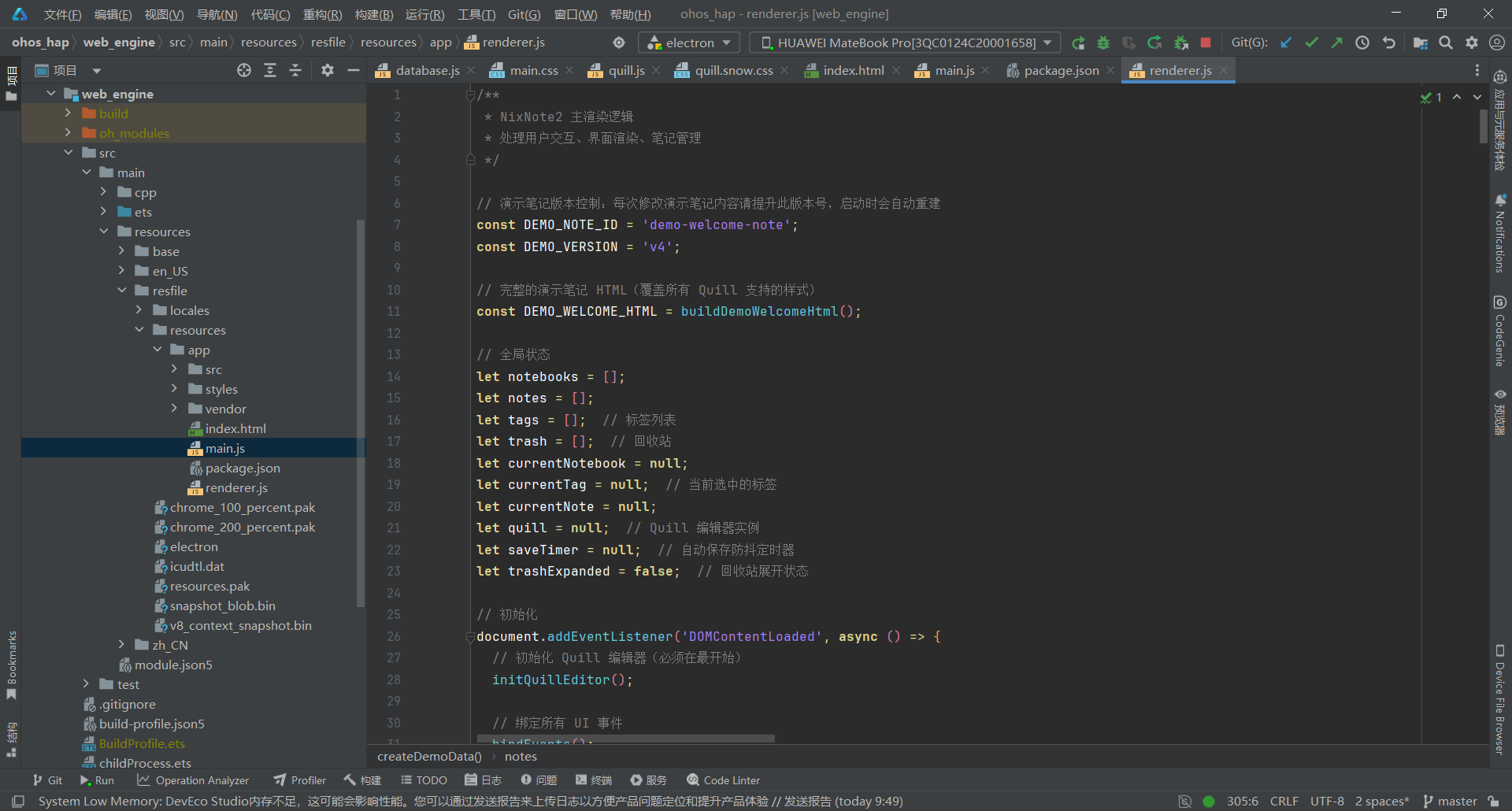
关键要点:
- 使用 DOMContentLoaded 事件初始化,确保 DOM 加载完成
- 演示笔记版本控制(DEMO_VERSION),内容更新时自动重建
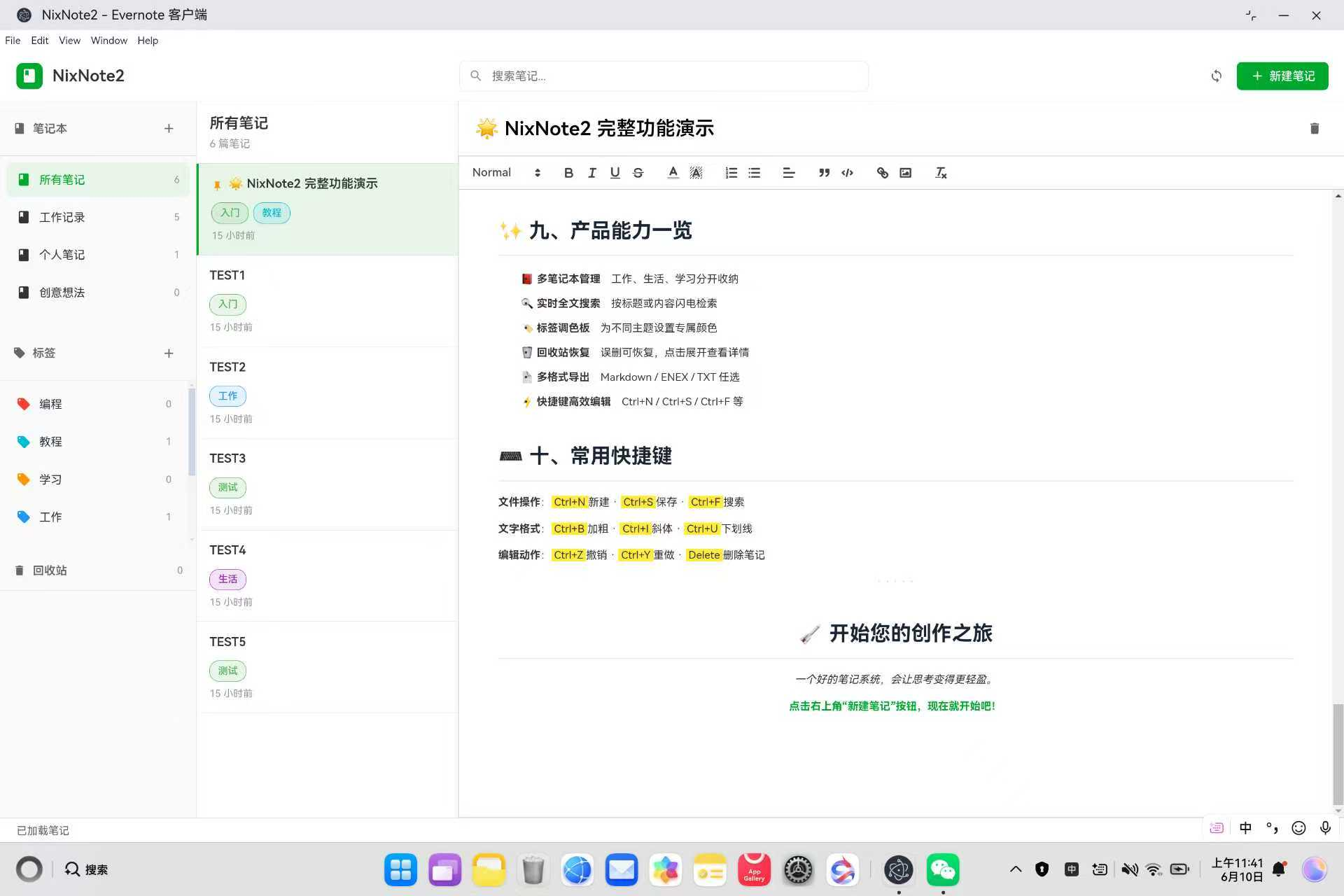
- 快捷键支持:Ctrl+S 保存、Ctrl+N 新建、Ctrl+F 搜索、ESC 重置、Delete 删除
- Quill 编辑器 text-change 事件触发自动保存(500ms 防抖)
- 工具栏 tooltip 提示(applyToolbarTooltips())
- try-catch 保护初始化流程,避免数据库失败导致白屏
3.5 第五步:实现笔记管理与自动保存
文件:web_engine/src/main/resources/resfile/resources/app/renderer.js
js
/**
 * 创建新笔记
 */
function createNewNote() {
  const newNote = {
    id: generateId(),
    notebookId: currentNotebook ? currentNotebook.id : (notebooks[0] ? notebooks[0].id : null),
    title: '无标题笔记',
    content: '',
    tags: [],
    pinned: false,
    created: new Date(),
    updated: new Date()
  };

  notes.unshift(newNote);

  // 立即保存到 IndexedDB
  noteDB.saveNote(newNote).catch(err => {
    console.error('保存新笔记失败:', err);
  });

  selectNote(newNote);
  renderNotebooks();
  showStatus('新笔记已创建');

  // 聚焦标题输入
  document.getElementById('note-title-input').focus();
  document.getElementById('note-title-input').select();

  // 清空 Quill 编辑器
  if (quill) {
    quill.setText('');
  }
}

/**
 * 选中笔记
 */
function selectNote(note) {
  currentNote = JSON.parse(JSON.stringify(note));  // 深拷贝避免直接修改

  // 显示编辑器
  document.getElementById('empty-state').style.display = 'none';
  const editorContent = document.getElementById('editor-content');
  editorContent.style.display = 'flex';

  // 填充标题
  document.getElementById('note-title-input').value = currentNote.title;

  // 填充内容
  if (quill && currentNote.content) {
    quill.root.innerHTML = currentNote.content;
  }

  renderNotes();
}

/**
 * 更新笔记标题
 */
function updateNoteTitle(e) {
  if (!currentNote) return;

  const newTitle = e.target.value;
  currentNote.title = newTitle;
  currentNote.updated = new Date();

  // 同步更新 notes 数组
  const originalNote = notes.find(n => n.id === currentNote.id);
  if (originalNote) {
    originalNote.title = newTitle;
    originalNote.updated = currentNote.updated;
  }

  renderNotes();
  autoSave();
}

/**
 * 自动保存(防抖 500ms)
 */
function autoSave() {
  clearTimeout(saveTimer);
  saveTimer = setTimeout(() => {
    if (currentNote) {
      noteDB.saveNote(currentNote).catch(err => {
        console.error('自动保存失败:', err);
      });
    }
  }, 500);
}

/**
 * 删除当前笔记(移至回收站)
 */
async function deleteCurrentNote() {
  if (!currentNote) return;

  if (!confirm('确定要删除这篇笔记吗?')) return;

  // 移到回收站
  const deletedNote = notes.find(n => n.id === currentNote.id);
  if (deletedNote) {
    deletedNote.deletedAt = new Date();
    trash.push(deletedNote);
  }

  notes = notes.filter(n => n.id !== currentNote.id);

  // 从数据库中删除
  try {
    await noteDB.deleteNote(currentNote.id);
  } catch (error) {
    console.error('删除笔记失败:', error);
  }

  currentNote = null;
  renderAll();
  showStatus('笔记已移至回收站');
}

/**
 * 同步笔记(模拟)
 */
async function syncNotes() {
  showStatus('正在同步...');
  document.getElementById('sync-status').textContent = '同步中...';

  // 模拟同步延迟
  await new Promise(resolve => setTimeout(resolve, 1500));

  showStatus('同步完成');
  document.getElementById('sync-status').textContent = '已同步';
}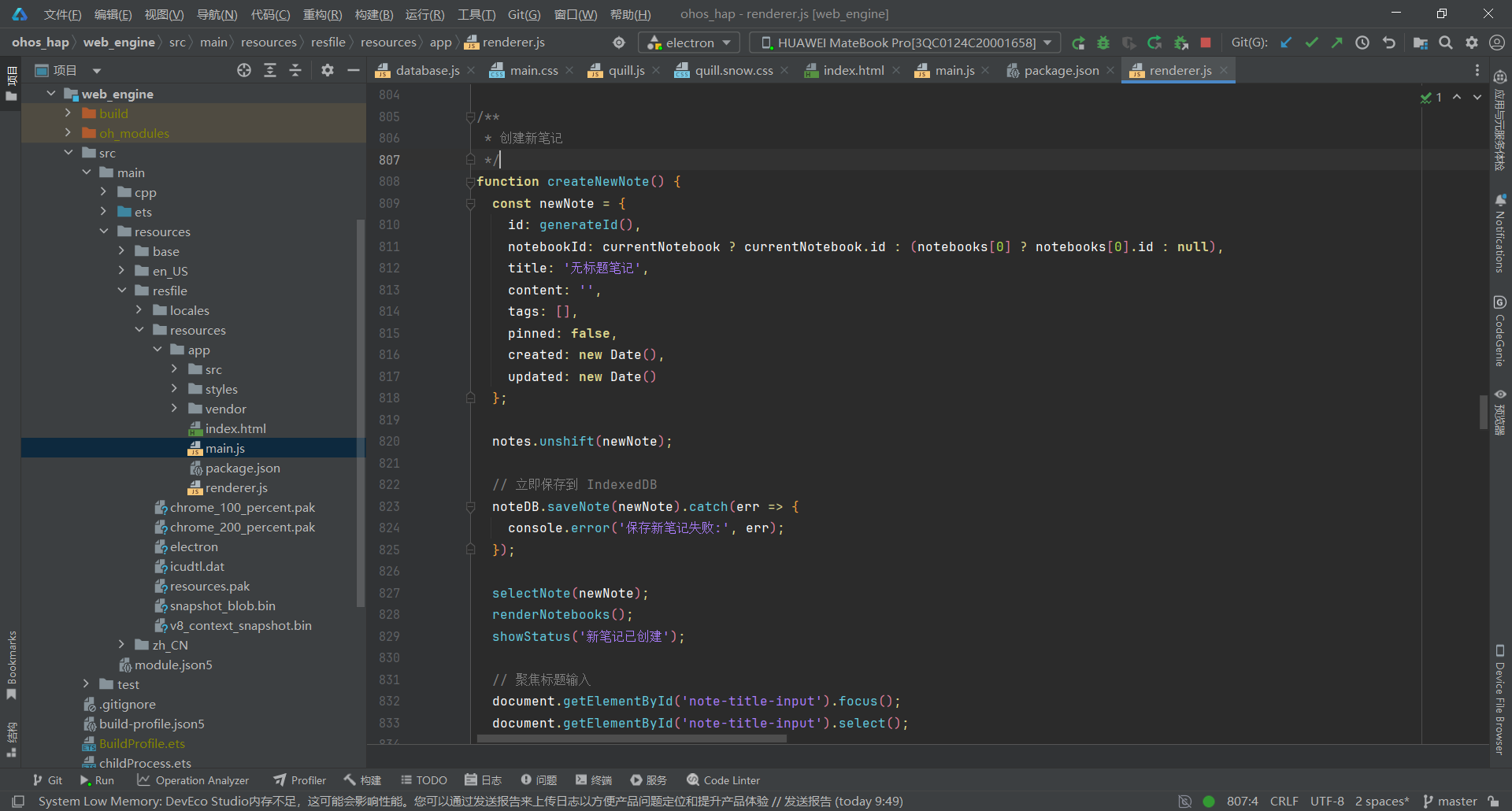
关键要点:
- 创建笔记时立即保存到 IndexedDB,避免数据丢失
- 使用 JSON.parse(JSON.stringify()) 深拷贝笔记,避免直接修改原对象
- 自动保存采用 500ms 防抖,减少频繁写入
- 删除笔记移至回收站,支持后续恢复
- 同步功能为模拟实现(本地优先架构)
3.6 第六步:实现笔记本与标签管理
文件:web_engine/src/main/resources/resfile/resources/app/renderer.js
js
/**
 * 添加笔记本
 */
async function addNotebook() {
  const name = await promptInput('新建笔记本', '', '请输入笔记本名称');
  if (!name) return;

  const newNotebook = {
    id: generateId(),
    name: name,
    created: new Date()
  };

  notebooks.push(newNotebook);
  renderAll();
  showStatus('笔记本已创建');
}

/**
 * 添加标签
 */
async function addTag() {
  const name = await promptInput('新建标签', '', '请输入标签名称');
  if (!name) return;

  // 检查是否已存在
  if (tags.some(t => t.name === name)) {
    alert('标签已存在');
    return;
  }

  // 随机颜色
  const colors = ['#4CAF50', '#2196F3', '#FF9800', '#9C27B0', '#F44336', '#00BCD4', '#FF5722', '#607D8B'];
  const color = colors[Math.floor(Math.random() * colors.length)];

  const newTag = {
    id: generateId(),
    name: name,
    color: color
  };

  tags.push(newTag);
  renderAll();
  showStatus('标签已创建');
}

/**
 * 渲染笔记本列表
 */
function renderNotebooks() {
  const notebookList = document.getElementById('notebook-list');
  notebookList.innerHTML = '';

  // 所有笔记
  const allItem = createNotebookItem(null, '所有笔记', notes.length);
  if (!currentNotebook && !currentTag) {
    allItem.classList.add('notebook-item-active');
  }
  allItem.onclick = () => {
    currentNotebook = null;
    currentTag = null;
    renderNotebooks();
    renderTags();
    renderNotes();
  };
  notebookList.appendChild(allItem);

  // 其他笔记本
  notebooks.forEach(notebook => {
    const count = notes.filter(n => n.notebookId === notebook.id).length;
    const item = createNotebookItem(notebook, notebook.name, count);
    if (currentNotebook && currentNotebook.id === notebook.id) {
      item.classList.add('notebook-item-active');
    }
    item.onclick = () => {
      currentNotebook = notebook;
      currentTag = null;
      renderNotebooks();
      renderTags();
      renderNotes();
    };
    notebookList.appendChild(item);
  });
}

/**
 * 创建笔记本列表项
 */
function createNotebookItem(notebook, name, count) {
  const item = document.createElement('div');
  item.className = 'notebook-item';
  item.innerHTML = `
    <svg class="notebook-icon"><use href="#icon-notebook"/></svg>
    <span class="notebook-name">${escapeHtml(name)}</span>
    <span class="notebook-count">${count}</span>
  `;

  // 右键菜单(仅对真实笔记本,不包括"所有笔记")
  if (notebook) {
    item.addEventListener('contextmenu', (e) => {
      e.preventDefault();
      showNotebookContextMenu(e, notebook);
    });
  }

  return item;
}

/**
 * 渲染标签列表
 */
function renderTags() {
  const tagList = document.getElementById('tag-list');
  tagList.innerHTML = '';

  tags.forEach(tag => {
    const count = notes.filter(n => n.tags && n.tags.includes(tag.name)).length;
    const item = document.createElement('div');
    item.className = 'notebook-item';
    if (currentTag && currentTag.id === tag.id) {
      item.classList.add('notebook-item-active');
    }
    item.innerHTML = `
      <svg class="notebook-icon"><use href="#icon-tag"/></svg>
      <span class="notebook-name" style="color: ${tag.color}">${escapeHtml(tag.name)}</span>
      <span class="notebook-count">${count}</span>
    `;
    item.onclick = () => {
      currentTag = tag;
      currentNotebook = null;
      renderNotebooks();
      renderTags();
      renderNotes();
    };

    // 标签右键菜单
    item.addEventListener('contextmenu', (e) => {
      e.preventDefault();
      showTagContextMenu(e, tag);
    });

    tagList.appendChild(item);
  });
}

/**
 * 为笔记添加标签
 */
function addTagToNote(note, tagName) {
  if (!note.tags) {
    note.tags = [];
  }
  if (!note.tags.includes(tagName)) {
    note.tags.push(tagName);
    note.updated = new Date();
  }
}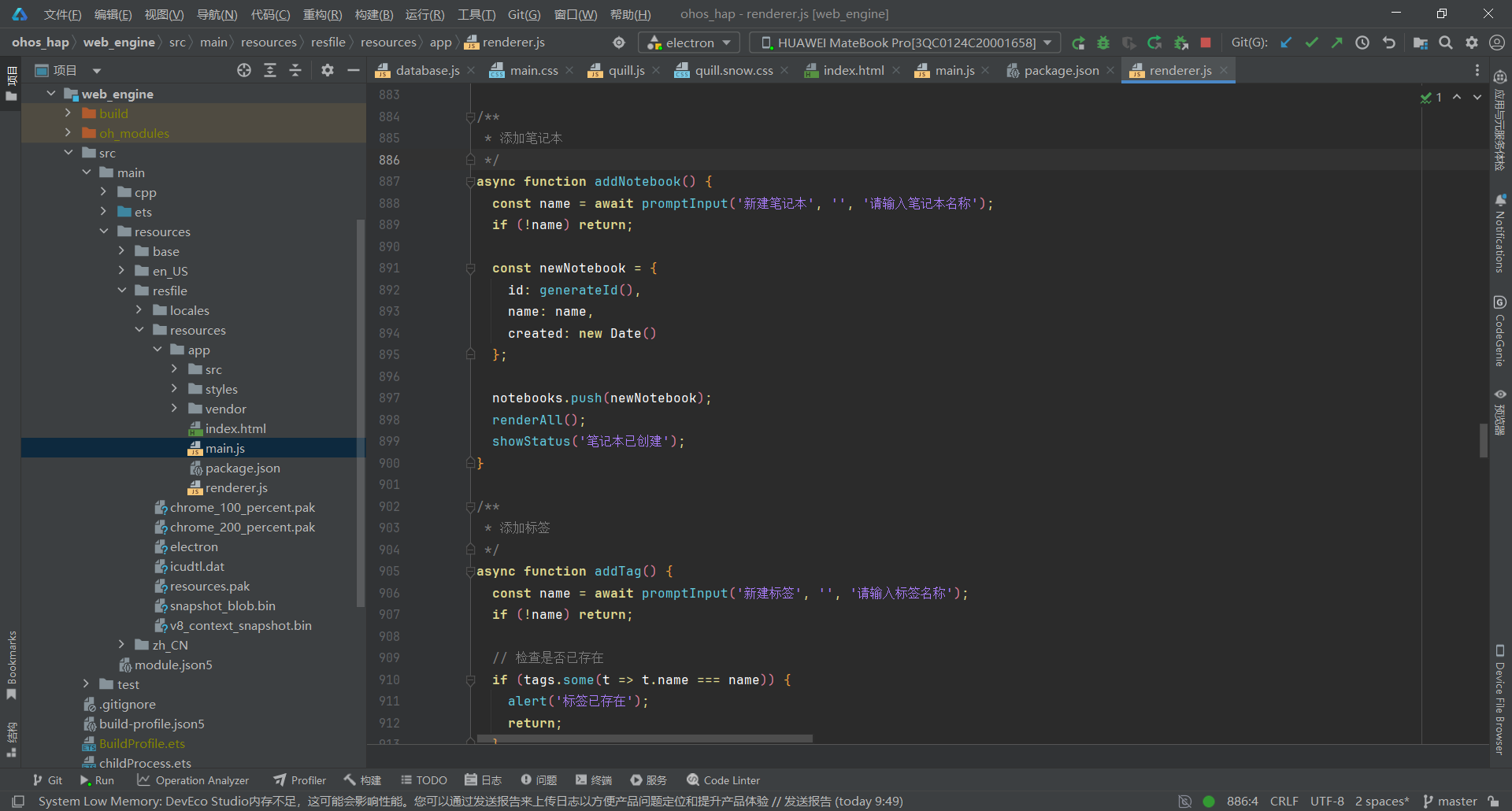
关键要点:
- 使用 promptInput() 自定义对话框替代原生 prompt()
- 标签创建时检查重名,避免重复
- 标签颜色从 8 种颜色中随机选择
- 笔记本列表包含"所有笔记"入口
- 每个列表项显示笔记数量(notebook-count)
- 支持右键菜单(showNotebookContextMenu、showTagContextMenu)
- 使用 SVG 图标系统( )
3.7 第七步:实现搜索与右键菜单
文件:web_engine/src/main/resources/resfile/resources/app/renderer.js
js
/**
 * 搜索笔记
 */
function handleSearch(e) {
  const query = e.target.value.toLowerCase().trim();

  if (!query) {
    renderNotes();
    return;
  }

  // 过滤匹配的笔记
  const results = notes.filter(note => {
    const titleMatch = note.title.toLowerCase().includes(query);
    const contentMatch = note.content.toLowerCase().includes(query);
    const tagMatch = note.tags && note.tags.some(tag => tag.toLowerCase().includes(query));
    return titleMatch || contentMatch || tagMatch;
  });

  renderSearchResults(results);
}

/**
 * 显示笔记右键菜单
 */
function showNoteContextMenu(event, noteId) {
  const note = notes.find(n => n.id === noteId);
  if (!note) return;

  const menu = document.getElementById('context-menu');
  menu.innerHTML = `
    <div class="context-menu-item" onclick="togglePinNote('${noteId}')">
      <svg class="menu-icon"><use href="#icon-pin"/></svg>
      <span>${note.pinned ? '取消置顶' : '置顶'}</span>
    </div>
    <div class="context-menu-divider"></div>
    <div class="context-menu-item delete-item" onclick="deleteNoteById('${noteId}')">
      <svg class="menu-icon"><use href="#icon-delete"/></svg>
      <span>删除</span>
    </div>
  `;

  menu.style.display = 'block';
  menu.style.left = event.pageX + 'px';
  menu.style.top = event.pageY + 'px';
}

/**
 * 隐藏右键菜单
 */
function hideContextMenu() {
  document.getElementById('context-menu').style.display = 'none';
}

// 点击其他地方关闭菜单
document.addEventListener('click', hideContextMenu);

/**
 * 切换笔记置顶状态
 */
function togglePinNote(noteId) {
  hideContextMenu();
  const note = notes.find(n => n.id === noteId);
  if (!note) return;

  note.pinned = !note.pinned;
  note.updated = new Date();

  if (currentNote && currentNote.id === noteId) {
    currentNote.pinned = note.pinned;
  }

  noteDB.saveNote(note);
  renderAll();
  showStatus(note.pinned ? '笔记已置顶' : '已取消置顶');
}

/**
 * 删除指定笔记
 */
async function deleteNoteById(noteId) {
  hideContextMenu();
  if (!confirm('确定要删除这篇笔记吗?')) return;

  const note = notes.find(n => n.id === noteId);
  if (!note) return;

  // 移至回收站
  note.deletedAt = new Date();
  trash.push(note);

  notes = notes.filter(n => n.id !== noteId);

  if (currentNote && currentNote.id === noteId) {
    currentNote = null;
  }

  await noteDB.deleteNote(noteId);
  renderAll();
  showStatus('笔记已移至回收站');
}

// 暴露全局函数供右键菜单 onclick 调用
window.togglePinNote = togglePinNote;
window.deleteNoteById = deleteNoteById;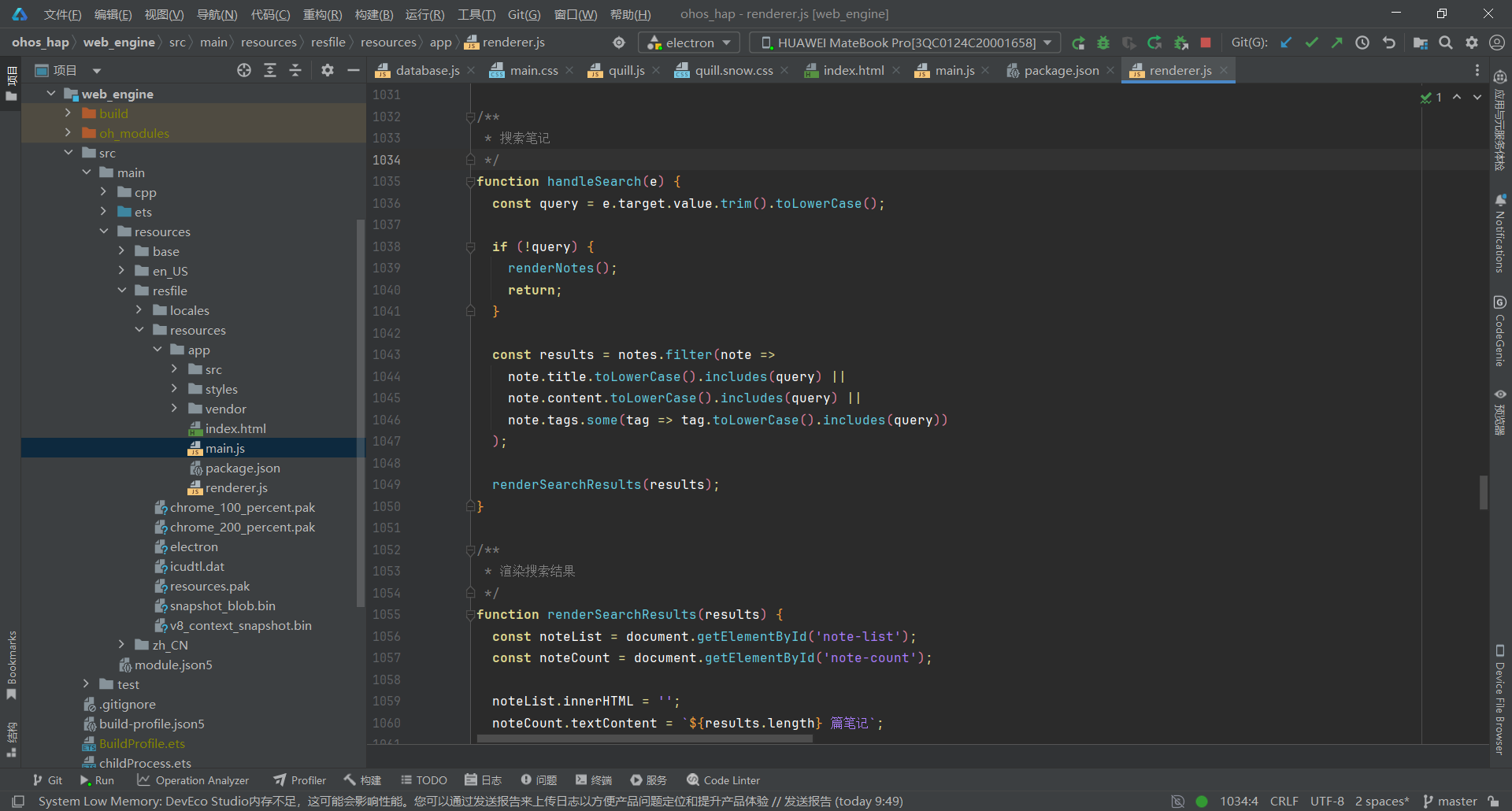
关键要点:
- 搜索支持标题、内容、标签全文匹配
- 右键菜单使用 SVG 图标系统( )
- 置顶笔记通过 pinned 字段控制
- 删除操作使用 async/await 异步处理
- 暴露全局函数供 HTML onclick 调用
- 点击其他地方自动关闭右键菜单
3.8 第八步:编写样式文件
文件:web_engine/src/main/resources/resfile/resources/app/styles/main.css
js
/* NixNote2 主样式文件 */
/* 鸿蒙 ArkWeb 不支持 CSS 变量,直接使用颜色值 */

* {
  margin: 0;
  padding: 0;
  box-sizing: border-box;
}

body {
  font-family: -apple-system, BlinkMacSystemFont, 'Segoe UI', 'Roboto', 'Oxygen', 'Ubuntu', 'Cantarell', sans-serif;
  background: #f5f5f5;
  color: #333;
  overflow: hidden;
}

/* 主应用容器 */
.app-container {
  display: flex;
  flex-direction: column;
  height: 100vh;
}

/* 顶部工具栏 */
.toolbar {
  display: flex;
  align-items: center;
  justify-content: space-between;
  padding: 12px 20px;
  background: white;
  border-bottom: 1px solid #e0e0e0;
  box-shadow: 0 2px 4px rgba(0,0,0,0.05);
}

.toolbar-left {
  display: flex;
  align-items: center;
  gap: 12px;
}

.app-logo {
  width: 32px;
  height: 32px;
  background: #00a82d;
  border-radius: 8px;
  display: flex;
  align-items: center;
  justify-content: center;
}

.app-logo svg {
  width: 20px;
  height: 20px;
  fill: white;
}

.app-title {
  font-size: 20px;
  font-weight: 600;
  color: #333;
}

.toolbar-center {
  flex: 1;
  max-width: 500px;
  margin: 0 20px;
}

.search-wrapper {
  position: relative;
}

.search-icon {
  position: absolute;
  left: 12px;
  top: 50%;
  transform: translateY(-50%);
  width: 18px;
  height: 18px;
  fill: #999;
}

.search-input {
  width: 100%;
  padding: 10px 12px 10px 40px;
  border: 1px solid #e0e0e0;
  border-radius: 8px;
  font-size: 14px;
  outline: none;
  transition: all 0.2s;
}

.search-input:focus {
  border-color: #00a82d;
  box-shadow: 0 0 0 3px rgba(0, 168, 45, 0.1);
}

.toolbar-right {
  display: flex;
  gap: 8px;
}

/* 按钮样式 */
.btn {
  display: inline-flex;
  align-items: center;
  gap: 6px;
  padding: 8px 16px;
  border: none;
  border-radius: 6px;
  font-size: 14px;
  font-weight: 500;
  cursor: pointer;
  transition: all 0.2s;
  outline: none;
}

.btn svg {
  width: 18px;
  height: 18px;
  fill: currentColor;
}

.btn-icon {
  padding: 8px;
  background: transparent;
  color: #666;
}

.btn-icon:hover {
  background: #f0f0f0;
  color: #333;
}

.btn-primary {
  background: #00a82d;
  color: white;
}

.btn-primary:hover {
  background: #008f26;
}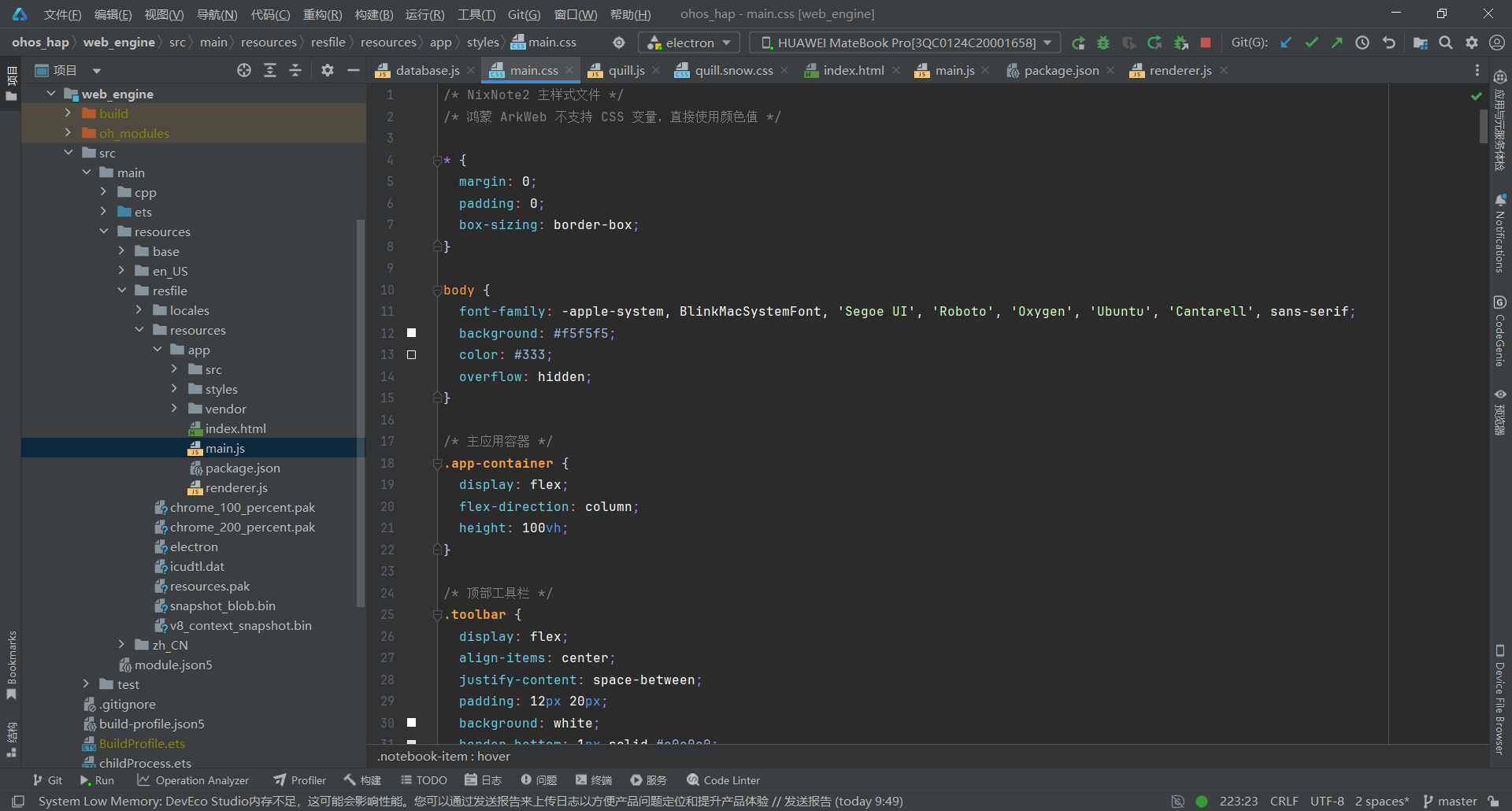
关键要点:
- 鸿蒙 ArkWeb 兼容:不使用 CSS 变量,直接使用颜色值
- 品牌色:主色 #00a82d(Evernote 绿色)
- 三栏布局:使用 Flexbox 实现响应式布局
- SVG 图标:统一使用 fill: currentColor 实现颜色继承
- 按钮系统:.btn、.btn-icon、.btn-primary 三级样式
- 搜索框:聚焦时显示绿色边框和阴影
3.9 第九步:侧边栏与笔记列表样式
文件:web_engine/src/main/resources/resfile/resources/app/styles/main.css
js
/* 主内容区 */
.main-content {
  display: flex;
  flex: 1;
  overflow-x: auto;
  overflow-y: hidden;
}

/* 侧边栏 */
.sidebar {
  width: 240px;
  flex-shrink: 0;
  background: #fafafa;
  border-right: 1px solid #e0e0e0;
  display: flex;
  flex-direction: column;
  overflow: hidden;
}

.sidebar-header {
  display: flex;
  align-items: center;
  justify-content: space-between;
  padding: 16px;
  border-bottom: 1px solid #e0e0e0;
}

.sidebar-header h3 {
  font-size: 14px;
  font-weight: 600;
  color: #666;
  display: flex;
  align-items: center;
  gap: 8px;
}

.notebook-list {
  overflow-y: auto;
  padding: 8px;
}

.notebook-item {
  padding: 12px;
  border-radius: 6px;
  cursor: pointer;
  transition: all 0.2s;
  display: flex;
  align-items: center;
  gap: 10px;
  margin-bottom: 4px;
}

.notebook-item:hover {
  background: #f0f0f0;
}

.notebook-item-active {
  background: #e8f5e9;
  color: #00a82d;
}

/* 笔记列表面板 */
.note-list-panel {
  width: 320px;
  flex-shrink: 0;
  background: white;
  border-right: 1px solid #e0e0e0;
  display: flex;
  flex-direction: column;
}

.note-list-header {
  padding: 16px;
  border-bottom: 1px solid #e0e0e0;
}

.note-list-header h2 {
  font-size: 18px;
  font-weight: 600;
  margin-bottom: 4px;
}

.note-list {
  flex: 1;
  overflow-y: auto;
}

/* 笔记卡片 */
.note-item {
  padding: 16px;
  border-bottom: 1px solid #e0e0e0;
  cursor: pointer;
  transition: all 0.2s;
}

.note-item:hover {
  background: #f0f0f0;
}

.note-item-active {
  background: #e8f5e9;
  border-left: 3px solid #00a82d;
}

.note-title-row {
  display: flex;
  align-items: center;
  gap: 6px;
  margin-bottom: 6px;
}

.note-title {
  font-size: 15px;
  font-weight: 600;
  color: #333;
  flex: 1;
}

.note-pin-icon {
  width: 14px;
  height: 14px;
  fill: #FF9800;
  flex-shrink: 0;
}

.note-preview {
  font-size: 13px;
  color: #666;
  line-height: 1.5;
  margin-bottom: 8px;
  display: -webkit-box;
  -webkit-line-clamp: 2;
  -webkit-box-orient: vertical;
  overflow: hidden;
}

/* 笔记标签行 */
.note-tags-row {
  display: flex;
  flex-wrap: wrap;
  gap: 6px;
  margin: 8px 0 8px;
  min-height: 24px;
}

.note-tag {
  padding: 4px 10px;
  border-radius: 12px;
  font-size: 12px;
  font-weight: 500;
  cursor: pointer;
  white-space: nowrap;
  transition: all 0.2s ease;
}

.note-tag:hover {
  transform: translateY(-1px);
  box-shadow: 0 2px 4px rgba(0, 0, 0, 0.1);
}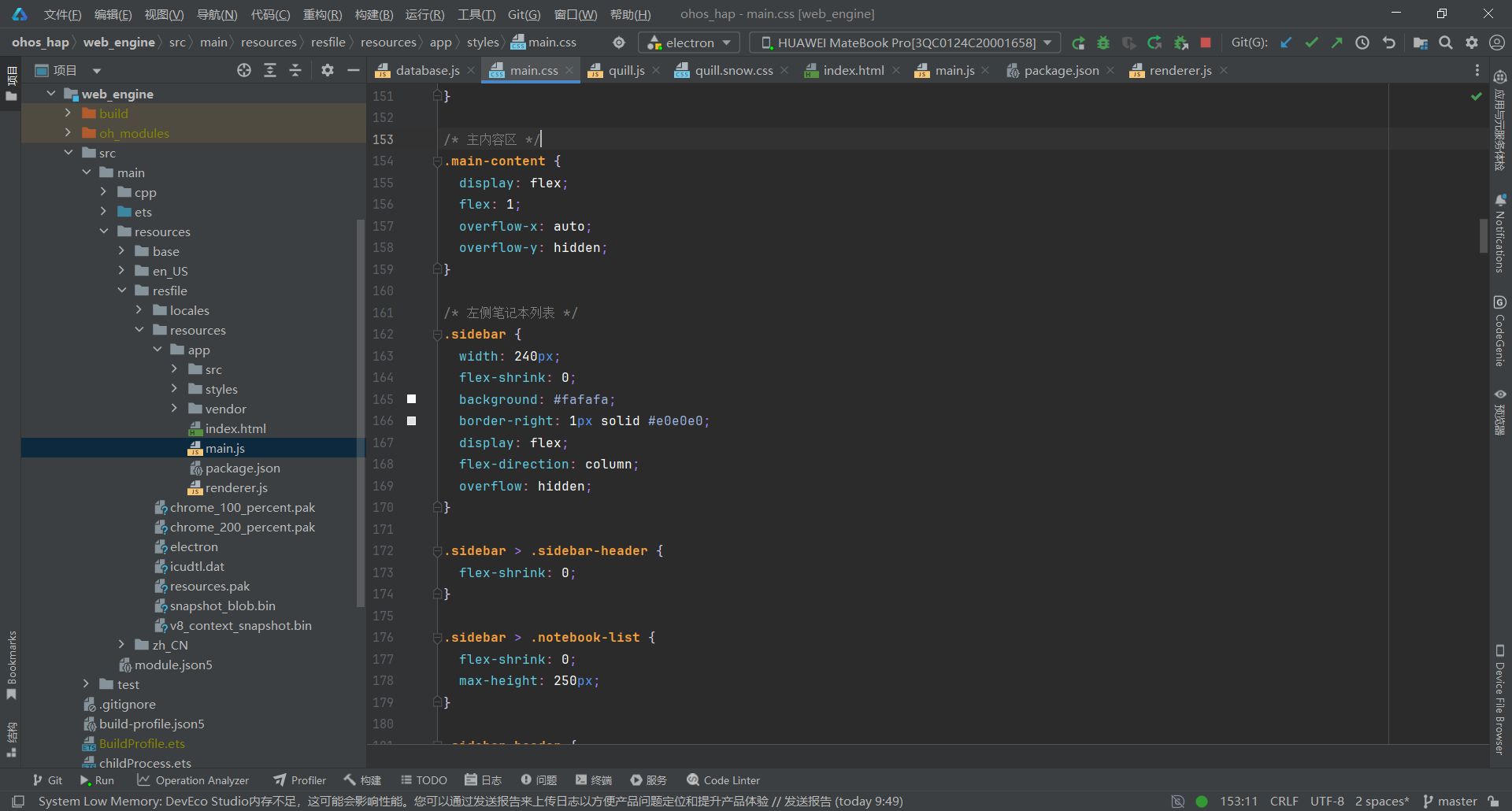
关键要点:
- 侧边栏宽度:固定 240px,背景 #fafafa
- 笔记列表宽度:固定 320px,白色背景
- 激活状态:绿色背景 #e8f5e9 + 左边框 3px
- 置顶图标:橙色 #FF9800
- 笔记预览:最多显示 2 行(-webkit-line-clamp: 2)
- 标签样式:悬停时向上移动 1px + 阴影效果
3.10 第十步:编辑器与右键菜单样式
文件:web_engine/src/main/resources/resfile/resources/app/styles/main.css
js
.editor-panel {
  flex: 1;
  display: flex;
  flex-direction: column;
  background: #ffffff;
}

.editor-header {
  display: flex;
  align-items: center;
  justify-content: space-between;
  padding: 16px 20px;
  border-bottom: 1px solid #dee2e6;
}

.note-title-input {
  flex: 1;
  font-size: 20px;
  font-weight: 600;
  border: none;
  outline: none;
  color: #212529;
}

.editor-tags-row {
  display: flex;
  flex-wrap: wrap;
  gap: 8px;
  padding: 12px 20px;
  border-bottom: 1px solid #dee2e6;
  min-height: 40px;
}

/* Quill 编辑器 */
.ql-toolbar.ql-snow {
  border: none !important;
  border-bottom: 1px solid #dee2e6 !important;
}

.ql-container.ql-snow {
  border: none !important;
  font-size: 15px;
  flex: 1;
  overflow-y: auto;
}

/* ========== 底部状态栏 ========== */
.status-bar {
  height: 32px;
  display: flex;
  align-items: center;
  justify-content: space-between;
  padding: 0 16px;
  background: #f8f9fa;
  border-top: 1px solid #dee2e6;
  font-size: 12px;
  color: #495057;
}

/* ========== 右键菜单 ========== */
.context-menu {
  position: fixed;
  background: #ffffff;
  border: 1px solid #dee2e6;
  border-radius: 12px;
  box-shadow: 0 12px 48px rgba(0, 0, 0, 0.16);
  padding: 6px;
  z-index: 1000;
  min-width: 200px;
  animation: menuFadeIn 0.15s ease-out;
}

@keyframes menuFadeIn {
  from { opacity: 0; transform: scale(0.95); }
  to { opacity: 1; transform: scale(1); }
}

.context-menu-item {
  display: flex;
  align-items: center;
  gap: 10px;
  padding: 10px 14px;
  border-radius: 6px;
  cursor: pointer;
  transition: all 0.15s;
  font-size: 13px;
  font-weight: 500;
  color: #212529;
}

.menu-icon {
  width: 16px;
  height: 16px;
  flex-shrink: 0;
  color: #495057;
}

.context-menu-item:hover {
  background: #f8f9fa;
}

.context-menu-item.delete-item:hover {
  background: rgba(250, 82, 82, 0.1);
  color: #fa5252;
}

.context-menu-item.delete-item:hover .menu-icon {
  color: #fa5252;
}

.context-menu-divider {
  height: 1px;
  background: #dee2e6;
  margin: 6px 8px;
}

/* 空状态 */
.empty-state {
  display: flex;
  flex-direction: column;
  align-items: center;
  justify-content: center;
  height: 100%;
  text-align: center;
  padding: 40px;
  color: #868e96;
}

.empty-state-text {
  font-size: 14px;
}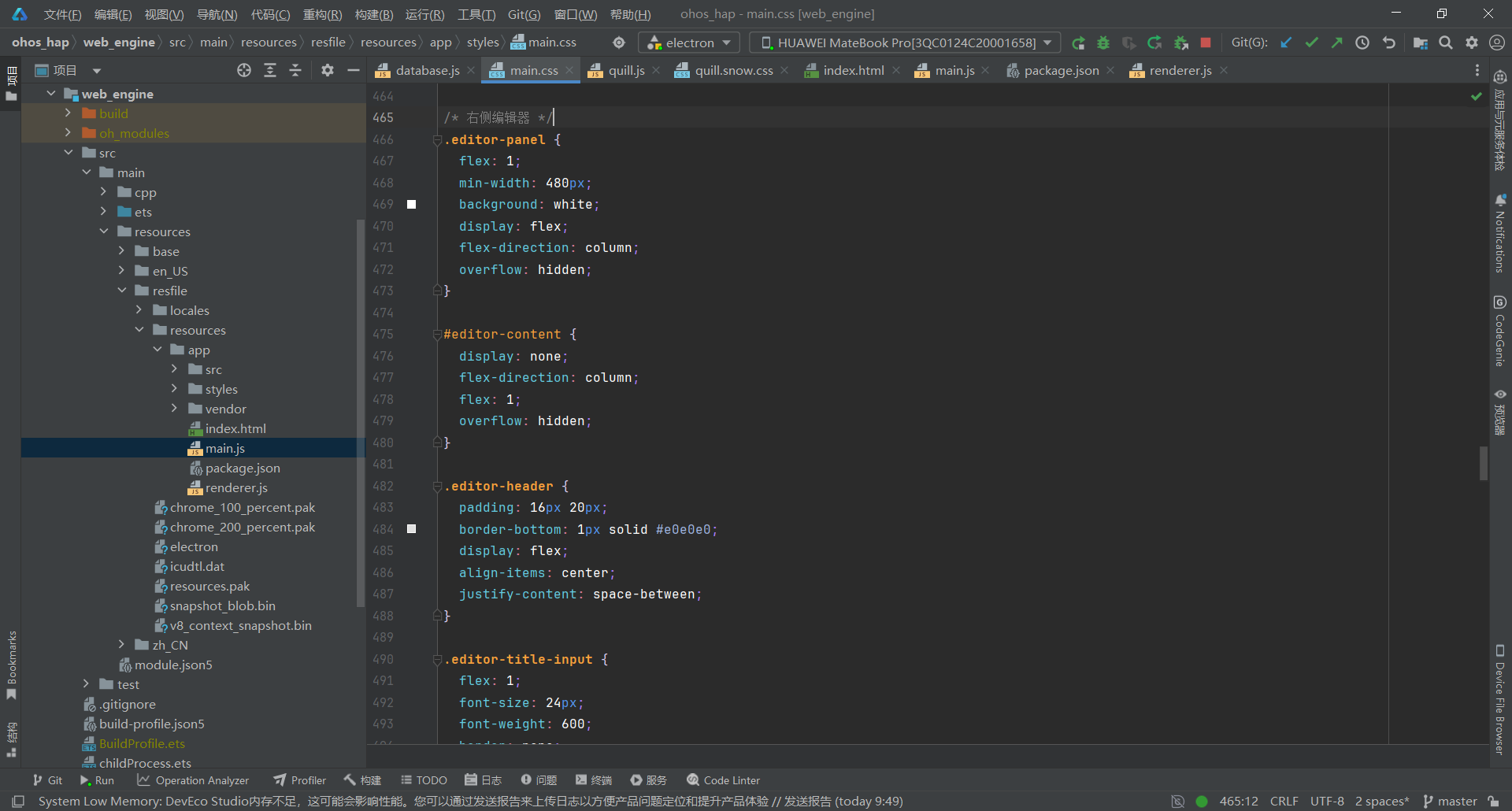
关键要点:
- CSS 变量全部替换为实际值(鸿蒙 ArkWeb 不支持自定义属性)
- 使用 CSS Grid 实现响应式布局
- 三栏布局固定宽度:侧边栏 240px + 笔记列表 320px + 编辑器自适应
- Quill 编辑器工具栏与内容区分离
- 右键菜单使用 position: fixed 动态定位
- 笔记卡片悬停效果使用 box-shadow 阴影
四、部署到鸿蒙平台
4.1 项目结构说明
开发工作流:
- 直接在 web_engine/src/main/resources/resfile/resources/app/ 中修改代码
- 在 DevEco Studio 中构建并运行
- 真机测试验证
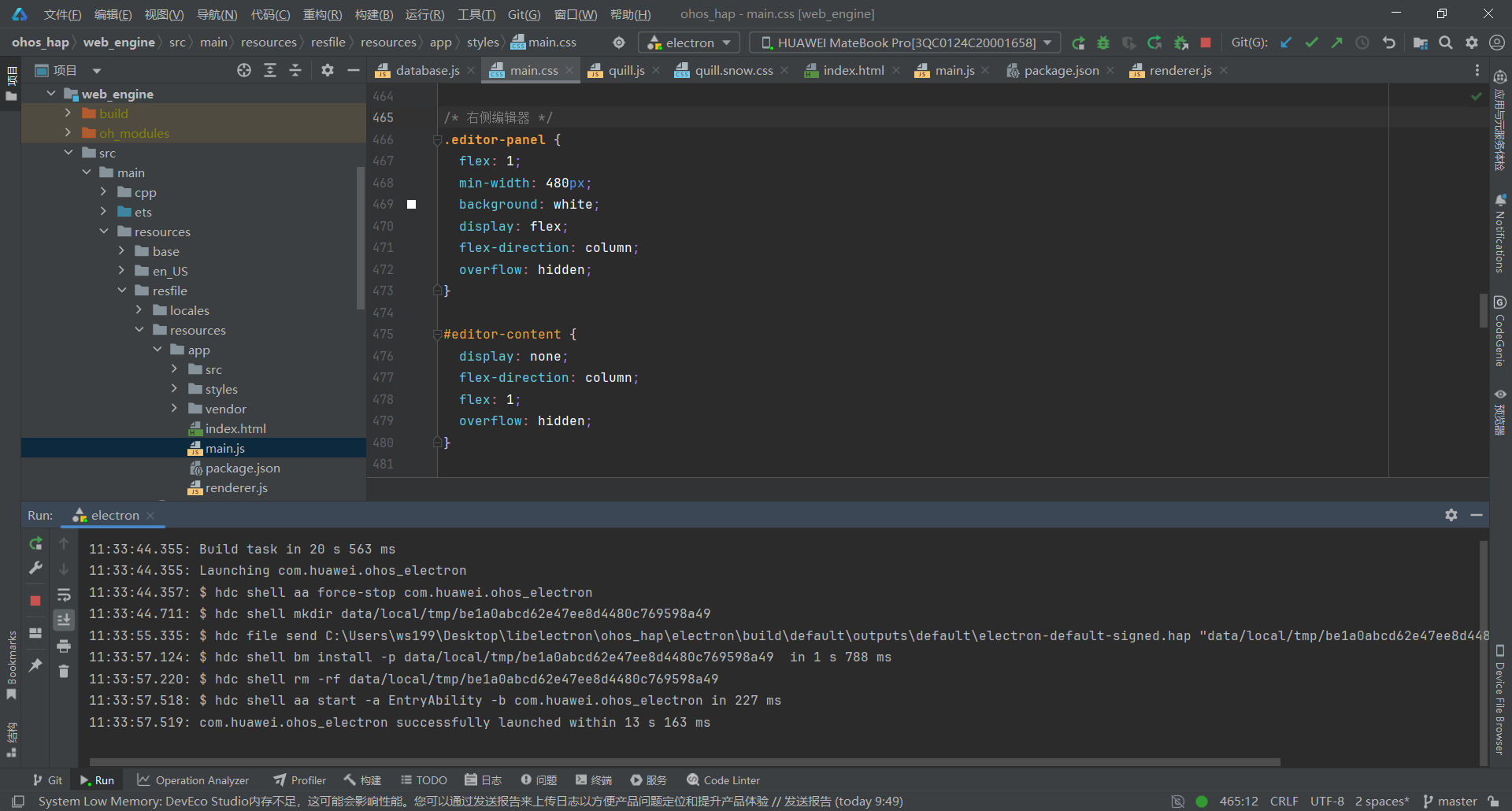
4.2 构建 HAP 包
在 DevEco Studio 中:
- 打开项目根目录 ohos_hap/
- 点击 Build > Build Hap(s)/APP(s)
- 选择 Build Hap(s)
- 等待构建完成
4.3 真机测试
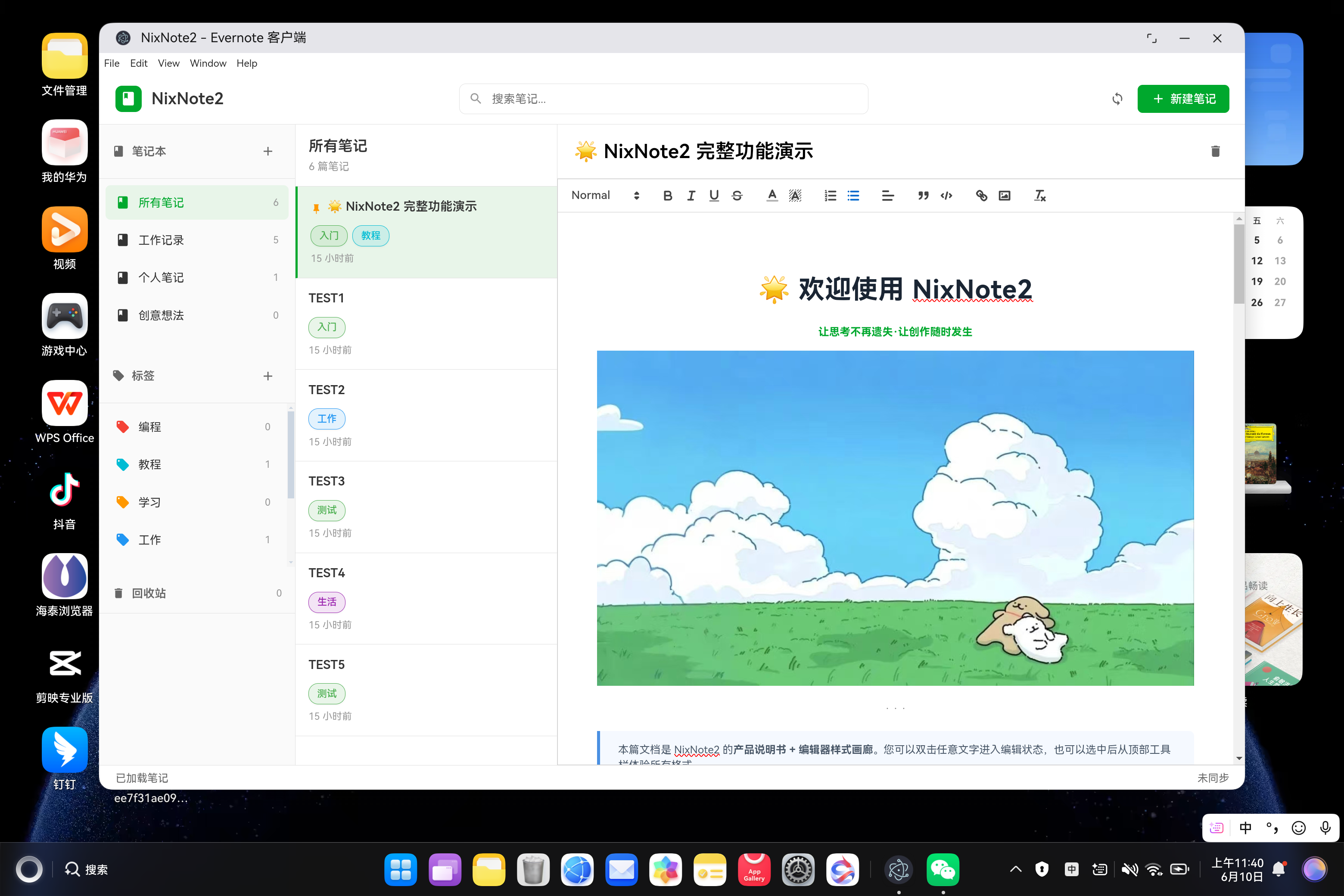
- 连接鸿蒙设备(或启动模拟器)
- 点击 Run > Run 'entry'
- 安装完成后,应用会自动启动
五、常见问题 FAQ
Q1:自动保存不生效?
问题现象:编辑笔记后关闭应用,内容未保存
根本原因:未等待防抖定时器触发就关闭了应用
解决方案:
bash
function autoSave() {
  if (saveTimer) clearTimeout(saveTimer);

  saveTimer = setTimeout(() => {
    if (currentNote) {
      noteDB.saveNote(currentNote).catch(err => {
        console.error('自动保存失败:', err);
      });
    }
  }, 500);
}

// Ctrl+S 手动保存
if ((e.ctrlKey || e.metaKey) && e.key === 's') {
  e.preventDefault();
  if (currentNote) {
    currentNote.content = quill.root.innerHTML;
    noteDB.saveNote(currentNote).then(() => {
      showStatus('已保存');
    });
  }
}
关键点:
- 防抖延迟 500ms,平衡性能和数据安全
- Ctrl+S 快捷键可手动立即保存
- 标题修改时也会触发自动保存
Q2:笔记置顶不生效?
问题现象:点击置顶后,笔记仍显示在列表中下方
根本原因:排序逻辑未检查 pinned 字段
解决方案:
bash
function renderNoteList() {
  let filteredNotes = notes;

  // 排序:置顶笔记在前,然后按时间倒序
  filteredNotes.sort((a, b) => {
    if (a.pinned && !b.pinned) return -1;
    if (!a.pinned && b.pinned) return 1;
    return new Date(b.updated) - new Date(a.updated);
  });

  // 渲染置顶图标
  filteredNotes.forEach(note => {
    card.innerHTML = `
      <div class="note-card-title">
        ${note.pinned ? '<svg class="pin-icon"><use href="#icon-pin"/></svg>' : ''}
        ${escapeHtml(note.title || '无标题笔记')}
      </div>
    `;
  });
}
关键点:
- 置顶笔记优先排序(pinned 字段为 true)
- 使用橙色图钉图标视觉标识
- 右键菜单快速切换置顶状态
Q3:标签筛选后无法恢复?
问题现象:点击标签筛选后,点击 ESC 无法显示所有笔记
根本原因:ESC 快捷键未清理 currentTag 状态
解决方案(真实代码 - renderer.js 快捷键内联实现):
bash
document.addEventListener('keydown', (e) => {
  // ESC 重置选择
  if (e.key === 'Escape') {
    currentNotebook = null;
    currentTag = null;
    currentNote = null;
    renderAll();
  }
});

// 渲染时检查筛选状态
function renderNoteList() {
  let filteredNotes = notes;

  if (currentNotebook) {
    filteredNotes = filteredNotes.filter(n => n.notebookId === currentNotebook.id);
    elements.currentViewTitle.textContent = currentNotebook.name;
  } else if (currentTag) {
    filteredNotes = filteredNotes.filter(n => n.tags && n.tags.includes(currentTag.name));
    elements.currentViewTitle.textContent = currentTag.name;
  } else {
    elements.currentViewTitle.textContent = '所有笔记';
  }
}
关键点:
- ESC 键清理所有筛选状态(currentNotebook、currentTag、currentNote)
- 渲染时按 currentNotebook/currentTag 判断筛选条件
- 默认显示"所有笔记"
- 快捷键直接在 keydown 事件中内联实现,非独立函数
Q4:鸿蒙平台 CSS 样式不生效?
问题现象:部分 CSS 样式在鸿蒙设备上未显示
根本原因:鸿蒙 ArkWeb 不支持 CSS 自定义属性(变量)
解决方案:
bash
/* ❌ 错误:使用 CSS 变量 */
.notebook-item.active {
  background: var(--bg-active);
}

/* ✅ 正确:使用实际值 */
.notebook-item.active {
  background: rgba(0, 168, 45, 0.08);  /* 绿色主题 */
}

/* ❌ 错误:使用 CSS 变量 */
.btn-primary {
  background: var(--primary-color);
  color: var(--text-inverse);
}

/* ✅ 正确:使用实际值 */
.btn-primary {
  background: #00a82d;  /* Evernote 绿色 */
  color: white;
}
关键点:
- 将所有 CSS 变量替换为实际值(绿色 #00a82d)
- ArkWeb 不支持 var(--xxx) 自定义属性
- 颜色值直接使用十六进制或 rgba
- 其他 CSS 特性(flex、grid、transition)均支持
Q5:Quill 编辑器在鸿蒙平台无法输入?
问题现象:打开编辑器后,键盘输入无反应
根本原因:Quill 容器未正确设置高度或焦点被拦截
解决方案:
bash
.ql-container.ql-snow {
  border: none !important;
  font-size: 15px;
  flex: 1;
  overflow-y: auto;
}

.editor-panel {
  flex: 1;
  display: flex;
  flex-direction: column;
  background: #ffffff;
}
bash
function initQuillEditor() {
  quill = new Quill('#quill-editor', {
    theme: 'snow',
    placeholder: '开始输入...',
    modules: {
      toolbar: {
        container: [
          [{ 'header': [1, 2, 3, 4, false] }],
          ['bold', 'italic', 'underline', 'strike'],
          // ...
        ]
      }
    }
  });
}
关键点:
- 编辑器容器使用 flex: 1 占满剩余空间
- 确保 #quill-editor 容器有明确高度
- 使用 vendor 本地文件而非 CDN
Q6:IndexedDB 数据在重启后丢失?
问题现象:关闭应用重新打开后,之前创建的笔记消失了
根本原因:IndexedDB 未正确初始化或保存失败
解决方案:
bash
async function init() {
  try {
    await noteDB.init();
    console.log('数据库初始化成功');

    const savedNotebooks = await noteDB.loadNotebooks();
    const savedNotes = await noteDB.loadNotes();

    if (savedNotebooks.length > 0 && savedNotes.length > 0) {
      notebooks = savedNotebooks;
      notes = savedNotes;
      renderAll();
      showStatus('已加载本地数据');
    } else {
      createDemoData();
    }
  } catch (error) {
    console.error('数据库初始化失败,使用内存模式:', error);
    createDemoData();
  }
}

async function autoSave() {
  if (saveTimer) clearTimeout(saveTimer);

  saveTimer = setTimeout(() => {
    if (currentNote) {
      noteDB.saveNote(currentNote).catch(err => {
        console.error('自动保存失败:', err);
      });
    }
  }, 500);
}
关键点:
- 启动时检查 IndexedDB 是否有数据
- 无数据时创建示例数据
- 所有修改操作都调用 noteDB.saveXxx() 保存
Q7:Quill 编辑器工具栏不显示中文提示?
问题现象:鼠标悬停在工具栏按钮上,无 tooltip 提示
根本原因:Quill 默认无 tooltip,需手动实现
解决方案(真实代码 - renderer.js):
bash
// 添加工具栏 tooltip 提示
const tooltipLabels = {
  'ql-bold': '粗体 (Ctrl+B)',
  'ql-italic': '斜体 (Ctrl+I)',
  'ql-underline': '下划线 (Ctrl+U)',
  'ql-strike': '删除线',
  'ql-blockquote': '引用',
  'ql-code-block': '代码块',
  'ql-list[value="bullet"]': '无序列表',
  'ql-list[value="ordered"]': '有序列表',
  'ql-image': '插入图片',
};

Object.entries(tooltipLabels).forEach(([selector, title]) => {
  const btn = document.querySelector(`.ql-toolbar ${selector}`);
  if (btn) btn.title = title;
});
关键点:
- 使用 title 属性实现原生 tooltip
- 常用格式标注快捷键提示
- 在 initQuillEditor() 末尾调用
- 提升用户操作体验
Q8:鸿蒙平台构建失败或文件未加载?
问题现象:hvigor 构建时报错,或应用启动后白屏
根本原因:文件未正确放置在 resfile 目录或 module.json5 权限未配置
解决方案:
- 确认文件结构正确:
bash
web_engine/src/main/resources/resfile/resources/app/
├── main.js
├── renderer.js
├── index.html
├── package.json
├── src/
│   └── database.js
├── styles/
│   └── main.css
└── vendor/
    ├── quill.js
└── quill.snow.css- 检查 module.json5 权限配置:
bash
{
  "module": {
    "requestPermissions": [
      {
        "name": "ohos.permission.INTERNET"  // 如果需要网络同步
      }
    ]
  }
}- 验证文件加载:
bash
// 在 Index.ets 中添加日志
Web({ src: $rawfile('resources/app/index.html') })
  .onPageBegin((event) => {
    console.info('WebView 开始加载:', event.url);
  })
  .onPageEnd((event) => {
    console.info('WebView 加载完成:', event.url);
  })
  .onErrorReceive((event) => {
    console.error('WebView 加载失败:', JSON.stringify(event));
  })
注意事项:
- resfile 目录下的文件使用 $rawfile() 加载
- 确保所有文件路径正确,无拼写错误
- IndexedDB 在 ArkWeb 中正常工作,无需额外配置
- 真机测试时检查 DevEco Studio 控制台日志