如果是windows系统的小伙伴们可以使用Windows下的linux子系统wsl,其安装教程链接为b站这位大佬的,可以给佬点点赞:【WSL2超详细安装教程!全程安装到非系统盘,彻底解放C盘|AI开发必备】 https://www.bilibili.com/video/BV1zC5X69EyS/?share_source=copy_web\&vd_source=ef1e465101dff34017c032a7246ac79a
1.miniconda安装教程
1.miniconda下载链接:Download Success | Anaconda,选择下图中的Miniconda进行下载,我选的x86
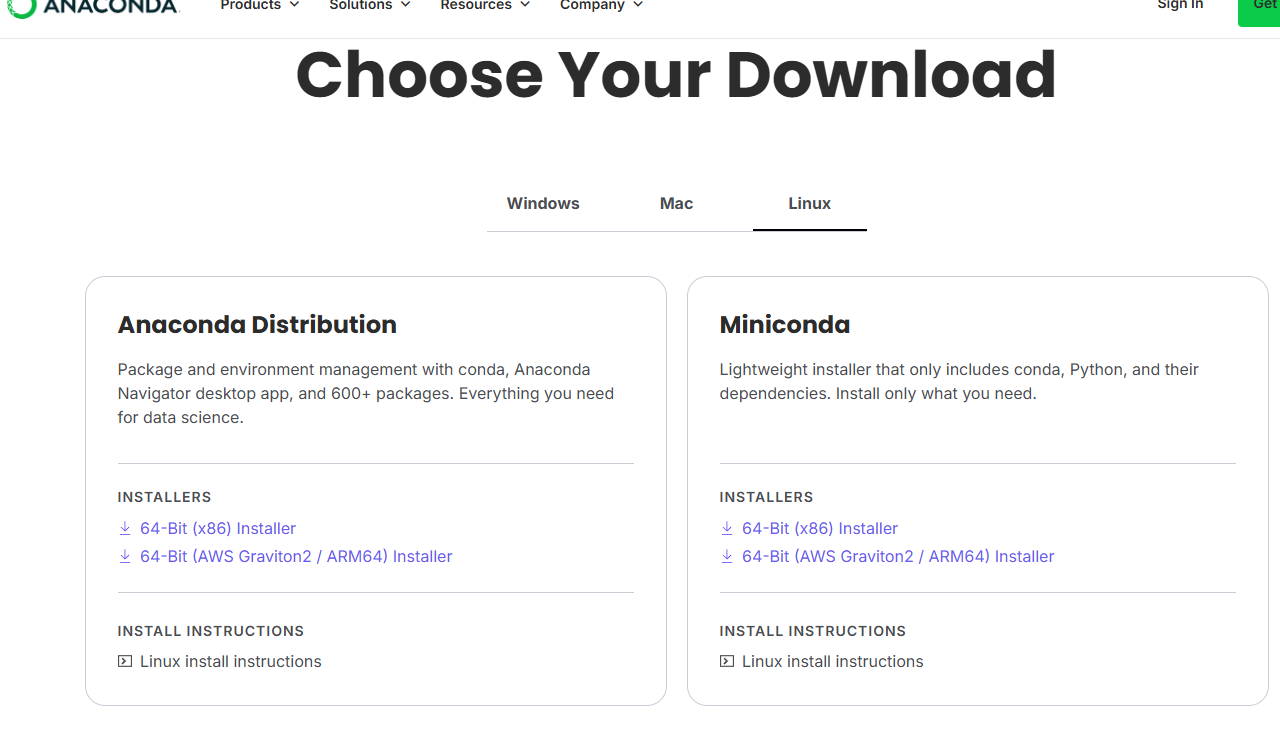

2.把这个安装包放到自己指定的目录下,并在该目录下打开终端,输入以下命令 :
bash
bash Miniconda3-latest-Linux-x86_64.sh3.过程中先yes,然后ENTER,最后一步询问先yes再ENTER
4.输入以下命令,conda就配置好了
bash
source ~/.bashrc5.对conda的channels进行换源,输入以下命令打开.condarc文件
bash
nano ~/.condarc6.将以下内容黏贴到该文件,点击ctrl+x,再点击y,再ENTER:
bash
channels:
  - https://mirrors.tuna.tsinghua.edu.cn/anaconda/cloud/conda-forge
  - https://mirrors.tuna.tsinghua.edu.cn/anaconda/pkgs/main
  - https://mirrors.tuna.tsinghua.edu.cn/anaconda/pkgs/r
  - https://mirrors.tuna.tsinghua.edu.cn/anaconda/pkgs/msys2
  - defaults
show_channel_urls: true
2.创建并配置新的虚拟环境
1.先输入以下命令创建新环境,我将其命名为ct,python版本为3.10,大家可以想其他名字,而且python版本最好不要低于3.10,然后出现y/n点y就行
bash
conda create -n ct python=3.102.给conda安装pip包,输入以下命令
bash
conda install pip3.大坑来了!!大家千万不要使用conda来安装torch和torchvision,直接使用pip,并且要带上torch和torchvision的版本号**,此处我选用的是torch==2.12.0,torchvision==0.27.0,为啥不能用conda,因为torch和torchvision的dev号间隔了一天,所以直接使用conda会有问题**
bash
pip install -i https://mirrors.aliyun.com/pypi/simple/ --trusted-host mirrors.aliyun.com torch==2.12.0 torchvision==0.27.04.torch_radon安装:这一步同样容易出错,很多人直接pip install,这是错误的,pypi版本的由于没有积极维护,RTX5060无法兼容,所以需要使用carterbox-torch-radon,输入以下命令即可:carterbox-torch-radon - conda-forge | Anaconda.org
bash
conda install conda-forge::carterbox-torch-radon5.然后使用命令测试看torch_radon是否安装成功以及cuda能否使用:
python
import torch
import torch_radon as tr
import numpy as np

DEVICE = torch.device("cuda")

print("Torch:", torch.__version__)
print("CUDA:", torch.cuda.is_available())

IMG_SIZE = 256
N_ANGLES = 180

img = np.random.rand(IMG_SIZE, IMG_SIZE).astype(np.float32)

img_tensor = (
    torch.from_numpy(img)
    .unsqueeze(0)
    .unsqueeze(0)
    .to(DEVICE)
)

angles = torch.linspace(
    0,
    np.pi,
    N_ANGLES,
    device=DEVICE
)

radon = tr.ParallelBeam(
    IMG_SIZE,
    angles
)

print("Forward ...")

sinogram = radon.forward(img_tensor)

print("Sinogram shape:", sinogram.shape)
print("Device:", sinogram.device)

print("Backward ...")

recon = radon.backward(sinogram)

print("Recon shape:", recon.shape)
print("Device:", recon.device)

print("SUCCESS")