
前引:这是一个聚焦基础搜索引擎核心工作流的实操项目,基于 C/C++ 技术生态落地:从全网爬虫抓取网页资源,到服务器端完成 "去标签 - 数据清洗 - 索引构建" 的预处理,再通过 HTTP 服务接收客户端请求、检索索引并拼接结果页返回 ------ 完整覆盖了轻量级搜索引擎的端到端逻辑。项目采用 C++11、STL、Boost 等核心技术栈,搭配 CentOS 7 云服务器 + GCC 编译环境(或 VS 系列开发工具)部署,既适配后端工程的性能需求,也能通过可选的前端技术(HTML5/JS 等)优化用户交互,是理解搜索引擎底层原理与 C++ 工程实践的典型案例!
目录
【一】项目介绍
本项目在于实现轻量化的"搜索引擎",什么是"搜索引擎"?比如百度,输入关键词,返回网页内容
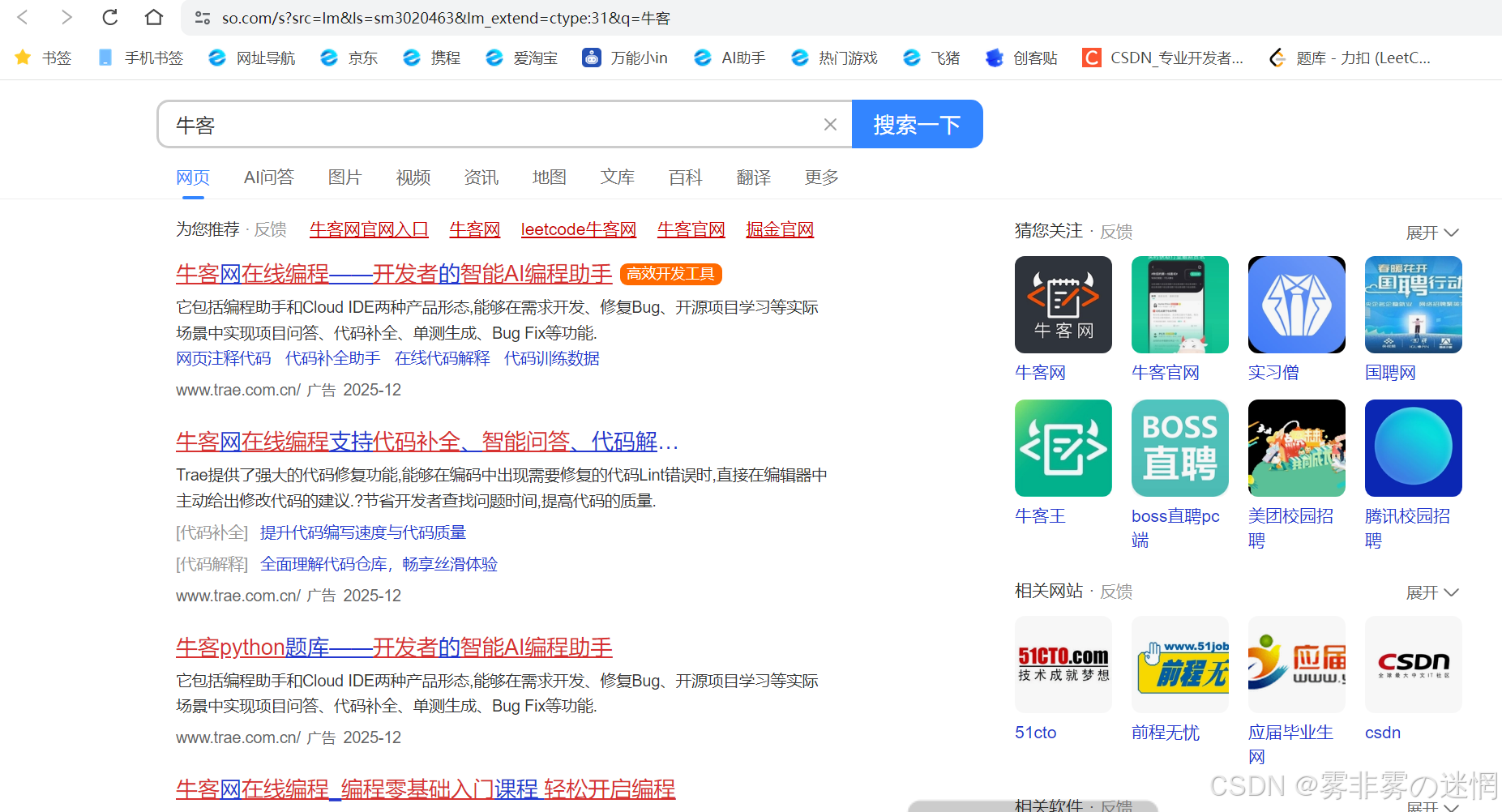
这一整套的流程是什么?
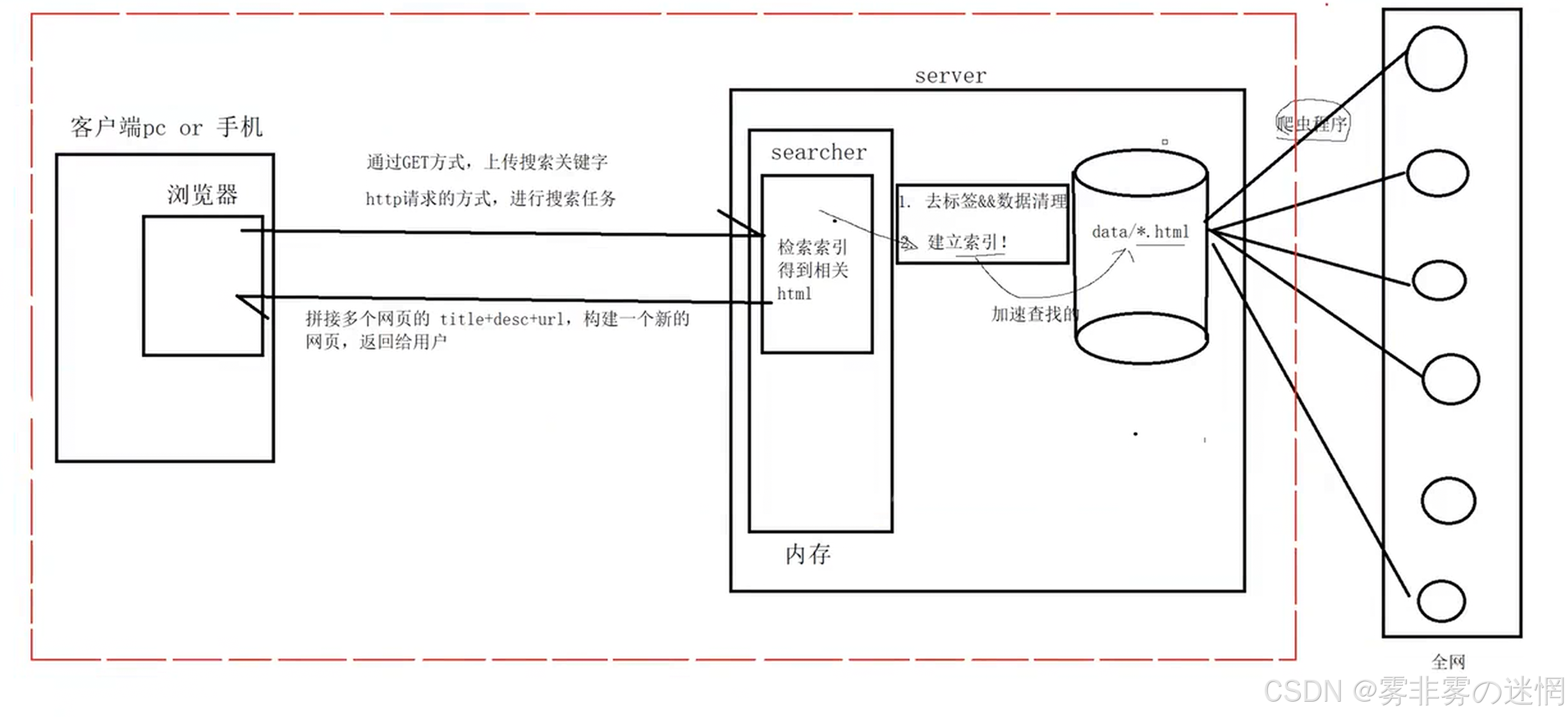
项目流程:在你搜索关键词内容之前,服务器会使用爬虫搜全网网页的信息,去除标签等只保留"URL、摘要、包括一些图片",在内部通过建立索引来对每条信息建立编号------对混杂信息进行加工,根据用户的提示词获取一些的资源,再重建网页拼接关键词相关的信息内容,返回给用户!
【二】技术栈与项目环境
Centos相关的服务器可以实现TCP、HTTP的网络服务器搭建,替换为Ubuntu也可以!

【三】正排/倒排索引介绍
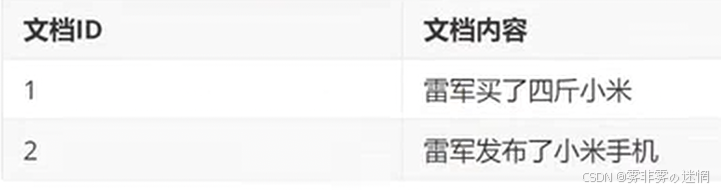
(1)正排索引
含义:对搜集到的网页内容建立ID(索引)
比如:
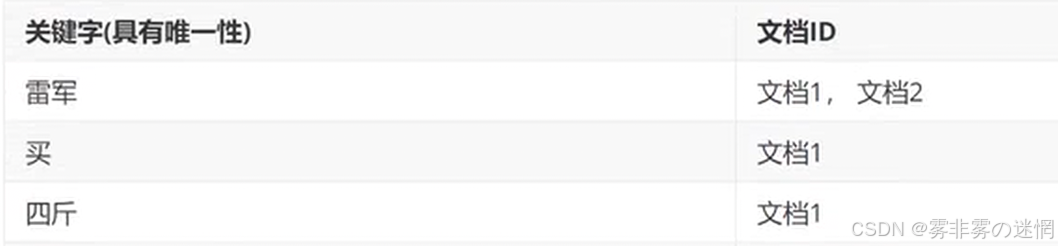
(2)倒排索引
含义:建立关键词集,关联对应的文档ID
例如:
【四】BOOST库获取与导入
搜索引擎需要文档内容作为知识库,即模拟爬虫获取的网页信息,但为了健康上网,我们采用BOOST提供的库作为爬取到的知识库,进行模拟,下面是BOOST库的获取与安装:
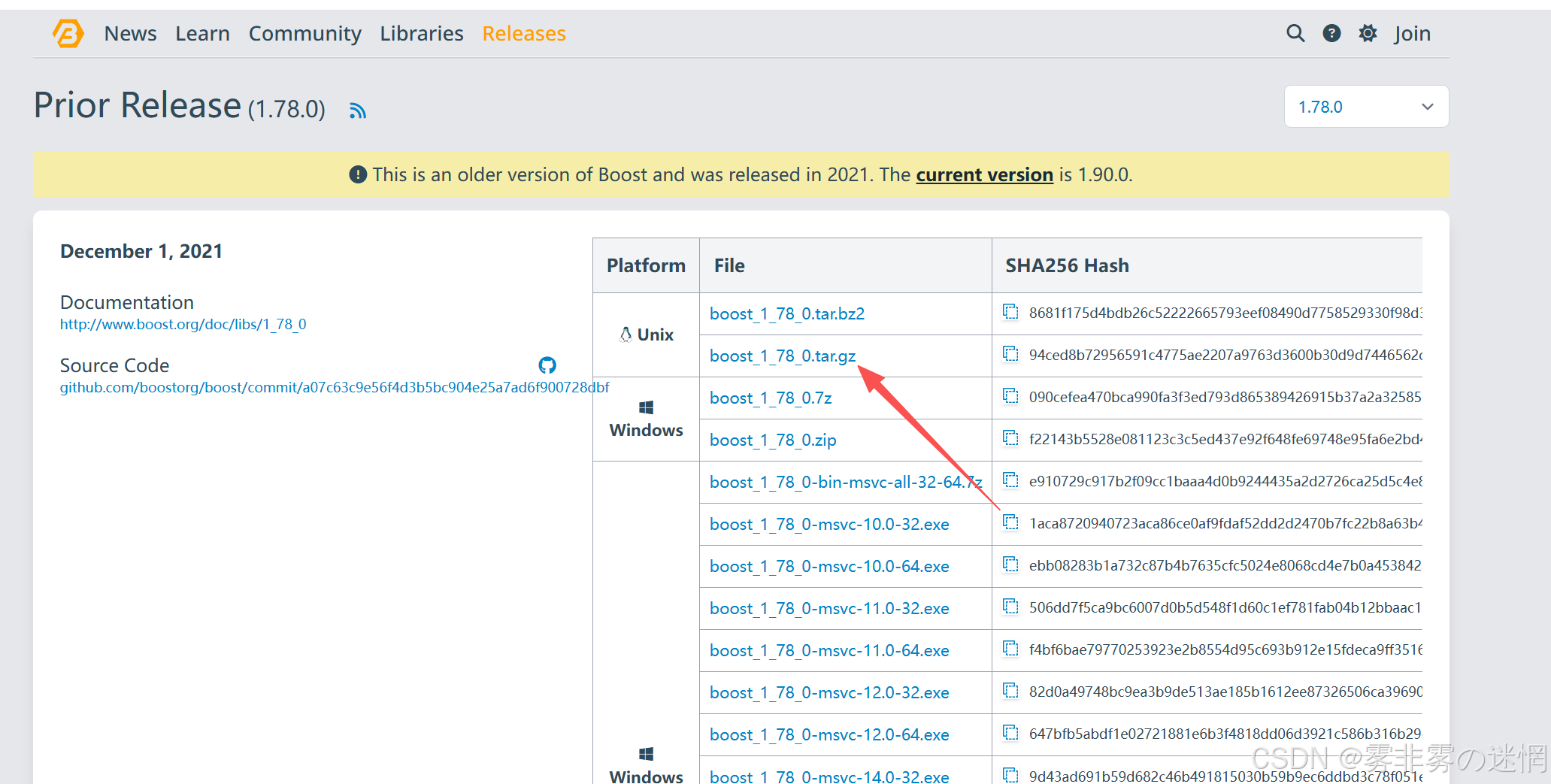
BOOST库下载地址:https://www.boost.org/releases/1.78.0/(下载1.78版本的)
选择Linux版的下载:
然后先安装 rz 工具:
sudo apt update
sudo apt install -y lrzsz
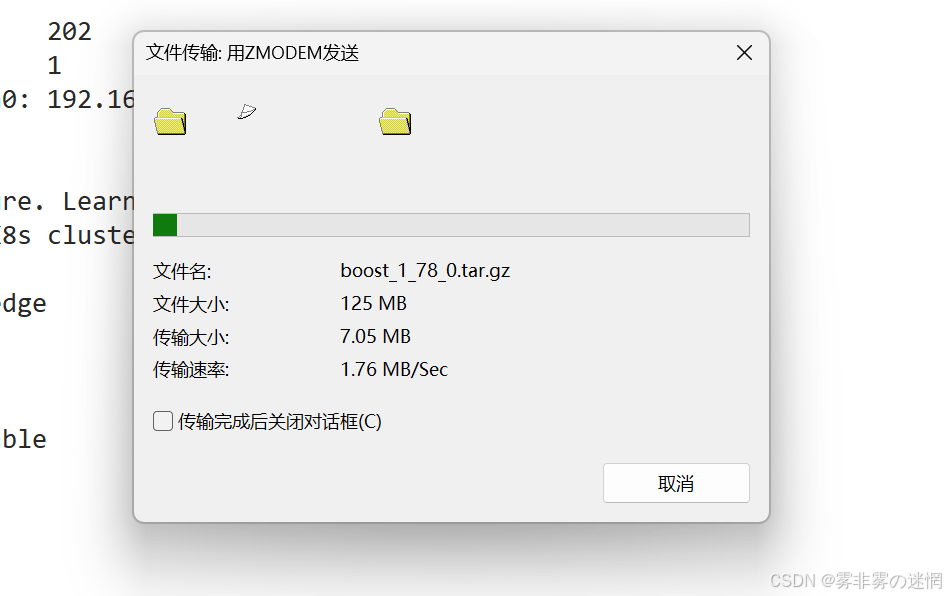
再使用 rz - E 命令上传库:
然后对上传的库进行解压:
tar -xzvf boost_1_78_0.tar.gz可以看到当前.html后缀的文件有20992个:

**注意:**为什么不直接在boost_1_78_0(直接解包的目录)中筛选出.html目录?
因为大目录中包含小目录,而这个路径需要和官网的相同,比如A.html在1111111目录中,在官网的访问就是11111111/A.html,不应该省掉111111111,GET到了吗!
【五】HTML文件的清洗
获取到所有的HTML文件之后,我们需要对所有HTML文件进行清洗,获取结构化的字段:
文档标题、文本内容、该文档在官网中的URL
所以创建一个清洗干净的文件 data_clean(后面更名:data_clean.txt),来进行保存最终的数据

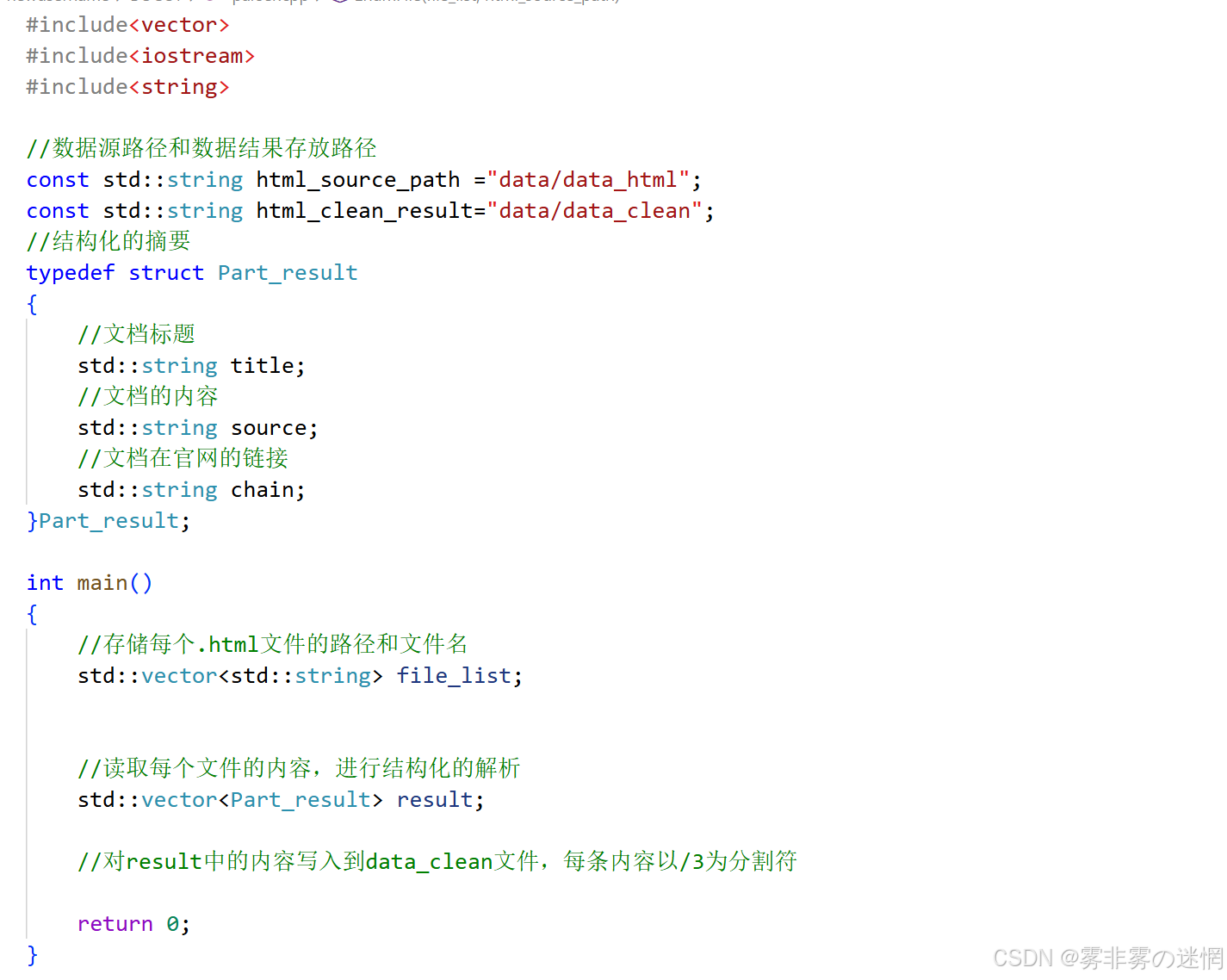
main函数主思路编写:
第一:我们可以先借助 vector<string> 存储每个.html文件的文件名和路径,方便读取
第二:对每个.html文件进行清洗解析
第三:把每个解析后的每个文件内容写入到 data_clean.txt 中
(其中:data_html 存储着所有的 .html 文件,最终数据结果放到 data_clean 中)

下面是主函数思路:
这里修改一下:给路径末尾加上 / ,文件不需要,更改为:

(1)主函数实现一
提取每个文件的文件名和路径,我们借助BOOST库来完成,所以我们需要安装BOOST库:
注意:那么编译的时候,需要指定库、头文件的路径、具体的库名称!
cpp
sudo apt install libboost-all-dev现在我们需要执行下面的操作(含顺序):(基本都是使用BOOST库文件接口)
首先我们的数据源是在 data_html 目录中
因此,在拿到这个目录中的每个文件及其路径之前,需要先判断该路径是否存在
然后采用迭代器遍历 data/data_html 这个目录中的文件,筛选出.html文件
然后将.html文件的路径及其文件名放在 vector<string>容器中,就完成了我们的第一个函数!
下面是演示:
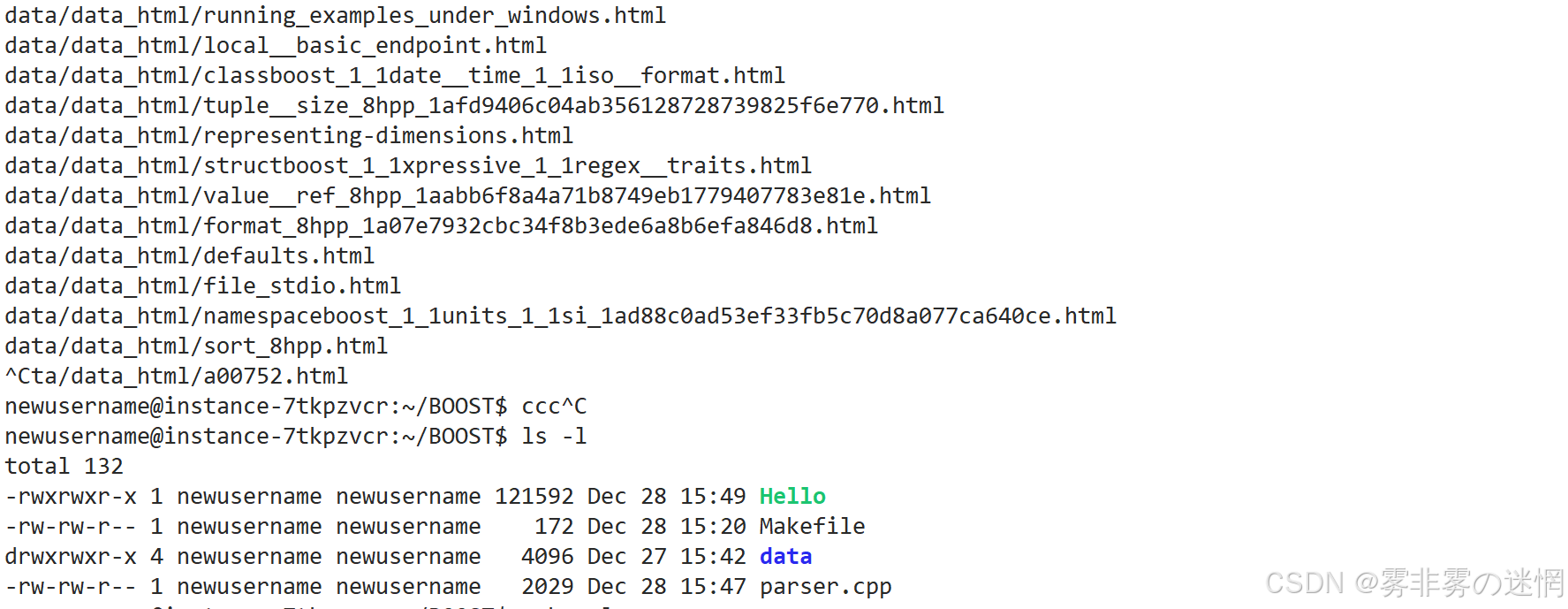
代码:
cpp
#include<vector>
#include<iostream>
#include<string>
#include <boost/filesystem.hpp>

//要筛选的路径
const std::string html_source_path ="data/data_html/";

//筛选函数:将该路径下的.html文件及其路径放在容器vector中
bool EnumFile(std::vector<std::string>& file_list,const std::string &html_source_path)
{
    //使用BOOST库
    namespace fs = boost::filesystem;
    //使用BOOST库:将目标路径转化为BOOST认识的形式
    fs::path target_path(html_source_path);
    //判断存在与否
    if(!fs::exists(target_path))
    {
        std::cout<<"sorry,the path is errno!"<<std::endl;
        return false;
    }
    //走到这里说明文件和路径有效,我们存储进file_list
    //使用BOOST库:迭代器拿到该路径下的所有文件和对应路径
    fs::recursive_directory_iterator end;
    for (fs::recursive_directory_iterator iter(html_source_path); iter != end; iter++)
    {
        //跳过非普通文件(比如目录、链接文件等)
        if (!fs::is_regular_file(*iter))
        {
            continue;
        }
        //跳过非.html后缀的文件
        if (iter->path().extension().string() != ".html")
        {
            continue;
        }
        //存入完整路径
        file_list.push_back(iter->path().string());

        //测试
        std::cout<<iter->path().string()<<std::endl;
    }

    return true;
}
(2)主函数实现二
这里有两点注意事项:
(1)我们获取.html文件的URL不应该是在这个.html内部,比如在本地中存在:
data_html / ***.html,那么***.html 的URL不应该在 ***.html 内部 ,我们会发现官网的 BOOST网页文档都有固定的前缀,而我们需要补充的就是后缀,那么这个后缀从哪来?这 就是为什么上面不能直接过滤出 .html 的原因,我们取的就是 ...../***.html,然后去除本地 的data_html即可,提前讲解原理:
这个url_hand就是共同的前缀,现在file_path是每个.html完整的路径(由主函数1获取)
比如:/data/data_html/boost/allowed.html
而我们需要截取**/data/data_html**后面的内容作为后缀,即去除本地的这部分链接
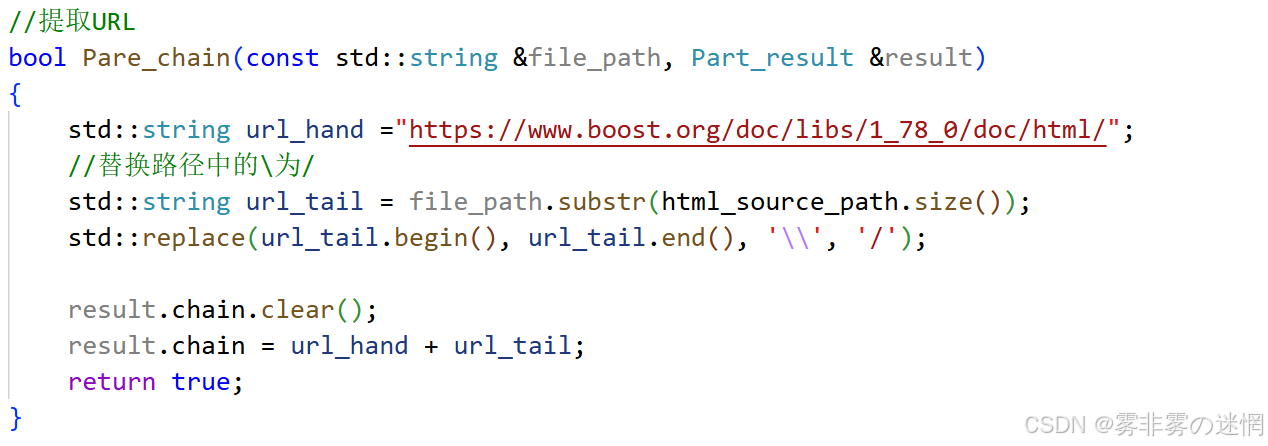
(2)每个.html中干净数据的获取,我建议是通过AI写一段代码,因为学习的时候我发现截取的没 有AI取的完整........有很多多余的数据
效果展示:(仅查看标题和URL)
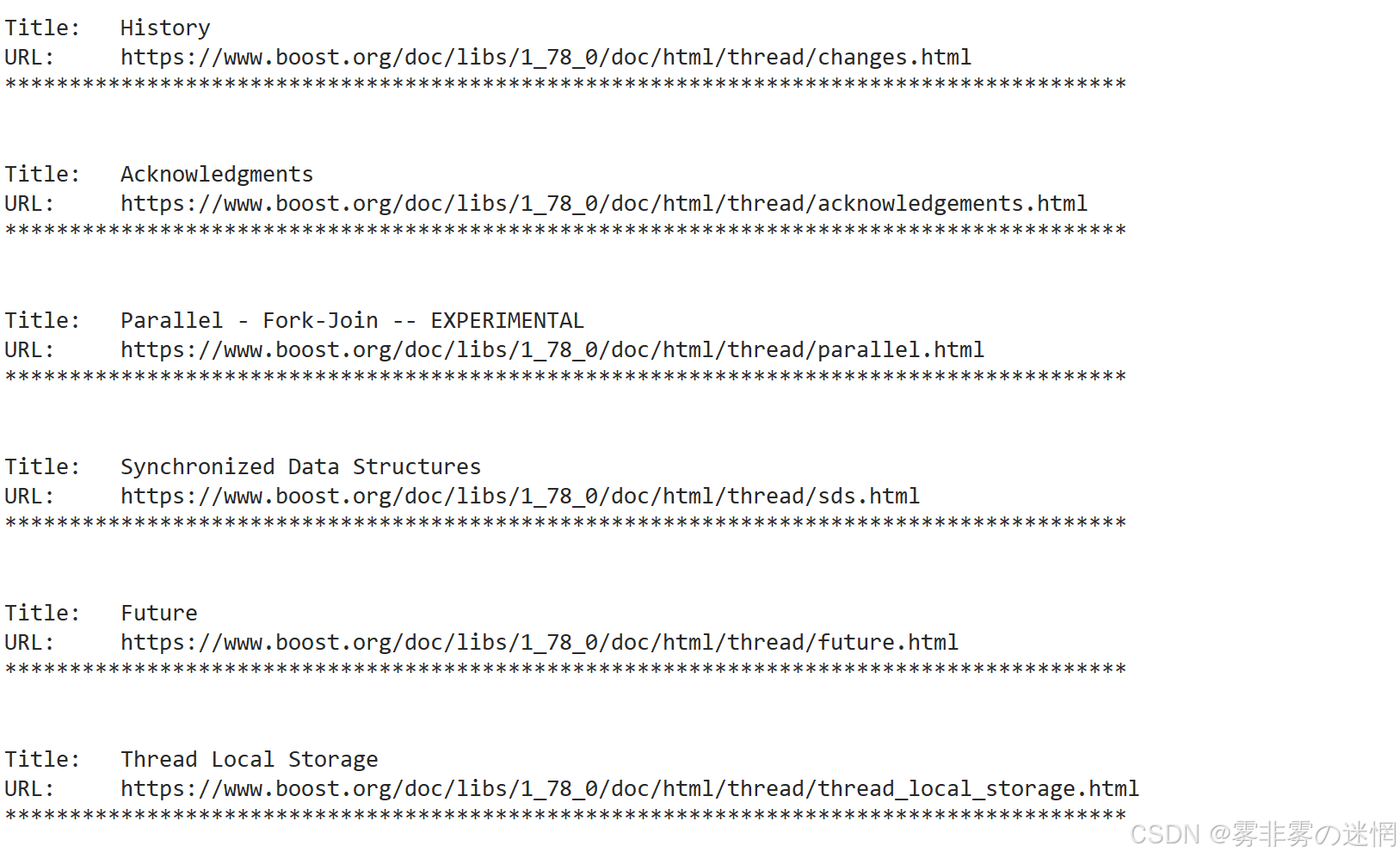
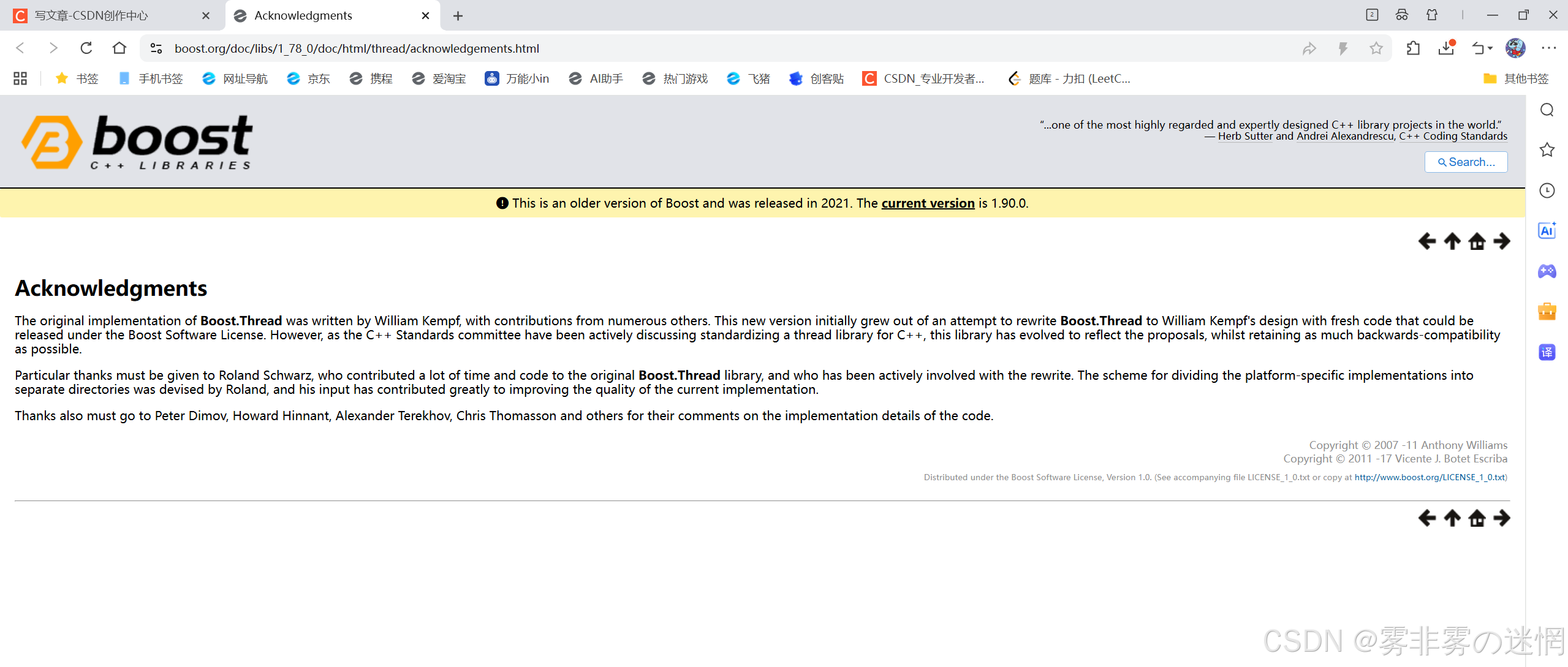
现在我们随便取一个URL去浏览器访问,可以看到没有问题:https://www.boost.org/doc/libs/1_78_0/doc/html/thread/acknowledgements.html
代码:内嵌函数在下面
cpp
bool ParseHtml(std::vector<std::string> &file_list, std::vector<Part_result> &result)
{
    size_t n = file_list.size();
    result.resize(n);
    for (size_t i = 0; i < n; i++)
    {
        std::string S;
        // 打开文件
        std::ifstream file_stream(file_list[i]);
        if (!file_stream.is_open())
        {
            std::cout << "sorry,open_file is errno" << std::endl;
            continue;
        }
        // 读取文件内容到S
        S = std::string(
            std::istreambuf_iterator<char>(file_stream),
            std::istreambuf_iterator<char>());

        // 从S中提取标题
        if (!Pare_title(S, result[i]))continue;
        //从S中提取内容
        if (!Parse_content(S, result[i]))continue;
        //提取URL
        if (!Pare_chain(file_list[i], result[i])) continue;


        file_stream.close();
    }

    return true;
}
提取标题:
cpp
//提取标题
bool Pare_title(std::string &S, Part_result &result)
{
    const std::string title_tag = "<title>";
    //确认左边界
    std::size_t begin = S.find(title_tag);
    if (begin == std::string::npos)
    {
        result.title = "no title";
        return false;
    }
    //确认右边界
    std::size_t end = S.find("</title>",begin+title_tag.size());
    if (end == std::string::npos)
        return false;
    //截取
    result.title = S.substr(begin + title_tag.size(), end - (begin + title_tag.size()));

    return true;
}
提取纯文本内容:
cpp
//提取纯文本内容
bool Parse_content(std::string &S, Part_result &result)
{
// 步骤1:先做简单判空,避免无效处理
if (S.empty()) {
result.source = "无有效HTML文本";
return false;
}
std::string clean_content = S;
// 步骤2:提取<body>标签内的内容(核心正文区域,剔除<head>等无关内容)
const std::string body_start = "<body"; // 匹配<body (兼容<body class="xxx">的情况)
const std::string body_end = "</body>";
size_t body_start_pos = clean_content.find(body_start);
size_t body_end_pos = clean_content.rfind(body_end); // 从后往前找,避免匹配到嵌套的</body>
if (body_start_pos != std::string::npos && body_end_pos != std::string::npos && body_start_pos < body_end_pos) {
// 找到<body>的结束位置(跳过<body...>标签本身,找到>的位置)
size_t body_tag_end = clean_content.find('>', body_start_pos);
if (body_tag_end != std::string::npos && body_tag_end < body_end_pos) {
// 截取<body>标签内的所有内容
clean_content = clean_content.substr(body_tag_end + 1, body_end_pos - (body_tag_end + 1));
}
} else
{
// 未找到<body>标签,使用原文本继续清洗(兼容无<body>的简单HTML)
;
}
const std::string section_start = "<section";
const std::string section_end = "</section>";
size_t section_start_pos = clean_content.find(section_start);
size_t section_end_pos = clean_content.rfind(section_end);
if (section_start_pos != std::string::npos && section_end_pos != std::string::npos && section_start_pos < section_end_pos) {
size_t section_tag_end = clean_content.find('>', section_start_pos);
if (section_tag_end != std::string::npos && section_tag_end < section_end_pos) {
clean_content = clean_content.substr(section_tag_end + 1, section_end_pos - (section_tag_end + 1));
}
}
// 步骤3:剔除所有HTML标签(<xxx>格式的内容)
std::string no_tag_content;
bool in_tag = false; //标记是否处于HTML标签内
for (char c : clean_content) {
if (c == '<') {
in_tag = true; //进入标签,开始跳过字符
continue;
}
if (c == '>') {
in_tag = false; //退出标签,恢复写入
continue;
}
if (!in_tag) {
no_tag_content += c; // 只保留非标签内的字符
}
}
clean_content = std::move(no_tag_content);
// 步骤4:替换HTML常见实体字符(避免乱码和冗余)
std::replace(clean_content.begin(), clean_content.end(), '&', ' '); // 替换&(实体开头)
std::replace(clean_content.begin(), clean_content.end(), ';', ' '); // 替换;(实体结尾)
// 可扩展更多实体替换,比如 (空格)、©(版权)等
const std::pair<std::string, std::string> html_entities[] = {
{"nbsp", " "},
{"copy", "(c)"},
{"amp", "&"}
};
for (const auto &entity : html_entities) {
size_t entity_pos = clean_content.find(entity.first);
while (entity_pos != std::string::npos) {
clean_content.replace(entity_pos, entity.first.size(), entity.second);
entity_pos = clean_content.find(entity.first, entity_pos + entity.second.size());
}
}
// 步骤5:清洗多余空白字符(连续空格、换行、制表符压缩为单个空格)
std::string final_content;
bool prev_is_whitespace = false;
for (char c : clean_content) {
if (isspace(static_cast<unsigned char>(c))) { // isspace判断空白字符(空格、\n、\t等)
if (!prev_is_whitespace) {
final_content += ' '; // 只保留一个空格
prev_is_whitespace = true;
}
} else {
final_content += c;
prev_is_whitespace = false;
}
}
// 步骤6:最终判空并赋值
if (final_content.empty() || final_content.size() < 10) { // 过滤过短的无效内容
result.source = "未提取到有效正文内容";
return false;
}
result.source = final_content;
return true;
}提取URL:
cpp
//提取URL
bool Pare_chain(const std::string &file_path, Part_result &result)
{
    std::string url_hand ="https://www.boost.org/doc/libs/1_78_0/doc/html/";
    //替换路径中的\为/
    std::string url_tail = file_path.substr(html_source_path.size());
    std::replace(url_tail.begin(), url_tail.end(), '\\', '/');

    result.chain.clear();
    result.chain = url_hand + url_tail;
    return true;
}
(3)主函数实现三
现在我们已经将每个.html文件的标题、内容、URL全部放在了vector<Part_result>result中,因此遍历这个vector,然后对每个文件的内容进行拼接即可,如何拼接,这是其中一种:
标题+'\3'+内容+'\3'+URL+'\n'
注意:尽量选择不可显字符,防止和文档里面的字符冲突,导致解析错误
我们写入的时候利用ofstream按行(每个.html为一行)写入,方便后面解析!
cpp
bool SaveHTML(const std::vector<Part_result> result,const std::string& target_path)
{
    //打开文件
    std::ofstream file_writer(target_path, std::ofstream::out);
    if(!file_writer.is_open())
    {
        std::cout<<"SaveHTML writer is errno"<<std::endl;
        return false;
    }
    //写入内容
    for(size_t i=0;i<result.size();i++)
    {
        std::string S;
        S+=result[i].title;
        S+='\3';
        S+=result[i].source;
        S+='\3';
        S+=result[i].chain;
        file_writer<<S<<std::endl;
    }
    //关闭文件描述符
    file_writer.close();

    return true;
}
效果展示多行的内容: