星闪网络:不止是"连接",更是"协同"
HarmonyOS 开发里,多设备数据同步是个老生常谈却又极容易出问题的场景。蓝牙太慢,Wi-Fi 功耗高,传统的中心化(Client-Server)模式在设备数量增多时,服务端压力陡增,而且一旦中心节点掉线,整个同步就断了。
NearLink(星闪) 的出现,为解决这类问题提供了一条新路径。它的低延迟、高通量、低功耗特性,非常适合在多个设备间构建一个"无中心化"的协同网络。每个设备既是数据生产者也消费者,不依赖单一服务器,网络拓扑变化时能自动恢复。
但我发现,很多人用星闪时,依然把它当"蓝牙+Wi-Fi"的简单替代,只做点对点单向通信,没有利用好它的广播和组网能力。官方文档虽然提到了 API,但没有解释实际使用中如何组合这些能力来搞定"多对多"的同步场景。
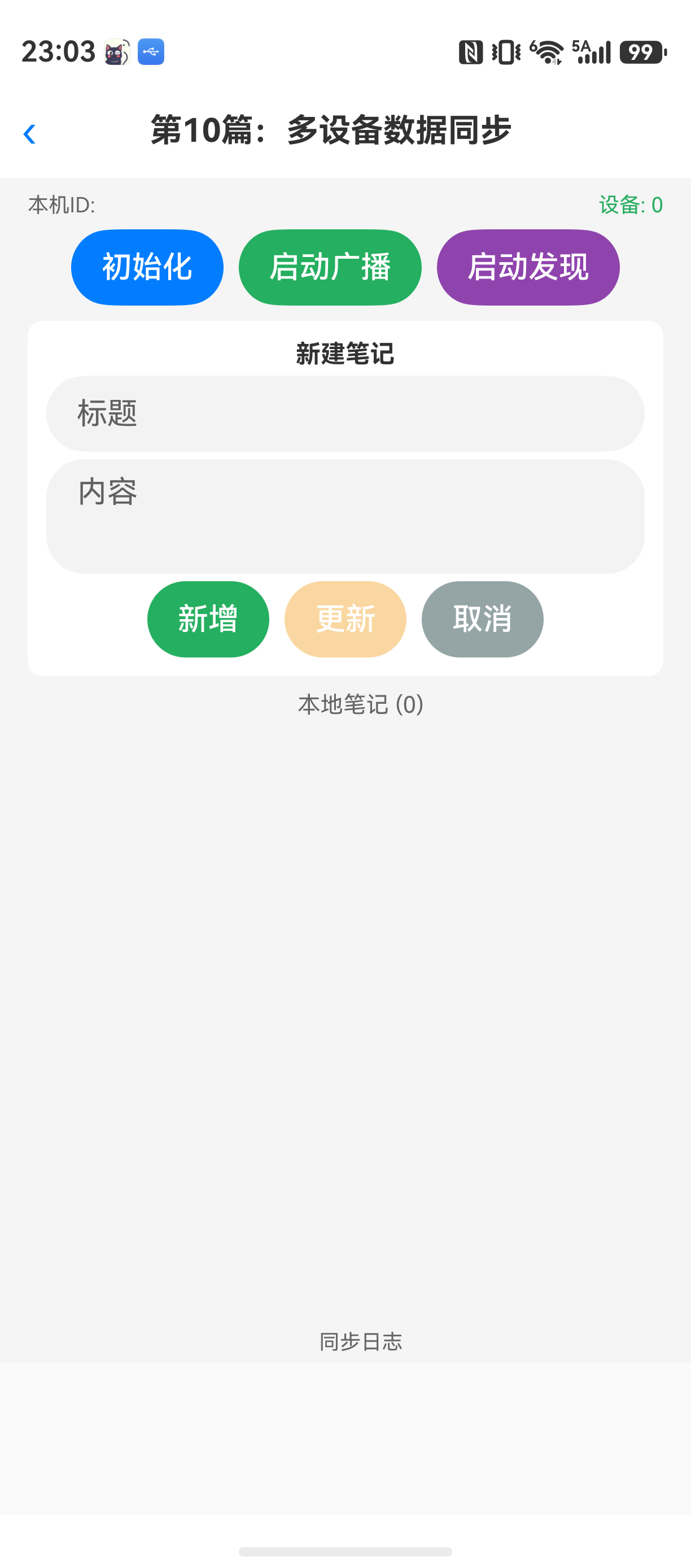
这篇文章的目标很直接:用 NearLink Kit 的广播能力和点对点通信,写一个多设备星闪同步系统 。我们不搞复杂的中转服务器,目标功能是:多个设备在同一个星闪网络中,自动发现彼此、实时同步和合并笔记数据、处理设备上线和掉线。最终每个设备上看到的数据是一致的。
为了把问题说清楚,我们先明确一下要解决的关键点:
- 组网:如何用星闪广播让设备发现彼此,并选择一个角色(主/从)来协调同步过程?
- 同步协议:如何定义一份简洁的数据同步报文,包含创建时间、版本号、操作类型(增/删/改)?
- 冲突处理:当两个设备同时修改了同一条笔记,如何合并?我们的方案是"最后写入者胜出 + 操作日志合并"(CRDT 简化版)。
- 拓扑变化:设备上线和掉线时,如何通知其他设备重新同步一次?
环境与前置依赖
text
DevEco Studio 版本:DevEco Studio 6.1.0 及以上
HarmonyOS SDK 版本:HarmonyOS 6.1.0(23) 及以上
目标设备:手机或平板(支持星闪的多台设备)
需要确保目标设备硬件支持星闪。权限方面,需要申请 ohos.permission.NEARLINK_DISCOVERY 和 ohos.permission.NEARLINK_COMMUNICATION。
核心实现:从数据模型到完整同步流程
下面进入代码。每一步我都会说明"这一段代码用于什么",然后给出完整代码,再分析注意事项。
第一步:定义同步数据模型
这一段代码用于定义我们要同步的笔记数据结构以及同步操作协议。
typescript
// SyncDataModel.ets
export enum SyncOperation {
  SYNC_ADD = 0,
  SYNC_DELETE = 1,
  SYNC_UPDATE = 2
}

export class NoteItem {
  public id: string = '';
  public title: string = '';
  public content: string = '';
  public lastModifiedTime: number = 0;
  public version: number = 0;

  constructor(id: string, title: string, content: string) {
    this.id = id;
    this.title = title;
    this.content = content;
    this.lastModifiedTime = Date.now();
    this.version = 1;
  }
}

export class SyncPacket {
  public senderId: string = ''; // 发送方的设备ID
  public operation: SyncOperation = SyncOperation.SYNC_UPDATE;
  public note: NoteItem | null = null;
  public allNotes: string = ''; // 全量同步时用JSON序列化

  // 序列化成JSON字符串用于传输
  public toJson(): string {
    return JSON.stringify(this);
  }

  public static fromJson(jsonStr: string): SyncPacket | null {
    try {
      let obj = JSON.parse(jsonStr);
      let packet = new SyncPacket();
      packet.senderId = obj.senderId;
      packet.operation = obj.operation;
      if (obj.note) {
        packet.note = obj.note;
      }
      packet.allNotes = obj.allNotes;
      return packet;
    } catch (e) {
      console.error('Failed to parse SyncPacket', e);
      return null;
    }
  }
}
关键设计点:
SyncOperation:定义了三种操作类型。注意,我们没有定义SYNC_REQUEST,后面会用点对点消息单独处理请求。NoteItem:每个笔记有一个version字段,冲突时比较版本号来判断谁更新。lastModifiedTime用于排序和辅助判断。SyncPacket:同步的最小单位。toJson()和fromJson()是基础序列化,后面传输前必须转成JSON字符串。
第二步:节点角色管理与设备发现
这一段代码用于管理当前设备在网络中的角色(主节点/从节点),并通过广播实现设备发现。
为什么需要角色?星闪的点对点通信是双向的,但同步需要一个"发起者"来协调顺序,避免同时同步导致死循环。我们设计一个简单的策略:先启动的设备作为主节点,负责定期广播同步请求;其他设备作为从节点,被动接收并响应。当主节点掉线时,从节点之间需要重新选举。
typescript
// NearLinkManager.ets
import { nearlink } from 'kit.NetworkKit';
import { BusinessError } from 'kit.BasicServicesKit';

@Observed
export class NearLinkManager {
  private localDeviceId: string = '';
  private channel: number = 10; // 广播信道,需要统一
  private role: 'master' | 'slave' = 'slave';
  private isBroadcasting: boolean = false;
  private isDiscovering: boolean = false;

  // 发现的其他设备列表,用于UI展示和网络拓扑管理
  public discoveredDevices: string[] = [];

  // 接收到的同步消息回调
  public onSyncPacketReceived: ((packet: SyncPacket) => void) | null = null;

  // 初始化,获取本地设备ID (这里简化,实际需从系统获取)
  public async init(): Promise<void> {
    // ... 获取 localDeviceId 的逻辑
    this.localDeviceId = 'device_' + Date.now().toString();
    console.info(`[NearLinkManager] Local device ID: ${this.localDeviceId}`);

    // 设置接收广播消息的监听
    this.setupReceiveListener();
  }

  // 启动广播,对外发送心跳
  public startBroadcast(): void {
    if (this.isBroadcasting) {
      return;
    }
    // 这里使用星闪广播,周期发送设备角色信息
    // 实际开发中需要调用 nearlink 的广播接口
    this.isBroadcasting = true;
    console.info('[NearLinkManager] Start broadcasting...');
    // 假设我们每3秒广播一次
    setInterval(() => {
      if (!this.isBroadcasting) return;
      let helloPacket = new SyncPacket();
      helloPacket.senderId = this.localDeviceId;
      helloPacket.operation = SyncOperation.SYNC_ADD;
      helloPacket.note = null;
      // 发送广播,内容包含设备ID和当前角色
      this.sendBroadcast(JSON.stringify({ type: 'heartbeat', deviceId: this.localDeviceId, role: this.role }));
    }, 3000);
  }

  // 停止广播
  public stopBroadcast(): void {
    this.isBroadcasting = false;
    console.info('[NearLinkManager] Stop broadcasting');
  }

  // 开始发现其他设备
  public startDiscovery(): void {
    if (this.isDiscovering) return;
    this.isDiscovering = true;
    // 设置设备发现的回调,当收到广播时更新设备列表
    nearlink.on('deviceDiscovered', (device: nearlink.NearLinkDevice) => {
      // 防止重复添加
      if (!this.discoveredDevices.includes(device.deviceId)) {
        this.discoveredDevices.push(device.deviceId);
        console.info(`[NearLinkManager] Discovered new device: ${device.deviceId}`);
        // 当发现新设备时,如果是主节点,可以主动发起一次同步
        if (this.role === 'master') {
          this.requestFullSync(device.deviceId);
        }
      }
    });
    nearlink.startDiscovery();
  }

  // 停止发现
  public stopDiscovery(): void {
    this.isDiscovering = false;
    nearlink.stopDiscovery();
    console.info('[NearLinkManager] Stop discovery');
  }

  // 建立点对点连接(用于后续数据传输)
  public async connectToDevice(deviceId: string): Promise<nearlink.NearLinkConnection> {
    // ...
    return {} as nearlink.NearLinkConnection;
  }

  // 发送广播消息
  private sendBroadcast(message: string): void {
    // 这里调用星闪广播接口
    // nearlink.sendBroadcast(message, this.channel);
    console.info(`[NearLinkManager] Broadcast: ${message}`);
  }

  // 设置接收广播监听
  private setupReceiveListener(): void {
    nearlink.on('broadcastReceived', (data: ArrayBuffer, deviceId: string) => {
      // 解析广播消息
      let decoder = util.TextDecoder.create('utf-8');
      let msg = decoder.decodeToString(data);
      console.info(`[NearLinkManager] Received broadcast from ${deviceId}: ${msg}`);
      // 如果是心跳,更新发现列表
      try {
        let obj = JSON.parse(msg);
        if (obj.type === 'heartbeat') {
          if (!this.discoveredDevices.includes(obj.deviceId)) {
            this.discoveredDevices.push(obj.deviceId);
            console.info(`[NearLinkManager] Discovered device via broadcast: ${obj.deviceId}`);
          }
        }
      } catch (e) {
        // 不是心跳,可能是同步数据
        this.handleSyncMessage(msg, deviceId);
      }
    });
  }

  // 处理收到的同步消息
  private handleSyncMessage(msg: string, deviceId: string): void {
    let packet = SyncPacket.fromJson(msg);
    if (packet && this.onSyncPacketReceived) {
      this.onSyncPacketReceived(packet);
    }
  }

  // 发起全量同步请求(主节点专用)
  private requestFullSync(deviceId: string): void {
    let requestPacket = new SyncPacket();
    requestPacket.senderId = this.localDeviceId;
    requestPacket.operation = SyncOperation.SYNC_ADD;
    requestPacket.note = null; // 没有note,表示请求全量数据
    this.sendDataToDevice(deviceId, requestPacket.toJson());
  }

  // 向指定设备发送数据
  public async sendDataToDevice(deviceId: string, data: string): Promise<void> {
    // ... 建立连接并发送消息
    console.info(`[NearLinkManager] Send data to ${deviceId}: ${data}`);
  }
}
这里有两个坑需要注意:
- 广播接收回调的线程问题 :
nearlink.on('broadcastReceived', ...)的回调不一定在主线程。如果在回调里直接修改discoveredDevices(被@State修饰),UI不会立刻刷新。解决方案:使用AppStorage或EventHub通知UI层。 - 角色选举:上面的代码只实现了主从区分,但没有选举逻辑。在一个高可用的系统中,当主节点掉线后,从节点之间需要选出一个新主节点。这里先简化为第一个启动的设备是主节点。
第三步:数据同步服务(核心同步逻辑)
这一段代码用于管理笔记数据,实现增量同步、全量同步和冲突合并。
这才是文章最核心的部分。我们需要一个服务来管理本地笔记数据,并根据同步协议处理收到的数据包。
typescript
// DataSyncService.ets
import { util } from 'kit.ArkTS';

@Observed
export class DataSyncService {
  // 本地笔记列表,被 @Observed 修饰,支持UI响应
  public noteList: NoteItem[] = [];

  private localDeviceId: string;
  private nearLinkManager: NearLinkManager;
  private pendingSyncQueue: SyncPacket[] = []; // 待处理的同步包

  constructor(deviceId: string, manager: NearLinkManager) {
    this.localDeviceId = deviceId;
    this.nearLinkManager = manager;
    // 注册接收回调
    this.nearLinkManager.onSyncPacketReceived = (packet: SyncPacket) => {
      this.handleReceivedPacket(packet);
    };
  }

  // 添加本地笔记(模拟用户操作)
  public addLocalNote(title: string, content: string): NoteItem {
    let note = new NoteItem(Date.now().toString(), title, content);
    this.noteList.push(note);
    // 立即广播新增操作
    this.broadcastSyncPacket(SyncOperation.SYNC_ADD, note);
    return note;
  }

  // 更新本地笔记
  public updateLocalNote(noteId: string, newTitle: string, newContent: string): void {
    let index = this.noteList.findIndex(n => n.id === noteId);
    if (index !== -1) {
      let oldNote = this.noteList[index];
      oldNote.title = newTitle;
      oldNote.content = newContent;
      oldNote.lastModifiedTime = Date.now();
      oldNote.version++;
      // 广播更新
      this.broadcastSyncPacket(SyncOperation.SYNC_UPDATE, oldNote);
    }
  }

  // 删除本地笔记
  public deleteLocalNote(noteId: string): void {
    let index = this.noteList.findIndex(n => n.id === noteId);
    if (index !== -1) {
      let deletedNote = this.noteList.splice(index, 1)[0];
      this.broadcastSyncPacket(SyncOperation.SYNC_DELETE, deletedNote);
    }
  }

  // 广播同步包(调用 NearLinkManager 的广播接口)
  private broadcastSyncPacket(operation: SyncOperation, note: NoteItem): void {
    let packet = new SyncPacket();
    packet.senderId = this.localDeviceId;
    packet.operation = operation;
    packet.note = note;
    this.nearLinkManager.sendBroadcast(packet.toJson());
  }

  // 处理收到的同步包
  private handleReceivedPacket(packet: SyncPacket): void {
    // 防止处理自己广播的数据(可以通过 senderId 判断,但广播机制可能需要额外过滤)
    if (packet.senderId === this.localDeviceId) {
      return;
    }

    if (packet.operation === SyncOperation.SYNC_ADD) {
      this.mergeNoteAdd(packet.note!);
    } else if (packet.operation === SyncOperation.SYNC_UPDATE) {
      this.mergeNoteUpdate(packet.note!);
    } else if (packet.operation === SyncOperation.SYNC_DELETE) {
      this.mergeNoteDelete(packet.note!);
    } else {
      // 未知操作,可能为全量请求,忽略或处理
      console.warn(`Unknown operation: ${packet.operation}`);
    }
  }

  // 合并新增笔记(冲突解决:最后写入者胜出,且基于版本号)
  private mergeNoteAdd(incomingNote: NoteItem): void {
    // 先检查本地是否存在相同ID
    let localIndex = this.noteList.findIndex(n => n.id === incomingNote.id);
    if (localIndex === -1) {
      // 本地没有,直接添加
      this.noteList.push(incomingNote);
      console.info(`[Sync] Note added from remote: ${incomingNote.id}`);
    } else {
      // 本地已有,比较版本号,高的胜出
      let localNote = this.noteList[localIndex];
      if (incomingNote.version > localNote.version) {
        this.noteList[localIndex] = incomingNote;
        console.info(`[Sync] Note updated from remote (add conflict): ${incomingNote.id}`);
      } else {
        console.info(`[Sync] Note add ignored (local newer): ${incomingNote.id}`);
      }
    }
  }

  // 合并更新笔记
  private mergeNoteUpdate(incomingNote: NoteItem): void {
    let localIndex = this.noteList.findIndex(n => n.id === incomingNote.id);
    if (localIndex === -1) {
      // 本地没有,可能是之前未同步的,直接添加
      this.noteList.push(incomingNote);
      console.info(`[Sync] Note added from remote (update of non-existent): ${incomingNote.id}`);
    } else {
      let localNote = this.noteList[localIndex];
      if (incomingNote.version > localNote.version) {
        this.noteList[localIndex] = incomingNote;
        console.info(`[Sync] Note updated from remote: ${incomingNote.id}`);
      } else {
        console.info(`[Sync] Note update ignored (local newer): ${incomingNote.id}`);
      }
    }
  }

  // 合并删除笔记
  private mergeNoteDelete(incomingNote: NoteItem): void {
    let index = this.noteList.findIndex(n => n.id === incomingNote.id);
    if (index !== -1) {
      this.noteList.splice(index, 1);
      console.info(`[Sync] Note deleted from remote: ${incomingNote.id}`);
    }
  }

  // 全量同步:将本地所有笔记发送给指定设备(用于新设备加入时)
  public sendFullDataToDevice(deviceId: string): void {
    let packet = new SyncPacket();
    packet.senderId = this.localDeviceId;
    packet.operation = SyncOperation.SYNC_ADD; // 全量同步当作批量ADD
    packet.allNotes = JSON.stringify(this.noteList);
    this.nearLinkManager.sendDataToDevice(deviceId, packet.toJson());
    console.info(`[Sync] Full data sent to ${deviceId}`);
  }

  // 处理收到的全量数据
  public handleFullData(allNotesJson: string): void {
    try {
      let notes: NoteItem[] = JSON.parse(allNotesJson);
      for (let note of notes) {
        this.mergeNoteAdd(note);
      }
      console.info(`[Sync] Full data applied, total: ${this.noteList.length}`);
    } catch (e) {
      console.error('Failed to parse full data:', e);
    }
  }
}
核心矛盾:增量 vs 全量
- 上面代码中,每次本地修改都通过广播发送增量包。这是最理想的情况。
- 但广播不一定可靠,新设备加入时,它没有之前的增量数据,所以需要全量同步一次。
sendFullDataToDevice是在发现新设备时由NearLinkManager调用的,它通过点对点信道发送一次全量数据。
冲突解决策略分析:
我们用的是"基于版本号的最后写入者胜出(LWW)"。这个方案简单,但有个明显缺陷:如果网络暂时中断,两个设备各自修改了同一条笔记的不同字段(例如A改了标题,B改了内容),版本号冲突时,后更新的设备数据会完全覆盖先更新的设备。这就会丢失部分编辑。
如果需要更精细的合并,需要CRDT(无冲突可复制数据类型)。比如将笔记的标题和内容拆分成两个独立的字段,每个字段各自维护版本号,或者使用操作日志合并。后者更为通用,但实现复杂。限于篇幅,这里采用LWW加操作日志的简化版(下文FAQ有提及如何改进)。