Tabs 底部导航 --- 鸿蒙应用的标准导航范式
一、引言
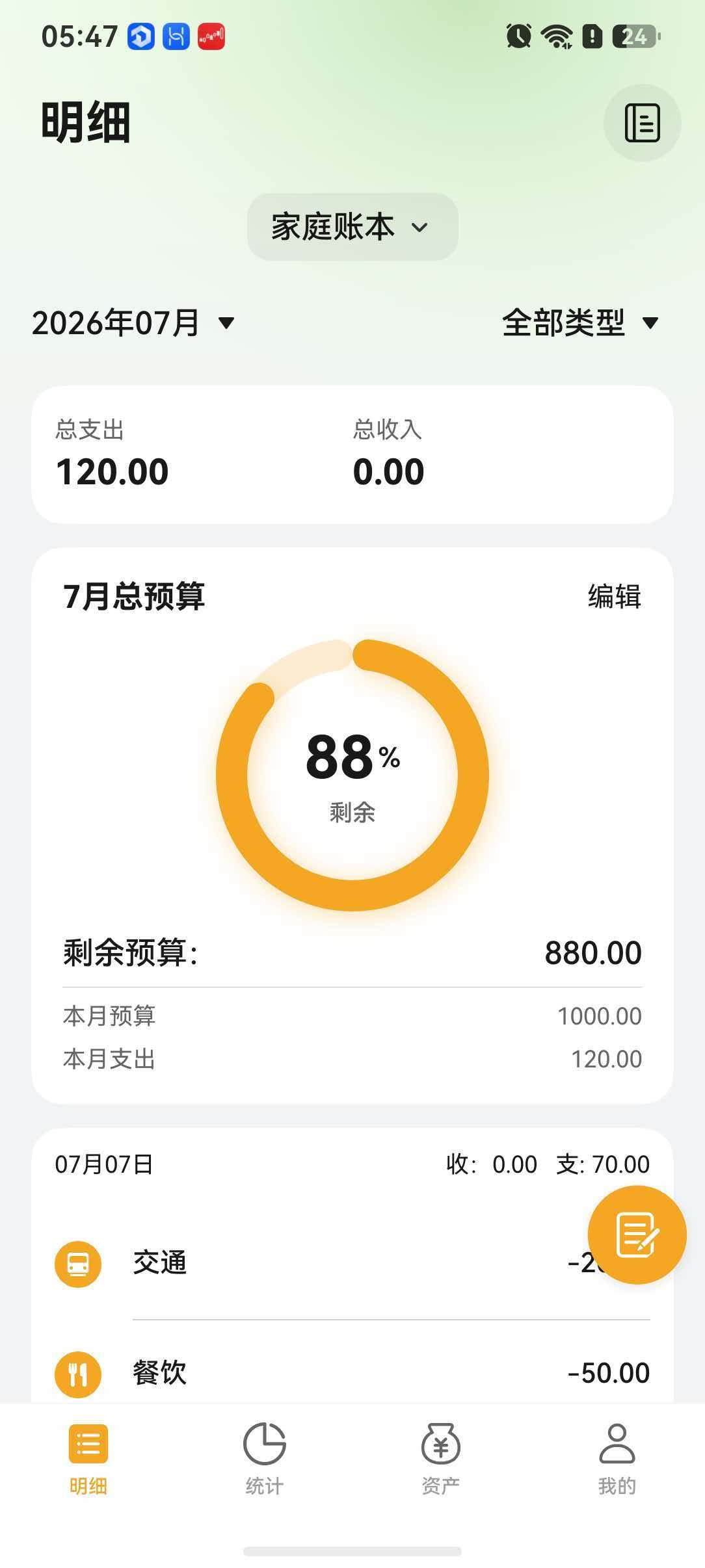
底部导航栏是移动应用中最常见的主框架导航模式。鸿蒙系统通过 Tabs + TabContent 组件组合,为开发者提供了声明式、高性能的底部导航方案。Tabs 组件支持自定义标签栏、手势切换、动画模式等丰富能力,可以满足从简单到复杂的各种导航需求。MoneyTrack 在 entry 模块的主入口中采用 Tabs 实现首页、账单、统计、我的四个标签页的切换,通过自定义 TabBar 实现了品牌化的图标与文案展示。
二、核心知识点
2.1 Tabs + TabContent 组合
Tabs 是容器组件,TabContent 是每个标签页的内容区域。每个 TabContent 通过 tabBar 属性配置对应的标签栏按钮。Tabs 管理各 TabContent 的显示切换,内部采用懒加载机制,默认只渲染当前激活的 TabContent,切换时销毁并重建(或被缓存),兼顾性能和内存。
typescript
Tabs({ barPosition: BarPosition.End }) {
  TabContent() {
    HomePage()
  }.tabBar(this.tabBarBuilder(0))

  TabContent() {
    BillsPage()
  }.tabBar(this.tabBarBuilder(1))
  // ...
}
2.2 属性详解
Tabs 提供了丰富的属性用于控制行为和样式:
| 属性 | 类型 | 说明 |
|---|---|---|
barPosition |
BarPosition | 标签栏位置:Start(顶)/ End(底)/ Left / Right |
swipeable |
boolean | 是否支持手势滑动切换标签,默认 true |
scrollable |
boolean | 标签栏是否可滚动(标签过多时) |
animationMode |
AnimationMode | 切换动画:None(无动画)/ Spring(弹性动画) |
barWidth |
number | 标签栏宽度,默认充满父容器 |
barHeight |
number | 标签栏高度,可自定义 |
vertical |
boolean | 是否为纵向布局,侧边栏场景使用 |
2.3 barPosition 位置控制
barPosition 属性控制标签栏的位置:
BarPosition.End:底部(移动端标准)BarPosition.Start:顶部(配合可滚动 TabBar)BarPosition.Left/Right:侧边栏(平板横屏场景)
MoneyTrack 采用 BarPosition.End 实现底部导航。
2.4 动画模式
Tabs 支持 animationMode 属性配置切换动画:
AnimationMode.None:无动画,瞬间切换,适合快速切换场景。AnimationMode.Spring:弹性动画,效果流畅,适合注重用户体验的场景。
Spring 动画会跟随手指滑动产生惯性效果,切换过程自然不突兀。
三、项目代码案例
3.1 MainEntry.ets 中的 TAB_LIST 配置
在 products/entry/src/main/ets/views/MainEntry.ets 中,定义了包含四个标签的 TAB_LIST:
| 索引 | 标签名 | 图标(选中) | 图标(未选中) |
|---|---|---|---|
| 0 | 首页 | home_filled | home_outlined |
| 1 | 账单 | bill_filled | bill_outlined |
| 2 | 统计 | stats_filled | stats_outlined |
| 3 | 我的 | mine_filled | mine_outlined |
3.2 tabBarBuilder 自定义实现
tabBarBuilder 函数接收索引参数,根据当前选中状态动态渲染图标颜色和文字样式:
typescript
@Builder
tabBarBuilder(index: number) {
  Column() {
    Image(this.currentIndex === index
      ? TAB_LIST[index].iconFilled
      : TAB_LIST[index].iconOutlined)
      .width(24).height(24)
    Text(TAB_LIST[index].label)
      .fontSize(10)
      .fontColor(this.currentIndex === index
        ? $r('app.color.primary_blue')
        : $r('app.color.text_secondary'))
  }
  .width('100%')
  .padding({ top: 4 })
  .justifyContent(FlexAlign.Center)
}
3.3 TabController 控制跳转
TabController 提供了编程式标签切换能力,适用于外部事件触发导航的场景:
typescript
private tabController: TabController = new TabController()

// 外部触发切换到指定标签
jumpToBillTab() {
  this.tabController.changeIndex(1)  // 切换到账单页
}

// 在 Tabs 中传入 controller
Tabs({ controller: this.tabController, barPosition: BarPosition.End }) {
  // TabContent 列表...
}
3.4 页面懒加载实现
通过 onChange 事件与条件渲染结合,实现页面懒加载------只有标签被激活时才创建对应页面组件:
typescript
@State currentIndex: number = 0
@State loadedPages: boolean[] = [true, false, false, false]

build() {
  Tabs({ barPosition: BarPosition.End }) {
    ForEach(TAB_LIST, (item: TabItem, index: number) => {
      TabContent() {
        if (this.loadedPages[index]) {
          this.getPageComponent(index)
        }
      }.tabBar(this.tabBarBuilder(index))
    })
  }
  .onChange((index: number) => {
    this.currentIndex = index
    if (!this.loadedPages[index]) {
      this.loadedPages[index] = true  // 首次激活时标记加载
    }
  })
}
四、Mermaid 图示:Tabs 层级结构
#mermaid-svg-SFK2epcXfxSD1Wcf{font-family:"trebuchet ms",verdana,arial,sans-serif;font-size:16px;fill:#333;}@keyframes edge-animation-frame{from{stroke-dashoffset:0;}}@keyframes dash{to{stroke-dashoffset:0;}}#mermaid-svg-SFK2epcXfxSD1Wcf .edge-animation-slow{stroke-dasharray:9,5!important;stroke-dashoffset:900;animation:dash 50s linear infinite;stroke-linecap:round;}#mermaid-svg-SFK2epcXfxSD1Wcf .edge-animation-fast{stroke-dasharray:9,5!important;stroke-dashoffset:900;animation:dash 20s linear infinite;stroke-linecap:round;}#mermaid-svg-SFK2epcXfxSD1Wcf .error-icon{fill:#552222;}#mermaid-svg-SFK2epcXfxSD1Wcf .error-text{fill:#552222;stroke:#552222;}#mermaid-svg-SFK2epcXfxSD1Wcf .edge-thickness-normal{stroke-width:1px;}#mermaid-svg-SFK2epcXfxSD1Wcf .edge-thickness-thick{stroke-width:3.5px;}#mermaid-svg-SFK2epcXfxSD1Wcf .edge-pattern-solid{stroke-dasharray:0;}#mermaid-svg-SFK2epcXfxSD1Wcf .edge-thickness-invisible{stroke-width:0;fill:none;}#mermaid-svg-SFK2epcXfxSD1Wcf .edge-pattern-dashed{stroke-dasharray:3;}#mermaid-svg-SFK2epcXfxSD1Wcf .edge-pattern-dotted{stroke-dasharray:2;}#mermaid-svg-SFK2epcXfxSD1Wcf .marker{fill:#333333;stroke:#333333;}#mermaid-svg-SFK2epcXfxSD1Wcf .marker.cross{stroke:#333333;}#mermaid-svg-SFK2epcXfxSD1Wcf svg{font-family:"trebuchet ms",verdana,arial,sans-serif;font-size:16px;}#mermaid-svg-SFK2epcXfxSD1Wcf p{margin:0;}#mermaid-svg-SFK2epcXfxSD1Wcf .label{font-family:"trebuchet ms",verdana,arial,sans-serif;color:#333;}#mermaid-svg-SFK2epcXfxSD1Wcf .cluster-label text{fill:#333;}#mermaid-svg-SFK2epcXfxSD1Wcf .cluster-label span{color:#333;}#mermaid-svg-SFK2epcXfxSD1Wcf .cluster-label span p{background-color:transparent;}#mermaid-svg-SFK2epcXfxSD1Wcf .label text,#mermaid-svg-SFK2epcXfxSD1Wcf span{fill:#333;color:#333;}#mermaid-svg-SFK2epcXfxSD1Wcf .node rect,#mermaid-svg-SFK2epcXfxSD1Wcf .node circle,#mermaid-svg-SFK2epcXfxSD1Wcf .node ellipse,#mermaid-svg-SFK2epcXfxSD1Wcf .node polygon,#mermaid-svg-SFK2epcXfxSD1Wcf .node path{fill:#ECECFF;stroke:#9370DB;stroke-width:1px;}#mermaid-svg-SFK2epcXfxSD1Wcf .rough-node .label text,#mermaid-svg-SFK2epcXfxSD1Wcf .node .label text,#mermaid-svg-SFK2epcXfxSD1Wcf .image-shape .label,#mermaid-svg-SFK2epcXfxSD1Wcf .icon-shape .label{text-anchor:middle;}#mermaid-svg-SFK2epcXfxSD1Wcf .node .katex path{fill:#000;stroke:#000;stroke-width:1px;}#mermaid-svg-SFK2epcXfxSD1Wcf .rough-node .label,#mermaid-svg-SFK2epcXfxSD1Wcf .node .label,#mermaid-svg-SFK2epcXfxSD1Wcf .image-shape .label,#mermaid-svg-SFK2epcXfxSD1Wcf .icon-shape .label{text-align:center;}#mermaid-svg-SFK2epcXfxSD1Wcf .node.clickable{cursor:pointer;}#mermaid-svg-SFK2epcXfxSD1Wcf .root .anchor path{fill:#333333!important;stroke-width:0;stroke:#333333;}#mermaid-svg-SFK2epcXfxSD1Wcf .arrowheadPath{fill:#333333;}#mermaid-svg-SFK2epcXfxSD1Wcf .edgePath .path{stroke:#333333;stroke-width:2.0px;}#mermaid-svg-SFK2epcXfxSD1Wcf .flowchart-link{stroke:#333333;fill:none;}#mermaid-svg-SFK2epcXfxSD1Wcf .edgeLabel{background-color:rgba(232,232,232, 0.8);text-align:center;}#mermaid-svg-SFK2epcXfxSD1Wcf .edgeLabel p{background-color:rgba(232,232,232, 0.8);}#mermaid-svg-SFK2epcXfxSD1Wcf .edgeLabel rect{opacity:0.5;background-color:rgba(232,232,232, 0.8);fill:rgba(232,232,232, 0.8);}#mermaid-svg-SFK2epcXfxSD1Wcf .labelBkg{background-color:rgba(232, 232, 232, 0.5);}#mermaid-svg-SFK2epcXfxSD1Wcf .cluster rect{fill:#ffffde;stroke:#aaaa33;stroke-width:1px;}#mermaid-svg-SFK2epcXfxSD1Wcf .cluster text{fill:#333;}#mermaid-svg-SFK2epcXfxSD1Wcf .cluster span{color:#333;}#mermaid-svg-SFK2epcXfxSD1Wcf div.mermaidTooltip{position:absolute;text-align:center;max-width:200px;padding:2px;font-family:"trebuchet ms",verdana,arial,sans-serif;font-size:12px;background:hsl(80, 100%, 96.2745098039%);border:1px solid #aaaa33;border-radius:2px;pointer-events:none;z-index:100;}#mermaid-svg-SFK2epcXfxSD1Wcf .flowchartTitleText{text-anchor:middle;font-size:18px;fill:#333;}#mermaid-svg-SFK2epcXfxSD1Wcf rect.text{fill:none;stroke-width:0;}#mermaid-svg-SFK2epcXfxSD1Wcf .icon-shape,#mermaid-svg-SFK2epcXfxSD1Wcf .image-shape{background-color:rgba(232,232,232, 0.8);text-align:center;}#mermaid-svg-SFK2epcXfxSD1Wcf .icon-shape p,#mermaid-svg-SFK2epcXfxSD1Wcf .image-shape p{background-color:rgba(232,232,232, 0.8);padding:2px;}#mermaid-svg-SFK2epcXfxSD1Wcf .icon-shape .label rect,#mermaid-svg-SFK2epcXfxSD1Wcf .image-shape .label rect{opacity:0.5;background-color:rgba(232,232,232, 0.8);fill:rgba(232,232,232, 0.8);}#mermaid-svg-SFK2epcXfxSD1Wcf .label-icon{display:inline-block;height:1em;overflow:visible;vertical-align:-0.125em;}#mermaid-svg-SFK2epcXfxSD1Wcf .node .label-icon path{fill:currentColor;stroke:revert;stroke-width:revert;}#mermaid-svg-SFK2epcXfxSD1Wcf :root{--mermaid-font-family:"trebuchet ms",verdana,arial,sans-serif;} Tabs 容器组件
标签栏 bar
内容区域
tabBar 0 - 首页
tabBar 1 - 账单
tabBar 2 - 统计
tabBar 3 - 我的
TabContent 0 - HomePage
TabContent 1 - BillsPage
TabContent 2 - StatsPage
TabContent 3 - MinePage
属性配置
barPosition / swipeable
animationMode / barHeight
五、最佳实践
- 图标资源命名规范 :遵循
模块_filled和模块_outlined的命名约定,便于管理和批量替换。选中态使用实心图标,非选中态使用线性图标,视觉上明确区分层级。 - 懒加载策略 :默认只渲染首屏页面,其余标签页在首次激活时创建,避免首屏加载过多组件导致性能问题。可通过
loadedPages标志数组控制。 - 动画选择 :使用
Spring弹性动画提升切换手感,但注意在低端设备上可降级为None以保证帧率。 - TabController 统一管理:将 TabController 提升到全局或 ViewModel 层,方便从任意子页面触发 Tab 跳转,如未读消息提醒后自动跳转到"我的"页面。
- 角标适配:在 tabBarBuilder 中预留 Badge 位置,方便后续添加消息角标或红点提示。
六、总结
Tabs + TabContent 组合是鸿蒙应用底部导航的标准实现方案。通过自定义 tabBarBuilder 可以实现品牌化的视觉风格,通过 TabController 提供编程式控制能力,再结合懒加载策略和动画配置,可以构建高性能、高可用的主框架导航架构。配合规范的图标命名和状态管理,Tabs 组件是鸿蒙应用首屏框架的不二之选。Tabs 组件指南 | TabContent API