一、网络链接和网路设备
1.网络链接
系统使用设备的方法,是一个软件程序的名字,名字可以自定义

2.网络设备
硬件真实存在的设备并且被系统识别的名称,名称是什么就用什么,不可自定义

二、配置IP 地址
1.临时生效
#方法1
root@localhost \~# ifconfig eth1 172.25.254.100 netmask 255.255.255.0
#方法2
root@localhost \~# ip a a 172.25.254.100/24 dev eth1
查看:
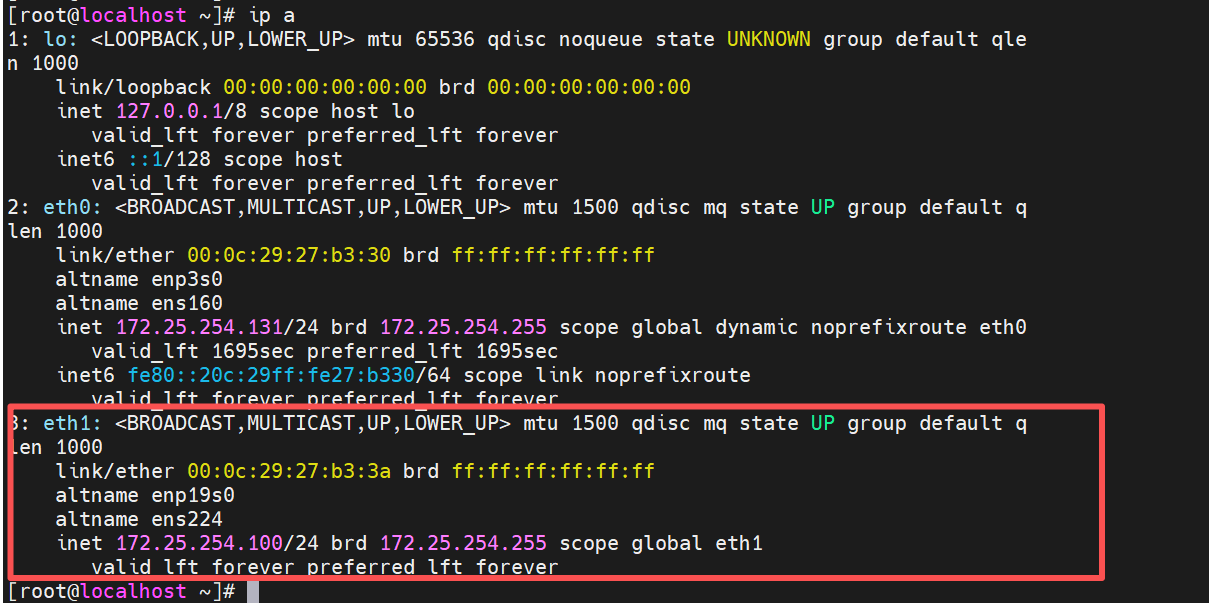
注意:临时设定通常在系统重新启动后失效,一般用于临时使用
2.永久生效
(1)通过命令设定
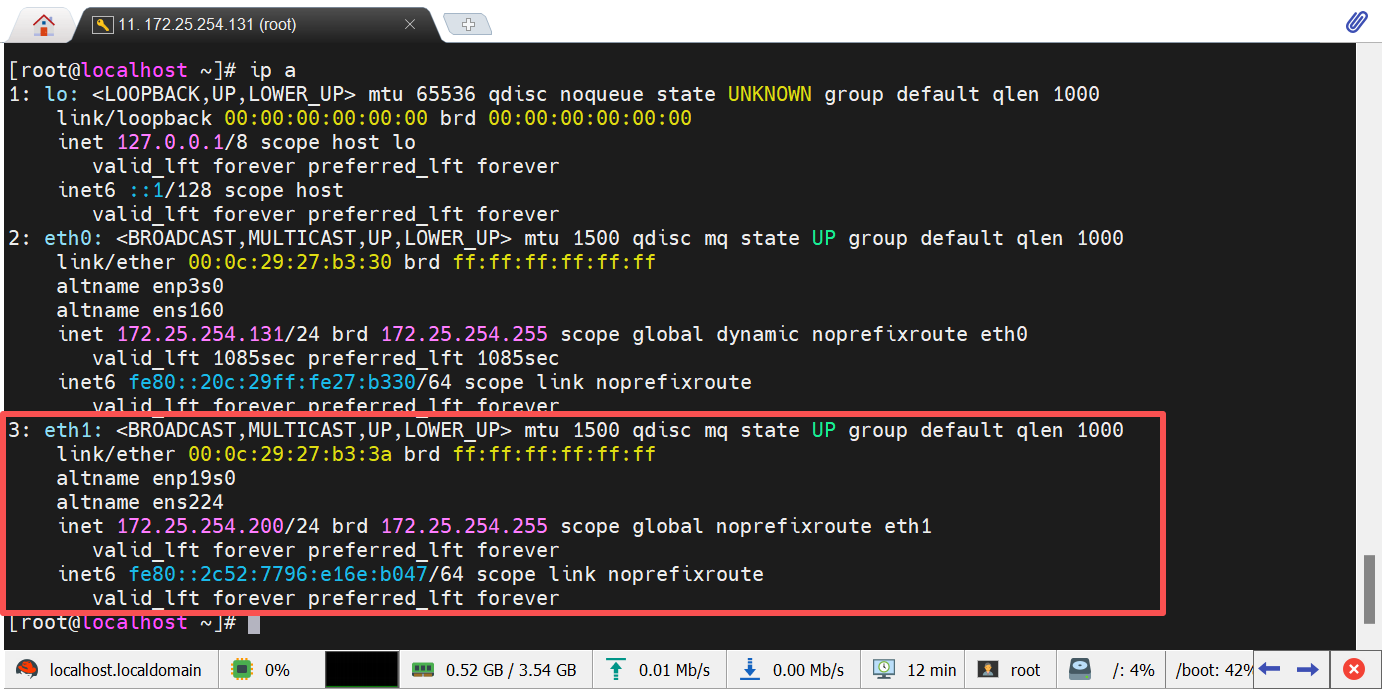
root@localhost \~# nmcli connection add type ethernet ifname eth1 con-name lee ipv4.method manual ipv4.addresses 172.25.254.200/24
#ifname 设备名称,不能随意指定,有什么用什么,可以用nmcli device show 查看
#con-name 链接名称,可以自定义,但是确保系统中没有使用这个名字的链接
查看:
更改IP
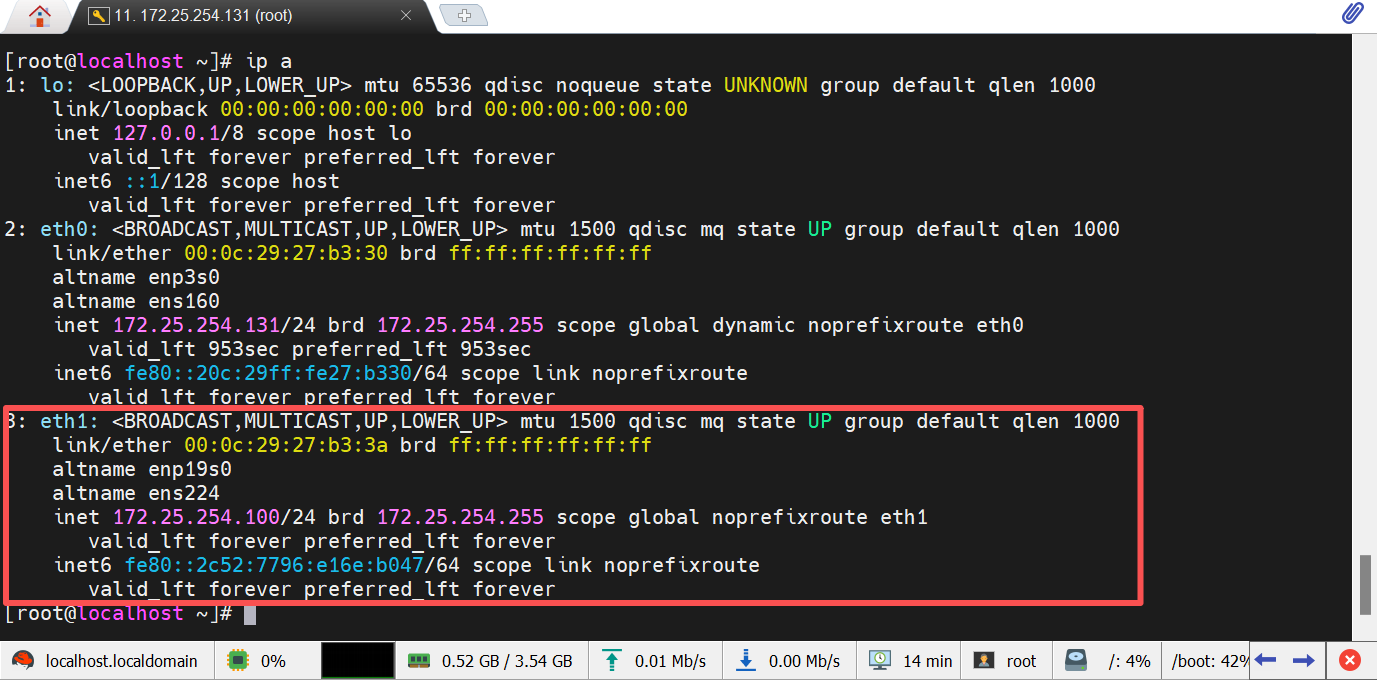
root@localhost \~# nmcli connection modify lee ipv4.addresses 172.25.254.100/24
root@localhost \~# nmcli connection reload
root@localhost \~# nmcli connection up lee
查看:
(2)通过文件设定
root@localhost \~# nmcli connection delete lee
root@localhost \~# cd /etc/NetworkManager/system-connections/
root@localhost system-connections# vim eth1.nmconnection
connection
id=eth1
type=ethernet
interface-name=eth1
ipv4
method=manual
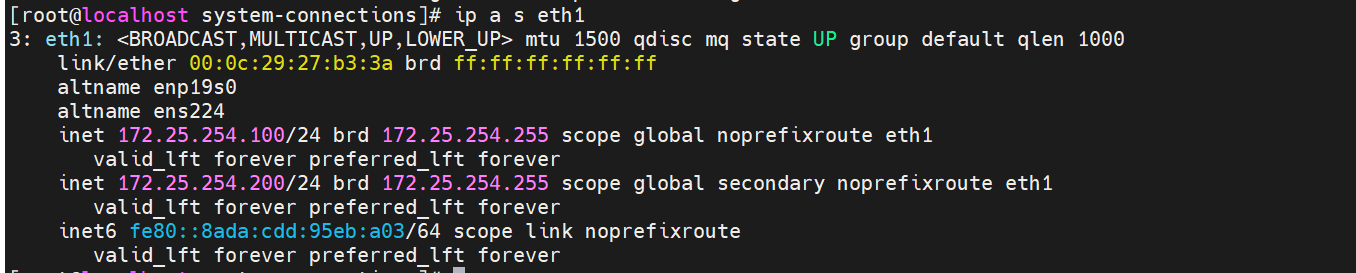
address1=172.25.254.100/24
address2=172.25.254.200/24
root@localhost system-connections# chmod 600 eth1.nmconnection
root@localhost system-connections# nmcli connection reload
root@localhost system-connections# nmcli connection up eth1
查看:
注意:IP设定完成后通常不能直接访问外网,因为我们设定的IP是不合法IP,即IP不是公网IP
如果需要访问公网那么要借助能够链接公网的路由
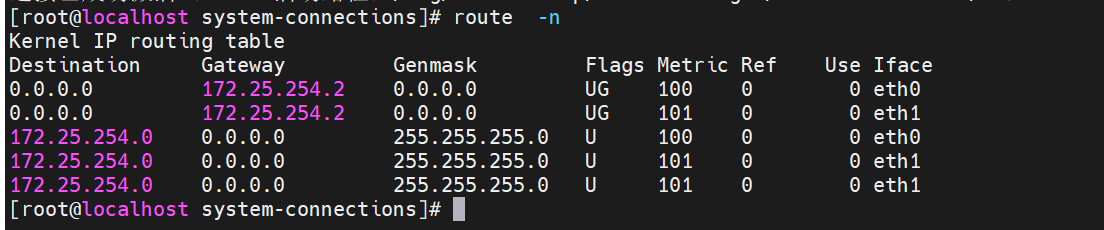
三、设定网关
1.通过命令方式
root@localhost \~# nmcli connection modify eth1 ipv4.gateway 172.25.254.2
root@localhost \~# nmcli connection reload
root@localhost \~# nmcli connection up eth1
连接已成功激活(D-Bus 活动路径:/org/freedesktop/NetworkManager/ActiveConnection/8)
查看:

2.通过文件设定网关
root@localhost \~# nmcli connection delete eth1
root@localhost \~# cd /etc/NetworkManager/system-connections/
root@localhost system-connections# vim eth1.nmconnection
connection
id=eth1
type=ethernet
interface-name=eth1
ipv4
address1=172.25.254.100/24
address2=172.25.254.200/24
gateway=172.25.254.2
method=manual
root@localhost system-connections# chmod 600 eth1.nmconnection
root@localhost system-connections]# nmcli connection reload
root@localhost system-connections# nmcli connection up eth1
查看:
四、域名解析
人类对于数字不敏感,对于拼音,英文,或者中文敏感,但是ip是数字,使用者访问时会记不住
为了迎合客户好记的需求,通常我们访问一个站点时都使用这个站点的域名(<www.baidu.com>)
但是域名不是IP,不能直接使用域名通信,所以要把域名转换成IP来通信,把域名转换成IP的过程叫做域名及解析
ip叫做这个域名的A记录,也叫做正向解析
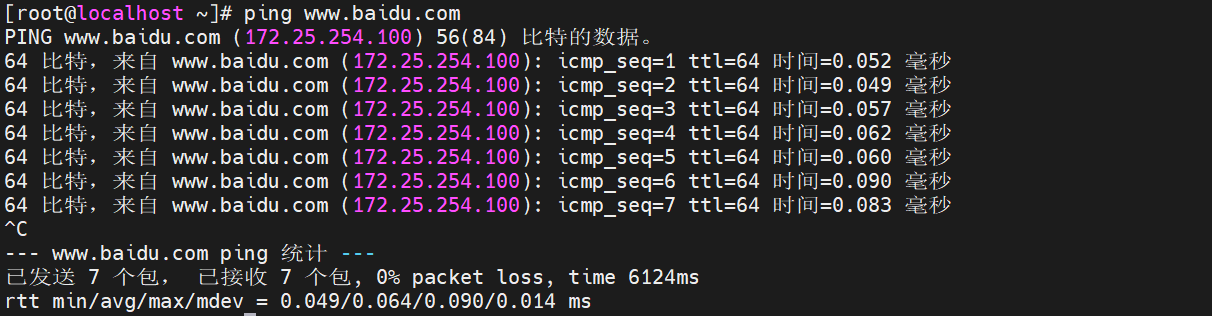
1.本地域名解析

测试:
2.dns
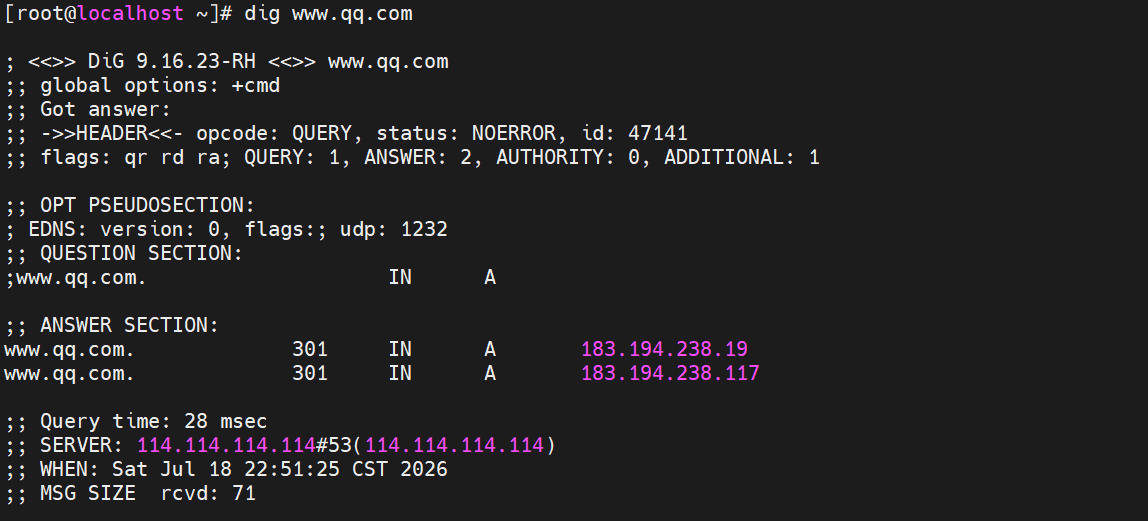
方法1:
dns服务器的ip不是最终你要的问题的答案、但是访问这个ip可以得到你想要访问的域名的ip

方法2:
root@localhost \~# vim /etc/NetworkManager/system-connections/eth1.nmconnection
connection
id=eth1
type=ethernet
interface-name=eth1
ipv4
address1=172.25.254.100/24
address2=172.25.254.200/24
gateway=172.25.254.2
dns=8.8.8.8;
method=manual

五、编写网络设定脚本
root@localhost ~]# vim /bin/vmset.sh
#!/bin/bash
"$#" -lt "3" && {
echo "error: Please input device deviceip and hostname following $0"
exit 1
}
ifconfig $1 &> /dev/null || {
echo $1 is not exist
exit 2
}
CONNECTION=`nmcli connection show | awk "/1/"'{print 1}'`
-n "$CONNECTION" && {
nmcli connection delete $CONNECTION
}
sleep 2
ping -c1 -w1 $2 &> /dev/null && {
echo $2 is in used !!!
exit 3
}
hostnamectl hostname $3
cat > /etc/hosts <<EOF
127.0.0.1 localhost localhost.localdomain localhost4 localhost4.localdomain4
::1 localhost localhost.localdomain localhost6 localhost6.localdomain6
2 3
EOF
if "$4" != "noroute"
then
nmcli connection add type ethernet ifname 1 con-name 1 ipv4.method manual ipv4.addresses $2/24 ipv4.dns 8.8.8.8 ipv4.gateway 172.25.254.2
nmcli connection reload
nmcli connection up $1
else
nmcli connection add type ethernet ifname 1 con-name 1 ipv4.method manual ipv4.addresses $2/24
nmcli connection reload
nmcli connection up $1
fi
ip addr show $1
hostname
root@localhost \~# chmod +x /bin/vmset.sh