阅读时长:约 18 分钟 | 难度:★★★★☆ | 篇章:第 5 篇 · 周易易学模块
对应源码:
entry/src/main/ets/pages/yijing/CastDivinationPage.ets
前言
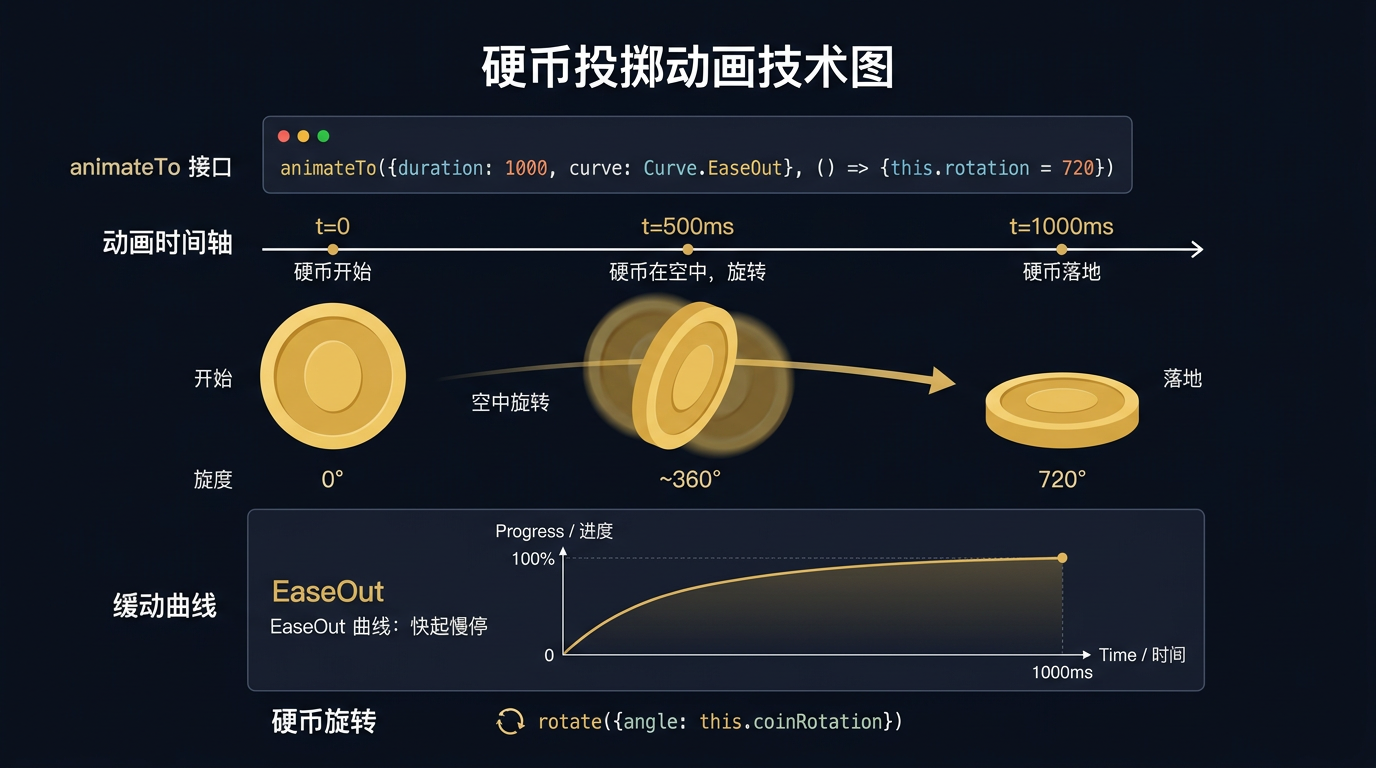
玄象项目起卦页在模拟三变时,用 animateTo 显式动画驱动"铜钱"的旋转与翻转,模拟传统掷钱起卦的物理感。动画通过 Curve.FastOutSlowIn 缓动曲线实现"加速抛出→减速落地"的视觉反馈。本篇将深入剖析玄象项目掷钱动画的实现:从 animateTo 显式动画、Curve 缓动曲线选择、平移动画与旋转动画的组合,到动画完成回调。掌握这套动画模拟方法论,您就能为任何 HarmonyOS 应用打造物理感的交互反馈。
提示:
animateTo是 ArkUI 的显式动画 API,比animation修饰器更灵活,支持动画完成回调。
一、animateTo 显式动画
1.1 animateTo 基本用法
typescript
animateTo({ duration: 500, curve: Curve.FastOutSlowIn }, () => {
  this.coinY = 200;  // 铜钱向下移动
  this.coinRotation = 360;  // 铜钱旋转
});
二、掷钱动画实现
2.1 状态变量
typescript
@State coinY: number = -100;
@State coinX: number = 0;
@State coinRotation: number = 0;
@State coinOpacity: number = 0;
2.2 掷钱动画
typescript
private throwCoin(): void {
  // 重置位置
  this.coinY = -100;
  this.coinRotation = 0;
  this.coinOpacity = 1;

  // 掷钱动画
  animateTo(
    { duration: 800, curve: Curve.FastOutSlowIn },
    () => {
      this.coinY = 200;
      this.coinRotation = 720;
    }
  );
}
三、UI 绑定
3.1 铜钱渲染
typescript
Text('🪙')
  .fontSize(40)
  .position({ x: this.coinX, y: this.coinY })
  .rotate({ angle: this.coinRotation })
  .opacity(this.coinOpacity)
  .animation({ duration: 800, curve: Curve.FastOutSlowIn })
四、缓动曲线选择
4.1 曲线对比
| 曲线 | 效果 | 适用场景 |
|---|---|---|
FastOutSlowIn |
加速抛出→减速落地 | 掷钱动画 |
EaseOut |
先快后慢 | 元素出现 |
EaseIn |
先慢后快 | 元素消失 |
Linear |
匀速 | 持续旋转 |
五、掷钱动画设计总结
5.1 动画流程
text
用户点击"开始起卦"
  ↓
重置铜钱位置(上方,不可见)
  ↓
animateTo 动画
  ↓
铜钱下落 + 旋转(800ms)
  ↓
动画完成,显示卦象
总结
本篇以玄象项目掷钱动画为蓝本,深入剖析了 animateTo 显式动画的使用:从 animateTo 基本用法、Curve.FastOutSlowIn 缓动曲线、平移动画与旋转动画的组合,到动画完成回调。掌握这套动画模拟方法论,您就能为任何 HarmonyOS 应用打造物理感的交互反馈。
如果这篇文章对你有帮助,欢迎点赞👍、收藏⭐、关注🔔,你的支持是我持续创作的动力!
相关资源:
- HarmonyOS 官方文档:animateTo
- 开源鸿蒙跨平台社区:https://openharmonycrossplatform.csdn.net