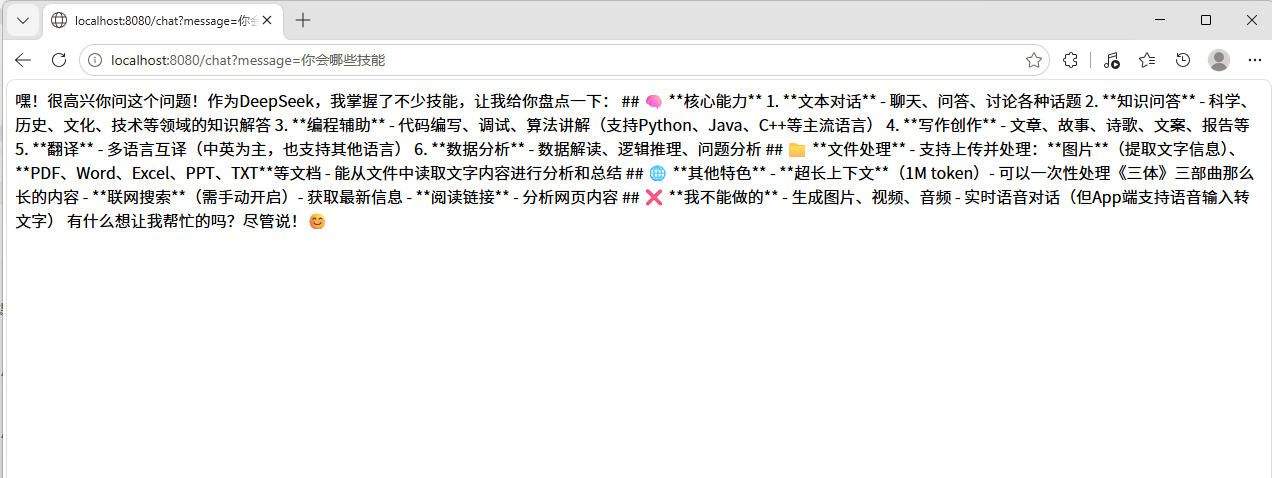
接下来用spring ai演示如何实现简单的对话功能
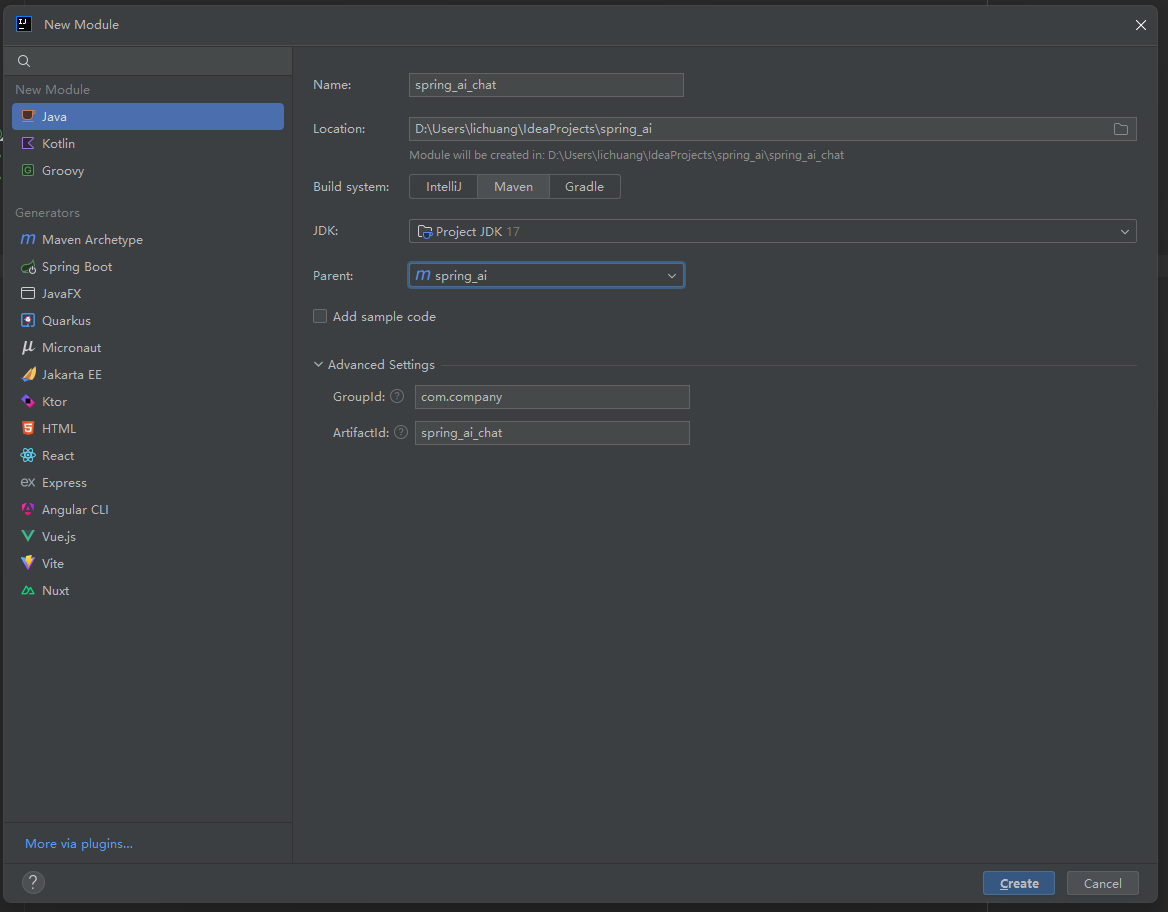
首先在spring_ai工程下,创建一个子模块spring_ai_chat,如下图
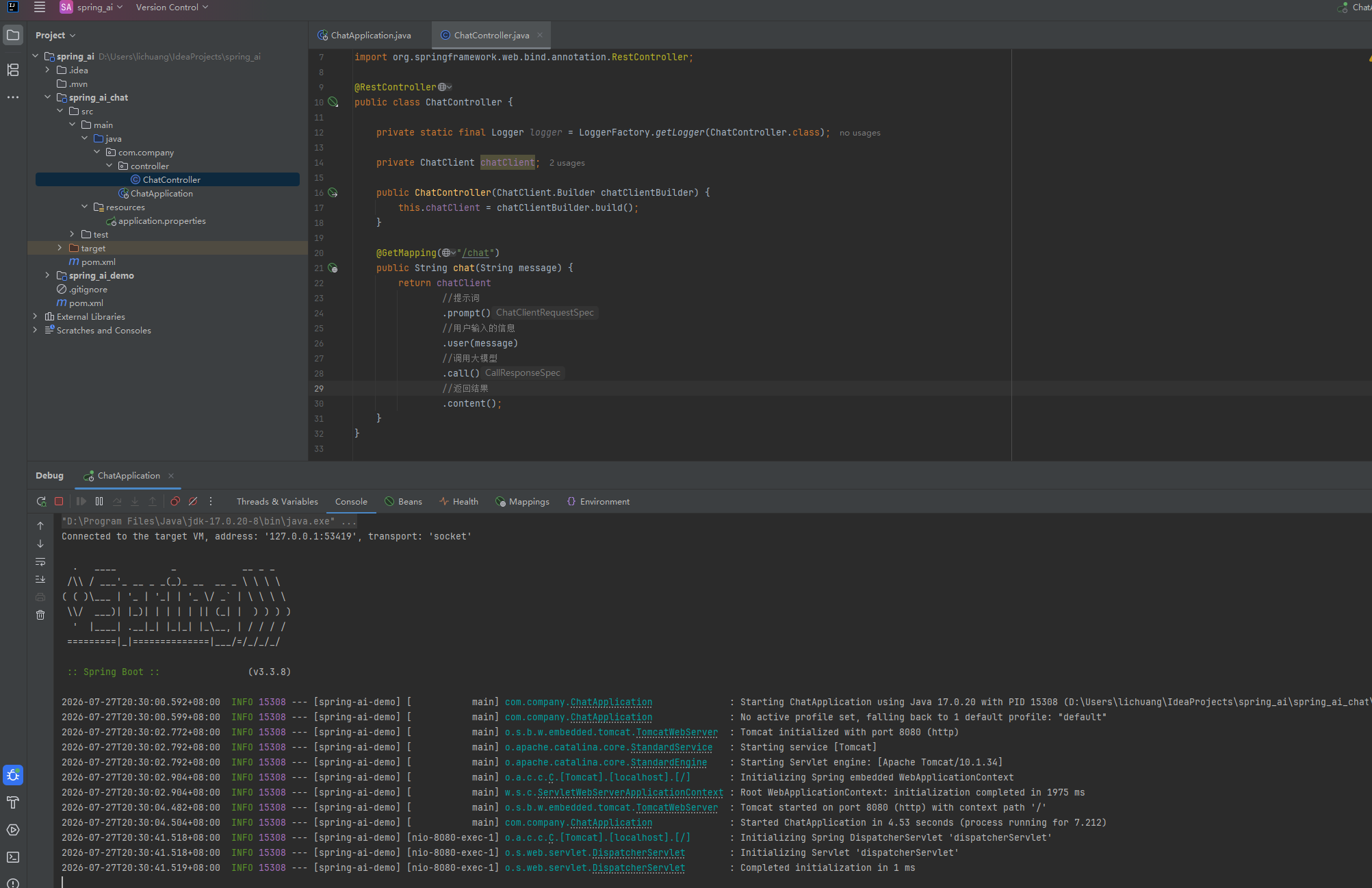
整体项目结构如下
Maven依赖添加
XML
<?xml version="1.0" encoding="UTF-8"?>
<project xmlns="http://maven.apache.org/POM/4.0.0"
         xmlns:xsi="http://www.w3.org/2001/XMLSchema-instance"
         xsi:schemaLocation="http://maven.apache.org/POM/4.0.0 http://maven.apache.org/xsd/maven-4.0.0.xsd">
    <modelVersion>4.0.0</modelVersion>
    <parent>
        <groupId>com.company</groupId>
        <artifactId>spring_ai</artifactId>
        <version>1.0-SNAPSHOT</version>
    </parent>

    <artifactId>spring_ai_chat</artifactId>

    <properties>
        <maven.compiler.source>17</maven.compiler.source>
        <maven.compiler.target>17</maven.compiler.target>
        <project.build.sourceEncoding>UTF-8</project.build.sourceEncoding>
        <spring-ai.version>1.0.0-M5</spring-ai.version>
    </properties>

    <dependencies>
        <dependency>
            <groupId>org.springframework.boot</groupId>
            <artifactId>spring-boot-starter-web</artifactId>
        </dependency>

        <dependency>
            <groupId>org.springframework.ai</groupId>
            <artifactId>spring-ai-openai-spring-boot-starter</artifactId>
        </dependency>

        <dependency>
            <groupId>org.springframework.boot</groupId>
            <artifactId>spring-boot-starter-test</artifactId>
            <scope>test</scope>
        </dependency>
    </dependencies>

    <dependencyManagement>
        <dependencies>
            <dependency>
                <groupId>org.springframework.ai</groupId>
                <artifactId>spring-ai-bom</artifactId>
                <version>${spring-ai.version}</version>
                <type>pom</type>
                <scope>import</scope>
            </dependency>
        </dependencies>
    </dependencyManagement>

</project>
application.properties增加配置信息(需要注意的是,spring.ai.openai.api-key项的值,需要使用自己在deepseek开发平台申请到的key值 参照 https://platform.deepseek.com/api_keys )
java
server.port=8080
spring.application.name=spring-ai-demo

spring.ai.openai.api-key=sk-d02d7cb557f4686868
spring.ai.openai.base-url=https://api.deepseek.com
spring.ai.openai.chat.options.model=deepseek-chat
spring.ai.openai.chat.options.temperature=0.7
编写启动类
java
package com.company;

import org.springframework.boot.SpringApplication;
import org.springframework.boot.autoconfigure.SpringBootApplication;

@SpringBootApplication
public class ChatApplication {

    public static void main(String[] args) {
        SpringApplication.run(ChatApplication.class, args);
    }
}
编写控制器
java
package com.company.controller;

import org.slf4j.Logger;
import org.slf4j.LoggerFactory;
import org.springframework.ai.chat.client.ChatClient;
import org.springframework.web.bind.annotation.GetMapping;
import org.springframework.web.bind.annotation.RestController;

@RestController
public class ChatController {

    private static final Logger logger = LoggerFactory.getLogger(ChatController.class);

    private ChatClient chatClient;

    public ChatController(ChatClient.Builder chatClientBuilder) {
        this.chatClient = chatClientBuilder.build();
    }

    @GetMapping("/chat")
    public String chat(String message) {
        return chatClient
                //提示词
                .prompt()
                //用户输入的信息
                .user(message)
                //调用大模型
                .call()
                //返回结果
                .content();
    }
}
启动项目,然后访问链接 localhost:8080/chat?message=你会哪些技能