HarmonyOS NEXT AI 智能生活助手:会话管理与聊天记录保存
前言
在 第 06 篇中,我们实现了流式输出,消息可以实时渲染。但目前的聊天记录是内存级别的------刷新页面或关闭 APP 后,所有对话都会丢失。
会话管理 是任何聊天应用的必备功能。用户希望:找回昨天的对话、继续未完成的讨论、搜索历史消息、删除不再需要的会话。
本文将实现完整的会话管理与持久化方案:
- 数据模型:Conversation + ChatMessage 完整设计
- 数据库层:PersistenceV2 关系型存储
- ConversationRepository:数据仓库模式
- 会话列表:历史会话展示
- 搜索功能:按标题和内容搜索
- 数据迁移:应用升级时的数据兼容
一、数据模型设计
1.1 实体关系图
Conversation (1)
    │
    ├── id: string (PK)
    ├── title: string
    ├── model: string
    ├── temperature: number
    ├── createTime: number
    └── updateTime: number
        │
        └── has many ──→ ChatMessage (N)
                            │
                            ├── id: string (PK)
                            ├── convId: string (FK → Conversation.id)
                            ├── role: string
                            ├── content: string
                            ├── createTime: number
                            └── status: string
1.2 完整实体定义
typescript
// model/Conversation.ts
export class Conversation {
  id: string = '';
  title: string = '新对话';
  model: string = 'gpt-4o-mini';
  temperature: number = 0.7;
  topP: number = 1;
  maxTokens: number = 4096;
  systemPrompt: string = '';
  createTime: number = Date.now();
  updateTime: number = Date.now();
  messageCount: number = 0;
  isPinned: boolean = false;
  tags: string[] = [];
}

// model/ChatMessage.ts
export class ChatMessage {
  id: string = '';
  convId: string = '';      // 外键
  role: string = 'user';    // user / assistant / system
  content: string = '';
  createTime: number = Date.now();
  status: string = 'sent';  // sending / sent / error
  tokenCount: number = 0;   // 该消息的 Token 数
}
1.3 实体字段说明
Conversation 字段:
| 字段 | 类型 | 约束 | 说明 |
|---|---|---|---|
id |
string | PRIMARY KEY | 会话唯一标识 |
title |
string | NOT NULL | 会话标题,默认"新对话" |
model |
string | DEFAULT | 使用的 AI 模型 |
temperature |
number | DEFAULT 0.7 | 生成温度 |
topP |
number | DEFAULT 1.0 | Top-P 采样 |
maxTokens |
number | DEFAULT 4096 | 最大 Token 数 |
createTime |
number | NOT NULL | 创建时间戳 |
updateTime |
number | NOT NULL | 最后更新时间戳 |
messageCount |
number | DEFAULT 0 | 消息数量 |
isPinned |
boolean | DEFAULT false | 是否置顶 |
ChatMessage 字段:
| 字段 | 类型 | 约束 | 说明 |
|---|---|---|---|
id |
string | PRIMARY KEY | 消息唯一标识 |
convId |
string | FOREIGN KEY | 所属会话 ID |
role |
string | NOT NULL | 角色:user/assistant/system |
content |
string | NOT NULL | 消息内容 |
createTime |
number | NOT NULL | 创建时间戳 |
status |
string | DEFAULT 'sent' | 状态:sending/sent/error |
tokenCount |
number | DEFAULT 0 | Token 数量 |
二、数据库层实现
2.1 DatabaseManager
typescript
// database/DatabaseManager.ts
import relationalStore from '@ohos.data.relationalStore';
import { BusinessError } from '@ohos.base';

export class DatabaseManager {
  private static instance: DatabaseManager;
  private store: relationalStore.RdbStore | null = null;
  private readonly DB_NAME = 'HarmonyAI.db';
  private readonly DB_VERSION = 1;

  static getInstance(): DatabaseManager {
    if (!DatabaseManager.instance) {
      DatabaseManager.instance = new DatabaseManager();
    }
    return DatabaseManager.instance;
  }

  // 初始化数据库
  async init(context: Context): Promise<void> {
    const config: relationalStore.StoreConfig = {
      name: this.DB_NAME,
      securityLevel: relationalStore.SecurityLevel.S1
    };

    this.store = await relationalStore.getRdbStore(context, config);
    await this.createTables();
    hilog.info(0x0000, 'DatabaseManager', 'Database initialized');
  }

  // 创建表
  async createTables(): Promise<void> {
    if (!this.store) return;

    // 会话表
    await this.store.executeSql(
      `CREATE TABLE IF NOT EXISTS conversation (
        id TEXT PRIMARY KEY,
        title TEXT NOT NULL DEFAULT '新对话',
        model TEXT DEFAULT 'gpt-4o-mini',
        temperature REAL DEFAULT 0.7,
        topP REAL DEFAULT 1.0,
        maxTokens INTEGER DEFAULT 4096,
        systemPrompt TEXT DEFAULT '',
        createTime INTEGER NOT NULL,
        updateTime INTEGER NOT NULL,
        messageCount INTEGER DEFAULT 0,
        isPinned INTEGER DEFAULT 0,
        tags TEXT DEFAULT '[]'
      )`
    );

    // 消息表
    await this.store.executeSql(
      `CREATE TABLE IF NOT EXISTS chat_message (
        id TEXT PRIMARY KEY,
        convId TEXT NOT NULL,
        role TEXT NOT NULL,
        content TEXT NOT NULL,
        createTime INTEGER NOT NULL,
        status TEXT DEFAULT 'sent',
        tokenCount INTEGER DEFAULT 0,
        FOREIGN KEY (convId) REFERENCES conversation(id) ON DELETE CASCADE
      )`
    );

    // 索引
    await this.store.executeSql(
      'CREATE INDEX IF NOT EXISTS idx_message_convId ON chat_message(convId)'
    );
    await this.store.executeSql(
      'CREATE INDEX IF NOT EXISTS idx_conversation_updateTime ON conversation(updateTime)'
    );
  }

  // 获取 RdbStore
  getStore(): relationalStore.RdbStore {
    if (!this.store) {
      throw new Error('Database not initialized. Call init() first.');
    }
    return this.store;
  }
}
关键设计 :使用
relationalStore(PersistenceV2)作为持久化方案,相比 Preferences 支持复杂查询和事务。外键约束ON DELETE CASCADE确保删除会话时级联删除消息。
三、数据仓库层
3.1 ConversationRepository
typescript
// repository/ConversationRepository.ts
import relationalStore from '@ohos.data.relationalStore';
import { BusinessError } from '@ohos.base';

export class ConversationRepository {
  private static instance: ConversationRepository;
  private dbManager = DatabaseManager.getInstance();

  static getInstance(): ConversationRepository {
    if (!ConversationRepository.instance) {
      ConversationRepository.instance = new ConversationRepository();
    }
    return ConversationRepository.instance;
  }

  // 创建会话
  async createConversation(): Promise<Conversation> {
    const conv = new Conversation();
    conv.id = this.generateId();
    conv.createTime = Date.now();
    conv.updateTime = Date.now();

    const store = this.dbManager.getStore();
    await store.insert('conversation', {
      id: conv.id,
      title: conv.title,
      model: conv.model,
      temperature: conv.temperature,
      topP: conv.topP,
      maxTokens: conv.maxTokens,
      systemPrompt: conv.systemPrompt,
      createTime: conv.createTime,
      updateTime: conv.updateTime,
      messageCount: conv.messageCount,
      isPinned: conv.isPinned ? 1 : 0,
      tags: JSON.stringify(conv.tags)
    });

    return conv;
  }

  // 获取最近的会话列表
  async getRecentConversations(limit: number = 20): Promise<Conversation[]> {
    const store = this.dbManager.getStore();
    const predicates = new relationalStore.RdbPredicates('conversation');
    predicates.orderByDesc('updateTime');
    predicates.limit(limit);

    const resultSet = await store.query(predicates, [
      'id', 'title', 'model', 'createTime', 'updateTime',
      'messageCount', 'isPinned', 'tags'
    ]);

    const conversations: Conversation[] = [];
    while (resultSet.goToNextRow()) {
      conversations.push(this.rowToConversation(resultSet));
    }
    resultSet.close();

    return conversations;
  }

  // 根据 ID 获取会话
  async getConversation(id: string): Promise<Conversation | null> {
    const store = this.dbManager.getStore();
    const predicates = new relationalStore.RdbPredicates('conversation');
    predicates.equalTo('id', id);

    const resultSet = await store.query(predicates, [
      'id', 'title', 'model', 'temperature', 'topP', 'maxTokens',
      'systemPrompt', 'createTime', 'updateTime', 'messageCount',
      'isPinned', 'tags'
    ]);

    if (resultSet.goToFirstRow()) {
      const conv = this.rowToConversation(resultSet);
      resultSet.close();
      return conv;
    }
    resultSet.close();
    return null;
  }

  // 更新会话标题
  async updateTitle(id: string, title: string): Promise<void> {
    const store = this.dbManager.getStore();
    const predicates = new relationalStore.RdbPredicates('conversation');
    predicates.equalTo('id', id);

    await store.update(
      { title, updateTime: Date.now() },
      predicates
    );
  }

  // 删除会话
  async deleteConversation(id: string): Promise<void> {
    const store = this.dbManager.getStore();
    // 级联删除消息(外键 ON DELETE CASCADE)
    const predicates = new relationalStore.RdbPredicates('conversation');
    predicates.equalTo('id', id);
    await store.delete(predicates);
  }

  // 搜索会话
  async searchConversations(keyword: string): Promise<Conversation[]> {
    const store = this.dbManager.getStore();
    const predicates = new relationalStore.RdbPredicates('conversation');
    predicates.contains('title', keyword);
    predicates.orderByDesc('updateTime');

    const resultSet = await store.query(predicates, [
      'id', 'title', 'createTime', 'updateTime', 'messageCount'
    ]);

    const conversations: Conversation[] = [];
    while (resultSet.goToNextRow()) {
      conversations.push(this.rowToConversation(resultSet));
    }
    resultSet.close();
    return conversations;
  }

  // 行转对象
  private rowToConversation(row: relationalStore.ResultSet): Conversation {
    const conv = new Conversation();
    conv.id = row.getString(row.getColumnIndex('id'));
    conv.title = row.getString(row.getColumnIndex('title'));
    conv.createTime = row.getLong(row.getColumnIndex('createTime'));
    conv.updateTime = row.getLong(row.getColumnIndex('updateTime'));
    conv.messageCount = row.getLong(row.getColumnIndex('messageCount'));
    return conv;
  }

  private generateId(): string {
    return Date.now().toString(36) + Math.random().toString(36).substr(2);
  }
}
3.2 ChatMessageRepository
typescript
// repository/ChatMessageRepository.ts
export class ChatMessageRepository {
  private static instance: ChatMessageRepository;
  private dbManager = DatabaseManager.getInstance();

  static getInstance(): ChatMessageRepository {
    if (!ChatMessageRepository.instance) {
      ChatMessageRepository.instance = new ChatMessageRepository();
    }
    return ChatMessageRepository.instance;
  }

  // 插入消息
  async insertMessage(message: ChatMessage): Promise<void> {
    const store = this.dbManager.getStore();
    await store.insert('chat_message', {
      id: message.id,
      convId: message.convId,
      role: message.role,
      content: message.content,
      createTime: message.createTime,
      status: message.status,
      tokenCount: message.tokenCount
    });

    // 更新会话的消息计数和更新时间
    await this.updateConversationStats(message.convId);
  }

  // 批量插入消息
  async insertMessages(messages: ChatMessage[]): Promise<void> {
    const store = this.dbManager.getStore();
    await store.beginTransaction();

    try {
      for (const msg of messages) {
        await store.insert('chat_message', {
          id: msg.id,
          convId: msg.convId,
          role: msg.role,
          content: msg.content,
          createTime: msg.createTime,
          status: msg.status,
          tokenCount: msg.tokenCount
        });
      }
      await store.commit();
    } catch (e) {
      await store.rollBack();
      throw e;
    }
  }

  // 获取会话的消息列表
  async getMessages(convId: string): Promise<ChatMessage[]> {
    const store = this.dbManager.getStore();
    const predicates = new relationalStore.RdbPredicates('chat_message');
    predicates.equalTo('convId', convId);
    predicates.orderByAsc('createTime');

    const resultSet = await store.query(predicates, [
      'id', 'convId', 'role', 'content', 'createTime', 'status', 'tokenCount'
    ]);

    const messages: ChatMessage[] = [];
    while (resultSet.goToNextRow()) {
      messages.push(this.rowToMessage(resultSet));
    }
    resultSet.close();
    return messages;
  }

  // 更新消息内容(用于流式更新)
  async updateMessageContent(id: string, content: string): Promise<void> {
    const store = this.dbManager.getStore();
    const predicates = new relationalStore.RdbPredicates('chat_message');
    predicates.equalTo('id', id);
    await store.update({ content }, predicates);
  }

  // 删除会话的所有消息
  async deleteByConvId(convId: string): Promise<void> {
    const store = this.dbManager.getStore();
    const predicates = new relationalStore.RdbPredicates('chat_message');
    predicates.equalTo('convId', convId);
    await store.delete(predicates);
  }

  // 更新会话统计
  private async updateConversationStats(convId: string): Promise<void> {
    const store = this.dbManager.getStore();
    const predicates = new relationalStore.RdbPredicates('chat_message');
    predicates.equalTo('convId', convId);

    const resultSet = await store.query(predicates, ['count(*) as cnt']);
    let count = 0;
    if (resultSet.goToFirstRow()) {
      count = resultSet.getLong(0);
    }
    resultSet.close();

    const convPredicates = new relationalStore.RdbPredicates('conversation');
    convPredicates.equalTo('id', convId);
    await store.update(
      { messageCount: count, updateTime: Date.now() },
      convPredicates
    );
  }

  private rowToMessage(row: relationalStore.ResultSet): ChatMessage {
    const msg = new ChatMessage();
    msg.id = row.getString(row.getColumnIndex('id'));
    msg.convId = row.getString(row.getColumnIndex('convId'));
    msg.role = row.getString(row.getColumnIndex('role'));
    msg.content = row.getString(row.getColumnIndex('content'));
    msg.createTime = row.getLong(row.getColumnIndex('createTime'));
    msg.status = row.getString(row.getColumnIndex('status'));
    msg.tokenCount = row.getLong(row.getColumnIndex('tokenCount'));
    return msg;
  }
}
3.3 Repository 方法汇总
| 方法 | 所属 Repository | 功能 | 返回值 |
|---|---|---|---|
createConversation() |
ConversationRepository | 创建新会话 | Promise<Conversation> |
getRecentConversations(limit) |
ConversationRepository | 获取最近会话列表 | Promise<Conversation[]> |
getConversation(id) |
ConversationRepository | 根据 ID 获取会话 | `Promise<Conversation |
updateTitle(id, title) |
ConversationRepository | 更新会话标题 | Promise<void> |
deleteConversation(id) |
ConversationRepository | 删除会话(级联删除消息) | Promise<void> |
searchConversations(keyword) |
ConversationRepository | 搜索会话 | Promise<Conversation[]> |
insertMessage(message) |
ChatMessageRepository | 插入单条消息 | Promise<void> |
insertMessages(messages) |
ChatMessageRepository | 批量插入消息(事务) | Promise<void> |
getMessages(convId) |
ChatMessageRepository | 获取会话的所有消息 | Promise<ChatMessage[]> |
updateMessageContent(id, content) |
ChatMessageRepository | 更新消息内容(流式更新) | Promise<void> |
deleteByConvId(convId) |
ChatMessageRepository | 删除会话的所有消息 | Promise<void> |
四、ViewModel 层
4.1 SessionViewModel
typescript
// common/SessionViewModel.ts
@Observed
export class SessionViewModel {
  private static instance: SessionViewModel;
  private convRepo = ConversationRepository.getInstance();
  private msgRepo = ChatMessageRepository.getInstance();

  // 当前会话
  @State currentConversation: Conversation | null = null;
  @State currentMessages: ChatMessage[] = [];
  @State conversationList: Conversation[] = [];
  @State isLoading: boolean = false;

  static getInstance(): SessionViewModel {
    if (!SessionViewModel.instance) {
      SessionViewModel.instance = new SessionViewModel();
    }
    return SessionViewModel.instance;
  }

  // 加载会话列表
  async loadConversations() {
    this.isLoading = true;
    try {
      this.conversationList =
        await this.convRepo.getRecentConversations(50);
    } finally {
      this.isLoading = false;
    }
  }

  // 创建新会话
  async createNewConversation(): Promise<Conversation> {
    const conv = await this.convRepo.createConversation();
    this.currentConversation = conv;
    this.currentMessages = [];
    await this.loadConversations();
    return conv;
  }

  // 切换到指定会话
  async switchConversation(convId: string): Promise<void> {
    const conv = await this.convRepo.getConversation(convId);
    if (conv) {
      this.currentConversation = conv;
      this.currentMessages = await this.msgRepo.getMessages(convId);
    }
  }

  // 添加消息
  async addMessage(message: ChatMessage): Promise<void> {
    // 确保有当前会话
    if (!this.currentConversation) {
      await this.createNewConversation();
    }
    message.convId = this.currentConversation!.id;

    // 保存到数据库
    await this.msgRepo.insertMessage(message);

    // 更新内存列表
    this.currentMessages.push(message);

    // 自动更新标题(使用第一条用户消息)
    if (message.role === 'user'
      && this.currentMessages.filter(m => m.role === 'user').length === 1) {
      const title = message.content.slice(0, 30);
      await this.convRepo.updateTitle(this.currentConversation!.id, title);
      this.currentConversation!.title = title;
    }
  }

  // 删除会话
  async deleteConversation(convId: string): Promise<void> {
    await this.convRepo.deleteConversation(convId);
    this.conversationList =
      this.conversationList.filter(c => c.id !== convId);
    if (this.currentConversation?.id === convId) {
      this.currentConversation = null;
      this.currentMessages = [];
    }
  }

  // 搜索会话
  async search(keyword: string): Promise<Conversation[]> {
    if (!keyword.trim()) {
      return this.conversationList;
    }
    return this.convRepo.searchConversations(keyword);
  }
}
五、会话列表页面
5.1 HistoryPage
typescript
// pages/HistoryPage.ets
@Entry
@Component
struct HistoryPage {
  @State conversations: Conversation[] = [];
  @State searchText: string = '';
  @State isEditMode: boolean = false;
  @StorageLink('statusBarHeight') statusBarHeight: number = 32;
  @StorageLink('navBarHeight') navBarHeight: number = 24;
  private sessionVM = SessionViewModel.getInstance();

  aboutToAppear() {
    this.sessionVM.loadConversations()
      .then(() => {
        this.conversations = this.sessionVM.conversationList;
      });
  }

  build() {
    Column() {
      // 顶部安全区占位
      Row().width('100%').height(this.statusBarHeight);

      // 导航栏
      Row() {
        Image($r('app.media.ic_back'))
          .width(24).height(24)
          .onClick(() => RouterUtil.back());
        Text('历史记录')
          .fontSize(18).fontWeight(FontWeight.Bold)
          .margin({ left: 12 });
        Blank();
        Text(this.isEditMode ? '完成' : '编辑')
          .fontSize(15).fontColor('#6C5CE7')
          .onClick(() => { this.isEditMode = !this.isEditMode; });
      }
      .width('100%').height(56)
      .padding({ left: 16, right: 16 });

      // 搜索栏
      Row() {
        Image($r('app.media.ic_search'))
          .width(18).height(18).margin({ left: 12 });
        TextInput({
          placeholder: '搜索对话...',
          text: this.searchText
        })
        .layoutWeight(1)
        .backgroundColor(Color.Transparent)
        .fontSize(15)
        .margin({ left: 8, right: 12 })
        .onChange((value: string) => {
          this.searchText = value;
          this.sessionVM.search(value)
            .then((results) => {
              this.conversations = results;
            });
        });
      }
      .height(44).backgroundColor('#F5F6FA')
      .borderRadius(22).margin({ left: 16, right: 16, bottom: 12 });

      // 会话列表
      if (this.conversations.length === 0) {
        // 空状态
        Column() {
          Image($r('app.media.ic_empty')).width(120).height(120);
          Text('暂无对话记录').fontSize(16).fontColor(Color.Gray).margin({ top: 16 });
          Text('开始一段新的对话吧').fontSize(14).fontColor('#B2BEC3');
        }
        .layoutWeight(1)
        .justifyContent(FlexAlign.Center);
      } else {
        List() {
          ForEach(this.conversations, (conv: Conversation) => {
            ListItem() {
              HistoryCard({
                conversation: conv,
                isEditMode: this.isEditMode
              })
              .onClick(() => {
                if (!this.isEditMode) {
                  this.sessionVM.switchConversation(conv.id);
                  RouterUtil.navigateTo('pages/ChatPage', { convId: conv.id });
                }
              });
            }
            .swipeAction({
              end: {
                builder: () => {
                  Button('删除')
                    .backgroundColor('#E17055')
                    .fontColor(Color.White)
                    .onClick(() => {
                      this.sessionVM.deleteConversation(conv.id);
                      this.conversations =
                        this.conversations.filter(c => c.id !== conv.id);
                    });
                }
              }
            });
          }, (conv: Conversation) => conv.id);
        }
        .layoutWeight(1);
      }

      // 底部安全区占位
      Row().width('100%').height(this.navBarHeight);
    }
    .width('100%').height('100%')
    .backgroundColor('#F5F6FA');
  }
}
5.2 会话列表页面组件说明
| 组件/区域 | 类型 | 功能描述 |
|---|---|---|
| 顶部安全区 | Row | 适配状态栏高度,防止内容被遮挡 |
| 导航栏 | Row | 返回按钮 + 标题 + 编辑切换 |
| 搜索栏 | Row + TextInput | 实时搜索会话标题 |
| 空状态 | Column | 无数据时的占位展示 |
| 会话列表 | List + ListItem | 会话卡片列表,支持滑动删除 |
| 删除按钮 | Button | 滑动露出,点击删除会话 |
| 底部安全区 | Row | 适配导航栏/手势条高度 |
六、数据迁移策略
6.1 数据库版本升级
typescript
// database/DatabaseManager.ts 升级逻辑
async init(context: Context): Promise<void> {
  const config: relationalStore.StoreConfig = {
    name: this.DB_NAME,
    securityLevel: relationalStore.SecurityLevel.S1
  };

  this.store = await relationalStore.getRdbStore(context, config);

  // 注册版本升级回调
  this.store.on('dataVersionChange', (oldVersion: number, newVersion: number) => {
    hilog.info(0x0000, 'DatabaseManager',
      'DB version: %{public}d → %{public}d', oldVersion, newVersion);
  });

  // 创建初始表
  await this.createTables();
}

// v1 → v2 迁移示例
async migrateV1ToV2(): Promise<void> {
  const store = this.dbManager.getStore();
  // 新增 tags 列
  await store.executeSql(
    "ALTER TABLE conversation ADD COLUMN tags TEXT DEFAULT '[]'"
  );
  // 更新版本号
  await store.executeSql('PRAGMA user_version = 2');
}
6.2 数据导出与备份
typescript
export class DataExporter {
  // 导出为 JSON
  static async exportToJson(): Promise<string> {
    const store = DatabaseManager.getInstance().getStore();
    // 查询所有会话和消息
    const data = {
      version: 1,
      exportTime: Date.now(),
      conversations: [],
      messages: []
    };
    return JSON.stringify(data, null, 2);
  }

  // 导入 JSON
  static async importFromJson(json: string): Promise<void> {
    const data = JSON.parse(json);
    // 验证版本兼容性
    // 逐条插入数据
  }
}
七、性能优化
7.1 懒加载消息
typescript
// 分页加载消息
async loadMessagesPage(convId: string, page: number, pageSize: number = 20) {
  const store = DatabaseManager.getInstance().getStore();
  const predicates = new relationalStore.RdbPredicates('chat_message');
  predicates.equalTo('convId', convId);
  predicates.orderByAsc('createTime');
  predicates.limit(pageSize, (page - 1) * pageSize);
  // ... 查询
}
7.2 缓存策略
typescript
// 使用 LRU 缓存热点数据
class LRUCache<K, V> {
  private capacity: number;
  private cache: Map<K, V>;

  constructor(capacity: number = 50) {
    this.capacity = capacity;
    this.cache = new Map();
  }

  get(key: K): V | undefined {
    if (!this.cache.has(key)) return undefined;
    // 移到末尾(最近使用)
    const value = this.cache.get(key)!;
    this.cache.delete(key);
    this.cache.set(key, value);
    return value;
  }

  set(key: K, value: V): void {
    if (this.cache.has(key)) {
      this.cache.delete(key);
    } else if (this.cache.size >= this.capacity) {
      // 删除最久未使用的
      const firstKey = this.cache.keys().next().value;
      firstKey && this.cache.delete(firstKey);
    }
    this.cache.set(key, value);
  }
}
八、使用流程
8.1 初始化数据库
typescript
// EntryAbility.ts
onCreate(want, launchParam) {
  DatabaseManager.getInstance().init(this.context);
}
8.2 创建新对话
typescript
// ChatPage
async startNewChat() {
  await this.sessionVM.createNewConversation();
  // 进入聊天页面
}
8.3 保存消息
typescript
// ChatPage.handleSend
async handleSend(text: string) {
  const userMsg = new ChatMessage();
  // 填充字段...
  await this.sessionVM.addMessage(userMsg);
  // ... 调用 AI 服务 ...
}
九、常见问题
9.1 数据库初始化失败
typescript
// 错误:未传递 context
DatabaseManager.getInstance().init(); // context is undefined

// 正确:在 Ability 中获取 context
DatabaseManager.getInstance().init(this.context);
9.2 外键约束失效
typescript
// 错误:插入消息时 convId 不存在
// 解决方案:确保先有会话再插入消息
if (!this.currentConversation) {
  await this.createNewConversation();
}
message.convId = this.currentConversation.id;
十、Git 提交
bash
git add .
git commit -m "feat(session): 完成会话管理与聊天记录保存

- 设计 Conversation + ChatMessage 数据模型
- 实现 DatabaseManager(PersistenceV2)
- 实现 ConversationRepository 数据仓库
- 实现 ChatMessageRepository 数据仓库
- 实现 SessionViewModel 状态管理
- 实现 HistoryPage 历史记录页
- 支持搜索和删除会话
- 实现数据迁移和备份
- LRU 缓存优化

Co-Authored-By: AtomCode (deepseek-v4-flash) <noreply@atomgit.com>"

git tag v0.0.6
总结
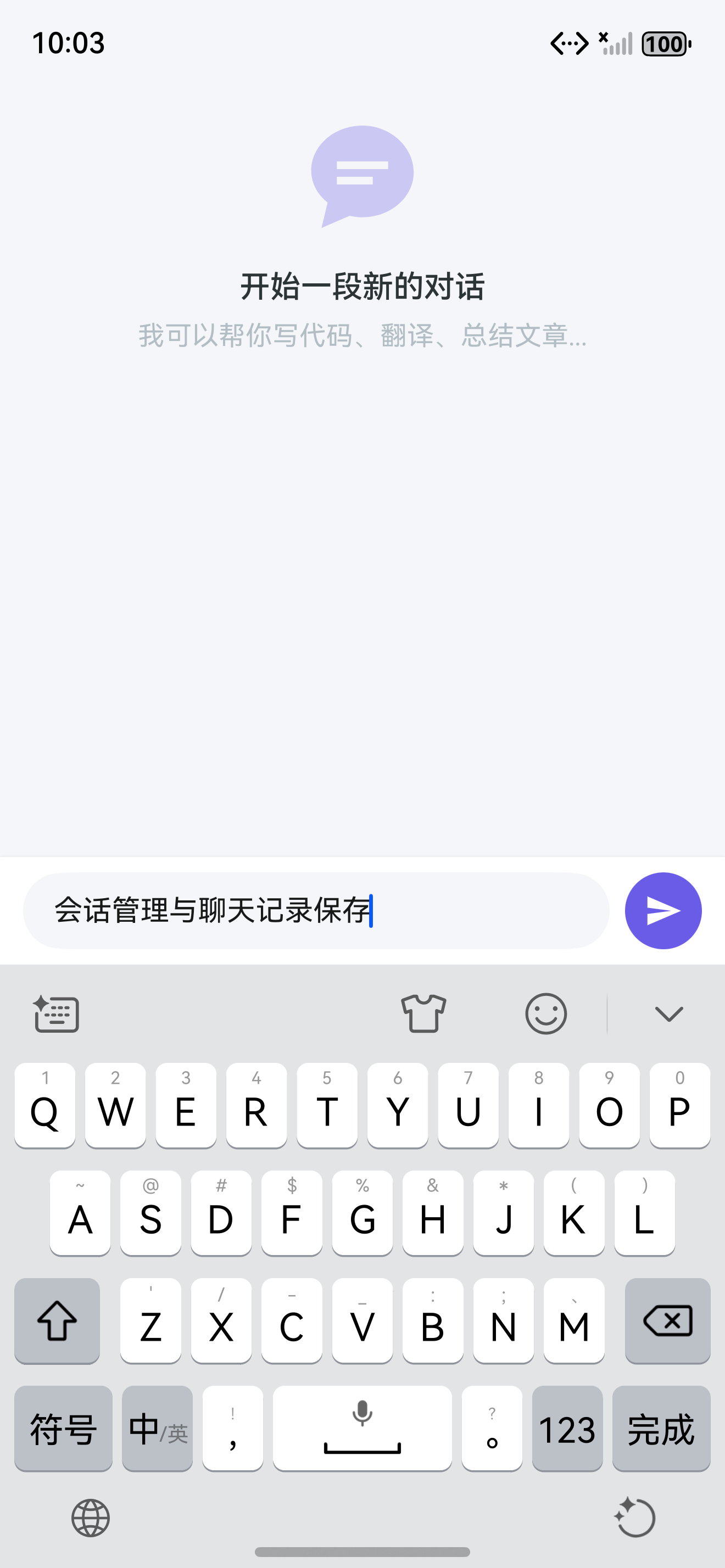
本文实现了完整的 会话管理与聊天记录持久化,从数据库设计到 UI 展示形成了完整闭环。核心要点:
- 数据模型:Conversation 一对多 ChatMessage
- PersistenceV2:关系型数据库存储
- Repository 模式:数据访问抽象层
- SessionViewModel:统一状态管理
- 历史记录页:列表展示 + 搜索 + 删除
- 外键级联:删除会话自动删除消息
- 数据迁移:应用升级兼容
- LRU 缓存:减少数据库读取
如果这篇文章对你有帮助,欢迎点赞👍、收藏⭐、关注🔔,你的支持是我持续创作的动力!
上一篇: 流式输出 Streaming 实现
下一篇: PromptManager 设计与实现
相关资源: