更新日期:2026年8月12日。
项目源码:获取源码。
索引
创建关卡(生成地块)
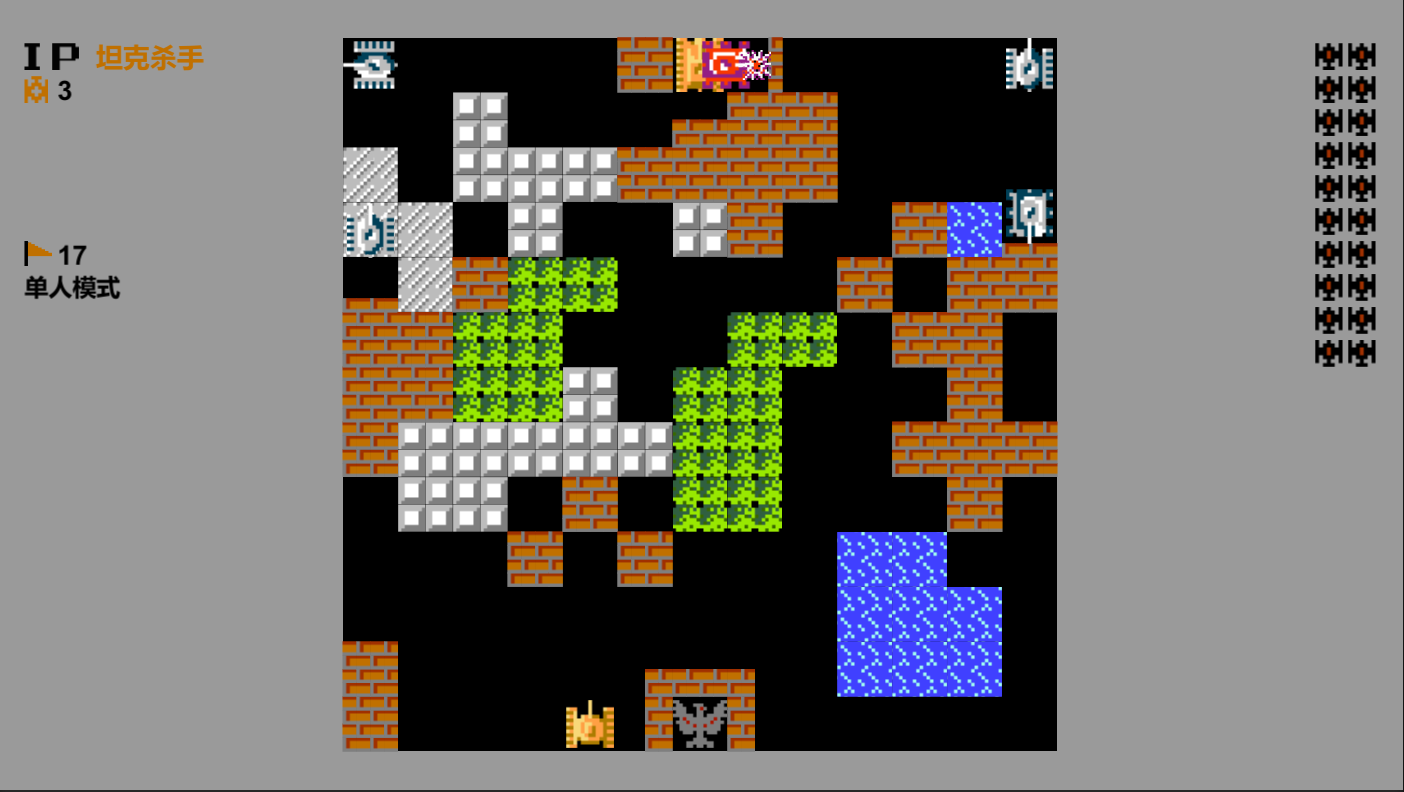
在上一篇的关卡生成算法基础上,需要将最后生成的关卡数据(一个存储所有地块类型的二维数组)中所有的地块创建出来,才算完成了创建关卡的全部工作。
一、地块类
定义地块类TB_Block,一个该类实例对应关卡场景中一个地块(空白也算地块):
csharp
    /// <summary>
    /// 地块
    /// </summary>
    public class TB_Block : HTBehaviour, IUpdateFrame
    {
    	//砖墙的渲染目标
        [SerializeField, ReadOnly] private GameObject _brickWall;
        //钢板的渲染目标
        [SerializeField, ReadOnly] private GameObject _steelPlate;
        //森林的渲染目标
        [SerializeField, ReadOnly] private GameObject _forest;
        //海水的渲染目标
        [SerializeField, ReadOnly] private GameObject _seawater;
        //雪地的渲染目标
        [SerializeField, ReadOnly] private GameObject _snowfield;
        //玩家老巢的渲染目标
        [SerializeField, ReadOnly] private GameObject _lair;
        //帧动画的间隔时长(存在动画的地块)
        [SerializeField] private float _animationInterval;
二、地块模板
除了空白地块以外,其他地块都需要渲染画面,最终选定使用Image组件来绘制地块,先创建一个TB_Block地块类的模板(后续用于克隆生成其他地块):
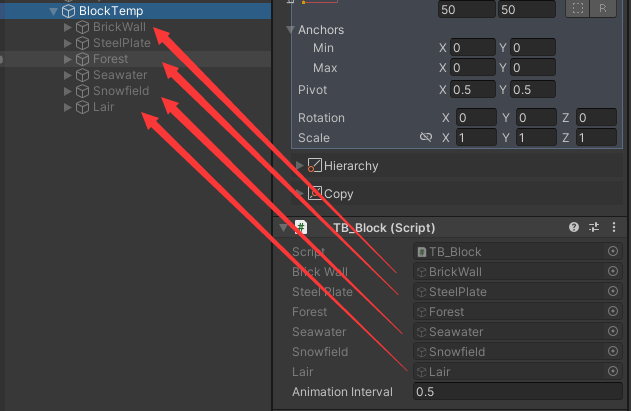
1.砖墙
砖墙最终的渲染图如下:
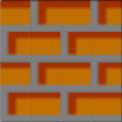
但由于其最小可拆分为16个组成片(4*4),所以其也即是由16个渲染目标组成:
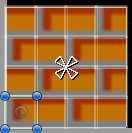
因为其受到子弹攻击时,每次只会被削掉四分之一(玩家3星坦克发射的子弹每次可削掉二分之一)。
例如,砖墙左侧受击:
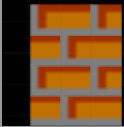
砖墙右侧受击:
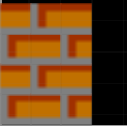
砖墙上侧受击:
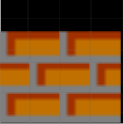
砖墙下侧受击:
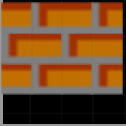
所以砖墙会被拆分为16个组成片:
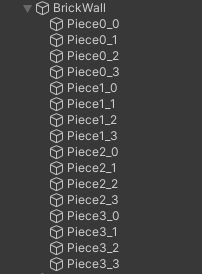
定义组成片类TB_Piece,用于描述地块拆分开的组成片:
csharp
    /// <summary>
    /// 地块的组成片
    /// </summary>
    public class TB_Piece : HTBehaviour
    {
        private RectTransform _rect;

        /// <summary>
        /// 位置组件
        /// </summary>
        public RectTransform Rect
        {
            get
            {
                if (_rect == null)
                {
                    _rect = transform.rectTransform();
                }
                return _rect;
            }
        }
        /// <summary>
        /// 是否已销毁
        /// </summary>
        public bool IsDestroy
        {
            get
            {
                return !gameObject.activeSelf;
            }
            set
            {
                gameObject.SetActive(!value);
            }
        }
}通过其IsDestroy属性可以设置、获取该片的销毁状态。
然后在地块类TB_Block初始化时搜寻并存储所有组成片:
csharp
		//砖墙的组成片
        private TB_Piece[,] _brickWallPieces;

        protected override void Awake()
        {
            base.Awake();

            _brickWallPieces = new TB_Piece[4, 4];
            for (int i = 0; i < 4; i++)
            {
                for (int j = 0; j < 4; j++)
                {
                    TB_Piece piece = _brickWall.FindChildren($"Piece{i}_{j}").GetComponent<TB_Piece>();
                    _brickWallPieces[i, j] = piece;
                }
            }
        }
并提供方法可以获取指定的组成片:
csharp
        /// <summary>
        /// 获取地块的组成片(仅针对砖墙或钢板)
        /// </summary>
        /// <param name="x">组成片的x坐标</param>
        /// <param name="y">组成片的y坐标</param>
        public TB_Piece GetPiece(int x, int y)
        {
            if (Type == BlockType.BrickWall)
            {
                if (x >= 0 && x < 4 && y >= 0 && y < 4)
                {
                    return _brickWallPieces[x, y];
                }
            }
            else if (Type == BlockType.SteelPlate)
            {
                if (x >= 0 && x < 2 && y >= 0 && y < 2)
                {
                    return _steelPlatePieces[x, y];
                }
            }
            return null;
        }
2.钢板
钢板最终的渲染图如下:
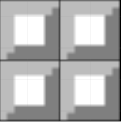
但由于其最小可拆分为4个组成片(2*2),所以其也即是由4个渲染目标组成:
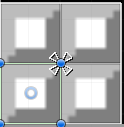
因为其受到子弹攻击时,每次只会被削掉二分之一(仅限玩家3星坦克发射的子弹)。
所以钢板会被拆分为4个组成片:
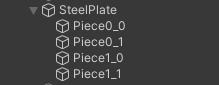
然后在地块类TB_Block初始化时搜寻并存储所有组成片:
csharp
		//钢板的组成片
        private TB_Piece[,] _steelPlatePieces;

        protected override void Awake()
        {
            base.Awake();

            _steelPlatePieces = new TB_Piece[2, 2];
            for (int i = 0; i < 2; i++)
            {
                for (int j = 0; j < 2; j++)
                {
                    TB_Piece piece = _steelPlate.FindChildren($"Piece{i}_{j}").GetComponent<TB_Piece>();
                    _steelPlatePieces[i, j] = piece;
                }
            }
        }
3.森林
森林最终的渲染图如下:
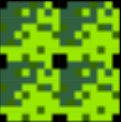
森林只需要展示一个静态图像即可,所以仅需一个渲染目标:

4.海水
海水最终的渲染图如下:
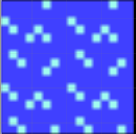
海水需要展示动态图像,使用两张渲染图轮番切换即可:

海水的动画效果并不影响游戏的帧同步进程,所以只需将其放到渲染帧里处理即可:
csharp
		//每一个渲染帧回调一次
        public void OnUpdateFrame()
        {
            UpdateAnimation();
        }

        /// <summary>
        /// 更新地块动画
        /// </summary>
        private void UpdateAnimation()
        {
            switch (Type)
            {
                case BlockType.Seawater:
                    _seawaterTimer += Time.deltaTime;
                    if (_seawaterTimer >= _animationInterval)
                    {
                        _seawaterTimer -= _animationInterval;
                        //将海水第二帧画面逆向激活,从而产生动画效果
                        _seawaterPiece2.SetActiveInverse();
                    }
                    break;
            }
        }
动画很简单,但基本还原原版效果。
5.雪地
雪地最终的渲染图如下:
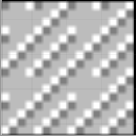
雪地只需要展示一个静态图像即可,所以仅需一个渲染目标:

6.玩家老巢
玩家老巢最终的渲染图如下:
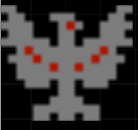
玩家老巢虽然也是静态图像,但也需要使用两张渲染图,因为在被破坏后,会切换为破坏形态:

破坏形态:
三、更新地块图形
每一个地块创建出来后,可以通过Type属性为其设置类型:
csharp
    /// <summary>
    /// 地块
    /// </summary>
    public class TB_Block : HTBehaviour, IUpdateFrame
    {
    	//图形脏状态
        private bool _isUpdateGraphic = false;
        private BlockType _type;

        /// <summary>
        /// 地块类型
        /// </summary>
        public BlockType Type
        {
            get
            {
                return _type;
            }
            set
            {
                _type = value;
                _isUpdateGraphic = true;
            }
        }
}每一次类型改变,都将触发图形脏状态,然后在渲染帧中会自动更新图形:
csharp
        public void OnUpdateFrame()
        {
            if (_isUpdateGraphic)
            {
                _isUpdateGraphic = false;
                UpdateGraphic();
            }
        }

        /// <summary>
        /// 更新地块图形(根据地块类型,显示其对应的渲染目标)
        /// </summary>
        private void UpdateGraphic()
        {
            _brickWall.SetActive(false);
            _steelPlate.SetActive(false);
            _forest.SetActive(false);
            _seawater.SetActive(false);
            _snowfield.SetActive(false);
            _lair.SetActive(false);

            switch (Type)
            {
                case BlockType.BrickWall:
                    _brickWall.SetActive(true);
                    break;
                case BlockType.SteelPlate:
                    _steelPlate.SetActive(true);
                    break;
                case BlockType.Forest:
                    _forest.SetActive(true);
                    break;
                case BlockType.Seawater:
                    _seawater.SetActive(true);
                    break;
                case BlockType.Snowfield:
                    _snowfield.SetActive(true);
                    break;
                case BlockType.Lair:
                    _lair.SetActive(true);
                    break;
            }
        }
四、设置地块位置
每一个地块都有其索引位置,左下角地块为(0,0),右上角地块为(12,12),设置其索引位置,其便会自动放置到地图上的真实位置:
csharp
        private Vector2Int _index;
        private Vector2Int _pos;

        /// <summary>
        /// 在地图上的索引
        /// </summary>
        public Vector2Int Index
        {
            get
            {
                return _index;
            }
            set
            {
                _index = value;
                //根据索引位置,计算真实位置
                Pos = new Vector2Int(_index.x * BlockSize + BlockSizeHalf, _index.y * BlockSize + BlockSizeHalf);
            }
        }
        /// <summary>
        /// 在地图上的真实位置
        /// </summary>
        public Vector2Int Pos
        {
            get
            {
                return _pos;
            }
            private set
            {
                _pos = value;
                Rect.anchoredPosition = _pos;
            }
        }
五、地图尺寸
为此,我们要先一步定义地图相关的尺寸参数,如下:
csharp
        /// <summary>
        /// 地图的尺寸
        /// </summary>
        public static readonly int MapSize = 650;
        /// <summary>
        /// 地图行数
        /// </summary>
        public static readonly int Rows = 13;
        /// <summary>
        /// 地图列数
        /// </summary>
        public static readonly int Cols = 13;
        /// <summary>
        /// 地块、坦克尺寸
        /// </summary>
        public static readonly int BlockSize = 50;
        /// <summary>
        /// 地块、坦克尺寸的二分之一
        /// </summary>
        public static readonly int BlockSizeHalf = 25;
        /// <summary>
        /// 地块、坦克尺寸的四分之一(12.5),用于精准定位到砖墙的组成片
        /// </summary>
        public static readonly FixFloat BlockSizeQuarter = new FixFloat(12, 5);
六、生成地块方法
定义一个生成地块的通用方法:
csharp
		//背景地块根节点(被坦克挡住)
        [InjectPath("Map/Background")] private Transform _rootBackground;
        //前景地块根节点(挡住坦克)
        [InjectPath("Map/Foreground")] private Transform _rootForeground;
		//地块模板
        [InjectPath("Map/BlockTemp")] private TB_Block _blockTemp;

        /// <summary>
        /// 生成一个地块
        /// </summary>
        private TB_Block GenerateBlock(int indexX, int indexY, BlockType blockType)
        {
        	//通过模板克隆地块
            GameObject obj = Main.CloneGameObject(_blockTemp.gameObject, true);
            obj.name = $"Block({indexX}-{indexY})";

            TB_Block block = obj.GetComponent<TB_Block>();
            block.Type = blockType;
            block.Index = new Vector2Int(indexX, indexY);

            //森林地块为前景,会挡住坦克
            if (blockType == BlockType.Forest)
            {
                obj.transform.SetParent(_rootForeground);
            }
            //其他地块为背景
            else
            {
                obj.transform.SetParent(_rootBackground);
            }

            return block;
        }
七、生成所有地块
万事具备,现在就可以根据关卡生成算法产生的数据来生成所有地块了:
csharp
        /// <summary>
        /// 创建关卡地图中的所有地块
        /// </summary>
        private void CreateMap()
        {
        	//调用关卡生成算法,生成地图数据map
            BlockType[,] map = GetRegion<GenerateMapRegion>().GenerateMap();

            //创建地图中的所有地块
            _blocks = new TB_Block[Rows, Cols];
            for (int r = 0; r < Rows; r++)
            {
                for (int c = 0; c < Cols; c++)
                {
                    _blocks[r, c] = GenerateBlock(r, c, map[r, c]);
                }
            }

            //老巢的保护方块削掉一半
            _blocks[5, 0].GetPiece(0, 0).IsDestroy = true;
            _blocks[5, 0].GetPiece(0, 1).IsDestroy = true;
            _blocks[5, 0].GetPiece(0, 2).IsDestroy = true;
            _blocks[5, 0].GetPiece(0, 3).IsDestroy = true;
            _blocks[5, 0].GetPiece(1, 0).IsDestroy = true;
            _blocks[5, 0].GetPiece(1, 1).IsDestroy = true;
            _blocks[5, 0].GetPiece(1, 2).IsDestroy = true;
            _blocks[5, 0].GetPiece(1, 3).IsDestroy = true;

            _blocks[5, 1].GetPiece(0, 0).IsDestroy = true;
            _blocks[5, 1].GetPiece(0, 1).IsDestroy = true;
            _blocks[5, 1].GetPiece(0, 2).IsDestroy = true;
            _blocks[5, 1].GetPiece(0, 3).IsDestroy = true;
            _blocks[5, 1].GetPiece(1, 0).IsDestroy = true;
            _blocks[5, 1].GetPiece(1, 1).IsDestroy = true;
            _blocks[5, 1].GetPiece(1, 2).IsDestroy = true;
            _blocks[5, 1].GetPiece(1, 3).IsDestroy = true;
            _blocks[5, 1].GetPiece(2, 2).IsDestroy = true;
            _blocks[5, 1].GetPiece(2, 3).IsDestroy = true;
            _blocks[5, 1].GetPiece(3, 2).IsDestroy = true;
            _blocks[5, 1].GetPiece(3, 3).IsDestroy = true;

            _blocks[6, 1].GetPiece(0, 2).IsDestroy = true;
            _blocks[6, 1].GetPiece(0, 3).IsDestroy = true;
            _blocks[6, 1].GetPiece(1, 2).IsDestroy = true;
            _blocks[6, 1].GetPiece(1, 3).IsDestroy = true;
            _blocks[6, 1].GetPiece(2, 2).IsDestroy = true;
            _blocks[6, 1].GetPiece(2, 3).IsDestroy = true;
            _blocks[6, 1].GetPiece(3, 2).IsDestroy = true;
            _blocks[6, 1].GetPiece(3, 3).IsDestroy = true;

            _blocks[7, 0].GetPiece(2, 0).IsDestroy = true;
            _blocks[7, 0].GetPiece(2, 1).IsDestroy = true;
            _blocks[7, 0].GetPiece(2, 2).IsDestroy = true;
            _blocks[7, 0].GetPiece(2, 3).IsDestroy = true;
            _blocks[7, 0].GetPiece(3, 0).IsDestroy = true;
            _blocks[7, 0].GetPiece(3, 1).IsDestroy = true;
            _blocks[7, 0].GetPiece(3, 2).IsDestroy = true;
            _blocks[7, 0].GetPiece(3, 3).IsDestroy = true;

            _blocks[7, 1].GetPiece(2, 0).IsDestroy = true;
            _blocks[7, 1].GetPiece(2, 1).IsDestroy = true;
            _blocks[7, 1].GetPiece(2, 2).IsDestroy = true;
            _blocks[7, 1].GetPiece(2, 3).IsDestroy = true;
            _blocks[7, 1].GetPiece(3, 0).IsDestroy = true;
            _blocks[7, 1].GetPiece(3, 1).IsDestroy = true;
            _blocks[7, 1].GetPiece(3, 2).IsDestroy = true;
            _blocks[7, 1].GetPiece(3, 3).IsDestroy = true;
            _blocks[7, 1].GetPiece(0, 2).IsDestroy = true;
            _blocks[7, 1].GetPiece(0, 3).IsDestroy = true;
            _blocks[7, 1].GetPiece(1, 2).IsDestroy = true;
            _blocks[7, 1].GetPiece(1, 3).IsDestroy = true;
        }
针对玩家老巢四周的保护砖墙,将其指定的组成片削掉后,便完成了最终的关卡地图创建: