Deepseek Harness官网:DeepSeek Harness 开发者预览版:一切皆插件
可惜这个官网我在FreeBSD下也打不开,我是跑到Windows下打开的. 另外可以打开github repo地址:https://github.com/deepseek-ai/deepseek-harness 看安装手册.
昨天在Windows下安装使用Deepseek Harness了一下,感觉很好,就把它闲置到那里了.因为Windows下我安装了国内AI 全家桶!不差这一个
但是FreeBSD系统下,我到目前都没有找到一个能打的! 除了pgpt,它可以当一个小助手,尽管它原生支持FreeBSD,但是只能chat,还是要再去手工copy,麻烦.
于是萌生了把Deepseek Harness移植到FreeBSD 的念头.使用WorkBuddy,确实非常省心,大约跑了14次对话,就成了! 这中间还走了弯路,因为Deepseek Harness设计上不允许使用web反代使用,这是为了安全性.
但是我不知道啊,所以大约多花了2-4次chat .
闲言碎语不要讲,咱们直接开始!
移植过程
此处有些杂乱,心急的朋友可以直接看下一节FreeBSD省心安装即可.
先下载源代码
git clone https://github.com/deepseek-ai/deepseek-harness
git clone https://gitcode.com/gh_mirrors/de/deepseek-harness
后面移植的累活就交给Workbuddy
prompot随便写,只要表达清楚就行,因为现在的大模型都能听懂人话了.
Workbuddy处理了代码后,在FreeBSD下运行,报错:
workbuddy@fb5:~/github $ cd deepseek-harness/
workbuddy@fb5:~/github/deepseek-harness $ DSH_PERMISSION_MODE=danger-full-access SHARP_WASM=1 node --import tsx/esm apps/cli/src/bin.ts web
/home/workbuddy/github/deepseek-harness/packages/boot/app-boot/src/index.ts:800
throw new Error(`{binName}: {stage}: {detail}{stack}`, { cause })
^
Error: dsh: plugin tree failed to load: failed to apply loader entry include (cordis:include): failed to import loader entry attachment-local (@deepseek-ai/dsh-attachment-local): Could not load the "sharp" module using the freebsd-x64 runtime
Possible solutions:
- Ensure optional dependencies can be installed:
npm install --include=optional sharp
- Ensure your package manager supports multi-platform installation:
See https://sharp.pixelplumbing.com/install#cross-platform
- Add platform-specific dependencies:
npm install --os=freebsd --cpu=x64 sharp
- Consult the installation documentation:
See https://sharp.pixelplumbing.com/install
Error: Could not load the "sharp" module using the freebsd-x64 runtime
Possible solutions:
- Ensure optional dependencies can be installed:
npm install --include=optional sharp
- Ensure your package manager supports multi-platform installation:
See https://sharp.pixelplumbing.com/install#cross-platform
- Add platform-specific dependencies:
npm install --os=freebsd --cpu=x64 sharp
- Consult the installation documentation:
See https://sharp.pixelplumbing.com/install
at file:///home/workbuddy/github/deepseek-harness/node_modules/.pnpm/sharp@0.35.3_@types+node@22.20.0/node_modules/sharp/dist/sharp.mjs:171:9
at ModuleJob.run (node:internal/modules/esm/module_job:413:25)
那咱就安装
npm install --include=option这个也失败了.
所以最后还是让Workbuddy来解决了报错问题.
尝试运行
cd /home/workbuddy/github/deepseek-harness

/usr/sbin/daemon -p /tmp/dsh_web.pid sh -c \
  "DSH_PERMISSION_MODE=danger-full-access /tmp/p117/node_modules/.bin/pnpm dsh:freebsd web > /tmp/dsh_web.log 2>&1"

/usr/sbin/daemon -p /tmp/dsh_web.pid sh -c   "DSH_PERMISSION_MODE=danger-full-access /tmp/p117/node_modules/.bin/pnpm dsh:freebsd web > /tmp/dsh_web.log 2>&1"

/usr/sbin/daemon -p /tmp/dsh_web.pid sh -c   "DSH_PERMISSION_MODE=danger-full-access /tmp/p117/node_modules/.bin/pnpm dsh:freebsd web "
有问题,无法配置 工作目录
报错:transport failure for /api/host.listDirectory: HTTP 403
(其实这里走了弯路,到了这里就移植好了)
解决问题
给Workbuddy,它很快弄清楚问题,不能用web反代,,然后给出了ssh反代的方法.
用ssh反代
直接执行命令:
ssh -L 3080:127.0.0.1:3080 workbuddy@192.168.1.5然后在客户机上浏览127.0.0.1:3080,终于看到啦!
运行成功!
看到了提醒
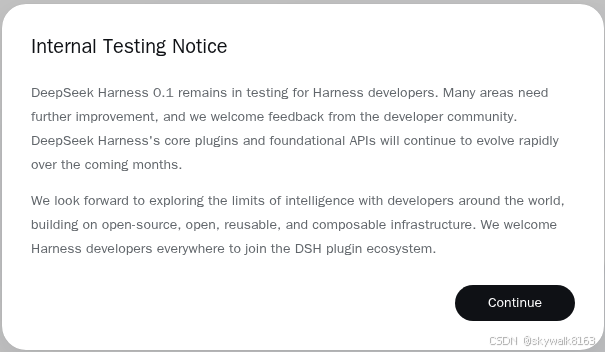
配置好token和目录,就可以开始啦!
先问它一个问题:
回答不错
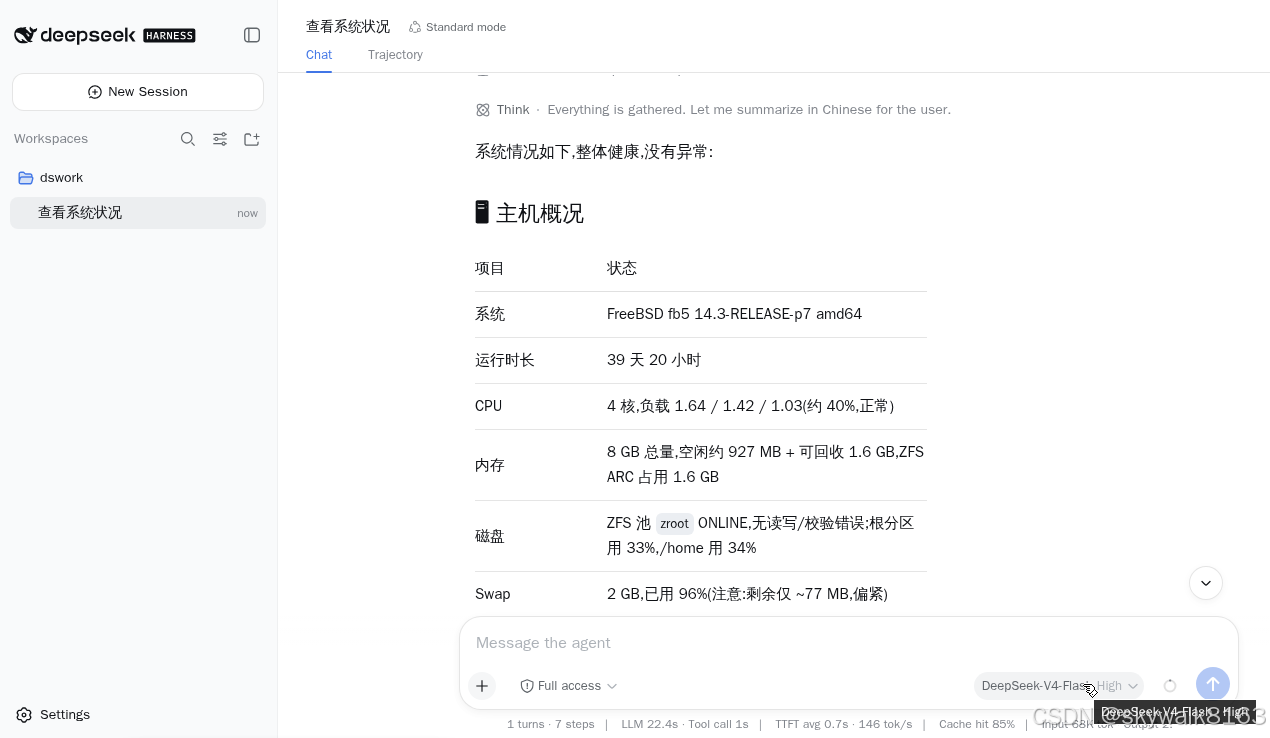
太高兴了,这是我成功移植到FreeBSD下的第一个AI Agent软件!
其它如opencode都没移植成功.而pgpt是FreeBSD本身就支持的.
而其它国产的,比如Codearts/Dumate/Workbuddy/Trae等,也都没有FreeBSD版本,而且有些连Linux版本都没有.
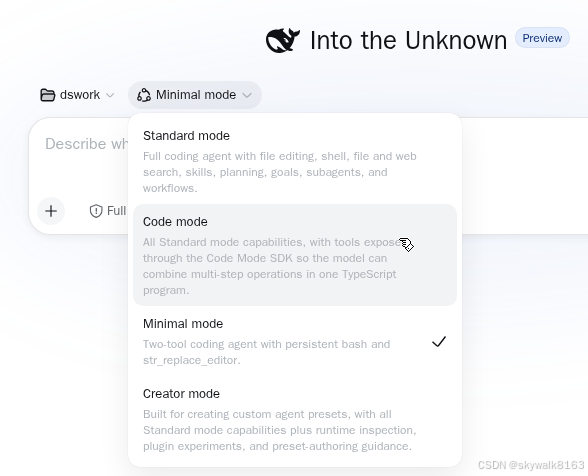
另外,大家记得简单模式哦,据说pro在简单模式下咔咔乱杀!
FreeBSD省心安装
下载FreeBSD版本的源代码
git clone https://github.com/skywalk163/deepseek-harness
# 或者
git clone https://gitcode.com/skywalk163/deepseek-harness
安装运行
注意这里跟官方默认是不一样的
cd deepseek-harness
pnpm install
pnpm run build
pnpm dsh:freebsd web
端口转发
因为FreeBSD我们一般是做服务器,所以要远程连.而deepseek-harness为了安全没有开全网的侦听服务,而且用nginx 反向代理也会失败.只能使用ssh反代.
deepseek-harness的Web UI 监听 http://127.0.0.1:3080。从其他机器访问这样做端口转发: ssh -L 3080:127.0.0.1:3080 <user>@<freebsd-host>。比如用户叫workbuddy
ssh -L 3080:127.0.0.1:3080 workbuddy@192.168.1.5这样在执行ssh的机器上,浏览127.0.0.1:3080 ,就能连上服务器端的deepseek-harness
调试
模式问题
现在项目执行任务的时候,如果设为标准模式,没有问题。creator模式也没问题。如果设为code、mimi模式,就会出来很多报错.
mimi模式报错:
ThinkThe user asks in Chinese: "List files in current directory". Need to run ls or similar.
FailedBashError: subprocess-local: terminal inspection is unsupported on platform freebsd
ThinkTool error says terminal inspection unsupported on freebsd maybe due to command? Let's try simple ls? The error is odd. Maybe pwd? Let's try.
FailedBashError: subprocess-local: terminal inspection is unsupported on platform freebsd
ThinkInteresting. The tool can't run? Maybe because pty? Let's use find? Could be command wrapper requiring TTY. Maybe we can use Python via bash? Let's try `python3 -c ...` maybe same error.
FailedBashError: subprocess-local: terminal inspection is unsupported on platform freebsd
ThinkHmm tool broken in environment. Could use str_replace_editor view directory? It can list files in directory. Let's use that.
Failed
Tool callError: The path . is not an absolute path, it should start with `/`. Maybe you meant /.?
ThinkNeed absolute path. Get pwd unavailable via bash due tool error. Maybe str_replace_editor can view "/"? But we need current directory; likely /repo or /workspace? Let's inspect common. Use str_replace_editor view / maybe.
Failed
Tool callError: cannot list "/run": permission denied
code模式下报错:
Context injection@deepseek-ai/dsh-system-prompt
ThinkThe user wants a hello world. Simple single-turn task, no goal needed. Let me create a hello world file. The working directory is /home/workbuddy/dswork. Let me write a simple hello world --- probably in a common language. I could ask which language, but the request is trivially "写个helloworld" (write a hello world). I'll just create a Python hello world and run it.
Failed
CodeError: code run failed (exception): ToolCallError: cannot overwrite existing "/home/workbuddy/dswork/hello.py" without reading it first --- read the file, then retry
Failed
WriteError: cannot overwrite existing "/home/workbuddy/dswork/hello.py" without reading it first --- read the file, then retry
ThinkThe file already exists. Let me read it first, then decide.