怎么给 DeepSeek Harness 写个插件
从打印一行日志开始,把
text_stats注册成模型可以主动调用的 Tool。
2026 年 8 月 15 日,我给刚开源的 DeepSeek Harness 写了一个很小的插件:统计一段文字的字符数和单词数。
最后一次测试时,我没有告诉模型工具叫什么,只问它:
text
请帮我统计下面这句话有多少个字符和多少个单词:

Everything is a Plugin
DSH 自己选择了 text_stats,传入原文,再把结果交回模型:22 个字符,4 个单词。
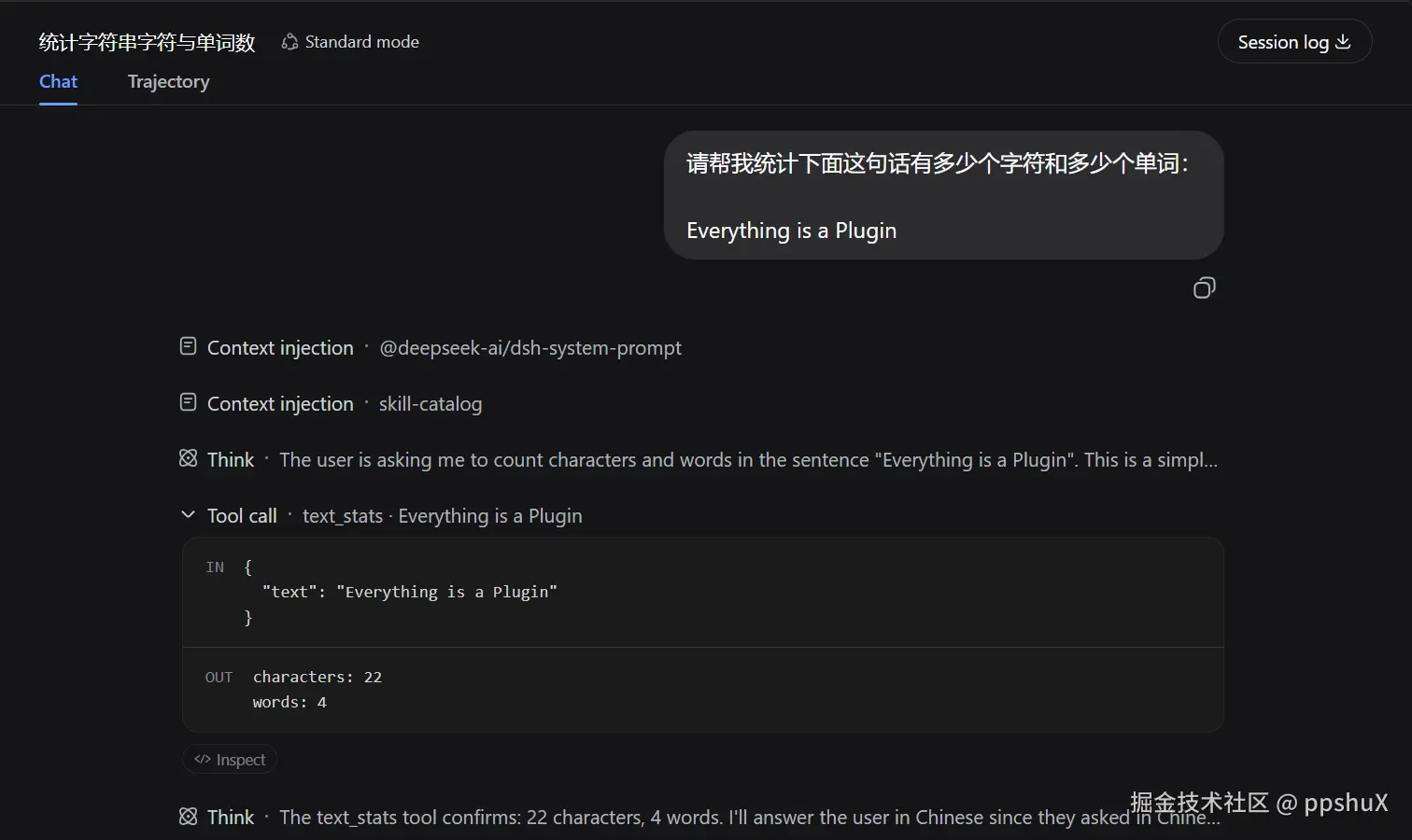
这就是本文的目标。准确地说,我们要做的是一个 Tool 类型的 Plugin :Plugin 负责把能力装进 DSH,text_stats Tool 负责统计文字。完成后会留下加载日志、真实 Tool call 和 Trajectory 三类证据,它们分别验证不同环节。
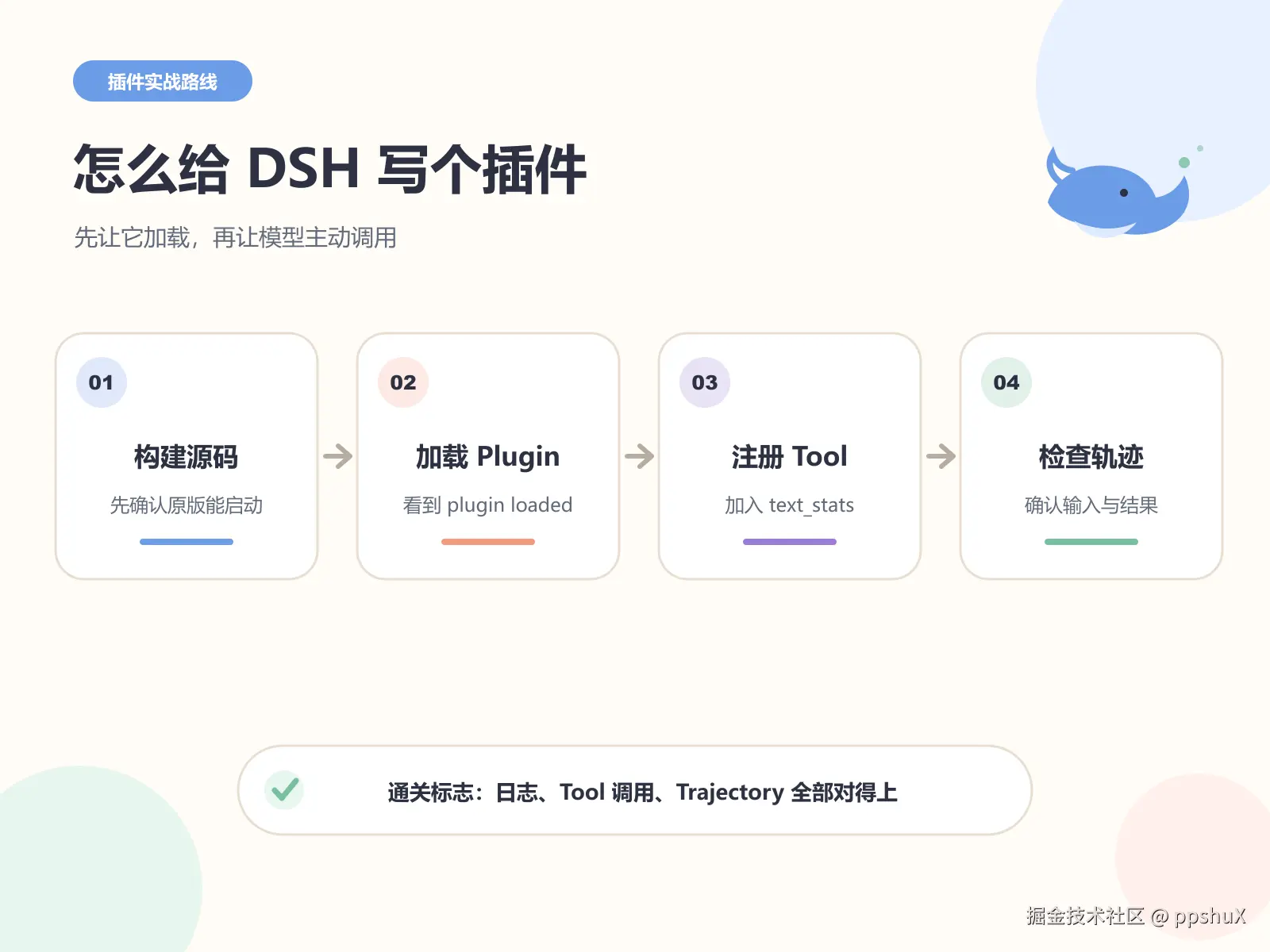
1. 这次要写的 Plugin,到底是什么?
DeepSeek 官方把 Harness 的设计概括为 Everything is a Plugin 。官方中文教程给出的定义很具体:Plugin 是一个导出 apply 函数的 TypeScript 模块。DSH 加载模块时调用 apply(ctx),插件再通过 ctx 注册能力。
本文主要参考两份官方文档:
先把两个容易混淆的词分开。
- Plugin 是装配单元。DSH 启动时加载它,并执行它导出的
apply(ctx)。 - Tool 是一项具体能力。Plugin 把 Tool 注册进 DSH 后,模型才能发现并调用它。
本篇会写一个 Tool 类型的 Plugin ,再让它注册 text_stats Tool。关系如下:
text
DSH 启动
→ 加载 Plugin
→ 执行 apply(ctx)
→ Plugin 注册 text_stats
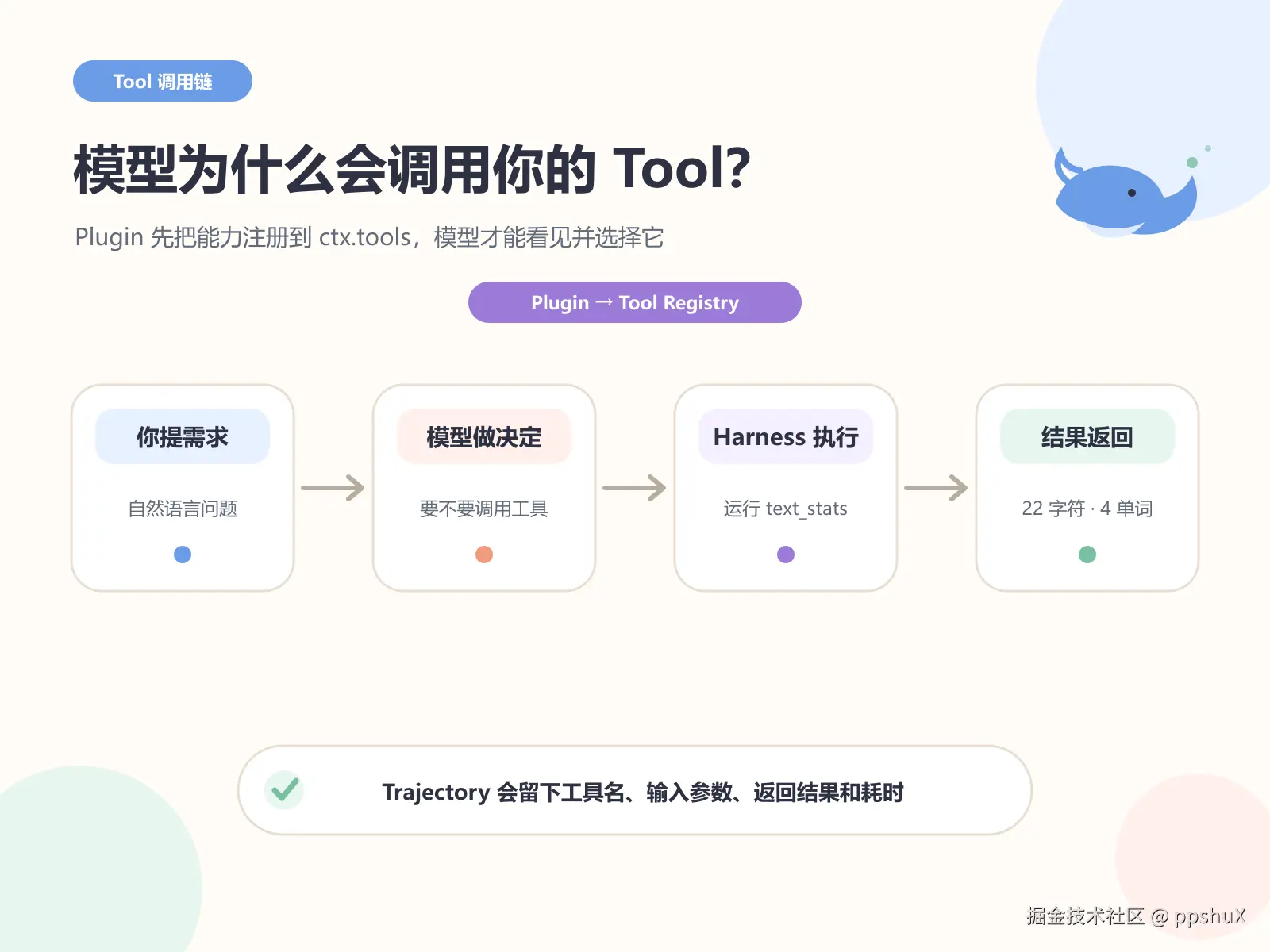
→ 模型通过 Tool call 调用 text_stats
这也解释了为什么后面既要看 plugin loaded,又要看 Tool call:
- 终端出现
plugin loaded,只证明 DSH 找到了 Plugin,并执行了apply()。 - 对话出现
Tool call · text_stats,才证明这个 Plugin 提供的能力已经注册成功,可以被模型使用。
Tool call 不是所有 Plugin 的通用验收方法。 如果 Plugin 监听事件,就应该触发事件检查响应;如果它提供 Service,就应该调用 Service;如果它只负责日志,检查日志即可。本文看 Tool call,是因为我们做的恰好是 Tool 类型的 Plugin。
我们会先做一个只打印日志的 Plugin,确认加载链路没问题;随后在同一个 Plugin 里注册 text_stats Tool。这样出错时容易定位,不会把"插件没加载"和"工具没注册"混在一起。
2. 先把源码版 DSH 跑起来
这次需要从源码运行 Harness,因为我们要让它加载本地 TypeScript 文件。不是为了修改 DSH 核心代码。
本文固定到我实际跑通的提交 47f9438。这个提交的根 package.json 标记为 0.1.0-rc.5,要求 Node.js ^22.19.0 || >=24.0.0,并声明 pnpm 11.7.0。DSH 仍处于 Developer Preview;固定提交能减少主分支快速变化带来的干扰。
先在 PowerShell 检查环境:
powershell
node -v
git --version
corepack --version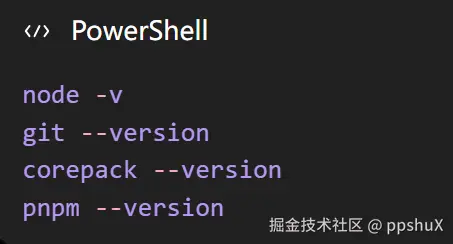
看不到版本号时先补齐对应环境。Node.js 建议直接使用官方要求的版本;如果 corepack pnpm 无法执行,可以运行 corepack enable,再重新打开终端。
接着克隆仓库并切到实测提交:
powershell
git clone https://github.com/deepseek-ai/deepseek-harness.git
cd .\deepseek-harness
git checkout 47f9438
git rev-parse --short HEAD
git checkout 后出现 detached HEAD 提示很正常:这里是在复现固定版本,不是在这个分支继续开发 DSH。
安装、检查、构建依次执行:
powershell
corepack pnpm install
corepack pnpm run typecheck
corepack pnpm run build
安装过程中可能出现 Linux 专用包不支持 Windows、workspace 循环依赖等 WARN。警告文字本身不等于失败;以命令是否正常结束、后续 typecheck 和 build 能否完成为准。
先不要写插件,启动原版 Web UI:
powershell
corepack pnpm dsh web
终端打印 http://127.0.0.1:3080 后,在浏览器打开这个地址。确认页面可以进入,再回到终端按 Ctrl+C 停止服务。
成功标志: 原版 Web UI 能打开,说明源码、依赖和构建链路都正常。后面若出错,范围就缩小到了我们的 Plugin。
最小排错: typecheck 或 build 报错时先核对 git rev-parse --short HEAD 和 Node.js 版本,不要带着失败继续启动。
3. 写一个只会打印日志的最小 Plugin
在仓库根目录创建临时插件目录:
powershell
New-Item -ItemType Directory -Path .\scratch-plugin\src -Force用 VS Code 打开当前仓库:
powershell
code .如果系统不认识 code,直接从 VS Code 的"打开文件夹"选择 deepseek-harness 即可。
创建 scratch-plugin/src/my-plugin.ts:
ts
import type { Context } from '@deepseek-ai/cordis'

export const name = 'hello-plugin'

export function apply(_ctx: Context) {
  console.log('[hello-plugin] plugin loaded!')
}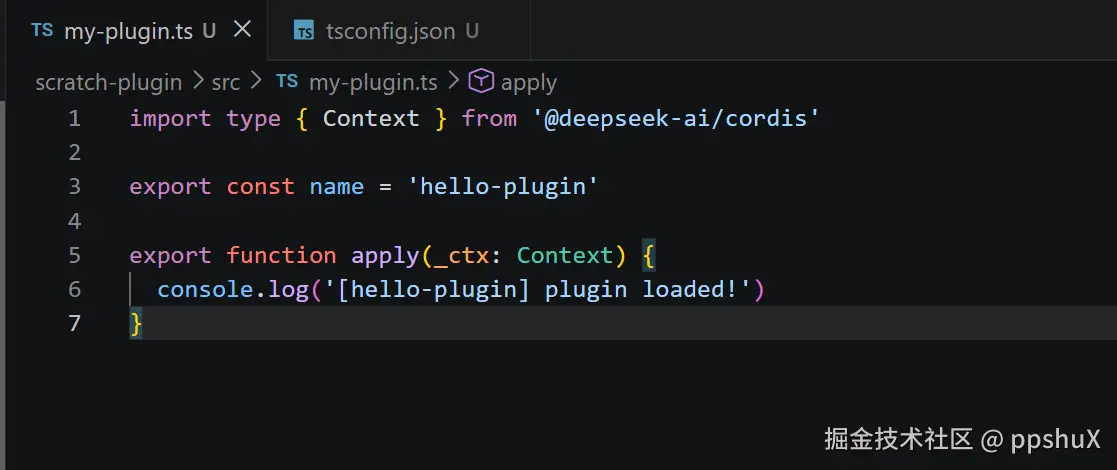
这里先认识三个东西:
name是 Plugin 自己的名字。apply()是 DSH 加载插件时调用的入口。ctx是插件连接 Harness 能力的上下文;第一版还没用到,所以写成_ctx。
我还在 scratch-plugin/tsconfig.json 加了下面的配置:
json
{
  "extends": "../tsconfig.base.json",
  "compilerOptions": {
    "noEmit": true,
    "composite": false,
    "incremental": false,
    "declaration": false,
    "declarationMap": false
  },
  "include": ["src/**/*.ts"]
}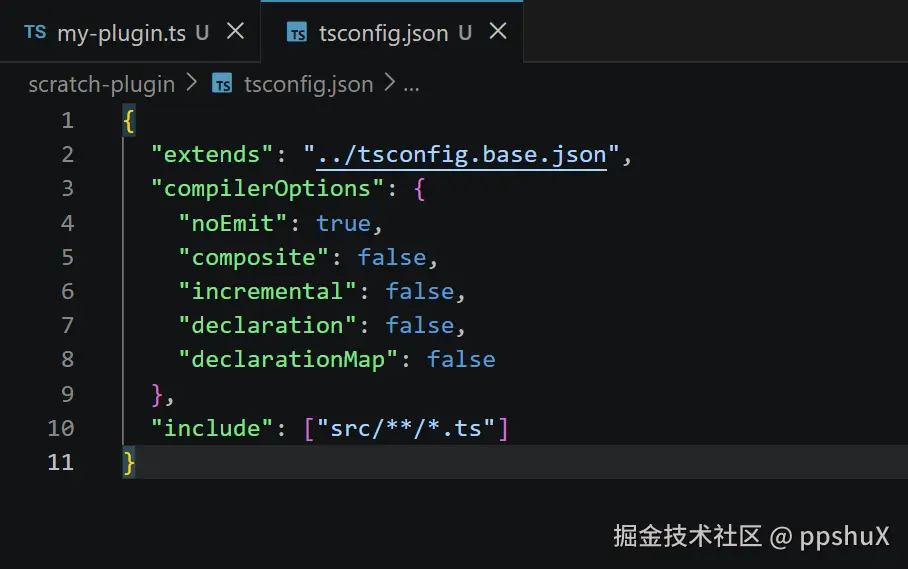
这个文件方便 VS Code 继承仓库的 TypeScript 配置并检查插件代码。DSH 的官方最小教程没有要求它,Plugin loader 也不靠它定位模块;不想处理编辑器提示时,可以先跳过。
最后创建 scratch-plugin/cordis.yml。完成后的目录应该是:
text
scratch-plugin/
├─ cordis.yml
├─ tsconfig.json
└─ src/
   └─ my-plugin.ts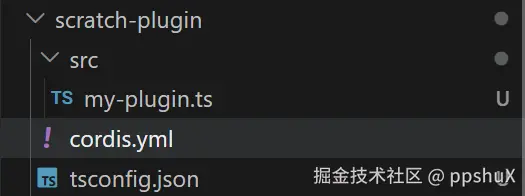
4. 用 cordis.yml 把 Plugin 插进 Web UI
先在仓库根目录取得插件文件的绝对路径:
powershell
(Get-Item .\scratch-plugin\src\my-plugin.ts).FullName把输出替换到 cordis.yml 的 name:
yaml
- insert:
    - id: hello
name: 'C:/你的路径/deepseek-harness/scratch-plugin/src/my-plugin.ts'官方教程当前要求这里使用绝对路径。Windows 路径可以写成上面的正斜杠形式,避免 YAML 转义带来的困扰。不要照抄作者电脑的用户名和目录。
我的原始实验截图里使用了 file:///C:/... 形式,并且在提交 47f9438 上成功加载。为了和官方教程保持一致,读者复现时优先使用上面的绝对路径写法。
带着这层配置启动 Web UI:
powershell
corepack pnpm dsh web --patch ./scratch-plugin/cordis.yml
看到下面两行,最小 Plugin 就加载成功了:
text
[hello-plugin] plugin loaded!
dsh web: http://127.0.0.1:3080注意,这时只过了"加载关"。plugin loaded 只证明 my-plugin.ts 被 DSH 加载、apply() 已执行;这个版本还没有注册任何模型可以调用的 Tool。
--patch 会把 cordis.yml 作为最后一层配置叠加到 Web profile。我们没有改 DSH 核心源码,只在启动时插入自己的模块。
最小排错: 没出现日志时先检查 YAML 缩进和绝对路径。修改 Plugin 后要停止并重新启动命令,单纯刷新浏览器不会重新加载终端进程。
5. 把 Plugin 升级成 text_stats Tool
现在往 Plugin 这个装配单元里放入第一项能力:text_stats Tool。替换 my-plugin.ts。这段代码比第一版长,但每一部分都有明确用途,可以直接复制:
ts
import type { Context } from '@deepseek-ai/cordis'
import { defineTool } from '@deepseek-ai/dsh-tools'

export const name = 'text-stats-tool'
export const inject = ['tools']

export function apply(ctx: Context) {
  ctx.tools.register(
    defineTool({
      name: 'text_stats',
      description:
        'Count the number of characters and whitespace-separated words in a piece of text.',
      parameters: {
        text: {
          type: 'string',
          required: true,
          description: 'The text to analyze',
        },
      },
      output: {
        schema: {
          type: 'object',
          additionalProperties: false,
          properties: {
            characters: {
              type: 'integer',
              required: true,
            },
            words: {
              type: 'integer',
              required: true,
            },
          },
        },
        render: (_args, value) => [
          {
            type: 'text',
            text: `characters: ${value.characters}\nwords: ${value.words}`,
          },
        ],
      },
      async execute(args) {
        const characters = Array.from(args.text).length
        const trimmed = args.text.trim()
        const words = trimmed ? trimmed.split(/\s+/).length : 0

        return {
          characters,
          words,
        }
      },
    }),
  )
}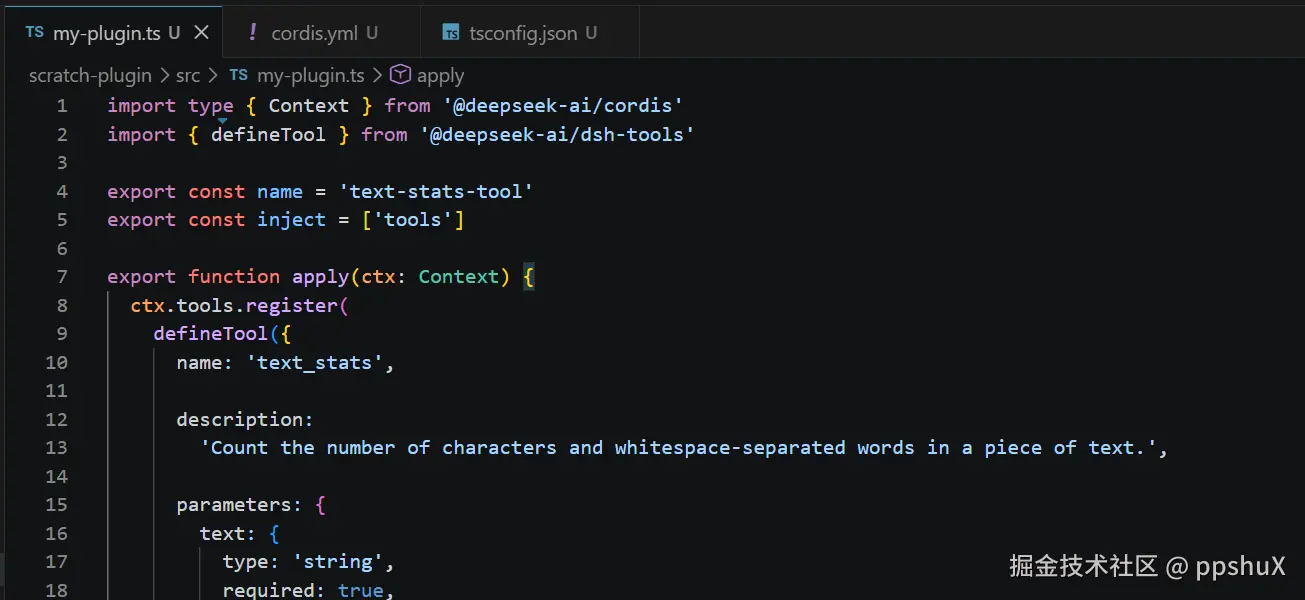
先抓住六个关键点:
inject = ['tools']:等 Tool Registry 就绪后再加载这个 Plugin。ctx.tools.register(...):把新能力登记进 DSH。name和description:告诉模型工具叫什么、能解决什么问题。parameters:规定调用时必须传入字符串text,不合要求的参数会被拦下。execute():这里才会真正运行 TypeScript 统计代码。output:先声明返回值结构,再通过render把结果交给模型阅读。
官方文档也强调了这条链路:defineTool 根据 parameters 推导并校验参数,execute 返回 output.schema 声明的值,output.render 再把结果转换为模型可用的内容。
这个 Tool 统计的是 Unicode 码点数量,空格也算字符;"单词"按空白分隔。它适合本文的英文验证句,不是中文分词器,也不会把带组合符号的字形当成一个视觉字符。
保存代码,停止旧进程,再重新启动:
powershell
corepack pnpm dsh web --patch ./scratch-plugin/cordis.yml6. 先明确指定 Tool,排除注册问题
加载日志已经证明 Plugin 能进 DSH,但最终版本的职责是注册 text_stats。因此还要通过一次真实 Tool call 验证它提供的能力,而不能停在 plugin loaded。
第一次测试明确要求使用 text_stats,先排除注册问题,不考验模型会不会自主选择。把工具名字写进提示词:
text
请使用 text_stats 工具统计下面这段文字:

hello deepseek harness
这次实际出现了 Tool call · text_stats,输入和输出如下:
text
IN
{
  "text": "hello deepseek harness"
}

OUT
characters: 22
words: 3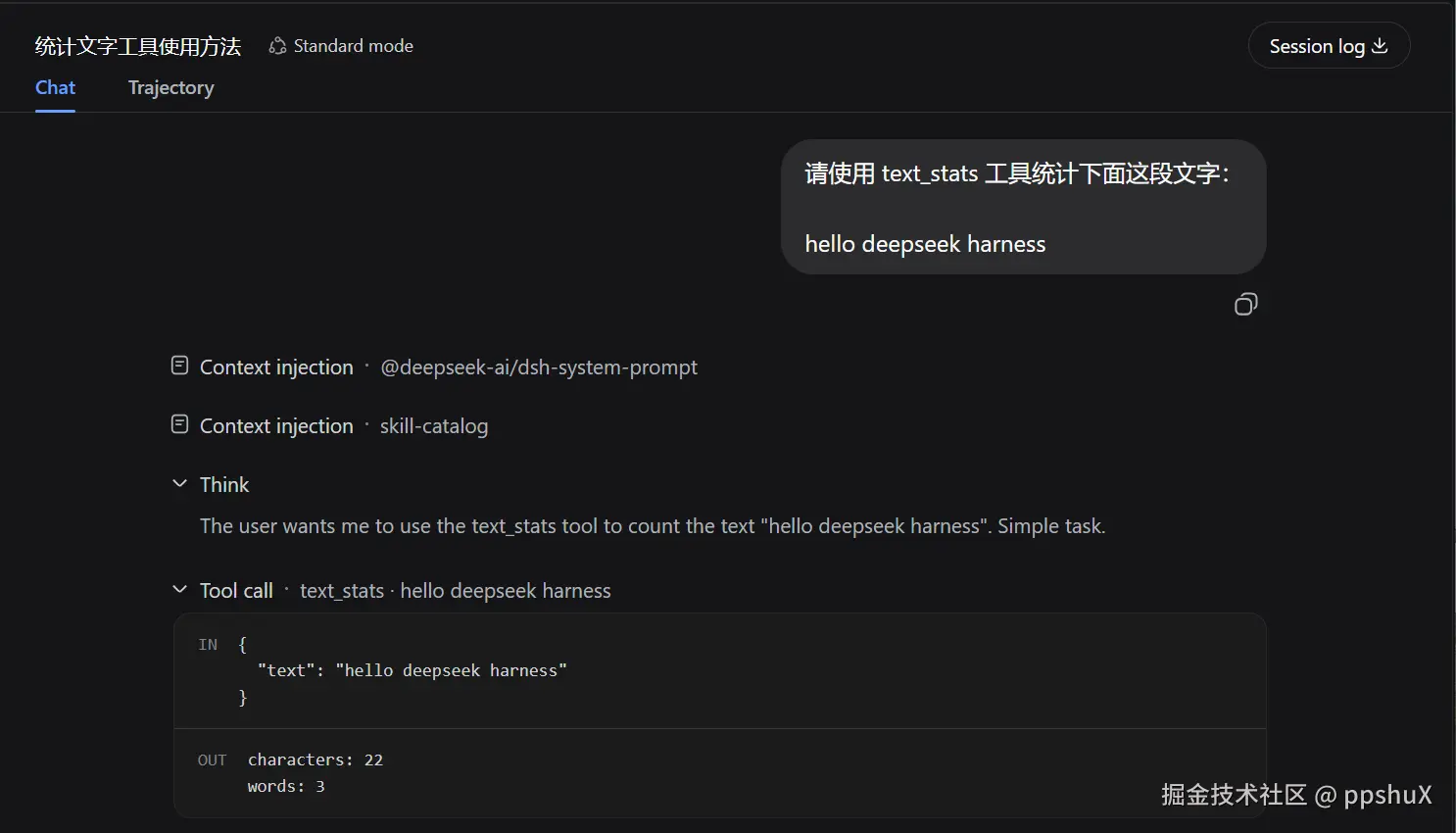
这一步验证的是 Plugin 提供的能力:Tool 已注册、模型能发起 Tool call、execute() 返回了预期结果。
如果对话只有模型自己计算的答案,没有 Tool call · text_stats,先回到终端确认 Plugin 已重启,再检查 inject、ctx.tools.register 和 Tool 名称。不要急着进入下一步。
7. 不点名 Tool,看模型会不会自己选
新建一个会话,这次只描述任务:
text
请帮我统计下面这句话有多少个字符和多少个单词:

Everything is a Plugin
开头展示的结果来自这次测试。提示词里没有 text_stats,模型仍然选择了它:
text
Tool call · text_stats · Everything is a Plugin

characters: 22
words: 4
这比显式调用多证明了一层:模型看到了 Tool 的名称、描述和参数,并判断它适合当前任务。
截图中使用的是本次实验配置的模型。模型标签不是本文的安装要求;复现时使用你已经在 DSH 中正确配置、能够完成 Tool call 的模型即可。API Key 只填在自己的配置界面,不要写进 Plugin、截图或提交记录。
8. 最后看 Trajectory,确认调用链没有脑补
聊天区已经显示 Tool call,再打开上方的 Trajectory。选择 text_stats 这一条记录,可以看到:
Status: Completed- Payload 中的原始
text - Result 中的
characters和words - Tool schema 与执行耗时
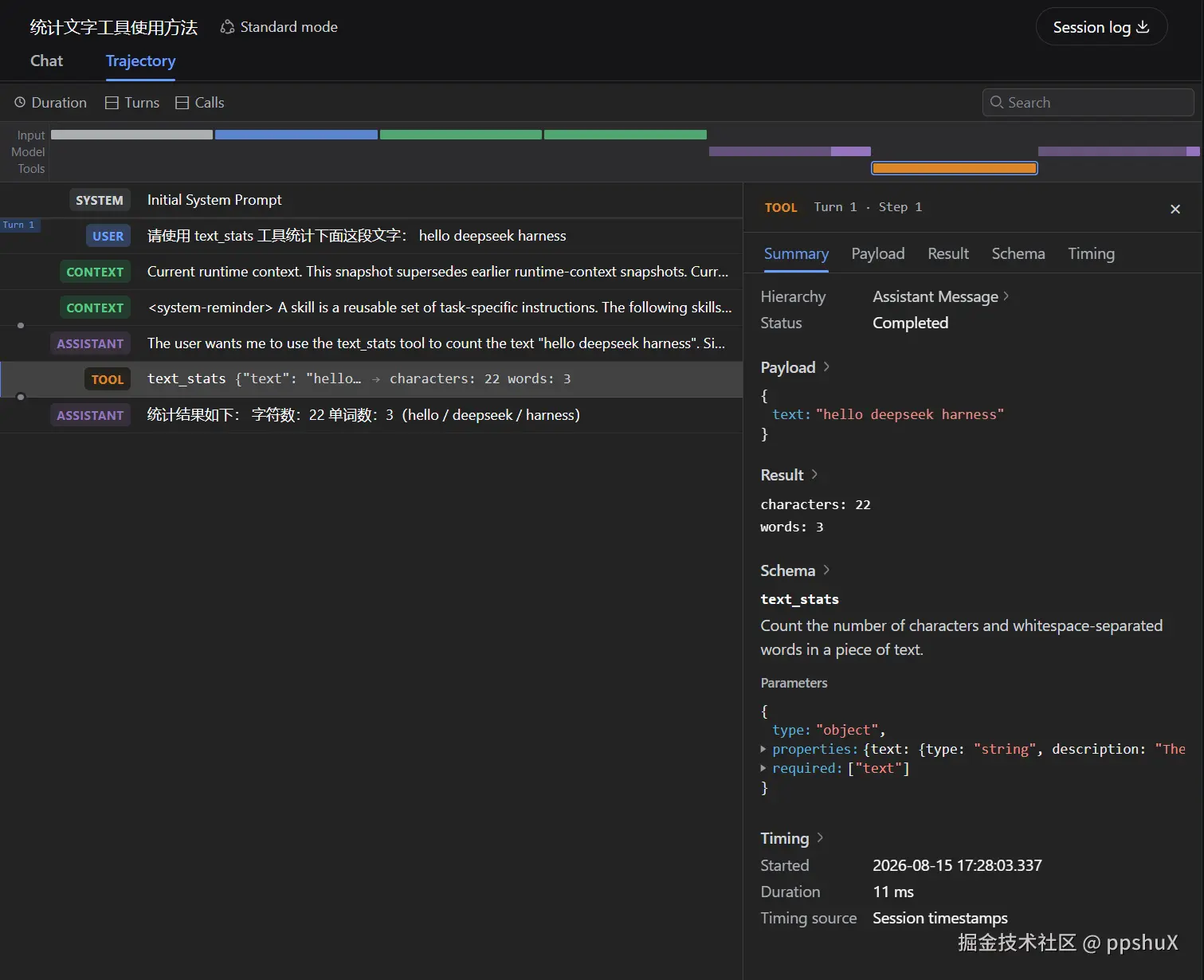
到这里,整条链路可以复核:
text
用户提出任务
→ 模型选择 text_stats
→ Harness 调用 execute()
→ Tool 返回统计结果
→ 模型组织最终回答
Trajectory 是这次实验最有价值的证据。聊天回答只能说明模型说了什么;Trajectory 能确认它实际调用了哪个工具、传了什么、拿到了什么。
9. 跑通以后,怎么理解"一切皆插件"?
这次只写了一个几十行的 Tool,但官方口号已经落到代码上:Plugin 通过 ctx 接入 Harness,ctx.tools 提供 Tool Registry,模型在需要时选择我们登记的能力。
本文故意停在这里。官方教程还提供自动清理、插件配置、服务与依赖、事件和生命周期等内容;第一次实践不需要一起塞进来。
关闭实验时,在运行 DSH 的终端按 Ctrl+C。scratch-plugin 可以留着继续改,也可以在确认不再需要后单独归档。
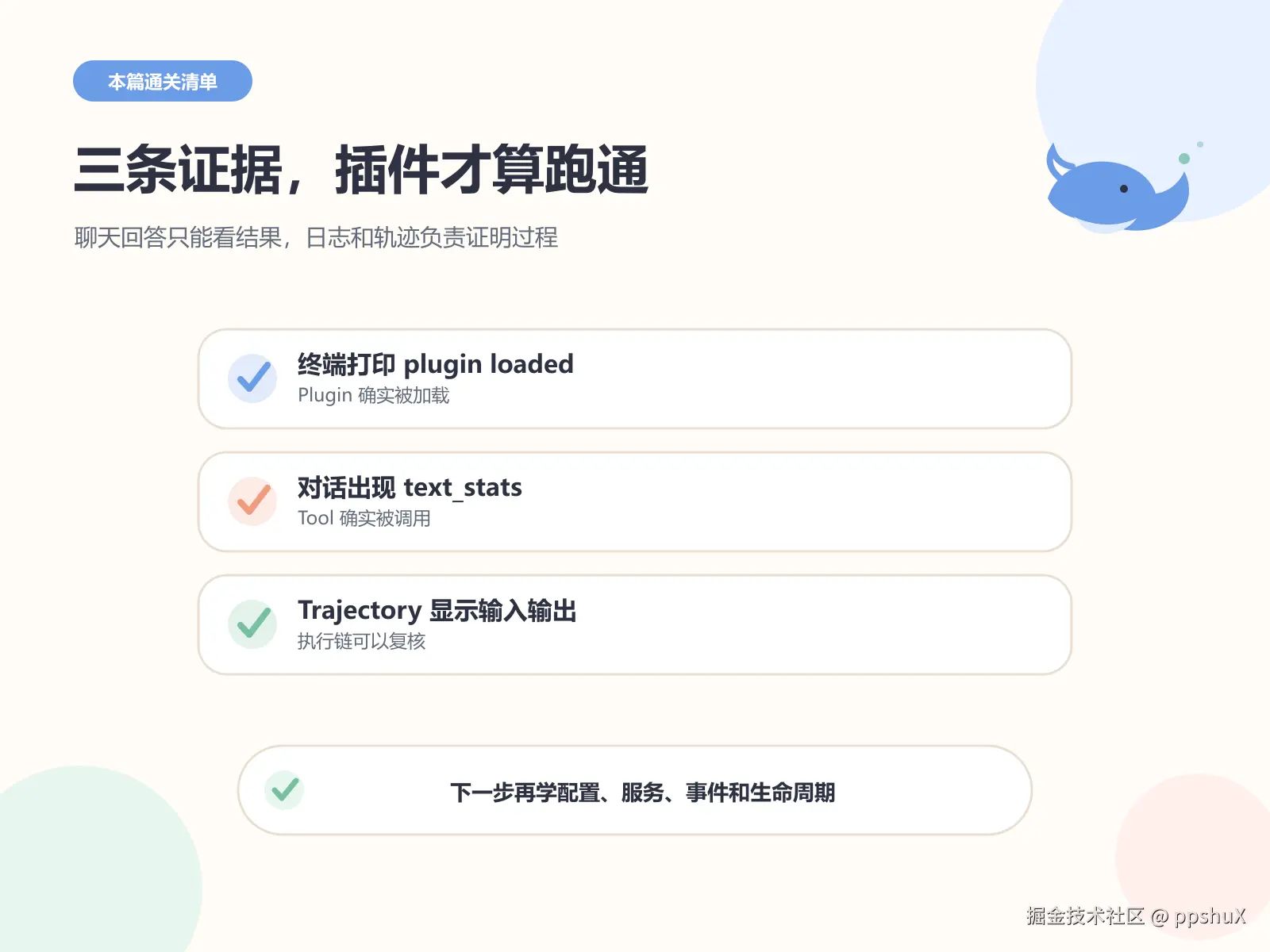
本次通关标准分成三个层级:
- 加载证据:终端出现
[hello-plugin] plugin loaded!,证明 Plugin 被加载。 - 能力证据:对话中出现真实的
Tool call · text_stats,证明它注册的 Tool 可以使用。 - 执行记录:Trajectory 的输入和结果与聊天答案一致,证明调用过程可以复核。
三条都满足,你就完成了一个真正可用的 DeepSeek Harness Tool 类型 Plugin。