第一层:云控制台【安全组】
入站规则添加:
协议:TCP
端口:22
源地址:0.0.0.0/0(你本机公网IP优先,方便更安全)
策略:允许
第二层服务器内部防火墙
# 1.清空全部iptables规则,恢复默认放行
iptables -F
iptables -X
iptables -P INPUT ACCEPT
iptables -P FORWARD ACCEPT
iptables -P OUTPUT ACCEPT

# 2.关闭nftables(Ubuntu22.04原生防火墙,会覆盖iptables)
systemctl stop nftables
systemctl disable nftables
执行完立刻本机自测:
ssh root@127.0.0.1第三层:SSH 服务本身配置(sshd)
# 确认服务运行
systemctl status ssh
# 必须看到 active (running)

# 确认22端口正在监听
ss -tlnp | grep :22
#输出必须有 0.0.0.0:22 LISTEN

# 修改ssh配置允许root密码登录
nano /etc/ssh/sshd_config
确保下面配置开启:
PermitRootLogin yes
PasswordAuthentication yes
保存退出 Ctrl+O 回车,Ctrl+X
systemctl restart ssh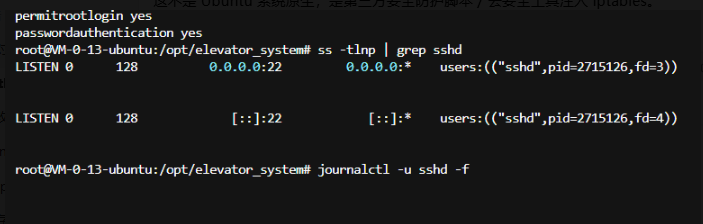
检查 /etc/hosts.deny(tcp_wrappers 黑名单)
cat /etc/hosts.deny
cat /etc/hosts.allow
如果/etc/hosts.deny写了ALL:ALL或者sshd: ALL,所有来源(含 127.0.0.1)全部拒绝

如果有内容,清空:
bash
> /etc/hosts.deny重点确认:
PermitRootLogin yes
PasswordAuthentication yes
# 不能有 DenyUsers root  DenyGroups root
# 不能有 Match Address 把127.0.0.1拒绝
把你本机公网 IP 加入服务器远程连接白名单
Windows 浏览器打开,搜索:我的公网IP,拿到你电脑的公网 IP
编辑 hosts.allow
nano /etc/hosts.allow写入,替换为你自己的公网 IP:
sshd:130.12.180.41 你的本机公网IP保存退出 Ctrl+O 回车,Ctrl+X
systemctl restart ssh