本文是Claude非专业入门实战笔记的附录和支撑文件。
系列包括以下几个内容:
- 环境搭建:Claude非专业入门实战笔记(1):Ubuntu环境下的VSCode安装与API配置-CSDN博客
- 配置、使得claude能做一点事情:Claude非专业入门实战笔记(2):CLAUDE.md规则与目录权限设计,让Claude自动整理文献-CSDN博客
- claude的同步:Claude非专业入门实战笔记(3):多台Ubuntu通过软链接与工作区统一实现Claude记忆同步-CSDN博客
- calude运行方式简单解析:Claude非专业入门实战笔记(4):Claude运行方式简单解析------从RAG到代理循环-CSDN博客
- claude的交互抓包:Claude非专业入门实战笔记(5):mitmproxy抓包解析Claude请求与流式响应,看清它到底做了什么-CSDN博客
本文记录了claude中的Telemetry该如何关闭。
尝试关闭的原因
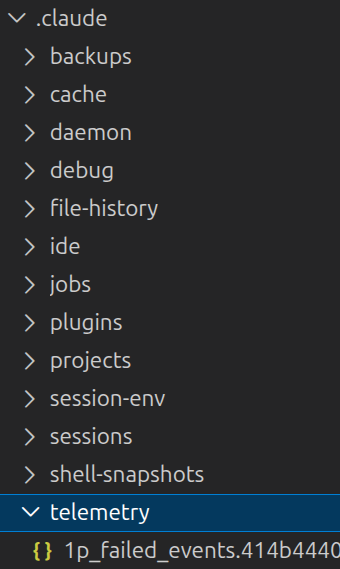
1p_fail那个文件,随着对话的增加,会不断增加,看起来没啥用,还有一大堆fail,看着吵。
抓包现象
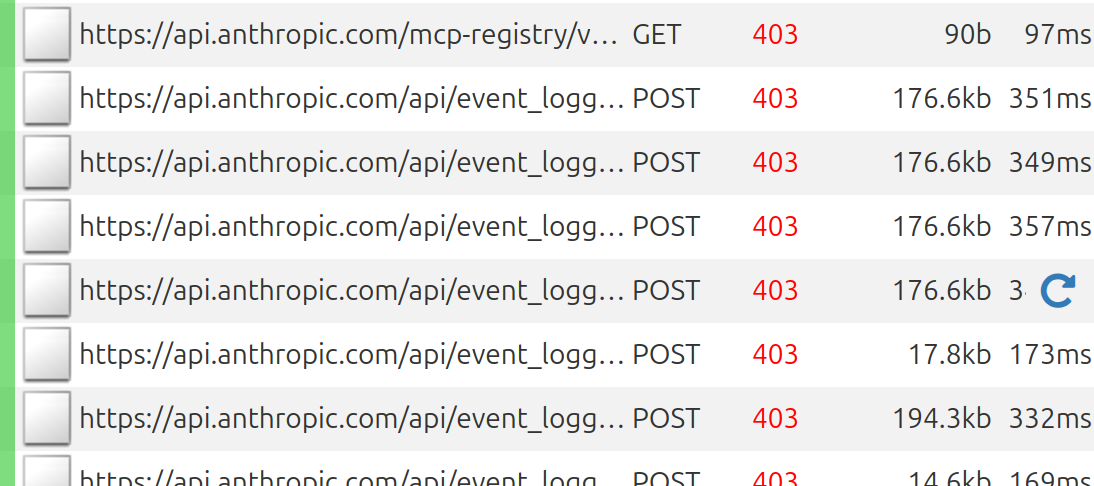
可以看到,claude一直再试着链接anthropic官网,虽然都403掉了,但还是很吵。
Telemetry的说明
Session children send operational telemetry to Anthropic unless you turn it off. No code or repository content is sent. Set telemetry variables on the runner process; the runner re-asserts them after applying server-provided environment variables, so the operator's setting always takes precedence.One control is specific to self-hosted environments: CLAUDE_CODE_BYOC_ENABLE_DATADOG=1 opts in to Datadog operational metrics, which are off by default in self-hosted environments. The general Claude Code telemetry controls, DISABLE_TELEMETRY, DO_NOT_TRACK, DISABLE_ERROR_REPORTING, and CLAUDE_CODE_DISABLE_NONESSENTIAL_TRAFFIC, apply to session children as documented in the environment variable reference. DISABLE_GROWTHBOOK is related but different: setting DISABLE_GROWTHBOOK=1 disables feature-flag fetching, and telemetry stays on unless DISABLE_TELEMETRY is also set.CLAUDE_CODE_ENABLE_TELEMETRY is unrelated: it enables OpenTelemetry export to your own collector, as described in Monitoring, and doesn't control Anthropic's analytics.
所以我们并不需要这个东西
关闭方式
在介绍Telemetry的时候,里面就说明了如何关闭。对于code里面的export是不可能的,所以写到settings.json里面的env里面就可以了:
  "env": {
   XXXXXXXXXXX,
    "DISABLE_TELEMETRY": "1",
    "DO_NOT_TRACK": "1",
    "DISABLE_ERROR_REPORTING": "1",
    "CLAUDE_CODE_DISABLE_NONESSENTIAL_TRAFFIC": "1"
  },
重启claude看现象
Telemetry文件夹清空了,抓包不截图了------没有包,所以截图没意思。