Linux Fundamentals Part 1
Embark on the journey of learning the fundamentals of Linux. Learn to run some of the first essential commands on an interactive terminal.
TryHackMe | Linux Fundamentals (Pt1)
文章目录
- [Linux Fundamentals Part 1](#Linux Fundamentals Part 1)
-
-
- [Task 1 Introduction](#Task 1 Introduction)
- [Task 2 Talking to Linux](#Task 2 Talking to Linux)
- [Task 3 Finding Your Way Around](#Task 3 Finding Your Way Around)
- [Task 4 Let the Machine Do the Searching](#Task 4 Let the Machine Do the Searching)
- [Task 5 Shell Operators (Combining Commands)](#Task 5 Shell Operators (Combining Commands))
-
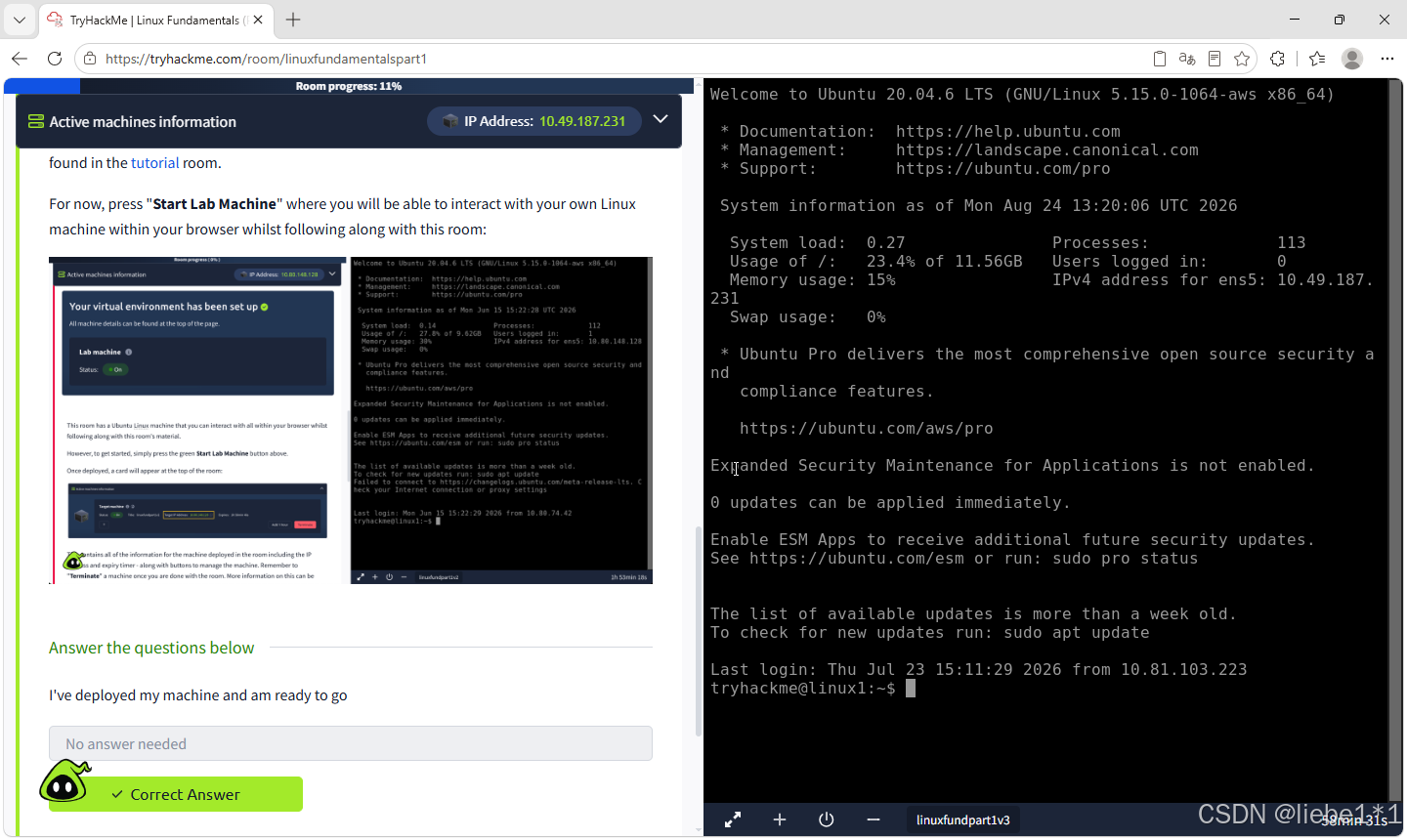
Task 1 Introduction
Task 2 Talking to Linux
You'll need to...
- Use the
whoamicommand to see who you are on the system.- Press the Enter key to run the command.
- Now, use echo to output the text TryHackMe.
python
Answer the questions below
What command would we use to find out who we are on the system?

Correct Answer:whoamiAnswer the questions below
What command would we use to output some text?
Correct Answer:echoTask 3 Finding Your Way Around
You'll need to...
- Run
lsto see what's in your home folder.- Use
cdto change folder. We will want to uselsagain to see what files are now in the folder we've entered (known as working directory).- Use
catto output the contents of any file.- Lost? Use
pwdto see where we are within the system.
python
Answer the questions below
Run ls in the current folder. How many folders are there?

Correct Answer:4

One of those folders contains a file. Which folder is it?
Correct Answer:folder1

Use cat to read the file within this folder. What does it say?
Correct Answer:password123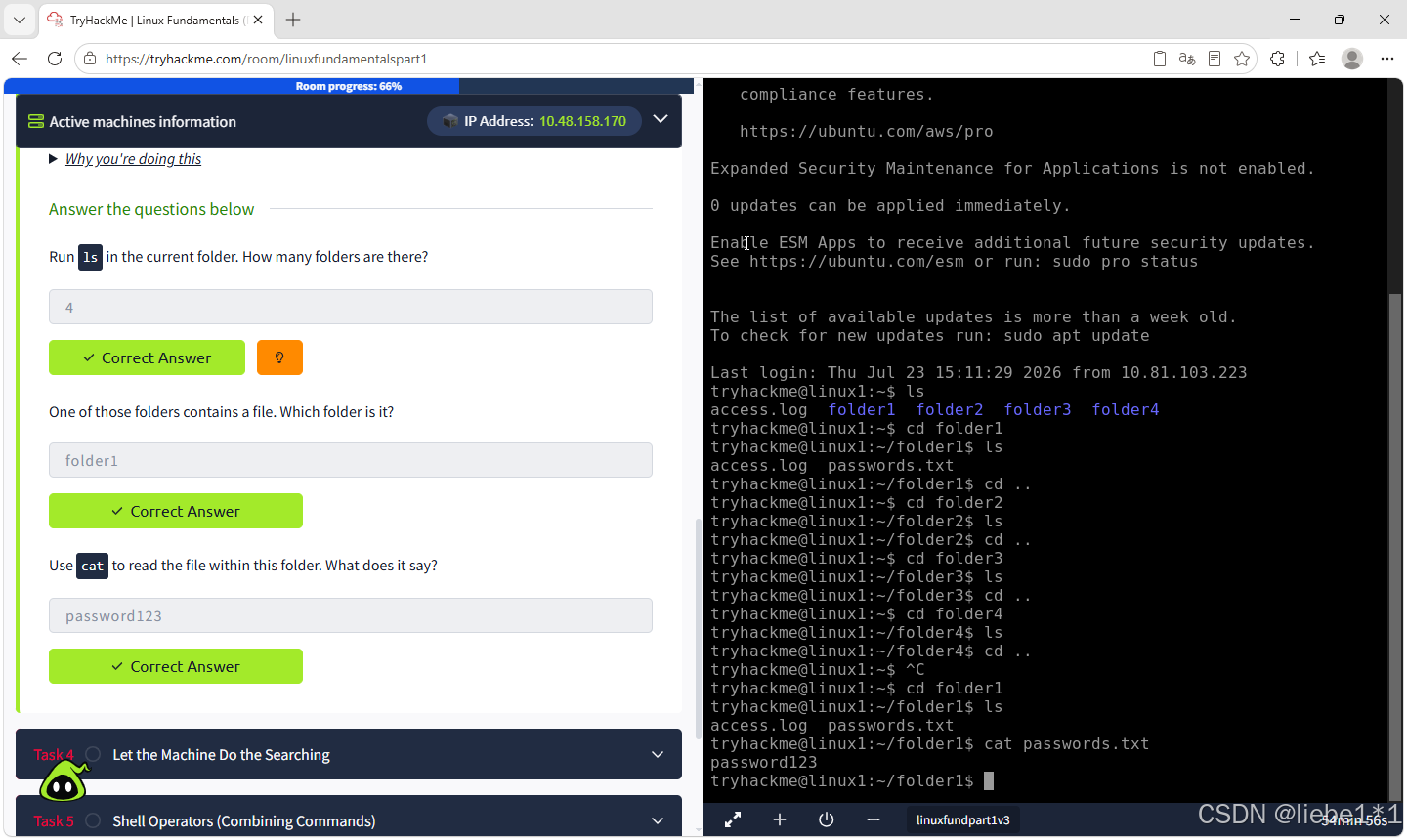
Task 4 Let the Machine Do the Searching
You'll need to...
Type
cd /home/tryhackmeto return to your home folder.Run
grep "THM" access.logto use grep to search the log file for us.Copy the
THM{}output that has been found.
python
Answer the questions below
After using grep THM access.log a flag was found. What is the flag?

Correct Answer:THM{ACCESS}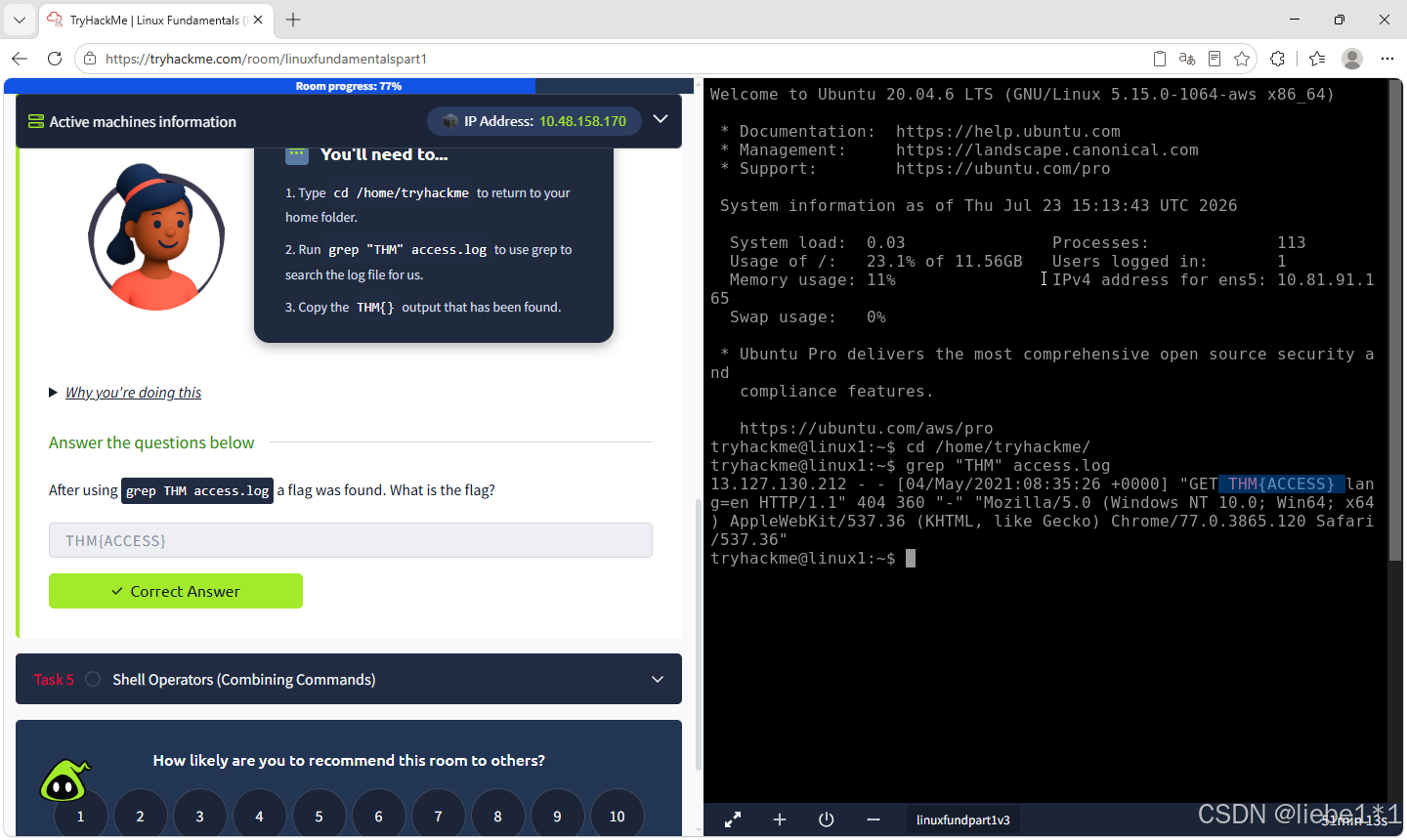
Task 5 Shell Operators (Combining Commands)
python
Answer the questions below
What operator waits for the first command to finish before running the next command?

Correct Answer:&&

What redirector allows us to save the output of a command without overwriting the contents of a file?

Correct Answer:>>