零基础入门python30:Flask个人账本从空目录运行与阶段验收
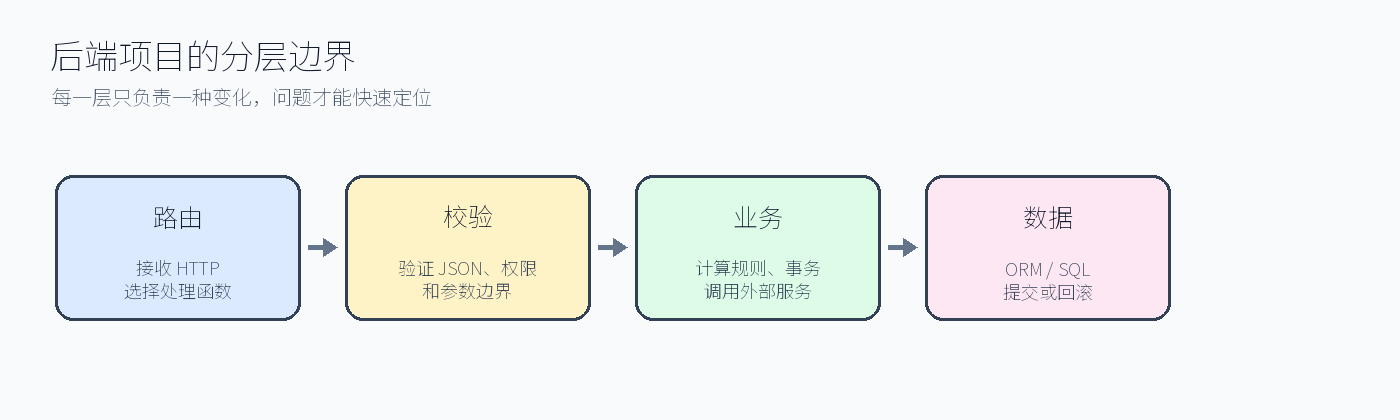
一、上一篇课后练习讲解
报表测试应准备收入和支出两种记录,断言 income、expense、balance 三个字段;无效月份请求应返回 400,不能被当成当前月份处理。
上一篇课后练习完整答案
上一篇练习的要求已落实到下面完整文件;先运行项目测试,再用 curl 对照状态码和数据库持久化结果
答案要点:pytest 用户故事从注册、登录走到分类、账目和报表,并覆盖重复邮箱、越权和事务回滚失败路径。
文件:tests/test_flow.py
完整参考答案文件
完整文件:tests/test_flow.py
python
def test_duplicate_and_isolation(client):
    assert client.post("/api/auth/register", json={"email":"a@e.com","password":"correct-horse"}).status_code == 201
    assert client.post("/api/auth/register", json={"email":"a@e.com","password":"correct-horse"}).status_code == 409
    assert client.get("/api/entries").status_code == 401
完整参考答案文件
本篇对应的交付源码完整文件:flask-ledger/tests/test_app.py
python
def test_health(client):
    assert client.get("/api/health").get_json() == {"status": "ok"}


def test_register_login_and_me(client):
    response = client.post("/api/auth/register", json={"email": "A@example.com", "password": "password123"})
    assert response.status_code == 201
    assert client.post("/api/auth/login", json={"email": "a@example.com", "password": "password123"}).status_code == 200
    assert client.get("/api/auth/me").get_json()["email"] == "a@example.com"


def test_ledger_flow(logged_client):
    category = logged_client.post("/api/categories", json={"name": "餐饮"}).get_json()
    created = logged_client.post("/api/transactions", json={
        "kind": "expense", "amount": "28.50", "category_id": category["id"],
        "happened_on": "2026-08-06", "note": "午饭",
    })
    assert created.status_code == 201
    assert created.get_json()["amount"] == "28.50"
    items = logged_client.get("/api/transactions").get_json()["items"]
    assert len(items) == 1
    stats = logged_client.get("/api/statistics/monthly?month=2026-08").get_json()
    assert stats["expense"] == "28.50"
    assert logged_client.delete(f"/api/transactions/{items[0]['id']}").status_code == 204


def test_users_cannot_share_categories(client):
    client.post("/api/auth/register", json={"email": "first@example.com", "password": "password123"})
    client.post("/api/auth/login", json={"email": "first@example.com", "password": "password123"})
    category = client.post("/api/categories", json={"name": "工资"}).get_json()
    client.post("/api/auth/logout")
    client.post("/api/auth/register", json={"email": "second@example.com", "password": "password123"})
    client.post("/api/auth/login", json={"email": "second@example.com", "password": "password123"})
    response = client.post("/api/transactions", json={"kind": "income", "amount": "100", "category_id": category["id"]})
    assert response.status_code == 404
验收命令:python -m pytest -q(Django 项目使用 python manage.py test)。预期测试通过;若失败先检查迁移、配置和事务回滚。
二、最终项目结构
text
flask-ledger/
├─ app/
│  ├─ __init__.py       # 应用工厂
│  ├─ extensions.py     # db/login扩展
│  ├─ models.py         # User/Category/Transaction
│  ├─ auth.py           # 注册、登录、退出
│  └─ ledger.py         # 分类、账目、报表
├─ tests/
├─ requirements.txt
└─ run.py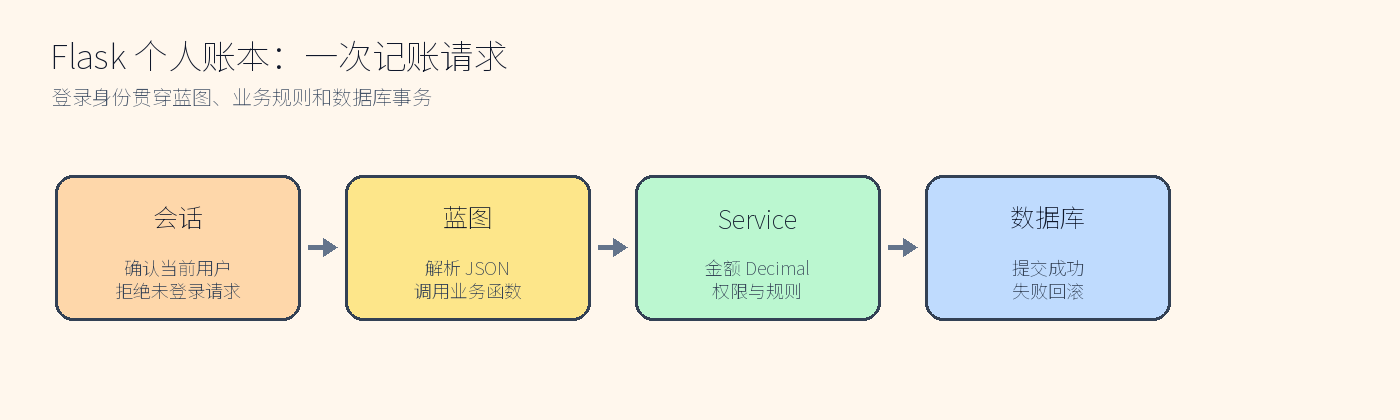
三、从空目录启动
powershell
python -m venv .venv
.venv\\Scripts\\activate
pip install -r requirements.txt
$env:SECRET_KEY='change-this-in-production'
python run.py
生产环境不能使用开发密钥;数据库地址、端口和日志级别也应通过环境变量提供。启动后依次验证 /health、注册、登录、分类、账目、报表和删除。
四、最终验收
powershell
python -m pytest -q验收标准:测试全部通过;用户只能访问自己的资源;金额使用 Decimal;无效输入有明确状态码;项目能够从空目录安装和启动。Flask 阶段完成后,下一篇进入 Django 商城,继续学习相同的模型、权限和事务思想在另一框架中的实现。
五、毕业练习
给 README 增加 API 表格,包括方法、路径、登录要求、请求 JSON、成功状态码和失败状态码,并用 curl 完成一次完整演示。
项目增量:从空目录完成 Flask 交付
验收顺序是创建虚拟环境、安装依赖、复制环境变量、执行迁移、运行测试、启动服务和手工请求。任何一步失败都记录命令和原因,不用"我本地可以"代替。
powershell
python -m venv .venv
.venv\\Scripts\\python.exe -m pip install -r requirements.txt
.venv\\Scripts\\python.exe -m pytest -q
.venv\\Scripts\\python.exe -m flask --app app run
最终检查健康接口、注册登录、用户隔离、金额 Decimal、分页和月度报表;README 写清数据库初始化和测试边界。课后练习提交一份故障复盘,下一阶段把同样的项目思路迁移到 Django。
六、Flask 阶段交付检查表
交付前逐项执行:删除 ledger.db 后运行迁移;新建用户并验证密码列是哈希;登录后创建分类和账目;使用第二个用户请求第一个用户的 id,确认返回 404;插入收入和支出后核对报表;执行 python -m pytest -q 并保存原始输出。若任一项只能在"已有数据的机器"上成功,说明 README 或迁移仍不完整。
项目的价值不在接口数量,而在边界清楚:配置不进代码,密码不进日志,金额不使用浮点,查询默认带所有权,失败事务可回滚。带着这五条原则进入 Django,看到相似需求时就能判断哪些代码可以复用、哪些必须重新设计。
再做一次"破坏性验收":把数据库文件改成只读,/ready 应返回明确的 503;把环境变量 SECRET_KEY 删除,生产配置应拒绝启动;把一个账目的 user_id 改成另一个用户,列表和报表都不能显示它。把这些失败结果写入 README,后来的读者才能知道项目不仅能跑通成功路径,也能在依赖异常时安全失败。
最后检查文档中的每个命令都在项目根目录可执行,路径使用正斜杠或 PowerShell 兼容写法;代码示例的文件名与仓库一致。验收者不需要猜"这段代码放哪里",也不需要依赖作者机器上的隐藏环境变量。
若使用外部 PostgreSQL,只需替换 DATABASE_URL 并重新执行迁移,接口和测试不应改变;这正是应用工厂和 Repository 边界带来的可替换性。把验收记录连同版本号提交,后续回顾时可以复现同一次结果。
这份报告就是本阶段的交付凭证。
七、阶段性项目复盘
Flask 账本从 /health 开始,逐步串起配置、蓝图、认证、分类、账目、分页、报表和 pytest。每个接口都有明确的输入、成功状态码和失败状态码;每个数据查询都带当前用户;每个跨多表写入都说明事务边界。学习者可以从 app/__init__.py 沿着蓝图追到 service,再从测试反向理解需求,而不是只能复制一个大文件。
建议把验收数据写入 docs/flask-acceptance.md:记录命令、时间、Python 版本、数据库迁移版本和失败场景。下一阶段 Django 会用同样的验收表格,但把事务和权限放到 Django 的 service、QuerySet 和 DRF 层中。
验收报告示例
text
环境:Windows 11 / Python 3.11.9 / Flask 3.x
迁移:head=2025_01_add_entry_constraints
测试:5 passed
冒烟:health=200, register=201, duplicate=409, login=200,
      category=201, entry=201, report=200, cross_user=404
故障:只读数据库时 ready=503;恢复写权限后重新迁移并通过测试
报告中的数字必须来自实际终端,而不是手工填写。若以后增加字段或更换数据库,先更新验收脚本,再修改文档正文,确保学习者总能按同一组命令验证结果。Flask 阶段到此形成可交付的个人账本,而不是若干互不相干的示例接口。
本篇结束:完整模块文件
下面是交付项目中真实存在的完整文件 flask-ledger/tests/test_app.py。它覆盖本篇新增逻辑以及前文已经完成的依赖代码;复制单个函数会丢失上下文,因此这里提供整份文件。
python
def test_health(client):
    assert client.get("/api/health").get_json() == {"status": "ok"}


def test_register_login_and_me(client):
    response = client.post("/api/auth/register", json={"email": "A@example.com", "password": "password123"})
    assert response.status_code == 201
    assert client.post("/api/auth/login", json={"email": "a@example.com", "password": "password123"}).status_code == 200
    assert client.get("/api/auth/me").get_json()["email"] == "a@example.com"


def test_ledger_flow(logged_client):
    category = logged_client.post("/api/categories", json={"name": "餐饮"}).get_json()
    created = logged_client.post("/api/transactions", json={
        "kind": "expense", "amount": "28.50", "category_id": category["id"],
        "happened_on": "2026-08-06", "note": "午饭",
    })
    assert created.status_code == 201
    assert created.get_json()["amount"] == "28.50"
    items = logged_client.get("/api/transactions").get_json()["items"]
    assert len(items) == 1
    stats = logged_client.get("/api/statistics/monthly?month=2026-08").get_json()
    assert stats["expense"] == "28.50"
    assert logged_client.delete(f"/api/transactions/{items[0]['id']}").status_code == 204


def test_users_cannot_share_categories(client):
    client.post("/api/auth/register", json={"email": "first@example.com", "password": "password123"})
    client.post("/api/auth/login", json={"email": "first@example.com", "password": "password123"})
    category = client.post("/api/categories", json={"name": "工资"}).get_json()
    client.post("/api/auth/logout")
    client.post("/api/auth/register", json={"email": "second@example.com", "password": "password123"})
    client.post("/api/auth/login", json={"email": "second@example.com", "password": "password123"})
    response = client.post("/api/transactions", json={"kind": "income", "amount": "100", "category_id": category["id"]})
    assert response.status_code == 404