目录
-
在 IPFS 中,网关是提供公共访问接口的服务器,它们允许你通过 HTTP 协议访问 IPFS 网络中的内容,通常形式为
http://<gateway>/ipfs/<cid>。网关扮演着桥梁的角色,其通过提供传统 HTTP 协议的入口,使得非 IPFS 用户也能够方便地访问存储在 IPFS 上的文件和数据。gateway为多地址(multiaddress)形式。
multiaddr API 多地址
- IPFS 节点使用多地址(multiaddress)来指定不同的通信协议和网络层。
- IPFS 支持多种类型的多地址(
multiaddr)格式,支持多种协议(如https,http,ws,wss等),以及不同类型的连接方式(如通过 DNS、IP 地址、WebSocket 等)。例如:-
DNS 地址 :
/dns4/{hostname}/https/- 例如:
/dns4/ipfs.io/https/,表示通过 DNS 解析ipfs.io并使用 HTTPS 协议与其连接。 - If you want browsers to connect to e.g. /dns4/example.com/tcp/443/wss/p2p/QmFoo
- 例如:
-
IP 地址 :
/ip4/{ip}/tcp/{port}- 例如:
/ip4/192.168.1.100/tcp/5001,表示连接到 IP 地址192.168.1.100上的 IPFS 节点,使用 TCP 协议和 5001 端口。
- 例如:
-
WebSocket 连接 :
/ip4/{ip}/tcp/{port}/ws- 如果你使用 WebSocket 协议与节点通信,可以使用这样的地址,例如
/ip4/127.0.0.1/tcp/5001/ws。
- 如果你使用 WebSocket 协议与节点通信,可以使用这样的地址,例如
-
IPv6 地址 :
/ip6/{ipv6_address}/tcp/{port}- 如果你希望通过 IPv6 地址连接到 IPFS 节点,可以使用类似
/ip6/2001:db8::/tcp/5001这样的格式。
- 如果你希望通过 IPv6 地址连接到 IPFS 节点,可以使用类似
-
示例
-
IPFS 提供商
javascriptconst API_MULTIADDR = "/dns4/ipfs.io/https/"; // 使用 ipfs.io 作为网关 // 有些提供商(如 Pinata、Fleek、Infura 等)提供了专用的 IPFS API 端点: const API_MULTIADDR = "/dns4/ipfs.infura.io/https/"; // Infura 网关 const API_MULTIADDR = "/dns4/ipfs.pinata.cloud/https/"; // Pinata 网关 -
使用本地运行的 IPFS 节点
javascriptconst API_MULTIADDR = "/ip4/127.0.0.1/tcp/5001"; // 本地节点 -
使用 WebSocket 连接
javascriptconst API_MULTIADDR = "/ip4/127.0.0.1/tcp/5001/ws"; // WebSocket 连接
kubo-rpc-client
- 当 Kubo IPFS 节点作为守护进程运行时,它会公开一个 HTTP RPC API,kubo-rpc-client(
npm i kubo-rpc-client)用于连接RPC API的服务地址,允许您控制节点并运行与命令行相同的命令。
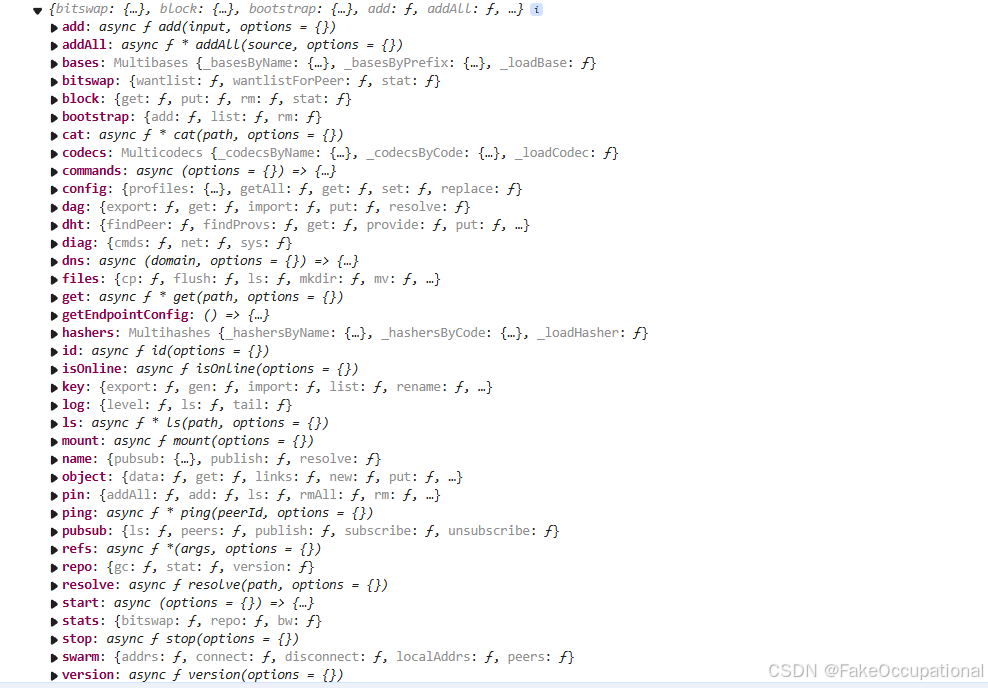
连接服务 create(options)
cpp
import { create } from 'kubo-rpc-client'

// connect to ipfs daemon API server
const ipfs = create('http://localhost:5001') // (the default in Node.js)

// or connect with multiaddr
const ipfs = create('/ip4/127.0.0.1/tcp/5001')

// or using options
const ipfs = create({ host: 'localhost', port: '5001', protocol: 'http' })

// or specifying a specific API path
const ipfs = create({ host: '1.1.1.1', port: '80', apiPath: '/ipfs/api/v0' })
添加数据
cpp
const { cid } = await client.add('Hello world!')读取数据
cpp
const chunks = [];
for await (const chunk of ipfs.cat(cidToFetch)) {
  chunks.push(chunk);
}
const allChunks = new Uint8Array(chunks.reduce((acc, chunk) => [...acc, ...chunk], []));
const content = new TextDecoder().decode(allChunks);- 读取的chunk为Uint8Array数据(8 位无符号整数数组),CID的数据太长会分片,示例:Uint8Array(10) 72, 69, 76, 76, 79, 87, 79, 82, 76, 68, buffer: ArrayBuffer(10), byteLength: 10, byteOffset: 0, length: 10, Symbol(Symbol.toStringTag): 'Uint8Array'
使用示例
nodejs
js
// sudo apt update && sudo apt install -y nodejs npm
// https://codesandbox.io/examples/package/kubo-rpc-client
// https://codesandbox.io/p/sandbox/ipfs-upload-and-fetch-v8-4cggs3
import { randomBytes } from "crypto";
import { create } from "kubo-rpc-client";

const DATA_SIZE = 512001;

//const DATA_SIZE = 1860000;
const API_MULTIADDR = "/dns4/ipfs-upload.v8-bellecour.iex.ec/https/";

const GATEWAYS = ["https://ipfs-gateway.v8-bellecour.iex.ec"];

const upload = async () => {
  try {
    const ipfs = create(API_MULTIADDR);
    const buffer = randomBytes(DATA_SIZE);
    console.log(`adding ${buffer.length} random bytes`);
    const result = await ipfs.add(buffer);
    console.log(`ipfs add ok`);
    const { cid } = result;
    console.log(`added ${cid.toString()}`);

    await Promise.all(
      GATEWAYS.map((gateway) =>
        fetch(`${gateway}/ipfs/${cid.toString()}`)
          .then((res) => {
            if (!res.ok) {
              throw Error(`${gateway} bad response: ${res.status}`);
            } else {
              console.log(`found ${cid.toString()} on ${gateway}`);
            }
          })
          .catch((e) => console.error(e.message))
      )
    );
  } catch (e) {
    console.error(e.message);
  }
};

const upload_cid = async () => {
  try {
    const { cid } = "QmWp48QrabA75rUF86iEkiEMLq222YiE37D76gTtoJocxS";
    console.log(`try to download ${cid}`);

    await Promise.all(
      GATEWAYS.map((gateway) =>
        fetch(`${gateway}/ipfs/${cid}`)
          .then((res) => {
            if (!res.ok) {
              throw Error(`${gateway} bad response: ${res.status}`);
            } else {
              console.log(`found ${cid.toString()} on ${gateway}`);
            }
          })
          .catch((e) => console.error(e.message))
      )
    );
  } catch (e) {
    console.error(e.message);
  }
};

const button = document.getElementById("upload-button");
const button2 = document.getElementById("upload-cid");

button.addEventListener("click", () => upload());
button2.addEventListener("click", () => upload());

button.disabled = false;
button2.disabled = false;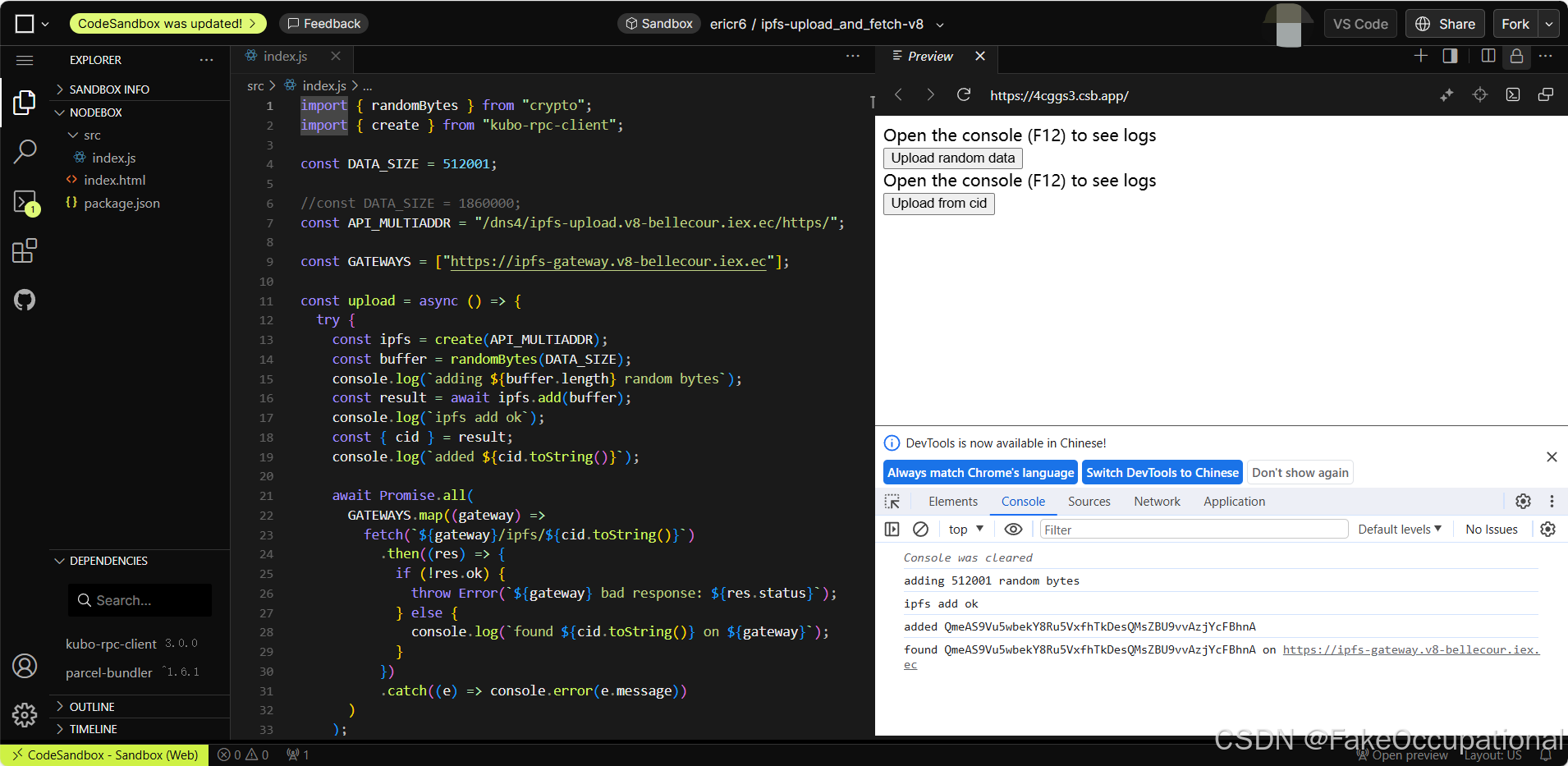
浏览器直接使用
<script src="https://unpkg.com/kubo-rpc-client/dist/index.min.js"></script> // https://github.com/ipfs/js-kubo-rpc-clientCG