系列文章
高级篇
DeepDraw引擎 vs SketchUp 功能演示Demo截图
用 DeepDraw 几何引擎开发建筑设计软件(一):SketchUp 替代
用 DeepDraw 几何引擎开发建筑设计软件(二):下载DeepDraw
用 DeepDraw 几何引擎开发建筑设计软件(三):用代码绘制线段
用 DeepDraw 几何引擎开发建筑设计软件(四):用代码绘制面
用 DeepDraw 几何引擎开发建筑设计软件(五):创建选择工具
用 DeepDraw 几何引擎开发建筑设计软件(六):读取模型文件
用 DeepDraw 几何引擎开发建筑设计软件(七):InputPoint输入捕获器
用 DeepDraw 几何引擎开发建筑设计软件(八):画线工具
用 DeepDraw 几何引擎开发建筑设计软件(九):矩形工具
用 DeepDraw 几何引擎开发建筑设计软件(十):推挤工具
用 DeepDraw 几何引擎开发建筑设计软件(十一):偏移工具
基础篇
Python+OpenGL绘制3D模型(六)材质文件载入和贴图映射
Python+OpenGL绘制3D模型(七)制作3dsmax导出插件
介绍
多数人认为推挤工具是Sketchup的核心,从图形学引擎的角度看,我觉得只能算是常用的功能吧,因为大多数建模软件都有挤压(Extrude)工具,Sketchup最本质的区别是多边形建模中点线面的自动合并算法,还有辅助线功能也是独一份的存在
挤压工具算法其实不难,DeepDraw引擎开发的最初,挤压工具也是Python编写的,总共500行左右,不用参考任何代码文章,自己想想,1天时间也能跑起来,实现过程也没有遇到什么障碍。现在DeepDraw引擎集成好了PushPullController,可以直接调用,工具需要的代码就很少,主要就是交互,执行交给引擎来做了
如果大家对挤压算法感兴趣的话,可以自己用API写一下试试,这样非常有帮助,到系列文章完成的时候,我会把答案公布出来供参考
推挤工具+偏移工具的组合,已经基本实现了Sketchup建模范式
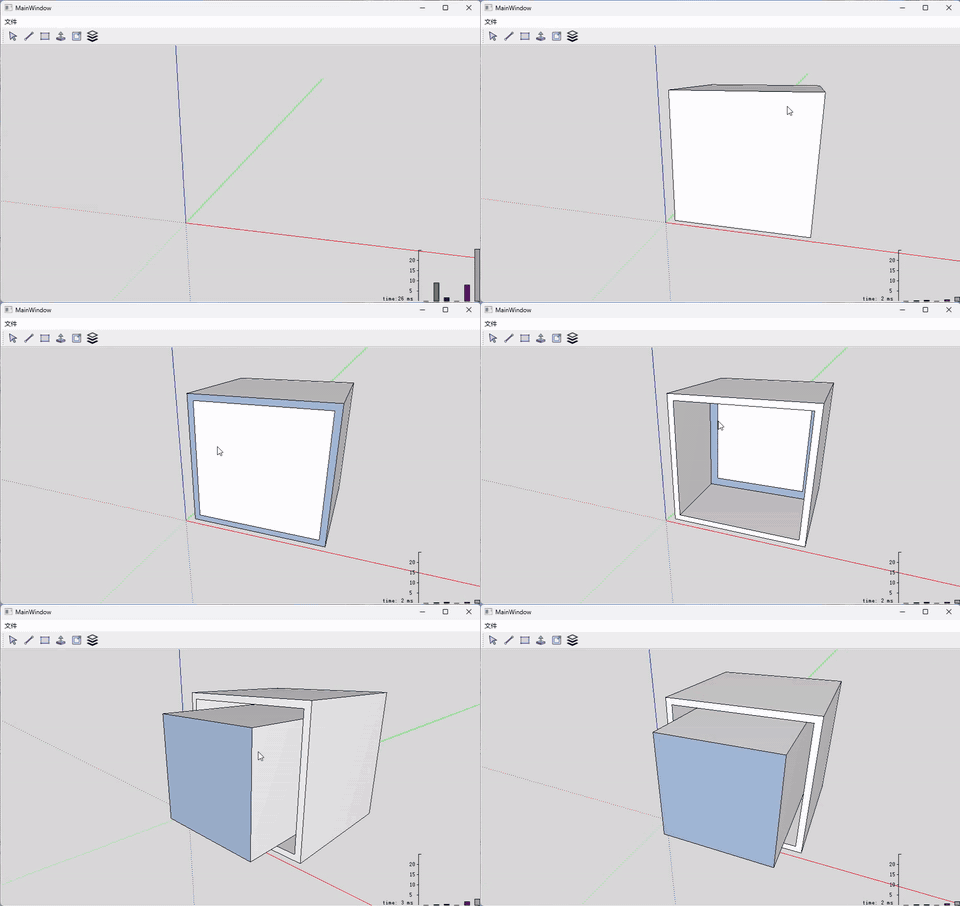
墙体自动开孔,也是Sketchup非常有特色的功能,这才是核心,才是我们需要学习和研究的
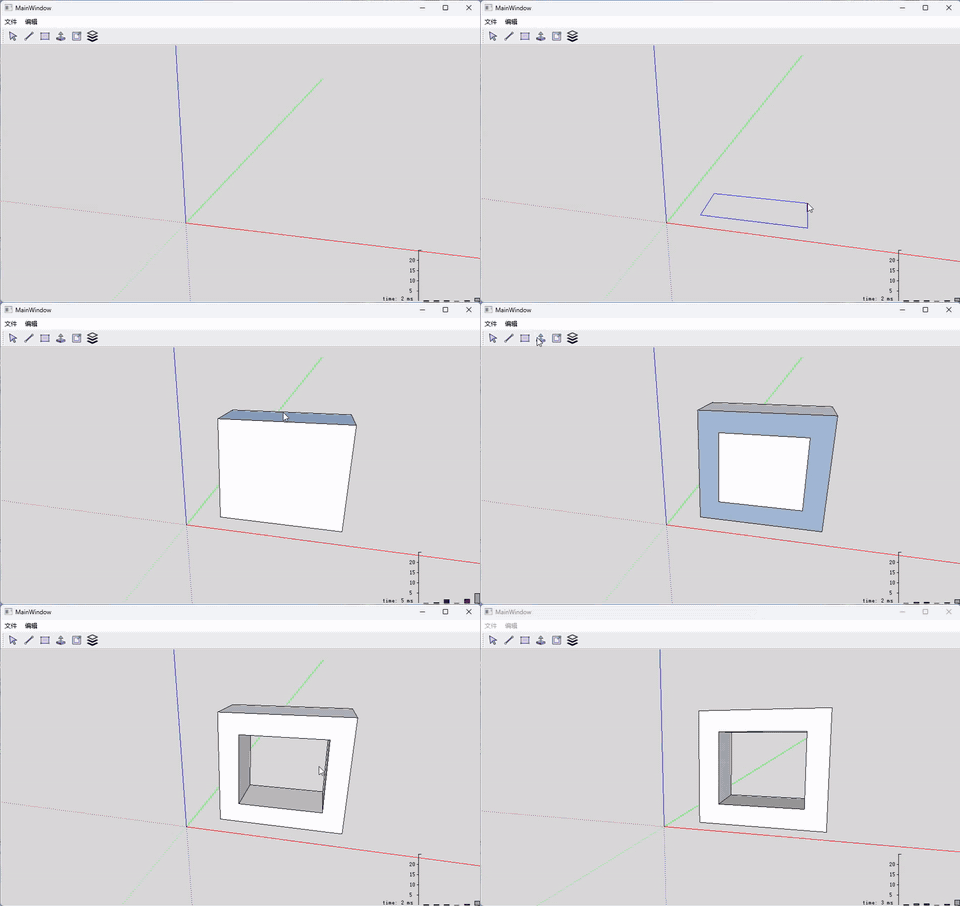
创建PushTool
python
import core
from push_pull_controller import PushPullController

class PushTool(core.IBaseTool):
    def __init__(self, view):
        super().__init__(view.view_proxy)
        self.view = view
        self.ctrl = None

    def activate(self):
        self.push_dir = None
        self.push_orig = None
        self.push_dist = 0.0
        self.input = core.CInputPointFinder(self.view.view_proxy)
        self.is_begin = False
        self.view.setMouseTracking(True)

    def deactivate(self):
        self.view.setMouseTracking(False)

    def draw(self, gl):
        if self.is_begin:
            self.input.Draw()

            push_target_point = self.push_orig.MoveForward(self.push_dir, self.push_dist)
            self.draw_line(self.push_orig, push_target_point, gl)

    def draw_line(self, p1, p2, gl):
        gl.glColor3f(1.0, 0.0, 0.0);
        gl.glBegin(gl.GL_LINES)
        gl.glVertex3d(p1.x, p1.y, p1.z )
        gl.glVertex3d(p2.x, p2.y, p2.z )
        gl.glEnd()

    def on_left_button_down(self, pos, mod):
        self.last_pos = pos

        if self.is_begin == False:

            pick = core.CPickHelper(self.view.view_proxy)
            pick.SinglePick(pos.x(), pos.y(), 9, None)

            push_face = None
            model = self.view.model
            best_face = pick.PickedFace()
            if best_face:
                push_face = best_face.e
            else:
                model.ClearSelection()
                return

            self.view.model.UndoManager().StartOperation("Push")

            self.is_begin = True

            self.ctrl = PushPullController()
            self.ctrl.begin(push_face, model)

            select_ls = [self.ctrl.push_face]
            model.SetSelection(select_ls)

            plane = push_face.GetPlane()
            self.push_dir = core.CVector3D(plane.x, plane.y, plane.z)

            pick_ray = pick.GetPickRay()

            s = plane.IntersectWithLine(pick_ray)
            self.push_orig = pick_ray.PointAt(s)
            self.push_dist = 0.0

        else:
            self.ctrl.finish()
            self.view.model.UndoManager().CommitOperation()
            self.is_begin = False
            self.view.model.ClearSelection()

        self.view.MarkDirty()

    def on_left_button_up(self, pos):
        pass

    def do_find_point(self, px, py):
        input = self.input
        input.Reset()

        self.snap_axis = 8

        #=======================
        # Pick
        def filter1(e):
            return e not in self.ctrl.filter_set

        filter_proxy = core.EntityFilter(filter1)

        ok = input.Inference(px, py, filter_proxy, None)
        assert ok

        #print( self.input.snap_type)

        if self.input.snap_type == core.SnapType.axis_plane:
            #print("SnapType.axis_plane")
            return False, None
        elif self.input.snap_type == core.SnapType.axis:
            #print("SnapType.axis")
            return False, None
        elif self.input.snap_type == core.SnapType.face:
            # check plane
            face = self.input.snap_to
            if face.GetPlane().IsSameTo2(self.ctrl.begin_plane):
                #print("same to begin_plane")
                return False, None

            push_face = self.ctrl.push_face
            if not face.GetPlane().GetNormal().InParallelWith(push_face.GetPlane().GetNormal()):
                #print("not paralle")
                return False, None

        return True, input.Position()

    def on_mouse_move(self, pos, modifiers):
        if self.is_begin:
            ok, point = self.do_find_point(pos.x(), pos.y())
            if ok:
                s1 = (point-self.push_orig).Dot(self.push_dir)
            else:
                pick_ray = self.input.pick_helper.GetPickRay()
                push_ray = core.CStraightLine(self.push_orig, self.push_dir)
                ok, s1, s2 = core.CStraightLine.ComputeNearestPoint(push_ray, pick_ray)
                if not ok:
                    print("Compute push_dist Error")
                    return

            value = s1

            diff = value - self.push_dist

            diff_vec = self.push_dir*diff

            self.ctrl.push(diff_vec)

            self.push_dist = value

            # update model
            self.view.MarkDirty()

        self.last_pos = pos