《Spring Boot 3:高级与架构设计》第 2 章 IOC容器的高级机制 BeanFactoryPostProcessor 个人理解 6
1 什么是 BeanFactoryPostProcessor
BeanFactoryPostProcessor 也是一个后置处理器,与 BeanPostProcessor 不同的是,它并不作用于 IOC 容器中的 Bean,而直接作用于 IOC 容器中的 BeanDefinition。
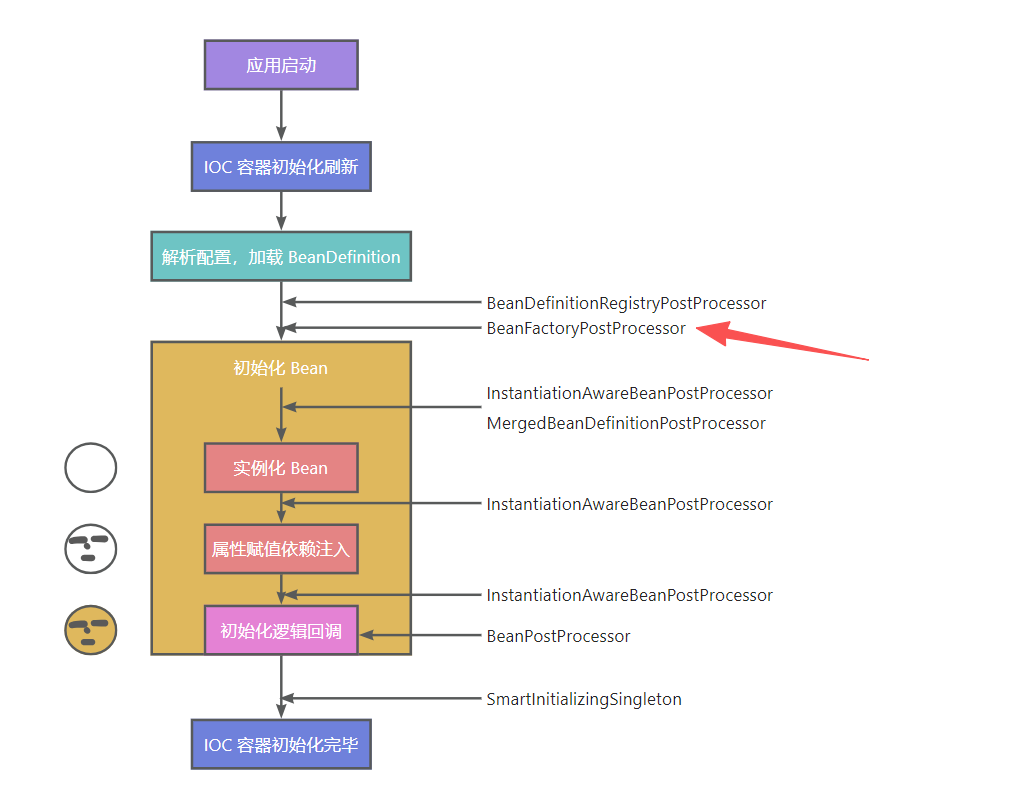
BeanFactoryPostProcessor 的执行时机是在所有非延迟加载的单实例 Bean 初始化之前。
简而言之,BeanFactoryPostProcessor 的触发时机如图所示,即 BeanDefinition 已经注册到 BeanDefinitionRegistry,但尚未初始化非延迟加载的单实例 Bean。
2 BeanFactoryPostProcessor 如何使用
模拟一个需求场景:
构造几个 Color 颜色类的 Bean,并在这些 Bean 创建之前,将 Bean 的名称写入内部属性。
该需求与实现 BeanNameAware 接口的效果一致。
2.1 回顾 BeanNameAware 接口
BeanNameAware 是一个回调注入接口。
回调注入是一种比较特殊的注入方式,它由 Spring Framework 的扩展机制得来。在实际的项目开发中,如果遇到某些 Bean 需要注入 Spring Framework 的内置组件(如 ApplicationContext),则需要利用回调注入来实现。
在较高版本的 Spring Framework 中,使用 @Autowired 即可在大多数普通 Bean 中注入 Spring Framework 的内置组件,但还是有一小部分特殊的 Bean 无法正常使用 @Autowired 注入,该部分内容会在后续的高级篇中讲解。
回调注入机制源自 Spring Framework 3.1 版本,它的核心是一个接口:Aware。Aware 本身内部没有定义任何方法,只是一个类似于Serializable 的标识性接口,但是其下有一系列子接口。
借助 IDEA 观察继承关系,可以发现 Aware 接口的子接口非常多,而且从命名方式能得知这些接口分别是用来注入哪个组件的(如 ApplicationContextAware 注入的组件是 ApplicationContext)。
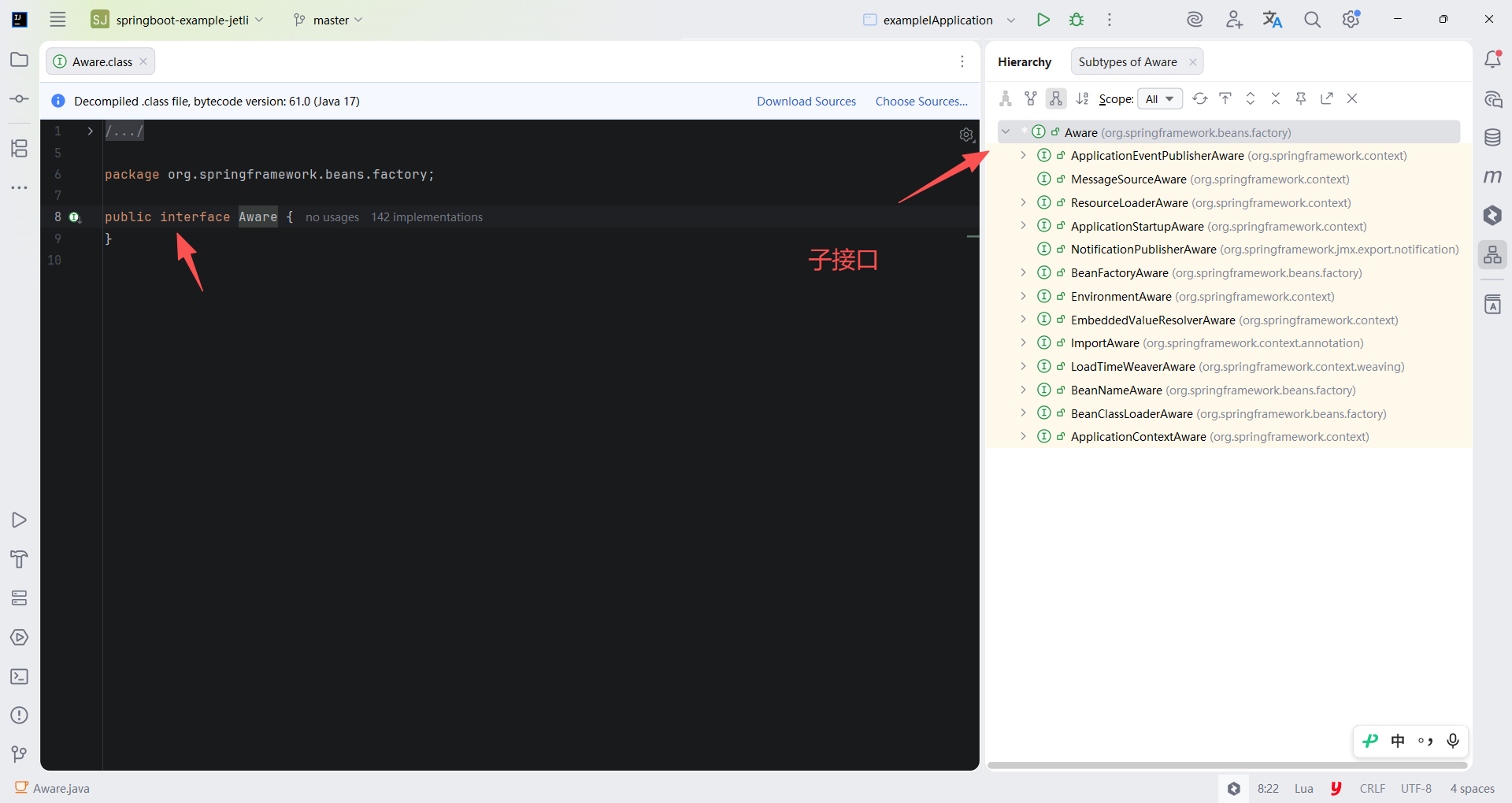
常用的子接口绝大多数可以借助 @Autowired 注入,个别需要 Aware 接口来帮忙注入。
下面分别介绍两个相对有代表性的 Aware 子接口的回调注入使用。
1 ApplicationContextAware
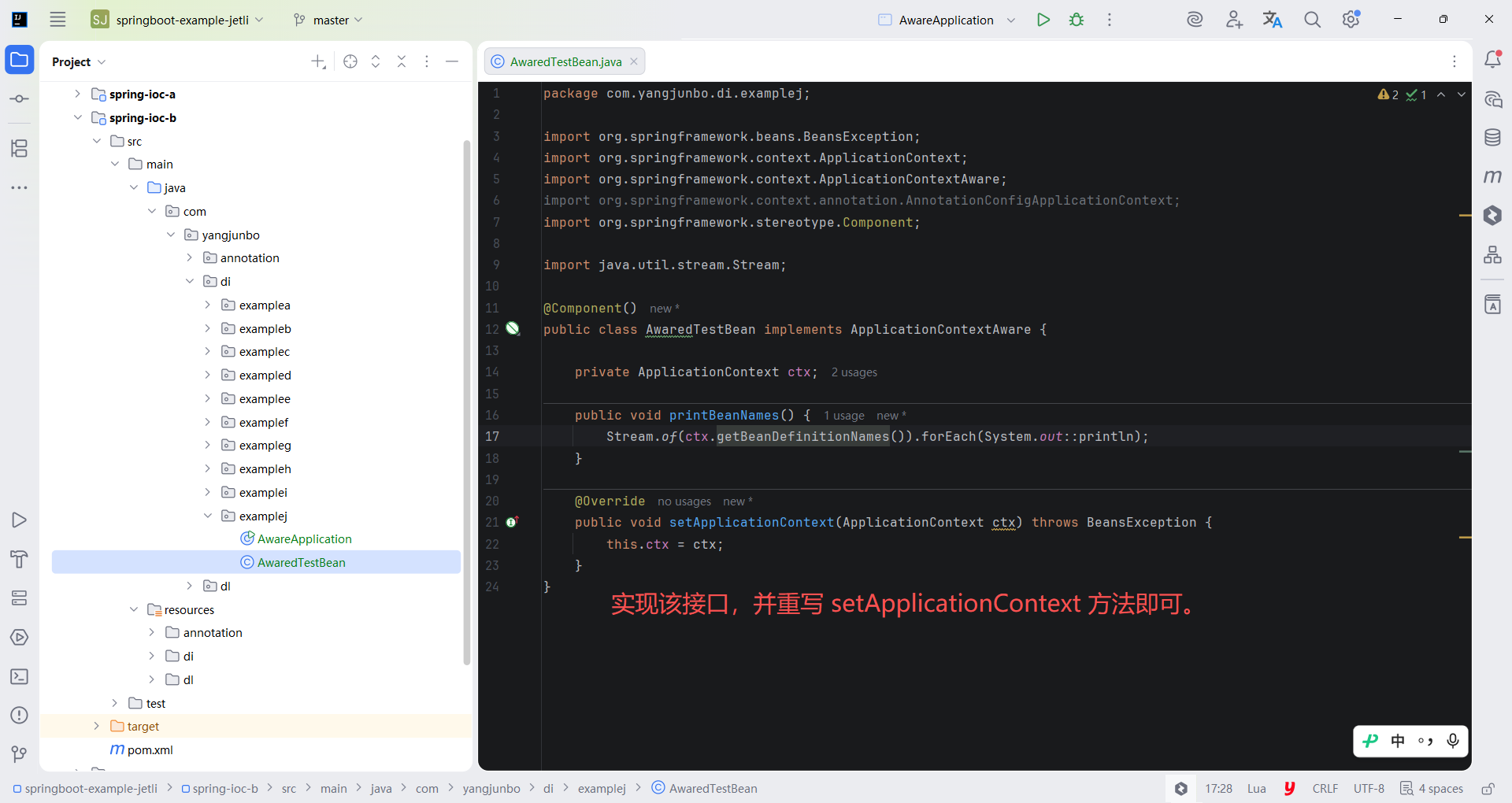
ApplicationContextAware 的使用方式非常简单,只需要在需要注入的类中实现该接口,并重写 setApplicationContext 方法即可。AwaredTestBean 中有一个 ApplicationContext 类型的变量 ctx,该变量在 setApplicationContext 方法被回调时赋值。
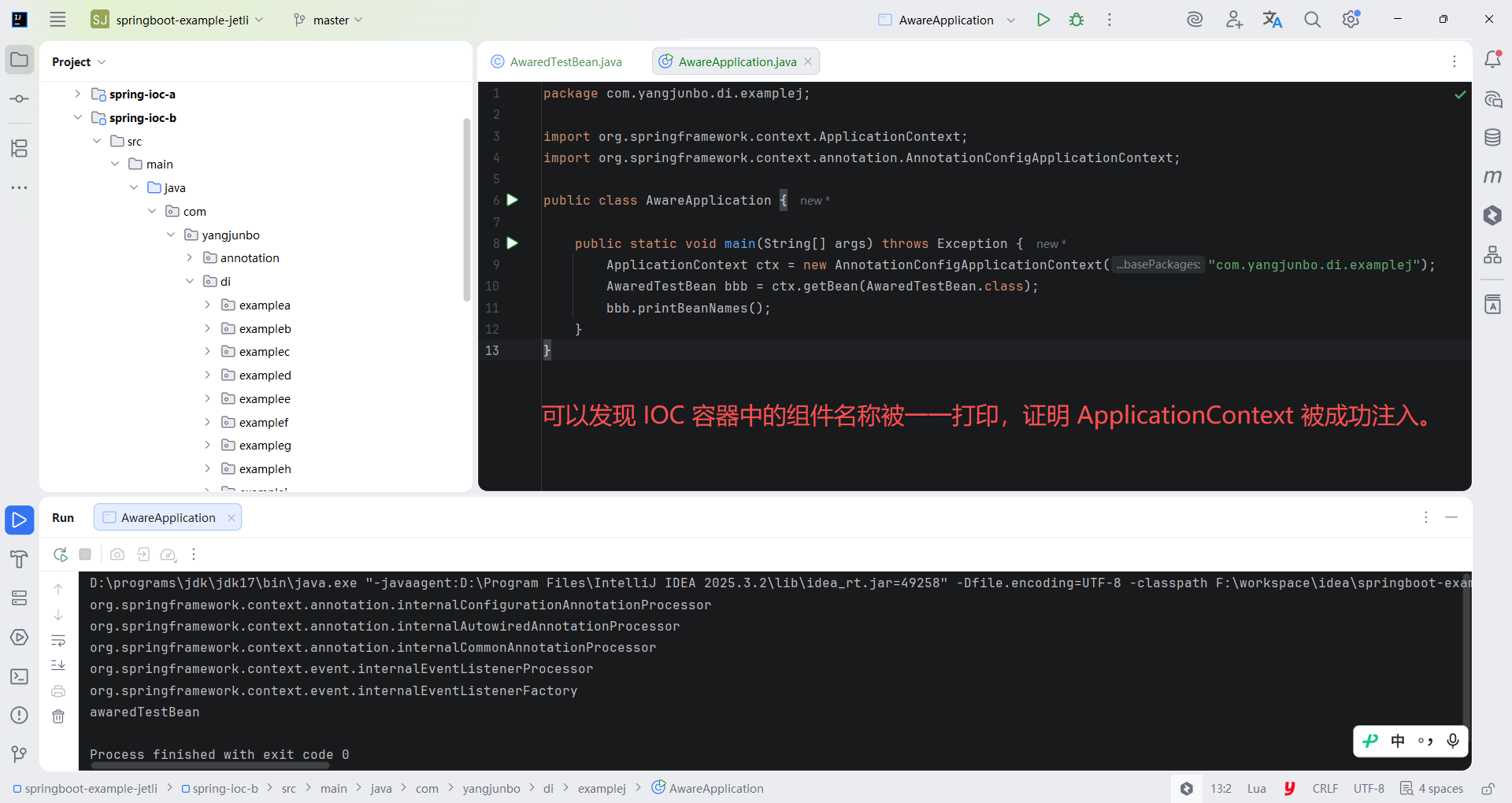
随后使用组件扫描的方式驱动 IOC 容器,获取 AwaredTestBean 并调用 printBeanNames 方法检验效果。
运行 AwareApplication 的 main 方法,可以发现 IOC 容器中的组件名称被一一打印,证明 ApplicationContext 被成功注入。
java
package com.yangjunbo.di.examplej;

import org.springframework.beans.BeansException;
import org.springframework.context.ApplicationContext;
import org.springframework.context.ApplicationContextAware;
import org.springframework.context.annotation.AnnotationConfigApplicationContext;
import org.springframework.stereotype.Component;

import java.util.stream.Stream;

@Component()
public class AwaredTestBean implements ApplicationContextAware {

    private ApplicationContext ctx;

    public void printBeanNames() {
        Stream.of(ctx.getBeanDefinitionNames()).forEach(System.out::println);
    }

    @Override
    public void setApplicationContext(ApplicationContext ctx) throws BeansException {
        this.ctx = ctx;
    }
}
java
package com.yangjunbo.di.examplej;

import org.springframework.context.ApplicationContext;
import org.springframework.context.annotation.AnnotationConfigApplicationContext;

public class AwareApplication {

    public static void main(String[] args) throws Exception {
        ApplicationContext ctx = new AnnotationConfigApplicationContext("com.yangjunbo.di.examplej");
        AwaredTestBean bbb = ctx.getBean(AwaredTestBean.class);
        bbb.printBeanNames();
    }
}
2 BeanNameAware
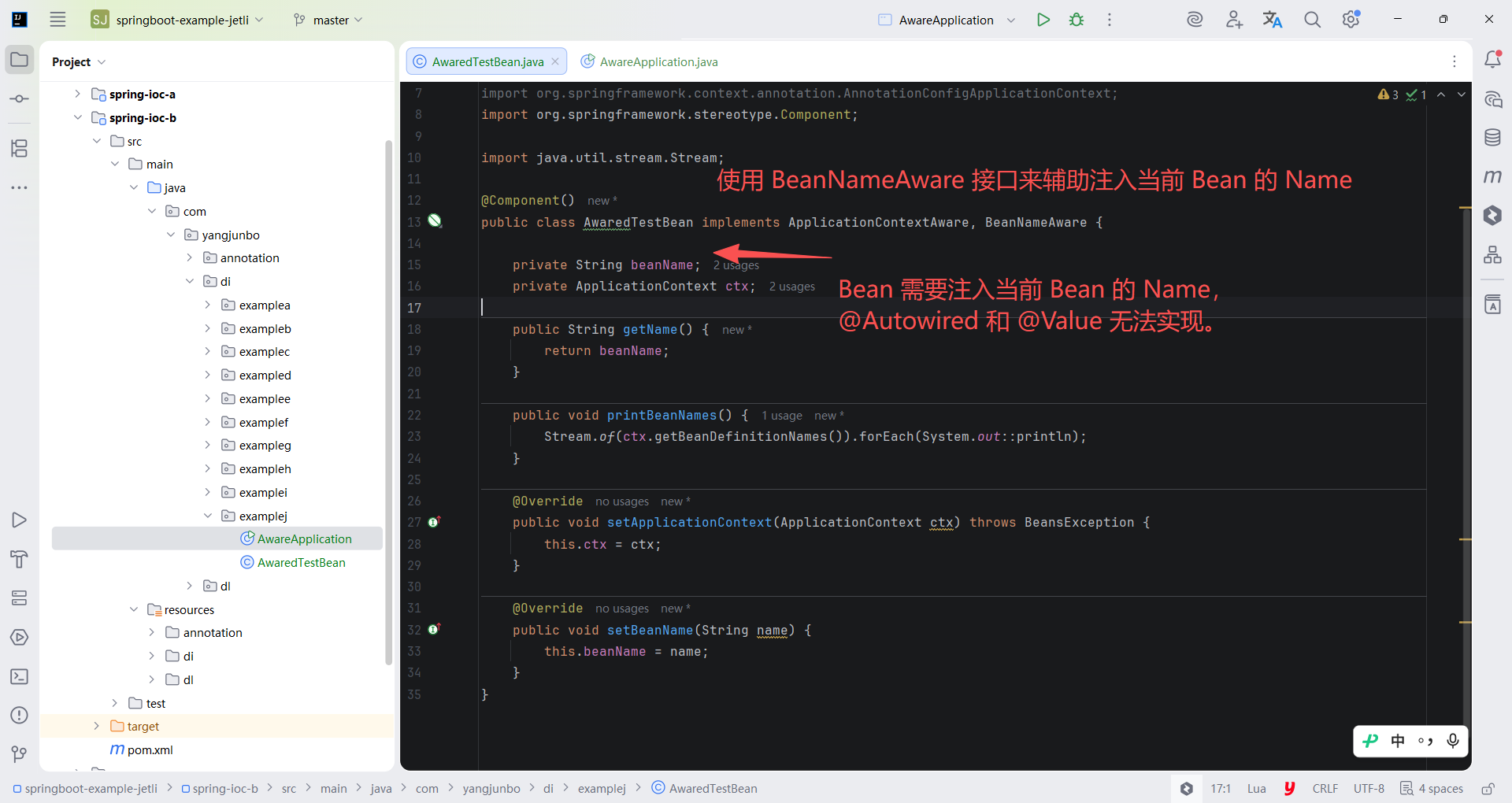
如果当前的 Bean 需要依赖它本身的 Bean 名称,那么使用 @Autowired 和 @Value 将无法注入,此时就需要使用 BeanNameAware 接口来辅助注入当前 Bean 的 Name。
AwaredTestBean 实现 BeanNameAware 接口,并增加 getName 方法用于打印自身的 beanName。
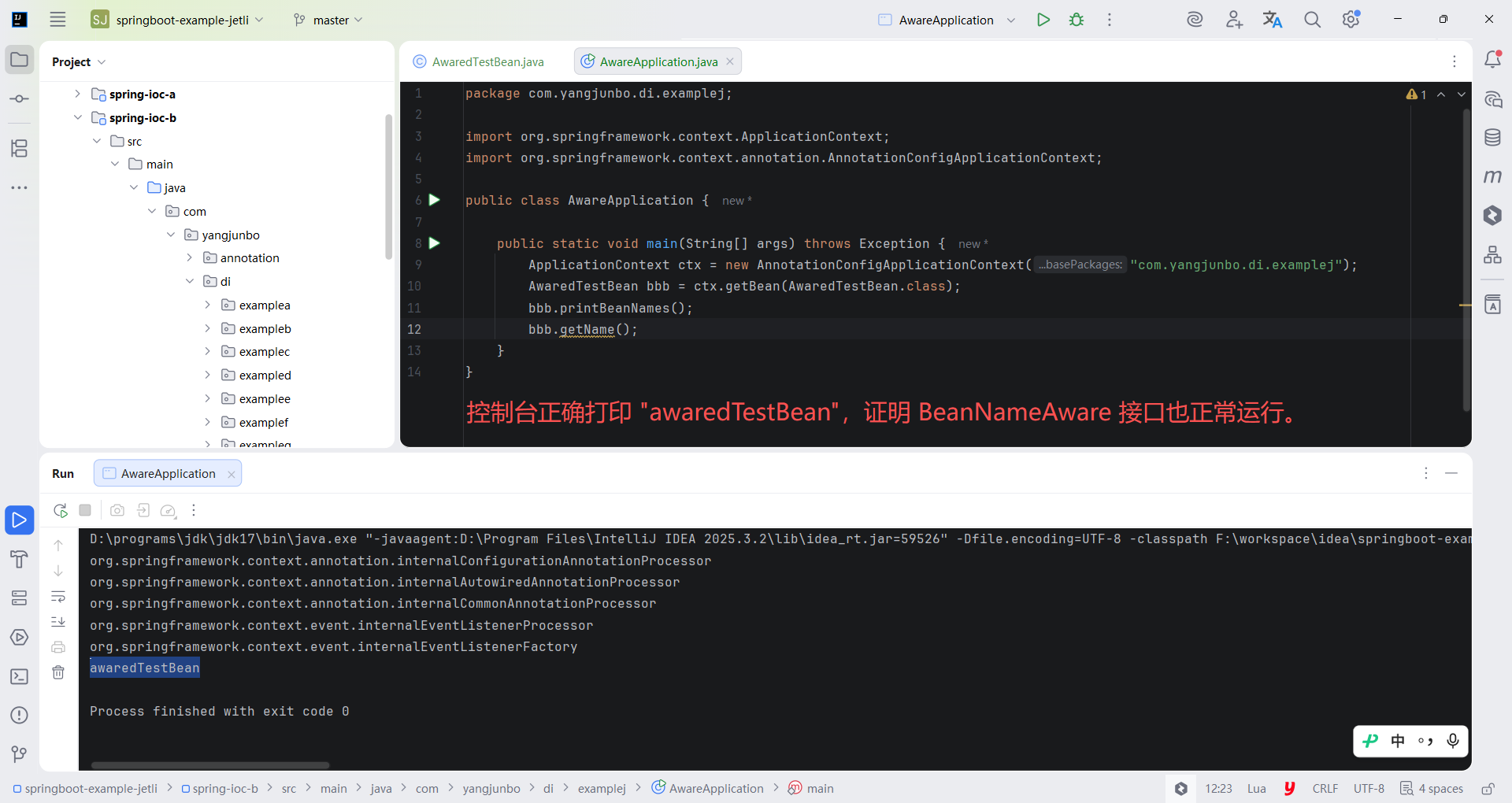
启动类 AwareApplication,添加 AwaredTestBean 的 getName 方法调用并打印。
重新运行 main 方法,可以发现控制台正确打印 "awaredTestBean",证明 BeanNameAware 接口也正常运行。
java
package com.yangjunbo.di.examplej;

import org.springframework.beans.BeansException;
import org.springframework.beans.factory.BeanNameAware;
import org.springframework.context.ApplicationContext;
import org.springframework.context.ApplicationContextAware;
import org.springframework.context.annotation.AnnotationConfigApplicationContext;
import org.springframework.stereotype.Component;

import java.util.stream.Stream;

@Component()
public class AwaredTestBean implements ApplicationContextAware, BeanNameAware {

    private String beanName;
    private ApplicationContext ctx;

    public String getName() {
        return beanName;
    }

    public void printBeanNames() {
        Stream.of(ctx.getBeanDefinitionNames()).forEach(System.out::println);
    }

    @Override
    public void setApplicationContext(ApplicationContext ctx) throws BeansException {
        this.ctx = ctx;
    }

    @Override
    public void setBeanName(String name) {
        this.beanName = name;
    }
}
java
package com.yangjunbo.di.examplej;

import org.springframework.context.ApplicationContext;
import org.springframework.context.annotation.AnnotationConfigApplicationContext;

public class AwareApplication {

    public static void main(String[] args) throws Exception {
        ApplicationContext ctx = new AnnotationConfigApplicationContext("com.yangjunbo.di.examplej");
        AwaredTestBean bbb = ctx.getBean(AwaredTestBean.class);
        bbb.printBeanNames();
        bbb.getName();
    }
}
2.2 使用 BeanFactoryPostProcessor 实现需求
1 创建演示环境
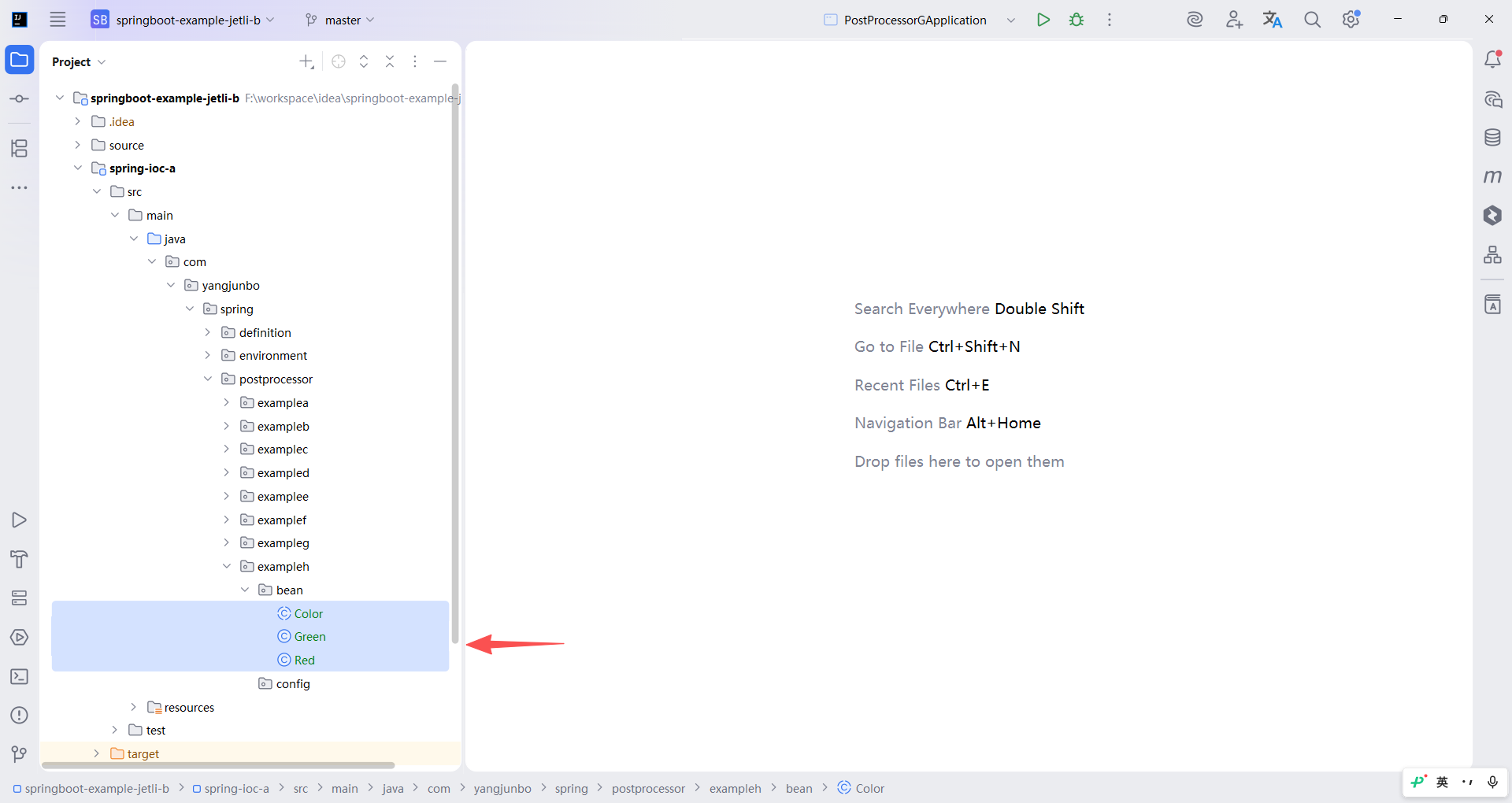
新建一个抽象类 Color,创建 Color 的两个子类 Red Green,子类要标注 @Component。
java
package com.yangjunbo.spring.postprocessor.exampleh.bean;

public abstract class Color {

    protected String name;

    public String getName() {
        return name;
    }

    public void setName(String name) {
        this.name = name;
    }
}
java
package com.yangjunbo.spring.postprocessor.exampleh.bean;

import org.springframework.stereotype.Component;

@Component
public class Green extends Color {

    @Override
    public String toString() {
        return "Green{" + "name='" + name + '\'' + "}";
    }
}
java
package com.yangjunbo.spring.postprocessor.exampleh.bean;

import org.springframework.stereotype.Component;

@Component
public class Red extends Color {

    @Override
    public String toString() {
        return "Red{" + "name='" + name + '\'' + "}";
    }
}
编写后置处理器。
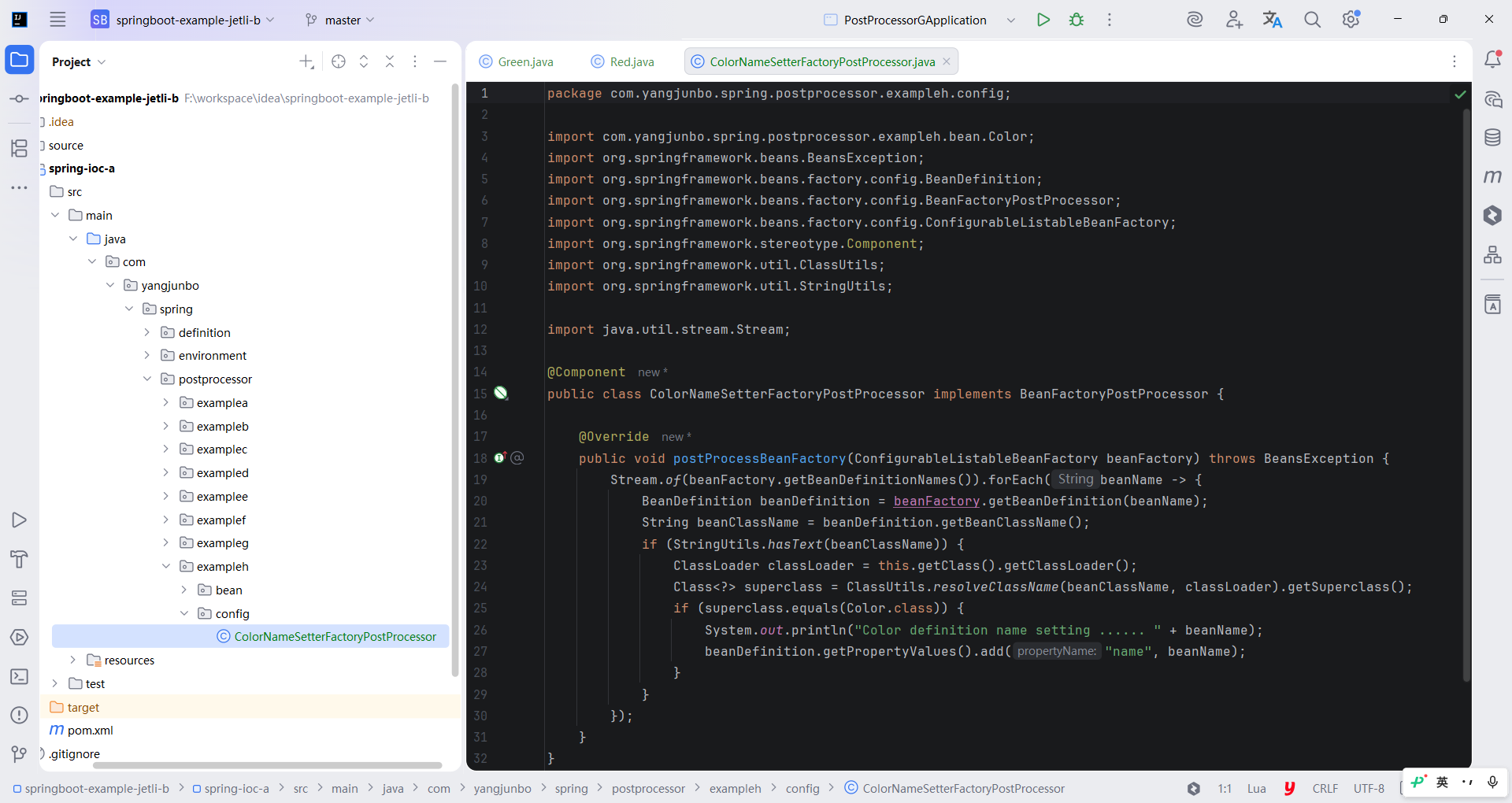
既然 BeanFactoryPostProcessor 中拿到的参数是 ConfigurableListableBeanFactory,那么就可以操作其 API 取出内部的 BeanDefinition 并进行属性赋值。
由于 ConfigurableListableBeanFactory 无法通过类型取出指定的 BeanDefinitionName,因此只能取出全部 BeanDefinitionName 并逐个判断其 Bean 类型。
此外,由于 BeanDefinition 中只能获取到 beanClassName,无法得知父类,因此还需要借助反射机制检查父类,如代码所示。
java
package com.yangjunbo.spring.postprocessor.exampleh.config;

import com.yangjunbo.spring.postprocessor.exampleh.bean.Color;
import org.springframework.beans.BeansException;
import org.springframework.beans.factory.config.BeanDefinition;
import org.springframework.beans.factory.config.BeanFactoryPostProcessor;
import org.springframework.beans.factory.config.ConfigurableListableBeanFactory;
import org.springframework.stereotype.Component;
import org.springframework.util.ClassUtils;
import org.springframework.util.StringUtils;

import java.util.stream.Stream;

@Component
public class ColorNameSetterFactoryPostProcessor implements BeanFactoryPostProcessor {

    @Override
    public void postProcessBeanFactory(ConfigurableListableBeanFactory beanFactory) throws BeansException {
        Stream.of(beanFactory.getBeanDefinitionNames()).forEach(beanName -> {
            BeanDefinition beanDefinition = beanFactory.getBeanDefinition(beanName);
            String beanClassName = beanDefinition.getBeanClassName();
            if (StringUtils.hasText(beanClassName)) {
                ClassLoader classLoader = this.getClass().getClassLoader();
                Class<?> superclass = ClassUtils.resolveClassName(beanClassName, classLoader).getSuperclass();
                if (superclass.equals(Color.class)) {
                    System.out.println("Color definition name setting ...... " + beanName);
                    beanDefinition.getPropertyValues().add("name", beanName);
                }
            }
        });
    }
}
代码中有几个小细节应注意:不是所有的 BeanDefinition 都有 beanClassName 属性封装,由 1.3.3 节可知,只要 Bean 的注册来源不是通过@Bean 注册,那么就可以获取 beanClassName,而此处使用 @Component 配合组件扫描注册,故可以获取 beanClassName;
获取类型名称后使用工具方法 ClassUtils.resolveClassName 进行反射解析判断,可以避免 ClassNotFoundException 异常。
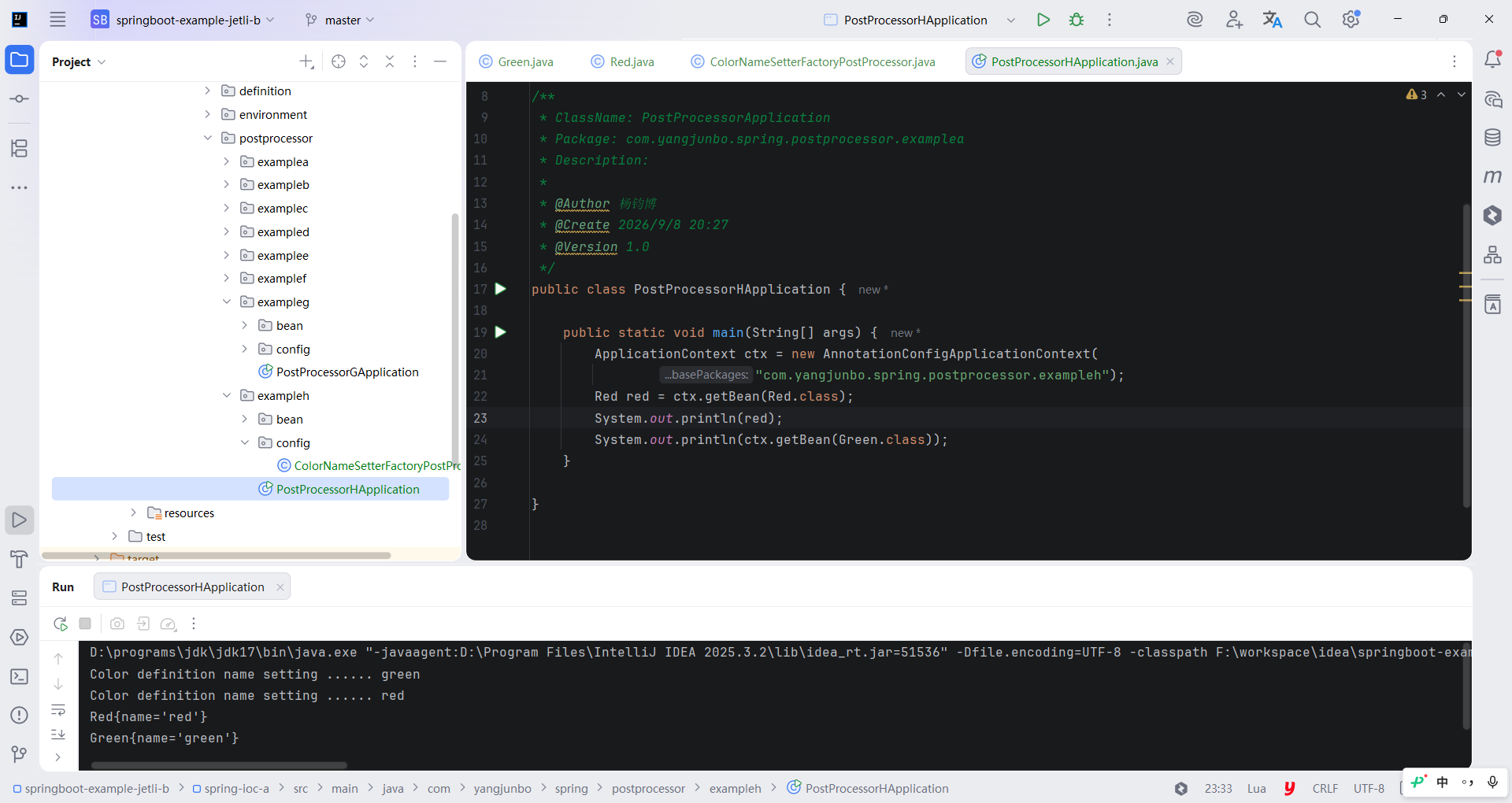
接下来使用组件扫描加注解驱动 IOC 容器,从中获取 Red 和 Green 并打印,如代码所示。运行 main 方法,控制台打印出 Red 和 Green 的name 属性,证明 ColorNameSetterFactoryPostProcessor 已生效。
java
package com.yangjunbo.spring.postprocessor.exampleh;

import com.yangjunbo.spring.postprocessor.exampleh.bean.Green;
import com.yangjunbo.spring.postprocessor.exampleh.bean.Red;
import org.springframework.context.ApplicationContext;
import org.springframework.context.annotation.AnnotationConfigApplicationContext;

/**
 * ClassName: PostProcessorApplication
 * Package: com.yangjunbo.spring.postprocessor.examplea
 * Description:
 *
 * @Author 杨钧博
 * @Create 2026/9/8 20:27
 * @Version 1.0
 */
public class PostProcessorHApplication {

    public static void main(String[] args) {
        ApplicationContext ctx = new AnnotationConfigApplicationContext(
                "com.yangjunbo.spring.postprocessor.exampleh");
        Red red = ctx.getBean(Red.class);
        System.out.println(red);
        System.out.println(ctx.getBean(Green.class));
    }

}