**摘要:**本文主要介绍 Spring 框架中 IOC 注解方式的使用,包括 Bean 管理常用注解、依赖注入注解、初始化与销毁方法,以及无注解、半注解、全注解三种配置方式;随后讲解 Spring 整合单元测试的方法,涵盖基于 XML 配置和全注解两种整合方式,帮助读者掌握通过注解简化 Spring 开发与测试的实践技巧。
一、IOC注解方式
1.认识常用注解
Bean管理常用的
@Component 用于普通类
@Controller 用于表现层
@Service 用于业务层
@Repository 用于持久层
@Bean 用于配置文件里
依赖注入常用的注解
@Value用于注入普通类型
@Autowired 默认按照类型进行自动装配
@Qualifier和@AutoWired 一起使用强制使用名称注入
(两个实现类实现一个接口,别的类@Autowired注入不进来,找不到这个接口,因为不知道到底注入哪个)
@Resource Java 提供的注解也被支持。用name属性,按名称对象生命周期(作用范围)注解
@Scope 声明周期注解,取值singleton(默认值,单实例)和prototype(多例)
初始化方法和销毁方法
@PostConstruct(init-method)
@PreDestory(destory-method)
2.框架的注解配置方式
(1)无注解(全配置文件)
最原始的,用applicationContext.xml文件配置bean来管理类,在里边起名字和对应类。
(2)半注解方式
相比于无注解的方式,类加入容器管理不用再applicationContext.xml文件里配置,而是直接在类上边使用@Component、@Service、@Controller、@Repository等注解直接标注后加入管理,可以直接在注解的地方起好名字,方便对应(不起名字默认id为类名第一个字母的小写)。在applicationContext.xml文件里边只需要配置扫描相应的包。
XML
<context:component-scan base-package="需要扫描的包"/>(3)全注解方式
全注解方式,顾名思义全是注解的形式,不需要applicationContext.xml文件来配置,而是改用了SpringConfig的配置类。
那么SpringConfig类里有什么呢?
需要先给框架声明一下,这个类是所谓的配置类,要在类的上边加上注解@Configuration。
其次我们要注明要扫描的包,用@ComponentScan("需要扫描的包")
@Import({配置类1,配置类2,......})可以用来连接多个配置类
比如:
java
@Configuration
@ComponentScan("com.qcby")
@Import({SpringConfig2.class,SpringConfig3.class,SpringConfig6.class})
public class SpringConfig {
    @Bean(name="dataSource")
    public DataSource createDataSource(){
        DruidDataSource dataSource = new DruidDataSource();
        dataSource.setDriverClassName("com.mysql.jdbc.Driver");
        dataSource.setUrl("jdbc:mysql:///spring_db");
        dataSource.setUsername("root");
        dataSource.setPassword("2020");
        return dataSource;
    }
}
这边我在SpringConfig配置了mysql数据库的连接池信息,并且在SpringConfig里边配置了SpringConfig1和SpringConfig2两个配置类,那我测试的时候用SpringConfig一个配置类就能拿到SpringConfig、SpringConfig1和SpringConfig2的配置信息。
(配置数据库连接池的时候用到了@Bean,这个注解只能卸载方法上边,表名这个方法创建一个对象,保存对象到IOC容器中)
二、Spring整合单元测试
每次进行单元测试都需要编写创建工厂、加载配置类等代码就很是麻烦。Spring提供了整合Junit单元测试技术,简化测试开发。
先导入Junit的Jar包
XML
<dependency>
<groupId>junit</groupId>
<artifactId>junit</artifactId>
<version>4.12</version>
<scope>test</scope>
</dependency>
编写类和方法,把类交给IOC容器
java
package com.qcby.demo5;
public class User1 {
public void sayHello(){
System.out.println("hello");
}
}
编写applicationContext_test.xml文件,将demo5的包扫描了
XML
<?xml version="1.0" encoding="UTF-8"?>
<beans xmlns="http://www.springframework.org/schema/beans"
xmlns:xsi="http://www.w3.org/2001/XMLSchema-instance"
xsi:schemaLocation="
http://www.springframework.org/schema/beans
http://www.springframework.org/schema/beans/spring-beans.xsd">
<bean id="user" class="com.qcby.demo5.User1"/>
</beans>
编写demo5的测试类
java
/**
* Spring 整合 Junit 单元测试
*
*/
@RunWith(value = SpringJUnit4ClassRunner.class) // 运行单元测试
@ContextConfiguration(value = "classpath:applicationContext_test.xml") // 加载类路径下的配置文件
public class Demo5 {
    // 测试哪一个对象,把该对象注入进来,在测试环境下,可以使用注解的方式注入测试的对象
    // 按类型自动注入
    @Autowired
    private User1 user1;
    @Test
    public void run1(){
        // 创建工厂,加载配置文件......
        // 调用对象的方法
        user1.sayHello();
    }
}
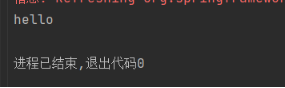
测试结果
1.全注解整合单元测试
编写customer类,将它交给spring容器管理
java
package com.qcby.demo6;
import org.springframework.stereotype.Component;
@Component
public class Customer {
public void save(){
System.out.println("保存客户。。");
}
}
编写SpringConfig6配置类,注明好配置类要扫描的包
java
package com.qcby.config;
import org.springframework.context.annotation.ComponentScan;
import org.springframework.context.annotation.Configuration;
@Configuration
@ComponentScan("com.qcby.demo6")
public class SpringConfig6 {
}
编写demo6测试类
java
import com.qcby.config.SpringConfig6;
import com.qcby.demo6.Customer;
import org.junit.Test;
import org.junit.runner.RunWith;
import org.springframework.beans.factory.annotation.Autowired;
import org.springframework.test.context.ContextConfiguration;
import org.springframework.test.context.junit4.SpringJUnit4ClassRunner;
@RunWith(SpringJUnit4ClassRunner.class)
@ContextConfiguration(classes= SpringConfig6.class)
public class demo6 {
@Autowired
private Customer customer;
/**
* 测试
*/
@Test
public void run1(){
customer.save();
}
}
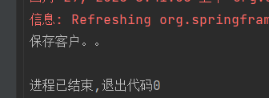
测试结果