1、部分变量预填充:partial()
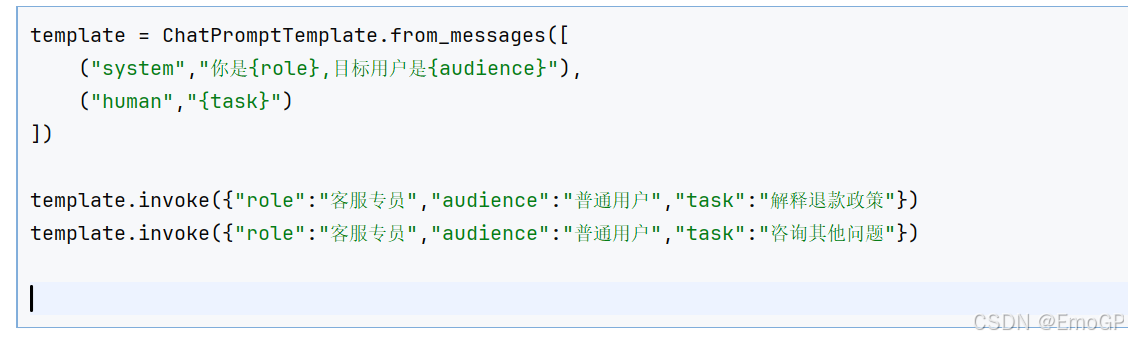
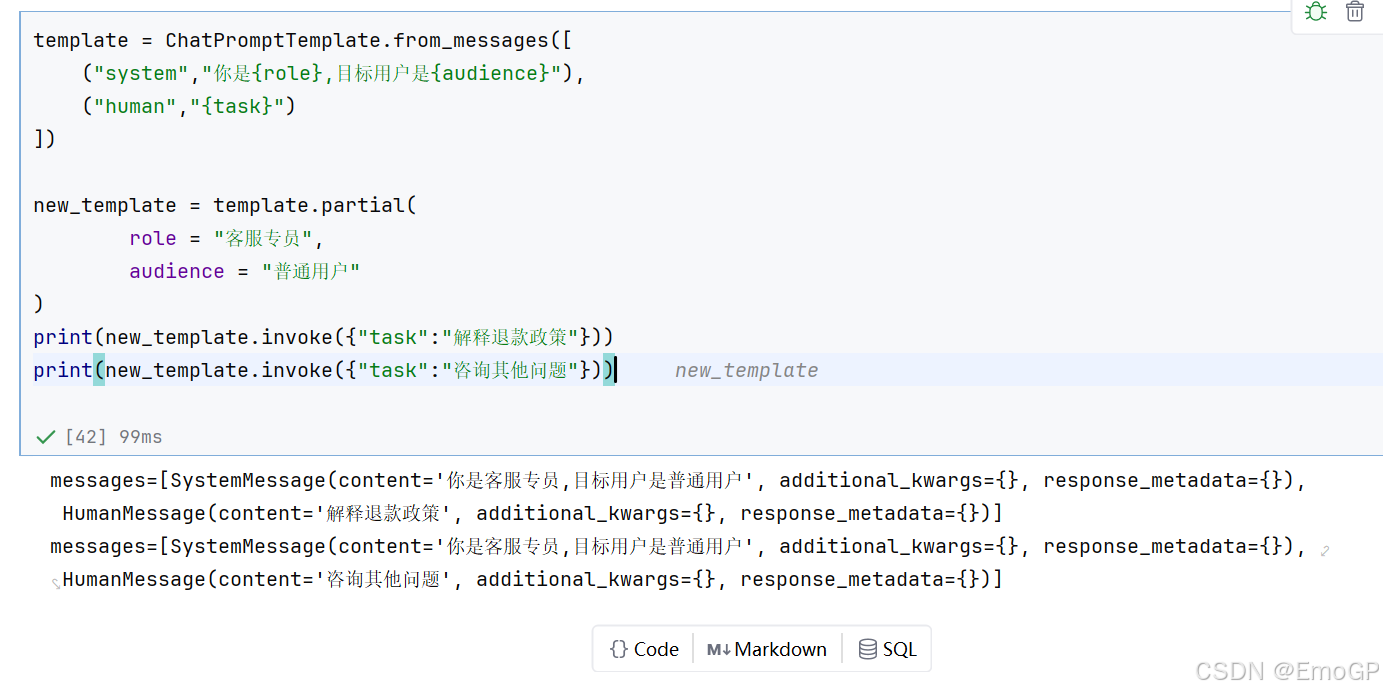
预填充某些固定不变的变量,创建模板的变体
使用场景:
- 某些变量在所有调用中都相同
- 需要为不同用户/场景创建定制模板
举例1:
改进
举例2:
bash
# 场景:为不同部门创建专用模板
base_template = ChatPromptTemplate.from_messages([
    ("system", "你是{department}的{role}"),
    ("user", "{task}")
])
# IT 部门
it_template = base_template.partial(
    department="IT 部门",
    role="技术支持"
)
# 销售部门
sales_template = base_template.partial(
    department="销售部门",
    role="销售顾问"
)
sales_template.invoke({"task":"为什么每年年底汽车会促销"})
2、消息占位符
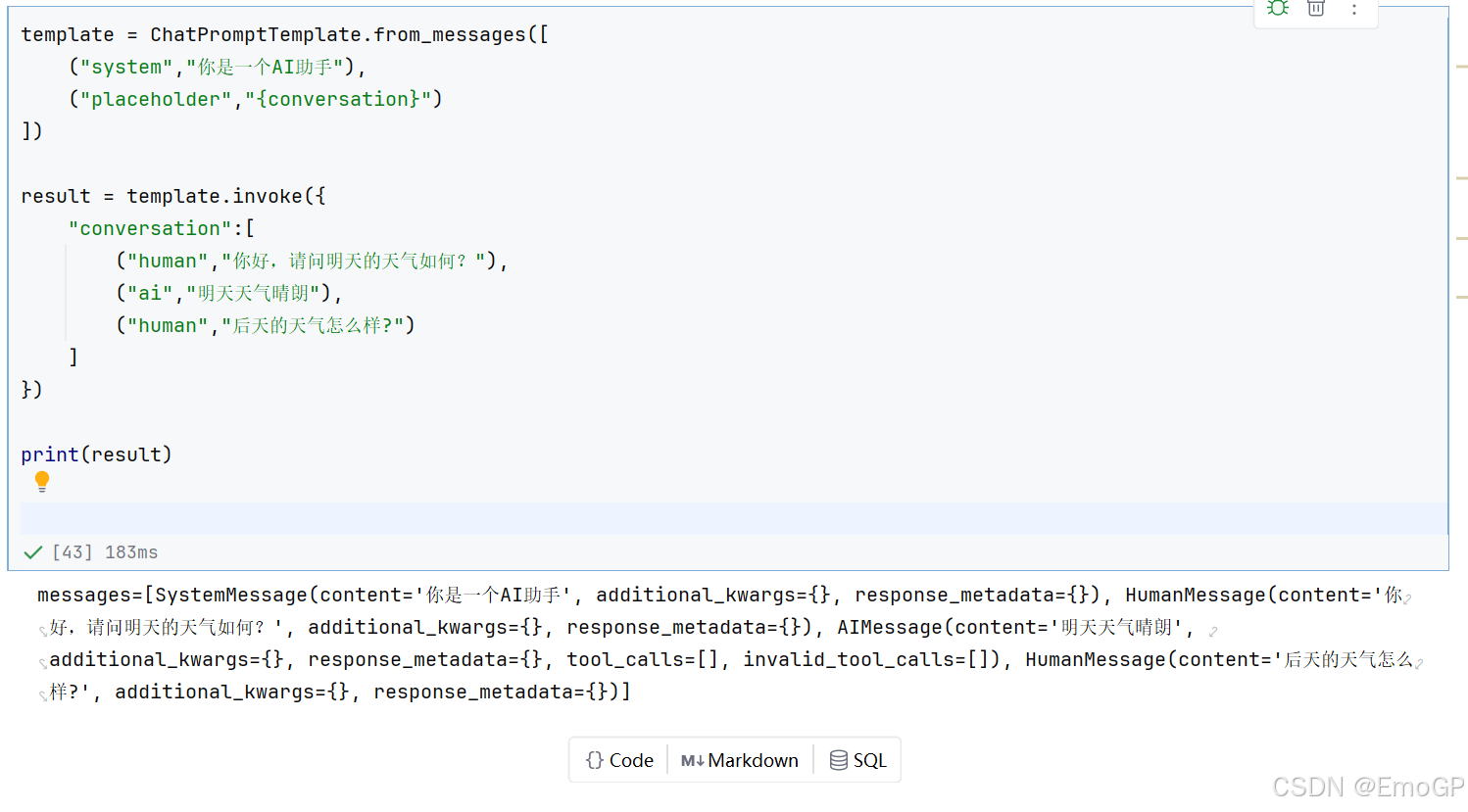
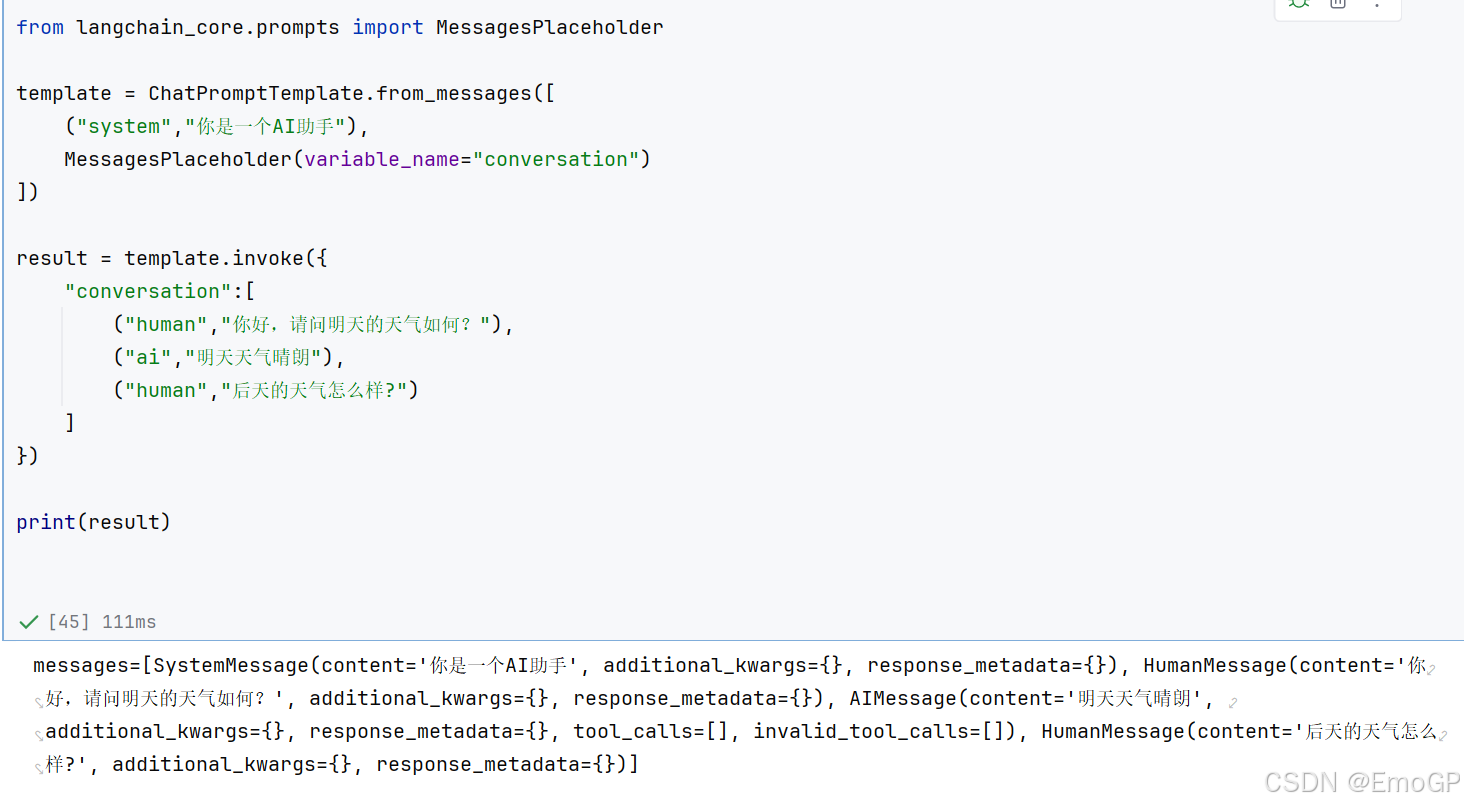
当你不确定消息提示模板使用什么角色,或者希望在格式化过程中插入消息列表时,该怎么办?这就需要使用消息占位符,负责在特定位置添加消息列表。
使用场景:多轮对话系统存储历史消息以及Agent的中间步骤处理此功能非常有用
使用placeholder
使用MessagesPlaceHolder
3、可复用模板库
在实际项目中,建议创建模板库
举例1:
templates.py文件声明如下:
bash
from langchain_core.prompts import ChatPromptTemplate
class PromptLibrary:
    """可复用的提示词模板库"""

    TRANSLATOR = ChatPromptTemplate.from_messages([
        ("system", "你是专业翻译,精通{source_lang}和{target_lang}"),
        ("user", "翻译以下文本:\n{text}")
    ])
    CODE_REVIEWER = ChatPromptTemplate.from_messages([
        ("system", "你是{language}代码审查专家,重点关注{focus}"),
        ("user", "审查代码:\n```{language}\n{code}\n```")
    ])
    SUMMARIZER = ChatPromptTemplate.from_messages([
        ("system", "你是内容摘要专家"),
        ("user", "将以下内容总结为{num}个要点:\n{content}")
    ])
    TUTOR = ChatPromptTemplate.from_messages([
        ("system", "你是{subject}导师,学生水平:{level}"),
        ("user", "{question}")
    ])
其他文件中使用:
bash
from templates import PromptLibrary

messages = PromptLibrary.TRANSLATOR.format_messages(
    source_lang="英语",
    target_lang="中文",
    text="Hello World"
)
4、模板组合
将多个模板片段组合成复杂的提示词
方法1:字符串组合
bash
# 定义可复用的部分
role_part = "你是一个{domain}专家。"
style_part = "回答风格:{style}。"
constraint_part = "限制:{constraint}。"
# 组合
full_system = role_part + style_part + constraint_part
template = ChatPromptTemplate.from_messages([
    ("system", full_system),
    ("user", "{question}")
])
方法2:使用+运算符
bash
template1 = ChatPromptTemplate.from_messages([
	("system", "你是助手")
])
template2 = ChatPromptTemplate.from_messages([
	("user", "{input}")
])
# 组合(LangChain 1.0 支持)
combined = template1 + template2