文章目录
在高并发环境下,频繁的数据库查询可能会导致性能瓶颈。使用 Redis 缓存数据可以显著减少数据库的查询次数,提高应用的响应速度和稳定性。
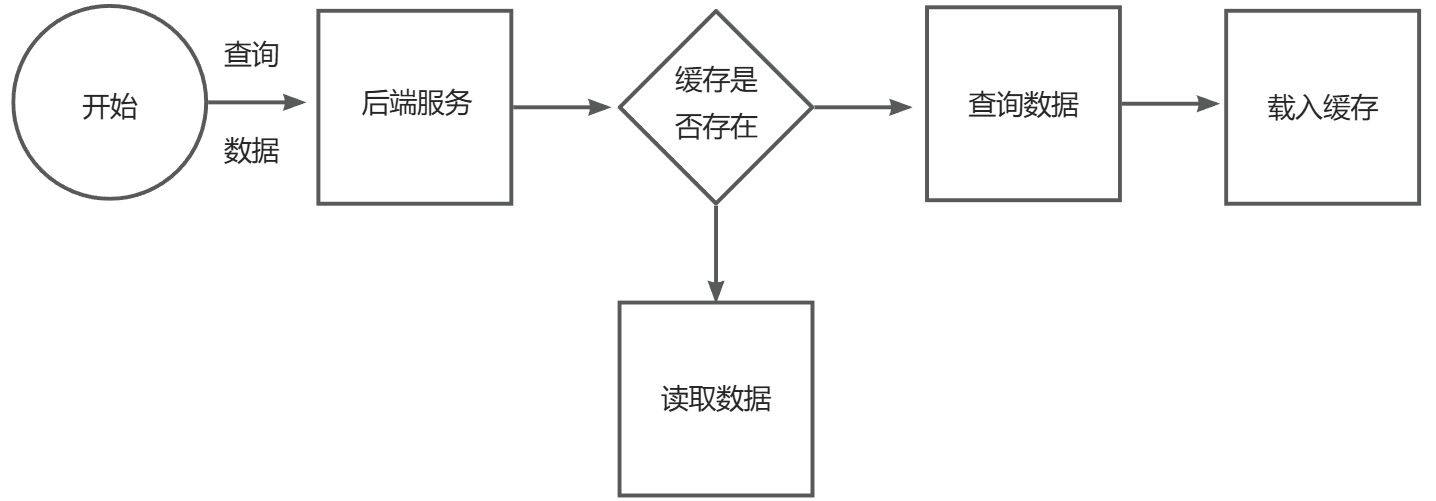
首先演示一下手动缓存(较为繁琐)
java
/**
 * 根据分类id查询菜品
 *
 * @param categoryId
 * @return
 */
@GetMapping("/list")
@ApiOperation("根据分类id查询菜品")
public Result<List<DishVO>> list(Long categoryId) {

    // 构造redis中的key,规则:dish_分类id
    String key = "dish_" + categoryId;

    // 查询redis中是否存在菜品数据
    List<DishVO> list = (List<DishVO>) redisTemplate.opsForValue().get(key);
    if (list != null && list.size() > 0) {
        // 如果存在,直接返回,无需查询数据库
        return Result.success(list);
    }

    Dish dish = new Dish();
    dish.setCategoryId(categoryId);
    dish.setStatus(StatusConstant.ENABLE);//查询起售中的菜品

    // 如果不存在,查询数据库,将查询到的数据放入redis中
    list = dishService.listWithFlavor(dish);
    redisTemplate.opsForValue().set(key, list);

    return Result.success(list);
}
使用Spring Cache实现缓存数据
介绍
Spring Cache 是一个框架,实现了基于注解 的缓存功能,只需简单地加一个注解,就能实现缓存功能。
常用的是Redis缓存 ,spring Cache 底层通过Redis实现缓存数据。
步骤
引入依赖
首先引入依赖(需要引入cache、redis、MySQL依赖), 在 pom.xml 文件中添加以下依赖:
cache依赖:
java
<dependency>
	<groupId>org.springframework.boot</groupId>
	<artifactId>spring-boot-starter-cache</artifactId>  		            		       	 <version>2.7.3</version>
</dependency>
redis依赖:
java
<dependency>
<groupId>org.springframework.boot</groupId>
<artifactId>spring-boot-starter-data-redis</artifactId>
</dependency>
mysql依赖:
java
<dependency>
<groupId>mysql</groupId>
<artifactId>mysql-connector-java</artifactId>
<scope>runtime</scope>
</dependency>
开启缓存支持
在启动类上添加 @EnableCaching 注解以启用缓存功能:
java
@SpringBootApplication
@EnableCaching
public class Application {
    public static void main(String[] args) {
        SpringApplication.run(Application.class, args);
    }
}
配置缓存
在 application.properties 或 application.yml 中配置 Redis 缓存:
java
# Redis 配置
spring.cache.type=redis
spring.redis.host=localhost
spring.redis.port=6379
使用缓存注解
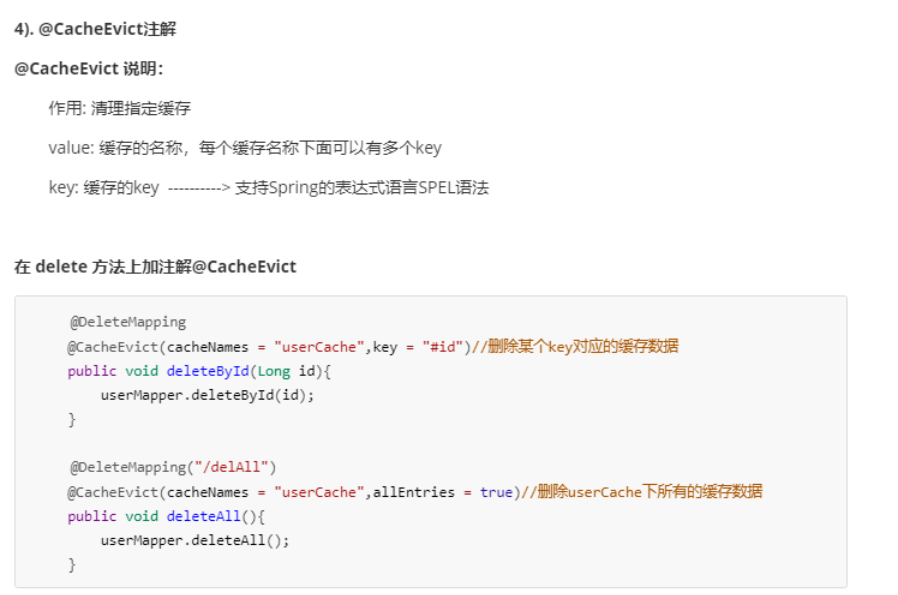
通过在方法上使用 @Cacheable, @CachePut, 和 @CacheEvict 注解来进行缓存操作:
@Cacheable:缓存方法的结果@CachePut:更新缓存中的数据@CacheEvict:从缓存中移除数据
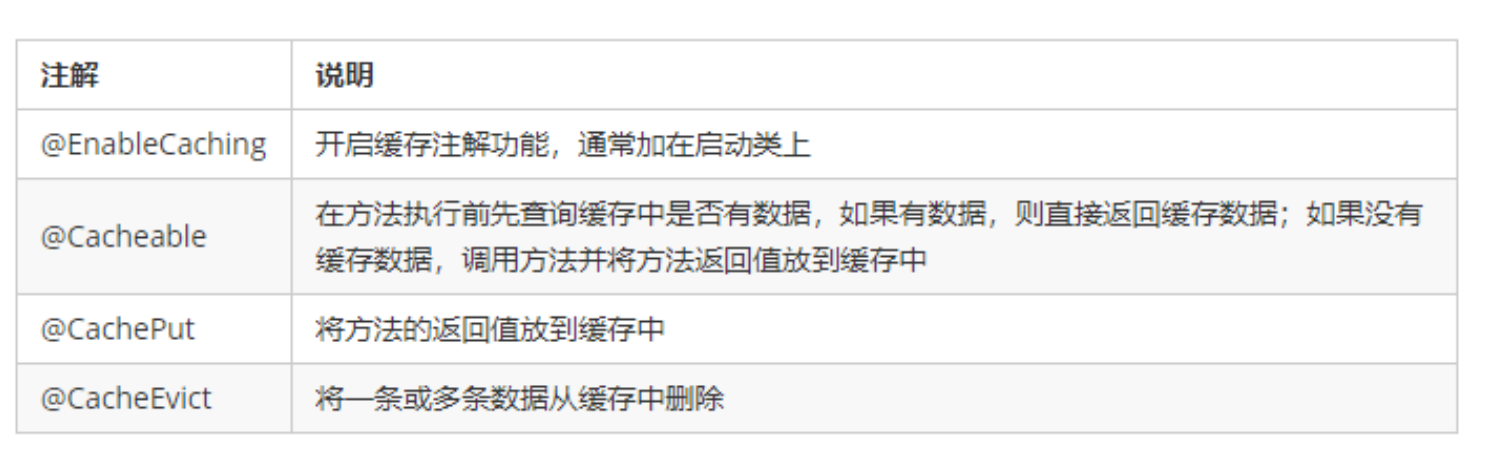
在spring boot 项目中,使用缓存技术只需在项目中导入相关缓存技术的依赖包,并在启动类上使用@EnableCaching开启缓存支持即可。
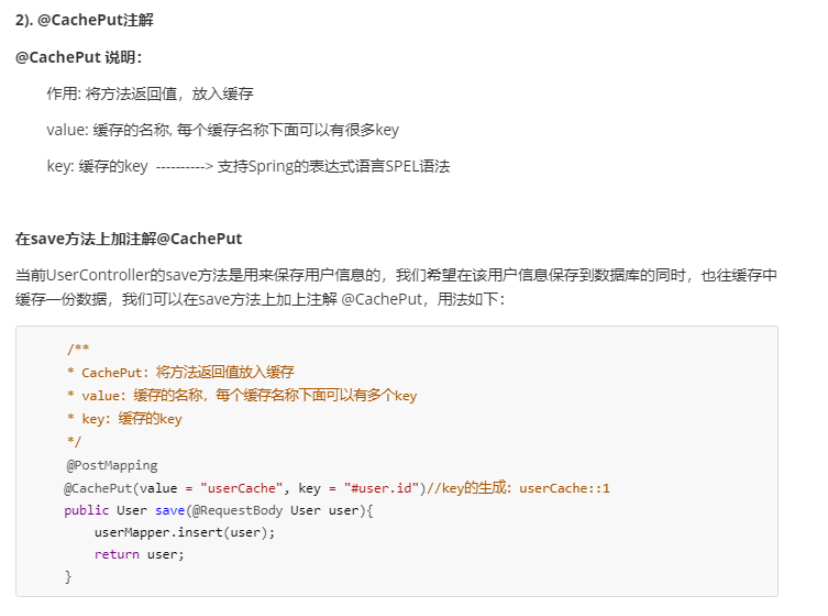
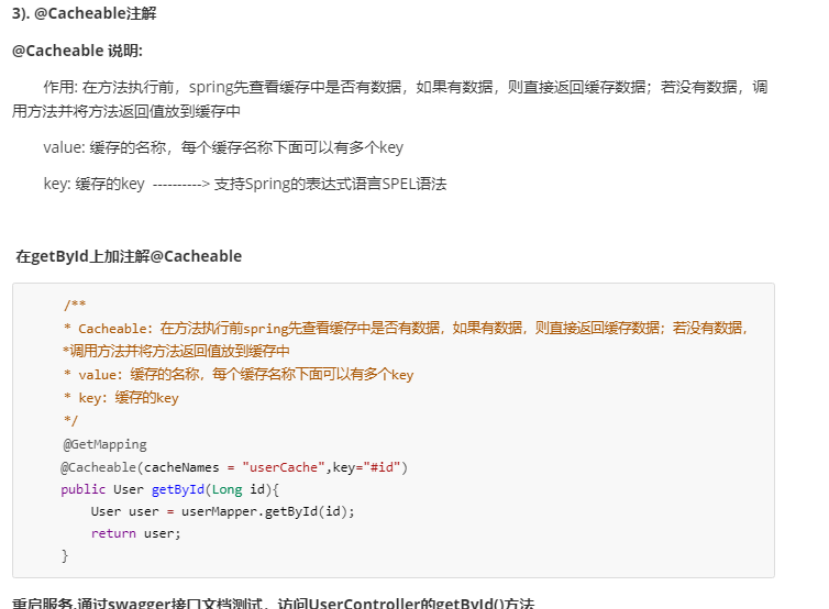
小结
- 手动缓存: 使用
RedisTemplate进行缓存操作,适用于灵活控制缓存的场景。 - 自动缓存: 使用
Spring Cache注解简化缓存配置,适用于标准缓存需求。