**🍅 点击文末小卡片 ,**免费获取软件测试全套资料,资料在手,涨薪更快
小伙伴们大家好呀,今天笔者会给大家讲解一下pytest是如何收集我们写好的用例?我们又有哪些方式来运行单个用例或者批量运行用例呢?下面将为大家一一解答!
一、Pytest收集用例原理
首先我们按照如下目录结构新建我们的项目
[pyttest搜索测试用例的规则]
    |[测试用例目录1]
    |    |__init__.py
    |    |test_测试模块1.py
    |    |test_测试模块2.py
    |[测试用例目录2]
    |    |__init__.py
    |    |test_测试用例1.py
    |    |测试用例.py
    |test_测试模块.py
    |测试用例2.py
二、代码实例
# test_测试模块1.py
def test_testFunc1():
    print('\n我是一个测试用例! in test_testFunc1')
    assert 1 == 1

def func1():
    print('我不是一个测试用例')
    assert 1 == 1

# test_测试模块2.py
class TestClass1(object):

    def test_class_func1(self):
        print('\n 我是一个类里面的测试用例 in test_class_func1')
        assert 1 == 1

    def class_func1(self):
        print('我是类里面的一个普通函数!')

# test_测试用例1.py

class TestClass2(object):

    def test_class_func2(self):

        print('\n 我是一个类里面的测试用例 in test_class_func2',)
        assert 1 == 1

    def class_func2(self):
        print('我是类里面的一个普通函数!')


def test_testFunc2():
    print('\n我是一个测试用例 in test_testFunc2!')
    assert 1 == 1


def func2():
    print('我不是一个测试用例')
    assert 1 == 1

# 测试用例.py

def test_testFunc3():
    print('\n我是一个测试用例! in 测试用例.py')
    assert 1 == 1


def func3():
    print('我不是一个测试用例')
    assert 1 == 1

# test_测试模块3.py

def test_testFunc4():
    print('\n我是一个测试用例! in test_testFunc4')
    assert 1 == 1


def func4():
    print('我不是一个测试用例')
    assert 1 == 1


class TestClass3(object):

    def test_class_func3(self):
        print('\n 我是一个类里面的测试用例 in test_class_func3')
        assert 1 == 1

    def class_func3(self):
        print('我是类里面的一个普通函数!')

# 测试用例2.py

def test_testFunc5():
    print('\n我是一个测试用例! in test_testFunc5')
    assert 1 == 1

def func5():
    print('我不是一个测试用例')
    assert 1 == 1
下面我们使用cmd命令来执行一下这个项目,看一下究竟会有多少条用例是有效的用例?打开cmd 切换到项目的根目录执行命令 pytest -v
D:\pytest搜索测试用例规则>pytest -v
============================= test session starts =============================
platform win32 -- Python 3.6.4, pytest-3.8.0, py-1.6.0, pluggy-0.7.1 -- c:\python36\python.exe
cachedir: .pytest_cache
metadata: {'Python': '3.6.4', 'Platform': 'Windows-10-10.0.17134-SP0', 'Packages': {'pytest': '3.8.0', 'py': '1.6.0', 'pluggy': '0.7.1'}, 'Plugins': {'metadata': '1.8.0', 'html': '1.20.0', 'allure-adaptor': '1.7.10'}, 'JAVA_HOME': 'C:\\Program Files\\Java\\jdk1.8.0_181'}
rootdir: D:\pytest搜索测试用例规则, inifile:
plugins: metadata-1.8.0, html-1.20.0, allure-adaptor-1.7.10
collected 6 items

test_测试模块3.py::test_testFunc4 PASSED                                 [ 16%]
test_测试模块3.py::TestClass3::test_class_func3 PASSED                   [ 33%]
测试用例目录1/test_测试模块1.py::test_testFunc1 PASSED                   [ 50%]
测试用例目录1/test_测试模块2.py::TestClass1::test_class_func1 PASSED     [ 66%]
测试用例目录2/test_测试用例1.py::TestClass2::test_class_func2 PASSED     [ 83%]
测试用例目录2/test_测试用例1.py::test_testFunc2 PASSED                   [100%]

========================== 6 passed in 0.59 seconds ===========================
运行结果可以看到一共有6条用例passed,且详细的列出了是哪6条,那么按照我们上面编写的用例其实并不止6条,那么为什么会只运行了6条呢?综合以上的代码结构和我们的执行结果对比,我们应该能发现这样的规律
Pytest会从我们当前运行的目录开始查找所有目录,查找以test_开头的文件且文件中所有以test_开头的函数和以Test开头的类和类里面以test_开头的函数为测试用例。这就是为什么上面只运行了6条测试用例!
三、Pytest运行指定测试用例
我们仍然使用上面的项目作为演示(cdm切换到项目的根目录)
3.1运行指定目录下的所有用例
我们指定运行测试用例目录1里面的所有用例(pytest -v 测试用例目录1)
D:\pytest搜索测试用例规则>pytest -v 测试用例目录1
============================= test session starts =============================
platform win32 -- Python 3.6.4, pytest-3.8.0, py-1.6.0, pluggy-0.7.1 -- c:\python36\python.exe
cachedir: .pytest_cache
metadata: {'Python': '3.6.4', 'Platform': 'Windows-10-10.0.17134-SP0', 'Packages': {'pytest': '3.8.0', 'py': '1.6.0', 'pluggy': '0.7.1'}, 'Plugins': {'metadata': '1.8.0', 'html': '1.20.0', 'allure-adaptor': '1.7.10'}, 'JAVA_HOME': 'C:\\Program Files\\Java\\jdk1.8.0_181'}
rootdir: D:\pytest搜索测试用例规则, inifile:
plugins: metadata-1.8.0, html-1.20.0, allure-adaptor-1.7.10
collected 2 items

测试用例目录1/test_测试模块1.py::test_testFunc1 PASSED                   [ 50%]
测试用例目录1/test_测试模块2.py::TestClass1::test_class_func1 PASSED     [100%]

========================== 2 passed in 0.05 seconds ===========================
# 这样就会只搜索和指定指定目录下面所有的用
3.2运行指定文件中的所有用例
我们指定运行test_测试模块1.py(pytest -v 测试用例目录1/test_测试模块1.py )
D:\pytest搜索测试用例规则>pytest -v 测试用例目录1/test_测试模块1.py
============================= test session starts =============================
platform win32 -- Python 3.6.4, pytest-3.8.0, py-1.6.0, pluggy-0.7.1 -- c:\python36\python.exe
cachedir: .pytest_cache
metadata: {'Python': '3.6.4', 'Platform': 'Windows-10-10.0.17134-SP0', 'Packages': {'pytest': '3.8.0', 'py': '1.6.0', 'pluggy': '0.7.1'}, 'Plugins': {'metadata': '1.8.0', 'html': '1.20.0', 'allure-adaptor': '1.7.10'}, 'JAVA_HOME': 'C:\\Program Files\\Java\\jdk1.8.0_181'}
rootdir: D:\pytest搜索测试用例规则, inifile:
plugins: metadata-1.8.0, html-1.20.0, allure-adaptor-1.7.10
collected 1 item

测试用例目录1/test_测试模块1.py::test_testFunc1 PASSED                   [100%]

========================== 1 passed in 0.09 seconds ===========================
# 运行指定文件下的所有用例
3.3运行指定文件中的测试类
我们指定运行test_测试模块2.py中的测试类Testclass1(pytest -v 测试用例目录1/test_测试模块2.py::TestClass1)
D:\pytest搜索测试用例规则>pytest -v 测试用例目录1/test_测试模块2.py::TestClass1
============================= test session starts =============================
platform win32 -- Python 3.6.4, pytest-3.8.0, py-1.6.0, pluggy-0.7.1 -- c:\python36\python.exe
cachedir: .pytest_cache
metadata: {'Python': '3.6.4', 'Platform': 'Windows-10-10.0.17134-SP0', 'Packages': {'pytest': '3.8.0', 'py': '1.6.0', 'pluggy': '0.7.1'}, 'Plugins': {'metadata': '1.8.0', 'html': '1.20.0', 'allure-adaptor': '1.7.10'}, 'JAVA_HOME': 'C:\\Program Files\\Java\\jdk1.8.0_181'}
rootdir: D:\pytest搜索测试用例规则, inifile:
plugins: metadata-1.8.0, html-1.20.0, allure-adaptor-1.7.10
collected 1 item

测试用例目录1/test_测试模块2.py::TestClass1::test_class_func1 PASSED     [100%]

========================== 1 passed in 0.05 seconds ===========================
# 运行指定的测试类中的所有测试用
3.4运行指定的测试用例函数
我们指定运行test_testFunc1(pytest -v 测试用例目录1/test_测试模块1.py::test_testFunc1)
D:\pytest搜索测试用例规则>pytest -v 测试用例目录1/test_测试模块1.py::test_testFunc1
============================= test session starts =============================
platform win32 -- Python 3.6.4, pytest-3.8.0, py-1.6.0, pluggy-0.7.1 -- c:\python36\python.exe
cachedir: .pytest_cache
metadata: {'Python': '3.6.4', 'Platform': 'Windows-10-10.0.17134-SP0', 'Packages': {'pytest': '3.8.0', 'py': '1.6.0', 'pluggy': '0.7.1'}, 'Plugins': {'metadata': '1.8.0', 'html': '1.20.0', 'allure-adaptor': '1.7.10'}, 'JAVA_HOME': 'C:\\Program Files\\Java\\jdk1.8.0_181'}
rootdir: D:\pytest搜索测试用例规则, inifile:
plugins: metadata-1.8.0, html-1.20.0, allure-adaptor-1.7.10
collected 1 item

测试用例目录1/test_测试模块1.py::test_testFunc1 PASSED                   [100%]

========================== 1 passed in 0.03 seconds ===========================
四、总结
收集用例规则:搜索所有以test_开头的测试文件,以Test开头的测试类,以test_开头的测试函数
执行用例规则:从-v 参数输出的执行信息我们就应该能发现,运行指定的目录下用例 使用命令 pytest 目录/目录 即可;运行指定文件使用 pytest 目录/文件 即可;运行指定类或者函数 使用命令 pytest 目录/文件::类名::函数名 或者 pytest 目录/文件::函数名
搜索用例规则也是我们命名用例文件,测试类,测试函数的规则;执行指定测试用例记住规则即可。
最后感谢每一个认真阅读我文章的人,礼尚往来总是要有的,虽然不是什么很值钱的东西,如果你用得到的话可以直接拿走:
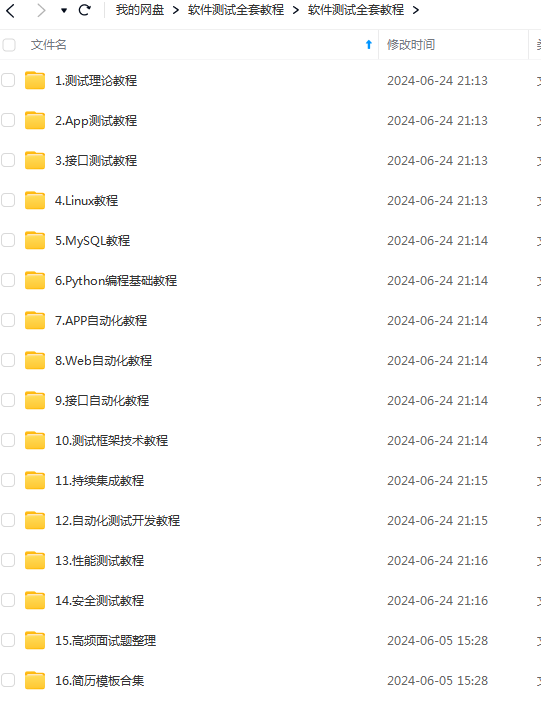
这些资料,对于做【软件测试】的朋友来说应该是最全面最完整的备战仓库,这个仓库也陪伴我走过了最艰难的路程,希望也能帮助到你!凡事要趁早,特别是技术行业,一定要提升技术功底。