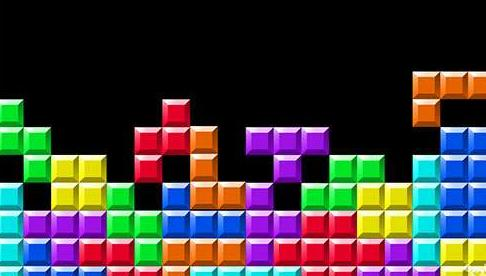
1984 年,苏联工程师阿列克谢・帕基特诺夫在电脑上敲下一串代码,无意间创造出了风靡全球的游戏 ------ 俄罗斯方块。这个由 "tetra"(希腊语,意为 "四")与 "Tennis"(帕基特诺夫喜爱的网球)组合而成的名字,带着数学与运动的奇妙融合,开启了一场跨越时代的方块冒险。
作为童年的回忆,每个游戏少年都希望有一款自己的俄罗斯方块游戏,接下来我们就开始"tetra"的创作之旅。
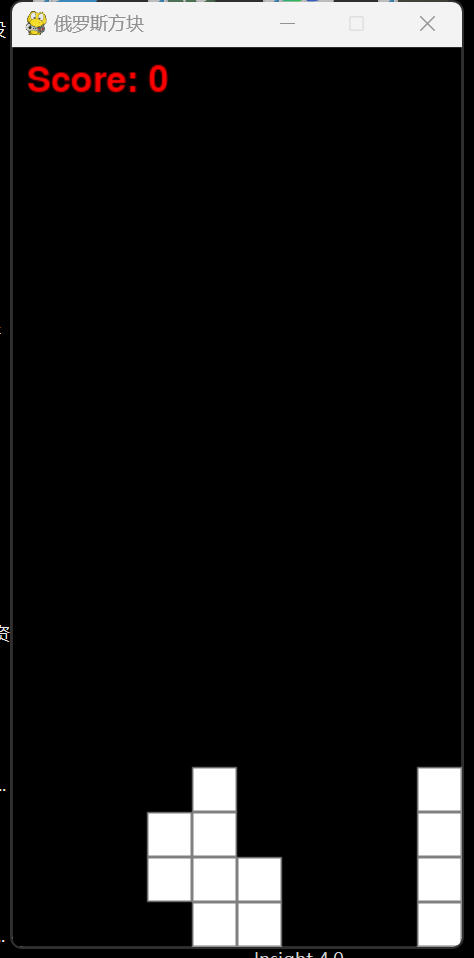
成品示例
完整代码
import pygame
import random
初始化 Pygame
pygame.init()
定义颜色
BLACK = (0, 0, 0)
WHITE = (255, 255, 255)
GRAY = (128, 128, 128)
RED = (255, 0, 0)
游戏窗口设置
WIDTH = 300
HEIGHT = 600
BLOCK_SIZE = 30
screen = pygame.display.set_mode((WIDTH, HEIGHT))
pygame.display.set_caption("俄罗斯方块")
定义方块形状
SHAPES = [
\[1, 1, 1, 1],
\[1, 1, 1, 1],
\[1, 1, 0, 0, 1, 1],
\[0, 1, 1, 1, 1, 0],
\[1, 1, 1, 0, 1, 0],
\[1, 1, 1, 1, 0, 0],
\[1, 1, 1\], \[0, 0, 1\]
]
生成随机方块
def new_piece():
shape = random.choice(SHAPES)
return {
'x': WIDTH // 2 // BLOCK_SIZE - len(shape0) // 2,
'y': 0,
'shape': shape
}
绘制方块
def draw_piece(piece):
for y, row in enumerate(piece'shape'):
for x, val in enumerate(row):
if val:
pygame.draw.rect(screen, WHITE, [
(piece'x' + x) * BLOCK_SIZE,
(piece'y' + y) * BLOCK_SIZE,
BLOCK_SIZE, BLOCK_SIZE
])
pygame.draw.rect(screen, GRAY, [
(piece'x' + x) * BLOCK_SIZE,
(piece'y' + y) * BLOCK_SIZE,
BLOCK_SIZE, BLOCK_SIZE
], 1)
检查方块是否越界或碰撞
def is_collision(board, piece):
for y, row in enumerate(piece'shape'):
for x, val in enumerate(row):
if val:
new_x = piece'x' + x
new_y = piece'y' + y
if new_x < 0 or new_x >= WIDTH // BLOCK_SIZE or new_y >= HEIGHT // BLOCK_SIZE or (new_y >= 0 and boardnew_ynew_x):
return True
return False
将方块合并到游戏面板
def merge(board, piece):
for y, row in enumerate(piece'shape'):
for x, val in enumerate(row):
if val:
boardpiece\['y' + y]piece\['x' + x] = 1
return board
检查并消除满行
def clear_lines(board):
full_lines = \[\]
for y, row in enumerate(board):
if all(row):
full_lines.append(y)
for line in full_lines:
del boardline
board = \[0 * (WIDTH // BLOCK_SIZE)] + board
return board, len(full_lines)
初始化游戏面板
board = \[0 * (WIDTH // BLOCK_SIZE) for _ in range(HEIGHT // BLOCK_SIZE)]
score = 0
font = pygame.font.Font(None, 36)
主游戏循环
running = True
current_piece = new_piece()
clock = pygame.time.Clock()
fall_time = 0
fall_speed = 0.3
... 前面的代码保持不变 ...
while running:
控制方块下落速度
fall_time += clock.get_rawtime()
clock.tick()
if fall_time / 1000 >= fall_speed:
fall_time = 0
修改变量名,避免和函数名冲突
new_piece_data = {
'x': current_piece'x',
'y': current_piece'y' + 1,
'shape': current_piece'shape'
}
if not is_collision(board, new_piece_data):
current_piece = new_piece_data
else:
board = merge(board, current_piece)
board, cleared_lines = clear_lines(board)
score += cleared_lines * 100
current_piece = new_piece()
if is_collision(board, current_piece):
running = False
for event in pygame.event.get():
if event.type == pygame.QUIT:
running = False
elif event.type == pygame.KEYDOWN:
if event.key == pygame.K_LEFT:
修改变量名,避免和函数名冲突
new_piece_data = {
'x': current_piece'x' - 1,
'y': current_piece'y',
'shape': current_piece'shape'
}
if not is_collision(board, new_piece_data):
current_piece = new_piece_data
elif event.key == pygame.K_RIGHT:
修改变量名,避免和函数名冲突
new_piece_data = {
'x': current_piece'x' + 1,
'y': current_piece'y',
'shape': current_piece'shape'
}
if not is_collision(board, new_piece_data):
current_piece = new_piece_data
elif event.key == pygame.K_DOWN:
修改变量名,避免和函数名冲突
new_piece_data = {
'x': current_piece'x',
'y': current_piece'y' + 1,
'shape': current_piece'shape'
}
if not is_collision(board, new_piece_data):
current_piece = new_piece_data
elif event.key == pygame.K_UP:
简单的旋转逻辑
rotated_shape = list(map(list, zip(*reversed(current_piece'shape'))))
修改变量名,避免和函数名冲突
new_piece_data = {
'x': current_piece'x',
'y': current_piece'y',
'shape': rotated_shape
}
if not is_collision(board, new_piece_data):
current_piece = new_piece_data
screen.fill(BLACK)
... 后面的代码保持不变 ...
绘制游戏面板
for y, row in enumerate(board):
for x, val in enumerate(row):
if val:
pygame.draw.rect(screen, WHITE, [
x * BLOCK_SIZE,
y * BLOCK_SIZE,
BLOCK_SIZE, BLOCK_SIZE
])
pygame.draw.rect(screen, GRAY, [
x * BLOCK_SIZE,
y * BLOCK_SIZE,
BLOCK_SIZE, BLOCK_SIZE
], 1)
draw_piece(current_piece)
绘制得分
score_text = font.render(f"Score: {score}", True, RED)
screen.blit(score_text, (10, 10))
pygame.display.flip()
pygame.quit()