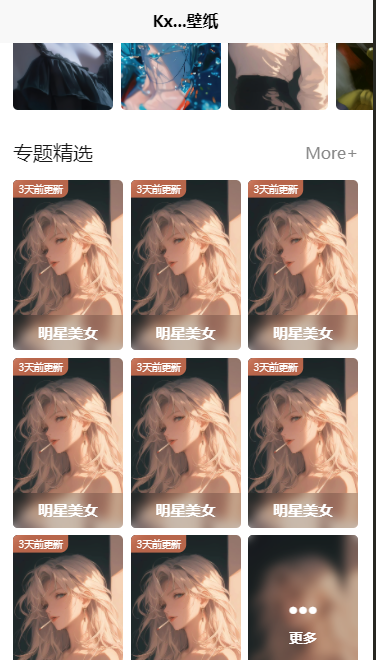
接下来我们做一个专题精选
<view class="theme">
			<common-title>
				<template #name>专题精选</template>
				<template #custom>
					<navigator url="" class="more">More+</navigator>
				</template>
			</common-title>
			<view class="content">
				<theme-item v-for="item in 8"></theme-item>
				<theme-item :isMore="true"></theme-item>
			</view>
		</view>  //和每日推荐是差不多的
样式:
.theme{
			padding: 50rpx 0;
			.more{
				font-size: 32rpx;
				color: #888;
			}
			.content{
				margin-top: 30rpx;
				padding: 0 30rpx;
				display: grid;
				gap: 15rpx;
				grid-template-columns: repeat(3,1fr);
			}
		}
然后我们在components新建一个theme-item组件
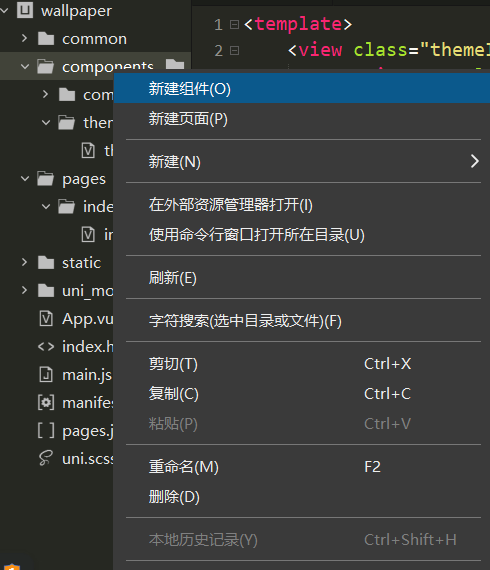
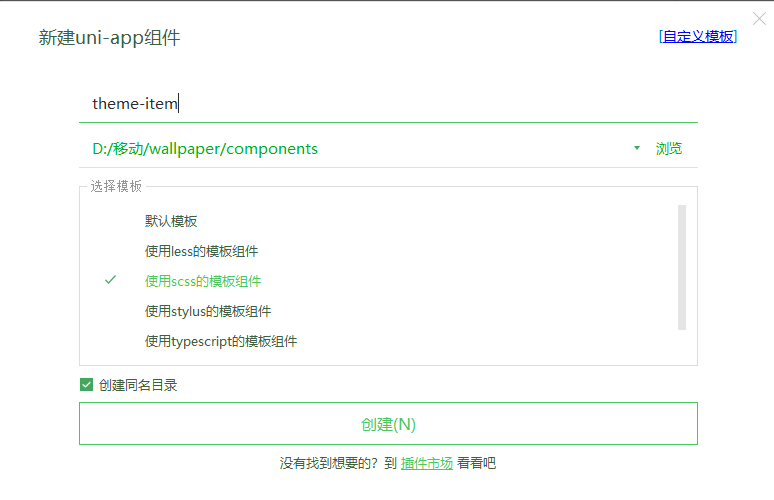
在theme-item写入
<template>
	<view class="themeItem">
		<navigator url="" class="box" v-if="!isMore">
			<image class="pic" src="../../common/images/【哲风壁纸】柯南-贝尔摩德.png"
			mode="aspectFill"></image>
			<view class="mask">明星美女</view>
			<view class="tab">3天前更新</view>
		</navigator>
		<navigator url="" class="box more" v-if="isMore">
			<image class="pic" src="../../common/images/【哲风壁纸】柯南-贝尔摩德.png"
			mode="aspectFill"></image>
			<view class="mask">
				<uni-icons type="more-filled" size="34" color="#fff"></uni-icons>
				<view class="text">更多</view>
			</view>
		</navigator>
	</view>
</template>

<script setup>
defineProps({
	isMore:{
		type:Boolean,
		default:false
	}
})
</script>

<style lang="scss" scoped>
.themeItem{
	.box{
		height: 340rpx;
		border-radius: 10rpx;
		overflow: hidden;
		position: relative;
		.pic{
			width: 100%;
		}
		.mask{
			width: 100%;
			height: 70rpx;
			position: absolute;
			bottom: 0;
			left: 0;
			background:rgba(0,0,0,0.2);
			color: #fff;
			display: flex;
			align-items: center;
			justify-content: center;
			backdrop-filter: blur(10rpx);
			font-weight: 600;
			font-size: 30rpx;
		}
		.tab{
			position: absolute;
			left: 0;
			top: 0;
			background: rgba(250,129,90,0.7);
			backdrop-filter: blur(20rpx);
			color: #fff;
			font-size: 22rpx;
			padding: 6rpx 14rpx;
			border-radius: 0 0 20rpx;
			transform: scale(0.8);
			transform-origin: left top;
		}
	}
	.box.more{
		.mask{
			width: 100%;
			height: 100%;
			flex-direction: column;
		}
		.text{
			font-size: 28rpx;
		}
	}
}
</style>
就可以得到