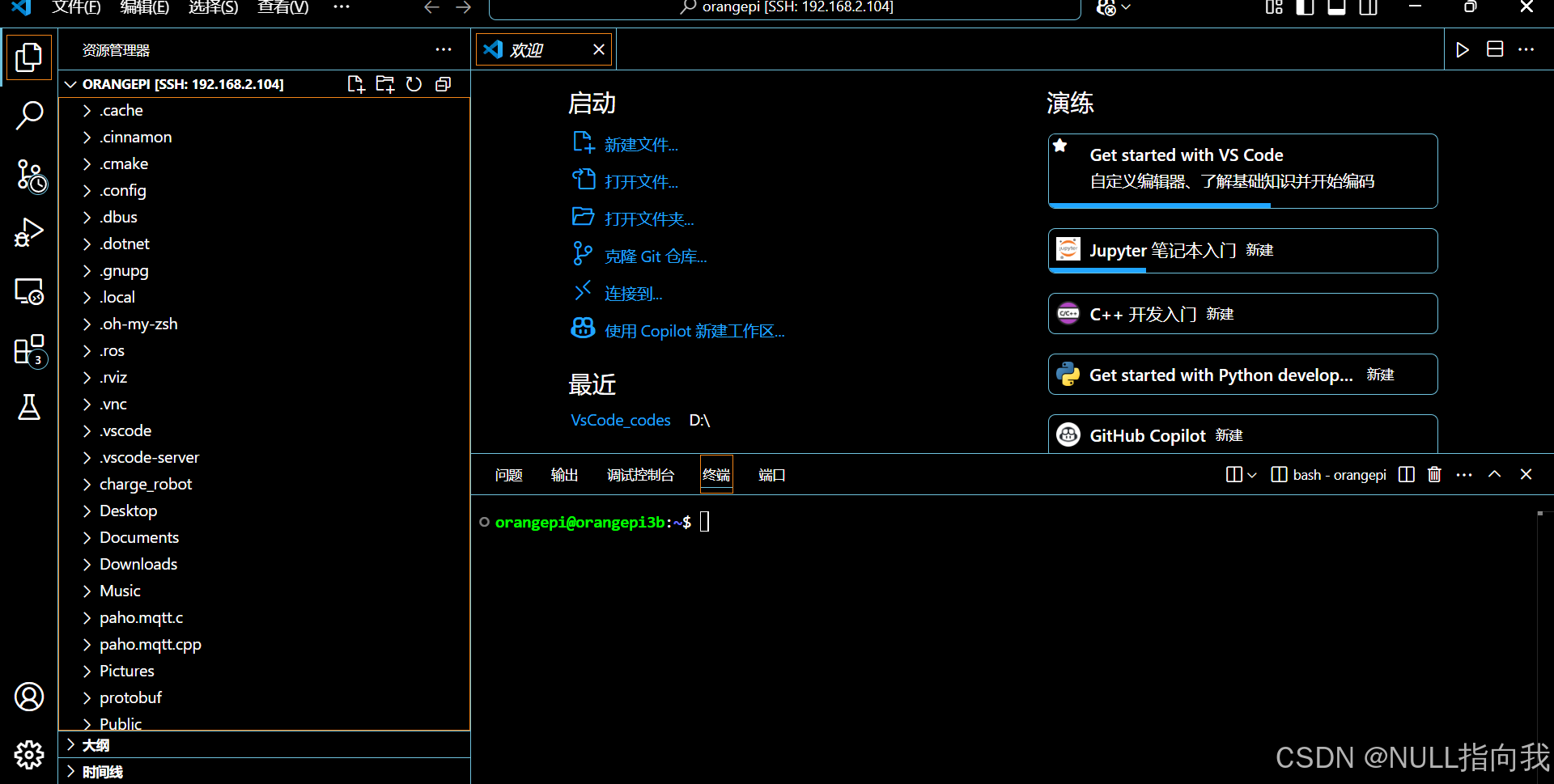
Vscode下载插件,ssh远程登录香橙派。
ssh : orangepi@本地ip
密码 : orangepi

安装 Remote - SSH 扩展SSH插件:
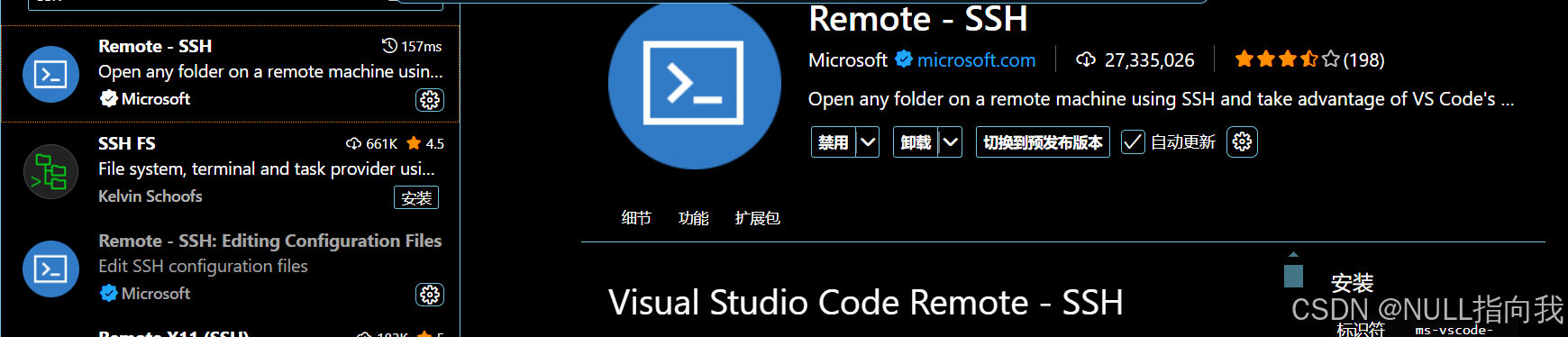
SSH远程连接:
ssh username@remote_host
ssh -p port_number username@remote_host
默认22端口号就用第一行的格式就行了
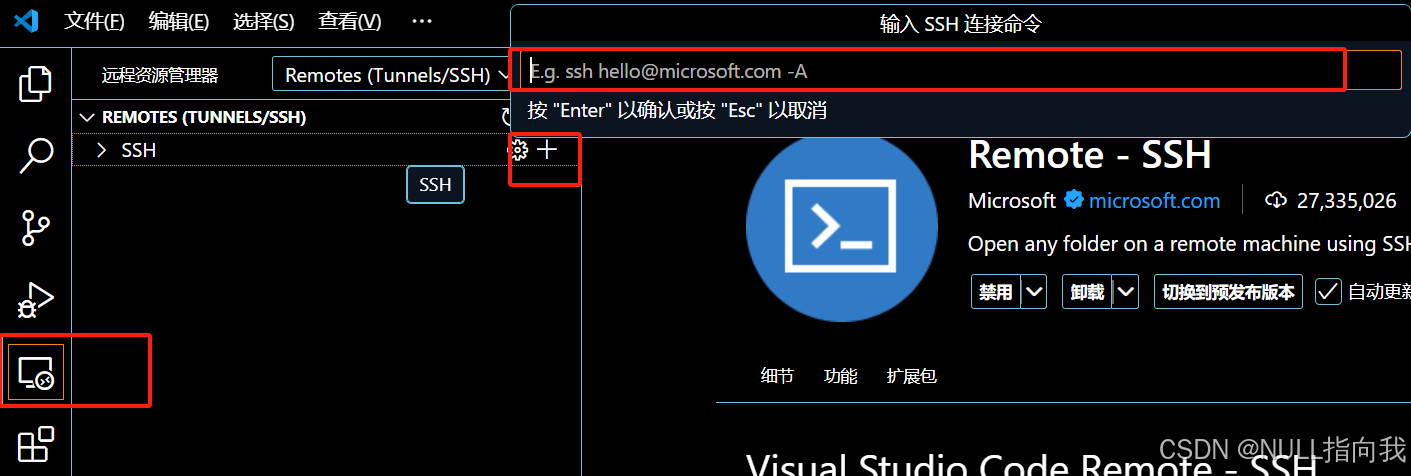
我的就是默认22端口号,所以直接输入
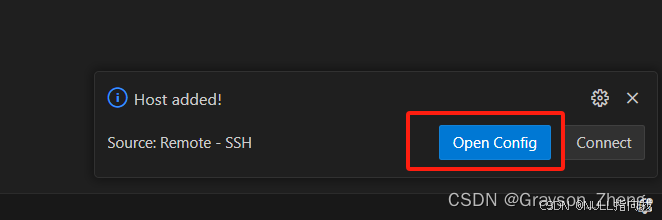
更新配置点第一个就行

连接失败与解决:
但是连接一直失败:

我的报错如下:
[11:28:12.030] Log Level: 2
[11:28:12.048] SSH Resolver called for "ssh-remote+192.168.2.104", attempt 1
[11:28:12.053] remote.SSH.useLocalServer = false
[11:28:12.053] remote.SSH.useExecServer = true
[11:28:12.053] remote.SSH.bindHost = {}
[11:28:12.053] remote.SSH.showLoginTerminal = false
[11:28:12.054] remote.SSH.remotePlatform = {}
[11:28:12.054] remote.SSH.path =
[11:28:12.054] remote.SSH.configFile =
[11:28:12.054] remote.SSH.useFlock = true
[11:28:12.054] remote.SSH.lockfilesInTmp = false
[11:28:12.054] remote.SSH.localServerDownload = auto
[11:28:12.054] remote.SSH.remoteServerListenOnSocket = false
[11:28:12.054] remote.SSH.defaultExtensions = []
[11:28:12.054] remote.SSH.defaultExtensionsIfInstalledLocally = []
[11:28:12.055] remote.SSH.loglevel = 2
[11:28:12.055] remote.SSH.enableDynamicForwarding = true
[11:28:12.055] remote.SSH.enableRemoteCommand = false
[11:28:12.056] remote.SSH.serverPickPortsFromRange = {}
[11:28:12.056] remote.SSH.serverInstallPath = {}
[11:28:12.057] remote.SSH.permitPtyAllocation = false
[11:28:12.057] remote.SSH.preferredLocalPortRange = undefined
[11:28:12.057] remote.SSH.useCurlAndWgetConfigurationFiles = false
[11:28:12.057] remote.SSH.experimental.chat = true
[11:28:12.057] remote.SSH.experimental.enhancedSessionLogs = true
[11:28:12.057] remote.SSH.httpProxy = {"*":""}
[11:28:12.058] remote.SSH.httpsProxy = {"*":""}
[11:28:12.064] VS Code version: 1.100.2
[11:28:12.064] Remote-SSH version: remote-ssh@0.120.0
[11:28:12.064] win32 x64
[11:28:12.067] SSH Resolver called for host: 192.168.2.104
[11:28:12.068] Setting up SSH remote "192.168.2.104"
[11:28:12.076] Using commit id "848b80aeb52026648a8ff9f7c45a9b0a80641e2e" and quality "stable" for server
[11:28:12.076] Extensions to install:
[11:28:12.081] Install and start server if needed
[11:28:13.773] Checking ssh with "C:\ProgramData\Anaconda3\ssh.exe -V"
[11:28:13.775] Got error from ssh: spawn C:\ProgramData\Anaconda3\ssh.exe ENOENT
[11:28:13.775] Checking ssh with "C:\ProgramData\Anaconda3\Library\mingw-w64\bin\ssh.exe -V"
[11:28:13.777] Got error from ssh: spawn C:\ProgramData\Anaconda3\Library\mingw-w64\bin\ssh.exe ENOENT
[11:28:13.777] Checking ssh with "C:\ProgramData\Anaconda3\Library\usr\bin\ssh.exe -V"
[11:28:13.778] Got error from ssh: spawn C:\ProgramData\Anaconda3\Library\usr\bin\ssh.exe ENOENT
[11:28:13.778] Checking ssh with "C:\ProgramData\Anaconda3\Library\bin\ssh.exe -V"
[11:28:13.779] Got error from ssh: spawn C:\ProgramData\Anaconda3\Library\bin\ssh.exe ENOENT
[11:28:13.779] Checking ssh with "C:\ProgramData\Anaconda3\Scripts\ssh.exe -V"
[11:28:13.780] Got error from ssh: spawn C:\ProgramData\Anaconda3\Scripts\ssh.exe ENOENT
[11:28:13.780] Checking ssh with "C:\Program Files\NVIDIA GPU Computing Toolkit\CUDA\v10.0\bin\ssh.exe -V"
[11:28:13.781] Got error from ssh: spawn C:\Program Files\NVIDIA GPU Computing Toolkit\CUDA\v10.0\bin\ssh.exe ENOENT
[11:28:13.781] Checking ssh with "C:\Program Files\NVIDIA GPU Computing Toolkit\CUDA\v10.0\libnvvp\ssh.exe -V"
[11:28:13.782] Got error from ssh: spawn C:\Program Files\NVIDIA GPU Computing Toolkit\CUDA\v10.0\libnvvp\ssh.exe ENOENT
[11:28:13.782] Checking ssh with "C:\Program Files\Common Files\Siemens\Automation\Simatic OAM\bin\ssh.exe -V"
[11:28:13.783] Got error from ssh: spawn C:\Program Files\Common Files\Siemens\Automation\Simatic OAM\bin\ssh.exe ENOENT
[11:28:13.783] Checking ssh with "C:\ProgramData\Oracle\Java\javapath\ssh.exe -V"
[11:28:13.784] Got error from ssh: spawn C:\ProgramData\Oracle\Java\javapath\ssh.exe ENOENT
[11:28:13.784] Checking ssh with "C:\Windows\system32\ssh.exe -V"
[11:28:13.785] Got error from ssh: spawn C:\Windows\system32\ssh.exe ENOENT
[11:28:13.785] Checking ssh with "C:\Windows\ssh.exe -V"
[11:28:13.786] Got error from ssh: spawn C:\Windows\ssh.exe ENOENT
[11:28:13.786] Checking ssh with "C:\Windows\System32\Wbem\ssh.exe -V"
[11:28:13.787] Got error from ssh: spawn C:\Windows\System32\Wbem\ssh.exe ENOENT
[11:28:13.787] Checking ssh with "C:\Windows\System32\WindowsPowerShell\v1.0\ssh.exe -V"
[11:28:13.788] Got error from ssh: spawn C:\Windows\System32\WindowsPowerShell\v1.0\ssh.exe ENOENT
[11:28:13.788] Checking ssh with "C:\Windows\System32\OpenSSH\ssh.exe -V"
[11:28:13.822] > OpenSSH_for_Windows_9.5p1, LibreSSL 3.8.2

[11:28:13.827] Running script with connection command: "C:\Windows\System32\OpenSSH\ssh.exe" -T -D 9217 "192.168.2.104" sh
[11:28:13.829] Generated SSH command: 'type "C:\Users\30313\AppData\Local\Temp\vscode-linux-multi-line-command-192.168.2.104-463329471.sh" | "C:\Windows\System32\OpenSSH\ssh.exe" -T -D 9217 "192.168.2.104" sh'
[11:28:13.830] Using connect timeout of 17 seconds
[11:28:13.831] Terminal shell path: C:\WINDOWS\System32\cmd.exe
[11:28:14.126] > Bad permissions. Try removing permissions for user: \\Everyone (S-1-1-0) on file C:/Users/30313/.ssh/config.
> Bad owner or permissions on C:\\Users\\30313/.ssh/config
> 过程试图写入的管道不存在。
[11:28:14.126] Got some output, clearing connection timeout
[11:28:15.383] "install" terminal command done
[11:28:15.384] Install terminal quit with output: 过程试图写入的管道不存在。
[11:28:15.384] Received install output: 过程试图写入的管道不存在。
[11:28:15.384] WARN: $PLATFORM is undefined in installation script output.  Errors may be dropped.
[11:28:15.384] Failed to parse remote port from server output
[11:28:15.386] Resolver error: Error:
	at y.Create (c:\Users\30313\.vscode\extensions\ms-vscode-remote.remote-ssh-0.120.0\out\extension.js:2:744751)
	at t.handleInstallOutput (c:\Users\30313\.vscode\extensions\ms-vscode-remote.remote-ssh-0.120.0\out\extension.js:2:742832)
	at t.tryInstall (c:\Users\30313\.vscode\extensions\ms-vscode-remote.remote-ssh-0.120.0\out\extension.js:2:865534)
	at async c:\Users\30313\.vscode\extensions\ms-vscode-remote.remote-ssh-0.120.0\out\extension.js:2:824246
	at async t.withShowDetailsEvent (c:\Users\30313\.vscode\extensions\ms-vscode-remote.remote-ssh-0.120.0\out\extension.js:2:827501)
	at async A (c:\Users\30313\.vscode\extensions\ms-vscode-remote.remote-ssh-0.120.0\out\extension.js:2:820760)
	at async t.resolve (c:\Users\30313\.vscode\extensions\ms-vscode-remote.remote-ssh-0.120.0\out\extension.js:2:824898)
	at async c:\Users\30313\.vscode\extensions\ms-vscode-remote.remote-ssh-0.120.0\out\extension.js:2:1113660
[11:28:15.391] ------
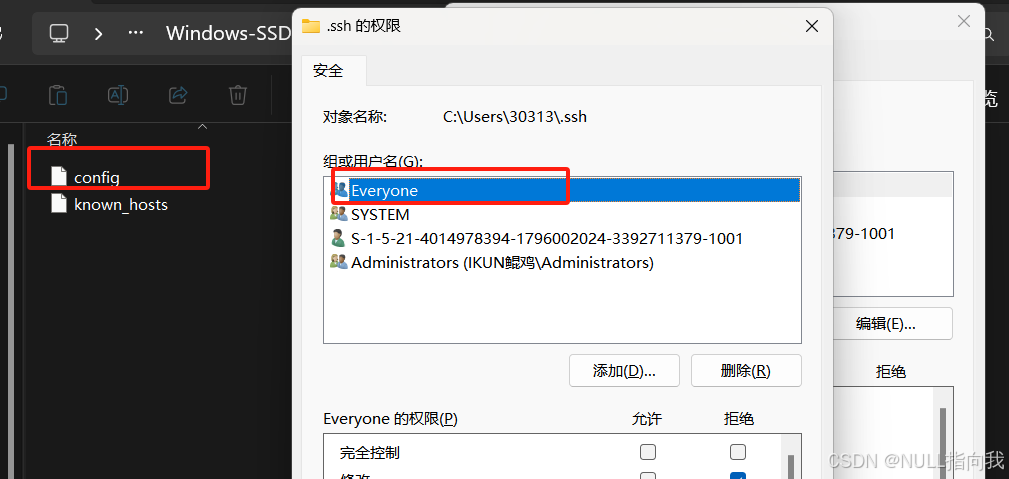
问了AI是提示我服务器拒绝所有人的访问权限,有个EVeryone用户的权限访问过于开放了,被拒绝了,这里导航到windows的ssh配置:

右键config->属性,降低Everyone的权限,但我这里是直接删除了Everyone用户组,并应用才解决的。
成功登陆: