html
<!DOCTYPE html>
<html lang="zh-CN">
<head>
    <meta charset="UTF-8">
    <meta name="viewport" content="width=device-width, initial-scale=1.0">
    <title>简易登录页面</title>
    <style>
        * {
            margin: 0;
            padding: 0;
            box-sizing: border-box;
        }

        body {
            font-family: Arial, sans-serif;
            background-color: #f5f5f5;
            display: flex;
            justify-content: center;
            align-items: center;
            height: 100vh;
        }

        .login-container {
            background-color: white;
            padding: 40px;
            border-radius: 8px;
            box-shadow: 0 2px 10px rgba(0, 0, 0, 0.1);
            width: 100%;
            max-width: 400px;
        }

        h2 {
            text-align: center;
            color: #333;
            margin-bottom: 30px;
        }

        .form-group {
            margin-bottom: 20px;
        }

        label {
            display: block;
            margin-bottom: 5px;
            color: #666;
        }

        input {
            width: 100%;
            padding: 10px;
            border: 1px solid #ddd;
            border-radius: 4px;
            font-size: 16px;
        }

        input:focus {
            outline: none;
            border-color: #4CAF50;
        }

        .error-message {
            color: #f44336;
            font-size: 14px;
            margin-top: 5px;
            display: none;
        }

        .login-btn {
            width: 100%;
            padding: 12px;
            background-color: #4CAF50;
            color: white;
            border: none;
            border-radius: 4px;
            font-size: 16px;
            cursor: pointer;
            transition: background-color 0.3s;
        }

        .login-btn:hover {
            background-color: #45a049;
        }

        .login-btn:active {
            background-color: #3d8b40;
        }
    </style>
</head>
<body>
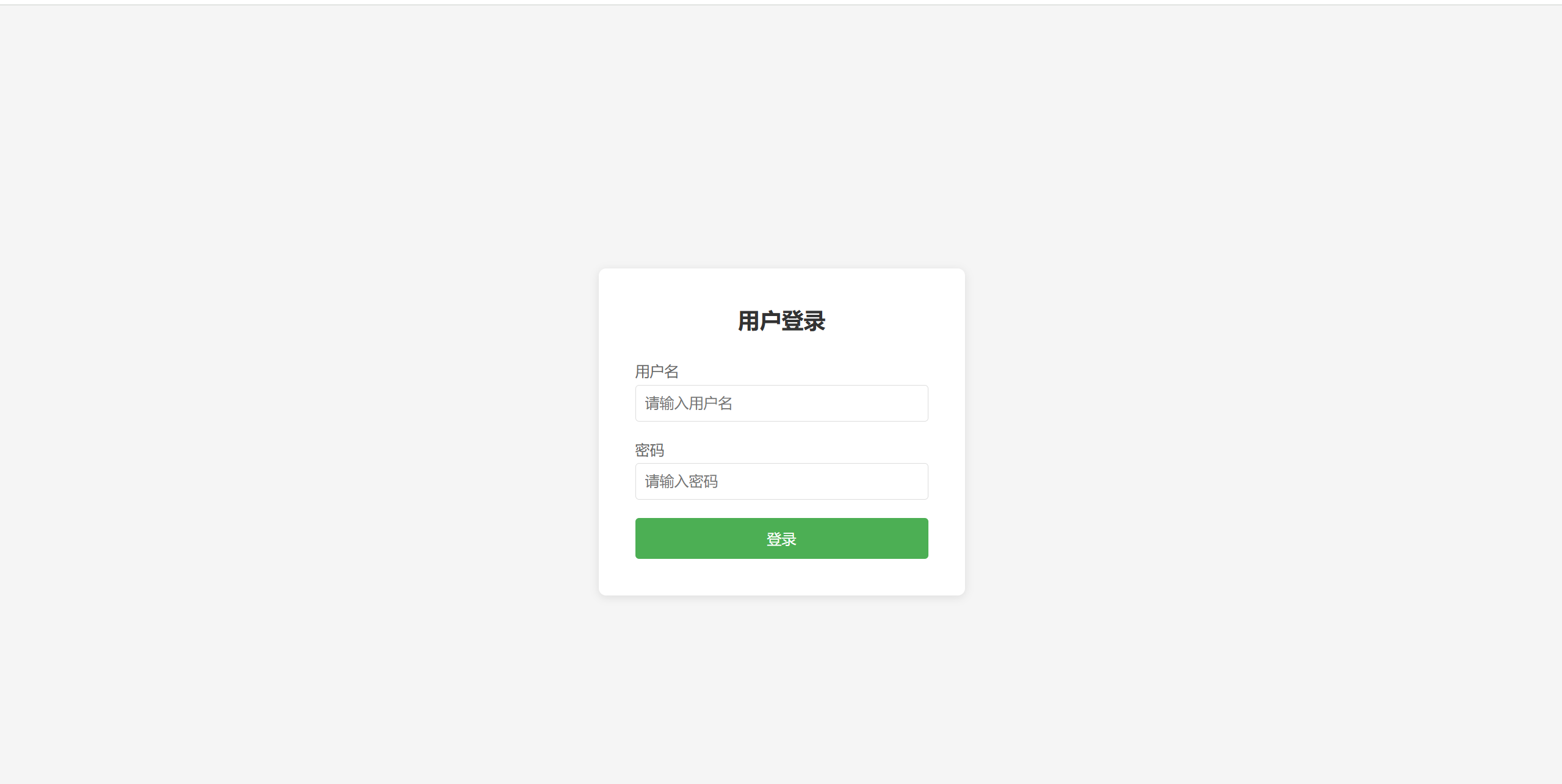
    <div class="login-container">
        <h2>用户登录</h2>
        <form id="loginForm">
            <div class="form-group">
                <label for="username">用户名</label>
                <input type="text" id="username" name="username" placeholder="请输入用户名">
                <div class="error-message" id="usernameError">请输入用户名</div>
            </div>

            <div class="form-group">
                <label for="password">密码</label>
                <input type="password" id="password" name="password" placeholder="请输入密码">
                <div class="error-message" id="passwordError">请输入密码</div>
            </div>

            <button type="submit" class="login-btn">登录</button>
        </form>
    </div>

    <script>
        // 模拟的用户数据
        const mockUsers = [
            { username: 'admin', password: '123456' },
            { username: 'user', password: 'password' }
        ];

        // 获取表单和输入元素
        const loginForm = document.getElementById('loginForm');
        const usernameInput = document.getElementById('username');
        const passwordInput = document.getElementById('password');
        const usernameError = document.getElementById('usernameError');
        const passwordError = document.getElementById('passwordError');

        // 表单提交事件
        loginForm.addEventListener('submit', function(e) {
            e.preventDefault();

            // 重置错误信息
            usernameError.style.display = 'none';
            passwordError.style.display = 'none';

            // 获取输入值
            const username = usernameInput.value.trim();
            const password = passwordInput.value.trim();

            // 验证输入
            let isValid = true;

            if (username === '') {
                usernameError.style.display = 'block';
                isValid = false;
            }

            if (password === '') {
                passwordError.style.display = 'block';
                isValid = false;
            }

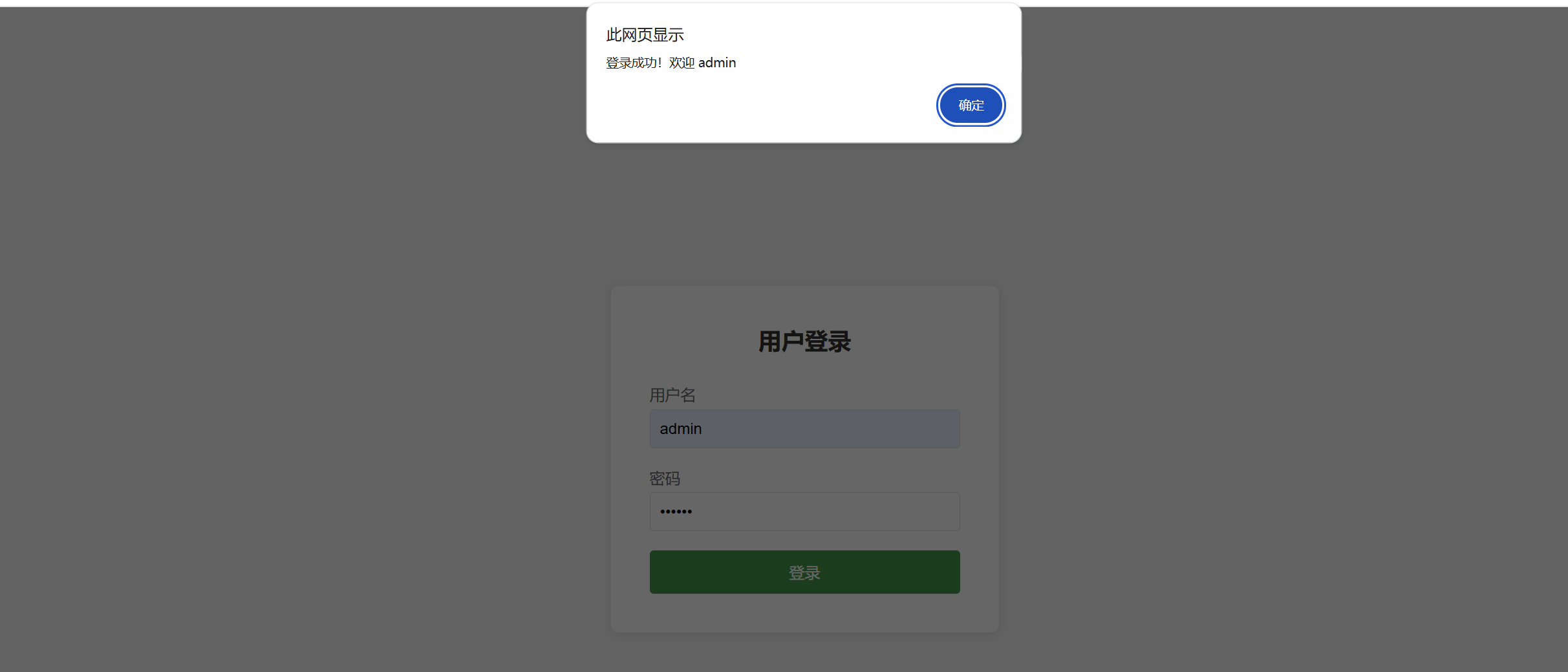
            if (isValid) {
                // 验证用户
                const user = mockUsers.find(u => u.username === username && u.password === password);

                if (user) {
                    alert('登录成功!欢迎 ' + username);
                    // 这里可以重定向到主页或其他页面
                    // window.location.href = 'home.html';
                } else {
                    alert('用户名或密码错误!');
                }
            }
        });

        // 输入时隐藏错误信息
        usernameInput.addEventListener('input', function() {
            usernameError.style.display = 'none';
        });

        passwordInput.addEventListener('input', function() {
            passwordError.style.display = 'none';
        });
    </script>
</body>
</html>