Electron使用WebAssembly实现CRC-16 IBM校验
将C/C++语言代码,经由WebAssembly编译为库函数,可以在JS语言环境进行调用。这里介绍在Electron工具环境使用WebAssembly调用CRC-16 IBM格式校验的方式。
CRC-16 IBM校验函数WebAssembly源文件
C语言实现CRC-16 IBM格式校验的介绍见:《C语言CRC-16 IBM格式校验函数》
选择上面介绍文章中的uint16_t PY_CRC_16_T8_IBM_i(uint8_t *di, uint32_t len)校验函数,建立一个新文件PY_CRC_16_T8_IBM_i.cc:
csharp
#ifndef EM_PORT_API
#	if defined(__EMSCRIPTEN__)
#		include <emscripten.h>
#		if defined(__cplusplus)
#			define EM_PORT_API(rettype) extern "C" rettype EMSCRIPTEN_KEEPALIVE
#		else
#			define EM_PORT_API(rettype) rettype EMSCRIPTEN_KEEPALIVE
#		endif
#	else
#		if defined(__cplusplus)
#			define EM_PORT_API(rettype) extern "C" rettype
#		else
#			define EM_PORT_API(rettype) rettype
#		endif
#	endif
#endif

#include <stdio.h>
#include <stdint.h>
#include <stdlib.h>

EM_PORT_API(void *) mymalloc(uint32_t size) {
	return malloc(size);
}

EM_PORT_API(void) myfree(void * ptr) {
	 free(ptr);
}

EM_PORT_API(uint16_t) PY_CRC_16_T8_IBM_i(uint8_t *di, uint32_t len)
{
	uint16_t crc_poly = 0xA001; //Bit sequence inversion of 0x8005
	uint16_t data_t = 0; //CRC register

    for(uint32_t i = 0; i < len; i++)
    {
    	data_t ^= di[i]; //8-bit data

        for (uint8_t j = 0; j < 8; j++)
        {
            if (data_t & 0x0001)
            	data_t = (data_t >> 1) ^ crc_poly;
            else
            	data_t >>= 1;
        }
    }

    return data_t;
}
这个文件有三个函数导出,前两个是获取和释放内存的函数,后一个就是CRC-16 IBM校验函数的导出。
将这个文件进行WebAssembly编译,就会得到两个库文件:
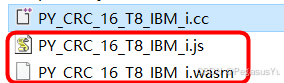
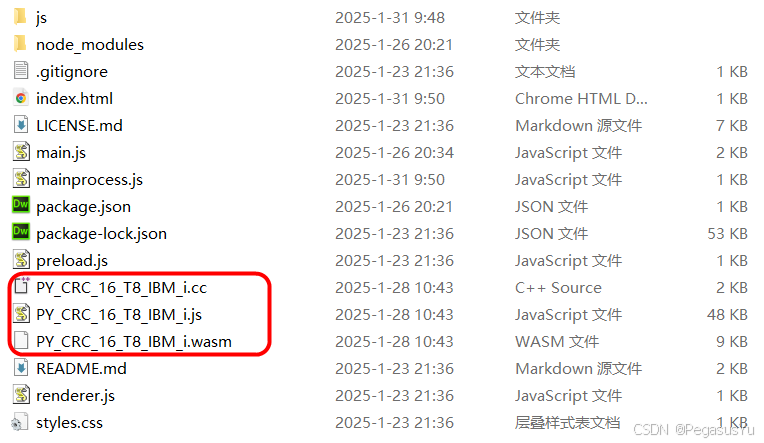
将这几个文件拷贝到后面建立的Electron工程目录,再进行调用。
Electron调用WebAssembly CRC-16 IBM函数演示源文件
下载Electron的Hello World!例程,并实现正常运行:

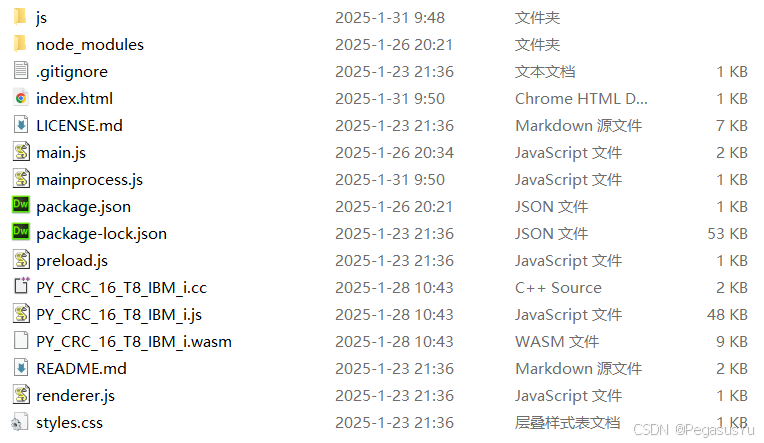
然后将前面的3个WebAssembly相关文件,放到例程根目录。再引入一个jQuery库。编写index.html文件如下:
html
<!DOCTYPE html>
<html>
  <head>
    <meta charset="UTF-8">
    <!-- https://developer.mozilla.org/en-US/docs/Web/HTTP/CSP -->
    <link href="./styles.css" rel="stylesheet">
    <title>Hello World!</title>
         <script>
              window.$ = window.jQuery = require('./js/jquery-3.3.1.min.js');
      </script>
  </head>
      <script src="PY_CRC_16_T8_IBM_i.js"></script>
      <script src="./mainprocess.js"></script>
  <body>
    <h1>Hello World!</h1>
    We are using Node.js <span id="node-version"></span>,
    Chromium <span id="chrome-version"></span>,
    and Electron <span id="electron-version"></span>.

    <!-- You can also require other files to run in this process -->
    <script src="./renderer.js"></script>
  </body>
</html>
主要修改部分为引入了jQuery,引入了PY_CRC_16_T8_IBM_i.js以及引入了mainprocess.js,mainprocess.js是在例程根目录下新建的工程文件,内容如下:
javascript
// This file is required by the index.html file and will
// be executed in the renderer process for that window.
// All of the Node.js APIs are available in this process.

//增加当前运行状态和当前运行进程/函数信息,控制不产生误触发
window.name="mainwindow";

$(document).ready(function(){

      Module.onRuntimeInitialized = function() {
           console.log(Module);
    }

    setTimeout(function(){
      var count = 8;
      var ptr = Module._mymalloc(count);
      for (var i = 0; i < count; i++){
          Module.HEAP8[ptr + i] = 1+i;
      }
      console.log(Module._PY_CRC_16_T8_IBM_i(ptr, count));
      Module._myfree(ptr);

    },2000);   //Delay is a must for Module initialized!

 });


 process.on('uncaughtException', function (){

});
mainprocess.js实现了WebAssembly库文件的导入和使用,Module._mymalloc用于申请内存空间,Module._myfree用于释放内存空间,Module.HEAP8ptr + i = 1+i;用于给申请到的内存空间从1开始赋值,这里堆空间为8个字节,因此赋值从1到8。Module._PY_CRC_16_T8_IBM_i(ptr, count)则进行CRC-16 IBM校验函数的调用,提供了内存指针和要校验的字节数量。
整个Electron工程环境的文件如下所示:
Electron调用WebAssembly CRC-16 IBM函数演示效果
通过在控制台输入 npm start执行Electron工程,打开console显示:
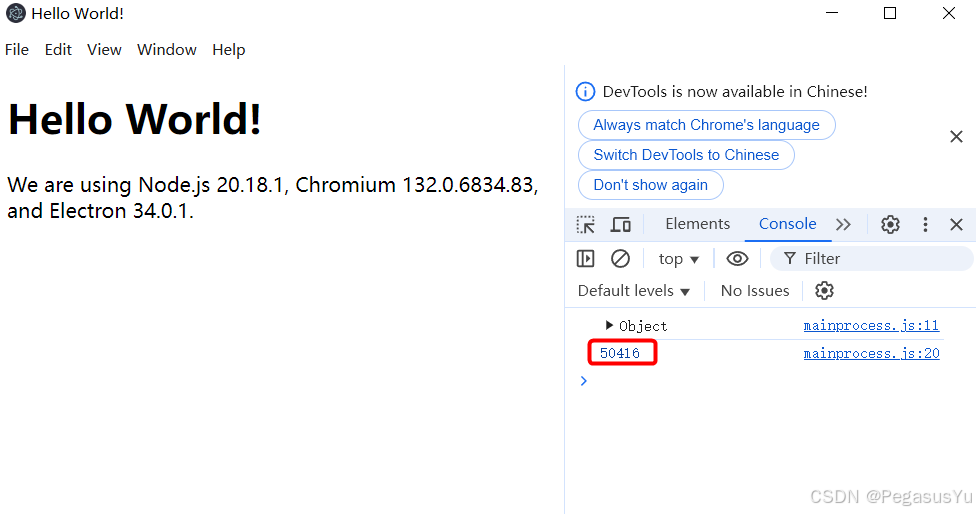
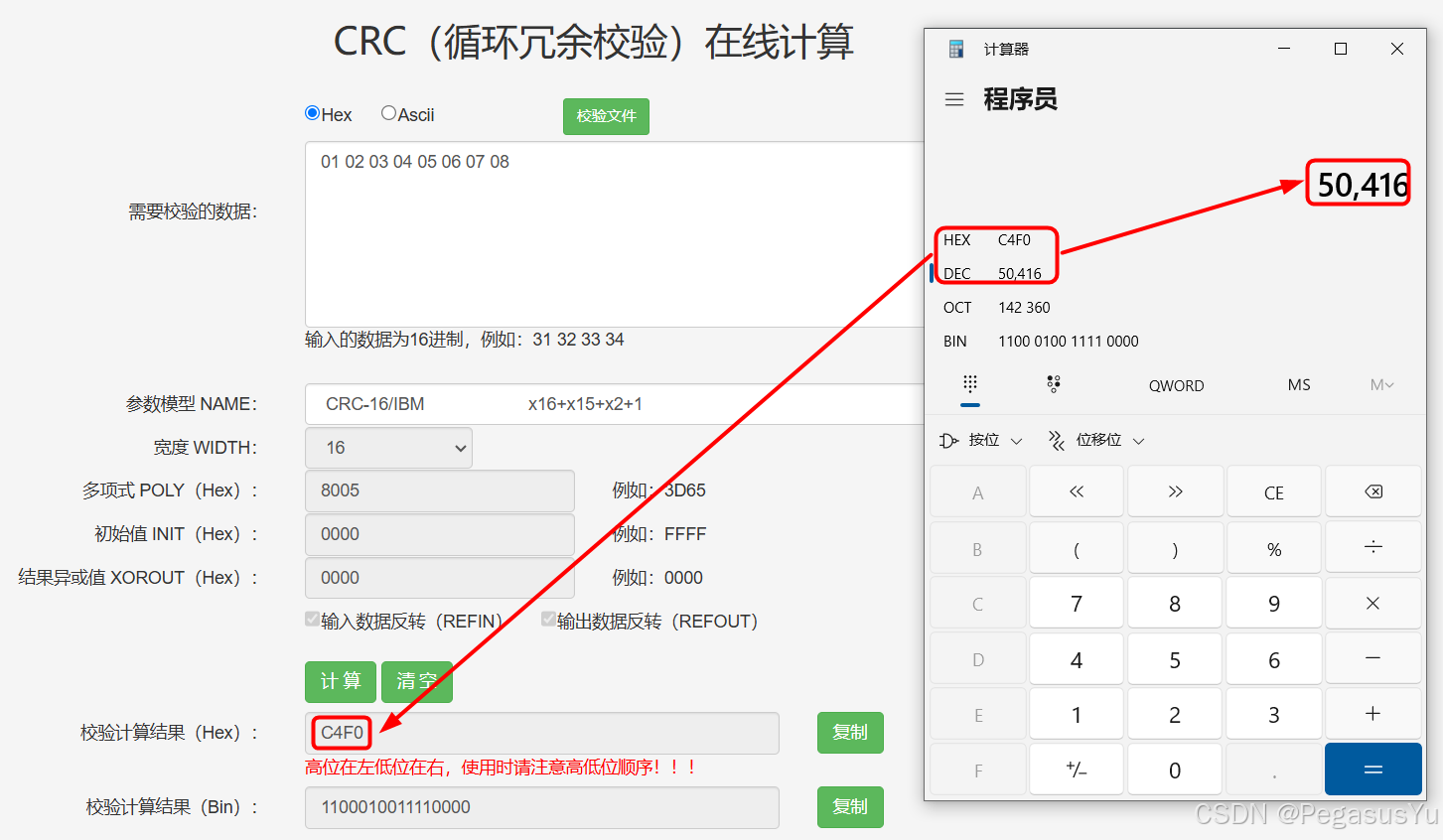
50416是打印出的CRC校验结果,十六进制值为0xC4F0, 通过在线工具比较验证:
Electron使用WebAssembly实现CRC-16 IBM校验演示工程下载
Electron Demo工程下载,包含已编译后的WebAssembly库文件:
--End--