今天想看看,基于clodop和Chrome原生打印的标签实现方法与性能对比。先看看DeepSeek关于这个问题的回答!
CloudPrint 和 Chrome 原生打印的区别
基本概念差异
-
CloudPrint (Clodop)
- 是基于云的打印服务解决方案
- 需要安装专门的客户端程序
- 支持跨平台、跨设备打印
-
Chrome 原生打印
- 是浏览器内置的打印功能
- 直接调用操作系统打印接口
- 不需要额外安装软件
功能特性对比
| 特性 | CloudPrint (Clodop) | Chrome 原生打印 |
|---|---|---|
| 安装要求 | 需要安装客户端 | 无需安装 |
| 跨平台支持 | 优秀 | 一般 |
| 打印预览 | 自定义预览界面 | 浏览器标准预览 |
| 标签打印支持 | 专业支持 | 基本支持 |
| 打印精度控制 | 更精细 | 一般 |
| 批量打印 | 支持更好 | 有限支持 |
| 打印模板管理 | 有专门管理系统 | 无 |
| 网络打印 | 支持远程打印 | 仅本地打印 |
标签打印的具体区别
-
打印精度
- Clodop: 提供更高精度的DPI控制,适合精细标签
- Chrome: 依赖系统打印设置,精度有限
-
模板支持
- Clodop: 支持保存和调用打印模板
- Chrome: 每次需要重新设置格式
-
批量处理
- Clodop: 优化了批量标签打印流程
- Chrome: 批量打印效率较低
-
特殊格式
- Clodop: 支持条形码、二维码等特殊标签格式
- Chrome: 支持有限
当然主角 Claude还是采用➡️ Windows下用docker desktop搭建Claude code 一文中的方式!
- 首先使用clodop(老肚皮),主要缺点是需要给每个电脑安装客户端!再就是免预览打印需要买授权。
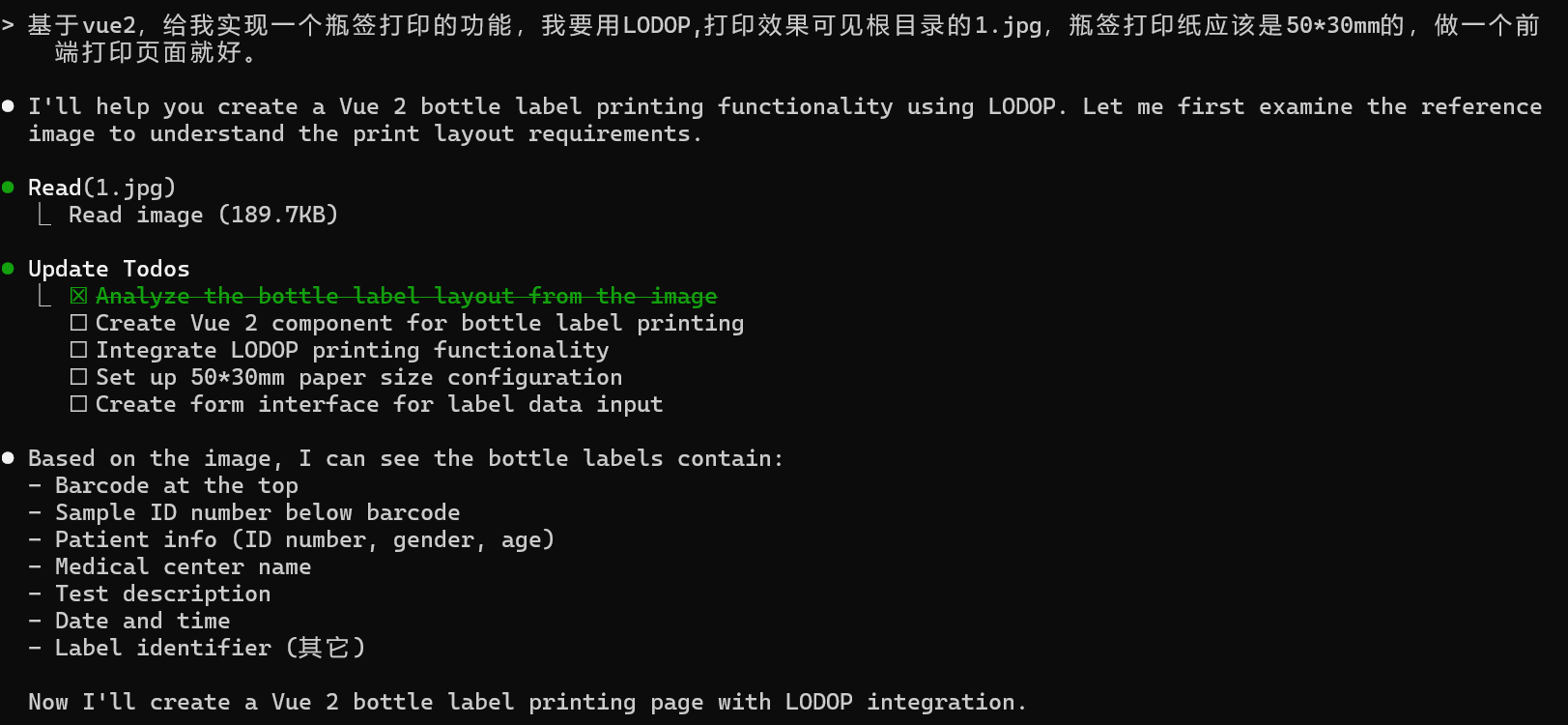
第一次提示词说的不对,说成了lodop,马上改!
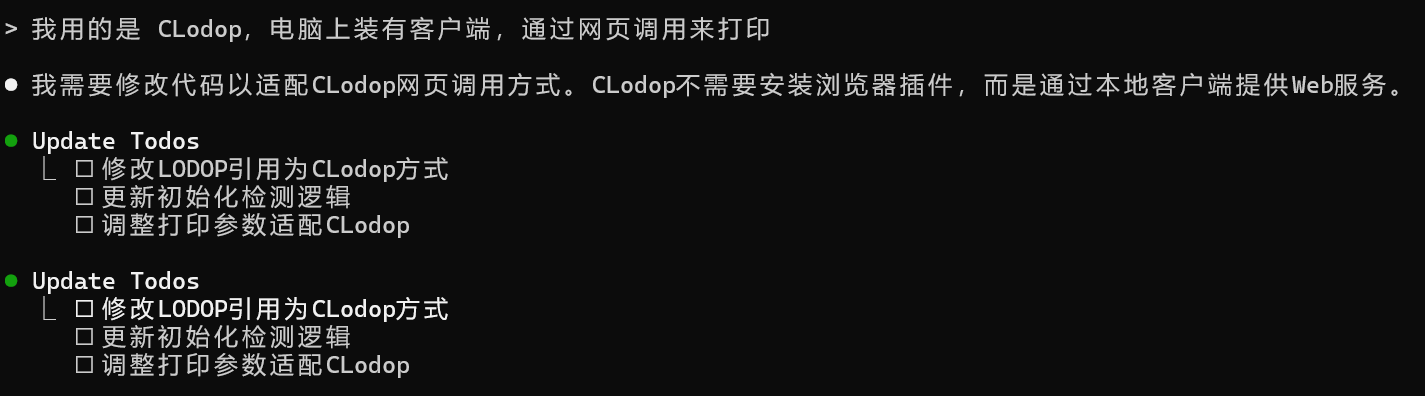
看看成果!很细节的做了个测试页面~
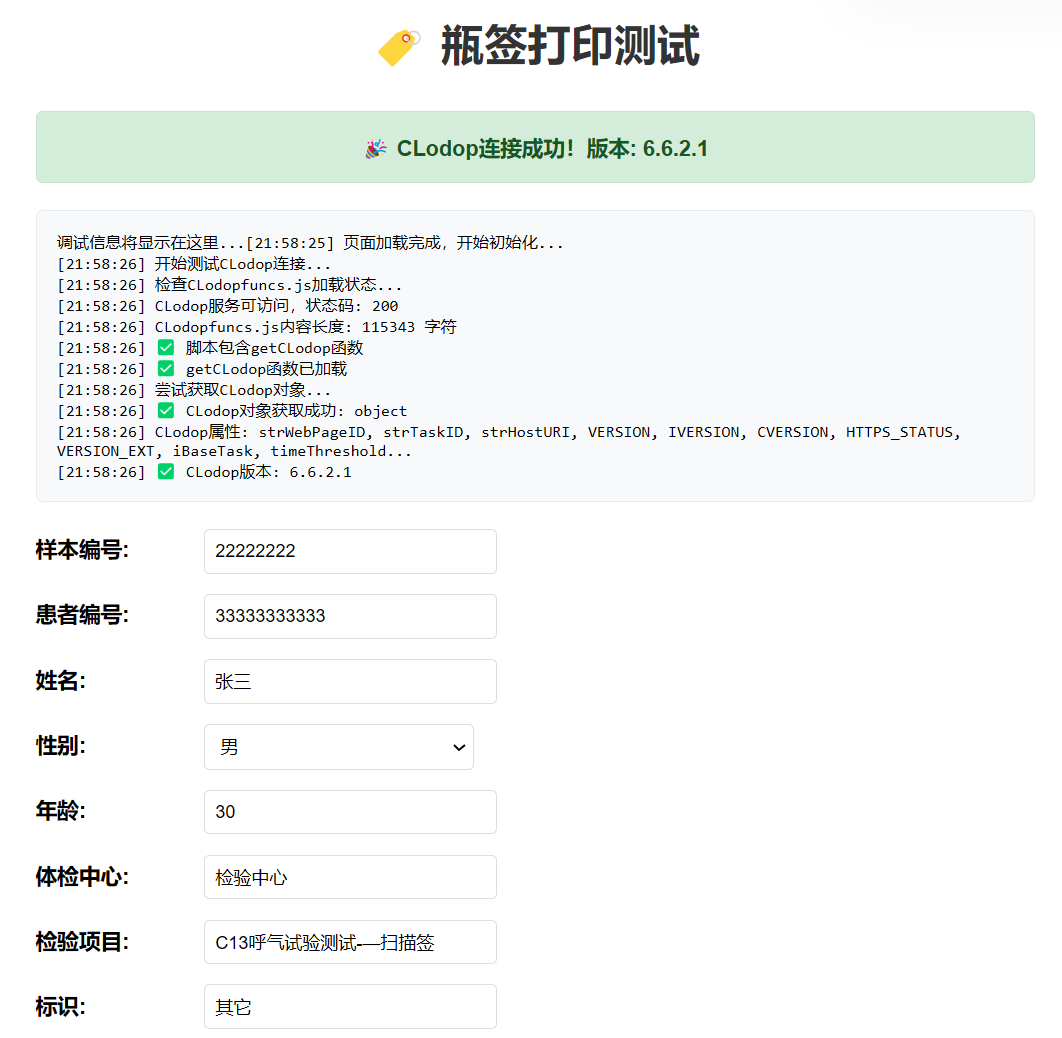
- 老肚皮打印预览效果!消耗2500积分(实现代码在文末)
- 再试试chrome浏览器版本!优点不用额外装东西!
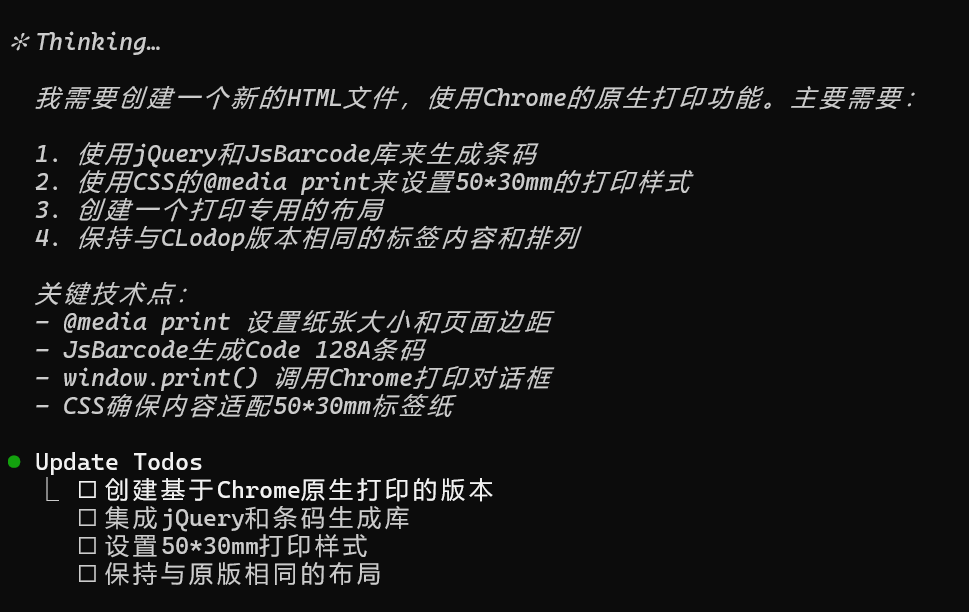
- 有了前面成果的参照,2分钟就完成了。
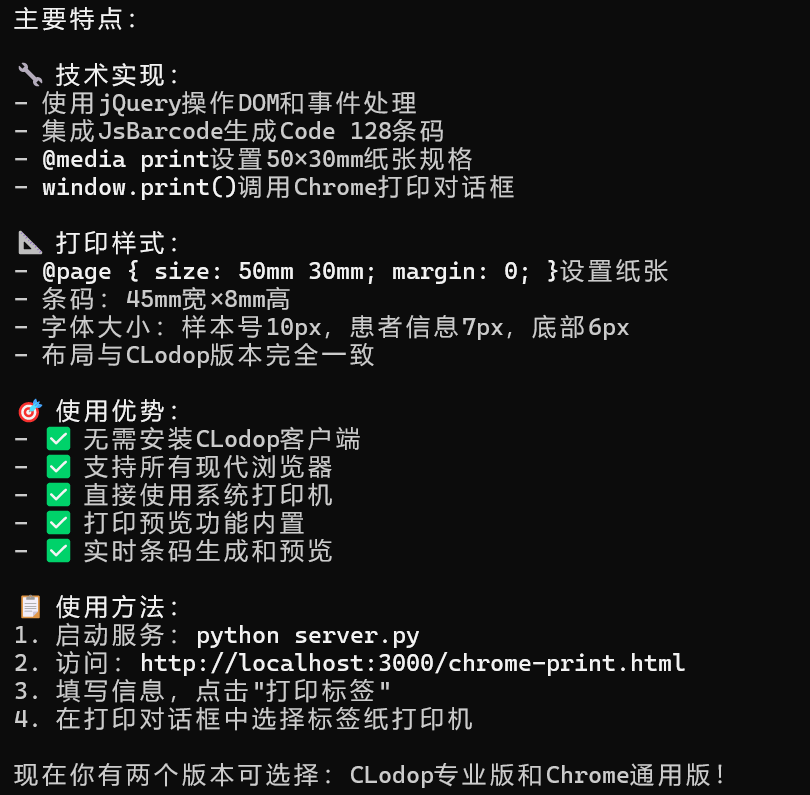
- 出来了,效果怎么说呢,DeepSeek没讲错,很一般!
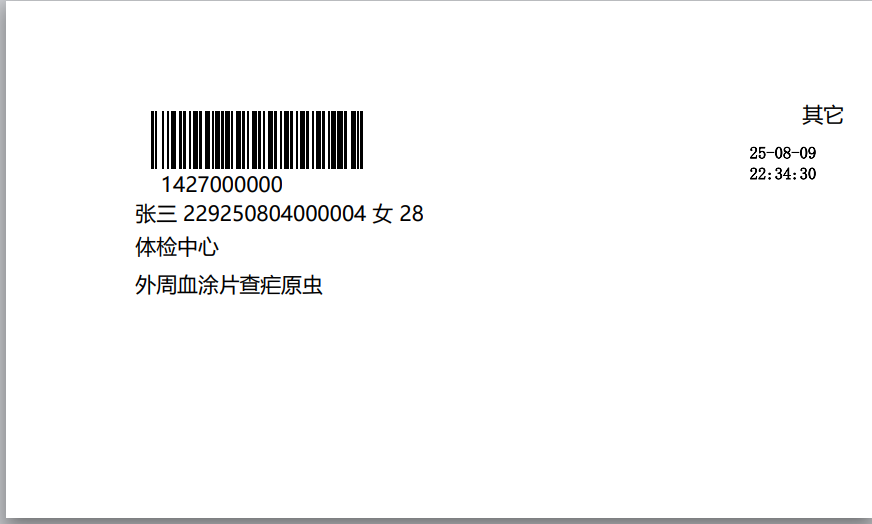
最后,奉上核心代码!先看clodop版本!
javascript
function createPrintJob(isPreview) {
            const sampleId = document.getElementById('sampleId').value;
            const patientName = document.getElementById('patientName').value;
            const patientId = document.getElementById('patientId').value;
            const gender = document.getElementById('gender').value;
            const age = document.getElementById('age').value;
            const center = document.getElementById('center').value;
            const testItem = document.getElementById('testItem').value;
            const identifier = document.getElementById('identifier').value;

            const now = new Date();
            const dateTime = `${String(now.getFullYear()).substr(-2)}-${String(now.getMonth()+1).padStart(2,'0')}-${String(now.getDate()).padStart(2,'0')} ${String(now.getHours()).padStart(2,'0')}:${String(now.getMinutes()).padStart(2,'0')}:${String(now.getSeconds()).padStart(2,'0')}`;

            log('创建打印任务,参数:');
            log(`样本编号: ${sampleId}`);
            log(`患者信息: ${patientName} ${patientId} ${gender} ${age}`);
            log(`中心: ${center}`);
            log(`项目: ${testItem}`);
            log(`标识: ${identifier}`);
            log(`时间: ${dateTime}`);

            // 初始化打印任务
            CLODOP.PRINT_INIT("瓶签打印");

            // 设置纸张大小为50*30mm (单位:0.1mm)
            CLODOP.SET_PRINT_PAGESIZE(1, 500, 300, "");
            log('设置纸张大小: 50*30mm');

            // 添加条形码
            CLODOP.ADD_PRINT_BARCODE(10, 40, 135, 40, "128A", sampleId);
            CLODOP.SET_PRINT_STYLEA(0, "ShowBarText", 0);
            log('添加条形码: ' + sampleId);

            // 添加样本编号 - 条码下方居中
            CLODOP.ADD_PRINT_TEXT(50, 20, 110, 15, sampleId);
            CLODOP.SET_PRINT_STYLEA(0, "FontSize", 10);
            // CLODOP.SET_PRINT_STYLEA(0, "Bold", 1);
            CLODOP.SET_PRINT_STYLEA(0, "Alignment", 2);

            // 添加患者信息行
            const patientInfo = `${patientName} ${patientId} ${gender} ${age}`;
            CLODOP.ADD_PRINT_TEXT(65, 20, 150, 12, patientInfo);
            CLODOP.SET_PRINT_STYLEA(0, "FontSize", 8);
            LODOP.SET_PRINT_STYLEA(3,"FontName","微软雅黑");

            // 添加体检中心
            CLODOP.ADD_PRINT_TEXT(80, 20, 120, 12, center);
            CLODOP.SET_PRINT_STYLEA(0, "FontSize", 8);
            LODOP.SET_PRINT_STYLEA(3,"FontName","微软雅黑");

            // 添加检验项目
            CLODOP.ADD_PRINT_TEXT(92, 20, 180, 12, testItem);
            CLODOP.SET_PRINT_STYLEA(0, "FontSize", 8);
            LODOP.SET_PRINT_STYLEA(3,"FontName","微软雅黑");

            // 添加日期时间 - 右中
            CLODOP.ADD_PRINT_TEXT(40, 150, 60, 50, dateTime);
            CLODOP.SET_PRINT_STYLEA(0, "FontSize", 6);
            CLODOP.SET_PRINT_STYLEA(0, "Bold", 1);
            LODOP.SET_PRINT_STYLEA(3,"FontName","仿宋");

            // 添加标识 - 右上角
            CLODOP.ADD_PRINT_TEXT(10, 130, 50, 10, identifier);
            CLODOP.SET_PRINT_STYLEA(0, "FontSize", 9);
            CLODOP.SET_PRINT_STYLEA(0, "Alignment", 3);
            LODOP.SET_PRINT_STYLEA(3,"FontName","微软雅黑");

            // 执行打印
            if (isPreview) {
                CLODOP.PREVIEW();
            } else {
                CLODOP.PREVIEW();
            }
        }
再看看chrome的版本
html
<!-- 打印内容区域 -->
    <div class="print-content" id="printContent">
        <div class="print-barcode">
            <svg id="printBarcode"></svg>
        </div>
        <div class="print-sample-id" id="printSampleId"></div>
        <div class="print-patient-info" id="printPatientInfo"></div>
        <div class="print-center" id="printCenter"></div>
        <div class="print-test-item" id="printTestItem"></div>
        <div class="print-datetime" id="printDateTime"></div>
        <div class="print-identifier" id="printIdentifier"></div>
    </div>
javascript
function updatePrintContent() {
            // 获取表单数据 - 基于print.html的createPrintJob方法
            const sampleId = $('#sampleId').val();
            const patientName = $('#patientName').val();
            const patientId = $('#patientId').val();
            const gender = $('#gender').val();
            const age = $('#age').val();
            const center = $('#center').val();
            const testItem = $('#testItem').val();
            const identifier = $('#identifier').val();
            const dateTime = updateDateTime();

            // 生成条码 - 对应CLodop的128A格式
            if (sampleId) {
                // 预览条码
                try {
                    JsBarcode("#previewBarcode", sampleId, {
                        format: "CODE128A",
                        width: 1,
                        height: 30,
                        displayValue: false,
                        margin: 0
                    });
                } catch (e) {
                    console.error('预览条码生成失败:', e);
                }

                // 打印条码 - 尺寸对应CLodop W=135, H=40
                try {
                    JsBarcode("#printBarcode", sampleId, {
                        format: "CODE128A",
                        width: 1,
                        height: 40,
                        displayValue: false,
                        margin: 0
                    });
                } catch (e) {
                    console.error('打印条码生成失败:', e);
                }
            }

            // 更新预览内容
            $('#previewContent').html(`
                <div style="position:absolute; top:5px; right:5px; font-size:9px;">${identifier}</div>
                <div style="text-align:center; font-weight:normal; font-size:10px; margin-bottom:3px;">${sampleId}</div>
                <div style="font-size:8px; margin:1px 0;">${patientName} ${patientId} ${gender} ${age}</div>
                <div style="font-size:8px; margin:1px 0;">${center}</div>
                <div style="font-size:8px; margin:1px 0;">${testItem}</div>
                <div style="position:absolute; top:35px; right:5px; font-size:6px; font-weight:bold;">${dateTime}</div>
            `);

            // 更新打印内容 - 完全按照CLodop布局
            $('#printSampleId').text(sampleId);
            $('#printPatientInfo').text(`${patientName} ${patientId} ${gender} ${age}`);
            $('#printCenter').text(center);
            $('#printTestItem').text(testItem);
            $('#printDateTime').text(dateTime);
            $('#printIdentifier').text(identifier);
        }

        function printLabel() {
            // 更新打印内容
            updatePrintContent();

            // 延迟一下确保条码生成完成
            setTimeout(function() {
                // 调用浏览器打印
                window.print();
            }, 100);
        }
css
/* 打印样式 - 基于CLodop的精确坐标转换 */
        @media print {
            * {
                margin: 0;
                padding: 0;
                box-sizing: border-box;
                page-break-inside: avoid;
            }

            body {
                background: white;
                font-family: "Microsoft YaHei", Arial, sans-serif;
                width: 50mm !important;
                height: 30mm !important;
                overflow: hidden !important;
            }

            /* 隐藏非打印元素 */
            .container, .title, .form-group, .buttons, .preview {
                display: none !important;
            }

            /* 显示打印内容 */
            .print-content {
                display: block !important;
                width: 50mm;
                height: 30mm;
                position: relative;
                page-break-after: avoid;
                page-break-inside: avoid;
                box-sizing: border-box;
            }

            /* 设置页面大小 */
            @page {
                size: 50mm 30mm;
                margin: 0;
                padding: 0;
            }

            html, body {
                width: 50mm;
                height: 30mm;
                overflow: hidden;
            }

            /* 条形码区域 - 对应 CLODOP Y=10, X=40, W=135, H=40 */
            .print-barcode {
                position: absolute;
                top: 1mm;        /* Y=10 -> 1mm */
                left: 4mm;       /* X=40 -> 4mm */
                width: 13.5mm;   /* W=135 -> 13.5mm */
                height: 4mm;     /* H=40 -> 4mm */
            }

            .print-barcode svg {
                width: 100%;
                height: 100%;
            }

            /* 样本编号 - 对应 Y=50, X=20, W=110, H=15 */
            .print-sample-id {
                position: absolute;
                top: 5.5mm;        /* Y=50 -> 5mm */
                left: 3mm;       /* X=20 -> 2mm */
                width: 11mm;     /* W=110 -> 11mm */
                text-align: center;
                font-size: 5px;
                font-family: "Microsoft YaHei", Arial, sans-serif;
            }

            /* 患者信息 - 对应 Y=65, X=20, W=150, H=12 */
            .print-patient-info {
                position: absolute;
                top: 7.5mm;      /* Y=65 -> 6.5mm */
                left: 3mm;       /* X=20 -> 2mm */
                width: 20mm;     /* W=150 -> 15mm */
                font-size: 5px;
                font-family: "Microsoft YaHei", Arial, sans-serif;
            }

            /* 体检中心 - 对应 Y=80, X=20, W=120, H=12 */
            .print-center {
                position: absolute;
                top: 9.5mm;        /* Y=80 -> 8mm */
                left: 3mm;       /* X=20 -> 2mm */
                width: 12mm;     /* W=120 -> 12mm */
                font-size: 5px;
                font-family: "Microsoft YaHei", Arial, sans-serif;
            }

            /* 检验项目 - 对应 Y=92, X=20, W=180, H=12 */
            .print-test-item {
                position: absolute;
                top: 12mm;      /* Y=92 -> 9.2mm */
                left: 3mm;       /* X=20 -> 2mm */
                width: 18mm;     /* W=180 -> 18mm */
                font-size: 5px;
                font-family: "Microsoft YaHei", Arial, sans-serif;
            }

            /* 日期时间 - 对应 Y=40, X=150, W=60, H=50 */
            .print-datetime {
                position: absolute;
                top: 4mm;        /* Y=40 -> 4mm */
                right: 2mm;      /* X=150 -> 15mm */
                width: 6mm;      /* W=60 -> 6mm */
                font-size: 4px;
                font-weight: bold;
                font-family: "FangSong", serif;
            }

            /* 标识 - 对应 Y=10, X=130, W=50, H=10 */
            .print-identifier {
                position: absolute;
                top: 1mm;        /* Y=10 -> 1mm */
                right: 2mm;      /* X=130+对齐调整 */
                font-size: 5px;
                font-family: "Microsoft YaHei", Arial, sans-serif;
            }
        }

        /* 屏幕上隐藏打印内容 */
        .print-content {
            display: none;
        }
适用场景建议
-
选择Clodop:
- 需要专业标签打印
- 大量或批量打印需求
- 需要精确控制打印布局
- 跨设备/网络打印需求
-
选择Chrome原生打印:
- 简单、临时的打印需求
- 不想安装额外软件
- 对打印精度要求不高
- 单次少量打印
结论:两者可以配合使用,根据具体需求选择合适的打印方式。