三三要成为安卓糕手
一:问题场景引入
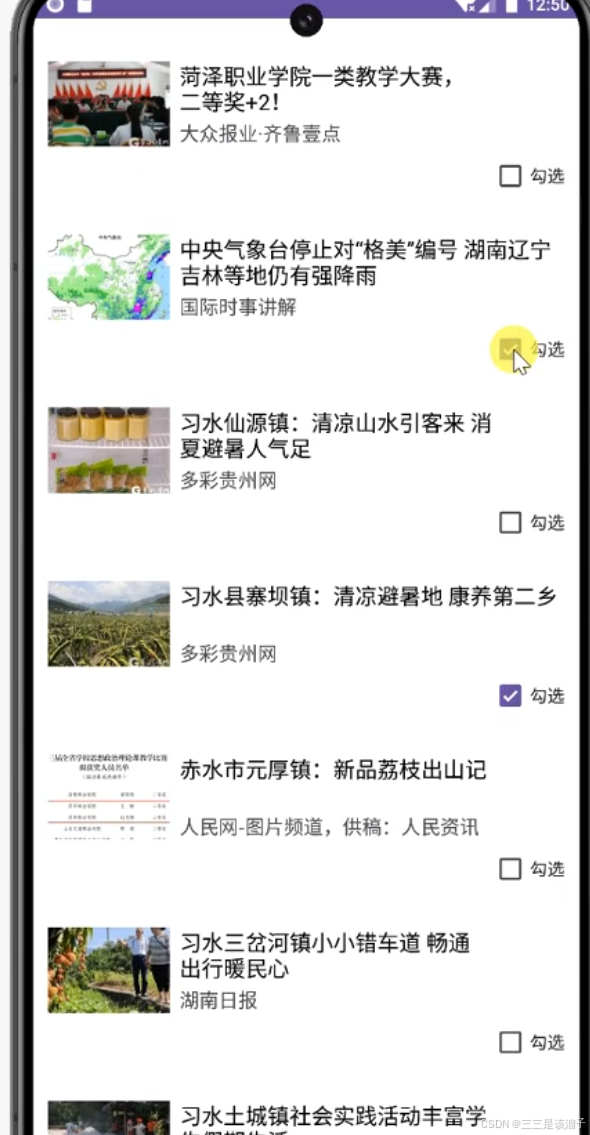
问题描述:勾选了2、4两个item的check框,向下滑动,新的item上来莫名其妙也被勾选上了!
。
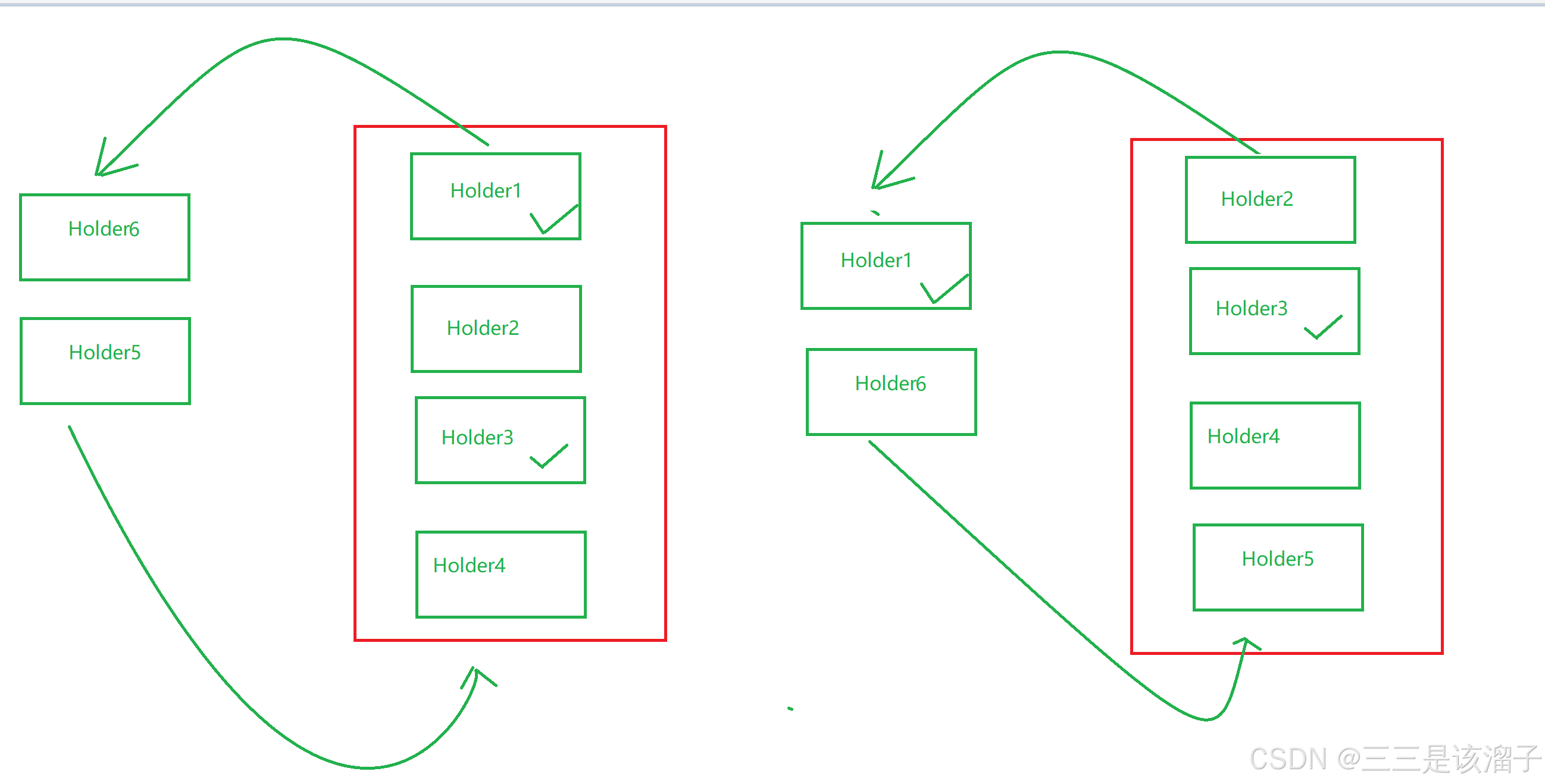
分析向上滑动,Holder被划出,Holder会被复用,就造成了下面的item被打了勾的Holder利用,就造成了上述场景发生的bug问题
需求:一句话就是跟RecyclerView中ViewHolder的复用有关系
打勾的check勾选框所在的Holder被回收复用后被新的item利用,根本原因就是check是跟Holder捆绑在一起的,
打个比方一个被做了标记的杯子,装过咖啡,又装奶茶;可以说咖啡和奶茶都被一个做过标记的杯子装过
二:解决方案
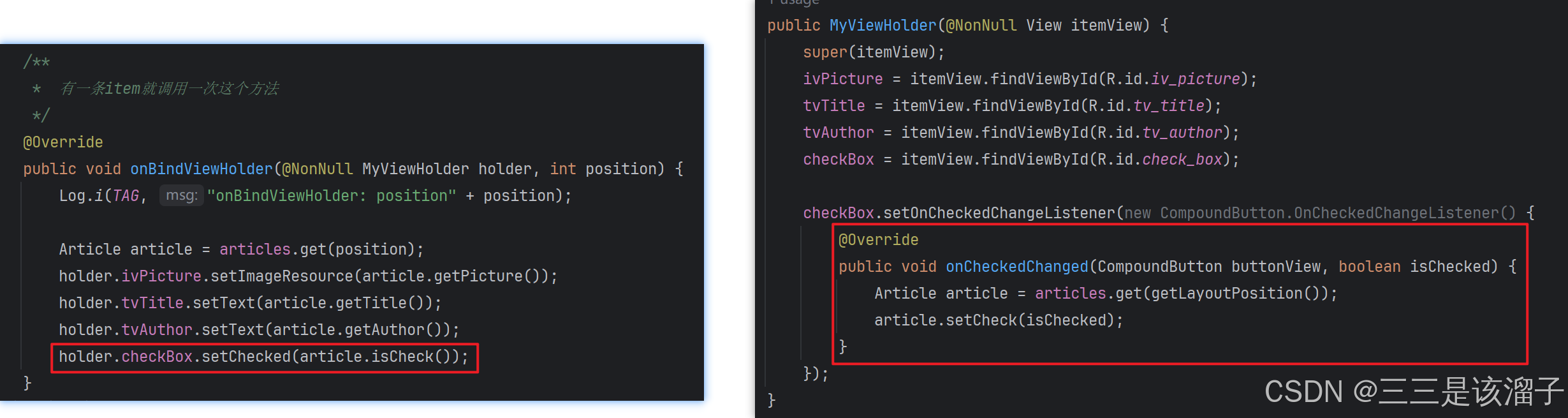
核心:控制勾选状态,在绑定Holder中Check框的状态取决于Article中的check属性;check属性由监听器控制,就是这样;
非常言简意赅
三:需要修改增添的代码
1:新增check属性
Article类中新增check属性,并添加get和set方法
java
import android.widget.CheckBox;

public class Article {
    private boolean check;

    public boolean isCheck() {
        return check;
    }

    public void setCheck(boolean check) {
        this.check = check;
    }
}
2:xml布局加Check框
给MyViewHolder类对应的xml布局加上一个Check框
xml
<?xml version="1.0" encoding="utf-8"?>
<androidx.constraintlayout.widget.ConstraintLayout xmlns:android="http://schemas.android.com/apk/res/android"
    xmlns:app="http://schemas.android.com/apk/res-auto"
    android:layout_width="match_parent"
    android:layout_height="wrap_content">

    <androidx.constraintlayout.widget.ConstraintLayout
        android:layout_width="match_parent"
        android:layout_height="wrap_content"
        android:padding="12dp"
        app:layout_constraintStart_toStartOf="parent"
        app:layout_constraintTop_toTopOf="parent">

        <CheckBox
            android:id="@+id/check_box"
            android:layout_width="wrap_content"
            android:layout_height="wrap_content"
            android:text="勾选"
            app:layout_constraintEnd_toEndOf="parent"
            app:layout_constraintTop_toBottomOf="@id/tv_author" />

    </androidx.constraintlayout.widget.ConstraintLayout>

</androidx.constraintlayout.widget.ConstraintLayout>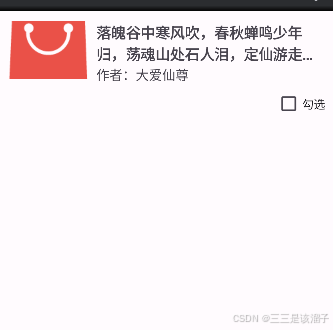
3:勾选监听器控制check属性
java
    /**
     *  有一条item就调用一次这个方法
     */
    @Override
    public void onBindViewHolder(@NonNull MyViewHolder holder, int position) {
        Log.i(TAG, "onBindViewHolder: position" + position);

        Article article = articles.get(position);
        holder.ivPicture.setImageResource(article.getPicture());
        holder.tvTitle.setText(article.getTitle());
        holder.tvAuthor.setText(article.getAuthor());
        holder.checkBox.setChecked(article.isCheck());
    }
java
public MyViewHolder(@NonNull View itemView) {
            super(itemView);
            ivPicture = itemView.findViewById(R.id.iv_picture);
            tvTitle = itemView.findViewById(R.id.tv_title);
            tvAuthor = itemView.findViewById(R.id.tv_author);
            checkBox = itemView.findViewById(R.id.check_box);

            checkBox.setOnCheckedChangeListener(new CompoundButton.OnCheckedChangeListener() {
                @Override
                public void onCheckedChanged(CompoundButton buttonView, boolean isChecked) {
                    Article article = articles.get(getLayoutPosition());
                    article.setCheck(isChecked);
                }
            });
        }