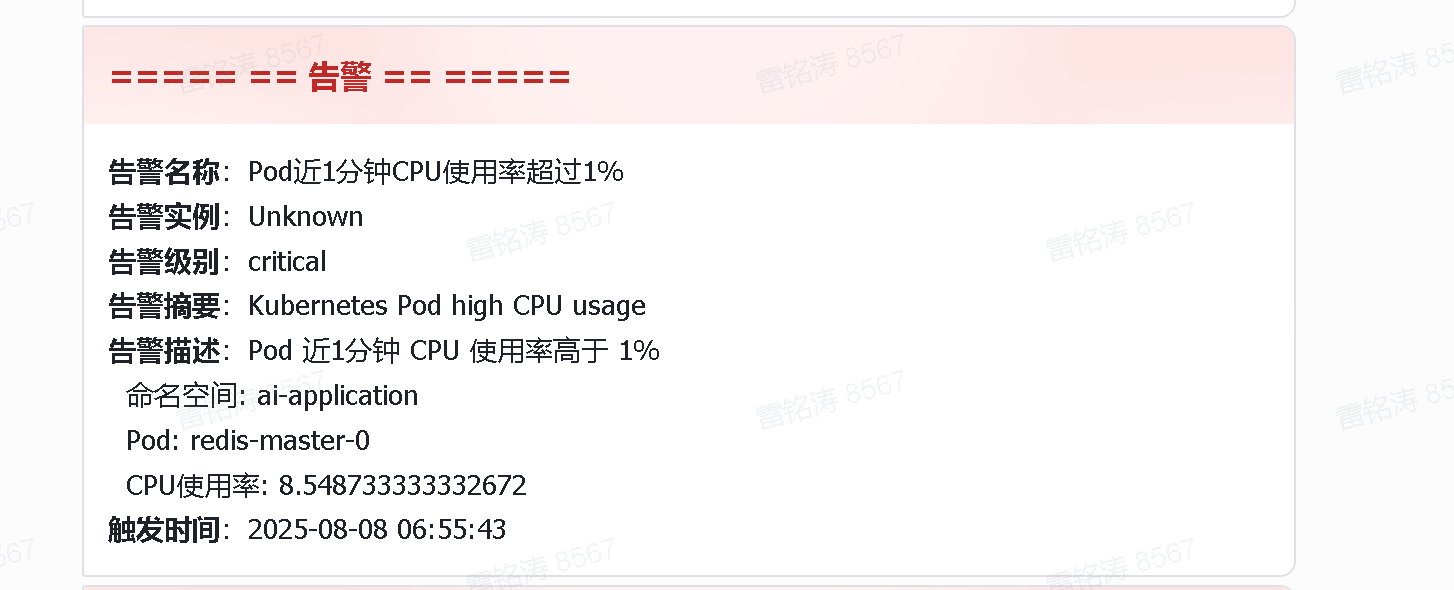
alertmanager 直接配置 飞书 的 webhook ,发现并不满足飞书接口的 json 格式。报错如下
level=error ts=2025-08-28T04:57:02.734Z caller=dispatch.go:310 component=dispatcher msg="Notify for alerts failed" num_alerts=23 err="prometheusalert-webhook/webhook0: notify retry canceled due to unrecoverable error after 1 attempts: unexpected status code 400: https://open.feishu.cn/open-apis/bot/v2/hook/xxxxxxx"
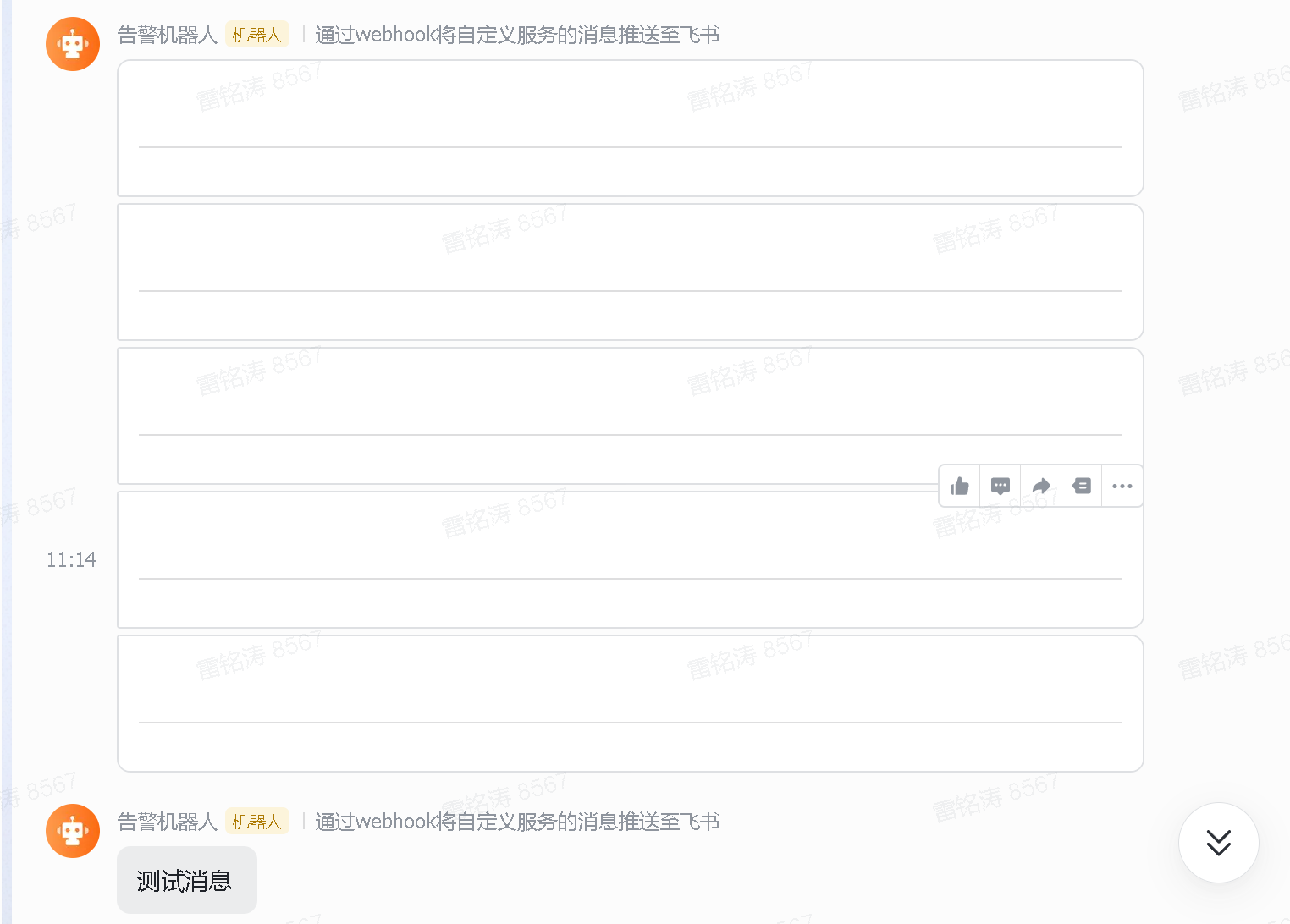
上网查询发现开源项目 prometheusalert 按照官方文档配置配置飞书地址,v4.9.1 版本默认的模板和网上找到的模板 空卡片的情况,如下
然后就打算自己写个 python 查询,接收 alertmanager 的消息体,做修改转发给 飞书。
cm.yaml
bash
apiVersion: v1
kind: ConfigMap
metadata:
  name: alert-flask-cm
  namespace: monitor
data:
  app.py: |
    from flask import Flask, request, jsonify
    import json
    import requests
    import logging
    from datetime import datetime

    app = Flask(__name__)

    # 飞书机器人 Webhook 地址
    webhook_url = "https://open.feishu.cn/open-apis/bot/v2/hook/xxxxxxxx"

    # 日志配置
    logging.basicConfig(level=logging.INFO)

    def format_time(timestr):
        """把 2025-08-08T06:55:43.825666166Z → 2025-08-08 06:55:43"""
        try:
            dt = datetime.fromisoformat(timestr.replace("Z", "+00:00"))
            return dt.strftime("%Y-%m-%d %H:%M:%S")
        except Exception:
            return timestr

    @app.route('/alert', methods=['POST'])
    def receive_alert():
        try:
            alert_response = request.json
            logging.info("收到 Alertmanager 消息体: %s", json.dumps(alert_response, ensure_ascii=False))

            alerts = alert_response.get("alerts", [])
            if not alerts:
                logging.info("没有告警")
                return "no alerts", 200

            send_status = []
            for alert in alerts:
                status = alert.get("status", "firing")
                if status == "firing":
                    msg_json = format_alert_to_feishu(alert)
                elif status == "resolved":
                    msg_json = format_resolved_to_feishu(alert)
                else:
                    logging.info("未知状态: %s", status)
                    continue

                logging.info("生成飞书消息体: %s", msg_json)
                response = send_alert(msg_json)
                if response is None:
                    send_status.append("发送失败")
                else:
                    send_status.append(f"发送成功:{response.status_code}")

            return "; ".join(send_status), 200

        except Exception as e:
            logging.exception("处理告警异常")
            return f"error: {str(e)}", 500

    def send_alert(json_data):
        try:
            response = requests.post(webhook_url, json=json.loads(json_data), timeout=5)
            response.raise_for_status()
            logging.info("发送飞书成功,状态码: %s", response.status_code)
            return response
        except requests.exceptions.RequestException as e:
            logging.error("发送飞书失败: %s", e)
            return None

    def format_alert_to_feishu(alert):
        labels = alert.get("labels", {})
        annotations = alert.get("annotations", {})

        alert_name = labels.get("alertname", "Unknown")
        instance = labels.get("instance", "Unknown")
        severity = labels.get("severity", "N/A")
        summary = annotations.get("summary", "")
        description = annotations.get("description", "无描述")
        start_time = format_time(alert.get("startsAt", "Unknown"))

        lines = [
        f"**告警名称**:{alert_name}",
        f"**告警实例**:{instance}",
        f"**告警级别**:{severity}",
        ]
        if summary:
            lines.append(f"**告警摘要**:{summary}")
        lines.append(f"**告警描述**:{description}")
        lines.append(f"**触发时间**:{start_time}")

        content = "\n".join(lines)

        webhook_msg = {
            "msg_type": "interactive",
            "card": {
                "header": {
                    "title": {"tag": "plain_text", "content": "===== == 告警 == ====="},
                    "template": "red"
                },
                "elements": [
                    {"tag": "div", "text": {"tag": "lark_md", "content": content}}
                ]
            }
        }
        return json.dumps(webhook_msg, ensure_ascii=False)

    def format_resolved_to_feishu(alert):
        labels = alert.get("labels", {})
        annotations = alert.get("annotations", {})

        alert_name = labels.get("alertname", "Unknown")
        instance = labels.get("instance", "Unknown")
        summary = annotations.get("summary", "")
        success_msg = annotations.get("success", "告警已恢复")
        description = annotations.get("description", "无描述")
        end_time = format_time(alert.get("endsAt", "Unknown"))

        lines = [
        f"**告警名称**:{alert_name}",
        f"**告警实例**:{instance}",
        ]
        if summary:
            lines.append(f"**告警摘要**:{summary}")
        lines.append(f"**告警描述**:{description}")
        lines.append(f"**恢复说明**:{success_msg}")
        lines.append(f"**恢复时间**:{end_time}")

        content = "\n".join(lines)

        webhook_msg = {
            "msg_type": "interactive",
            "card": {
                "header": {
                    "title": {"tag": "plain_text", "content": "===== == 恢复 == ====="},
                    "template": "green"
                },
                "elements": [
                    {"tag": "div", "text": {"tag": "lark_md", "content": content}}
                ]
            }
        }
        return json.dumps(webhook_msg, ensure_ascii=False)

    if __name__ == '__main__':
        app.run(host='0.0.0.0', port=4000)
deployment 中的镜像需要自己构建,随便找个 python 镜像作为 base pip 安装 flask、requetsts 即可
deploy-svc.yaml
bash
apiVersion: apps/v1
kind: Deployment
metadata:
  name: alert-flask
  namespace: monitor
spec:
  replicas: 1
  selector:
    matchLabels:
      app: alert-flask
  template:
    metadata:
      labels:
        app: alert-flask
    spec:
      containers:
      - name: alert-flask
        image: python:3.11-slim-bookworm-flask
        command: ["python", "/app/app.py"]
        ports:
        - containerPort: 4000
        volumeMounts:
        - name: app-cm
          mountPath: /app
      volumes:
      - name: app-cm
        configMap:
          name: alert-flask-cm
---
apiVersion: v1
kind: Service
metadata:
  name: alert-flask-svc
  namespace: monitor
spec:
  selector:
    app: alert-flask
  ports:
  - name: http
    port: 4000
    targetPort: 4000
  type: ClusterIP
上面的 configmap、deploy、service 部署好后,更改 alertmanager 的配置
bash
receivers:
- name: feishu
  webhook_configs:
  - send_resolved: true
    url: http://alert-flask-svc:4000/alert
然后飞书就能收到告警了