下载部署包
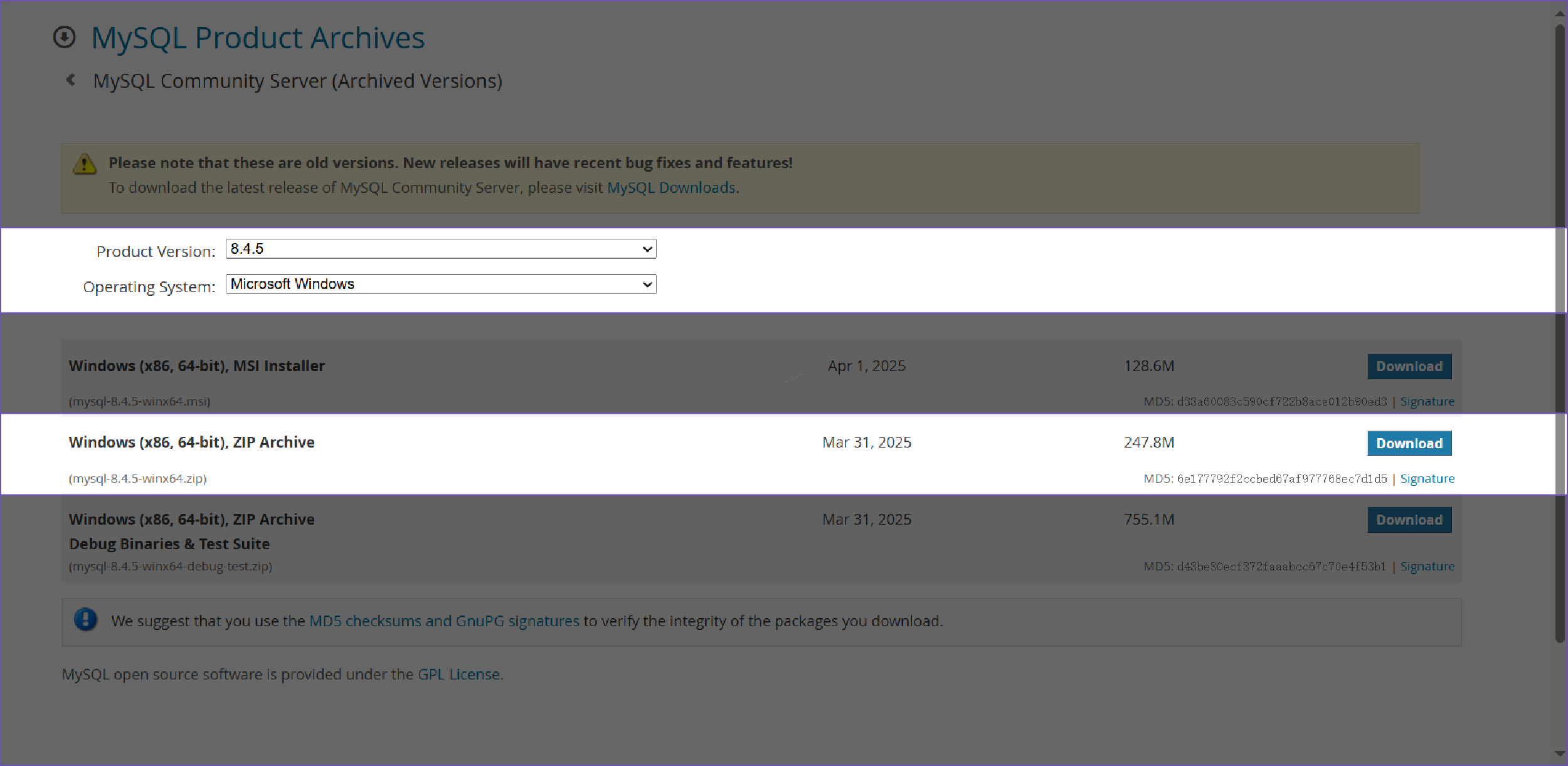
访问官方下载地址进行部署包下载,选择对应版本,对应操作系统为Windows。
修改配置
下载到本地,解压Mysql 到合适的目录,一般为常用软件安装目录,建议路径不要有中文,解压之后,主体内容如下:
bash
2025/08/07  18:45    <DIR>          .
2025/08/07  18:45    <DIR>          ..
2025/08/07  17:33    <DIR>          bin
2025/08/27  10:28    <DIR>          data
2025/08/07  17:33    <DIR>          docs
2025/08/07  17:33    <DIR>          include
2025/08/07  17:33    <DIR>          lib
2025/07/09  16:45           259,903 LICENSE
2025/07/09  16:45               666 README
2025/08/07 17:33 <DIR> share根目录中创建一个my.ini 配置文件,内容如下:
ini
[mysqld]
# These are commonly set, remove the # and set as required.
basedir = "[根路径]"
datadir = "[根路径]/data"
port = 3306
server_id = 10
character-set-server=utf8mb4
#mysql_native_password
mysql_native_password=ON
# backups
max_allowed_packet = 50M
[client]
port=3306
socket=/tmp/mysql.sock
default-character-set=utf8mb4
[mysql]
default-character-set=utf8mb4服务配置[mysqld]主要配置说明:
bash
basedir #mysqld 服务执行的根目录,一般为当前解压根目录
datadir #mysqld 服务对应的数据存储目录,可按照需求自行修改
port # mysqld 服务对应的监听端口号,默认为3306,可按照需求自行修改
[client] 主要配置说明:
bash
port # 用于为第三方客户端访问端口,并不能被mysqld使用
socket # 对应三方客户端访问时,实际服务器与客户端之间通信的Unix套接字,仅适合本地连接
初始数据库
参考官方链接,使用cmd 命令行窗口,切换路径到解压目录的bin文件夹下,执行指令mysqld --initialize用于初始化数据库。
--initialize-insecure初始化不设置root密码(本地方式)。
bash
mysqld --initialize-insecure #空秘钥的root账户--initialize 标准初始化,初始化成功后可以去到data目录中找到主机名称.err查看对应的随机初始密码(服务器部署)。
bash
mysqld --initialize指定默认配置文件时使用--defaults-file。
bash
mysqld --defaults-file="[绝对路径]/my.ini" --initialize初始化成功后,data/主机名.err中内容如下:
txt
[System] [MY-015017] [Server] MySQL Server Initialization - start.
[System] [MY-013169] [Server] [解压路径绝对路径]\bin\mysqld.exe (mysqld 8.4.5) initializing of server in progress as process 27288
[System] [MY-013576] [InnoDB] InnoDB initialization has started.
[System] [MY-013577] [InnoDB] InnoDB initialization has ended.
[Note] [MY-010454] [Server] A temporary password is generated for root@localhost: [临时密码]
[System] [MY-015018] [Server] MySQL Server Initialization - end.
运行服务
参考官方链接,打开cmd命令行窗口,切换目录到数据库解压目录bin中,启动服务时,使用mysqld进行服务临时启动,启动后当前会话窗口将处于阻塞状态,关闭会话服务将停止运行。
bash
mysqld --default-files="[解压路径]/my.ini"查看日志错误文件[主机名].err可看到如下内容,服务端口为3360:
txt
[System] [MY-015015] [Server] MySQL Server - start.
[System] [MY-010116] [Server] [解压路径绝对路径]\bin\mysqld.exe (mysqld 8.4.5) starting as process 29464
[System] [MY-013576] [InnoDB] InnoDB initialization has started.
[System] [MY-013577] [InnoDB] InnoDB initialization has ended.
[Warning] [MY-010068] [Server] CA certificate ca.pem is self signed.
[System] [MY-013602] [Server] Channel mysql_main configured to support TLS. Encrypted connections are now supported for this channel.
[System] [MY-011323] [Server] X Plugin ready for connections. Bind-address: '::' port: 33060
[System] [MY-010931] [Server] [解压路径绝对路径]\bin\mysqld.exe: ready for connections. Version: '8.4.5' socket: '' port: 3360 MySQL Community Server - GPL.单开一个cmd 命令行窗口。查看对应服务端口,与日志输出保持一致。
bash
netstat -ano|findstr 3360
  TCP    0.0.0.0:3360           0.0.0.0:0              LISTENING       29464
  TCP    [::]:3360              [::]:0                 LISTENING       29464
测试客户端连接
单开一个cmd命令行窗口,切换目录到数据库解压目录bin中,进行客户端连接,需要注意的是由于默认初始化数据库时,无指定数据库,那-p和[临时密码]之间不应该存在空格,-P 默认为3306 此处为3360。
bash
mysql -uroot -P 3360 -p[临时密码]
mysql: [Warning] Using a password on the command line interface can be insecure.
Welcome to the MySQL monitor.  Commands end with ; or \g.
Your MySQL connection id is 8
Server version: 8.4.5
Copyright (c) 2000, 2025, Oracle and/or its affiliates.
Oracle is a registered trademark of Oracle Corporation and/or its
affiliates. Other names may be trademarks of their respective
owners.
Type 'help;' or '\h' for help. Type '\c' to clear the current input statement.
mysql>首次访问服务时,需要修改root密码,否则操作类语句的执行都将提示需要修改密码。
mysql
mysql> use mysql;
No connection. Trying to reconnect...
Connection id:    9
Current database: *** NONE ***
ERROR 1820 (HY000): You must reset your password using ALTER USER statement before executing this statement.参考官方链接,修改密码,此处为测试密码ggcy@Admin1。
bash
>ALTER USER 'root'@'localhost' IDENTIFIED BY 'ggcy@Admin1';
Query OK, 0 rows affected (0.03 sec)输入quit退出mysql会话,使用新密码重新登录,能够正常登录表明修改成功。
bash
mysql -uroot -P 3360 -pggcy@Admin1
mysql: [Warning] Using a password on the command line interface can be insecure.
Welcome to the MySQL monitor.  Commands end with ; or \g.
Your MySQL connection id is 10
Server version: 8.4.5 MySQL Community Server - GPL
Copyright (c) 2000, 2025, Oracle and/or its affiliates.
Oracle is a registered trademark of Oracle Corporation and/or its
affiliates. Other names may be trademarks of their respective
owners.
Type 'help;' or '\h' for help. Type '\c' to clear the current input statement.
mysql>
创建服务
关闭mysqld的当前会话,服务就退出了,这实际并不符合业务使用需求,所以需要将mysqld 在Windows 中配置为服务化运行,能够开机自启。
用管理员 权限运行cmd 命令行窗口,切换目录到数据库解压目录bin中,使用mysqld 进行服务注册,如果不使用管理员权限执行服务注册,将出现异常Install/Remove of the Service Denied。
bash
>mysqld --install mysql_8_4_5 --defaults-file="[解压路径]/my.ini"
Service successfully installed.提示服务注册成功,其中mysql_8_4_5 为自定义名称,可按照自身需求注册时进行适当修改。
查看查看任务管理中的服务,可以找到一个服务mysql_8_4_5。
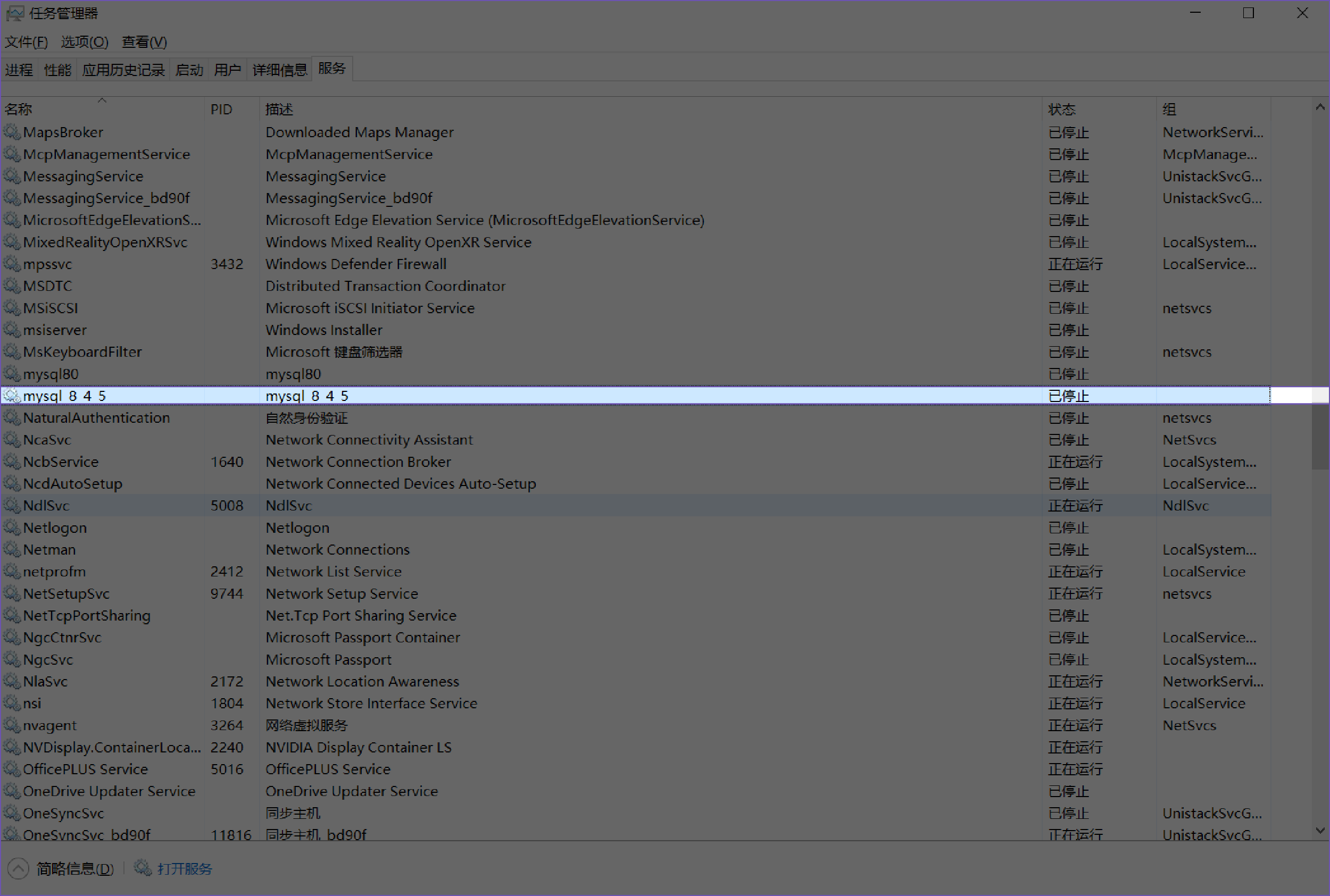
选中服务,单击右键进行开始。
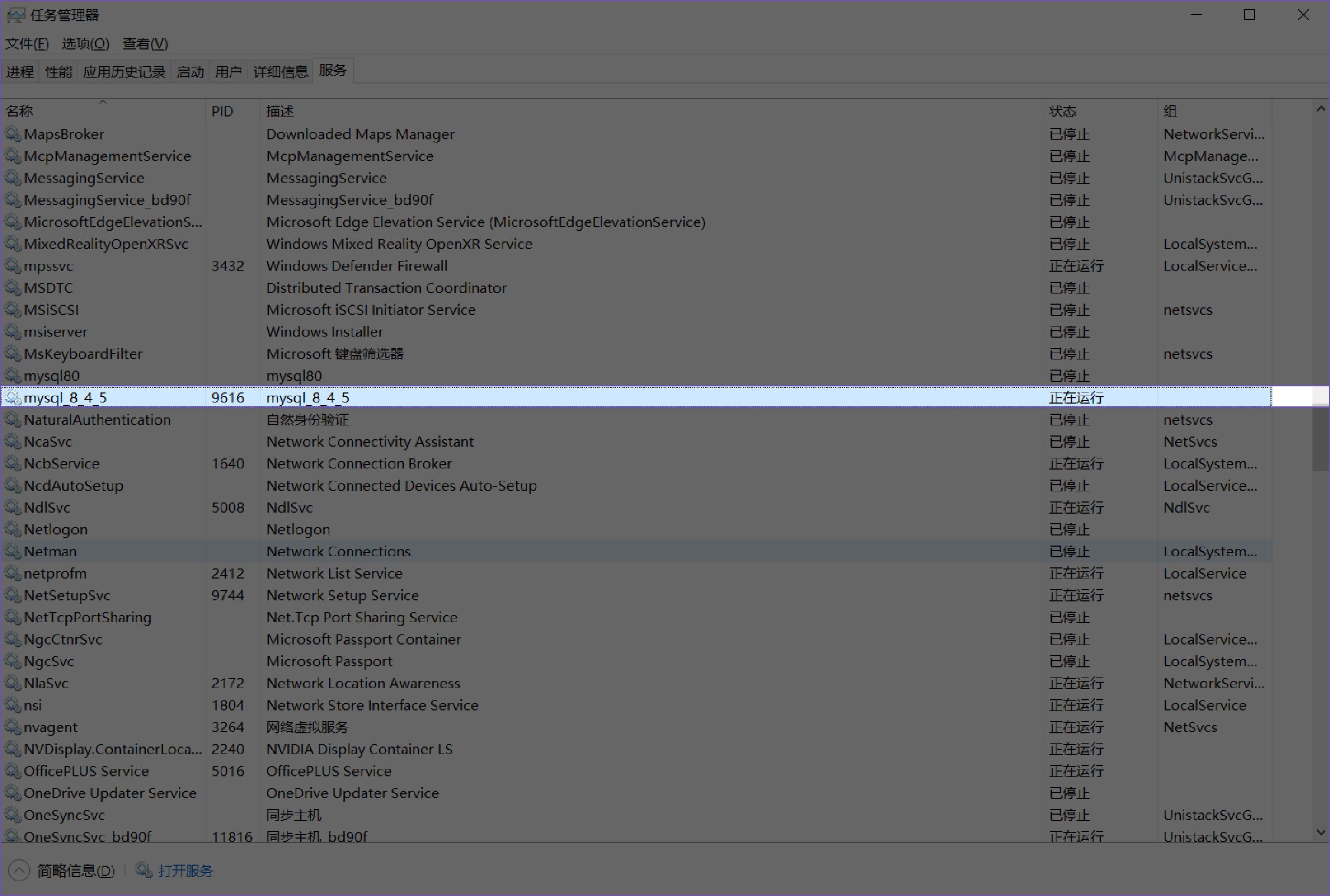
查看服务端口3360。
bash
netstat -ano|findstr 3360
  TCP    0.0.0.0:3360           0.0.0.0:0              LISTENING       14032
TCP [::]:3360 [::]:0 LISTENING 14032运行[主机名].err日志如下,进程ID为14032:
txt
[Server] [解压路径绝对路径]\bin\mysqld (mysqld 8.4.5) starting as process 14032
[InnoDB] InnoDB initialization has started.
[InnoDB] InnoDB initialization has ended.
[Server] Starting XA crash recovery...
[Server] XA crash recovery finished.
 [Server] CA certificate ca.pem is self signed.
[Server] Channel mysql_main configured to support TLS. Encrypted connections are now supported for this channel.
[Server] X Plugin ready for connections. Bind-address: '::' port: 33060
[Server] [解压路径绝对路径]\bin\mysqld: ready for connections. Version: '8.4.5'  socket: ''  port: 3360  MySQL Community Server - GPL.