一、使用Rpm安装应用
先下载到本地,以.rpm文件名结尾,下载完成后,再安装。
[yt@localhost ~]$ rpm -qa | grep mysql
mysql下载地址,需要注册账号:MySQL :: Download MySQL Yum Repository
将下载软件复制到虚拟机对应的位置:
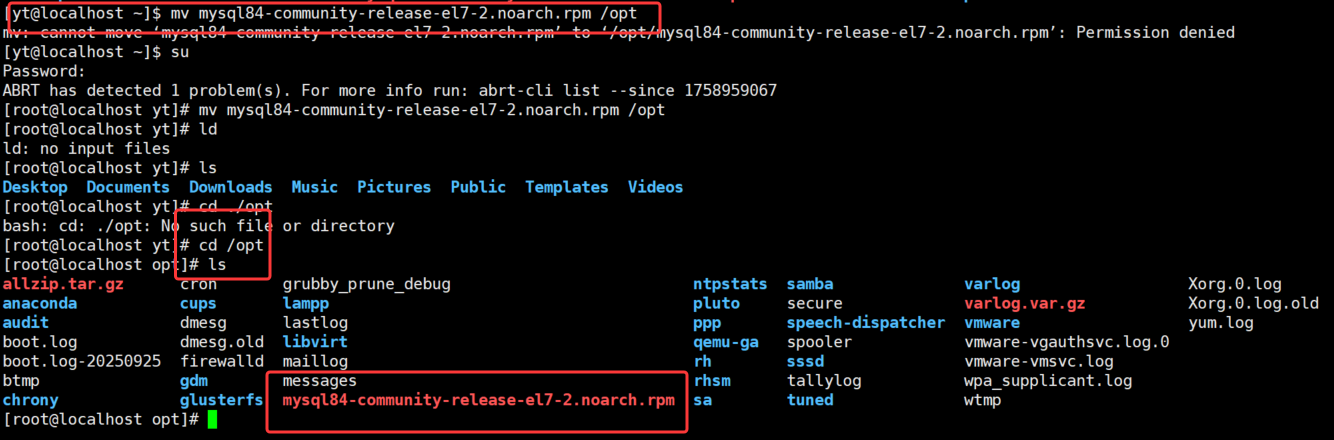
[root@localhost opt]# rpm -ivh mysql84-community-release-el7-2.noarch.rpm
[root@localhost opt]# rpm -qa | grep mysql

卸载
rpm -e 【包名】
上传MySQL服务器安装包
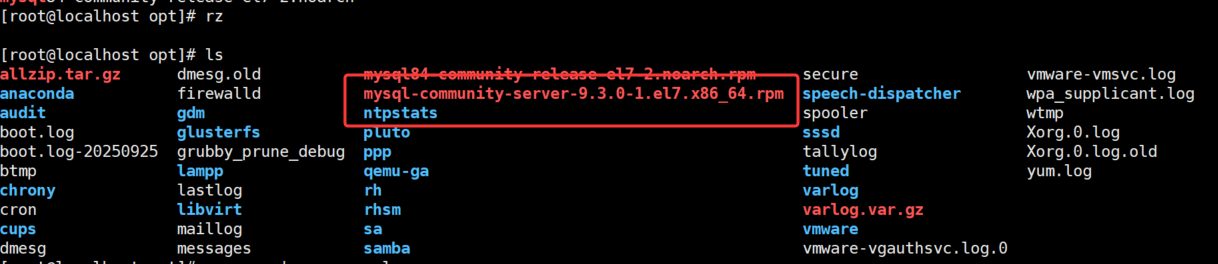
[root@localhost opt]# rpm -qa | grep mysql
mysql84-community-release-el7-2.noarch
[root@localhost opt]# rpm -ivh mysql-community-server-9.3.0-1.el7.x86_64.rpm
warning: mysql-community-server-9.3.0-1.el7.x86_64.rpm: Header V4 RSA/SHA256 Signature, key ID a8d3785c: NOKEY
error: Failed dependencies:
	mysql-community-client(x86-64) >= 8.0.11 is needed by mysql-community-server-9.3.0-1.el7.x86_64
	mysql-community-common(x86-64) = 9.3.0-1.el7 is needed by mysql-community-server-9.3.0-1.el7.x86_64
	mysql-community-icu-data-files = 9.3.0-1.el7 is needed by mysql-community-server-9.3.0-1.el7.x86_64
[root@localhost opt]#

Failed dependencies:失败的依赖
离线安装需要将所有的依赖进行下载,步骤很繁杂
二、基于源代码安装应用
源代码安装比较适合于专业人员,并不需要要求安装人员能看懂源码,但是要知道源代码的基本过程。
解压后去源码目录找以下几个文件:configure,setup.sh,install.sh
./configure
make
make install
解压
[root@localhost opt]# tar -zxvf nginx-1.27.0.tar.gz 
使用源码安装nginx,解压后的样子
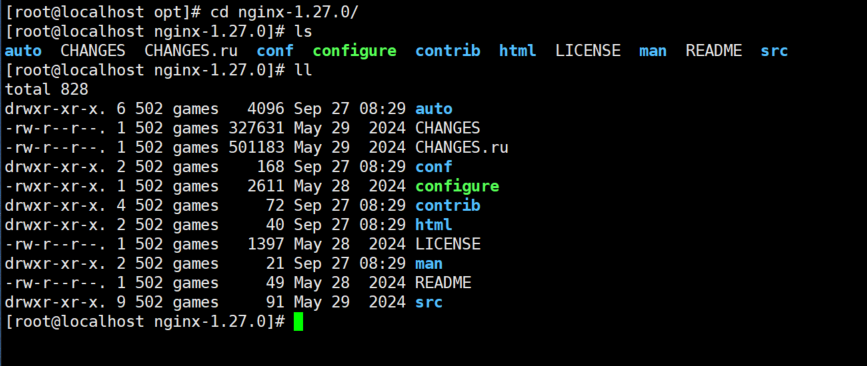
此方法还是提示要安装相应的编译器才能正确安装。
[root@localhost nginx-1.27.0]# ./configure
./configure: error: the HTTP rewrite module requires the PCRE library.

[root@localhost nginx-1.27.0]# yum install pcre

[root@localhost nginx-1.27.0]# ./configure
./configure: error: the HTTP gzip module requires the zlib library.

安装完成后再进行配置,如果提示缺少依赖库pcre或zlib等,则可以继续yuminstallpcre-devel
通常情况下,如果提示缺少什么库,一般先尝试yuminstallpcre,如果不行,再尝试yuminstallpcre-devel
三、Yum命令操作
Yum(全称为Yellow dogUpdater,Modified)是一个在Fedora和RedHat以及CentOS中的Shell前端软件包管理器。基于RPM包管理,能够从指定的服务器自动下载RPM包并且安装,可以自动处理依赖性关系,并且一次安装所有依赖的软件包,无须繁琐地一次次下载、安装。
查询本机安装过的包
yum list

安装gcc
yum install gcc
不再提示是否确认,直接选择yes
yum install gcc -y

搜索有哪些可以用的库
yum search mysql

列出当前的镜像仓库
yum repolist

查看应用程序curl的库
yum deplist curl

清空缓存的镜像列表
yum clear all

重新根据配置文件构建缓存列表
yum makecache

卸载wget,建议不要加-y,最好二次确认
yum erase wget
yum remove wget

更新,一般不使用
yum update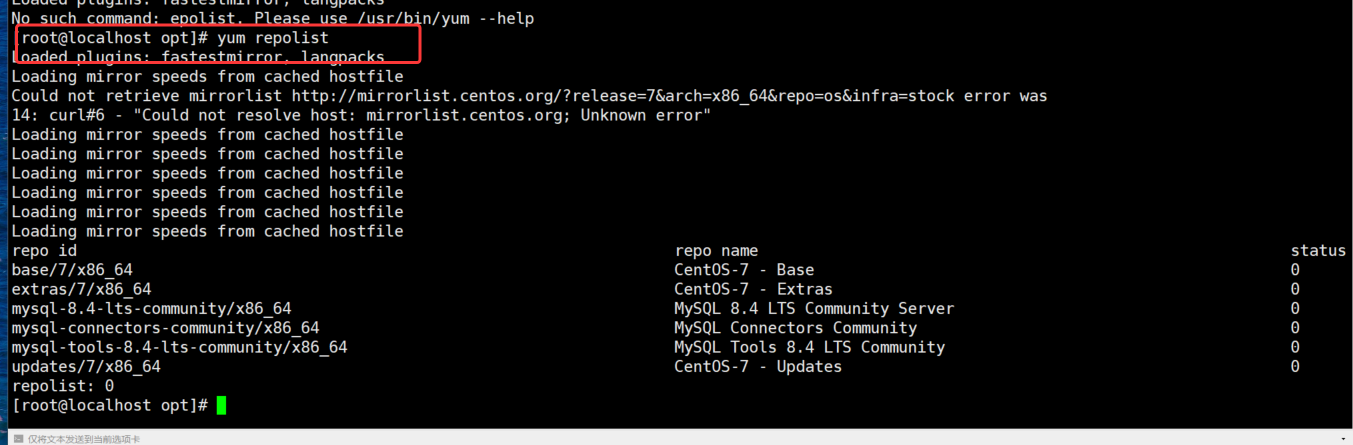
问题
问题描述:
root@localhost yt# yum list
Loaded plugins: fastestmirror, langpacks
Loading mirror speeds from cached hostfile
Could not retrieve mirrorlist http://mirrorlist.centos.org/?release=7\&arch=x86_64\&repo=os\&infra=stock error was 14: curl#6 - "Could not resolve host: mirrorlist.centos.org; Unknown error"
解决办法:
linux下yum安装时出现Loaded plugins: fastestmirror的解决办法_Linux_脚本之家
Cannot find a valid baseurl for repo: base/7/x86_64
解决办法:报错解决------cannot find a valid baseurl for repo: base/7/x86_64 - ''竹先森゜ - 博客园
yum update之后有一堆更新的东西
经过漫长的等待

四、Yum配置源
默认配置文件:/etc/yum.repo.d/CentOS-Base.repo

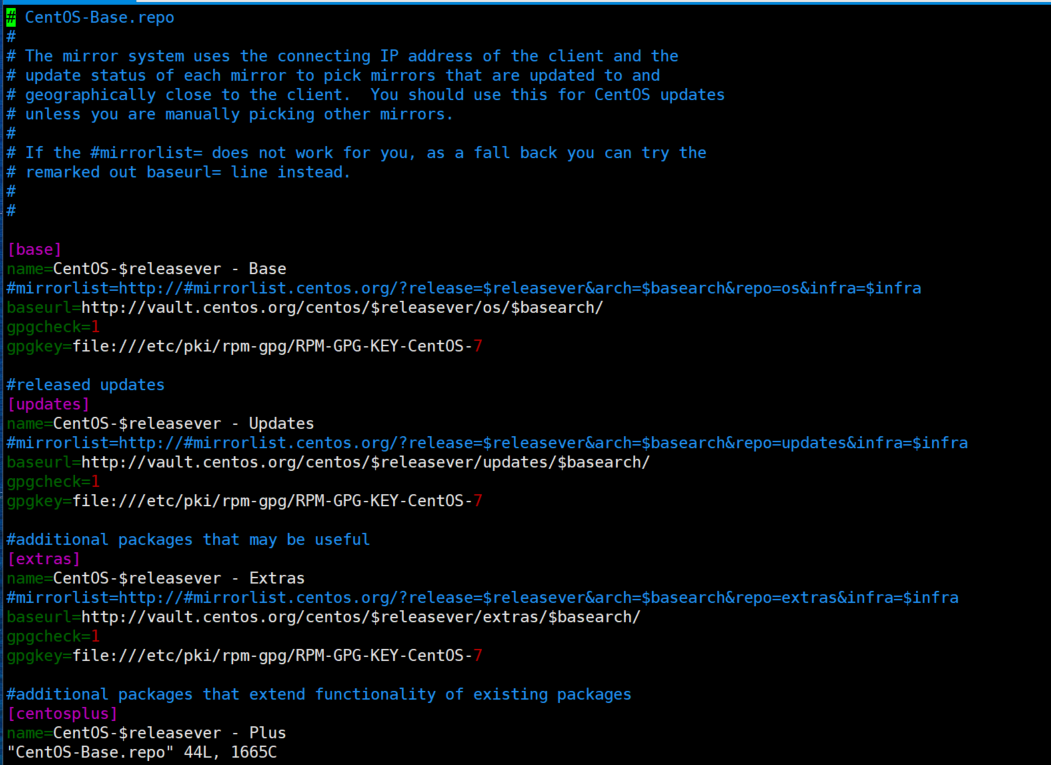
[base]
name=CentOS-$releasever - Base
#mirrorlist=http://#mirrorlist.centos.org/?release=$releasever&arch=$basearch&repo=os&infra=$infra
baseurl=http://vault.centos.org/centos/$releasever/os/$basearch/
gpgcheck=1gpgkey=file:///etc/pki/rpm-gpg/RPM-GPG-KEY-CentOS-7

mirrorlist并非镜像本身的地址,而是一堆镜像网址的集合,Centos会自动选择速度最快的一个,每一个对应的是具体的仓库,例如http://mirrors.aliyun.com/repo/
baseurl:对应的是具体的镜像地址,里面保存着仓库的各个安装包程序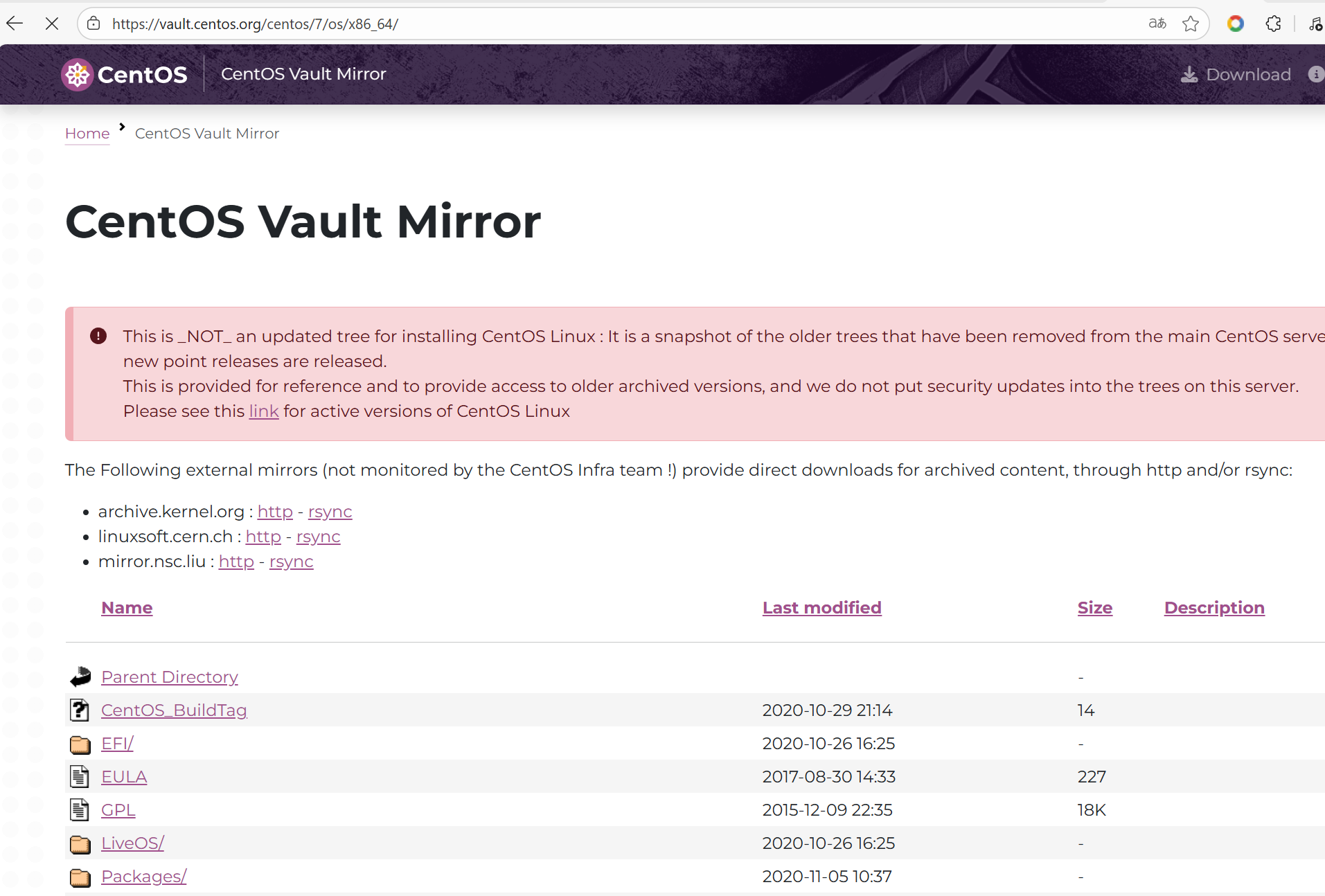
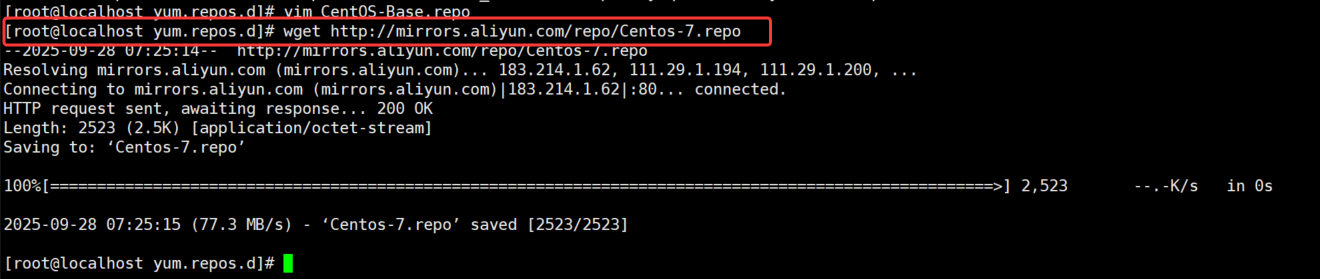
通过重命名的方式备份,之后会默认使用Centos-7.repo 的文件内容。
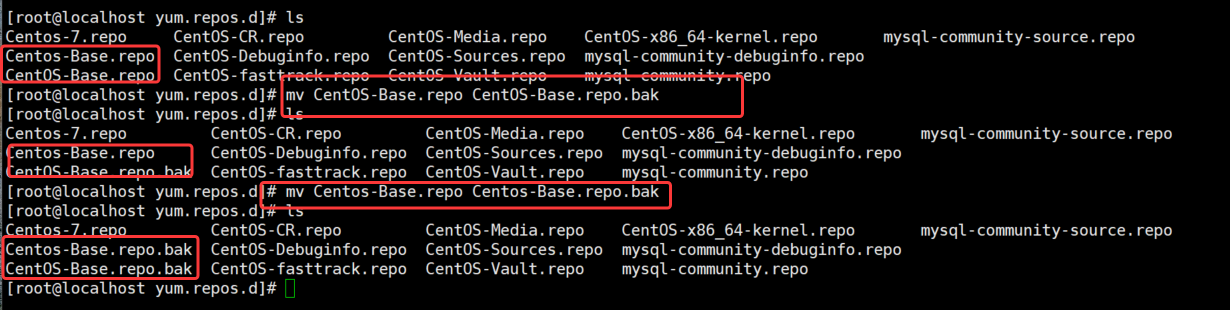
[root@localhost yum.repos.d]# vim Centos-7.repo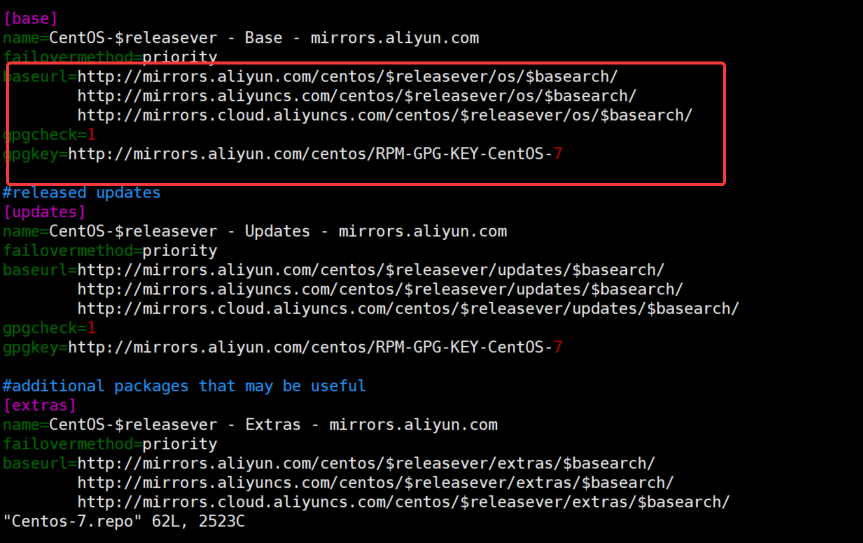

五、Apt安装
对于Redhat体系的Linux发行版本,目前主流的是Yum+Rpm的方式,可以在线安装依赖。在新的CentOS-8以后的版本中,引l入了新的安装方式:dnf,本质上跟yum几乎没有区别。
对于Debian体系的Linux发行版本,主要安装命令两个:apt-get,apt,优先考虑使用apt。
参考视频: