简单实用Nest+Nacos+Kafka+Docker实现微服务架构
PS:并非实战,一个练习。
设计
一个网关,一个用户服务,一个邮件推送服务。
用户服务部署两份,邮件推送服务部署两份。
用户服务和邮件推送服务启动的时候,通过nacos拉取配置,如
新建三个Nest服务
bash
nest new gateway
cd gateway
nest g app user-service
nest g app email-service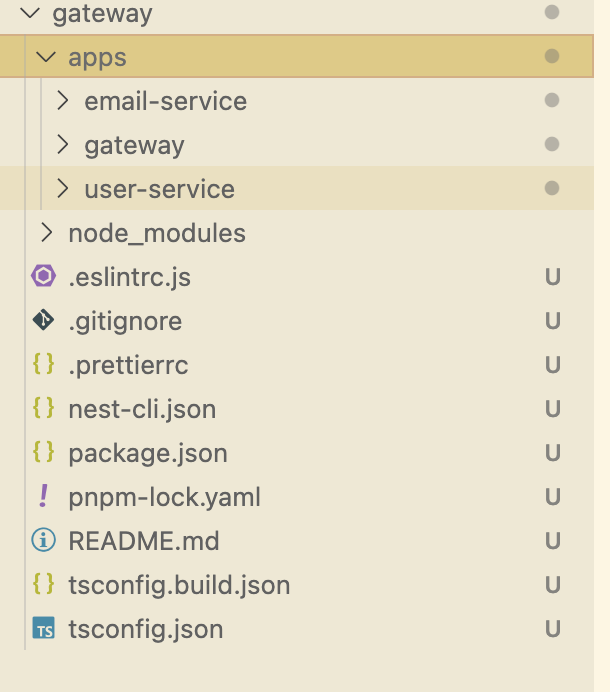
Nacos
配置中心
新增lib:remote-config
nest g lib remote-config
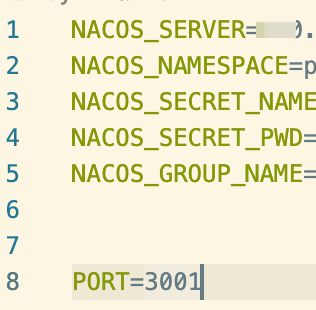
根目录新增.env
service.ts
ts
import {
  Inject,
  Injectable,
  Logger,
  OnModuleDestroy,
  OnModuleInit,
} from '@nestjs/common';
import { ConfigService } from '@nestjs/config';
import { NacosConfigClient } from 'nacos';

@Injectable()
export class RemoteConfigService implements OnModuleInit, OnModuleDestroy {
  private readonly logger = new Logger(RemoteConfigService.name);
  private client: NacosConfigClient;

  @Inject()
  private configService: ConfigService;

  constructor() {}

  async onModuleInit() {
    try {
      this.client = new NacosConfigClient({
        serverAddr: this.configService.get<string>('NACOS_SERVER'),
        namespace: this.configService.get<string>('NACOS_NAMESPACE'),
        username: this.configService.get<string>('NACOS_SECRET_NAME'),
        password: this.configService.get<string>('NACOS_SECRET_PWD'),
      });

      this.logger.log('Nacos配置客户端初始化成功');
    } catch (error) {
      this.logger.error('Nacos配置客户端初始化失败', error);
    }
  }

  async onModuleDestroy() {
    await this.client.close();
  }
  async getConfig(
    dataId: string,
    group = this.configService.get('NACOS_GROUP_NAME'),
  ) {
    if (this.configService.get(dataId)) {
      return await this.configService.get(dataId);
    }
    this.watchConfig(dataId, group);
    const config = this.parseConfig(
      await this.client.getConfig(dataId, group),
      'json',
    );
    return config;
  }

  /**
   * 监听配置变化
   */
  watchConfig(
    dataId: string,
    group = this.configService.get('NACOS_GROUP_NAME'),
  ) {
    this.client.subscribe(
      {
        dataId,
        group,
      },
      (content, configType = 'json') => {
        const config = this.parseConfig(content, configType);
        this.configService.set(dataId, config);
      },
    );
  }

  /**
   * 解析配置内容
   */
  private parseConfig(content: string, type: string): any {
    try {
      if (type === 'json') {
        return JSON.parse(content);
      } else if (type === 'yaml' || type === 'yml') {
        // 简单的YAML解析,实际项目中可以使用js-yaml等库
        const config = {};
        content.split('\n').forEach((line) => {
          const parts = line.split(':').map((part) => part.trim());
          if (parts.length >= 2) {
            config[parts[0]] = parts.slice(1).join(':');
          }
        });
        return config;
      } else if (type === 'properties') {
        const config = {};
        content.split('\n').forEach((line) => {
          const parts = line.split('=').map((part) => part.trim());
          if (parts.length >= 2) {
            config[parts[0]] = parts.slice(1).join('=');
          }
        });
        return config;
      }
      return content;
    } catch (error) {
      this.logger.error('配置解析失败', error);
      return content;
    }
  }
}
module.ts
ts
import { Module } from '@nestjs/common';
import { RemoteConfigService } from './remote-config.service';
import { ConfigModule } from '@nestjs/config';

@Module({
  imports: [
    ConfigModule.forRoot({
      isGlobal: true,
      envFilePath: ['.env'],
    }),
  ],
  providers: [RemoteConfigService],
  exports: [RemoteConfigService],
})
export class RemoteConfigModule {}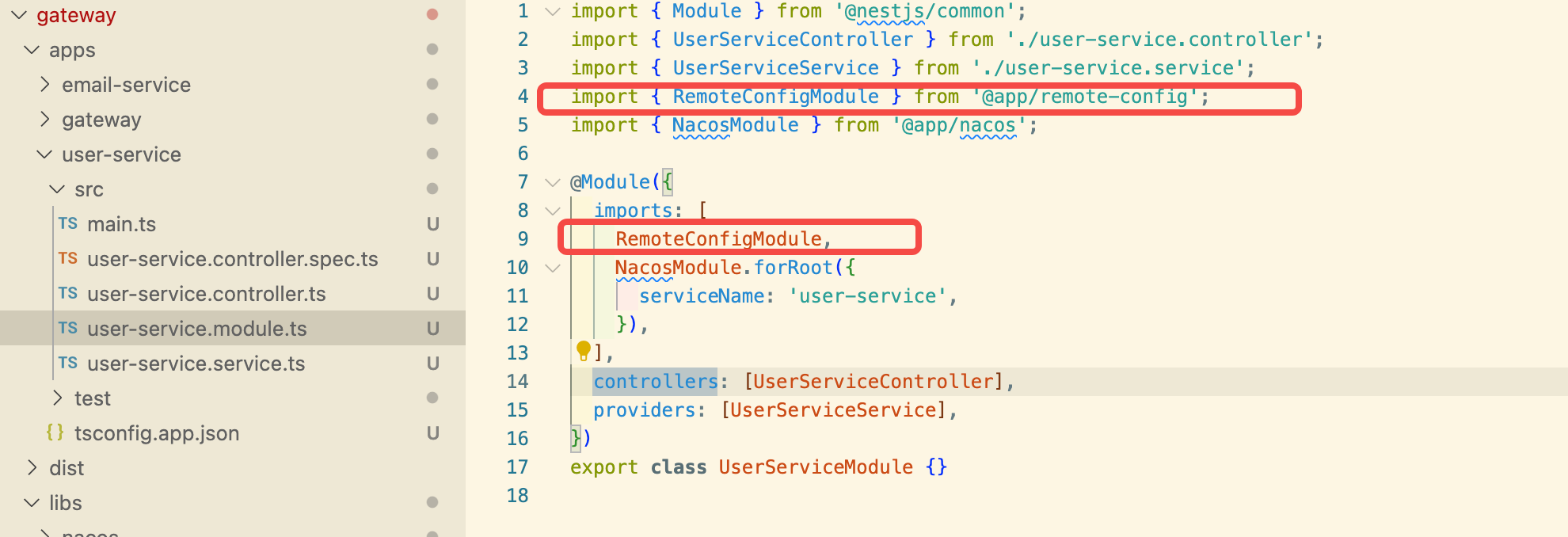
尝试
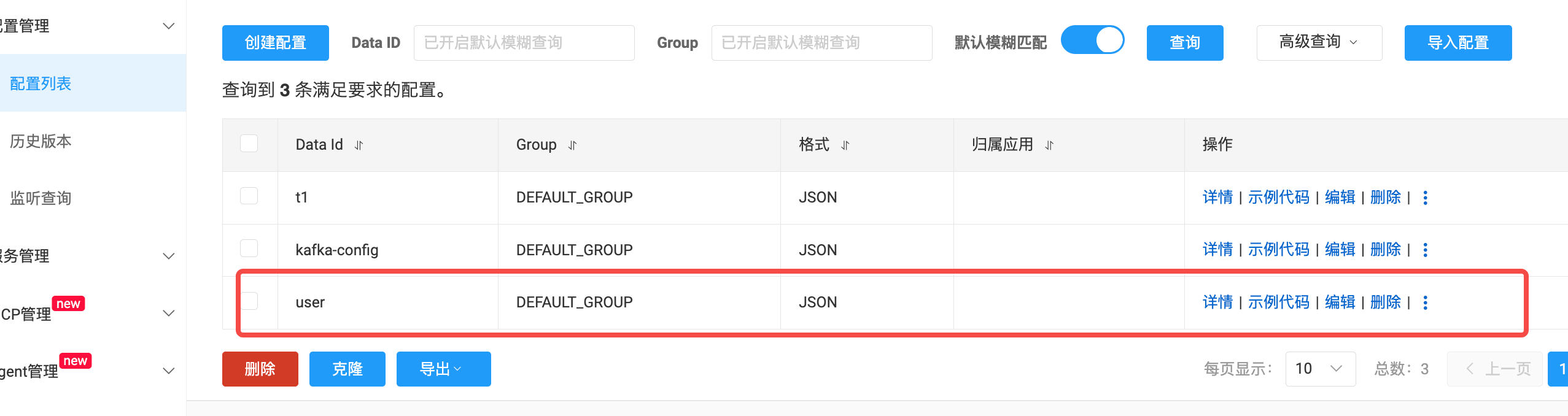
在nacos web管理页面 新增配置
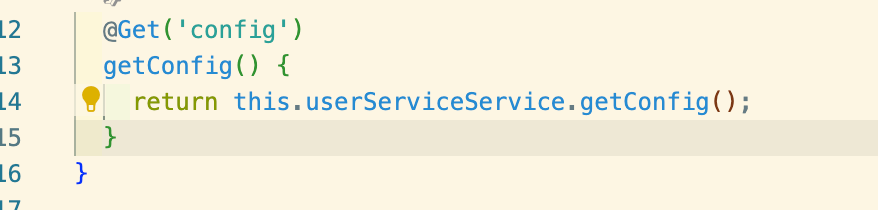
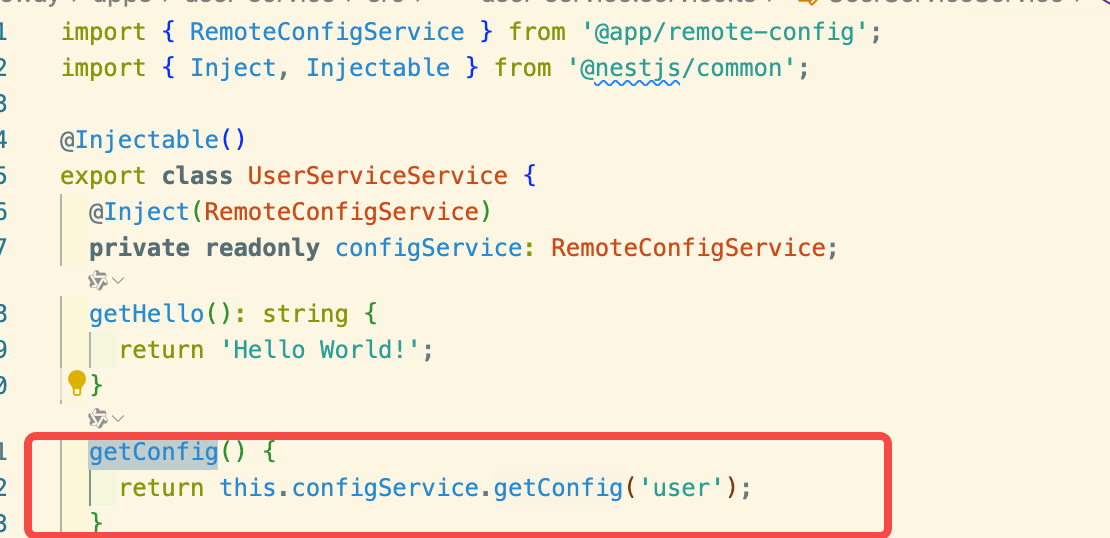
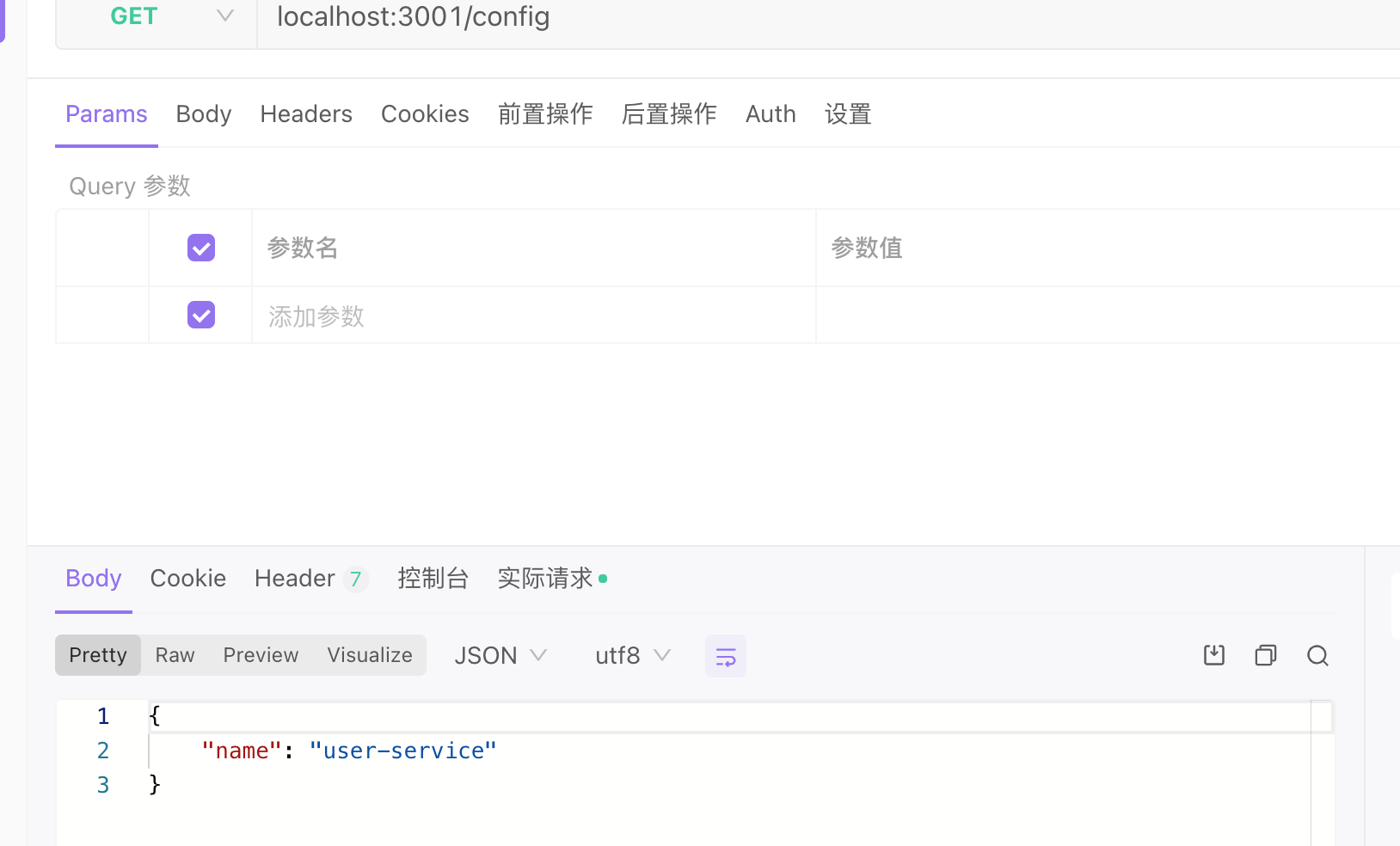
服务注册
nest g lib nacos
新增一个ip.service.ts
ts
// src/utils/ip.service.ts
import { Injectable } from '@nestjs/common';
import * as os from 'os';

@Injectable()
export class IpService {
  /**
   * 获取本机非内部 IPv4 地址(优先返回第一个有效地址)
   * @returns 本机 IP 地址(如 192.168.1.100),无有效地址时返回 127.0.0.1
   */
  getLocalIp(): string {
    const interfaces = os.networkInterfaces(); // 获取所有网络接口
    let localIp = '127.0.0.1'; // 默认回环地址

    // 遍历所有网络接口
    for (const devName in interfaces) {
      const iface = interfaces[devName];
      if (!iface) continue;

      // 遍历接口下的所有地址
      for (const alias of iface) {
        // 筛选条件:IPv4、非内部地址(非 127.0.0.1 等回环地址)、已启动
        if (
          alias.family === 'IPv4' && // 只取 IPv4
          !alias.internal && // 排除内部地址(如 127.0.0.1)
          alias.address !== '127.0.0.1' && // 进一步排除回环地址
          !alias.address.startsWith('169.254.') // 排除 APIPA 地址(本地链路地址)
        ) {
          localIp = alias.address;
          return localIp; // 找到第一个有效地址后返回
        }
      }
    }

    return localIp; // 未找到有效地址时返回回环地址
  }
}
nacos.module.ts
动态模块,传入参数
ts
import { DynamicModule, Module } from '@nestjs/common';
import { NacosOptions, NacosService } from './nacos.service';
import { IpService } from './ip.service';

@Module({})
export class NacosModule {
  static forRoot(options: NacosOptions): DynamicModule {
    return {
      module: NacosModule,
      providers: [
        IpService,
        {
          provide: 'CONFIG_OPTIONS',
          useValue: options,
        },
        NacosService,
      ],
      exports: [NacosService],
    };
  }
}
nacos.service.ts
ts
import {
  Inject,
  Injectable,
  Logger,
  OnModuleDestroy,
  OnModuleInit,
} from '@nestjs/common';
import { ConfigService } from '@nestjs/config';
import { NacosNamingClient } from 'nacos';
import { IpService } from './ip.service';

interface Instance {
  instanceId: string;
  healthy: boolean;
  enabled: boolean;
  serviceName?: string;
  weight?: number;
  ephemeral?: boolean;
  clusterName?: string;
}

export interface NacosOptions {
  noRegister?: boolean;
  serviceName: string; //Service name
  instance?: Partial<Instance>; //Instance
  groupName?: string;
  subList?: { groupName?: string; dataId: string }[];
}

@Injectable()
export class NacosService implements OnModuleInit, OnModuleDestroy {
  @Inject()
  private configService: ConfigService;

  @Inject(IpService)
  private ipService: IpService;

  @Inject('CONFIG_OPTIONS')
  private options: NacosOptions;

  private readonly logger = new Logger(NacosService.name);
  private client: NacosNamingClient;
  async onModuleInit() {
    this.client = new NacosNamingClient({
      logger: {
        ...console,
        log: () => {},
        debug: () => {},
      },
      serverList: this.configService.get<string>('NACOS_SERVER'), // replace to real nacos serverList
      namespace: this.configService.get<string>('NACOS_NAMESPACE'),
      username: this.configService.get<string>('NACOS_SECRET_NAME'),
      password: this.configService.get<string>('NACOS_SECRET_PWD'),
    });
    await this.client.ready();
    if (!this.options.noRegister) {
      await this.destroy();
      await this.register();
    }
    this.logger.log('Nacos客户端准备就绪');
  }

  async getSub(serviceName: string) {
    const service = {
      dataId: serviceName,
      groupName: this.configService.get('NACOS_GROUP_NAME'),
    };
    const res = await this.client.getAllInstances(
      service.dataId,
      service.groupName,
    );
    this.configService.set(`nacos_${serviceName}`, res);
    return res.filter((item) => item.healthy);
  }

  async register() {
    await this.client.registerInstance(
      this.options.serviceName,
      // @ts-ignore
      {
        ...this.options.instance,
        ip: this.ipService.getLocalIp(),
        port: this.configService.get<number>('PORT'),
      },
      this.options.groupName,
    );
  }
  async destroy() {
    await this.client.deregisterInstance(
      this.options.serviceName,
      // @ts-ignore
      {
        ...this.options.instance,
        ip: this.ipService.getLocalIp(),
        port: this.configService.get<number>('PORT'),
      },
      this.options.groupName,
    );
  }

  async onModuleDestroy() {}
}
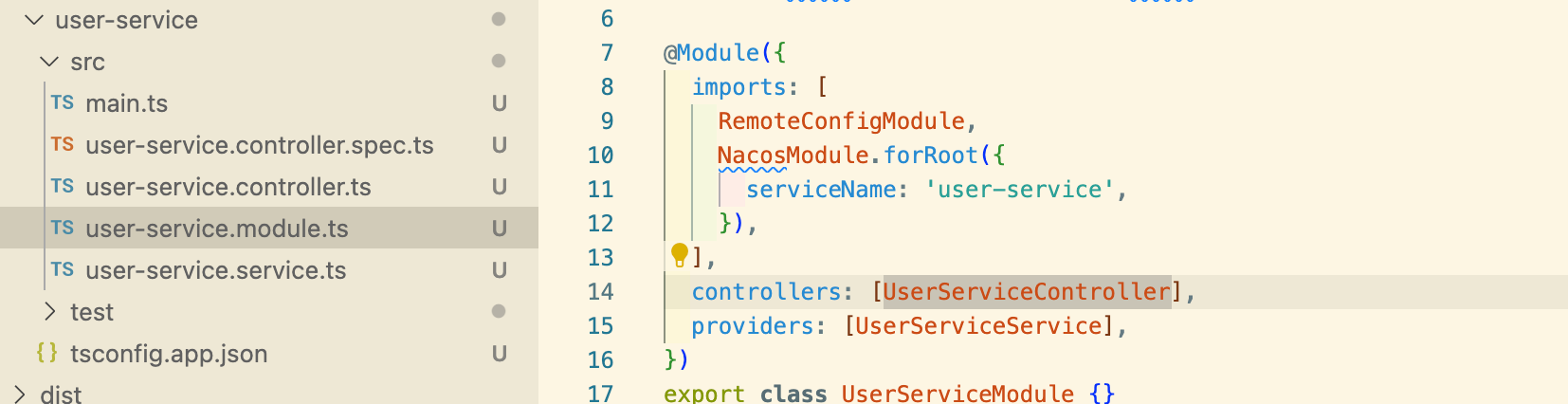
尝试
在 user-service服务
启动服务

这个时候就可以在其他服务获取到user-service的请求地址,可以使用http请求来处理。
改造user-service (TCP)
将user-service改造成微服务,使用TCP
ts
import { NestFactory } from '@nestjs/core';
import { UserServiceModule } from './user-service.module';
import { Transport, MicroserviceOptions } from '@nestjs/microservices';

async function bootstrap() {
  const port = Number(process.env.PORT) || 3001;
  const app = await NestFactory.createMicroservice<MicroserviceOptions>(
    UserServiceModule,
    {
      transport: Transport.TCP,
      options: {
        port,
      },
    },
  );
  await app.listen();
}
bootstrap();修改user-service.controller.ts
ts
import { Controller, Get } from '@nestjs/common';
import { UserServiceService } from './user-service.service';
import { MessagePattern } from '@nestjs/microservices';

@Controller()
export class UserServiceController {
  constructor(private readonly userServiceService: UserServiceService) {}

  @MessagePattern('user')
  handleFindById() {
    return this.userServiceService.register();
  }
}
启动服务
这里因为是本地,需要修改下获取IP的逻辑


改造gateway
引入nacos
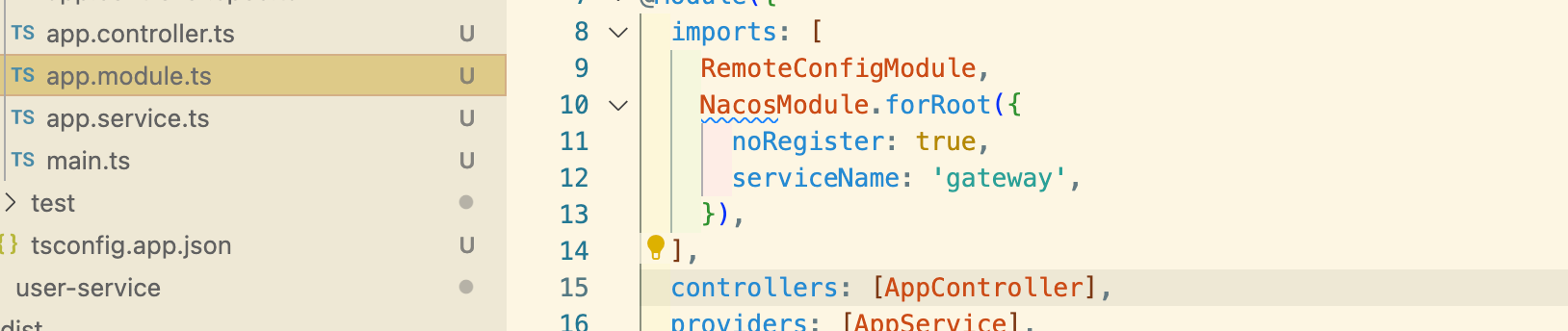
在 app.service.ts中 注册微服务
ts
import { NacosService } from '@app/nacos';
import { Inject, Injectable, OnApplicationBootstrap } from '@nestjs/common';
import {
  ClientProxyFactory,
  Transport,
  ClientProxy,
} from '@nestjs/microservices';

@Injectable()
export class AppService implements OnApplicationBootstrap {
  private client: ClientProxy;
  @Inject(NacosService)
  private readonly nacosService: NacosService;

  async onApplicationBootstrap() {
    const res = await this.nacosService.getSub('user-service');
    const instance = res[0];

    this.client = ClientProxyFactory.create({
      transport: Transport.TCP,
      options: {
        host: instance.ip,
        port: instance.port,
      },
    });
    await this.client.connect();
  }

  getHello(): string {
    return 'Hello World!';
  }
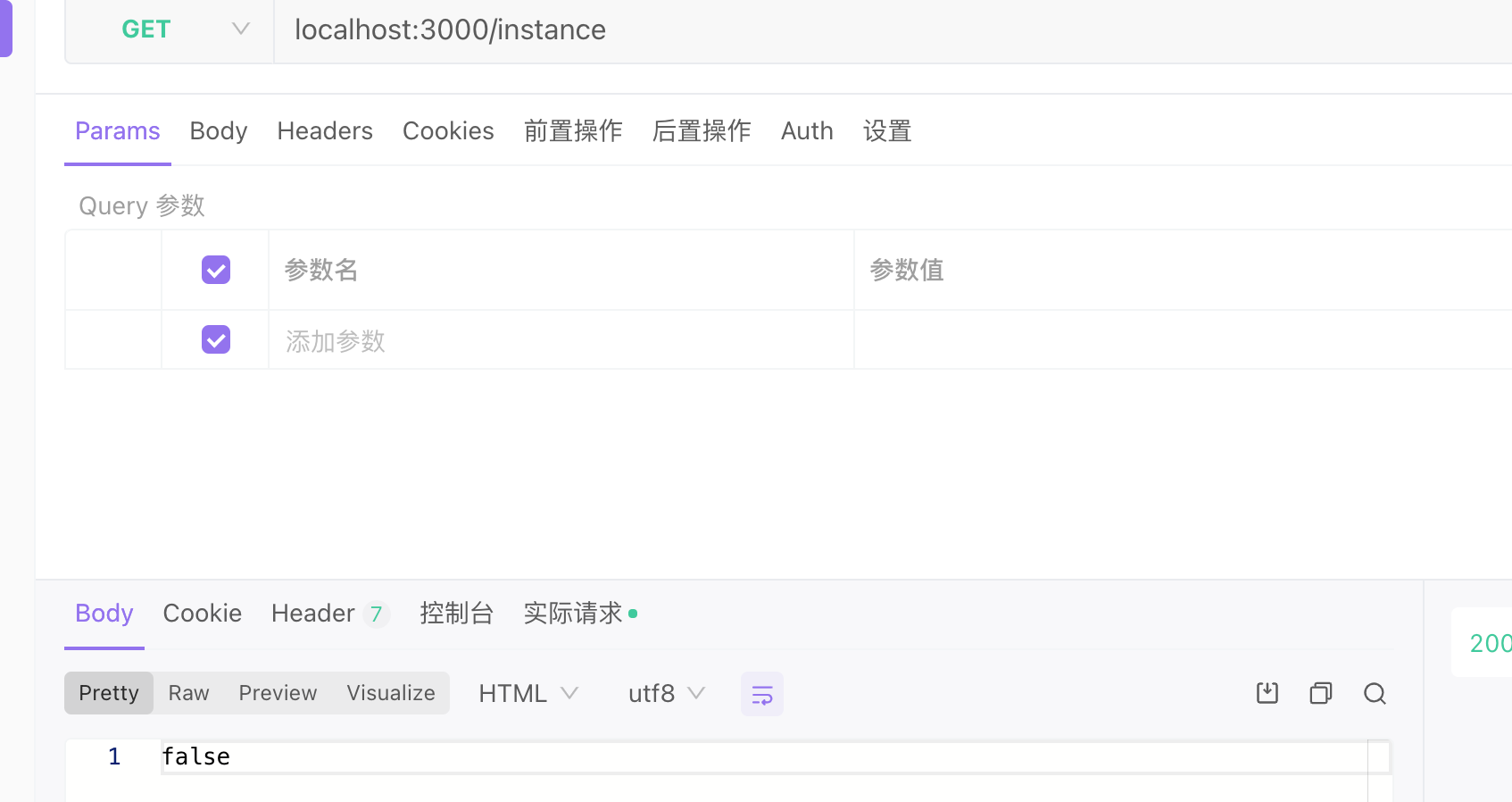
  async getInstance() {
    const res = await this.client.send('user', '');
    return !res;
  }
}
启动服务
改造email-service(Kafka)
service.ts
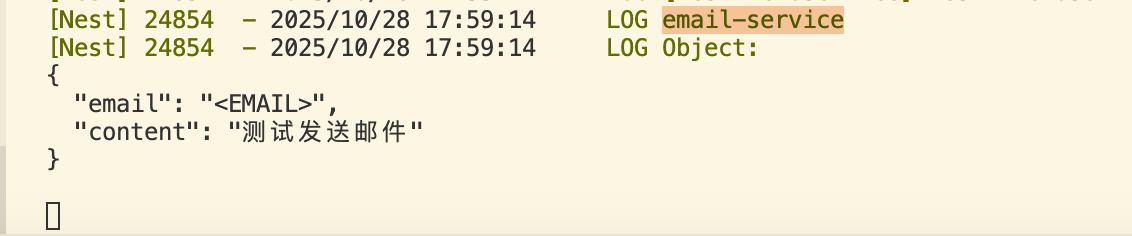
这里打印接收的数据
ts
import { Controller, Get, Logger } from '@nestjs/common';
import { EmailServiceService } from './email-service.service';
import { MessagePattern, Payload } from '@nestjs/microservices';

@Controller()
export class EmailServiceController {
  constructor(private readonly emailServiceService: EmailServiceService) {}

  @MessagePattern('email')
  getHello(@Payload() data) {
    Logger.log('email-service', data);
  }
}
对于 main.ts
需要先创建一个临时configApp,用来获取kafka-config
ts
import { NestFactory } from '@nestjs/core';
import { EmailServiceModule } from './email-service.module';
import { MicroserviceOptions, Transport } from '@nestjs/microservices';
import { RemoteConfigModule, RemoteConfigService } from '@app/remote-config';

async function bootstrap() {
  const configApp = await NestFactory.create(RemoteConfigModule);
  await configApp.init();
  const configService = configApp.get<RemoteConfigService>(RemoteConfigService);
  const res = await configService.getConfig('kafka-config');

  const app = await NestFactory.createMicroservice<MicroserviceOptions>(
    EmailServiceModule,
    {
      transport: Transport.KAFKA,
      options: {
        client: {
          clientId: 'email-service',
          brokers: res.brokers,
        },
        consumer: {
          groupId: 'email-service',
        },
      },
    },
  );
  await app.listen();
  await configApp.close();
}
bootstrap();
在gateway使用
app.servite.ts
ts
import { NacosService } from '@app/nacos';
import { RemoteConfigService } from '@app/remote-config';
import {
  Inject,
  Injectable,
  Logger,
  OnApplicationBootstrap,
  OnModuleDestroy,
} from '@nestjs/common';
import {
  ClientProxyFactory,
  Transport,
  ClientProxy,
  ClientKafka,
} from '@nestjs/microservices';

@Injectable()
export class AppService implements OnApplicationBootstrap, OnModuleDestroy {
  private client: ClientProxy;
  private kafkaClient: ClientKafka;
  @Inject(NacosService)
  private readonly nacosService: NacosService;
  @Inject(RemoteConfigService)
  private readonly configService: RemoteConfigService;

  async onApplicationBootstrap() {
    const res = await this.nacosService.getSub('user-service');
    const instance = res[0];

    this.client = ClientProxyFactory.create({
      transport: Transport.TCP,
      options: {
        host: instance.ip,
        port: instance.port,
      },
    });
    await this.client.connect();
    Logger.log(`user-service 连接成功`);
    const config = await this.configService.getConfig('kafka-config');
    this.kafkaClient = new ClientKafka({
      client: {
        brokers: config.brokers,
      },
      producer: {
        allowAutoTopicCreation: true,
      },
    });

    await this.kafkaClient.connect();
    Logger.log(`email-service 连接成功`);
  }
  async onModuleDestroy() {
    await this.kafkaClient.close(); // 自动断开连接(避免资源泄漏)
  }

  getHello(): string {
    return 'Hello World!';
  }
  async getInstance() {
    const res = await this.client.send('user', '');
    return !res;
  }
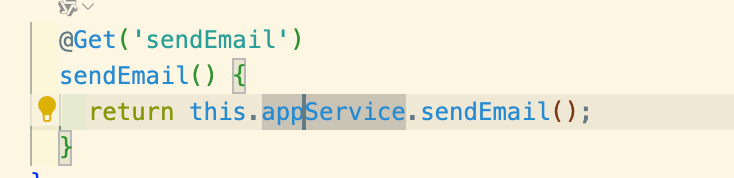
  sendEmail() {
    this.kafkaClient.emit('email', {
      email: '<EMAIL>',
      content: '测试发送邮件',
    });
  }
}
测试一下
如果需要返回邮件的发送状态。如返回true
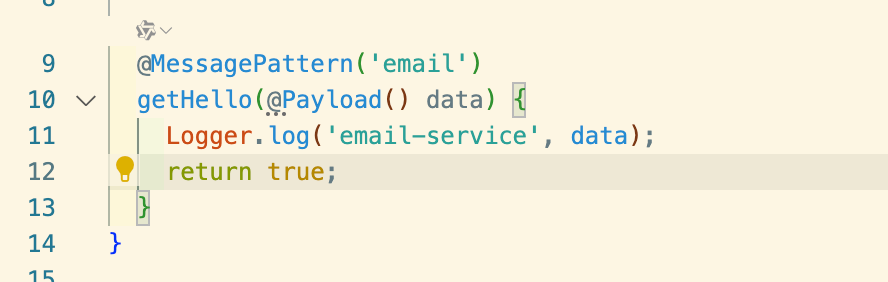
如果直接这样修改。
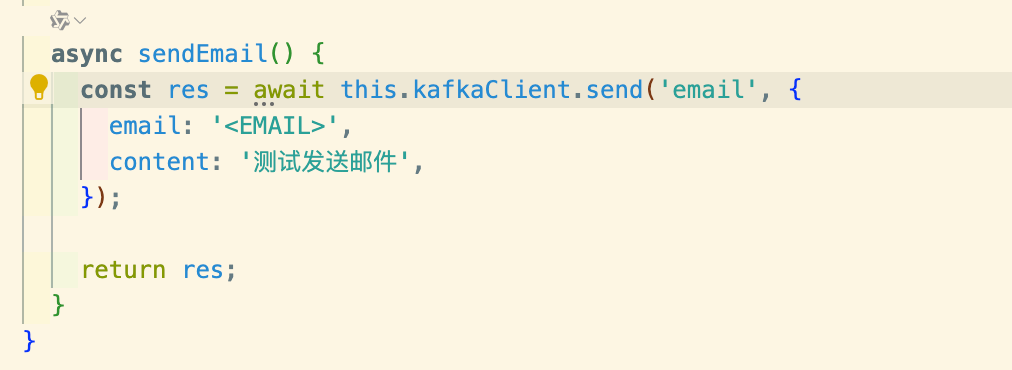
会报错。

send的话,接收reply,需要先订阅下。
修改app.service.ts
在kafkaClient连接之前。

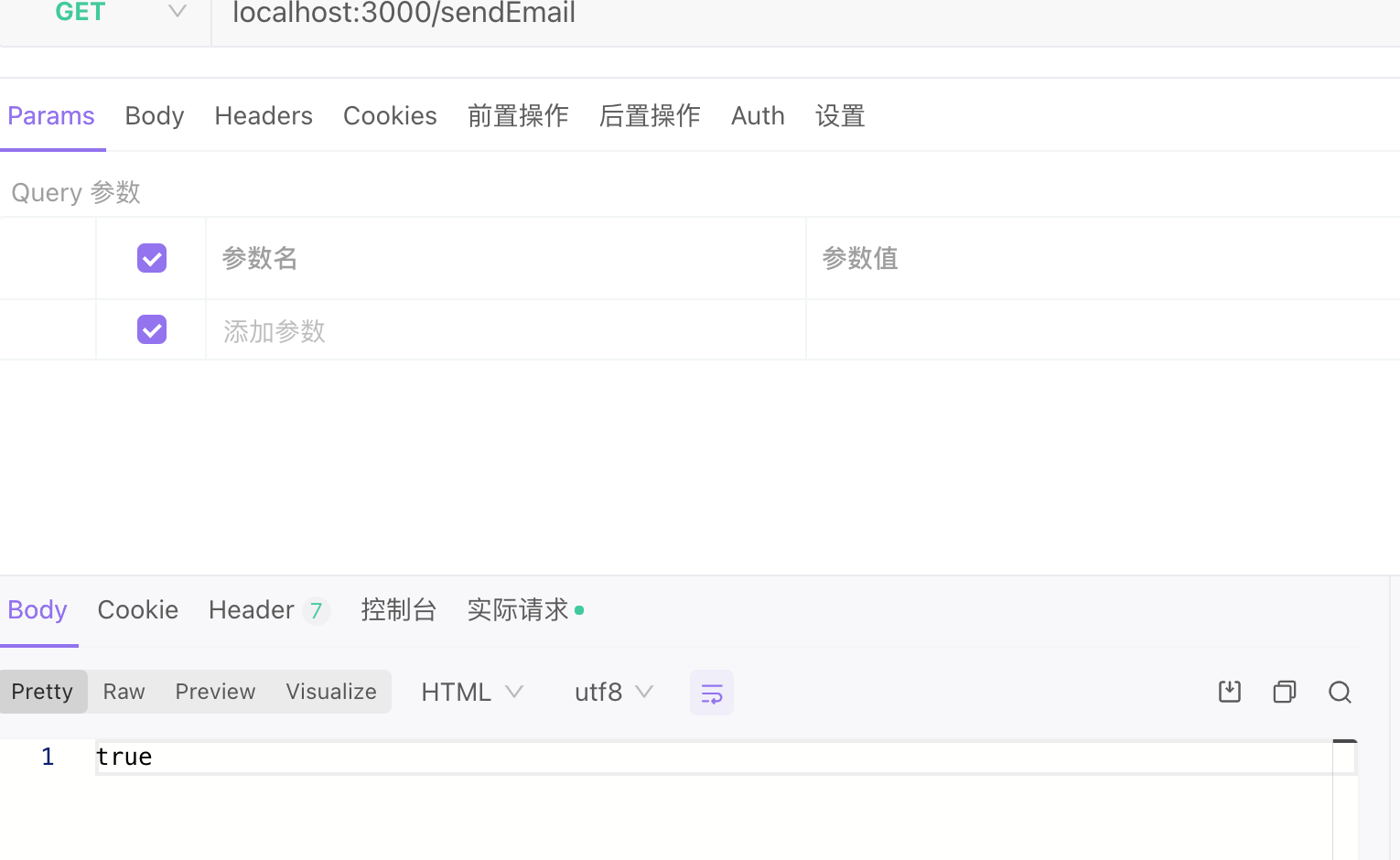
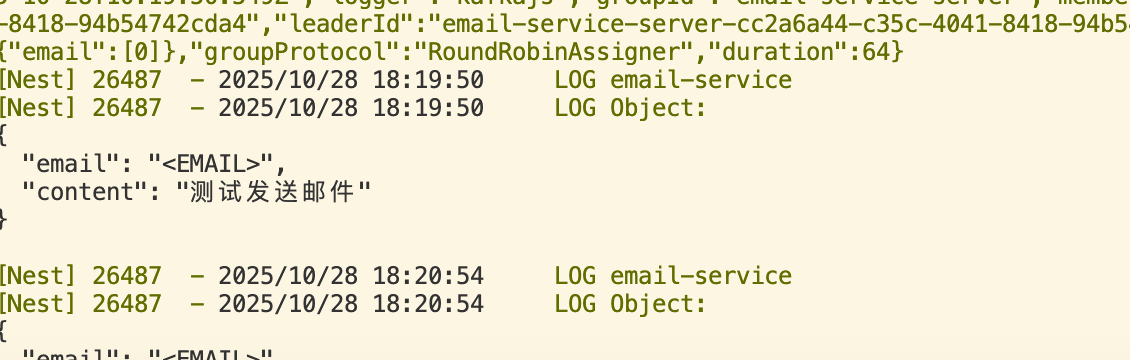
本地测试email-service开启多个实例:
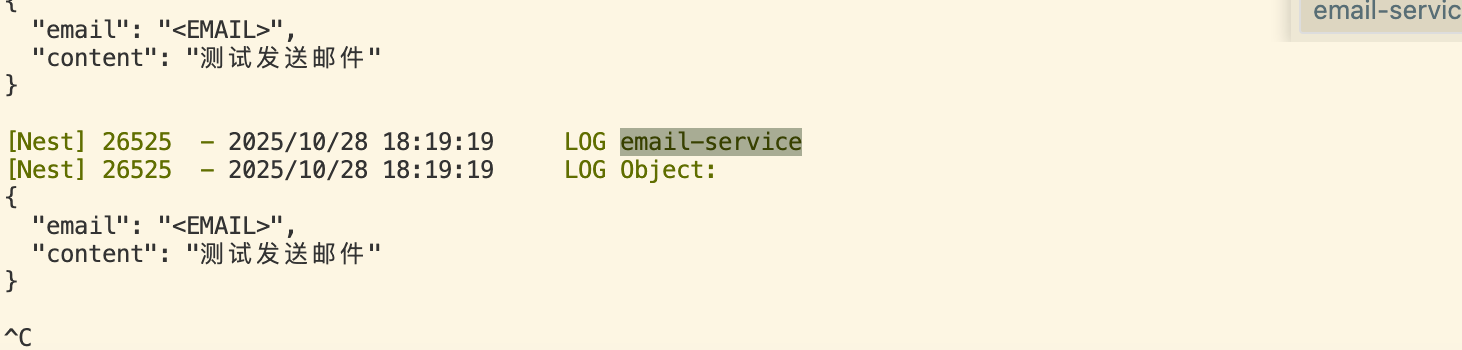
当关掉一个后,接下来的请求会发送到另外一个上面
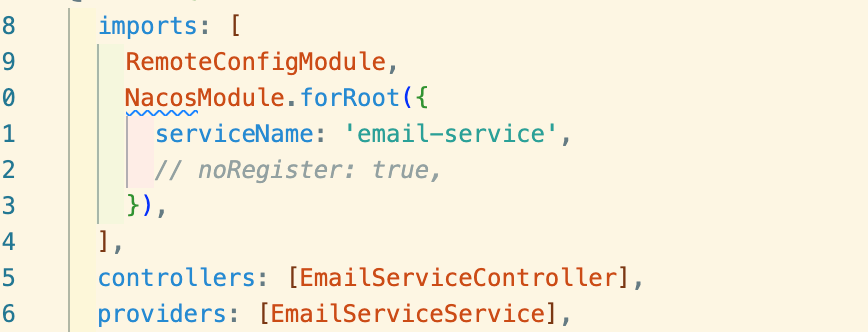
同样的也可以给email-service加上Nacos
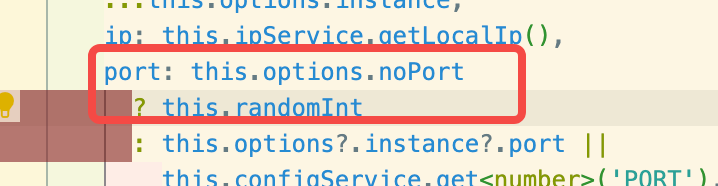
因为本地启动多个相同服务的原因,临时给nacos加了个随机数,



可以判断是否有健康的实例来做进一步处理。
其他
这是一个练习。
其他的,比如,服务下线后,nacos是能检测到健康状态的,那么就要通过配置或者服务变化(nacos有订阅),来通知使用者如gateway。
部署
如通过docker打包,注入环境变量port等等,应用会通过nacos注册,网关使用的时候去拿。
这样就实现了服务的注册和发现?