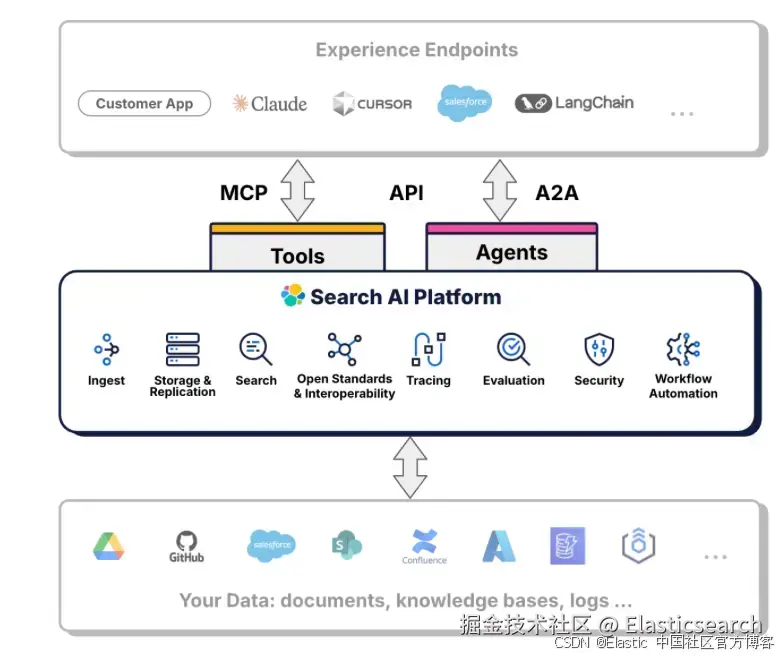
在之前的文章 "Elastic AI agent builder 介绍(一)",我们用一个例子展示了如何使用 AI agent builder 来创建我们希望的 agents。在今天的文章里,我们来介绍 AI agent builder 相关的 APIs。这样我们对它有更进一步的认识。
Tools
获取所有的工具
我们可以通过如下的 API 来获取所有的 tools
arduino
`GET kbn://api/agent_builder/tools`AI写代码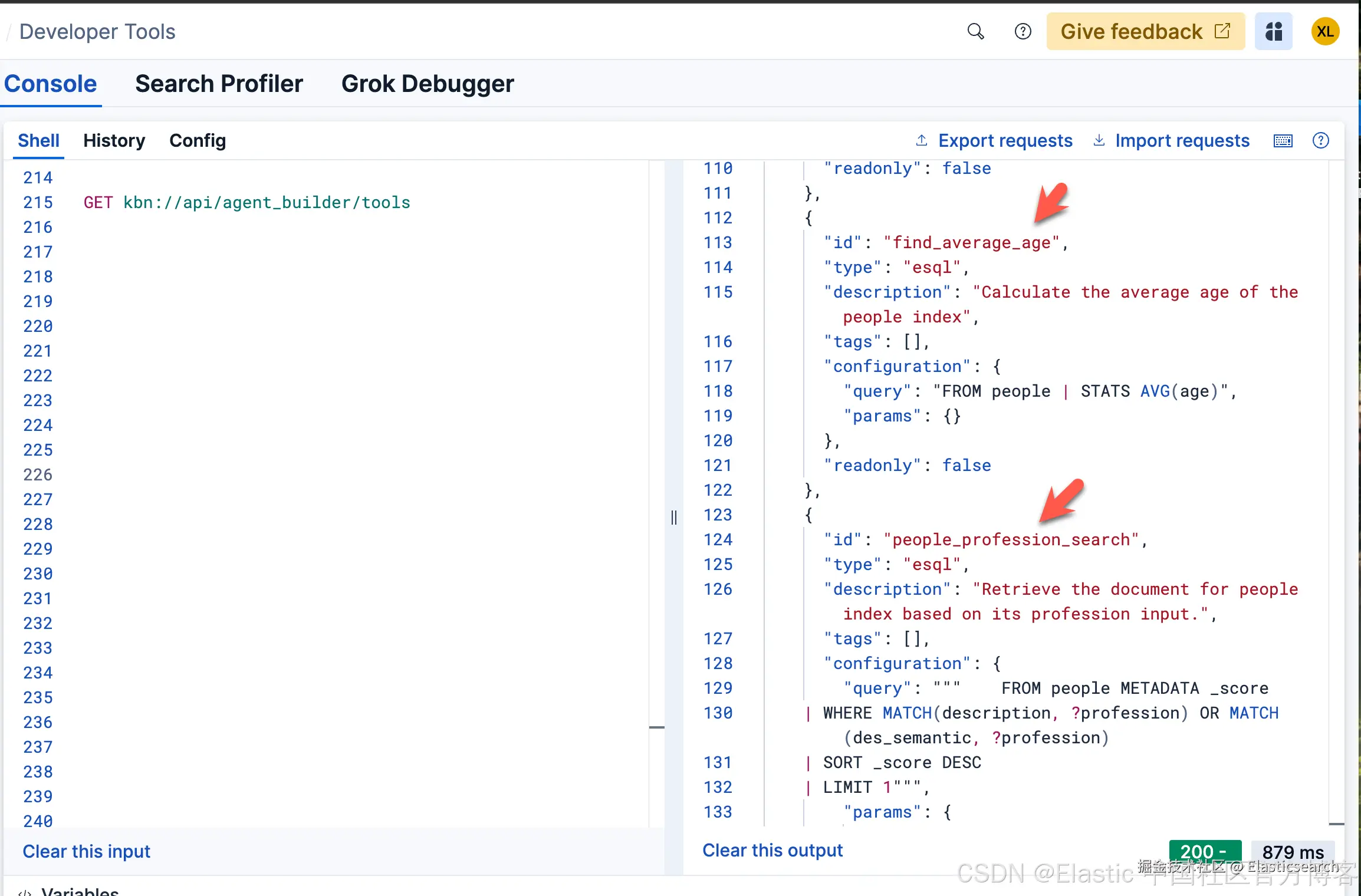
上面的 API 显示所有已经创建的和系统本身自带的 tools。我们也可以使用如下的方式来得到:
ini
`

1.  export KIBANA_URL="your-kibana-url"
2.  export API_KEY="your-api-key"

`AI写代码
bash
`

1.  curl -X GET "https://${KIBANA_URL}/api/agent_builder/tools" \
2.       -H "Authorization: ApiKey ${API_KEY}"

`AI写代码
针对我们的安装:
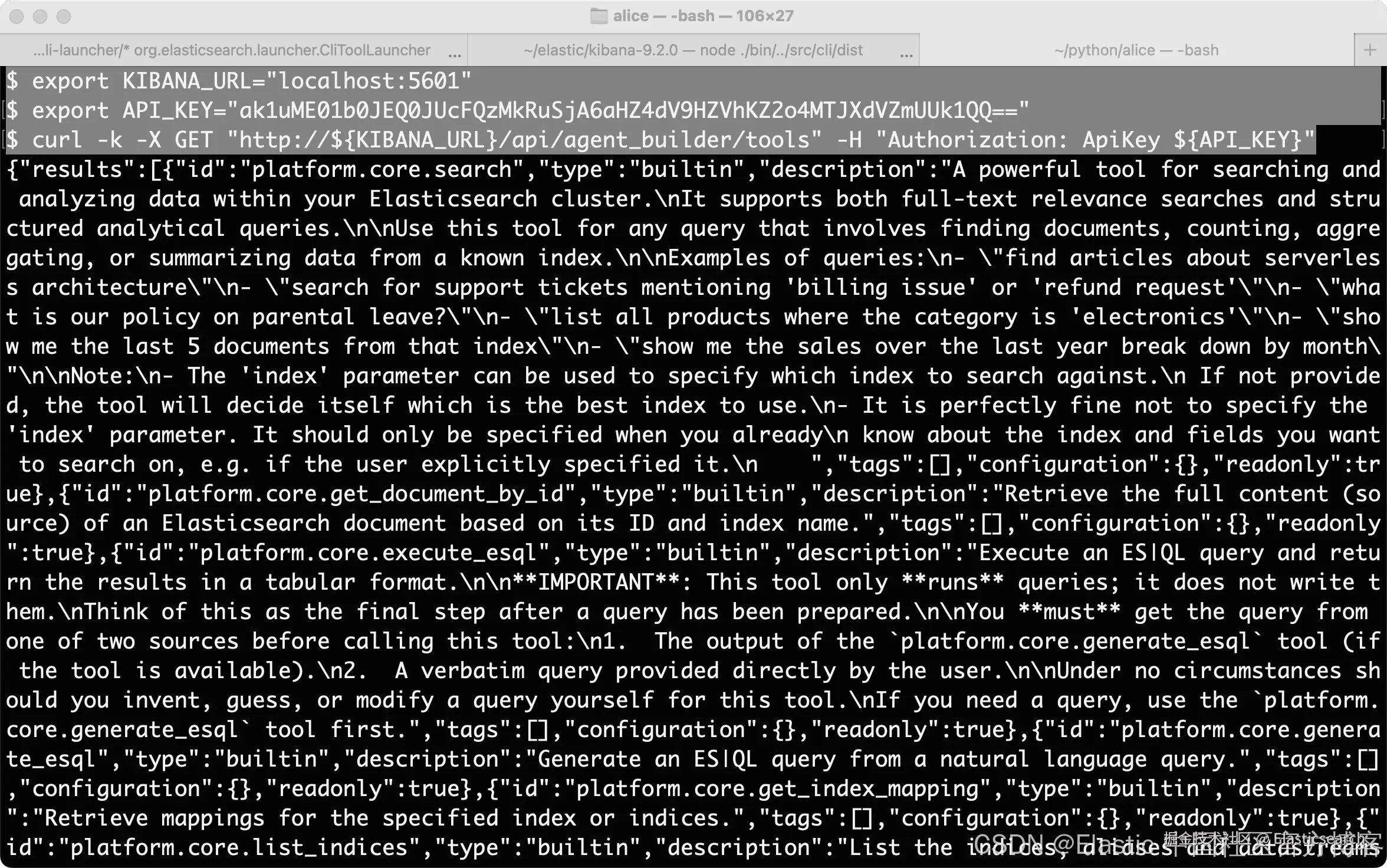
注意:你需要根据自己的 Elasticsearch 及 Kibana 配置修改上面的 http/https 协议。你需要配置响应的环境变量 KIBANA_URL 及 API_KEY
根据 ID 获得 tool
bash
`GET kbn://api/agent_builder/tools/{id}`AI写代码
arduino
`GET kbn://api/agent_builder/tools/find_average_age`AI写代码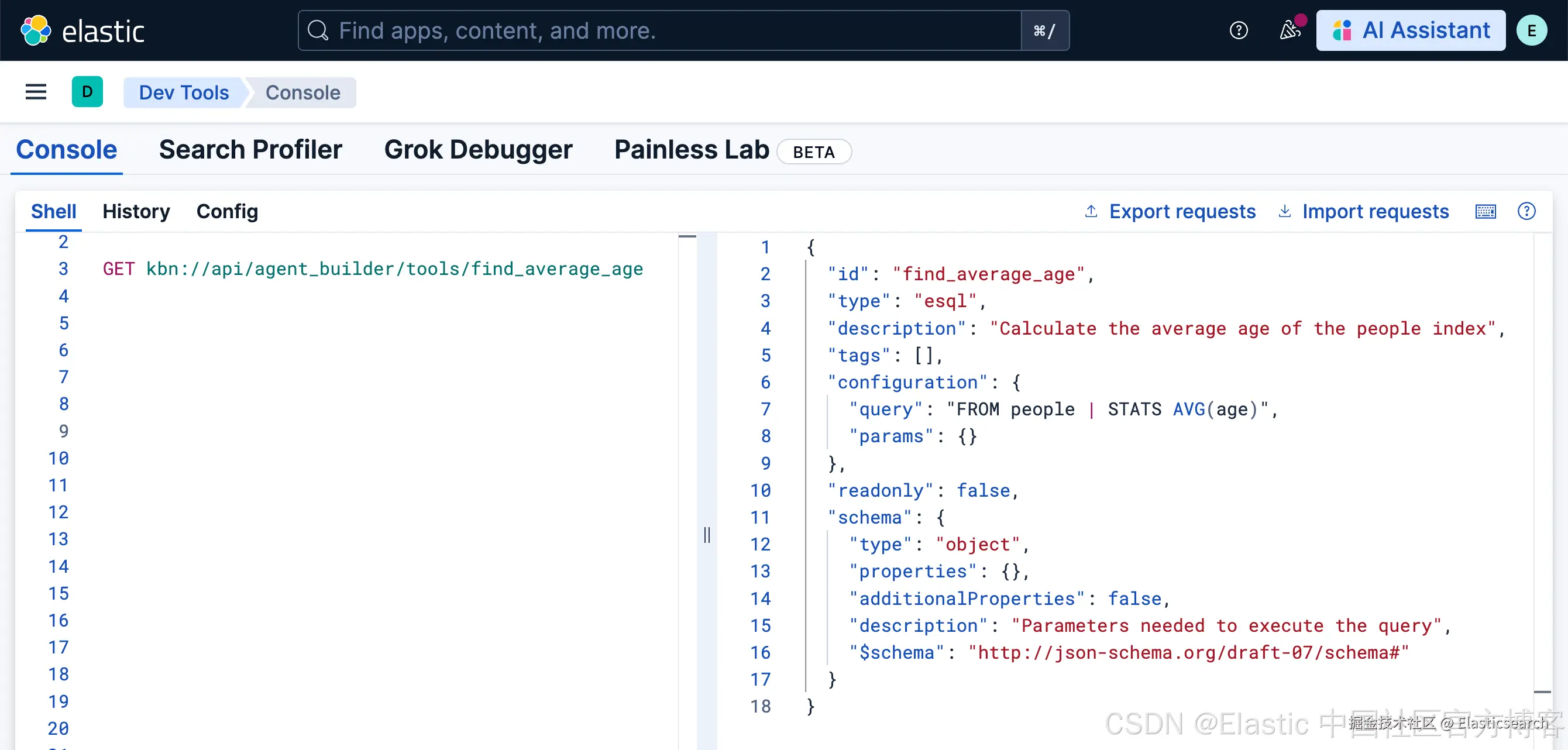
根据 ID 删除一个 tool
bash
`DELETE kbn://api/agent_builder/tools/{id}`AI写代码
arduino
`DELETE kbn://api/agent_builder/tools/find_average_age`AI写代码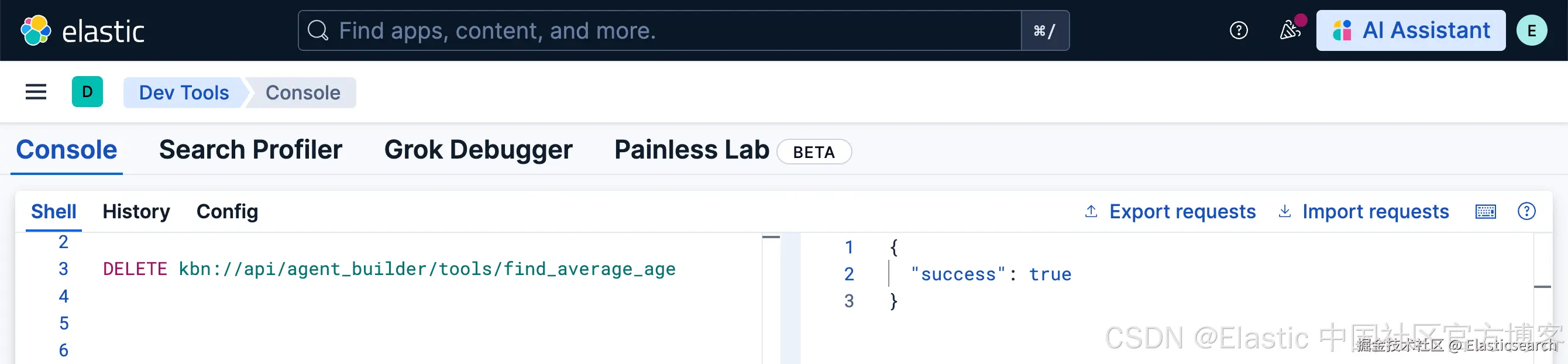
我们可以再使用上面的 GET kbn://api/agent_builder/tools 命令来查看 find_average_age 已经被删除。我们也可以在界面中查看:
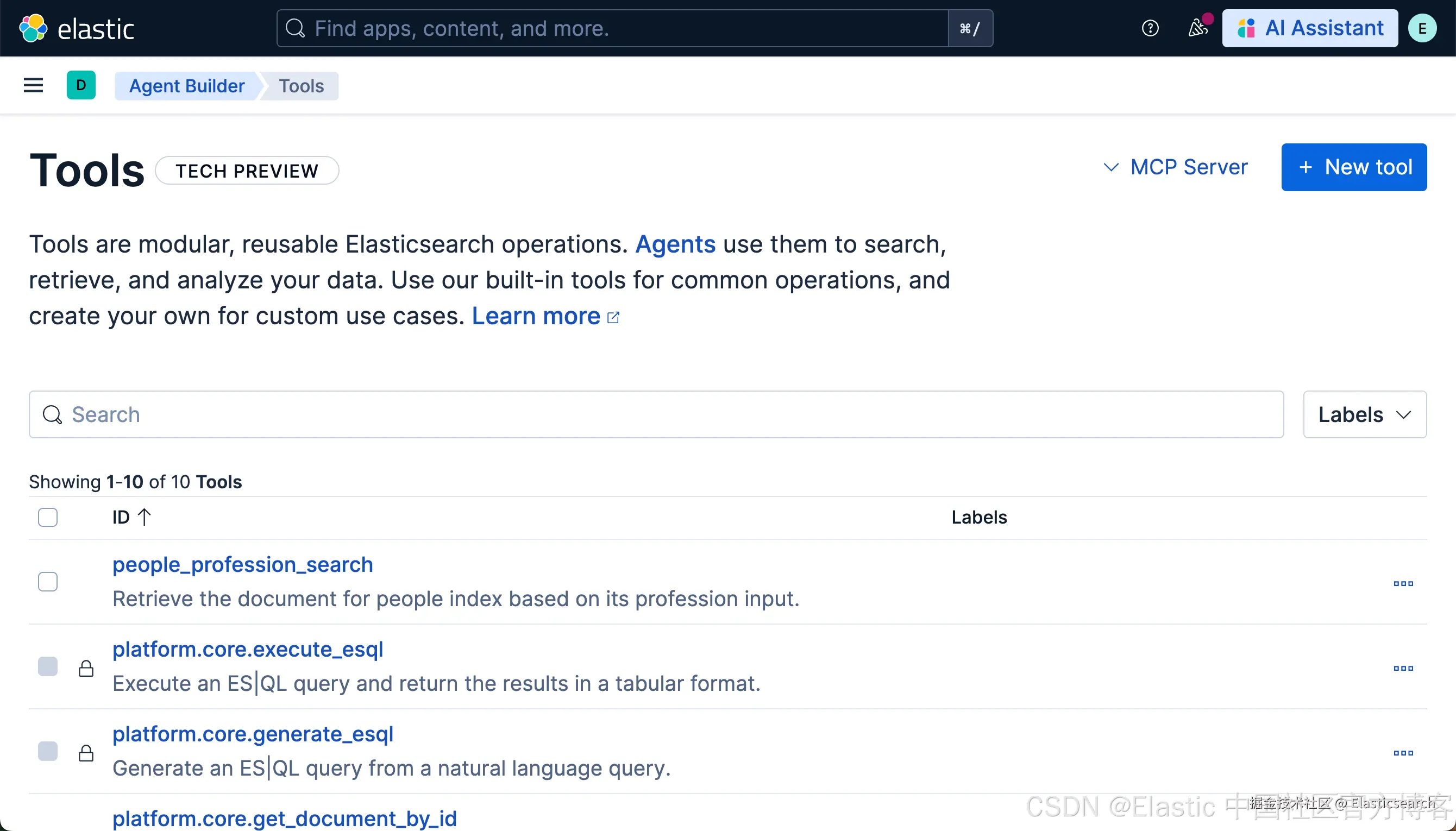
在这两个页面中没有 find_average_age 工具了。能够进行下面的操作,我们参考 "Elastic AI agent builder 介绍(一)" ,再次创建这个 tool。
根据 ID 来更新一个 tool
没有修改之前 people_profession_search ID 的设计是这样的:
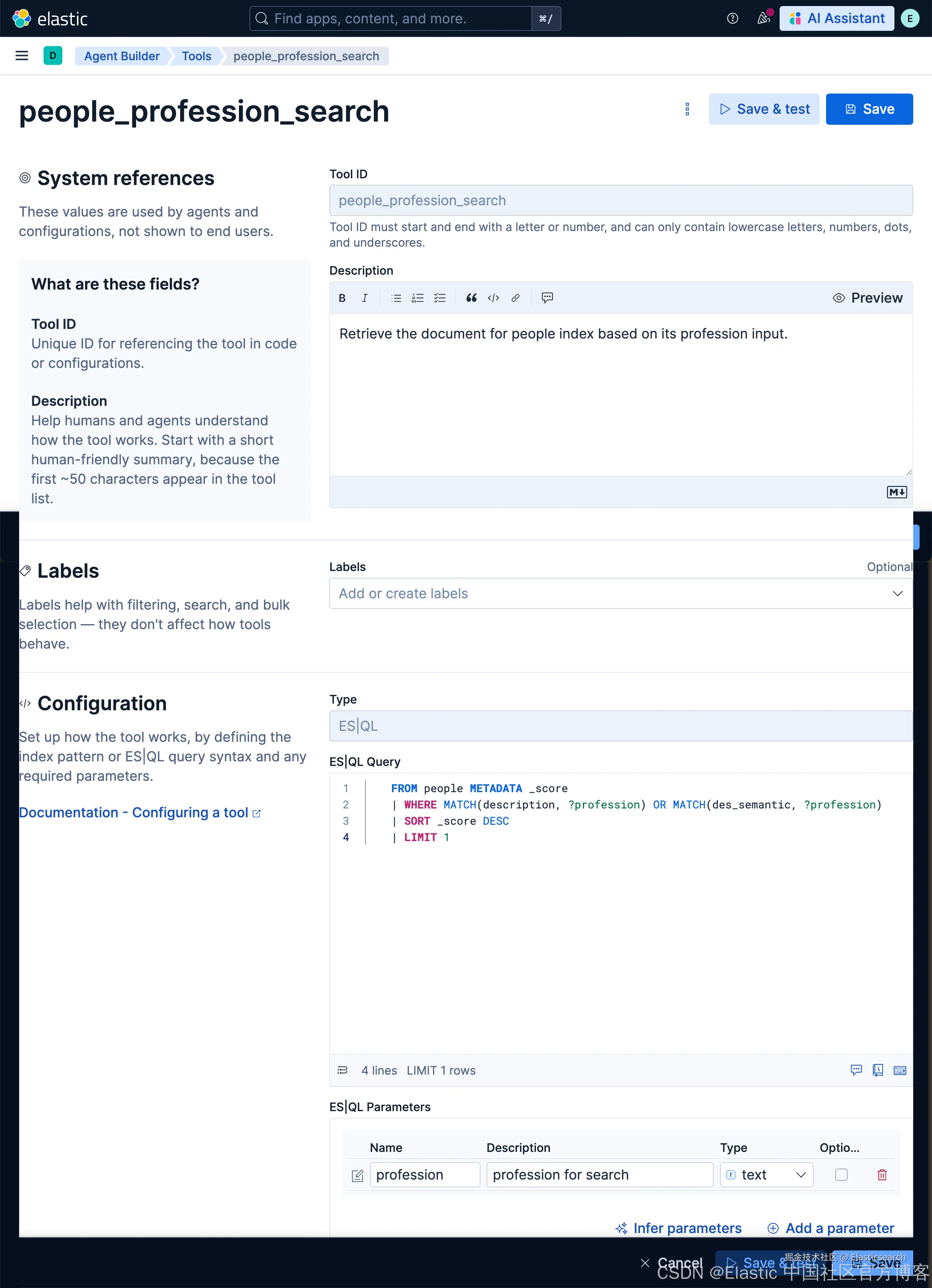
我们现在使用如下的格式来进行更新:
bash
`
1. PUT kbn://api/agent_builder/tools/people_profession_search
2. {
3. "description": "Search for the document for people index based on its profession input.",
4. "tags": ["analytics", "people", "updated"],
5. "configuration": {
6. "query": "FROM people METADATA _score | WHERE MATCH(description, ?profession) OR MATCH(des_semantic, ?profession) | SORT _score DESC | LIMIT 1",
7. "params": {
8. "profession": {
9. "type": "text",
10. "description": "profession for search results"
11. }
12. }
13. }
14. }
`AI写代码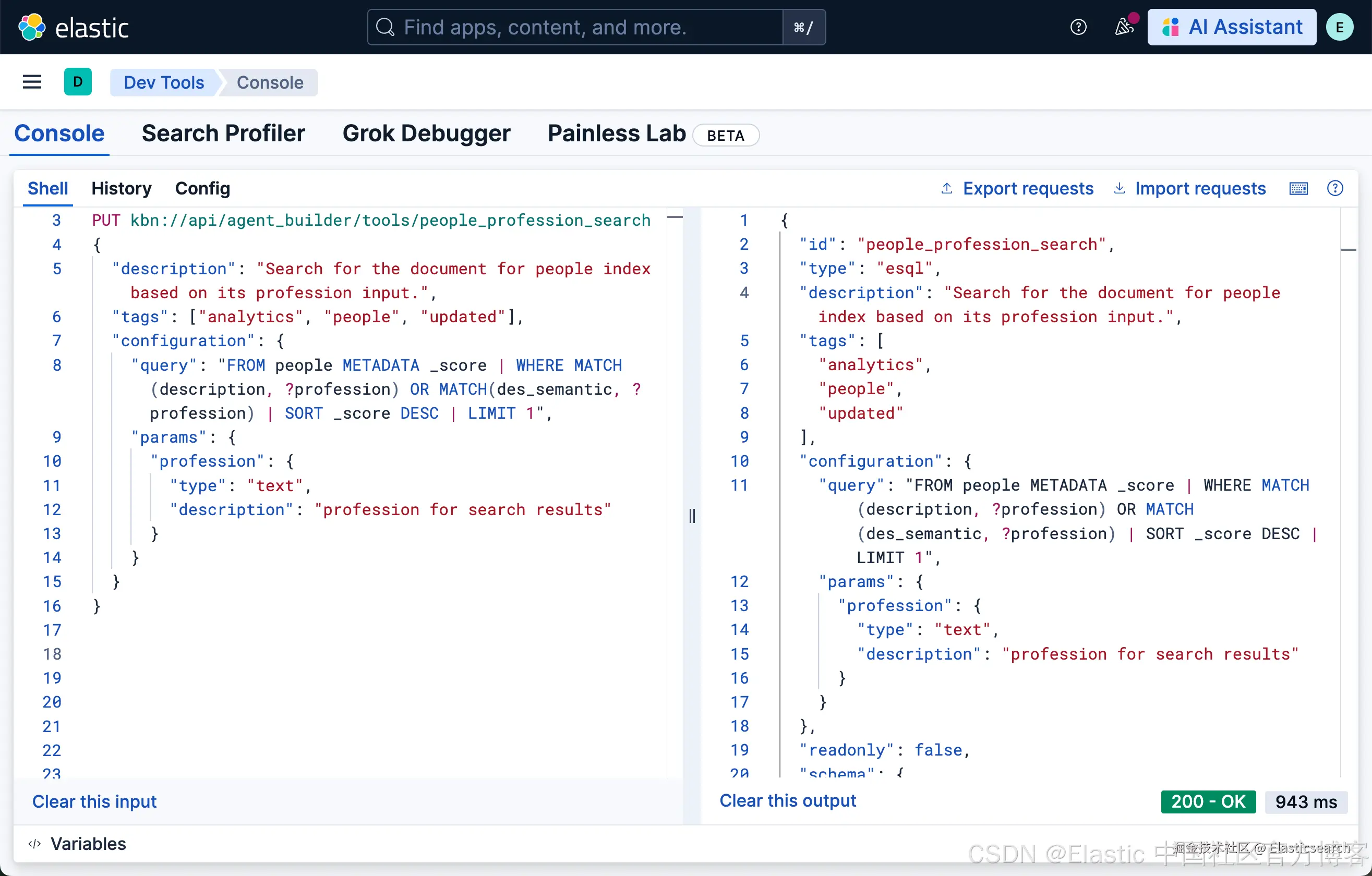
我们再次查看更新后的 people_profession_search ID:
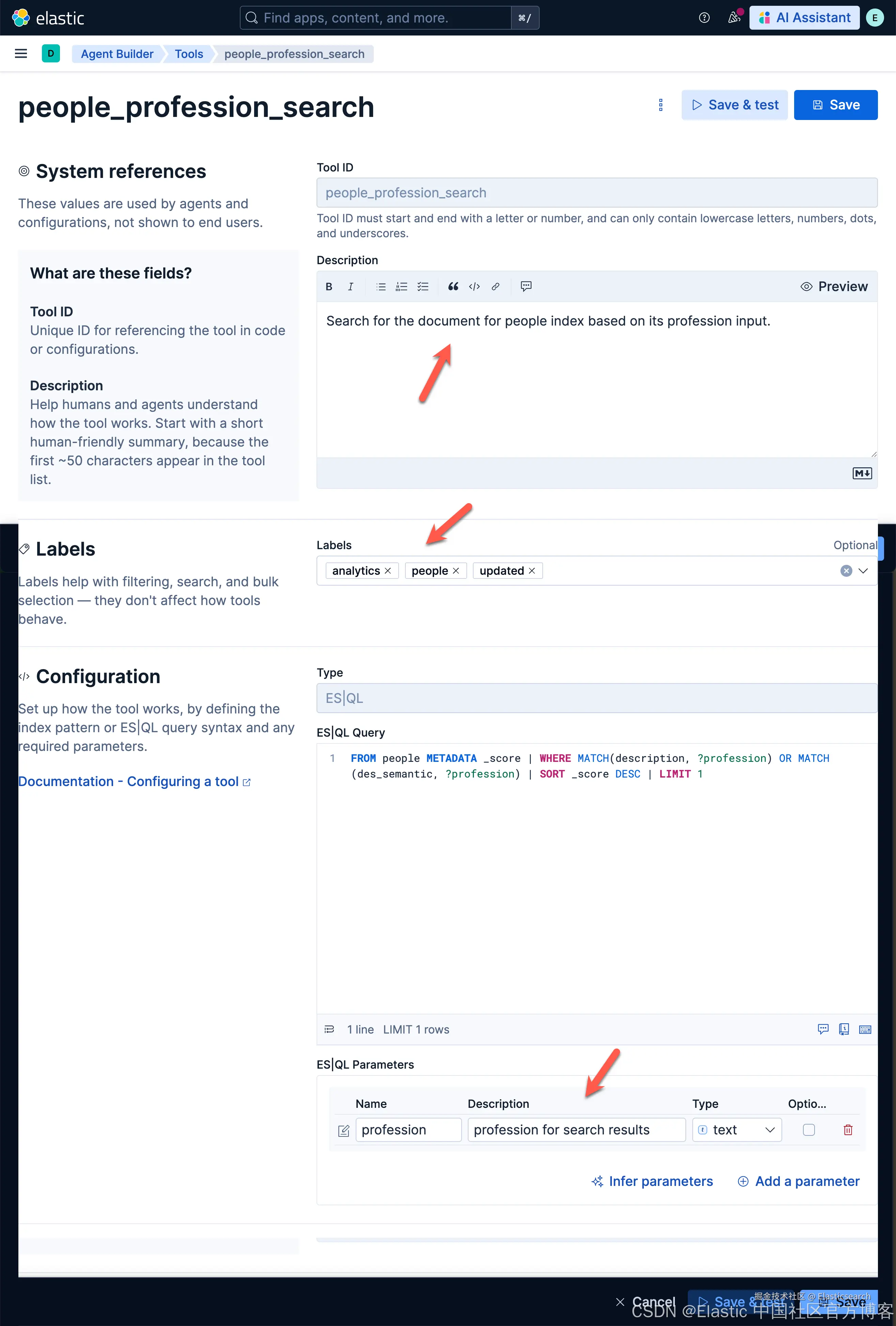
我们可以看到有三处已经被修改。我们可以看到新增加的 Labels。我们可以通过如下的练习来建议一下:
bash
`who are the reporters?`AI写代码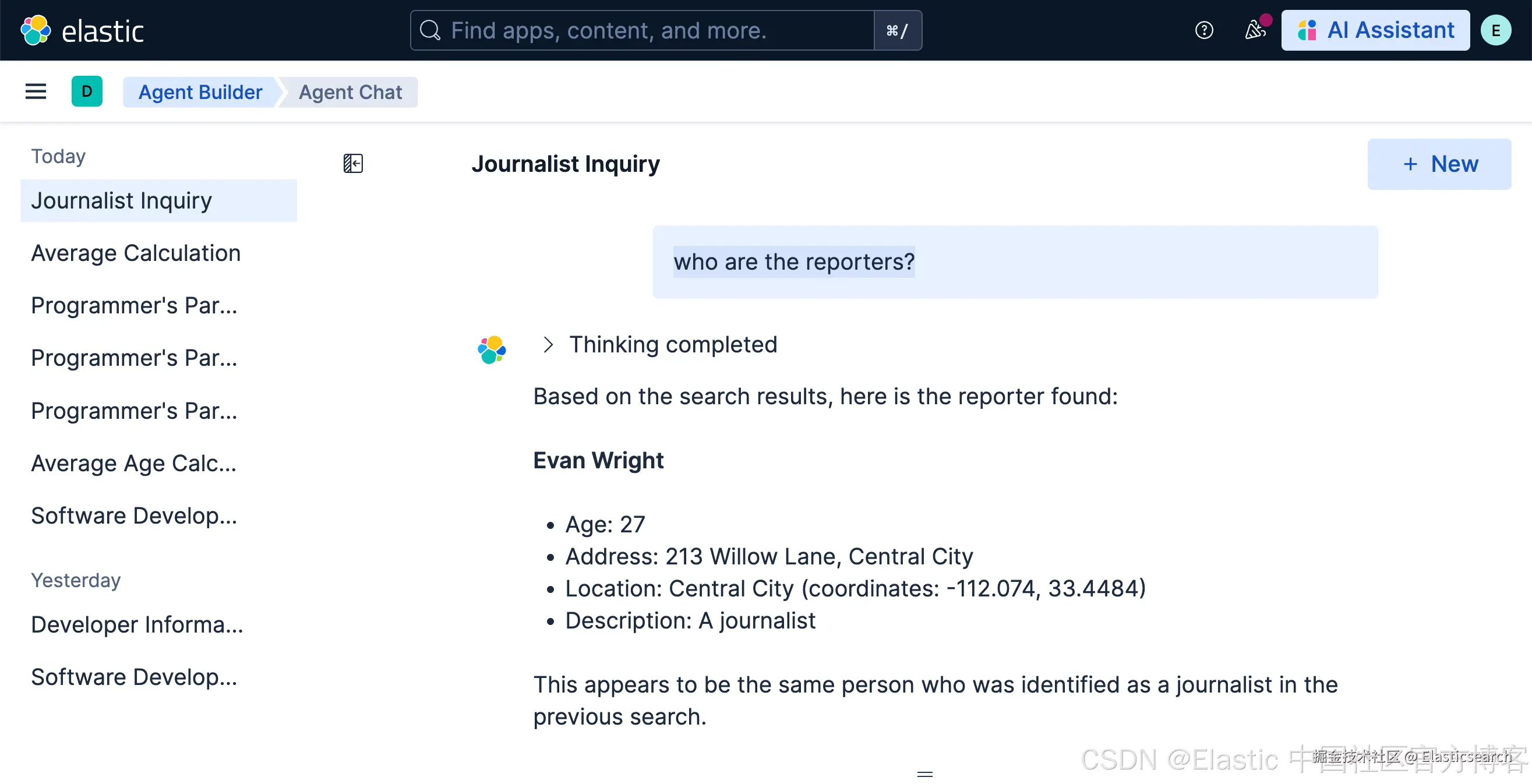
bash
`who are the heros?`AI写代码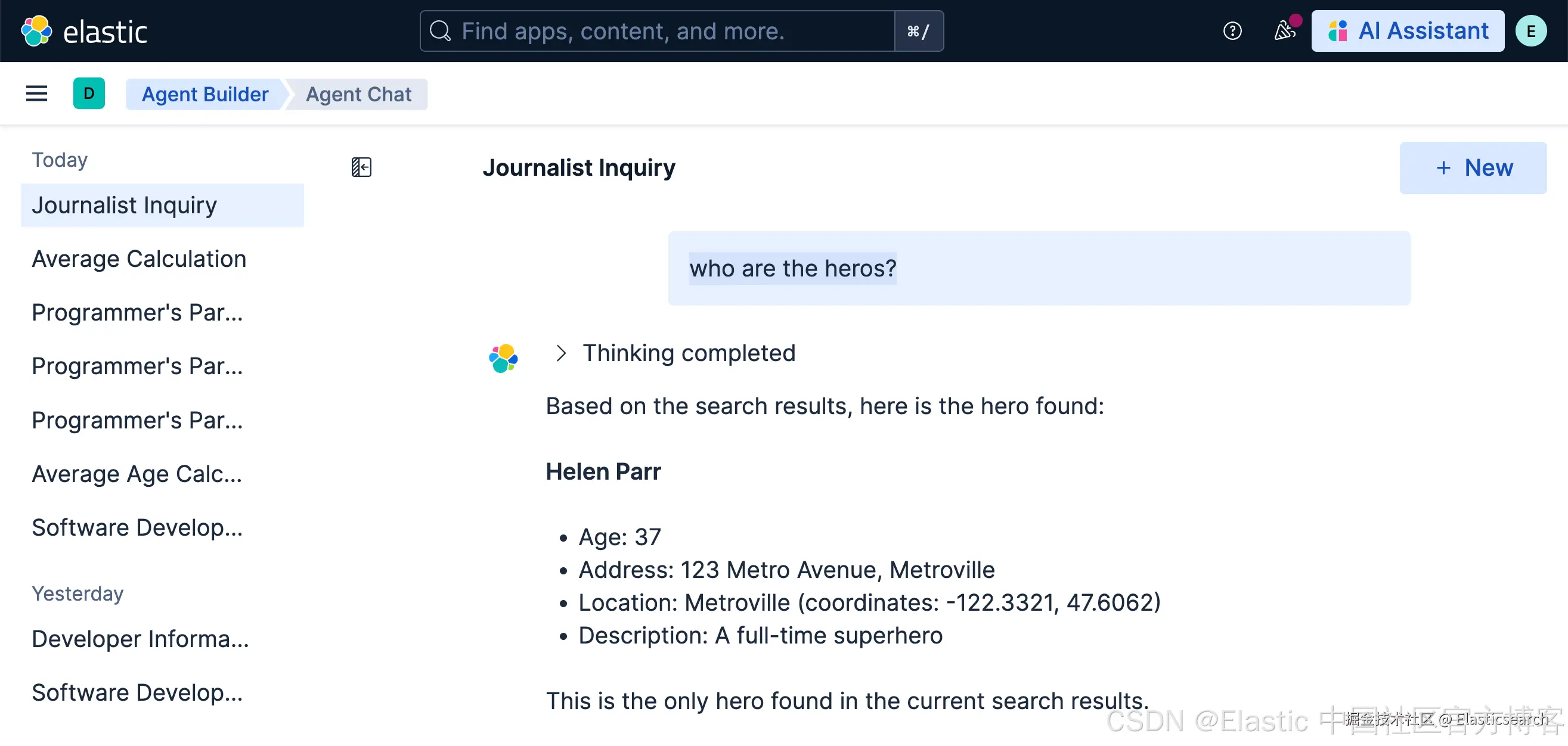
运行一个 tool
我们可以使用如下的方式来运行一个 tool:
json
`

1.  POST kbn://api/agent_builder/tools/_execute
2.  {
3.    "tool_id": "people_profession_search",
4.    "tool_params": {
5.      "profession": "who are the reporters"
6.    }
7.  }

`AI写代码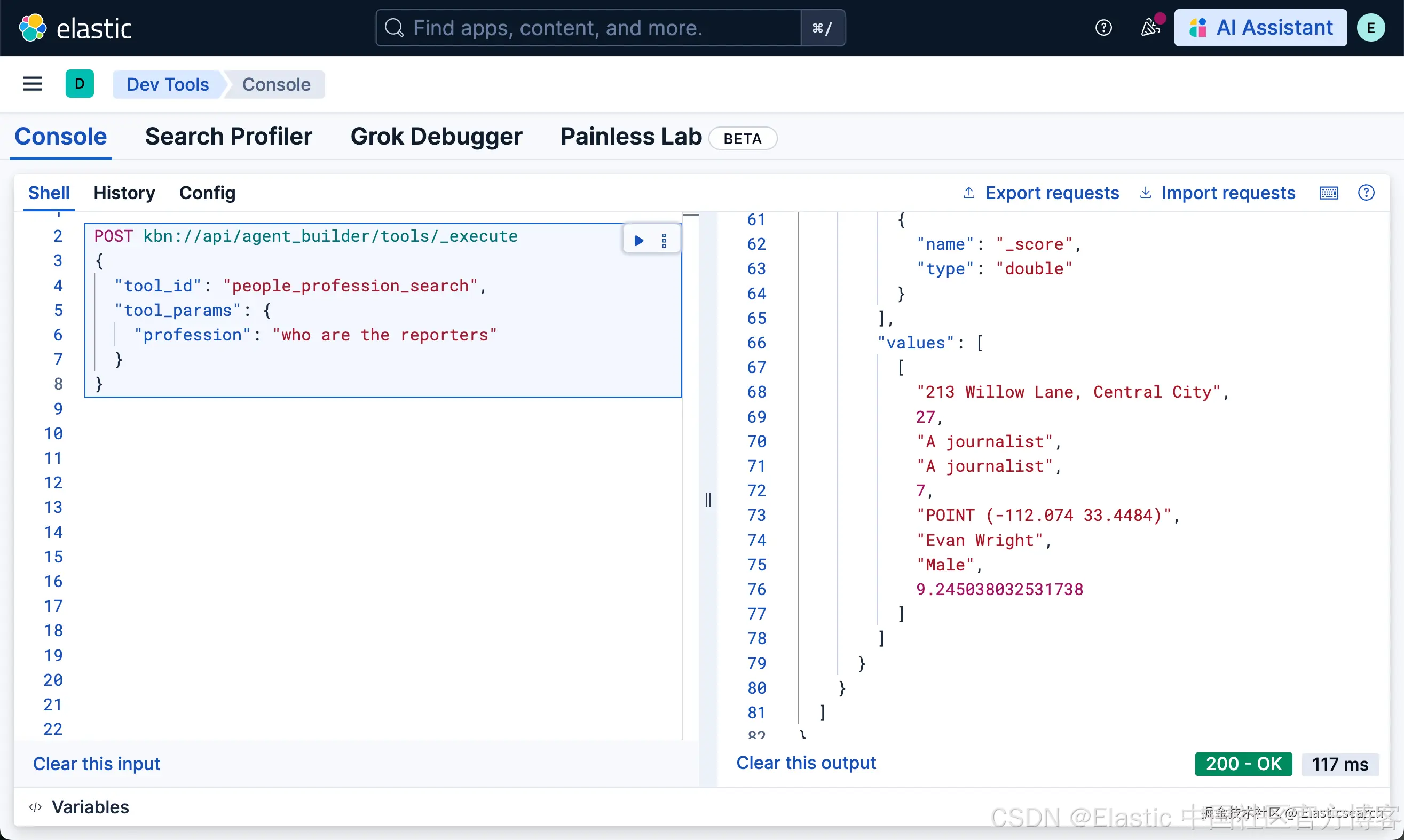
Agents
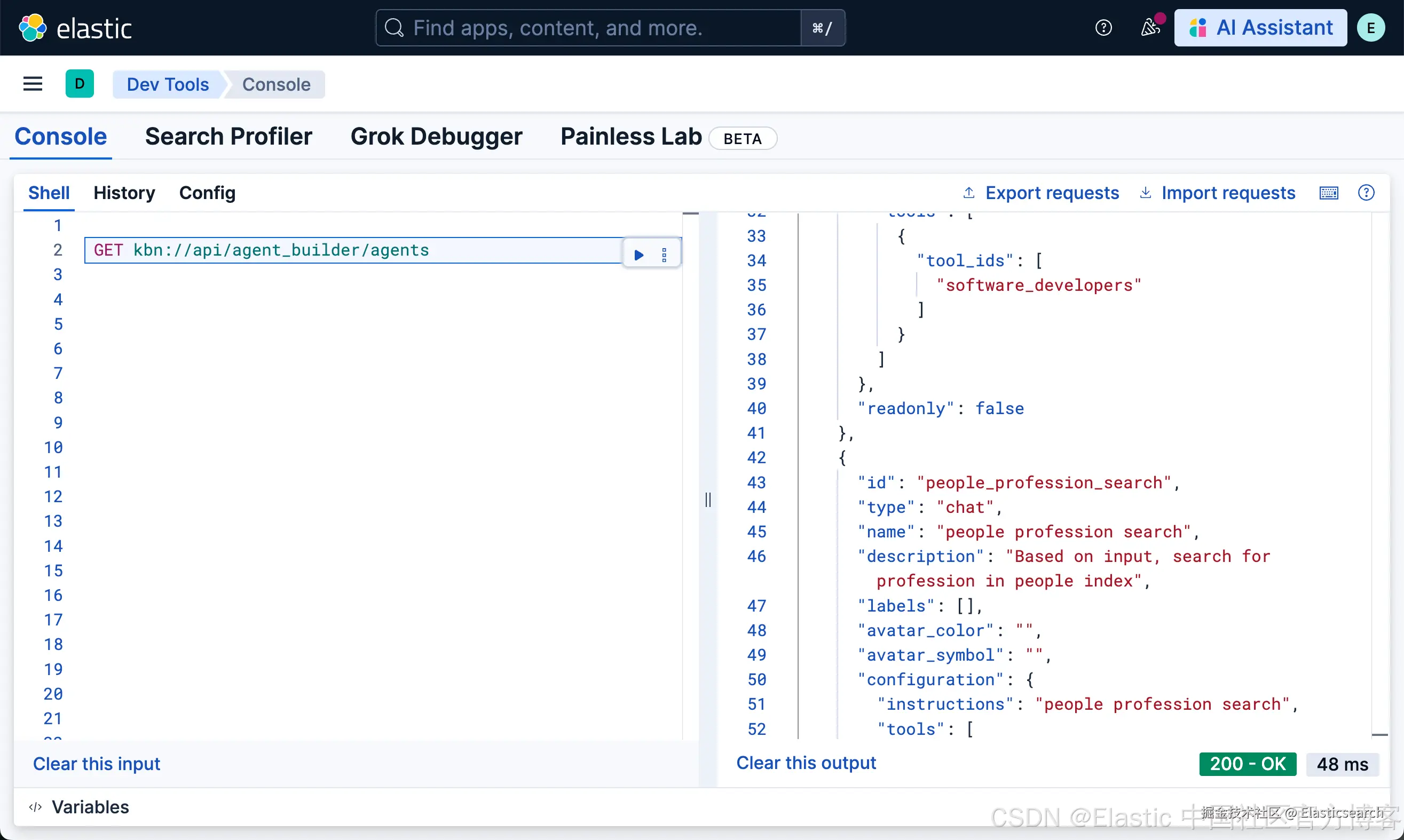
列出所有的 agents
arduino
`GET kbn://api/agent_builder/agents`AI写代码GET kbn://api/agent_builder/agents
创建一个 agent
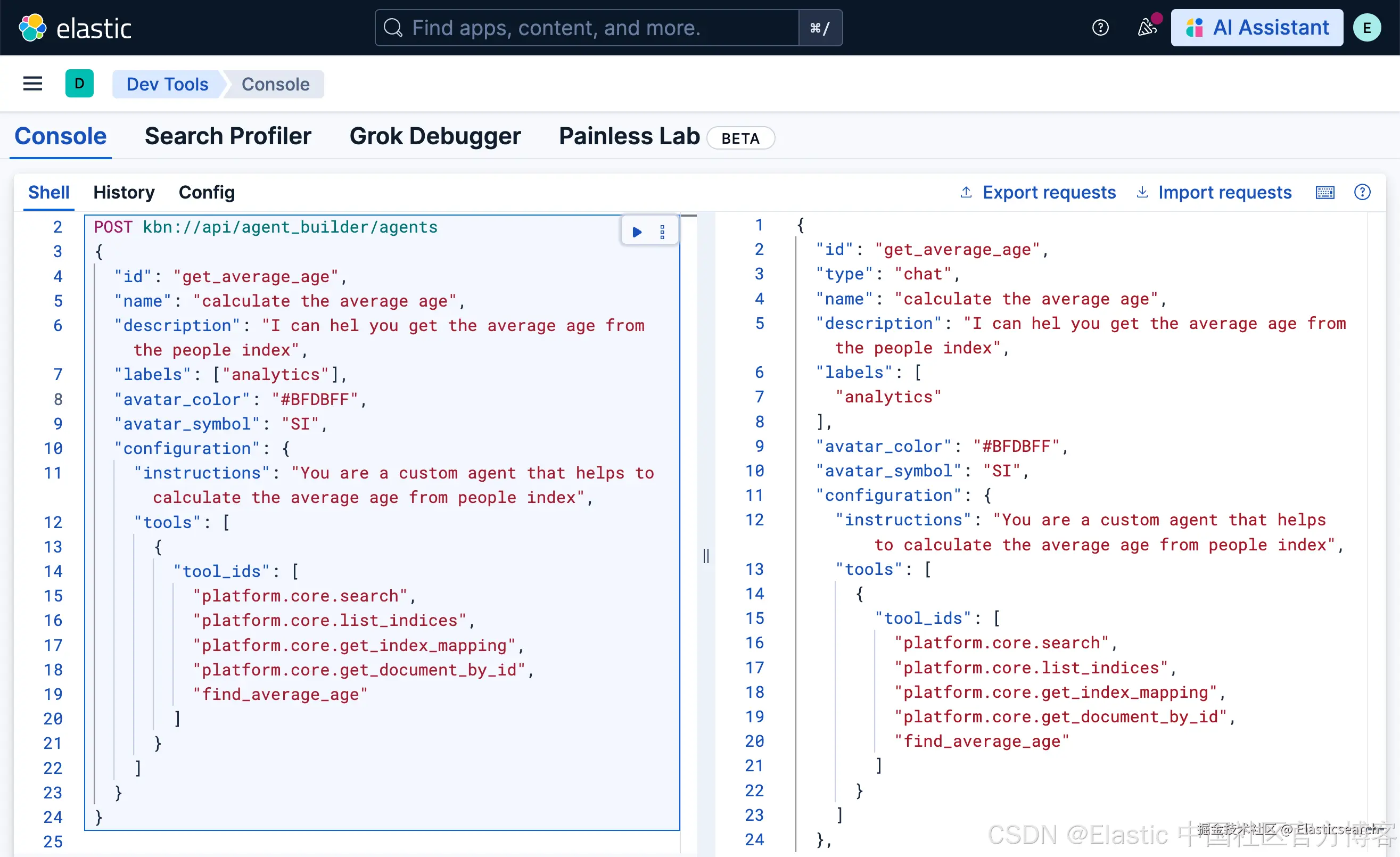
我们可以使用如下的方法来创建一个 agent:
bash
`
1. POST kbn://api/agent_builder/agents
2. {
3. "id": "get_average_age",
4. "name": "calculate the average age",
5. "description": "I can hel you get the average age from the people index",
6. "labels": ["analytics"],
7. "avatar_color": "#BFDBFF",
8. "avatar_symbol": "SI",
9. "configuration": {
10. "instructions": "You are a custom agent that helps to calculate the average age from people index",
11. "tools": [
12. {
13. "tool_ids": [
14. "platform.core.search",
15. "platform.core.list_indices",
16. "platform.core.get_index_mapping",
17. "platform.core.get_document_by_id",
18. "find_average_age"
19. ]
20. }
21. ]
22. }
23. }
`AI写代码执行完上面的命令后,我可以看到:
我们可以到 Agents 页面去查看:
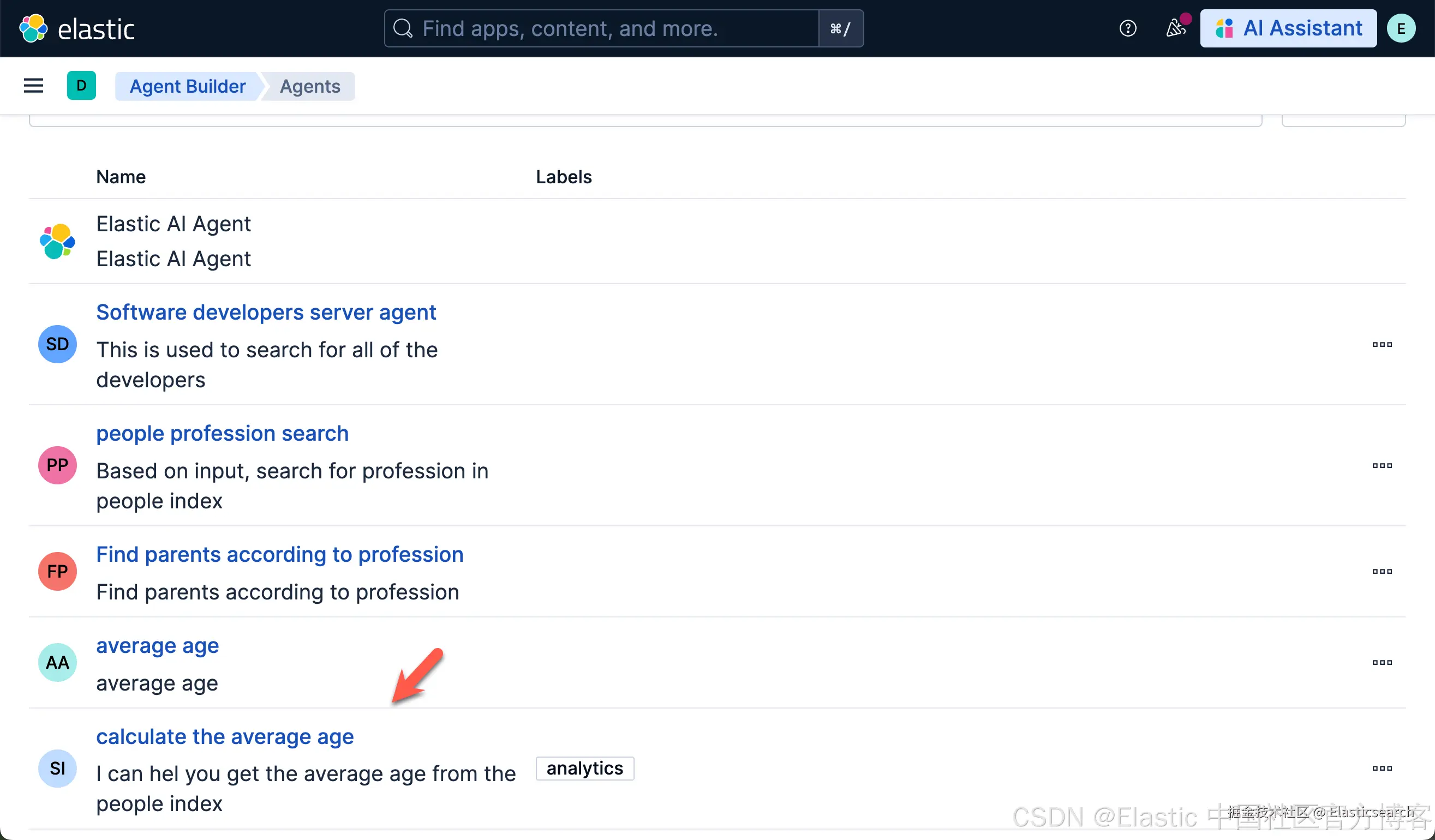
我们可以看到一个新生成的 calculate the average age Agent 已经生成。我们点击进去查看:
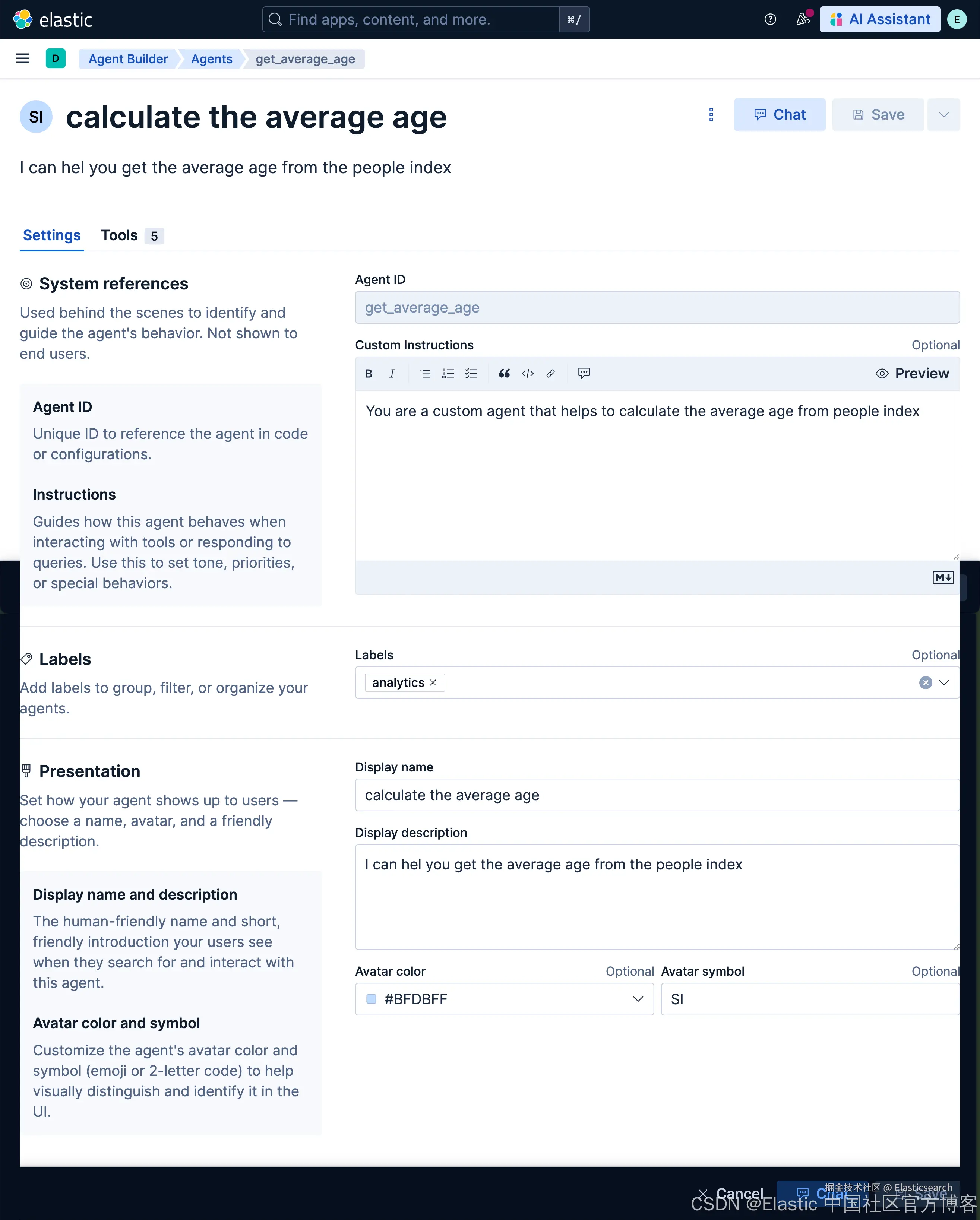
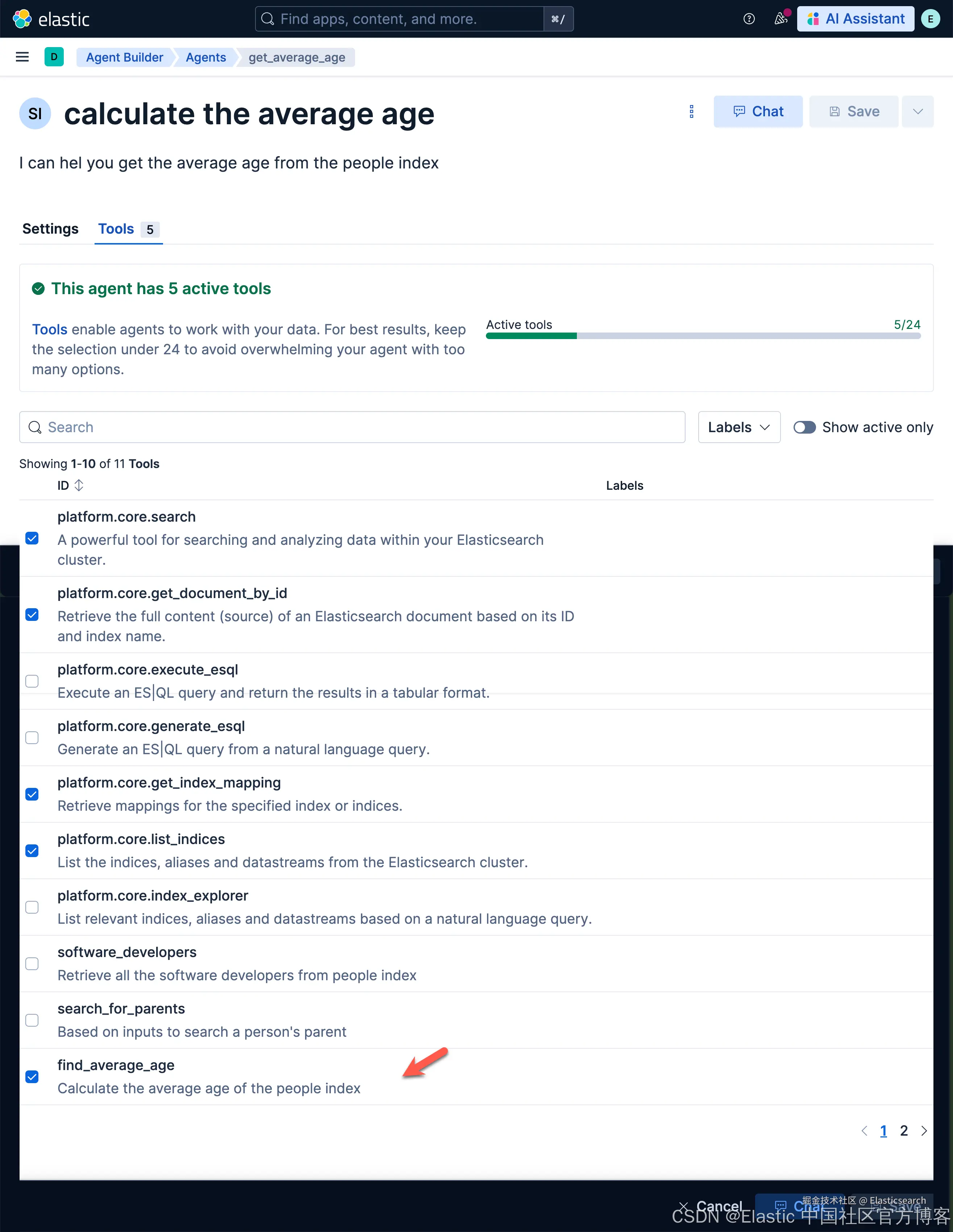
我们也可以查看它的 tools 配置:
我们使用这个 Agent 来看看它的效果:
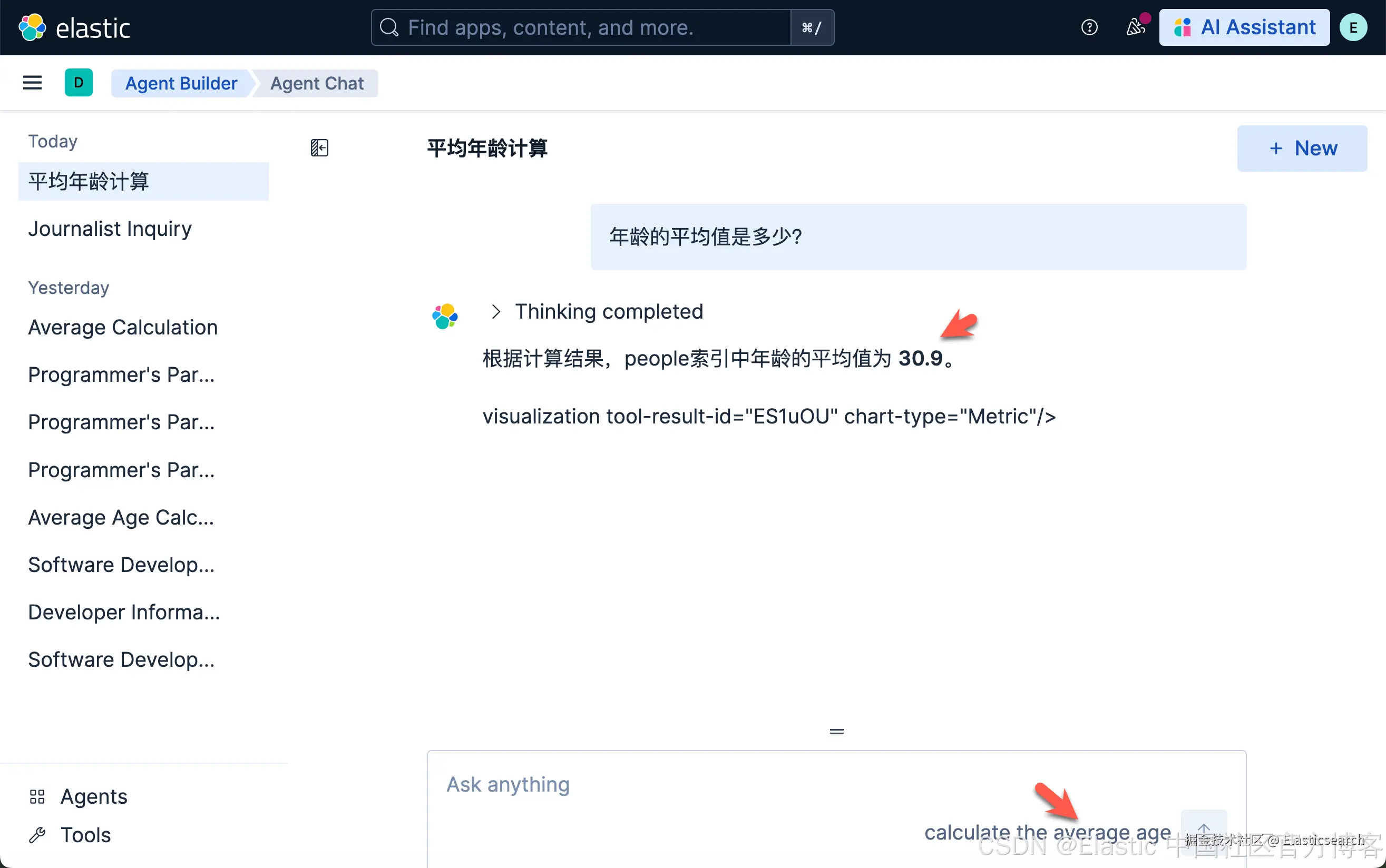
很显然,我们得到了我们需要的效果。
根据 ID 获得 Agent
我们可以使用如下的方式来得到一个 Agent:
bash
`GET kbn://api/agent_builder/agents/{id}`AI写代码
arduino
`GET kbn://api/agent_builder/agents/get_average_age`AI写代码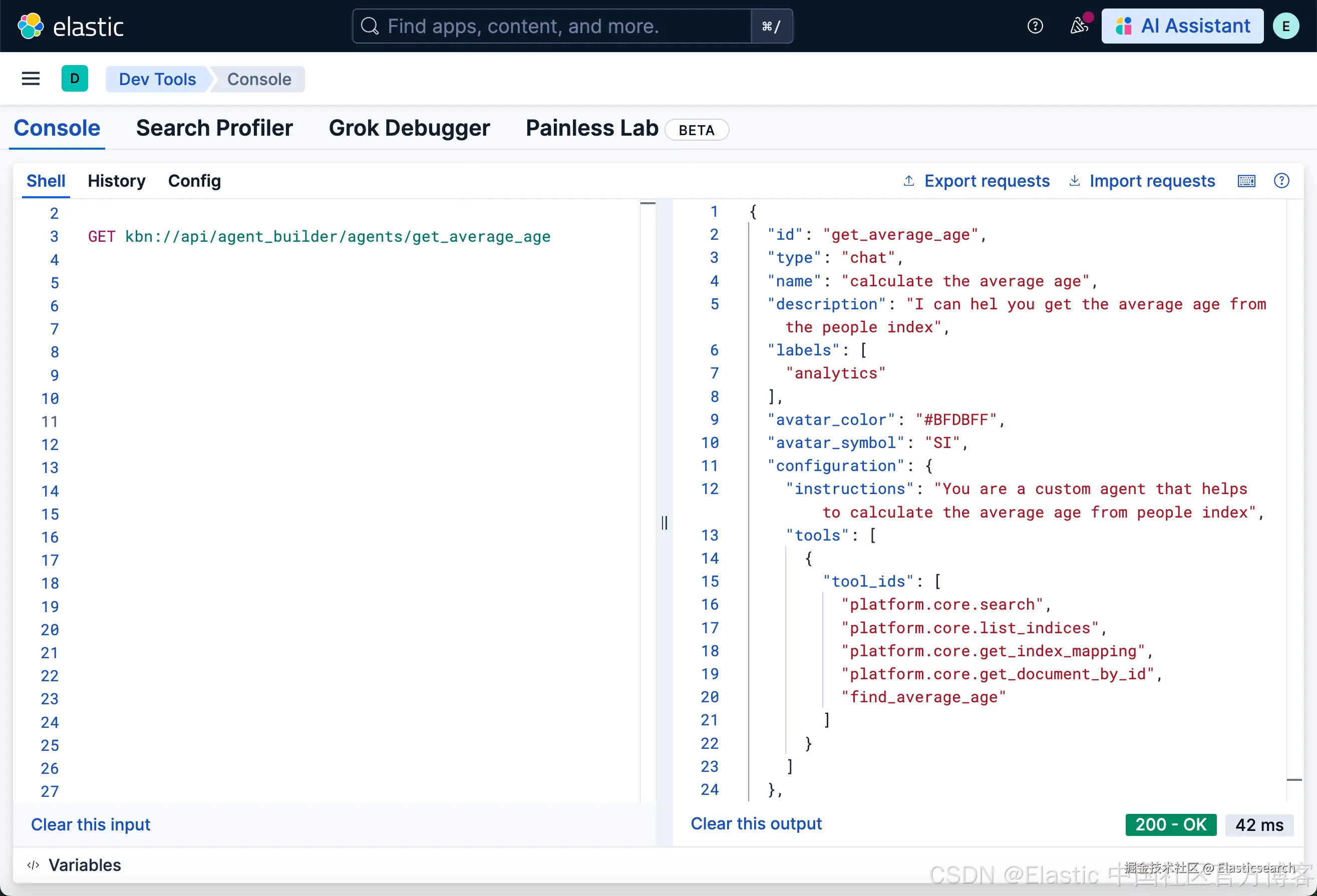
根据 ID 更新一个 agent
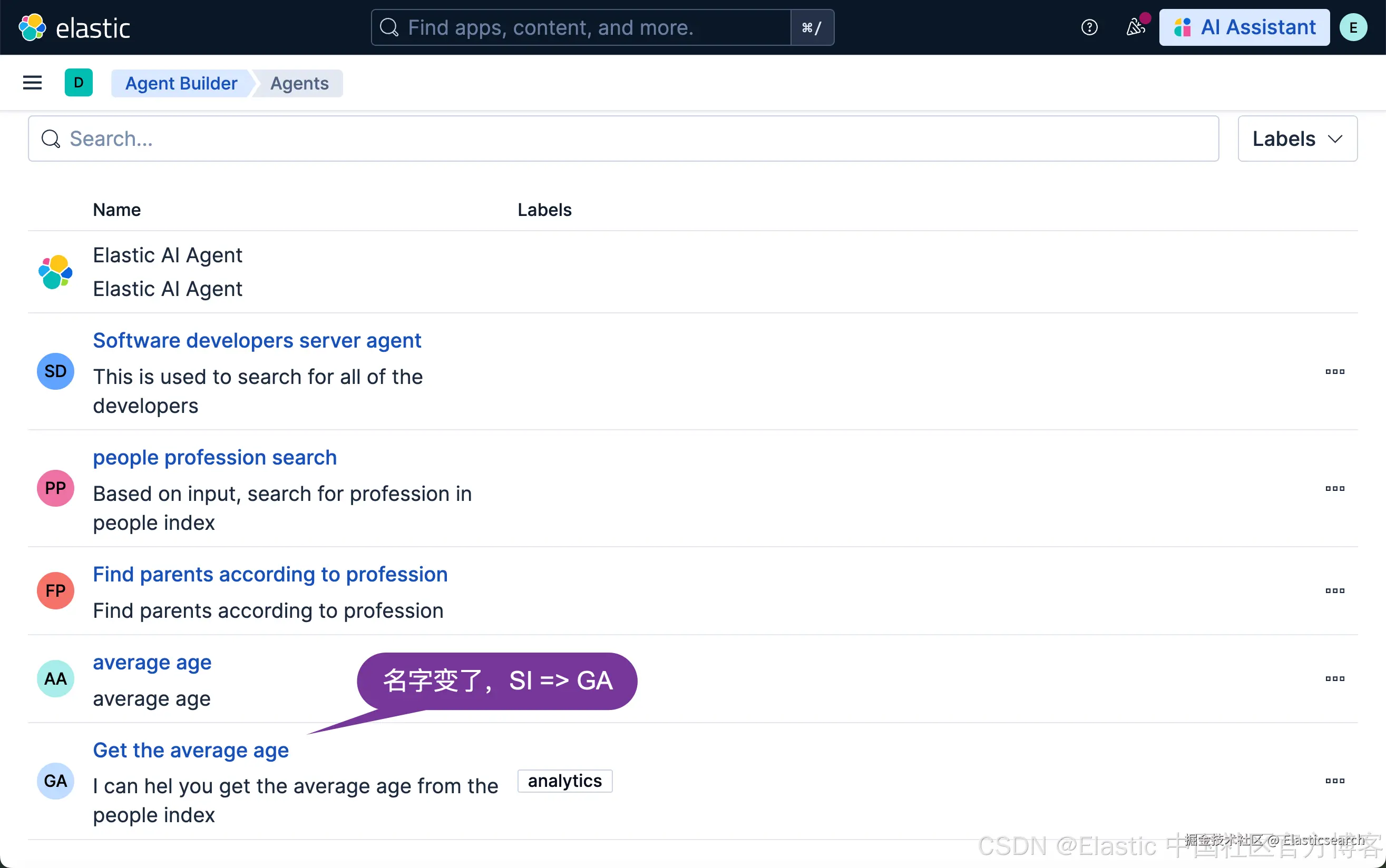
我们使用如下的一个一个例子来展示如何更新刚才生成的 agent:
bash
`
1. PUT kbn://api/agent_builder/agents/get_average_age
2. {
3. "name": "Get the average age",
4. "description": "I can hel you get the average age from the people index",
5. "labels": [
6. "analytics"
7. ],
8. "avatar_color": "#BFDBFF",
9. "avatar_symbol": "GA",
10. "configuration": {
11. "instructions": "You are a custom agent that helps to calculate the average age from people index",
12. "tools": [
13. {
14. "tool_ids": [
15. "platform.core.search",
16. "platform.core.list_indices",
17. "platform.core.get_index_mapping",
18. "platform.core.get_document_by_id",
19. "find_average_age"
20. ]
21. }
22. ]
23. }
24. }
`AI写代码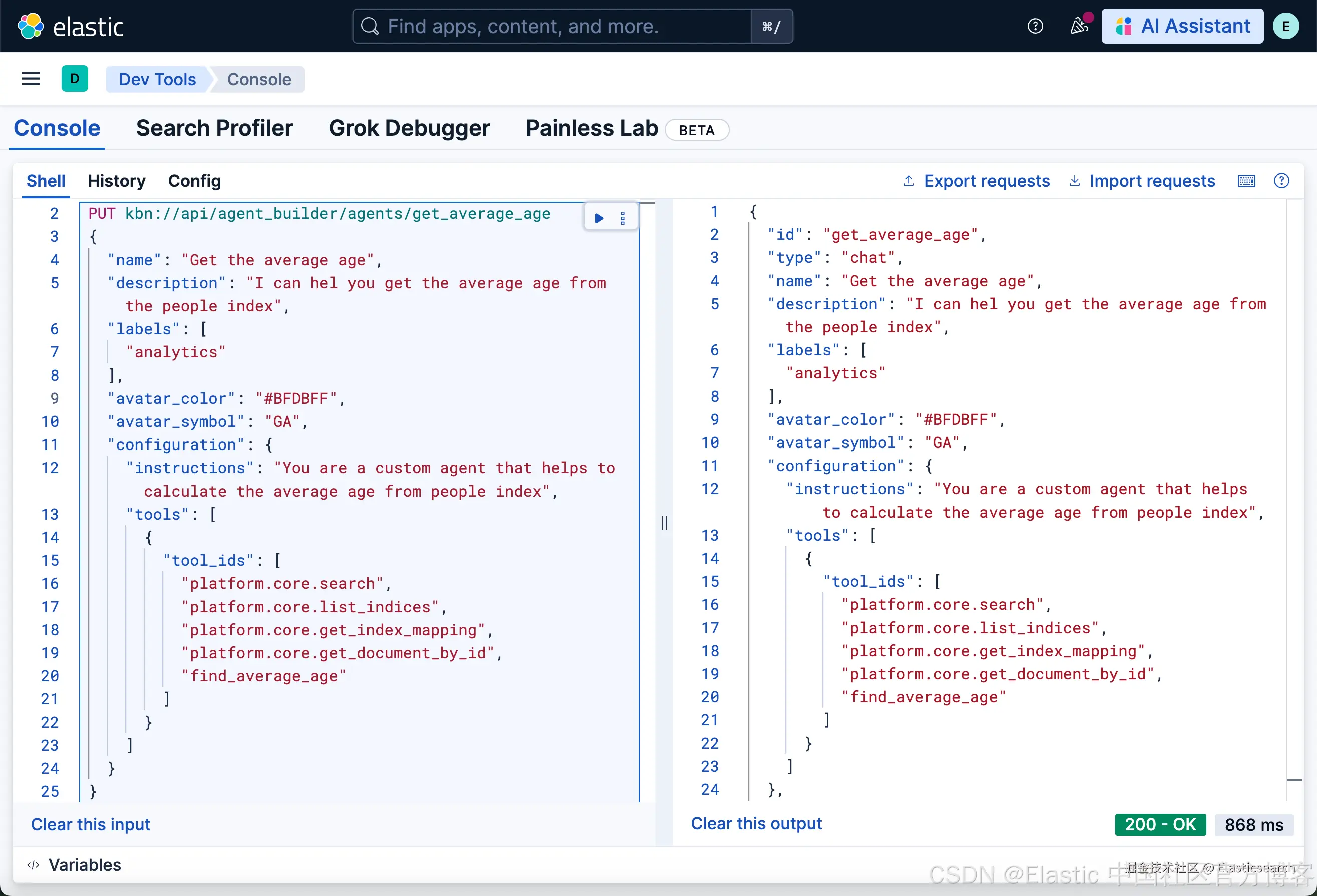
运行完上面的命令后,我们可以到 Agents 页面进行查看:
根据 ID 删除一个 agent
我们使用如下的命令来删除刚才创建的 agent:
bash
`DELETE kbn://api/agent_builder/agents/{id}`AI写代码
arduino
`DELETE kbn://api/agent_builder/agents/get_average_age`AI写代码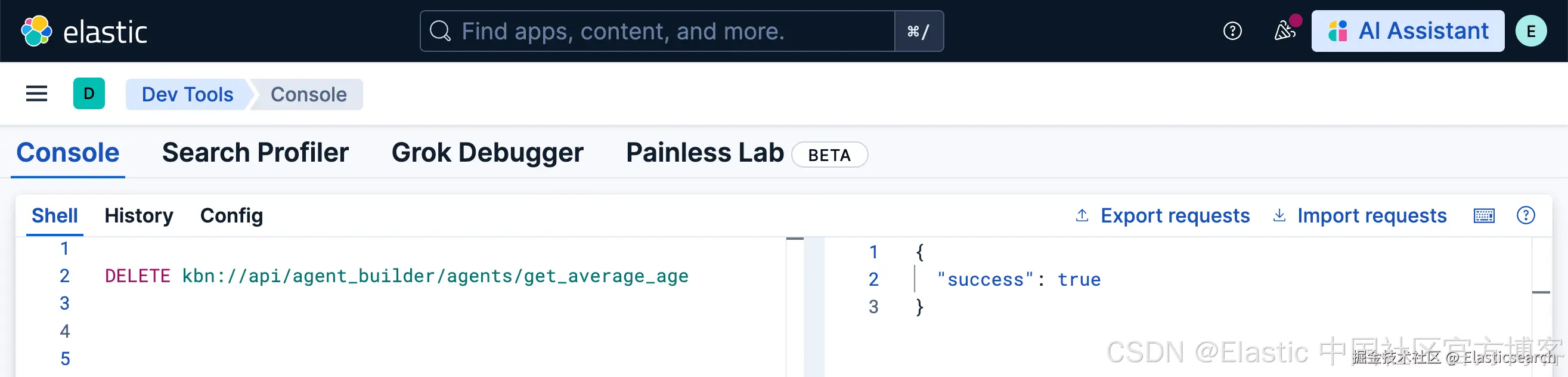
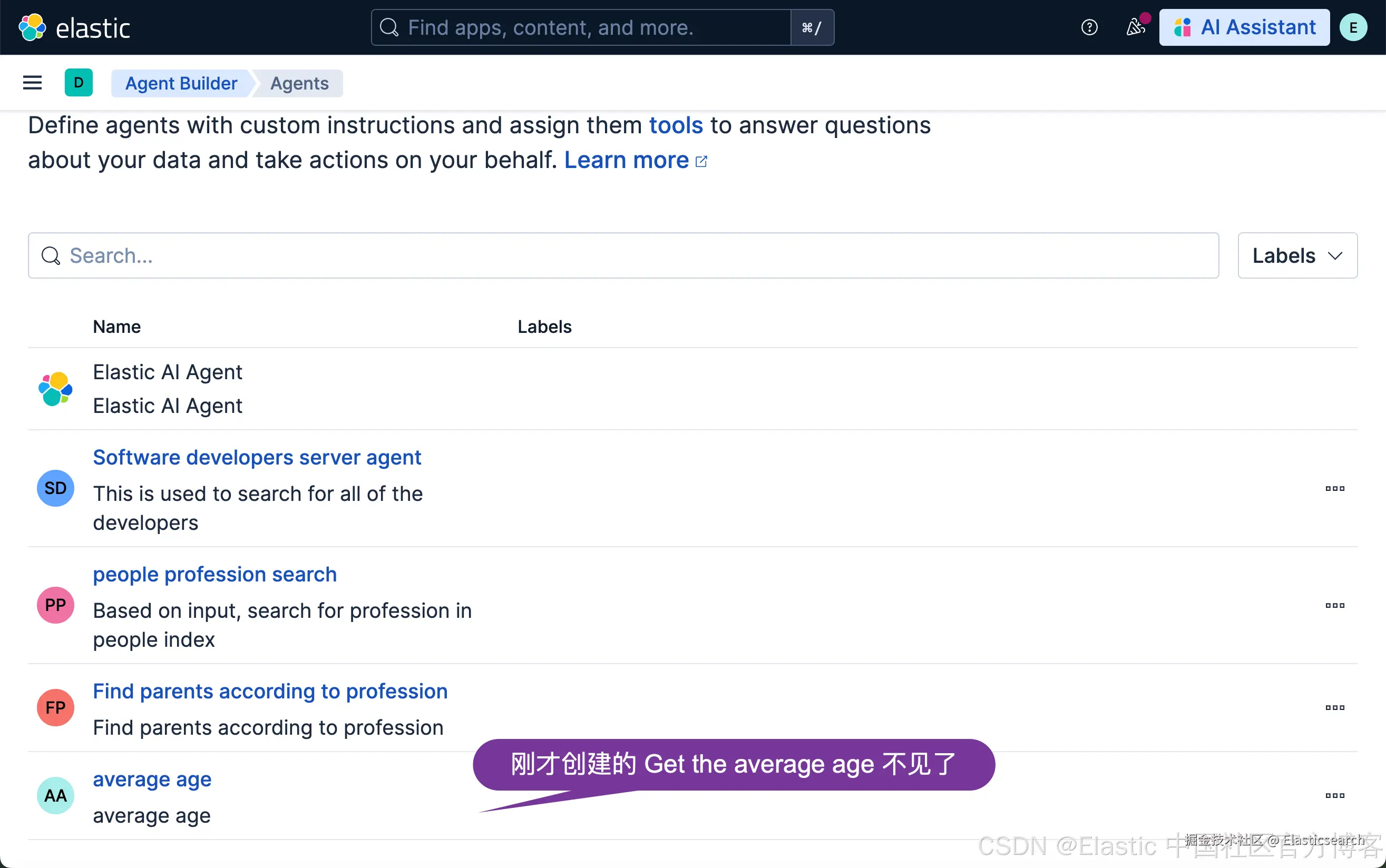
当我们运行完上面的命令后,我们再到 Agents 页面查看:
聊天和对话
我们使用如下的例子来展示如何使用一个 agent 来进行聊天:
css
`

1.  POST kbn://api/agent_builder/converse
2.  {
3.    "input": "who are the heros?",
4.    "agent_id": "people_profession_search"
5.  }

`AI写代码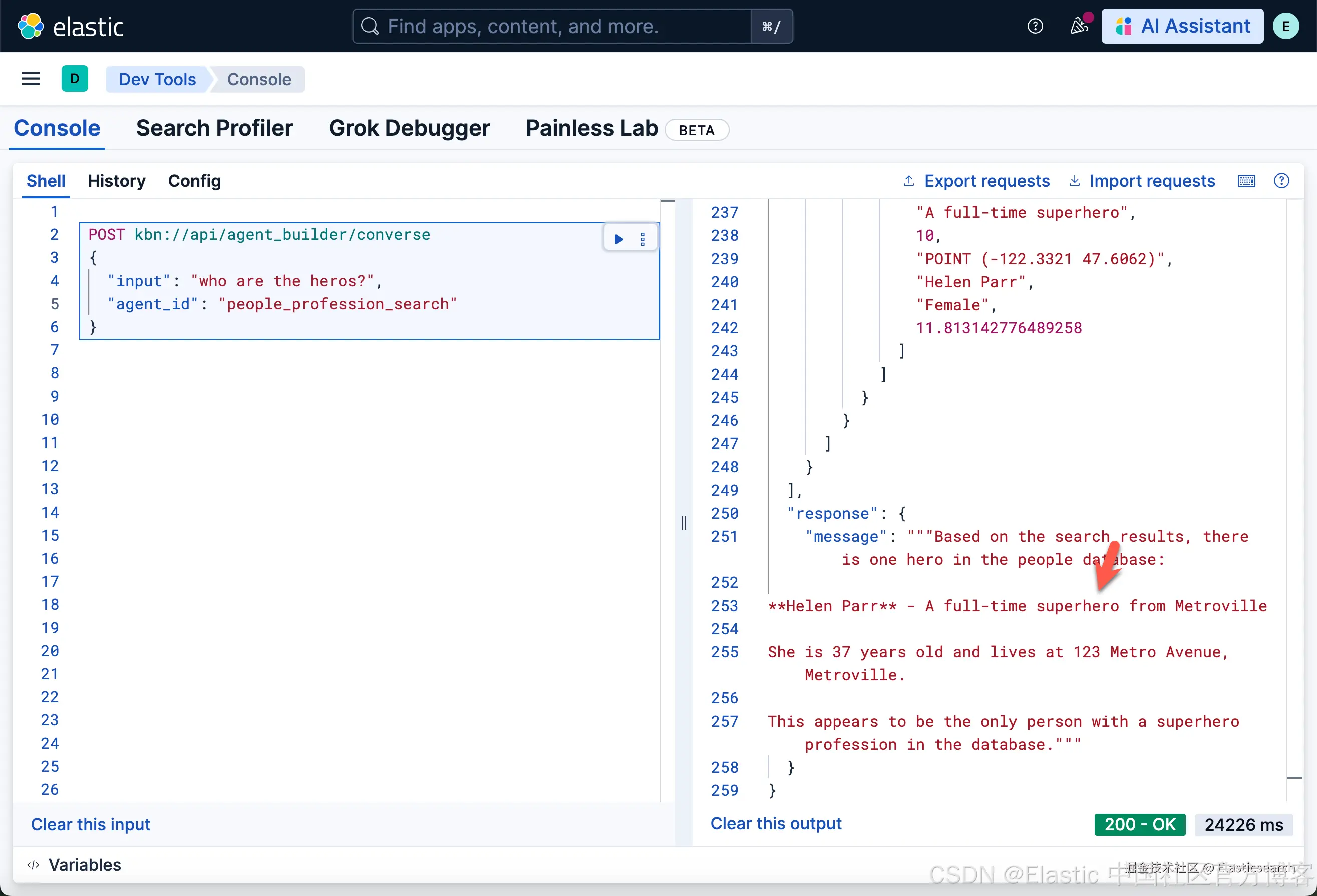
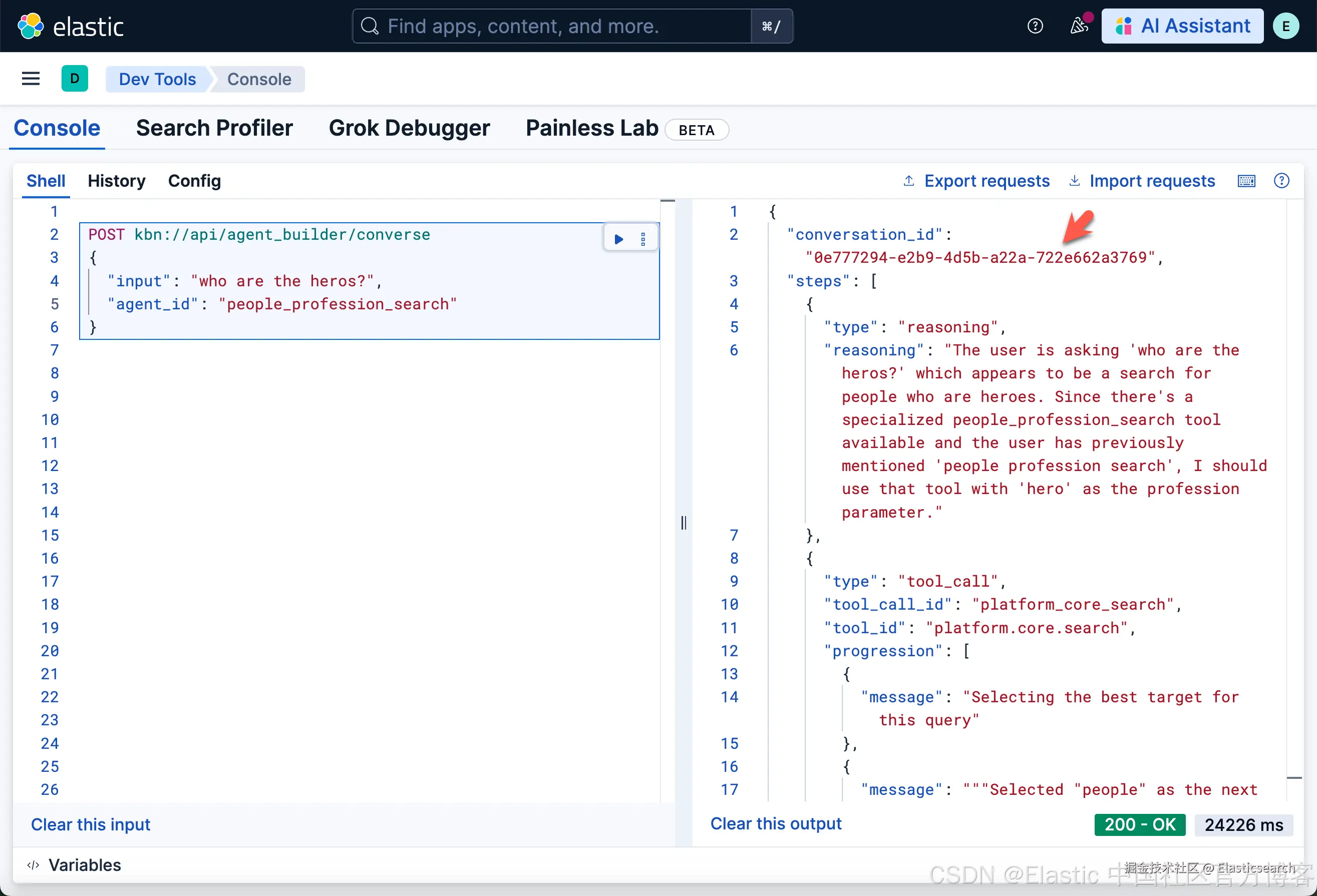
如上所示,我们可以看到一个叫做 0e777294-e2b9-4d5b-a22a-722e662a3769 的 converstaion_id。
与代理聊天并流式传输事件
我们使用上面的 conversation_id 来进一步聊天:
css
`

1.  POST kbn://api/agent_builder/converse/async
2.  {
3.    "input": "Who is a teacher?",
4.    "agent_id": "people_profession_search",
5.    "conversation_id": "0e777294-e2b9-4d5b-a22a-722e662a3769"
6.  }

`AI写代码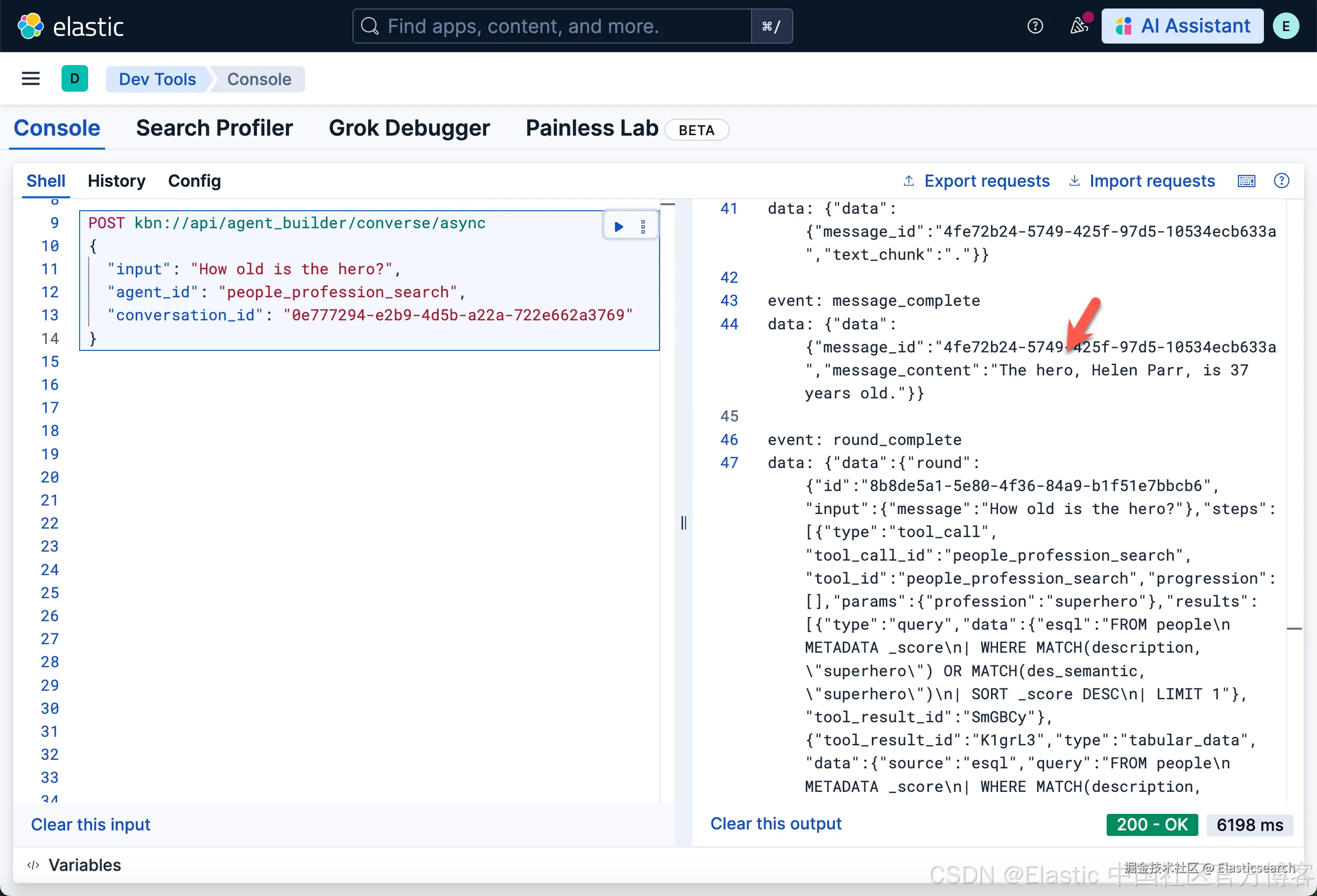
列出对话
arduino
`GET kbn://api/agent_builder/conversations`AI写代码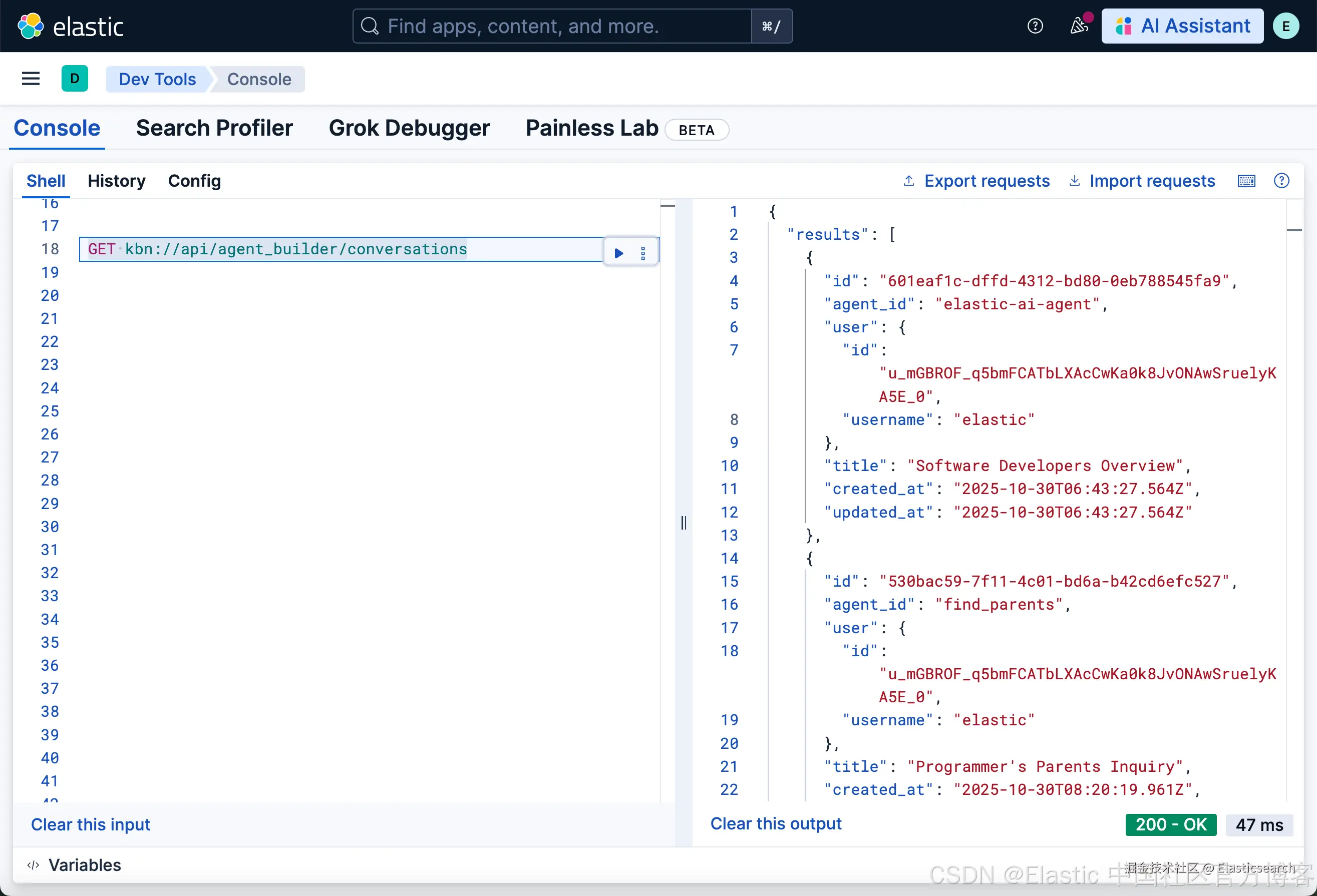
根据 ID 获取对话
arduino
`GET kbn://api/agent_builder/conversations/{conversation_id}`AI写代码
arduino
`GET kbn://api/agent_builder/conversations/530bac59-7f11-4c01-bd6a-b42cd6efc527`AI写代码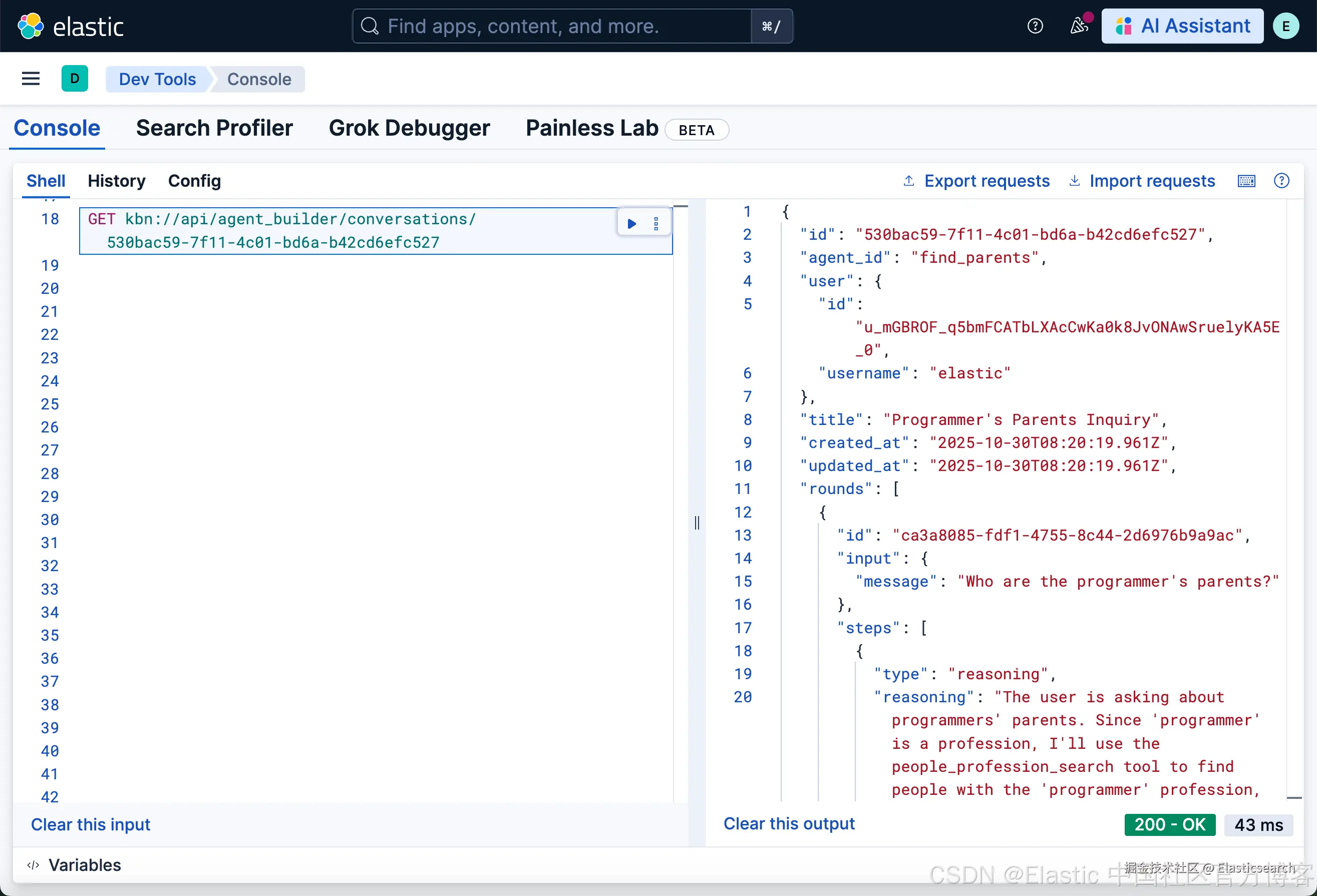
根据 ID 删除对话
arduino
`DELETE kbn://api/agent_builder/conversations/{conversation_id}`AI写代码
arduino
`DELETE kbn://api/agent_builder/conversations/530bac59-7f11-4c01-bd6a-b42cd6efc527`AI写代码MCP 服务器 API
有关更多信息,请参考 Model Context Protocol (MCP) 服务器。
使用 JSON-RPC 2.0 与 MCP 服务器通信。
vbnet
`
1. curl -k -X POST "http://${KIBANA_URL}/api/agent_builder/mcp" \
2. -H "Authorization: ApiKey ${API_KEY}" \
3. -H "Content-Type: application/json" \
4. -H "Accept: application/json" \
5. -H "kbn-xsrf: true" \
6. -d '{
7. "jsonrpc": "2.0",
8. "id": 1,
9. "method": "tools/list"
10. }'
`AI写代码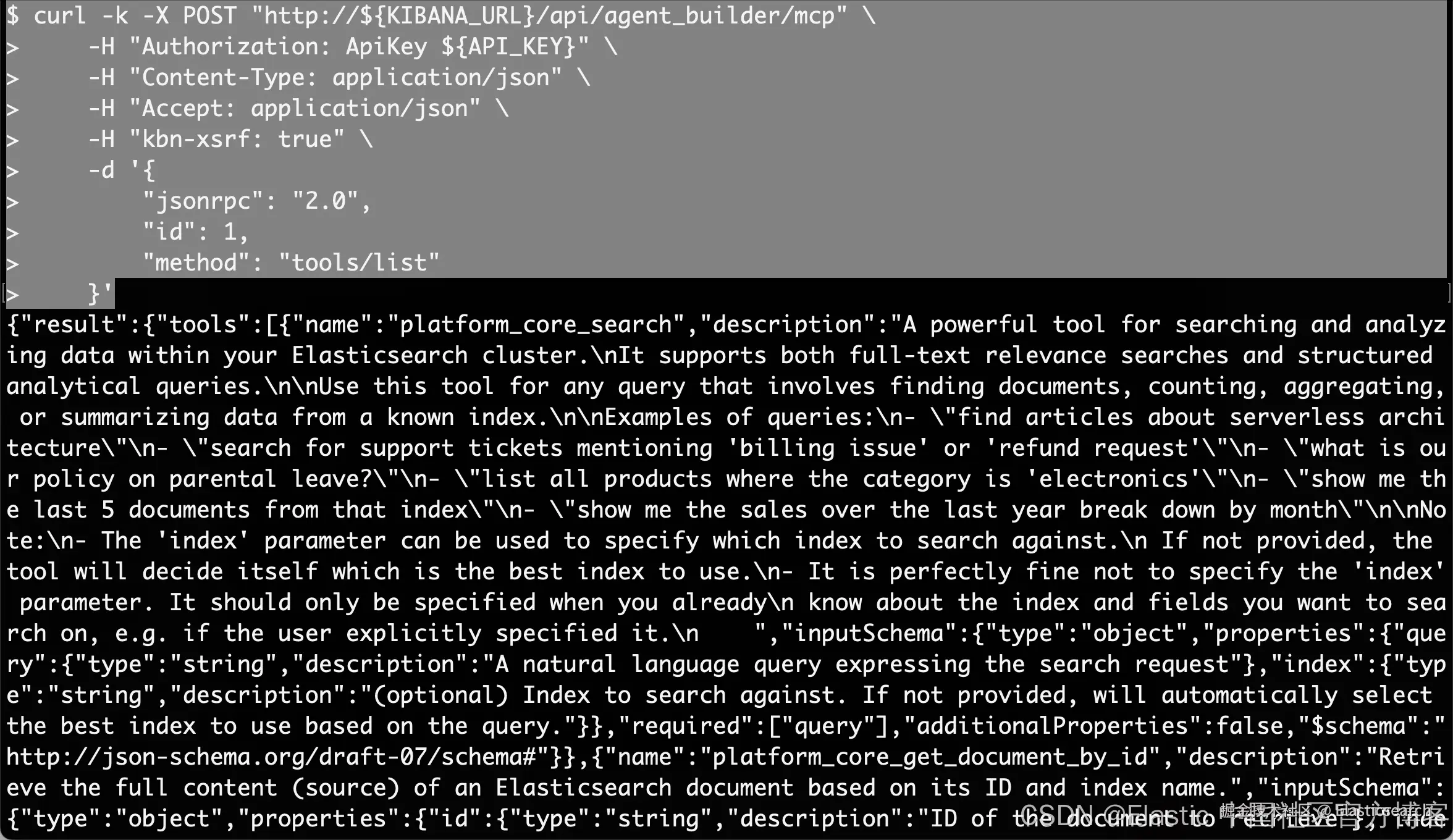
注意:你需要根据自己的 Elasticsearch 及 Kibana 配置修改上面的 http/https 协议。你需要配置响应的环境变量 KIBANA_URL 及 API_KEY
A2A 协议
有关更多信息,请参考 Agent-to-Agent (A2A) 服务器。
示例:获取 A2A 代理卡配置
arduino
`GET kbn://api/agent_builder/a2a/{agentId}.json` AI写代码
bash
`GET kbn://api/agent_builder/a2a/people_profession_search.json`AI写代码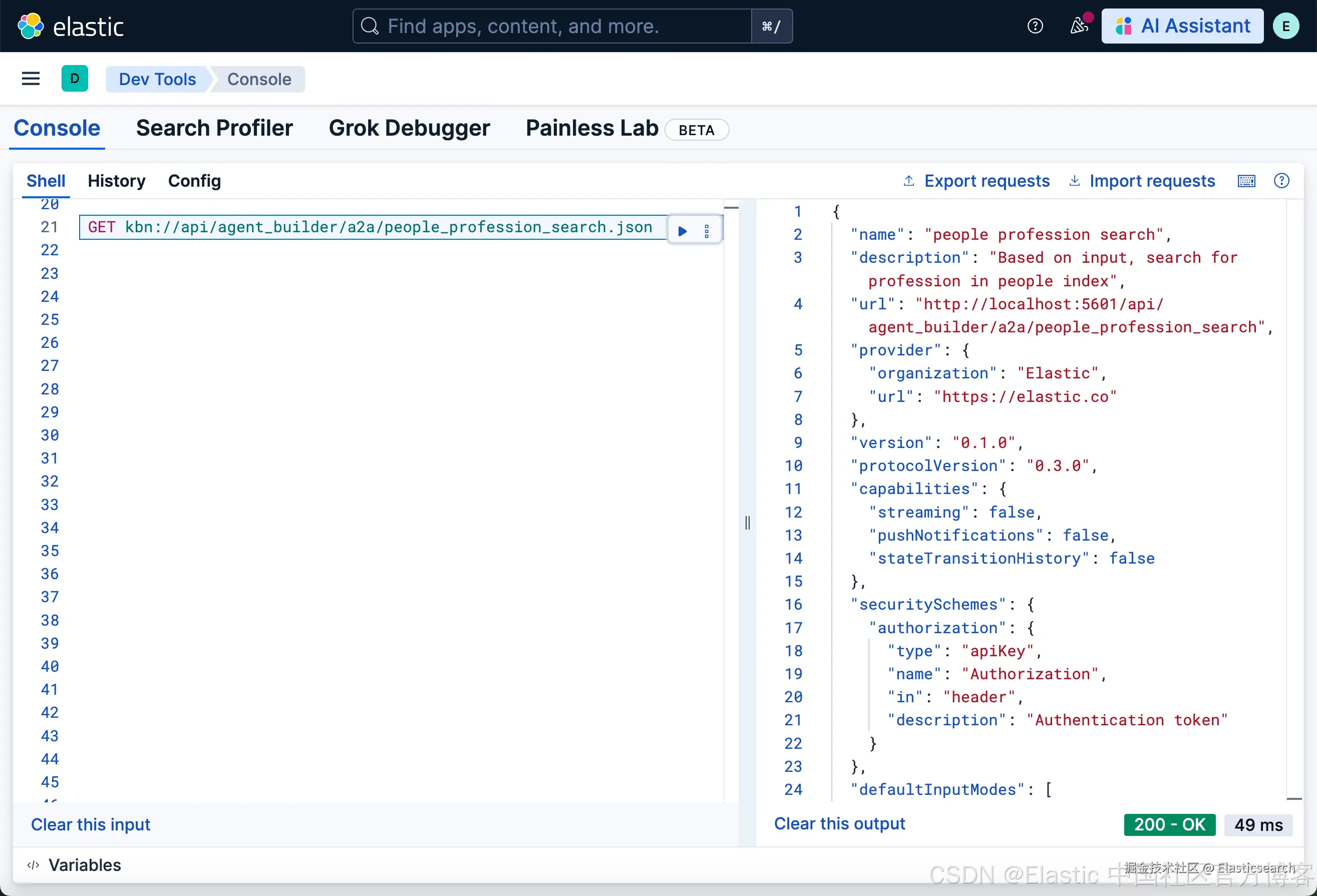
更多 API 的详细描述,请参考 Kibana API reference