目录
1.简介
Qt-Nice-Frameless-Window 是一个基于 Qt 框架的第三方库,主要用于快速实现跨平台的无边框窗口(Frameless Window),同时解决了原生 Qt 无边框窗口在实际开发中遇到的诸多问题(如窗口拖拽、缩放、标题栏交互、平台兼容性等)。
它的核心功能有:
1.跨平台支持:兼容 Windows、Linux、macOS 三大主流系统,自动适配各平台的窗口行为规范。
2.完整的窗口交互:封装了无边框窗口的基础功能,包括:
- 窗口拖拽(标题栏区域)
- 边缘 / 角落缩放
- 最小化 / 最大化 / 关闭按钮交互
- 双击标题栏最大化 / 还原
3.视觉增强:支持窗口阴影、半透明效果、自定义标题栏样式,提升界面美观度。
4.轻量易集成:代码结构简洁,无需复杂配置,可快速嵌入现有 Qt 项目。
5.原生体验保留:在 macOS 上保留窗口全屏手势,在 Windows 上支持任务栏预览等原生特性。
与 Qt 原生无边框的对比:
Qt 原生通过 setWindowFlags(Qt::FramelessWindowHint) 可实现无边框,但存在明显缺陷:
- 需手动实现拖拽、缩放逻辑,且跨平台适配复杂;
- 窗口阴影、半透明效果需自行处理,不同平台表现不一致;
- 缺失系统级窗口行为(如 Windows 任务栏右键菜单、macOS 全屏动画)。
而 Qt-Nice-Frameless-Window 封装了这些细节,开发者可专注于业务逻辑而非窗口基础交互。
2.安装与集成
1.获取库
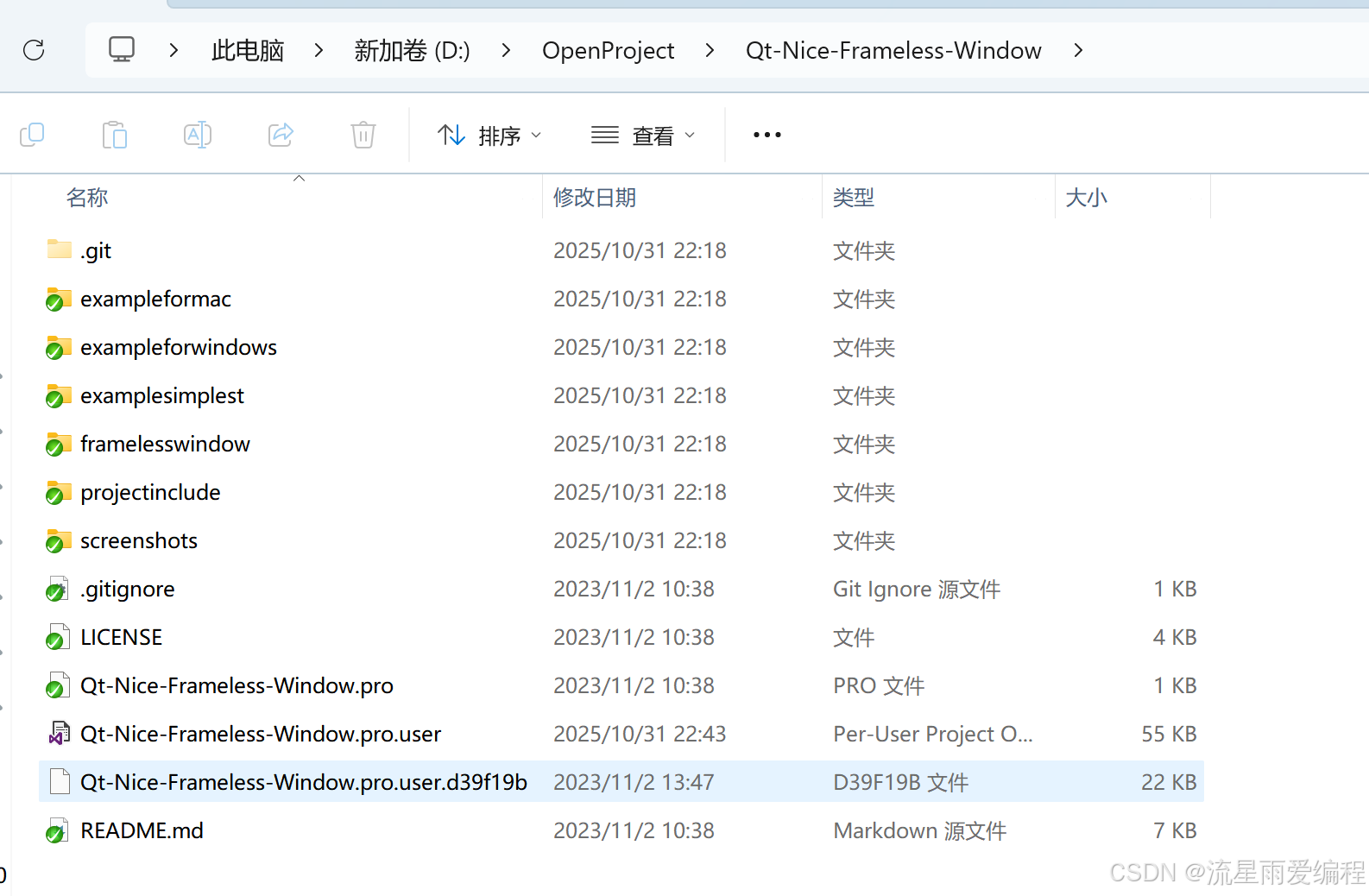
git地址:https://github.com/luoyayun361/Qt-Nice-Frameless-Window.git
通常可从 GitHub 等代码仓库获取源码(如搜索 Qt-Nice-Frameless-Window),通过 Qt Creator 编译为静态库或动态库,或直接将源码文件加入项目。
2.继承核心窗口类
库中通常提供一个基础窗口类(如 NiceFramelessWindow),通过继承该类实现自定义窗口:
cpp
//mainwindow.h
#ifndef MAINWINDOW_H
#define MAINWINDOW_H

#include "framelesswindow.h"
#include <QString>

namespace Ui {
class MainWindow;
}

class MainWindow : public CFramelessWindow
{
    Q_OBJECT

public:
    explicit MainWindow(QWidget *parent = 0);
    ~MainWindow();

private slots:
    void on_btnMin_clicked();
    void on_btnMax_clicked();
    void on_btnClose_clicked();
    void on_bthFull_clicked();
    void on_btnIncreaseMargin_clicked();
    void on_btnDecreaseMargin_clicked();
    void on_btnResizeable_clicked();

private:
    QString currentMargins();
private:
    Ui::MainWindow *ui;
};

#endif // MAINWINDOW_H
cpp
//mainWindow.cpp
#include "mainwindow.h"
#include "ui_mainwindow.h"
#include <QRect>

MainWindow::MainWindow(QWidget *parent) :
    CFramelessWindow(parent),
    ui(new Ui::MainWindow)
{
    ui->setupUi(this);
#ifdef Q_OS_WIN
    //feel free to change this number to see how it works
    setResizeableAreaWidth(8);

    //set titlebar widget, wo we can drag MainWindow by it
    setTitleBar(ui->widgetTitlebar);

    //labelTitleText is a child widget of widgetTitlebar
    //add labelTitleText to ignore list, so we can drag MainWindow by it too
    addIgnoreWidget(ui->labelTitleText);

    //further more, btnMin/btnMax... are child widgets of widgetTitlebar too
    //but we DO NOT want to drag MainWindow by them
#endif

    ui->labelMargins->setText(currentMargins());
}

MainWindow::~MainWindow()
{
    delete ui;
}

void MainWindow::on_btnMin_clicked()
{
    showMinimized();
}
void MainWindow::on_btnMax_clicked()
{
    if (isMaximized()) showNormal();
    else showMaximized();
}
void MainWindow::on_btnClose_clicked()
{
    close();
}

void MainWindow::on_bthFull_clicked()
{
    if (isFullScreen()) showNormal();
    else showFullScreen();
}

void MainWindow::on_btnIncreaseMargin_clicked()
{
    QMargins margin = contentsMargins();
    margin += 2;
    setContentsMargins(margin);
    ui->labelMargins->setText(currentMargins());
}

void MainWindow::on_btnDecreaseMargin_clicked()
{
    QMargins margin = contentsMargins();
    margin -= 2;
    setContentsMargins(margin);
    ui->labelMargins->setText(currentMargins());
}

QString MainWindow::currentMargins()
{
    QMargins margins = contentsMargins();
    QRect rect = contentsRect();
    return QString("Current Margins:%1,%2,%3,%4; ContentRect:%5,%6,%7,%8").\
            arg(margins.left()).arg(margins.top()).\
            arg(margins.right()).arg(margins.bottom()).\
            arg(rect.left()).arg(rect.top()).\
            arg(rect.right()).arg(rect.bottom());
}

void MainWindow::on_btnResizeable_clicked()
{
    setResizeable(!isResizeable());
}
3.在 main 函数中使用
cpp
#include "mainwindow.h"
#include <QApplication>

int main(int argc, char *argv[])
{
    QApplication::setAttribute(Qt::AA_EnableHighDpiScaling);
    QApplication a(argc, argv);
    MainWindow w;
    w.show();

    return a.exec();
}
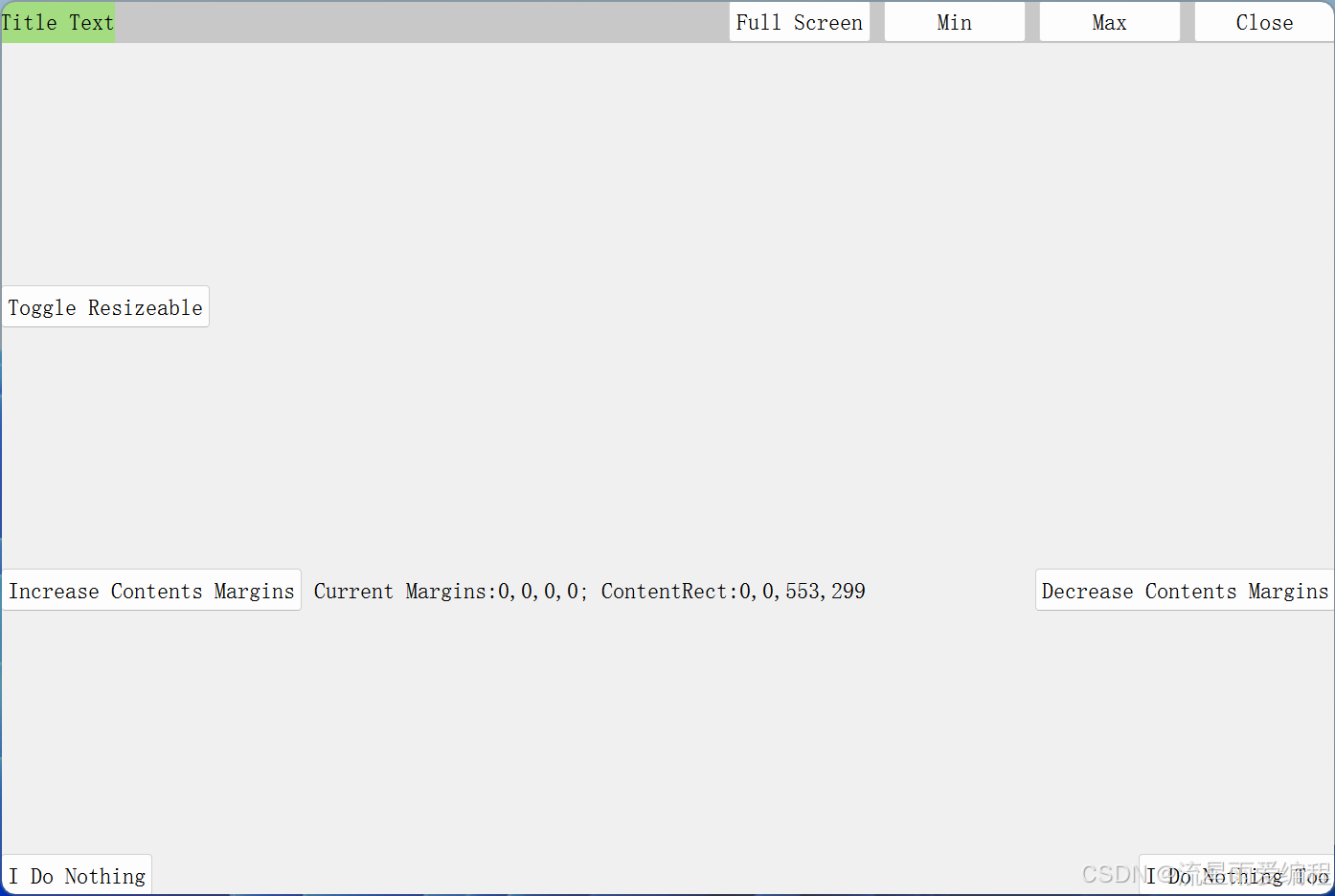
4.展示效果
3.注意事项
- 不同版本的库 API 可能略有差异,需参考对应仓库的文档;
- 若需深度定制窗口行为(如自定义缩放区域、修改阴影参数),可通过重写库提供的虚函数实现;
- 对于高 DPI 屏幕,需确保 Qt 项目已开启高 DPI 支持(
QGuiApplication::setAttribute(Qt::AA_EnableHighDpiScaling))。