在fastadmin中使用三方登录插件原有没有小程序登录,需要增加小程序登录
目录
增加小程序登录
安装
首先在插件管理中找到三方登录插件安装
安装最新的1.4.7

修改配置
在third/config.php文件中,weibo配置下仿照上面的配置增加wechatmini配置,
如下:
php
[
    'name' => 'wechatmini',
    'title' => '微信小程序',
    'type' => 'array',
    'content' => [
        'app_id' => '',
        'app_secret' => '',
        'scope' => 'snsapi_userinfo',
    ],
    'value' => [
        'app_id' => '',
        'secret' => '',
        'scope' => 'get_user_info',
    ],
    'rule' => 'required',
    'msg' => '',
    'tip' => '',
    'ok' => '',
    'extend' => '',
],
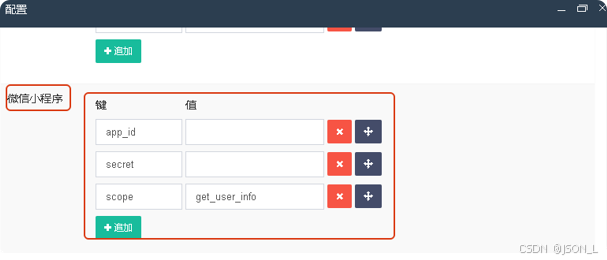
修改后保存后,在三方登录配置中增加微信小程序配置内容,如下:
增加服务提供者
在third/library中增加wechatmini.php文件,为小程序登录处理。
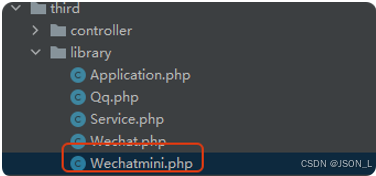
文件内容如下:
php
<?php

namespace addons\third\library;

use fast\Http;
use think\Config;
use think\Session;
use EasyWeChat\Factory;

/**
 * 微信小程序
 */
class Wechatmini
{
    /**
     * 配置信息
     * @var array
     */
    private $config = [];

    public function __construct($options = [])
    {
        if ($config = Config::get('third.wechatmini')) {
            $this->config = array_merge($this->config, $config);
        }
        $this->config = array_merge(
$this->config, is_array($options) ? $options : []);
    }


    /**
     * 获取用户信息
     * @param array $params
     * @return array
     */
    public function getUserInfo($params = [])
    {
        $params = $params ?: $_GET;
        if (isset($params['code'])) {
            if ($params['code']) {
                $config = $this->config;
                $app = Factory::miniProgram($config);
                $sns = $app->auth->session($params['code']);
                if (isset($sns['openid']) && $sns['openid']) {
                    return $sns;
                }
            }
        }
        return [];
    }
}
注册服务提供者
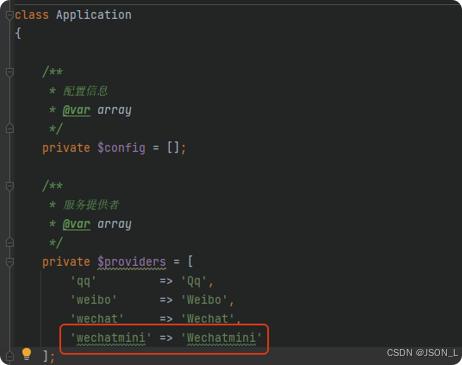
在third/library/Application.php中注册服务提供者。
登录调用
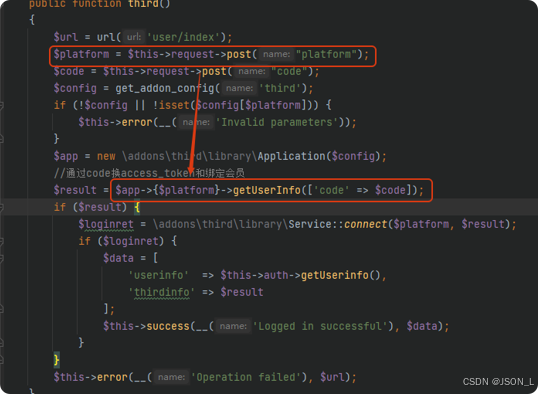
在api/User.php的third方法中处理登录时,可通过platform参数传递wechatmini,
调用小程序登录方法,如下:
总结
在fastadmin中使用三方登录插件原有没有小程序登录,需要增加小程序登录