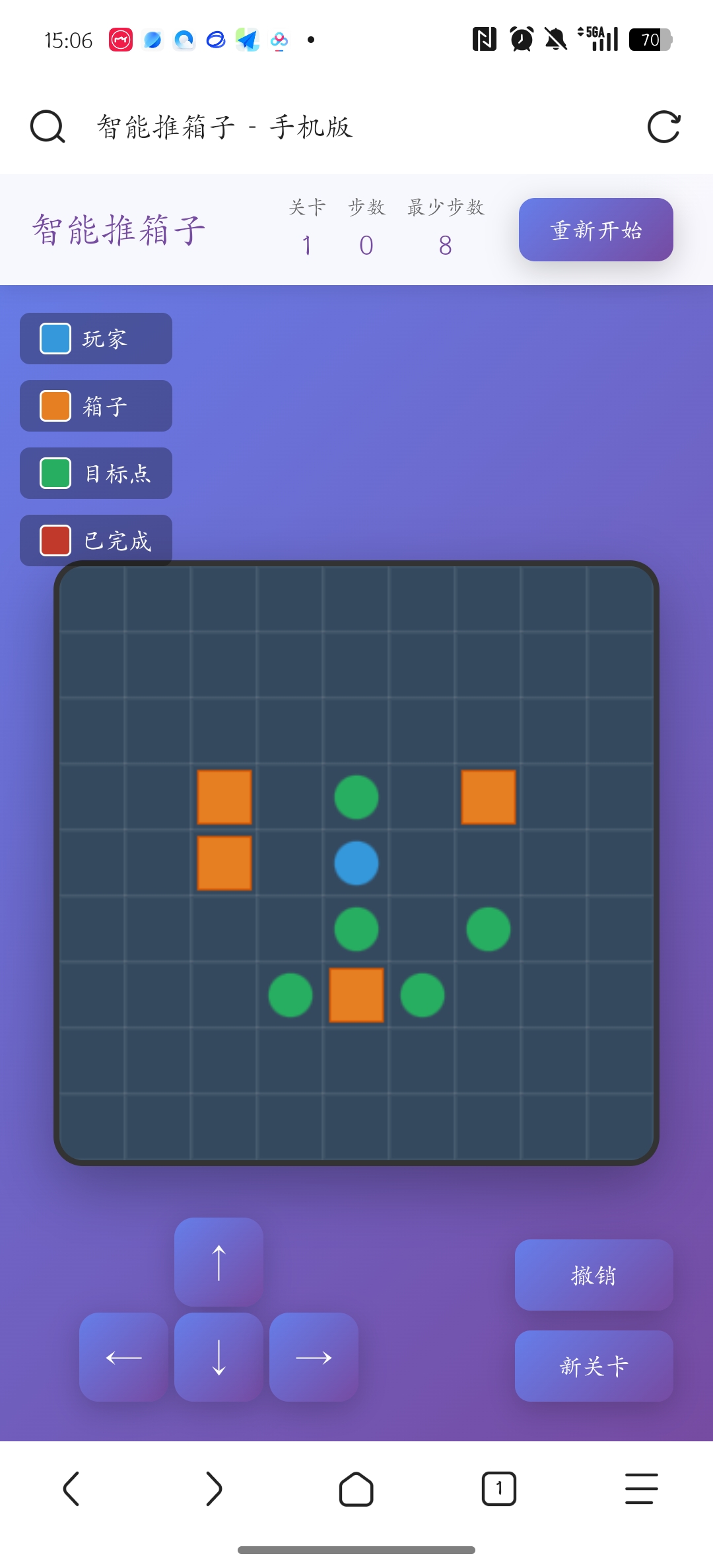
<!DOCTYPE html>
<html lang="zh-CN">
<head>
<meta charset="UTF-8">
<meta name="viewport" content="width=device-width, initial-scale=1.0, maximum-scale=1.0, user-scalable=no">
<title>智能推箱子 - 手机版</title>
<style>
/* 1. 基础样式重置 */
* {
margin: 0;
padding: 0;
box-sizing: border-box;
-webkit-tap-highlight-color: transparent;
}
/* 2. 页面布局样式 - 竖屏适配 */
body {
font-family: 'Arial', sans-serif;
background: linear-gradient(135deg, #667eea 0%, #764ba2 100%);
min-height: 100vh;
display: flex;
flex-direction: column;
align-items: center;
padding: 0;
overflow: hidden;
position: relative;
}
/* 3. 游戏容器 - 收腰设计 */
.game-container {
width: 100%;
max-width: 400px;
height: 100vh;
display: flex;
flex-direction: column;
position: relative;
}
/* 4. 顶部信息栏 */
.game-header {
background: rgba(255, 255, 255, 0.95);
padding: 15px 20px;
display: flex;
justify-content: space-between;
align-items: center;
box-shadow: 0 2px 10px rgba(0, 0, 0, 0.1);
position: relative;
z-index: 10;
}
.game-title {
font-size: 20px;
color: #764ba2;
font-weight: bold;
}
/* 修改得分记录位置 - 往左移动 */
.info-board {
display: flex;
gap: 15px;
font-size: 14px;
font-weight: bold;
color: #333;
margin-right: 100px; /* 添加右边距,给重新开始按钮留出空间 */
}
.info-item {
display: flex;
flex-direction: column;
align-items: center;
}
.info-label {
font-size: 10px;
color: #666;
margin-bottom: 2px;
}
.info-value {
font-size: 16px;
color: #764ba2;
}
/* 5. 重新开始按钮 - 右上角 */
.restart-btn {
position: absolute;
right: 20px;
top: 50%;
transform: translateY(-50%);
padding: 8px 15px;
font-size: 12px;
font-weight: bold;
color: white;
background: linear-gradient(135deg, #667eea 0%, #764ba2 100%);
border: none;
border-radius: 8px;
cursor: pointer;
transition: all 0.3s ease;
box-shadow: 0 4px 15px rgba(0, 0, 0, 0.2);
}
.restart-btn:hover {
transform: translateY(-50%) scale(1.05);
}
.restart-btn:active {
transform: translateY(-50%) scale(0.95);
}
/* 6. 游戏主体区域 - 收腰设计 */
.game-main {
flex: 1;
display: flex;
flex-direction: column;
align-items: center;
justify-content: center;
padding: 20px 10px;
position: relative;
}
/* 7. 游戏画布 - 中间收腰 */
#gameCanvas {
border: 3px solid #333;
border-radius: 15px;
background: #2c3e50;
box-shadow: 0 10px 30px rgba(0, 0, 0, 0.3);
max-width: 90%;
max-height: 60vh;
display: block;
}
/* 修改方向键位置 - 往右移动 */
.controls-container {
position: fixed;
bottom: 20px;
left: 40px; /* 从20px改为40px,往右移动20px */
z-index: 100;
}
.controls {
display: grid;
grid-template-columns: repeat(3, 50px);
gap: 5px;
}
.control-btn {
width: 50px;
height: 50px;
font-size: 20px;
font-weight: bold;
color: white;
background: linear-gradient(135deg, #667eea 0%, #764ba2 100%);
border: none;
border-radius: 10px;
cursor: pointer;
transition: all 0.3s ease;
box-shadow: 0 4px 15px rgba(0, 0, 0, 0.2);
display: flex;
align-items: center;
justify-content: center;
user-select: none;
-webkit-user-select: none;
}
.control-btn:hover {
transform: translateY(-2px);
box-shadow: 0 6px 20px rgba(0, 0, 0, 0.3);
}
.control-btn:active {
transform: translateY(0);
}
.control-btn.up {
grid-column: 2;
}
.control-btn.down {
grid-column: 2;
}
.control-btn.empty {
visibility: hidden;
}
/* 9. 功能按钮区域 */
.action-buttons {
position: fixed;
bottom: 20px;
right: 20px;
display: flex;
flex-direction: column;
gap: 10px;
z-index: 100;
}
.action-btn {
padding: 10px 15px;
font-size: 12px;
font-weight: bold;
color: white;
background: linear-gradient(135deg, #667eea 0%, #764ba2 100%);
border: none;
border-radius: 8px;
cursor: pointer;
transition: all 0.3s ease;
box-shadow: 0 4px 15px rgba(0, 0, 0, 0.2);
min-width: 80px;
}
.action-btn:hover {
transform: translateY(-2px);
box-shadow: 0 6px 20px rgba(0, 0, 0, 0.3);
}
.action-btn:active {
transform: translateY(0);
}
/* 10. 图例说明 */
.legend {
position: fixed;
top: 80px;
left: 10px;
display: flex;
flex-direction: column;
gap: 8px;
z-index: 10;
}
.legend-item {
display: flex;
align-items: center;
gap: 5px;
font-size: 12px;
color: white;
background: rgba(0, 0, 0, 0.3);
padding: 5px 10px;
border-radius: 5px;
}
.legend-color {
width: 16px;
height: 16px;
border-radius: 3px;
border: 1px solid #fff;
}
/* 11. 关卡完成提示 */
.level-complete {
position: fixed;
top: 50%;
left: 50%;
transform: translate(-50%, -50%);
background: white;
padding: 30px;
border-radius: 20px;
text-align: center;
box-shadow: 0 20px 60px rgba(0, 0, 0, 0.3);
display: none;
z-index: 1000;
animation: bounceIn 0.5s ease;
max-width: 90vw;
}
@keyframes bounceIn {
0% {
transform: translate(-50%, -50%) scale(0);
opacity: 0;
}
50% {
transform: translate(-50%, -50%) scale(1.1);
}
100% {
transform: translate(-50%, -50%) scale(1);
opacity: 1;
}
}
.level-complete-title {
font-size: 24px;
color: #764ba2;
margin-bottom: 15px;
}
.level-complete-info {
font-size: 16px;
color: #333;
margin-bottom: 20px;
}
.next-btn {
padding: 10px 25px;
font-size: 14px;
font-weight: bold;
color: white;
background: linear-gradient(135deg, #667eea 0%, #764ba2 100%);
border: none;
border-radius: 10px;
cursor: pointer;
transition: all 0.3s ease;
}
.next-btn:hover {
transform: scale(1.05);
}
/* 12. 响应式设计 */
@media (max-width: 480px) {
.game-header {
padding: 10px 15px;
}
.game-title {
font-size: 18px;
}
.info-board {
gap: 10px;
}
.controls {
grid-template-columns: repeat(3, 45px);
gap: 3px;
}
.control-btn {
width: 45px;
height: 45px;
font-size: 18px;
}
.legend {
top: 70px;
}
}
</style>
</head>
<body>
<div class="game-container">
<!-- 游戏头部信息 -->
<div class="game-header">
<h1 class="game-title">智能推箱子</h1>
<div class="info-board">
<div class="info-item">
<span class="info-label">关卡</span>
<span class="info-value" id="level">1</span>
</div>
<div class="info-item">
<span class="info-label">步数</span>
<span class="info-value" id="moves">0</span>
</div>
<div class="info-item">
<span class="info-label">最少步数</span>
<span class="info-value" id="minMoves">-</span>
</div>
</div>
<button class="restart-btn" id="restartBtn">重新开始</button>
</div>
<!-- 游戏主体区域 -->
<div class="game-main">
<canvas id="gameCanvas"></canvas>
</div>
<!-- 图例说明 -->
<div class="legend">
<div class="legend-item">
<div class="legend-color" style="background: #3498db;"></div>
<span>玩家</span>
</div>
<div class="legend-item">
<div class="legend-color" style="background: #e67e22;"></div>
<span>箱子</span>
</div>
<div class="legend-item">
<div class="legend-color" style="background: #27ae60;"></div>
<span>目标点</span>
</div>
<div class="legend-item">
<div class="legend-color" style="background: #c0392b;"></div>
<span>已完成</span>
</div>
</div>
<!-- 控制按钮 - 左下角 -->
<div class="controls-container">
<div class="controls">
<div class="control-btn empty"></div>
<button class="control-btn up" id="upBtn">↑</button>
<div class="control-btn empty"></div>
<button class="control-btn" id="leftBtn">←</button>
<button class="control-btn down" id="downBtn">↓</button>
<button class="control-btn" id="rightBtn">→</button>
</div>
</div>
<!-- 功能按钮 - 右下角 -->
<div class="action-buttons">
<button class="action-btn" id="undoBtn">撤销</button>
<button class="action-btn" id="newLevelBtn">新关卡</button>
</div>
<!-- 关卡完成提示 -->
<div class="level-complete" id="levelComplete">
<div class="level-complete-title">关卡完成!</div>
<div class="level-complete-info">
<p>用了<span id="completeMoves">0</span> 步</p>
<p>最少步数: <span id="completeMinMoves">0</span></p>
</div>
<button class="next-btn" id="nextLevelBtn">下一关</button>
</div>
</div>
<script>
// 一、游戏配置变量
const CONFIG = {
// 1. 画布配置
canvas: {
maxWidth: 350,
maxHeight: 400,
cellSize: 35
},
// 2. 关卡生成配置
level: {
minSize: 8,
maxSize: 10,
minBoxes: 3,
maxBoxes: 5,
maxRetries: 100
},
// 3. 颜色配置
colors: {
floor: '#34495e',
wall: '#2c3e50',
player: '#3498db',
box: '#e67e22',
target: '#27ae60',
boxOnTarget: '#c0392b',
playerOnTarget: '#2980b9'
},
// 4. 游戏元素
elements: {
floor: 0,
wall: 1,
player: 2,
box: 3,
target: 4,
boxOnTarget: 5,
playerOnTarget: 6
}
};
// 二、游戏状态管理
class SokobanGame {
// 1. 初始化游戏
constructor() {
this.canvas = document.getElementById('gameCanvas');
this.ctx = this.canvas.getContext('2d');
// 游戏状态
this.level = 1;
this.moves = 0;
this.minMoves = 0;
this.gameBoard = \[\];
this.playerPos = { x: 0, y: 0 };
this.history = \[\];
this.isComplete = false;
this.totalBoxes = 0;
// 绑定事件
this.bindEvents();
// 生成第一关
this.generateValidLevel();
}
// 2. 生成有效关卡
generateValidLevel() {
let attempts = 0;
while (attempts < CONFIG.level.maxRetries) {
if (this.generateLevel()) {
if (this.isSolvable()) {
this.minMoves = this.calculateMinMoves();
this.moves = 0;
this.history = \[\];
this.isComplete = false;
this.updateUI();
this.draw();
return;
}
}
attempts++;
}
// 如果生成失败,使用预设关卡
this.usePresetLevel();
}
// 3. 生成关卡 - 四周开放
generateLevel() {
// 1. 随机生成关卡大小
const size = Math.floor(Math.random() * (CONFIG.level.maxSize - CONFIG.level.minSize + 1)) + CONFIG.level.minSize;
this.gridSize = size;
// 2. 计算合适的单元格大小
const maxCellSize = Math.floor(Math.min(CONFIG.canvas.maxWidth, CONFIG.canvas.maxHeight) / size);
this.cellSize = Math.min(maxCellSize, CONFIG.canvas.cellSize);
// 3. 设置画布实际尺寸
this.canvas.width = size * this.cellSize;
this.canvas.height = size * this.cellSize;
// 4. 初始化空地图 - 四周不生成墙壁
this.gameBoard = Array(size).fill(null).map(() => Array(size).fill(CONFIG.elements.floor));
// 5. 随机生成箱子和目标点数量
const boxCount = Math.floor(Math.random() * (CONFIG.level.maxBoxes - CONFIG.level.minBoxes + 1)) + CONFIG.level.minBoxes;
const targetCount = boxCount + 1; // 目标点比箱子多一个
const boxes = \[\];
const targets = \[\];
// 6. 收集内部可用位置(排除四周)
const availablePositions = \[\];
for (let y = 2; y < size - 2; y++) {
for (let x = 2; x < size - 2; x++) {
availablePositions.push({ x, y });
}
}
// 7. 随机选择位置
this.shuffle(availablePositions);
// 8. 放置目标点
for (let i = 0; i < targetCount && i < availablePositions.length; i++) {
const targetPos = availablePositionsi;
targets.push(targetPos);
this.gameBoardtargetPos.ytargetPos.x = CONFIG.elements.target;
}
// 9. 放置箱子(不在目标点上)
let boxIndex = 0;
for (let i = targetCount; i < targetCount + boxCount && i < availablePositions.length; i++) {
const boxPos = availablePositionsi;
// 确保箱子不在目标点上
if (this.gameBoardboxPos.yboxPos.x === CONFIG.elements.floor) {
boxes.push(boxPos);
this.gameBoardboxPos.yboxPos.x = CONFIG.elements.box;
boxIndex++;
}
}
// 10. 放置玩家
for (let i = targetCount + boxCount; i < availablePositions.length; i++) {
const playerPos = availablePositionsi;
if (this.gameBoardplayerPos.yplayerPos.x === CONFIG.elements.floor) {
this.playerPos = { x: playerPos.x, y: playerPos.y };
this.gameBoardplayerPos.yplayerPos.x = CONFIG.elements.player;
break;
}
}
// 11. 生成少量内部墙壁
this.generateInternalWalls(boxes, targets);
// 12. 记录总箱子数
this.totalBoxes = boxes.length;
return boxes.length > 0 && targets.length > 0;
}
// 4. 生成内部墙壁
generateInternalWalls(boxes, targets) {
const wallCount = Math.floor(this.gridSize * 0.1); // 墙壁数量约为地图大小的10%
let placedWalls = 0;
for (let i = 0; i < wallCount * 3 && placedWalls < wallCount; i++) {
const x = Math.floor(Math.random() * (this.gridSize - 4)) + 2;
const y = Math.floor(Math.random() * (this.gridSize - 4)) + 2;
// 检查是否可以放置墙壁
if (this.gameBoardyx === CONFIG.elements.floor) {
// 检查是否会影响通路
if (!this.wouldBlockPath(x, y, boxes, targets)) {
this.gameBoardyx = CONFIG.elements.wall;
placedWalls++;
}
}
}
}
// 5. 检查是否会阻断通路
wouldBlockPath(x, y, boxes, targets) {
// 简单检查:确保不会完全包围箱子或目标
for (let box of boxes) {
const dist = Math.abs(box.x - x) + Math.abs(box.y - y);
if (dist <= 1) return true; // 太近了
}
for (let target of targets) {
const dist = Math.abs(target.x - x) + Math.abs(target.y - y);
if (dist <= 1) return true; // 太近了
}
return false;
}
// 6. 使用预设关卡
usePresetLevel() {
this.gridSize = 8;
this.cellSize = Math.floor(Math.min(CONFIG.canvas.maxWidth, CONFIG.canvas.maxHeight) / this.gridSize);
this.canvas.width = this.gridSize * this.cellSize;
this.canvas.height = this.gridSize * this.cellSize;
this.gameBoard = [
0,0,0,0,0,0,0,0,
0,2,3,0,4,0,0,0,
0,0,0,0,0,0,0,0,
0,3,0,0,4,0,0,0,
0,0,0,0,0,0,0,0,
0,0,4,0,3,0,0,0,
0,0,0,0,0,0,0,0,
0,0,0,0,0,0,0,0
];
// 找到玩家位置
for (let y = 0; y < this.gameBoard.length; y++) {
for (let x = 0; x < this.gameBoardy.length; x++) {
if (this.gameBoardyx === CONFIG.elements.player)
this.playerPos = { x, y };
}
}
// 计算总箱子数
this.totalBoxes = 0;
for (let y = 0; y < this.gameBoard.length; y++) {
for (let x = 0; x < this.gameBoardy.length; x++) {
if (this.gameBoardyx === CONFIG.elements.box ||
this.gameBoardyx === CONFIG.elements.boxOnTarget) {
this.totalBoxes++;
}
}
}
this.minMoves = 8;
this.moves = 0;
this.history = \[\];
this.isComplete = false;
}
// 7. 验证关卡可解性
isSolvable() {
return this.checkBasicSolvable();
}
// 8. 基本可解性检查
checkBasicSolvable() {
// 检查每个箱子是否至少有一个方向可以移动
for (let y = 0; y < this.gameBoard.length; y++) {
for (let x = 0; x < this.gameBoardy.length; x++) {
if (this.gameBoardyx === CONFIG.elements.box) {
let canMove = false;
const directions = [
{ dx: 0, dy: -1 },
{ dx: 1, dy: 0 },
{ dx: 0, dy: 1 },
{ dx: -1, dy: 0 }
];
for (let dir of directions) {
const boxNewX = x + dir.dx;
const boxNewY = y + dir.dy;
const playerNewX = x - dir.dx;
const playerNewY = y - dir.dy;
if (boxNewX >= 0 && boxNewX < this.gridSize &&
boxNewY >= 0 && boxNewY < this.gridSize &&
playerNewX >= 0 && playerNewX < this.gridSize &&
playerNewY >= 0 && playerNewY < this.gridSize) {
if (
this.gameBoardboxNewYboxNewX !== CONFIG.elements.wall &&
this.gameBoardboxNewYboxNewX !== CONFIG.elements.box &&
this.gameBoardplayerNewYplayerNewX !== CONFIG.elements.wall) {
canMove = true;
break;
}
}
}
if (!canMove) return false;
}
}
}
return true;
}
// 9. 洗牌算法
shuffle(array) {
for (let i = array.length - 1; i > 0; i--) {
const j = Math.floor(Math.random() * (i + 1));
array\[i, arrayj] = array\[j, arrayi];
}
}
// 10. 计算最少步数
calculateMinMoves() {
let boxCount = 0;
for (let y = 0; y < this.gameBoard.length; y++) {
for (let x = 0; x < this.gameBoardy.length; x++) {
if (this.gameBoardyx === CONFIG.elements.box ||
this.gameBoardyx === CONFIG.elements.boxOnTarget) {
boxCount++;
}
}
}
return boxCount * 2;
}
// 11. 绘制游戏
draw() {
// 1. 清空画布
this.ctx.fillStyle = CONFIG.colors.floor;
this.ctx.fillRect(0, 0, this.canvas.width, this.canvas.height);
// 2. 计算箱子内边距
const boxPadding = Math.max(2, this.cellSize * 0.1);
// 3. 绘制游戏元素
for (let y = 0; y < this.gameBoard.length; y++) {
for (let x = 0; x < this.gameBoardy.length; x++) {
const element = this.gameBoardyx;
const px = x * this.cellSize;
const py = y * this.cellSize;
switch(element) {
case CONFIG.elements.wall:
this.ctx.fillStyle = CONFIG.colors.wall;
this.ctx.fillRect(px, py, this.cellSize, this.cellSize);
this.ctx.strokeStyle = '#1a252f';
this.ctx.strokeRect(px, py, this.cellSize, this.cellSize);
break;
case CONFIG.elements.floor:
this.ctx.fillStyle = CONFIG.colors.floor;
this.ctx.fillRect(px, py, this.cellSize, this.cellSize);
break;
case CONFIG.elements.target:
this.ctx.fillStyle = CONFIG.colors.floor;
this.ctx.fillRect(px, py, this.cellSize, this.cellSize);
this.ctx.fillStyle = CONFIG.colors.target;
this.ctx.beginPath();
this.ctx.arc(px + this.cellSize/2, py + this.cellSize/2, this.cellSize/3, 0, Math.PI * 2);
this.ctx.fill();
break;
case CONFIG.elements.box:
this.ctx.fillStyle = CONFIG.colors.floor;
this.ctx.fillRect(px, py, this.cellSize, this.cellSize);
this.ctx.fillStyle = CONFIG.colors.box;
this.ctx.fillRect(px + boxPadding, py + boxPadding,
this.cellSize - boxPadding * 2,
this.cellSize - boxPadding * 2);
this.ctx.strokeStyle = '#d35400';
this.ctx.strokeRect(px + boxPadding, py + boxPadding,
this.cellSize - boxPadding * 2,
this.cellSize - boxPadding * 2);
break;
case CONFIG.elements.boxOnTarget:
this.ctx.fillStyle = CONFIG.colors.floor;
this.ctx.fillRect(px, py, this.cellSize, this.cellSize);
this.ctx.fillStyle = CONFIG.colors.target;
this.ctx.beginPath();
this.ctx.arc(px + this.cellSize/2, py + this.cellSize/2, this.cellSize/3, 0, Math.PI * 2);
this.ctx.fill();
this.ctx.fillStyle = CONFIG.colors.boxOnTarget;
this.ctx.fillRect(px + boxPadding, py + boxPadding,
this.cellSize - boxPadding * 2,
this.cellSize - boxPadding * 2);
break;
case CONFIG.elements.player:
this.ctx.fillStyle = CONFIG.colors.floor;
this.ctx.fillRect(px, py, this.cellSize, this.cellSize);
this.ctx.fillStyle = CONFIG.colors.player;
this.ctx.beginPath();
this.ctx.arc(px + this.cellSize/2, py + this.cellSize/2, this.cellSize/3, 0, Math.PI * 2);
this.ctx.fill();
break;
case CONFIG.elements.playerOnTarget:
this.ctx.fillStyle = CONFIG.colors.floor;
this.ctx.fillRect(px, py, this.cellSize, this.cellSize);
this.ctx.fillStyle = CONFIG.colors.target;
this.ctx.beginPath();
this.ctx.arc(px + this.cellSize/2, py + this.cellSize/2, this.cellSize/3, 0, Math.PI * 2);
this.ctx.fill();
this.ctx.fillStyle = CONFIG.colors.playerOnTarget;
this.ctx.beginPath();
this.ctx.arc(px + this.cellSize/2, py + this.cellSize/2, this.cellSize/4, 0, Math.PI * 2);
this.ctx.fill();
break;
}
// 绘制网格线
this.ctx.strokeStyle = 'rgba(255, 255, 255, 0.1)';
this.ctx.strokeRect(px, py, this.cellSize, this.cellSize);
}
}
}
// 12. 移动玩家
movePlayer(dx, dy) {
// 1. 检查游戏是否完成
if (this.isComplete) return;
// 2. 计算新位置
const newX = this.playerPos.x + dx;
const newY = this.playerPos.y + dy;
// 3. 检查边界
if (newX < 0 || newX >= this.gridSize || newY < 0 || newY >= this.gridSize) {
return;
}
// 4. 获取目标位置元素
const targetCell = this.gameBoardnewYnewX;
// 5. 检查是否是墙
if (targetCell === CONFIG.elements.wall) {
return;
}
// 6. 保存历史状态
this.saveHistory();
// 7. 检查是否推箱子
if (targetCell === CONFIG.elements.box || targetCell === CONFIG.elements.boxOnTarget) {
const boxNewX = newX + dx;
const boxNewY = newY + dy;
// 检查箱子能否移动
if (boxNewX < 0 || boxNewX >= this.gridSize ||
boxNewY < 0 || boxNewY >= this.gridSize ||
this.gameBoardboxNewYboxNewX === CONFIG.elements.wall ||
this.gameBoardboxNewYboxNewX === CONFIG.elements.box ||
this.gameBoardboxNewYboxNewX === CONFIG.elements.boxOnTarget) {
this.history.pop(); // 撤销历史记录
return;
}
// 移动箱子
const boxOnTarget = this.gameBoardboxNewYboxNewX === CONFIG.elements.target;
this.gameBoardboxNewYboxNewX = boxOnTarget ?
CONFIG.elements.boxOnTarget : CONFIG.elements.box;
// 更新箱子原位置
const wasOnTarget = targetCell === CONFIG.elements.boxOnTarget;
this.gameBoardnewYnewX = wasOnTarget ?
CONFIG.elements.target : CONFIG.elements.floor;
}
// 8. 移动玩家
const playerOnTarget = this.gameBoardnewYnewX === CONFIG.elements.target;
this.gameBoardthis.playerPos.ythis.playerPos.x =
(this.gameBoardthis.playerPos.ythis.playerPos.x === CONFIG.elements.playerOnTarget) ?
CONFIG.elements.target : CONFIG.elements.floor;
this.gameBoardnewYnewX = playerOnTarget ?
CONFIG.elements.playerOnTarget : CONFIG.elements.player;
this.playerPos = { x: newX, y: newY };
// 9. 更新步数
this.moves++;
this.updateUI();
// 10. 检查是否完成
if (this.checkWin()) {
setTimeout(() => {
if (this.checkWin()) {
this.onLevelComplete();
}
}, 100);
}
// 11. 重绘
this.draw();
}
// 13. 保存历史状态
saveHistory() {
const state = {
board: this.gameBoard.map(row => ...row),
playerPos: { ...this.playerPos },
moves: this.moves
};
this.history.push(state);
// 限制历史记录长度
if (this.history.length > 50) {
this.history.shift();
}
}
// 14. 撤销操作
undo() {
if (this.history.length === 0 || this.isComplete) return;
const state = this.history.pop();
this.gameBoard = state.board;
this.playerPos = state.playerPos;
this.moves = state.moves;
this.updateUI();
this.draw();
}
// 15. 检查胜利条件
checkWin() {
let boxesOnTarget = 0;
for (let y = 0; y < this.gameBoard.length; y++) {
for (let x = 0; x < this.gameBoardy.length; x++) {
if (this.gameBoardyx === CONFIG.elements.boxOnTarget) {
boxesOnTarget++;
}
}
}
return boxesOnTarget === this.totalBoxes;
}
// 16. 关卡完成处理
onLevelComplete() {
if (this.isComplete) return;
this.isComplete = true;
document.getElementById('completeMoves').textContent = this.moves;
document.getElementById('completeMinMoves').textContent = this.minMoves;
document.getElementById('levelComplete').style.display = 'block';
}
// 17. 下一关
nextLevel() {
this.level++;
document.getElementById('levelComplete').style.display = 'none';
this.generateValidLevel();
}
// 18. 重新开始当前关卡
restart() {
this.generateValidLevel();
}
// 19. 更新UI
updateUI() {
document.getElementById('level').textContent = this.level;
document.getElementById('moves').textContent = this.moves;
document.getElementById('minMoves').textContent = this.minMoves;
}
// 20. 绑定事件
bindEvents() {
// 1. 键盘控制
document.addEventListener('keydown', (e) => {
switch(e.key) {
case 'ArrowUp':
case 'w':
case 'W':
e.preventDefault();
this.movePlayer(0, -1);
break;
case 'ArrowDown':
case 's':
case 'S':
e.preventDefault();
this.movePlayer(0, 1);
break;
case 'ArrowLeft':
case 'a':
case 'A':
e.preventDefault();
this.movePlayer(-1, 0);
break;
case 'ArrowRight':
case 'd':
case 'D':
e.preventDefault();
this.movePlayer(1, 0);
break;
case 'z':
case 'Z':
this.undo();
break;
case 'r':
case 'R':
this.restart();
break;
}
});
// 2. 按钮控制
document.getElementById('upBtn').addEventListener('click', () => {
this.movePlayer(0, -1);
});
document.getElementById('downBtn').addEventListener('click', () => {
this.movePlayer(0, 1);
});
document.getElementById('leftBtn').addEventListener('click', () => {
this.movePlayer(-1, 0);
});
document.getElementById('rightBtn').addEventListener('click', () => {
this.movePlayer(1, 0);
});
document.getElementById('undoBtn').addEventListener('click', () => {
this.undo();
});
document.getElementById('restartBtn').addEventListener('click', () => {
this.restart();
});
document.getElementById('newLevelBtn').addEventListener('click', () => {
this.level++;
this.generateValidLevel();
});
document.getElementById('nextLevelBtn').addEventListener('click', () => {
this.nextLevel();
});
// 3. 触摸控制
let touchStartX = 0;
let touchStartY = 0;
this.canvas.addEventListener('touchstart', (e) => {
e.preventDefault();
touchStartX = e.touches0.clientX;
touchStartY = e.touches0.clientY;
});
this.canvas.addEventListener('touchend', (e) => {
e.preventDefault();
const touchEndX = e.changedTouches0.clientX;
const touchEndY = e.changedTouches0.clientY;
const dx = touchEndX - touchStartX;
const dy = touchEndY - touchStartY;
if (Math.abs(dx) > Math.abs(dy)) {
// 水平移动
if (dx > 30) {
this.movePlayer(1, 0);
} else if (dx < -30) {
this.movePlayer(-1, 0);
}
} else {
// 垂直移动
if (dy > 30) {
this.movePlayer(0, 1);
} else if (dy < -30) {
this.movePlayer(0, -1);
}
}
});
}
}
// 三、初始化游戏
window.addEventListener('DOMContentLoaded', () => {
new SokobanGame();
});
</script>
</body>
</html>