使用yarn create vite 方式创建项目
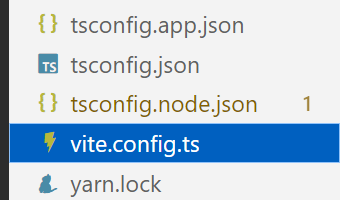
在vite.config.ts文件中添加以下内容
- 原始格式为
js
import { defineConfig } from 'vite'
import vue from '@vitejs/plugin-vue'

// https://vite.dev/config/
export default defineConfig({
  plugins: [vue()]
})- 添加内容后
js
import { defineConfig } from 'vite'
import vue from '@vitejs/plugin-vue'

// https://vite.dev/config/
export default defineConfig({
  plugins: [vue()],
  server:{
    proxy:{
      '/api':{
        target:'http://localhost:8000',
        changeOrigin:true,
        rewrite:(path)=>path.replace(/^\/api/,"")
      }
    }
  }
})
说明:
'/api':代理的名称,可以自己任意命名,符合规范即可,后面访问后端时,需要使用该名称
target:表示要代理的实际网址
changeOrigin:表示是否解决跨域问题
rewrite:重写path,采用正则表达式把path中的代理名,替换为空
使用代理访问后端
vue
<template>
  <div>
    <el-button type='success' v-on:click="index">获取数据</el-button>
  </div>
</template>
<script setup lang="ts">
import axios from 'axios'
function index()
{
    console.log("我的信息");
    //'/api/index'中的 /api,就是我们在vite.config.ts文件中定义的代理名称
    axios.get("/api/index/")
    .then(res=>{
        console.log(res.data);

    }).catch(err=>{
        console.log(err);

    })
}
</script>
<style scoped>

</style>